
PreK and iPads: A Counting Story

Last week, I was sitting in a faculty meeting analyzing grade level math data with PreK.  As I listened in, I heard them talk about students from the previous quarter who had not met the standard for counting to ten.  They were making plans for new standards that were coming up in the current quarter, but also thinking about how to continue to support this group of students who needed to work on the previous quarter standards.

Counting Lite App

I pulled out my iPhone and searched the iTunes app store for counting apps, and found multiple free apps that we might try.  Most of the free apps were limited versions of the larger paid versions, but for our purposes, the free versions were enough to try.  I suggested that we might try some of these apps on our 10 iPads, and the teachers were eager to give it a go.

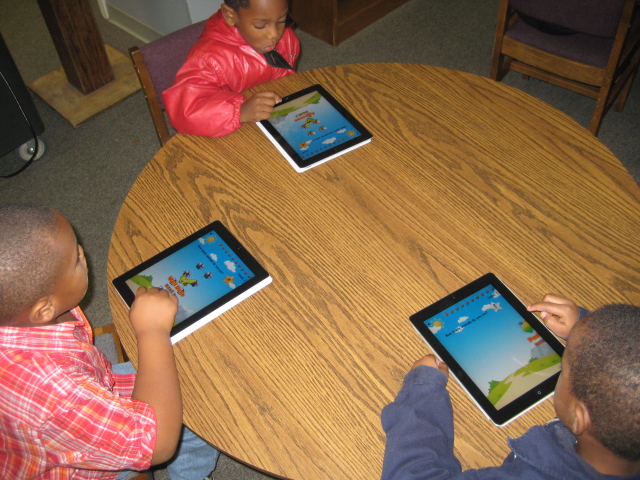
Today, the 2 teachers pulled together a group of students and brought them up.  I gave very little whole group instruction on what to do other than introducing the iPad and how to touch the screen.  I went around to each iPad and opened the app that students needed, and they started.  As usual, I was amazed at how quickly students started interacting with the iPads.  The teacher, a volunteer, and I went around to each student and prompted them to talk out loud because part of this lesson was to have the students practice counting.  They touched objects on the screen, counted aloud, and the apps also counted aloud and wrote the number on each object as it was touched.  I appreciated the ease of use of the iPads with PreK because the adults were able to focus on content instruction rather than having to instruct on how to use the technology.  Students left feeling successful with using the technology and with counting, and the teacher left feeling like students had practiced multiple standards through a few apps and was eager to come back to use the iPads some more.

I started this year with a flexible plan for the iPads that the district is having me pilot.  I’ve listened to teacher and student needs and searched for how the iPad might be a tool to support those needs.  The excitement over the device is growing, and I have a feeling that our small cart of 10 iPad is going to be in high demand very soon.
This slideshow requires JavaScript.

Photo Story Seasons: A 1st Grade Collaborative Project

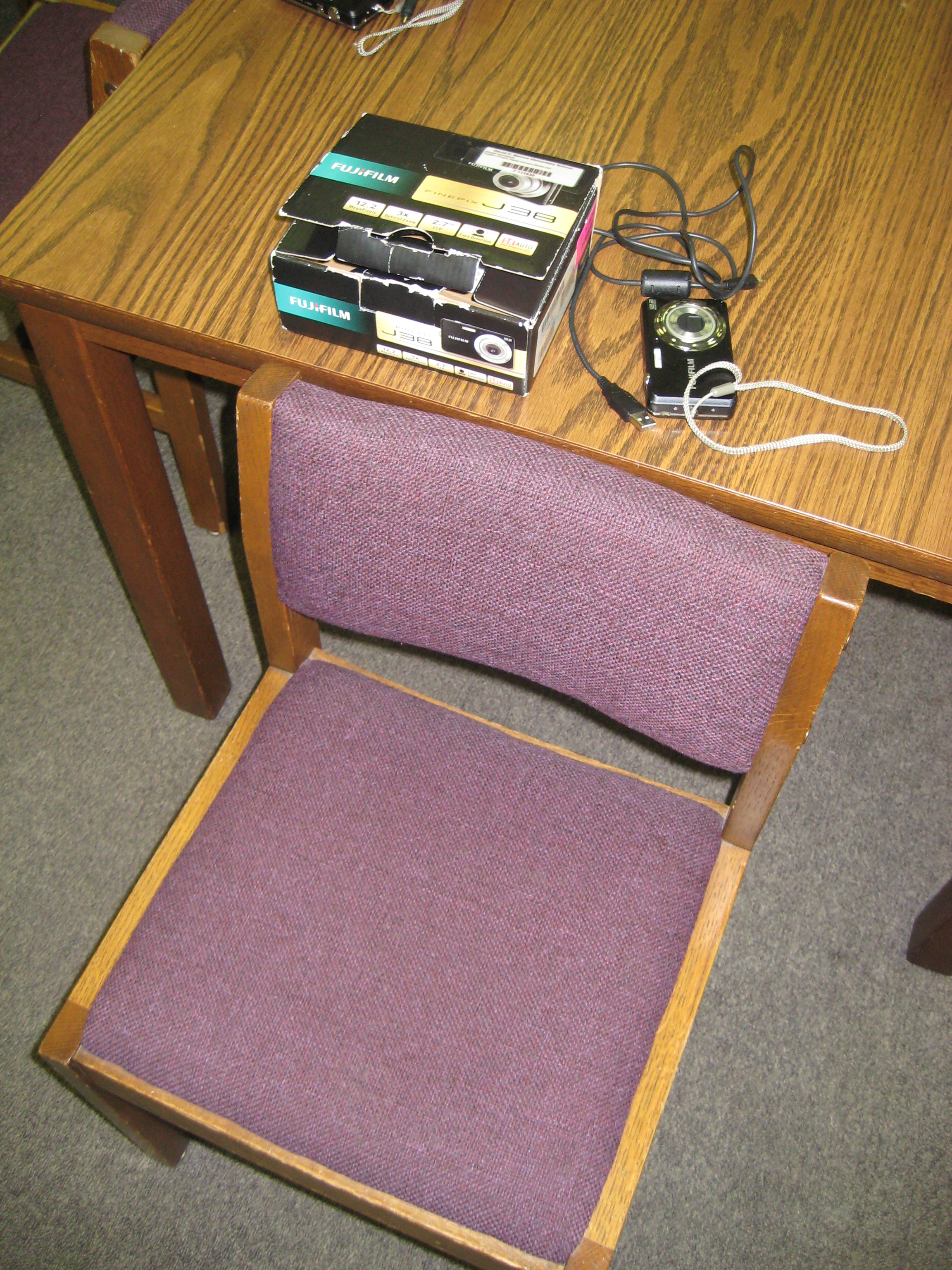
Each student had a chair to put pictures in, a camera, and a cord for downloading

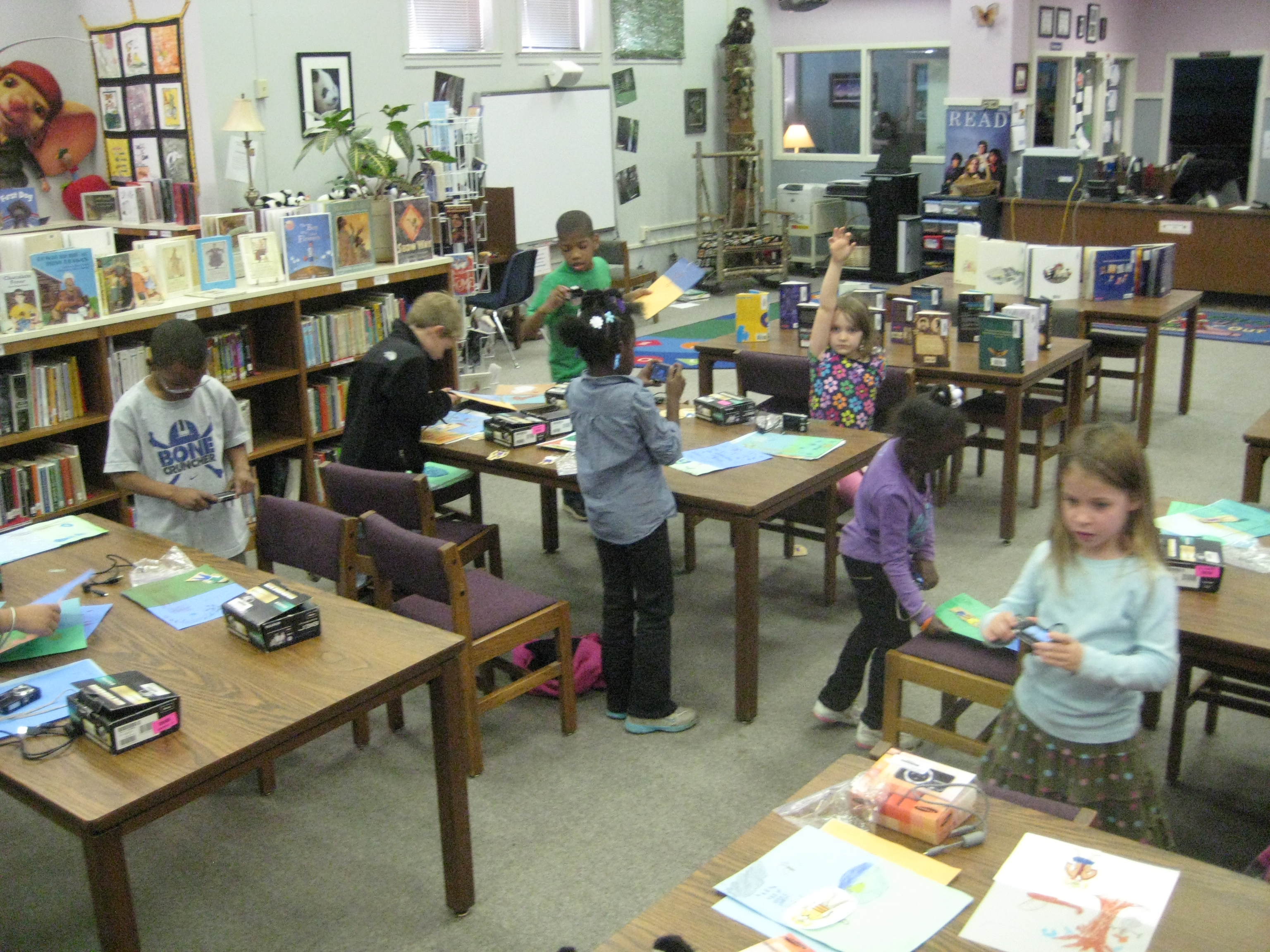
Over the past few weeks, students in 1st grade have been working on a seasons unit around their weather standards in science.  This collaborative project involved the 1st grade teachers, the art teacher, and the media center.  In class, students learned about weather in the various seasons, dressed paper dolls in appropriate clothing based on the seasons, and wrote sentences about each season.  In art, students created background images on construction paper for each season.

In the media center, students came for 2 sessions to create  photo story about their creations.  They took digital photographs of their paper dolls in each season, imported their photographs onto the computer under their own accounts, and used photostory to record their scripts for each season.

The amount of technology that students used in the media center was  a bit overwhelming, but they accomplished so much.  To do this project, students had to figure out:

  • how to turn on a digital camera and take a photograph that included all of the subject in the shot
  • how to login to a computer with their own username and password, which included understanding how to use the mouse and keyboard
  • open multiple programs on the computer and go through program wizards to complete the various tasks
  • save pictures into their picture folder and delete photographs from a camera
  • import pictures into photostory
  • arrange pictures in the correct sequence to go along with the script
  • use a usb microphone to record scripts for each photo in the photostory
  • save and view their final piece
Once I actually listed out all of those skills (and I’m sure there are some that I missed), it really is amazing what we accomplished in 2 days.  I won’t pretend that it was smooth and quiet, because it was very chaotic, messy, and loud.  It took multiple adults supporting the students, but the students were eager, excited, and productive.  I also won’t pretend that every student got their pictures in the right order or that they recorded the right script on the right picture.  I CAN say that every student went through the process and learned something about using technology to create a digital product.  They had permission to explore without endless instruction on what to click on and what to push on.  Instead, they had some freedom to try things and had a lot of adult support individually.
I think that as a result of this project, we’ll see many more uses of technology in our early grades, and we will continue to collaborate across multiple subject areas.
 

This slideshow requires JavaScript.

National Picture Book Month

November is now National Picture Book Month.  We’re excited to be celebrating this important month here at Barrow.  Students in every grade are tracking how many picture books they can read or listen to during the month.  Each grade level has a recording sheet (see below) to track their books.  As students participate, they will earn a certificate, bookmark, and their name will be put into a drawing for free reading-related prizes, including picture books.  Also, students will be creating picture book posters to display in the media center and writing and recording book reviews of their favorite picture books.  Teachers will be guests on our morning broadcast show to book talk some of their favorite books.  I’m sure that even more exciting things will develop as we dive into this fun month.  Join us in our celebration and feel free to share some of your favorite picture books in the comments section of this post.

Authors and Illustrators Team to Create Picture Book Month
FOR IMMEDIATE RELEASE
“I have always believed that literature begins in the cradle — the poems we say to the babies, the stories
we tell them — prepare them to become part of the great human storytelling community. We humans are
the only creatures in the known universe who make and remake our world with story.” – Jane Yolen from
her Picture Book Month essay
The New York Times declared, “Picture Books No Longer A Staple for Children” in an article
published in October 2010. The controversial article incited a barrage of responses from the children’s
book industry, many in defense of the venerable picture book. In addition, the digital age has ushered in
an unprecedented amount of ebooks and, with devices like the iPad, the color Nook, and the Kindle Fire,
picture books are being converted to the digital format.
Thus, Picture Book Month was born. Founder Dianne de Las Casas decided it was time to
celebrate picture books in their printed format so she created an initiative to designate November as
“Picture Book Month.” Katie Davis, Elizabeth Dulemba, Tara Lazar, and Wendy Martin came on board
to champion the cause and spread the word. A logo was designed by Joyce Wan. A website
(www.picturebookmonth.com) was created to feature essays from “Picture Book Champions,” thought
leaders in the children’s literature community. Each day in November, a new essay will be posted from
such notable contributors as Suzanne Bloom, Denise Fleming, Leslie Helakoski, Eric A. Kimmel, Tammi
Sauer, Dan Yaccarino, and Jane Yolen.
Better World Books and organizations like Scholastic Book Fairs Philippines are lending their
support. The website will also feature links to picture book resources, authors, illustrators, and kidlit book
bloggers. In addition, parents, educators, and librarians can download the theme calendar to help them
plan their picture book celebrations and access picture book activities.
Join the celebration! Visit www.picturebookmonth.com.