Digital Alphabet Books


Two Kindergarten classes have been collaborating with me in the library to support their study of the alphabet.  First students came to the library for a lesson on alphabet books.  We explored numerous alphabet books, upper/lowercase letters, and the sounds letters make.  I used LMNO Peas by Keith Baker to look specifically at upper/lowercase letters.  Next, we used Gone Wild: An Endangered Animal Alphabet by David McLimans to continue looking at upper and lowercase letters, but in an animal format.  We put each illustration under the document camera, guessed what letter the animal was making, looked at the standard upper/lowercase letter, and talked about how the animal’s name started with the letter.  We ended with Alphabet Explosion: Search and Count from Alien to Zebra by John Nickle.  We put a few illustrations under the document camera and had students identify as many things as they could find that started with the letter of the alphabet represented on the page.  At the close, students checked out an alphabet book from our wide selection.

In class, students were each assigned a letter of the alphabet.  They decorated an uppercase & lowercase letter, added an illustration that represented that letter, and wrote the word for the illustration.  They also began practicing saying the letter, the sound it makes, and the word for their illustration.  In small groups, they brought their finished illustrations to the library to use the scanner to scan their images.  While students waited to scan, they continued practicing their scripts.  After 2 days of scanning, I imported all of their pictures into Photo Story.  Then, in small groups they came back to record their scripts for their assigned letter(s).  Once again, while students waited, they practiced.  After all students recorded their voices, I finalized the Photo Story and uploaded it to Youtube.  The students will come back to the library the next time they check out books for a premiere of their video, but you can get a sneak peek of one class below.

IPICK: Choosing a Just Right Book

Every year at the beginning of the year, teachers ask me to do lessons on choosing a “just right book”.  While sometimes the focus is just on finding words that you know using the “five finger rule”, I like using the IPICK model because it is more inclusive of all of the pieces it takes to find a just right book.  IPICK stands for:

  • I=I choose my books
  • P=Purpose
  • I=Interest
  • C=Comprehend
  • K=Know most of the words  (this is really where the five finger rule fits)

Each year, I show videos of students singing a song about IPICK.  There are several examples on Youtube.  However, I know that our students are using this strategy in various classes, so when I heard a 3rd grade teacher reminding her students to use IPICK, I asked her if she had some students who might be interested in making a video.  Of course, they were very interested!

For about 45 minutes, 3 students and I met together.  We planned what we might do during the video.  Then, we started recording with an iPad.  After we filmed one take, we watched it and thought about what we needed to change.  Each time, the students made more and more suggestions and their video improved every time.  Here’s the video they created during our time together.


This year, I want to continue to listen for opportunities for students to participate in creating content in our library and be a bridge builder to get that content to a global audience for our students.

Exploring Culture

A sketch of how water is used in our lives

Today, first grade continued their exploration of culture, which is a part of their social studies standards.  In our first lesson, we thought about our day from the time we get up until the time we go to bed.  Then, we read the book One World, One Day.  We used the photographs and text to compare and contrast the day around the world with what a day is like in our own cultures.

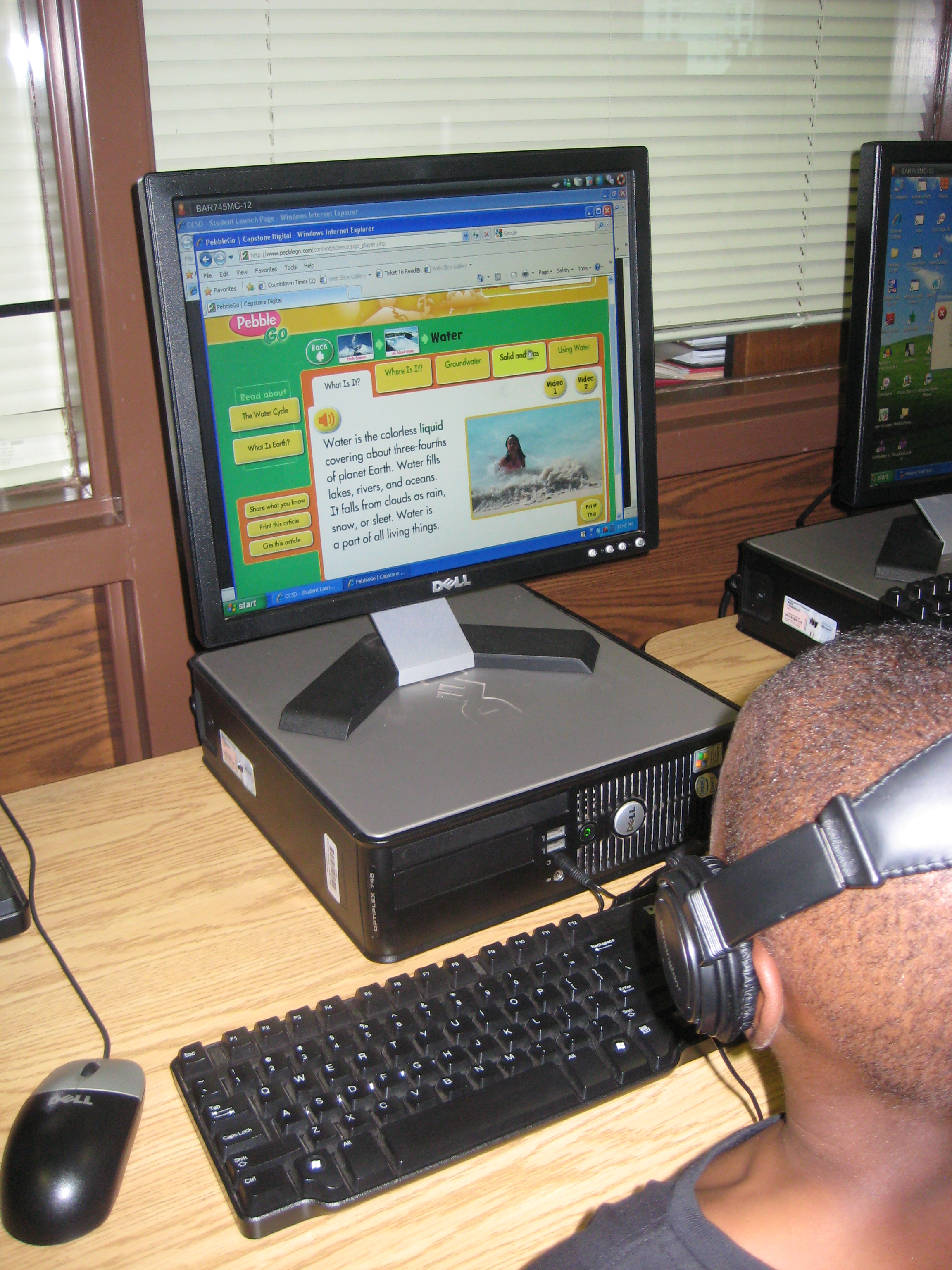
Today’s lesson focused on water around the world.  Students began by drawing and writing how they use water in their own lives.  We move to the floor and read the introduction to Our World of Water: Children and Water Around the World.  Then, we moved to computers and used PebbleGo to explore all of the resources available in the earth database about water.  

I really liked the movement from drawing/writing to listening to using technology to read/listen.  These kinds of experiences are what I hope to repeat in many lessons this year as I try to provide transliterate experiences for the learners in our library.

This slideshow requires JavaScript.

Exploring the Solar System

Right now our 4th grade is working on the Georgia Performance Standards dealing with the solar system and stars.  They kicked off their unit of study in class with a KWL chart.  With that knowledge named and questions formed, they came to the library for an exploratory lesson to further expand their knowledge and spark additional questions before they continue their unit of study in the classroom.

We began our time together as a whole group.  I sparked their interest with my own research of the end of the shuttle program, the price tag for a seat on a Russian shuttle, and updates on the Mars Rover.  Next, students got to choose from two books to read aloud:  You Are the First Kid On Mars by Patrick O’Brien and The Planet Hunter: The Story Behind What Happened to Pluto by Elizabeth Rusch.  I was actually surprised that they picked The Planet Hunter because we had talked so much about the Mars rover and they were excited about it.  Nevertheless, we read the story and they were amazed to learn that scientists could change the definition of what a planet is and things we once called planets are now called something different. They wondered if there would ever be a day that Earth would not be a planet anymore.

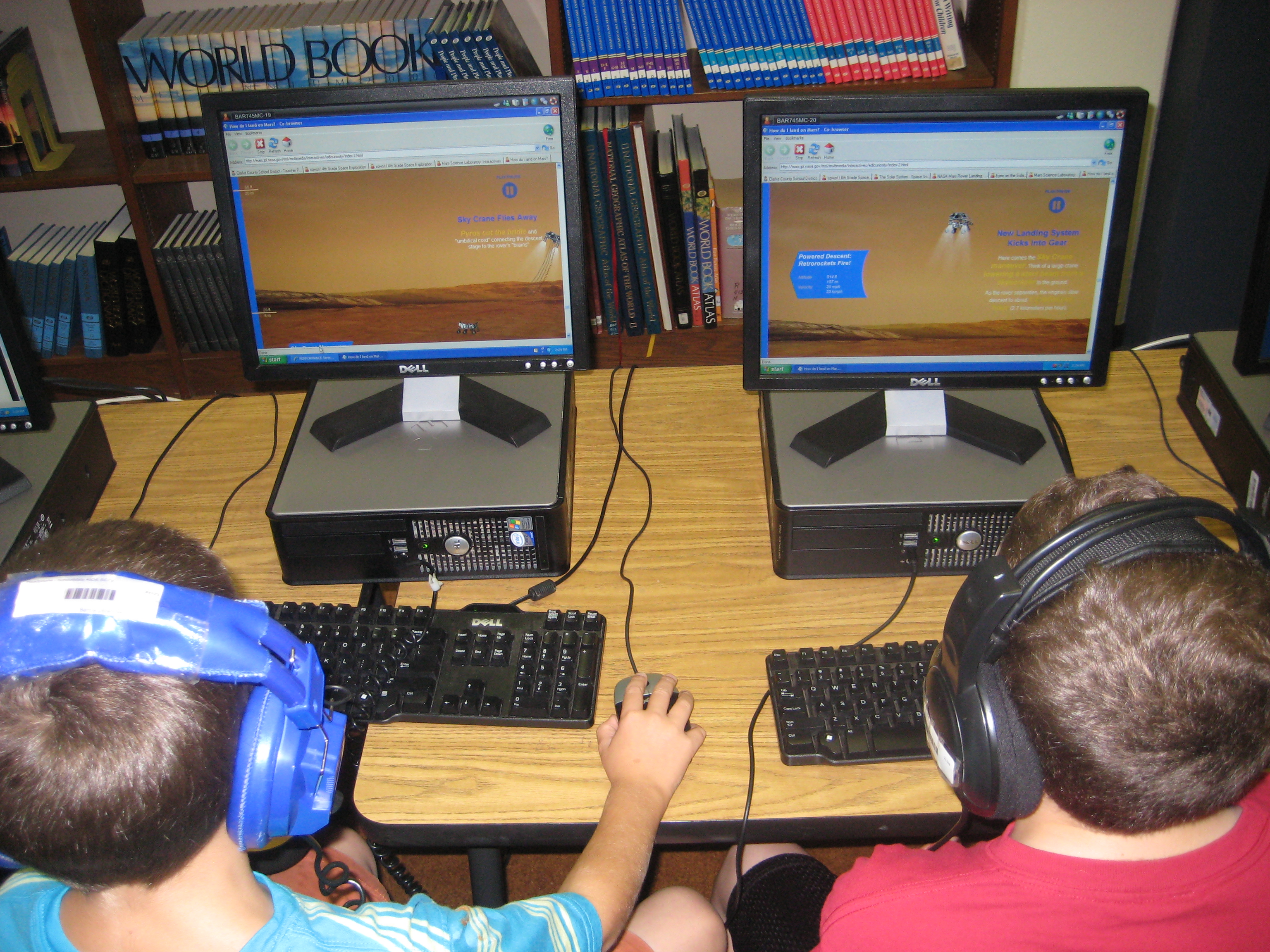
After our book exploration, students split into 2 groups.  One group went to the desktop computers and used a pathfinder created with Sqworl to explore YouTube videos and interactive sites.  The other group used our 10 iPads to explore a variety of free solar system and constellation apps such as Distant Suns, Moon, Solar System, NASA Viz, Stellarium, GoSkyWatch, and Planets.  Groups switched halfway through our time so that they went to both centers.

The students left with excitement about the solar system.  They left with questions and a desire to continue learning.  When one student discovered something in an app, video, or interactive site, they immediately wanted to share it with other students in the class.  Without any prompting, they were teaching one another how to use the tools.  The teacher and I served as facilitators in both groups.  One student even said he wanted to go build a model rocket after watching one of the YouTube videos.  They will carry this new knowledge and energy back into their classroom to continue their unit of study on the solar system.

In total, this took about 45-60 minutes, but I feel like the energy that was created in the students at the front end of their unit will be well worth the time and exploration.


This slideshow requires JavaScript.

Make It Happen @ Your Library: Orientation 2012-13

I am energized by the start of our orientations in the Barrow Media Center.  Today, all of 5th grade and a 1st grade class came for orientation.  This year we’ve embraced the theme “Make It Happen….@ Your Library!”  This theme has many meanings for our program.  The most obvious is that this year will be our first year without a media paraprofessional.  I’m calling on all members of our library (teachers, students, families, community) to come together to make our space work this year with less paid help.

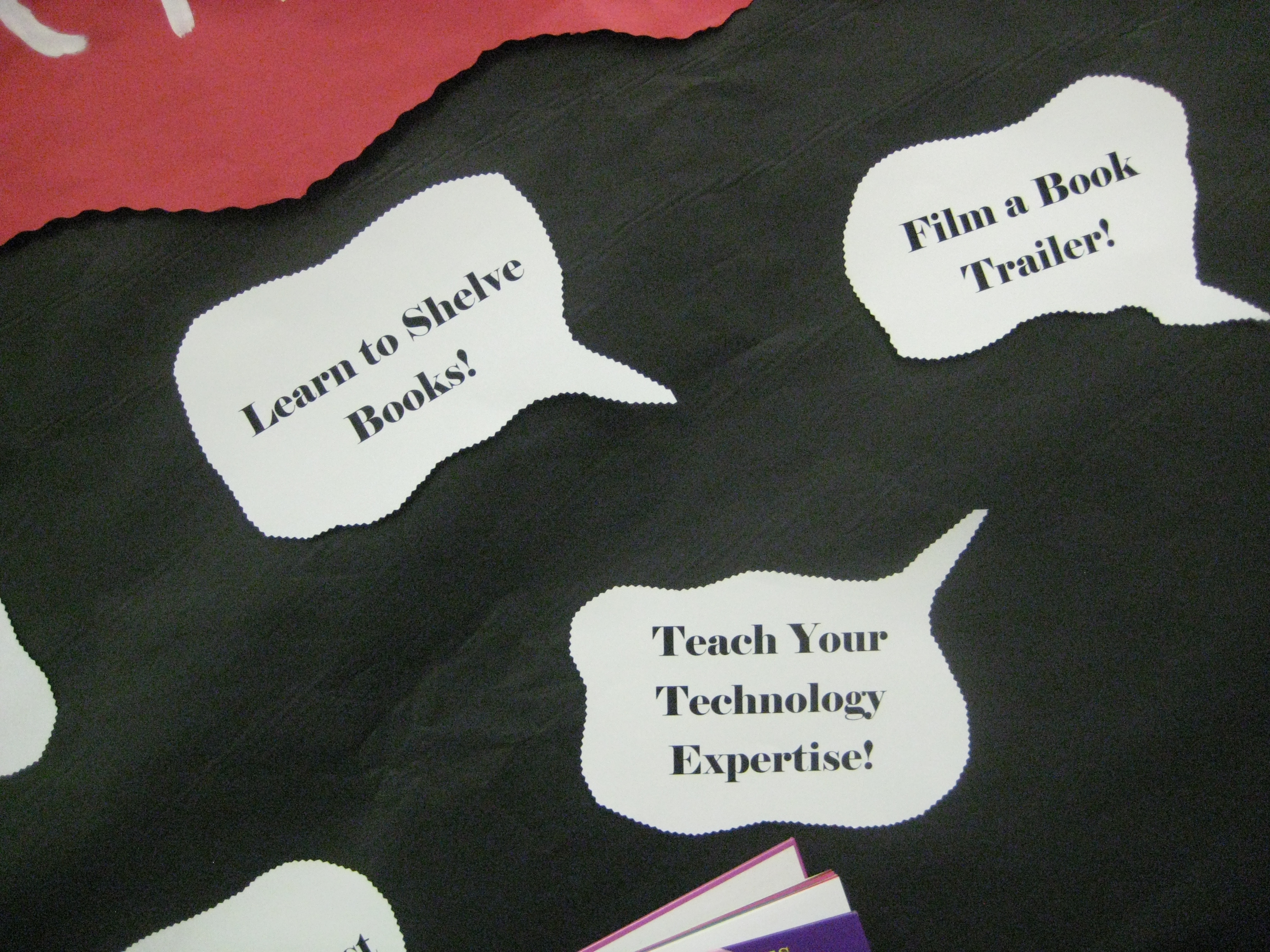
“Make It Happen” also means that our space is going to be a space for creating.  This year, many collaborative lessons and projects will happen in our space and a main goal will be to facilitate students in creating their own projects.  Even though students will be creating within these lessons, I also want them to have choices and opportunities for creating on their own.  On the bulletin board, I’ve listed things such as design a bookmark, compose a library theme song, teach someone your technology expertise, film a book trailer, and more.  In orientation, I’m openly inviting students to think about which of these ideas speaks to them and what other ideas they might have in their own minds and to make those happen somehow this year.

Our orientation itself is much more interactive this year.  Rather than talk about all of the rules and expectations, we’ve been reading Ish by Peter Reynolds and Not a Box by Antoinette Portis.  I’ve asked students to think about what they can take away from these stories to help us this year.  They have named things such as be creative, dream, pretend, encourage, imagine, and more.  I can’t think of better words to fill our library space this year!

After connecting those thoughts to the theme of “Make It Happen”, we do go over a few details about the library that students need to know.  Then in grades 2-5, students participate in a scavenger hunt to locate several parts of the library as well as do many of the things they will do this year on their own like looking up a book in Destiny.  I also have students name themselves as experts or consultants in a variety of areas:

  • Who knows how to use Destiny Quest?
  • Who knows how to check themselves out?
  • Who knows how to use a shelf marker?
  • Who knows how to put a book on hold?
  • Who can locate a book on the shelf after finding it in Destiny?

As students identify themselves as experts, students who are unsure about these questions can write down their names and call on them for help when checkout time comes.  Since one of my goals is to build the participatory culture of our library, I’m immediately calling on the students to start participating rather than looking to me for all of the help.

In the lower grades, we do the scavenger hunt together, but the basic idea is still the same:  setup the theme of the year and let students start to take ownership.

This was such a freeing process.  I felt like I could give more quality attention to some of the students while I knew that other students were taking care of other students with questions in the class.  I can’t wait to see how this different orientation style supports what we will do this year.  I feel like we’re off to a great start.

This slideshow requires JavaScript.

21st Century Learning: A visit to the GA DOE Center for Classroom Innovation

What does learning in a 21st century classroom look like?  We had the opportunity to visit the Georgia Department of Education’s Center for Classroom Innovation.  The room is setup with different spaces depending on the kinds of learning and collaboration taking place.  The room also offers flexibility with some mobile furniture such as rolling chairs, rolling tables, and screens that divide the space into different learning areas.  The spaces include:

  • The bar:  a high top table for collaborative group work
  • The Mediascape Area:  a space with a U-shaped couch, 2 Mondo boards, and the ability to easily connect devices for display on the boards
  • The Campfire Area:  Another collaborative space with a couch and a table that has a pad of paper as its top so that you can write on the table and take your ideas with you.
  • The high top:  A high table that can be used for large collaborative projects and hands-on activities
  • The Post and Beam:  An area that can be divided multiple ways such as 4 smaller meeting spaces that contain tables, chairs, and dry erase boards
  • The Node Classroom:  A space that features  “desks” that swivel and have a tray table that can be for either left or right-handed people
The room is also equipped with these technologies:
  • Wireless internet with multiple access points
  • Document camera
  • Xbox with Kinnect
  • Laptop cart
  • 3D projector w/3d glasses for a class
  • 2 Mondo boards (large touch screen computers) w/videoconferencing capabilities
  • Plug and play connections to easily display content from any device
You can view a slideshow of the room and find out more here.  The room is available for any classes to use as long as you schedule the room with Chara Lee (404) 651-9500.

This visit began taking shape several weeks ago when we were invited to bring a class to the space to engage in a lesson and be filmed.  Our collaborative wheels immediately began turning as me, Mrs. Selleck (fourth grade teacher), Mrs. Foretich (art teacher), Mrs. Yawn (2nd grade teacher), and Mrs. Hunter (gifted teacher) began planning.  We chose a 4th grade unit focusing on the social studies standards about how price incentives affect people’s behavior and choices.  Ultimately, students would design a t-shirt for our temporary home at Barrow 2.0 while our new school is being built.  Their role would be to establish themselves as a business, create a design, consider wants/needs/cost, and create a marketing plan for their new shirt.

Several pieces of our project took place at our school before we made the journey to Atlanta.  Our principal created a video charging Mrs. Selleck’s class with the task of designing a new shirt.

In class, Mrs. Selleck established 4 groups of students.  Each group had a manager, an accountant, a designer, a technology specialist, and an advertiser.  The groups created names and logos for their companies.  Mrs. Selleck also did a lot of work with wants and needs as well as developing products and advertising slogans.  In art, Mrs. Foretich worked with the students on their designs and discussed multiple art elements that they might consider in creating an effective design for a shirt.  In the media center, the technology specialists met with Mr. Plemmons and Mrs. Hunter to go over many technology options that the groups might consider while developing their advertising components of the project.  These included Glogster, Animoto, and Prezi.

At the Center for Classroom Innovation, several things happened:

  • Mr. Plemmons introduced the day with the book Have I Got a Book for You by Melanie Watt.  Persuasive strategies were discussed
  • Mrs. Selleck led the group in a needs and wants activity where students split into separate areas of the space to work and then came back together
  • Mrs. Hunter met with all the advertisers.  Mr. Plemmons met with all the technology specialists.  Mrs. Yawn met with all of the managers.  Mrs. Selleck met with all of the accountants.  Mrs. Foretich met with all of the designers.  Each group focused on their specialty and learned more about the role they would play in designing a shirt and marketing the shirt.
  • Groups met in separate meeting spaces within the room to design.  Using Zazzle, groups considered the images they would use, explored options for t-shirt types and colors, and considered how the price was affected by their decisions.  Groups also used giant dry erase boards to take notes and brainstorm as they worked.
  • As needed, groups went to the Mondo boards and Skyped with our graphic design expert, Tony Hart.  His feedback helped groups revise their designs as needed.
  • Students were treated to a great pizza lunch before launching into part 2.
  • Students considered what technology tool they would use to market & persuade people to choose their design.  Three groups chose Animoto and one group chose Glogster.
  • All adults assisted students as needed during their product creation.
  • The day closed with each group presenting their final advertising product.  Mrs. Foretich led the students in a critique session.

While all of this was going on, the Department of Education had 2 videographers documenting the day.  They will eventually edit this video into a model video for how this space can be used with students.  It was an exciting day.  Our next steps will be to continue the project, but also to reflect on how this space served us in the kinds of work that we want to do with students.  This will inform the design of our new classrooms in our new school.  We loved how productive students were in this space.  The flexible divisions of the space allowed students to create their own private nooks and work spaces.  Even though there was a rumbling energy in the room, groups did not distract one another from the tasks their group was trying to accomplish.  The space was a big component responsible for this success.  The space also supported students with a strong infrastructure for technology.  We did not have any problems with computers connecting and staying connected to wireless.  The large Mondo boards were very dependable for displaying student work as well as video conferencing through Skype.  We had one of the best Skype connections I’ve every experienced.  The size of the room wasn’t extremely large, but again, the divisions of the space provided multiple ways for students to be productive and engage with technology and other forms of documentation.  Seeing students work in this space is inspiring.  We  have already been doing this kind of learning in our media center and classrooms, but today showed us how a space and tools can strengthen 21st century learning.

This slideshow requires JavaScript.

Here are the 3 Animoto videos created by groups today:

Here’s a  link to the Glog created by one group:

Lightning Minds

Book Tasting

Recently I saw my fellow colleague, Buffy Hamilton, talk about “book tastings” in the Unquiet Library.  Just the words “book tasting” sparked a plan to share books with our students that they might normally miss on the media center shelves.  I often see students picking the same kinds of books:  comics, football, sharks, princesses, etc.  While I think that is completely ok for them to read, I do think it is important to explore other genres and push yourself as a reader.  I offered teachers the opportunity to bring their classes to the media center for a book tasting to allow students to see several books in a short amount of time in order to find something new.

Today, Ms O’Prey brought the first group of 5th graders.  We set the media center tables with flowers, turned on some jazz and classical music, and placed “menus” and books and pencils at each seat.  I did a quick intro and explained to them that they would have between 2-3 minutes with a book.  Their job was to read some of the book: the back cover, the first pages, etc.  Then, on their menu, which was a list of all the books, they had to make notes about the books that they experienced.  This could range from a frowny face for a book that was just terrible to a longer description of why the book was a good match for them.

Students chose their first place at the tables.  From there, students spent 2-3 minutes with a book before hearing a train whistle blow.  At that time, they passed the book to the next person at the table and started the process again.  We immediately noticed how engaged students were in the process.  It was fast-paced and fun, and they were eager to see what they got.  We did run into some students who had already read the book they received, so we placed replacement stacks in the middle of each table.  Students could swap a book out if they had already read it.  I circulated and had a few conversations with students or redirected them if they were off track.  Periodically, I checked in with the whole group and got a feel for how the time was working for them, whether or not they had found a book they were interested in, and if they had found a book they couldn’t wait to get rid of.

As our time came to an end, I asked them to revisit their menu and choose their top 3 books.  We spread the books out on the tables.  Each student walked to their top pick.  If they were the only person there, they checked out that book.  If there were several people, they negotiated and some moved on to other books.  In the end, every student left with one new book and several left with more than one.

I was pleased to see books leave the media center that are new and have not circulated as much as I would like them to.  I told the students that I would check back in with them to see how the books were going.  Before they left, a few students recorded why they chose the books that they chose.  I have 2 more 5th grade classes coming to do this, and all of the 4th grade will be coming to do “author tastings” for author studies they will do at the end of the year.

Student E-book Creation

Some third graders have been exploring how they can make their own ebooks.  This group was a big exploration.  We really didn’t know what we were doing when we started, and we gave ourselves permission to just try things, problem solve, and be at peace if something just didn’t work.

We decided to try Barnes and Noble’s Tikatok first.  It’s free and can either be done with a parent account with children added or can be done with a teacher account with students added.  Students can use a gallery of photos or import their own.  Most students chose to search for creative commons photos to use in their book.  One student even did her own photography.  Some students started with a written story and made their pages and images match their story.  Others started with interesting images and tried to weave those into a story or collection of poems.

The free version of Tikatok only allows you to use photos and text.  If you want to include audio, you have to pay to upgrade your account.  Also, we learned that a parent account allows the books to be shared exactly as they are created, while a teacher account only allows the books to be shared with the word “tikatok” spread across each page.  Ultimately, this is a tool for Barnes and Noble to make money through the purchase of the ebook version or the printed version.  However, we found that it was useful enough and easy enough to use that we would try it again and only use the features that were free.

Another group will begin exploring in a couple of weeks.  This group is probably going to try out a different tool called SimpleBooklet.  There are many more features in this tool such as embedding Google docs, video, and audio.  The feel of the book is more like a slideshow than the turning of pages in Tikatok, but the features may prove to support more creativity and transmedia experiences for students.  Our hope is that these 2 exploration groups will work out some of the kinks for future groups and inspire whole grade levels to try this out.

You can preview 3 of the books that these students created here.

Connecting Students to Primary Sources

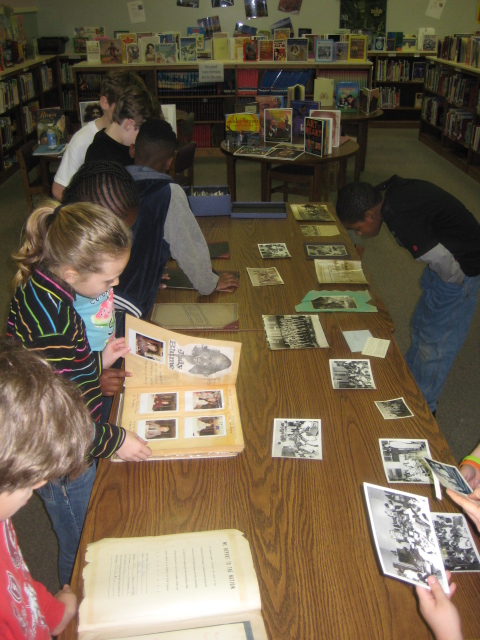
Back in December, fourth grade asked me to teach their students about primary resources in the context of their social studies standards.  Primary sources can be tough if students don’t really have a connection to what they are.  I wanted to build some connection for them before we jumped into the Bill of Rights and Declaration of Independence, so I pulled out some artifacts from the cabinets in the BTV studio that are filled with scrapbooks, boxes of photographs, journals, newspaper clippings, class projects, and more from Barrow’s history.  I spread the objects out on the table and had the students start there.  They were immediately connected.  They buzzed with energy and conversation making “noticings” about what had changed with the physical building, how people dressed, how long into the summer we went to school, the “color” of the people in the classrooms, and more.  They could have easily spent the entire class period looking at these artifacts.

Next, we shared some of our noticings and made a guess at what primary sources might be.  Many of the students said that primary sources were “old information”.  I read an excerpt from Primary Sources by Leia Tait, and we talked about the kinds of primary sources that the students are creating today.  On p. 7 of the book, there are 2 paragraphs about Thanksgiving (one primary and one secondary source).  Students were able to verbally say what a primary source was, but they still had trouble distinguishing how to tell if something was a primary source or a secondary source.  We surfaced and discussed this confusion and tried to think of ways to help us remember.  We talked about writing reports or informational writing versus writing to document an event.  This distinction seemed to help the most.

Finally, we moved to the computer lab and students used a pathfinder to explore primary sources at the Library of Congress related to the fourth grade social studies standards.  Students really took their time with this.  Most of them stayed on the first task of examining the pictures of presidents for similarities and differences.  The teacher recognized the level of engagement and said that the students would continue their exploration of primary sources as a reading center in the classroom.

This lesson really pushed my own thinking of how we are documenting the present so that future individuals can learn about the past.  So much of our work now is digital, that I wonder how these digital pieces are preserved and published so that future generations can find them.  What an interesting thought to explore with the students.  I will teach this lesson two more times and hope to ponder that with them.

This slideshow requires JavaScript.


How to teach 3 social studies units covering over half a century in 4 weeks: A 5th Grade Glogster Project

Last year, I began a journey with 5th grade that integrated multiple social studies standards into one big project.  The teachers put students in cross-classroom groups and assigned them social studies topics for a unit on the turn of the century.  Each group made a glog about their topic after using print and digital resources to gather information.  We were amazed by the leadership, collaboration, and innovation that took place in that project, but we made a lot of mistakes along the way too.  You can read more about last year here and here.
This year, we almost didn’t do this project.  The teachers were feeling even more overwhelmed by the content this year because they had to teach 3 social studies units and 2 science units in 9 weeks.  You would probably feel overwhelmed too if you knew you had to teach these units in that amount of time:

Even the district planner recommends a total of 12 weeks for the units, but requires that it be done in the 3rd quarter (9 weeks).

After multiple combinations of meetings between me, the 5th grade social studies teacher, the gifted collaboration teacher, and the instructional coach, we developed a plan for how this year’s content might look.  Each of the 3 social studies classes were assigned a unit.  Within each class, topics were assigned to individuals as well as groups of students.  These students made plans of how to divide the content among their group.  On Mondays and Fridays, the social studies teacher and gifted teacher did direct teaching of some of the content from all 3 units.  On Tuesday-Thursday, students came to the media center to research their topics in online databases, websites, and books.  Last year, students just took notes as they read, but this year we wanted students to have a better structure that was based in questions that came from the standards.  The gifted teacher combed through the standards and created 2 different graphic organizers with questions for students to consider.  The organizer also had space to document resources used.  Some students chose to use digital copies of this organizer while others chose to print it out and write their notes.

Once again, I pulled together a pathfinder divided up by topics.  This pathfinder gave each student a handful of websites about their topic.  I also showed them how to search the databases found in Georgia’s Galileo collection.  My paraprofessional took the topics and searched through our print collection.  If a book matched one group’s topic, she put a post-it with their names on the book.  If a book spanned multiple topics, she put it in a shared stack.

To begin our journey, I briefly introduced the pathfinder, graphic organizers, and how to take notes (not copying and pasting entire paragraphs of information from websites).  I also showed a glog from last year’s students to give them an idea of what they would ultimately be doing.  We chose not to introduce how Glogster works at the beginning.  We also chose to not give students logins and passwords to Glogster.  Students then began a week of research.  The social studies teacher, gifted teacher, student teacher, my paraprofessional, some college students, and me began working with students as much as possible to support them in their search.

After a week, I introduced how Glogster works by showing a very basic run-through of the kinds things it can do.  Students continued to research, but as they finished, they checked in with one of the adults.  Most of the time we offered additional guiding questions and support so that they had the most complete information possible.  Once students reached a point where they had enough information, they received their username and password to Glogster.

Most students began Glogster with deciding on their wall background.  Then, they moved to adding text from their organizer.  Eventually, students branched out to include photographs from public domain searches and linked their pictures to the sources they came from.  Some students also did audio introductions to their glog or recorded audio for various parts of their glogs.  Some students used Screencast-o-matic to do screencasts of timelines from PebbleGo or tours in Google Earth.  A few students used webcams to record themselves talking.  One group even did a webcam video of their resource list rather than just creating a text box for it.

You can view some of the finished or in progress glogs here:

Recovering from the Great Depression

Black Cowboys

Wright Brothers

George Washington Carver

Alexander Graham Bell

Thomas Edison

Spanish American War

McKinley & Roosevelt

Panama Canal

Immigration

Voting Rights

US Contributions and Treaty of Versailles

Lusitania and Other Ships

Duke Ellington

Louis Armstrong

Harlem Renaissance

Babe Ruth

Charles Lindbergh

Henry Ford

The Great Depression

Jesse Owens

Stalin, Mussolini, Roosevelt, & Churchill

Holocaust

Presidents of WWII

Bombing of Japan

Changing Role of Women

Tuskegee Airmen

Cold War

Khrushchev & McCarthy

D-Day, VJ, & VE Days

Pearl Harbor, Iwo Jima, & Hirohito

Panama Canal 2

Once students finalize their glogs, they will present them to the rest of the 5th grade to share the responsibility of teaching and learning this massive amount of content.

This slideshow requires JavaScript.