4th Grade Inquiry Projects

[clearspring_widget title=”Animoto.com” wid=”46928cc51133af17″ pid=”4b631304682c876f” width=”432″ height=”240″ domain=”widgets.clearspring.com”]

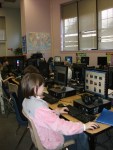
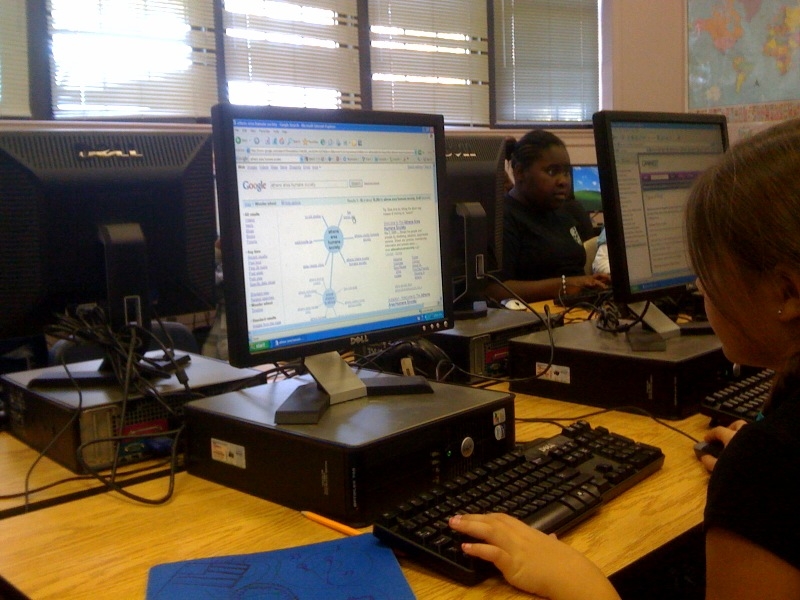
I’ve recently been collaborating with Ms. Hicks and Ms. Biehl and their students on inquiry learning.   Students all self-selected topics.  Some chose to work alone, while others worked with a partner.  The teachers have done a remarkable job giving the students time to plan their projects and search for information.  In the media center, I did lessons on searching the Internet using tools such as the Google Wonder Wheel.  Students spent days in the computer lab for 30 minutes per day searching for information to inform their projects.  The 4th grade teachers also contacted numerous experts to come in for interviews with the students.  I, myself, was one of the people interviewed because a student was creating a project about being a media specialist.

As they were collecting information, we moved into looking at possible final products.  I did lessons on using Powerpoint, Photostory, Animoto, Screencasts, and Windows Movie Maker.  We learned about using Flip video cameras and digital cameras, too.  Students thought about their own projects and how these tools might fit in.  Many of them decided to incorporate multiple types of technology into their projects.  For example, there might be a powerpoint of information with a Photostory or a Windows Movie Maker file embedded.

On February 16th, we’ll host a media festival where these students will stand with their projects as classrooms, district personnel, and parents file through to view them and see their hard work in action.  We’ll also be posting some of these projects to our website for all to see.

For now, enjoy our Animoto of the students working on their projects.

Persuasion

We have been enjoying  supporting writing in the Barrow Media Center.  Right now, every grade level K-5 is working on persuasive writing.  Classes have been coming to the media center and hearing stories that showcase persuasive techniques.  In our talks, we have tried to encourage students to think of persuasive topics that aren’t just about getting something for themselves.  We talk about persuasion that creates change for many.

A second grade classroom worked on persuasive letters to the media center persuading me to purchase specific books for the school.   The students looked in Destiny Quest to see which books we might need extra copies of and which books were not in our media center at all.  They also looked at our media center selection policy and tried to find reasons for purchasing the books they wanted that matched the media center’s policy.  When the letters were finished, the students came to media center and read the letters to me.

My next step is to actually decide which books I will purchase in my next book order.  When these books arrive, these same students will find ways to promote the books and persuade others to read the books.  Most likely they will write reviews in Destiny and the blog as well as speak on our morning broadcast.

I can’t wait to see what other authentic ways we can support the writing that students are doing in their classrooms.

The Wonder of Google

Mrs. Hicks’s 4th grade students have embarked on a project to research topics that interest them.  They have visited the media center to explore how to find “just right” nonfiction text.  They have brainstormed possible questions and pathways that they might take within their topics.

Last week, I visited their classroom to show them a search feature within Google called the Google Wonder Wheel.  The wonder wheel helps user narrow their search topics by offering a range of possible keywords to add to the original keyword typed into the search.  When users click on any of Google’s suggested search terms, a new wheel is formed.  With each click, the new search results are displayed on the right hand side of the screen.  Users can always go back to their original searches by clicking on the appropriate wheel or spoke.
Mrs. Hicks’s students startede exploring this tool in our media center computer lab right after I showed it to them in their classroom.  Many of them reported that they were able to better find the information they were looking for.  During my observations, I noticed a lower frustration level from students as they surfed the web.  I often see students get frustrated because they can’t find what they’re looking for.  I look forward to using this feature with future classes and seeing how it fits students’ needs.

Try it out for yourself and see how you like it.

Birdwatching Online

Today, Mrs. Mullins brought her class of 5th graders to the media center for a lesson to compliment their reading of The Westing Game.  One of the characters in this book is an avid bird watcher, and his skill at observation proves to be instrumental in his actions in the book.  We collaborated on a lesson to explore bird watching and put ourselves in the shoes of this character.

To start, I shared my own experiences with close observation of nature.  A few summers ago I went to Skidaway Island to take a class, and my focus was on taking careful notes about the observations I made in nature and using those notes to create poetry.  I then connected this to authors such as Jim Arnosky who does sketches of the wildlife he observes and writes about his journeys in observation.  I also shared poems written by Jane Yolen using photographs of birds that her son took.

We had discussions of how being a good observer can benefit you in life.  Students paired and shared their thinking and came up with many benefits to being good observers.

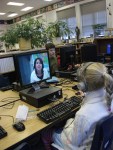
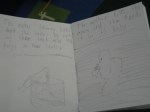
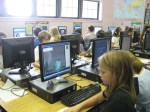
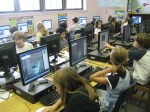
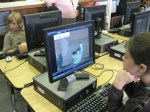
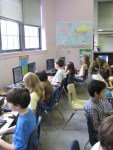
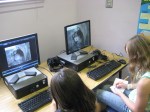
The big fun came when we moved into the computer lab and practiced our observation skills by watching webcams of birds.  Some of these cams were live at bird feeders.  Others were recordings of webcams that had previously captured bird behavior.  Students explored these sites through Delicious and used their detective books from their Westing Game project to take notes and sketches of what they saw.

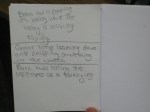
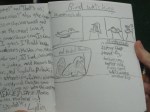
After careful observation, we came back together and students shared the observational notes and sketches using our document camera.  All of the students were able to clearly see the descriptions and sketches that students captured during their viewing of the webcams.

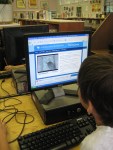
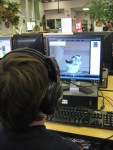
What a fun lesson.  I loved hearing one student say, “I can’t believe how fast our time went by”.  Our work together was 50 minutes, so it was nice to hear students excited about how engaged they were in their learning.  Check out pics of students viewing the webcams and pics of student sketches and observations.