Little Free Library 5th Grade Project

I’ve known about Little Free Libraries for awhile now, and since I learned about them I wanted to help establish one at our school.  I was waiting for just the right moment.  This summer I attended the Decatur Book Festival and saw several creative Little Free Libraries that were being auctioned off and it made me want to establish one even more.  I posted a picture of the libraries on our media center facebook page and immediately Ms. Cross, a 5th grade teacher, said she wanted to help make this happen at our school.  Her comment made me think about the gift that our 5th grade gives to the school at Moving On Ceremony at the end of each year as a way for the 5th graders to make their mark on the school before they leave.  Since our 5th graders won’t get the opportunity to go to school in our brand new building next year, I thought this year’s gift needed to be extra special.  I had found the perfect fit for the idea.

I began talking with people at our school about the project.  As always, our art teacher, Rita Foretich, was on board to help weave this project into an interdisciplinary experience.  Other teachers in the school that don’t even work with our 5th graders began offering ideas too and within a few days our spark of idea was really starting to grow.

I sat down with Mrs. Foretich and we did an initial brainstorming of what our project might look like.  We thought of materials, resources, locations, and also a sequence of events that would need to happen in order for the project to be done by the end of the year.  Our plan consisted of:  an intro to Little Free Libraries for the whole 5th grade, persuasive writing in 5th grade classroom, continued research and conversation in the media center, and little free library designs and artwork in art.  I took our plan to the 5th grade team for feedback and additions.  The teachers brainstormed ways for the students to really take ownership of the project such as donating their own books to stock the libraries and bringing in $1 each to cover the registration for the 2 libraries.

We launched into the first phase right after this session.  I made a short introduction video using screencast-o-matic and uploaded it to Youtube.  Mrs. Foretich showed the video at the beginning of an art class.

As she showed it, the kids immediately began having ideas and wanting to contribute them.  She developed a Google form to share with the students so that they could all submit their feedback without taking up too much of the class time to hold a discussion.  Mrs. Foretich’s student teacher also began contributing her knowledge and connections to UGA.

The next step will be for the student to brainstorm more about the materials, labor, and location so that they can begin writing persuasive letters to individuals and organizations for support.

Our goal is to create 2 Little Free Libraries by the end of the year.  One will be installed at the new Barrow and one will be installed somewhere near downtown so it is accessible to our students and the community on that end of town.  Who knows what this project will develop into, but it is already full of participatory culture as more and more people contribute their ideas, their expertise, and their creativity.

If you have ideas or resources for this project, feel free to leave them in the comments or contact our library.

September 11th: Another Transliteracy Experience

Last year, the 5th grade participated in a series of experiences around September 11th.  We used transliteracy as a lens to plan these experiences so that across a full day, students were learning about September 11th in a non-linear, cross-platform way.  This year, we continued this idea and built upon it.  Both 5th grade teachers, our 5th grade spectrum teacher, and myself each planned an experience for students to rotate through.  The teachers also thought about the day as a whole and what they could add to the day to support the study of September 11th, which is a part of the 5th grade standards.

Students began their day in their homeroom morning meetings viewing a brief speech from Barack Obama declaring September 11th as a day of remembrance.  After students went to ELT and specials, we launched into our 4 experiences. Students spent 30 minutes at each experience with a 5 minute transition window.

Center Descriptions:

1) Learning more about the attacks on the Twin Towers in New York City and the brave response of its citizens through a wonderful children’s book by Maira Kalman, Fireboat: The Heroic Adventures of the John J. Harvey. This old fireboat which was first launched in 1931 was called into duty by the NYC fire department and volunteers responded so that water could be pumped to battle the raging fires of the Twin Towers. One teacher will read this book aloud (a very special book to her and her young grandson from a visit to the 9/11 Museum together in NYC) to students and they will be able to also watch news video of the John J. Harvey.
2) To help students learn more about how the nature of heroism, another teacher will share from two more books:, Messages to Ground Zero that includes how children responded in poems and letters about heroes of 9/11, and 14 Cows for America BY Carmen Deedy, about how the Maasai people of Africa responded to 9/11. They will respond with their own artistic rendering of a postage stamp celebrating heroes of 9/11.
3) A lesson about haiku poetry which will review the magic of the brief three-line poem with seventeen syllables to express a feeling or image and students will write their own Haiku for Heroes.
4) Technology sites on 9/11 and Wallwisher Reflection -Students will view multiple interactive websites, videos, oral histories, eyewitness accounts, and more in order to build a picture of the events of the day.  Students will have full choice of which sites they visit and how long they spend at each site.  http://sqworl.com/9vf2t4  After processing what they have seen, they will write a reflection, memory, wish, etc. on a collaborative Wallwisher wall.  http://wallwisher.com/wall/barrow911-2012

During recess, students participated in an alternative recess picking up trash and offering their service to the school.  They closed their day by thinking about our local first responders and writing letters to thank them for their service in the community.

Once again, I was amazed to look around and see all of the ways that students were engaging with the events of September 11th.  Some students were listening to the 911 phone calls with the planes.  Some were looking at diagrams of the towers and what was located on each floor, including the impact zone.  Some were watching National Geographic video footage of the events of the day.  Some were looking at memorials created across the country.  Others were listening to oral histories of family members of victims and 9/11 survivors.  Each experience carried over to the next and inspired discussions and creations made in the other experiences.  For example, I noticed one student who had viewed images of people jumping from the twin towers and then used that image in her haiku that she wrote in another experience.

I continue to think that there is a lot to learn from this type of planning.  Students left the day talking and energized.  I have a feeling that they will go home and continue conversations with their families and hopefully continue to investigate the many resources available on 9/11.

We had a lot of press here at Barrow today, too.  UGA Grady Newsource will air a feature story at 5PM today.  You can watch live at http://www.ustream.tv/discovery/live/all?q=gradynewsource or you can view the story later by visiting their website http://gradynewsource.uga.edu/

The Athens Banner Herald will also feature our work in a story tomorrow, including the following haikus from some of our students.

HAIKU FOR HEROES
th grade students at David C. Barrow Elementary School
Poems from 5
*************************************************

Hear the sound crashing
Innocent people crying
I hear, “Let’s roll.”
~by Tymarius~

It was so tragic
Lives were lost, people were missed
You’ll be remembered
~by Caroline~

It was a bad thing
Many heroes saved the day
They were great and brave
~by Brian~

The Tragic Day
Screams fill flaming streets
As sad tears roll down faces,
We watch the horror.
~by Emily~

So many lives lost
A lot of damage for us
So many heroes
~by Henry~

Chaos everywhere
Heroes save lives and risk them
Death of love and friends
~by Ryan~

I feel unhappy.
I feel like I wanted to help them.
I am very sad.
~by Jasiyah~

9/11
Insidious, mean
People dying, lives ending
A new beginning
~by Parker~

I didn’t realize
Passengers had lost their lives
People risked their lives
~by Joel M~

What they did was sad.
Those terrorists were so mean.
It was so, so sad.
~by DeMontre~

This slideshow requires JavaScript.

21st Century Learning: A visit to the GA DOE Center for Classroom Innovation

What does learning in a 21st century classroom look like?  We had the opportunity to visit the Georgia Department of Education’s Center for Classroom Innovation.  The room is setup with different spaces depending on the kinds of learning and collaboration taking place.  The room also offers flexibility with some mobile furniture such as rolling chairs, rolling tables, and screens that divide the space into different learning areas.  The spaces include:

  • The bar:  a high top table for collaborative group work
  • The Mediascape Area:  a space with a U-shaped couch, 2 Mondo boards, and the ability to easily connect devices for display on the boards
  • The Campfire Area:  Another collaborative space with a couch and a table that has a pad of paper as its top so that you can write on the table and take your ideas with you.
  • The high top:  A high table that can be used for large collaborative projects and hands-on activities
  • The Post and Beam:  An area that can be divided multiple ways such as 4 smaller meeting spaces that contain tables, chairs, and dry erase boards
  • The Node Classroom:  A space that features  “desks” that swivel and have a tray table that can be for either left or right-handed people
The room is also equipped with these technologies:
  • Wireless internet with multiple access points
  • Document camera
  • Xbox with Kinnect
  • Laptop cart
  • 3D projector w/3d glasses for a class
  • 2 Mondo boards (large touch screen computers) w/videoconferencing capabilities
  • Plug and play connections to easily display content from any device
You can view a slideshow of the room and find out more here.  The room is available for any classes to use as long as you schedule the room with Chara Lee (404) 651-9500.

This visit began taking shape several weeks ago when we were invited to bring a class to the space to engage in a lesson and be filmed.  Our collaborative wheels immediately began turning as me, Mrs. Selleck (fourth grade teacher), Mrs. Foretich (art teacher), Mrs. Yawn (2nd grade teacher), and Mrs. Hunter (gifted teacher) began planning.  We chose a 4th grade unit focusing on the social studies standards about how price incentives affect people’s behavior and choices.  Ultimately, students would design a t-shirt for our temporary home at Barrow 2.0 while our new school is being built.  Their role would be to establish themselves as a business, create a design, consider wants/needs/cost, and create a marketing plan for their new shirt.

Several pieces of our project took place at our school before we made the journey to Atlanta.  Our principal created a video charging Mrs. Selleck’s class with the task of designing a new shirt.

In class, Mrs. Selleck established 4 groups of students.  Each group had a manager, an accountant, a designer, a technology specialist, and an advertiser.  The groups created names and logos for their companies.  Mrs. Selleck also did a lot of work with wants and needs as well as developing products and advertising slogans.  In art, Mrs. Foretich worked with the students on their designs and discussed multiple art elements that they might consider in creating an effective design for a shirt.  In the media center, the technology specialists met with Mr. Plemmons and Mrs. Hunter to go over many technology options that the groups might consider while developing their advertising components of the project.  These included Glogster, Animoto, and Prezi.

At the Center for Classroom Innovation, several things happened:

  • Mr. Plemmons introduced the day with the book Have I Got a Book for You by Melanie Watt.  Persuasive strategies were discussed
  • Mrs. Selleck led the group in a needs and wants activity where students split into separate areas of the space to work and then came back together
  • Mrs. Hunter met with all the advertisers.  Mr. Plemmons met with all the technology specialists.  Mrs. Yawn met with all of the managers.  Mrs. Selleck met with all of the accountants.  Mrs. Foretich met with all of the designers.  Each group focused on their specialty and learned more about the role they would play in designing a shirt and marketing the shirt.
  • Groups met in separate meeting spaces within the room to design.  Using Zazzle, groups considered the images they would use, explored options for t-shirt types and colors, and considered how the price was affected by their decisions.  Groups also used giant dry erase boards to take notes and brainstorm as they worked.
  • As needed, groups went to the Mondo boards and Skyped with our graphic design expert, Tony Hart.  His feedback helped groups revise their designs as needed.
  • Students were treated to a great pizza lunch before launching into part 2.
  • Students considered what technology tool they would use to market & persuade people to choose their design.  Three groups chose Animoto and one group chose Glogster.
  • All adults assisted students as needed during their product creation.
  • The day closed with each group presenting their final advertising product.  Mrs. Foretich led the students in a critique session.

While all of this was going on, the Department of Education had 2 videographers documenting the day.  They will eventually edit this video into a model video for how this space can be used with students.  It was an exciting day.  Our next steps will be to continue the project, but also to reflect on how this space served us in the kinds of work that we want to do with students.  This will inform the design of our new classrooms in our new school.  We loved how productive students were in this space.  The flexible divisions of the space allowed students to create their own private nooks and work spaces.  Even though there was a rumbling energy in the room, groups did not distract one another from the tasks their group was trying to accomplish.  The space was a big component responsible for this success.  The space also supported students with a strong infrastructure for technology.  We did not have any problems with computers connecting and staying connected to wireless.  The large Mondo boards were very dependable for displaying student work as well as video conferencing through Skype.  We had one of the best Skype connections I’ve every experienced.  The size of the room wasn’t extremely large, but again, the divisions of the space provided multiple ways for students to be productive and engage with technology and other forms of documentation.  Seeing students work in this space is inspiring.  We  have already been doing this kind of learning in our media center and classrooms, but today showed us how a space and tools can strengthen 21st century learning.

This slideshow requires JavaScript.

Here are the 3 Animoto videos created by groups today:

Here’s a  link to the Glog created by one group:

Lightning Minds

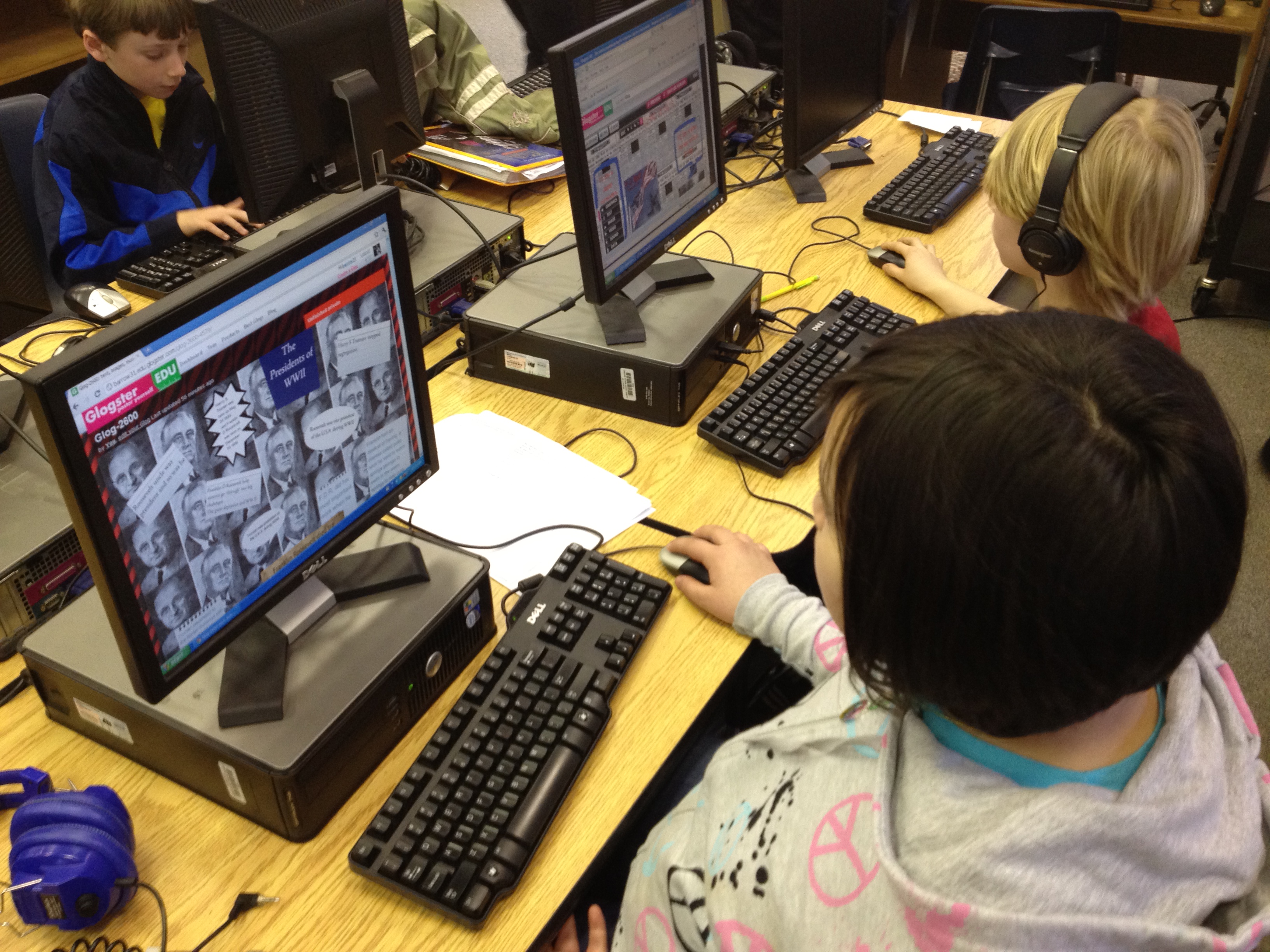
How to teach 3 social studies units covering over half a century in 4 weeks: A 5th Grade Glogster Project

Last year, I began a journey with 5th grade that integrated multiple social studies standards into one big project.  The teachers put students in cross-classroom groups and assigned them social studies topics for a unit on the turn of the century.  Each group made a glog about their topic after using print and digital resources to gather information.  We were amazed by the leadership, collaboration, and innovation that took place in that project, but we made a lot of mistakes along the way too.  You can read more about last year here and here.

This year, we almost didn’t do this project.  The teachers were feeling even more overwhelmed by the content this year because they had to teach 3 social studies units and 2 science units in 9 weeks.  You would probably feel overwhelmed too if you knew you had to teach these units in that amount of time:

Even the district planner recommends a total of 12 weeks for the units, but requires that it be done in the 3rd quarter (9 weeks).

After multiple combinations of meetings between me, the 5th grade social studies teacher, the gifted collaboration teacher, and the instructional coach, we developed a plan for how this year’s content might look.  Each of the 3 social studies classes were assigned a unit.  Within each class, topics were assigned to individuals as well as groups of students.  These students made plans of how to divide the content among their group.  On Mondays and Fridays, the social studies teacher and gifted teacher did direct teaching of some of the content from all 3 units.  On Tuesday-Thursday, students came to the media center to research their topics in online databases, websites, and books.  Last year, students just took notes as they read, but this year we wanted students to have a better structure that was based in questions that came from the standards.  The gifted teacher combed through the standards and created 2 different graphic organizers with questions for students to consider.  The organizer also had space to document resources used.  Some students chose to use digital copies of this organizer while others chose to print it out and write their notes.

Once again, I pulled together a pathfinder divided up by topics.  This pathfinder gave each student a handful of websites about their topic.  I also showed them how to search the databases found in Georgia’s Galileo collection.  My paraprofessional took the topics and searched through our print collection.  If a book matched one group’s topic, she put a post-it with their names on the book.  If a book spanned multiple topics, she put it in a shared stack.

To begin our journey, I briefly introduced the pathfinder, graphic organizers, and how to take notes (not copying and pasting entire paragraphs of information from websites).  I also showed a glog from last year’s students to give them an idea of what they would ultimately be doing.  We chose not to introduce how Glogster works at the beginning.  We also chose to not give students logins and passwords to Glogster.  Students then began a week of research.  The social studies teacher, gifted teacher, student teacher, my paraprofessional, some college students, and me began working with students as much as possible to support them in their search.

After a week, I introduced how Glogster works by showing a very basic run-through of the kinds things it can do.  Students continued to research, but as they finished, they checked in with one of the adults.  Most of the time we offered additional guiding questions and support so that they had the most complete information possible.  Once students reached a point where they had enough information, they received their username and password to Glogster.

Most students began Glogster with deciding on their wall background.  Then, they moved to adding text from their organizer.  Eventually, students branched out to include photographs from public domain searches and linked their pictures to the sources they came from.  Some students also did audio introductions to their glog or recorded audio for various parts of their glogs.  Some students used Screencast-o-matic to do screencasts of timelines from PebbleGo or tours in Google Earth.  A few students used webcams to record themselves talking.  One group even did a webcam video of their resource list rather than just creating a text box for it.

You can view some of the finished or in progress glogs here:

Recovering from the Great Depression

Black Cowboys

Wright Brothers

George Washington Carver

Alexander Graham Bell

Thomas Edison

Spanish American War

McKinley & Roosevelt

Panama Canal

Immigration

Voting Rights

US Contributions and Treaty of Versailles

Lusitania and Other Ships

Duke Ellington

Louis Armstrong

Harlem Renaissance

Babe Ruth

Charles Lindbergh

Henry Ford

The Great Depression

Jesse Owens

Stalin, Mussolini, Roosevelt, & Churchill

Holocaust

Presidents of WWII

Bombing of Japan

Changing Role of Women

Tuskegee Airmen

Cold War

Khrushchev & McCarthy

D-Day, VJ, & VE Days

Pearl Harbor, Iwo Jima, & Hirohito

Panama Canal 2

Once students finalize their glogs, they will present them to the rest of the 5th grade to share the responsibility of teaching and learning this massive amount of content.

This slideshow requires JavaScript.

5th grade Student Math Tutorials

Three students filming their tutorials

Ms. Cross’ 5th grade ELT class has been doing some amazing work demonstrating various aspects of their math standards.  Each student took a different standard and found ways of demonstrating that standard through drawings, manipulatives, and explanation.  She was so impressed by their work that she thought it would be helpful for the students to create tutorials on their math components that could be used as mini-lessons or review sessions throughout the year in class.  The tutorials could even be used by other classes.

In planning for this, we thought that students should have options for how they might document their process in solving various math problems.  One option was using Glogster to create a review poster.  Students would have written components, video or audio components, and possibly images of their work.  Another option was to use the iPad to film a tutorial using all the pieces that had been created during the project.

Clare sets up her recording booth on a media center table

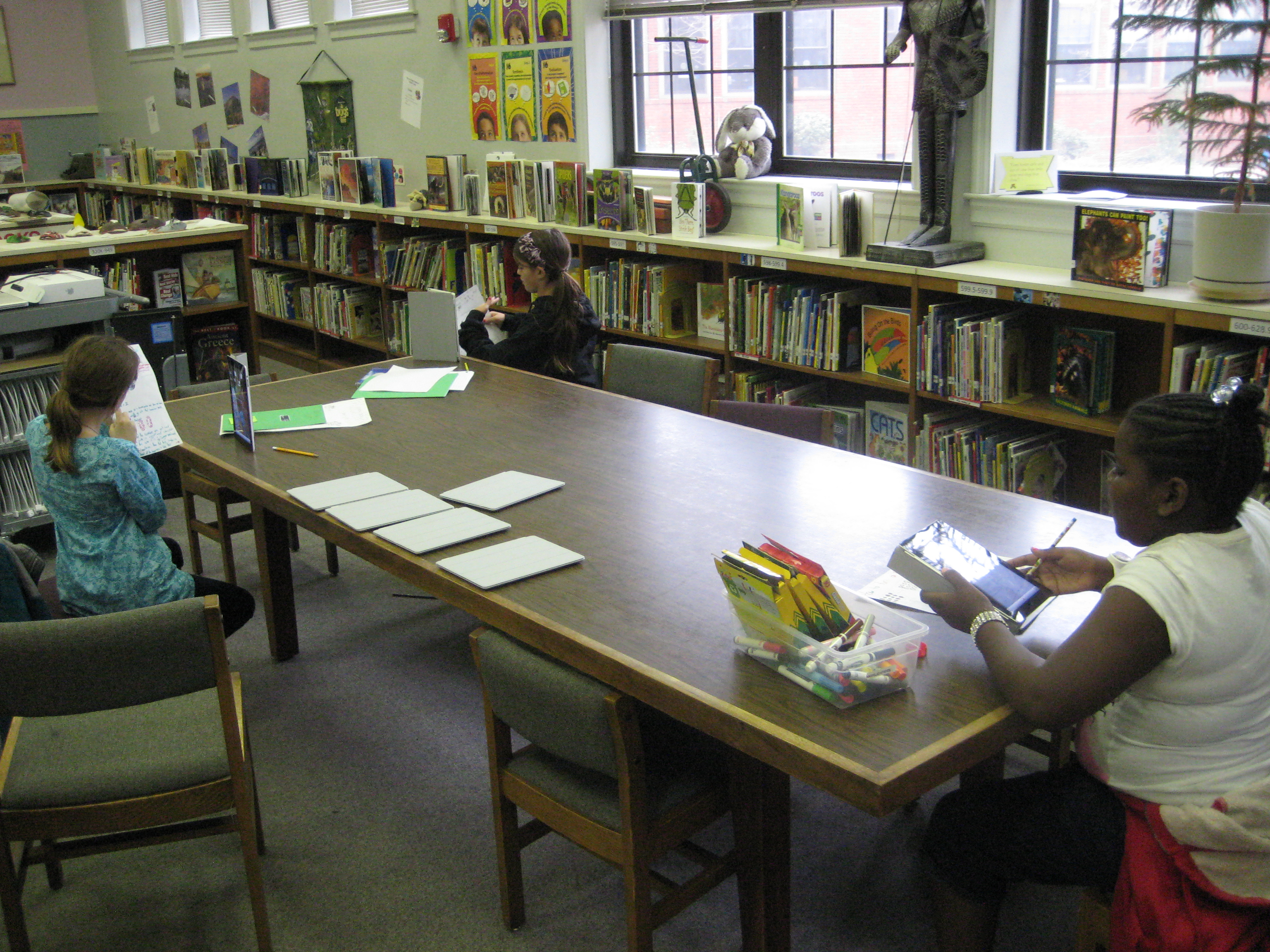
So far, one student has chosen Glogster & iPad and 5 students have chosen the iPad.  These 6 students explored their options on these tools and did some initial experimenting to see how each tool worked best.  Then, students spread out around the media center and used their tool to begin creating.  I conferenced with each one to talk about what was working, what they had questions about, and what they might consider trying.  On their own, students met with one another to show their work in progress and give one another feedback.

After getting all the pieces in place for creating their final product, the six students worked one final time in the media center to create their videos on the iPads.  Their videos were uploaded to dropbox on the iPad, downloaded into My Videos under their accounts, and then put into their teacher’s network dropbox.  I took the videos and also uploaded them to our media center YouTube page.  Much of my time during these final steps was spent troubleshooting and also showing a few of the students how to do the many steps to get the videos to where they needed to be.  After that, these students helped the other students.  I love how quickly students figure things out and how willing they are to teach and support one another!

This slideshow requires JavaScript.

Math Buddies Project

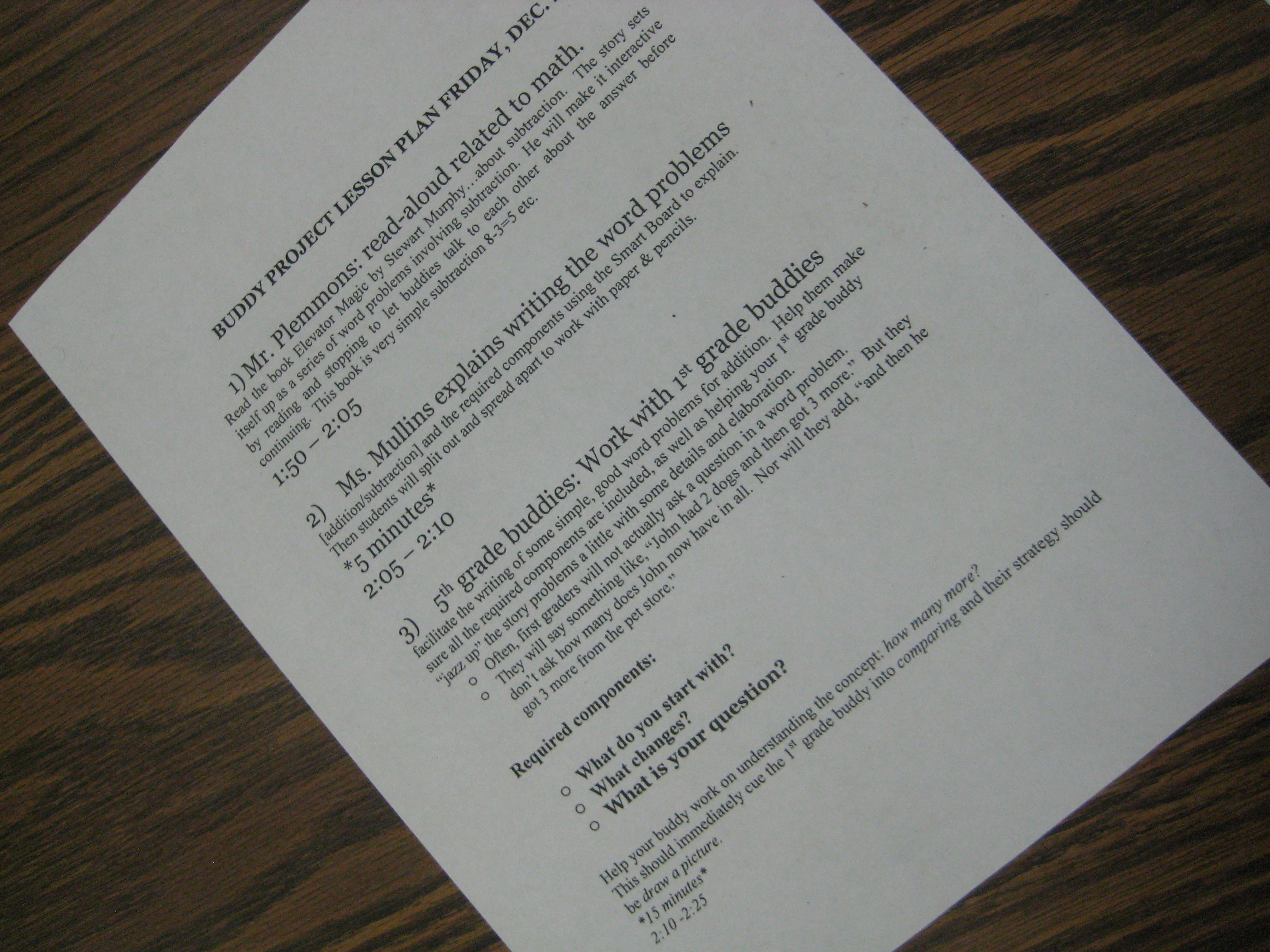
Today I had a wonderful time collaborating with Mrs. Mullins, Mrs. Maher, and their 5th grade/1st grade buddy partners.  The first grade teachers has noted that the 1st graders are being challenged by math word problems, particularly those that they write themselves.  Most of the students get the basic information of the problem down, but they forget to ask a question at the end and are often unsure of how to answer the problem.  The 5th grade buddies have been supporting the 1st grade students in this challenge.

Today, all of the buddies came to the library.  We began on the carpet where I read aloud the book Elevator Magic by Stuart J. Murphy.  When each subtraction scenario appeared in the story, I paused and the 5th grade buddies worked with the 1st grade buddies to figure out the problem.  We pinpointed the information that was provided, identified the question that was being asked, and vocalized our strategies for getting the answer.

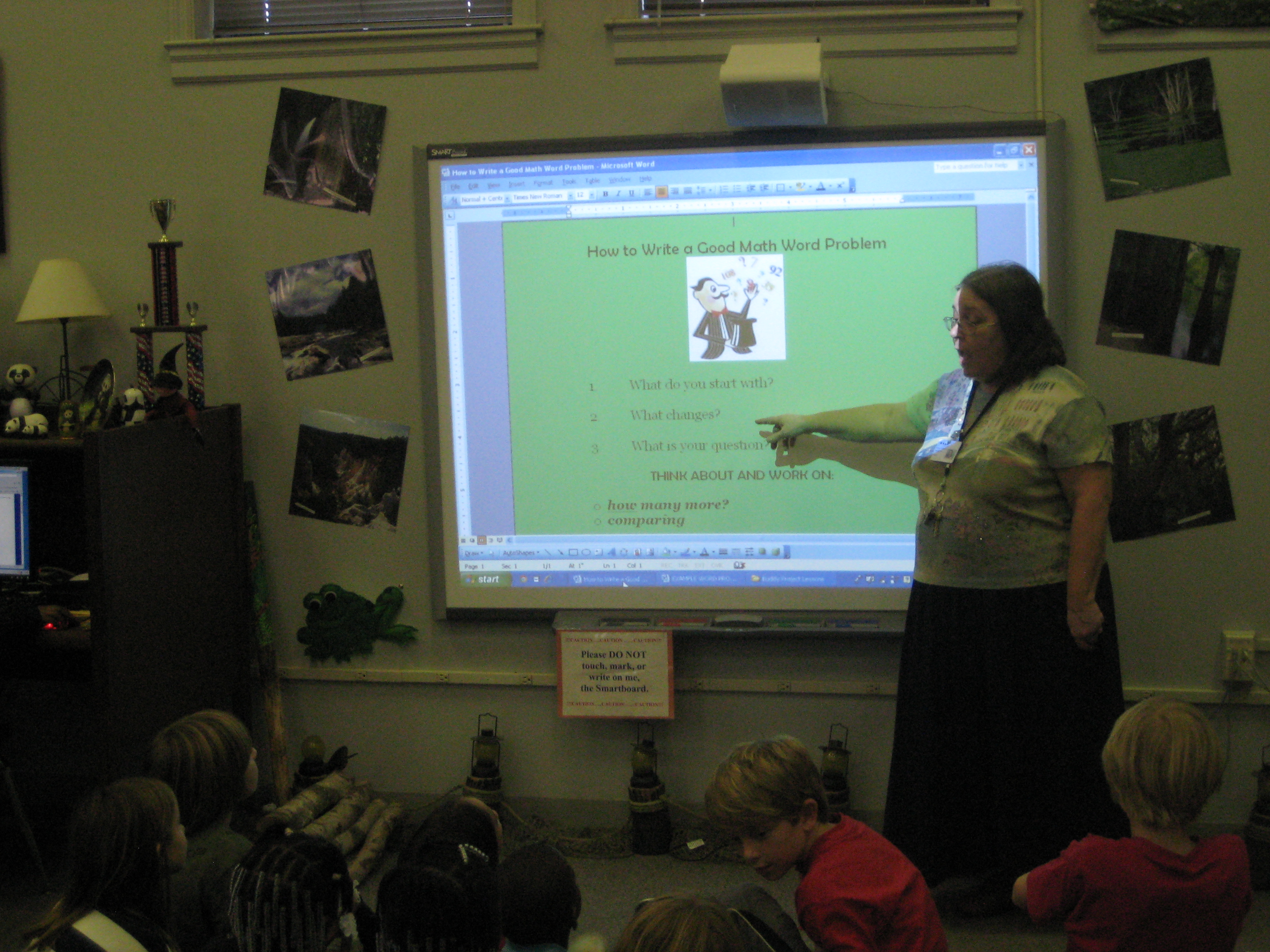
Next, Mrs. Mullins demonstrated some math word problems on the smart board using the names of the first grade buddies.  Once again 5th graders and 1st graders worked together to find a solution.

Finally, buddies went to tables to craft their own word problems using any numbers and objects they wanted.  They were asked to jazz up their word problems as much as they wanted.

Mrs. Mullins, Mrs. Maher, and I all visited with buddies as they worked and listened to the many strategies that they were using.  They crafted a whole variety of problems that ranged from single digit problems to problems dealing with thousands.  Now, Mrs. Mullins plans to type up these problems and share them with the 1st grade teachers for use in class.

The buddies will return to the media center in January for another math experience with fractions.

This slideshow requires JavaScript.

Fourth Grade Folktale Collaboration

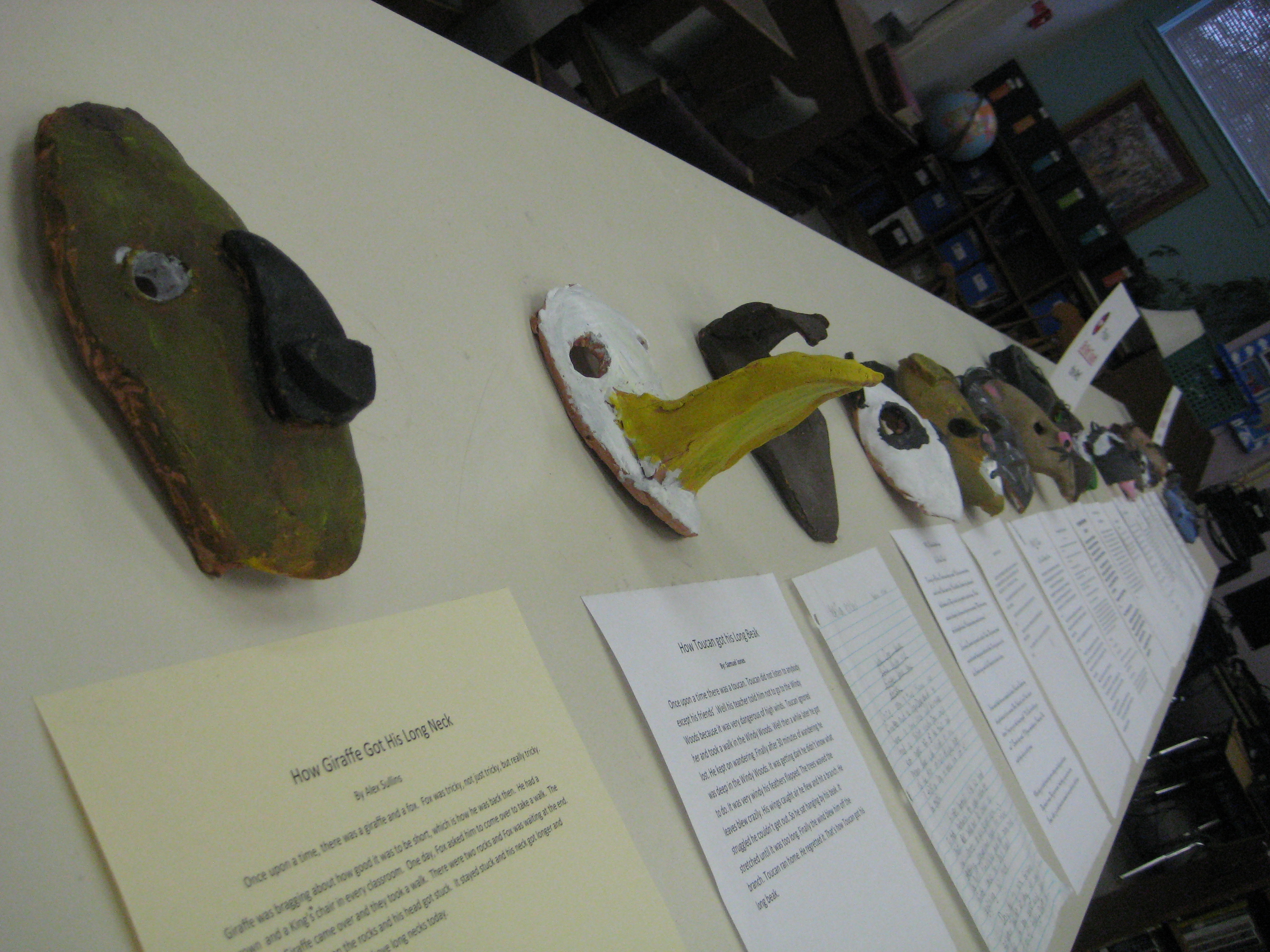
Each mask was created in art and is accompanied by a student-written story developed in class

As a part of 4th grade’s Native American unit, they studied folktales.  They spent weeks reading a variety of folktales from around the world as well as Native American folktales.  In the media center, they used Google Earth on the iPads to examine the regions of the United States where the Native Americans are found.  They noticed what landforms and water features were in each area.  Then, I told folktales from each tribe and they noticed how the land and regions came into each story.

In class, students continued to read folktales and examine the elements of each kind of folktale.  They began to develop their own story and implement these elements into the stories.

In art, the students designed masks that accompanied their tales.

The process was long and spread out over several months, but we are excited to finally have the finished products on display in our media center.  If you happen to be near Barrow Elementary in the coming weeks, feel free to stop in and read some of these stories and examine the beautiful masks.

This slideshow requires JavaScript.

Simultaneous Learning in an Elementary Library Media Center


http://www.schooltube.com/embed/29b463bcb37c4365ba49


After seeing a video posted by Buffy Hamilton showing the buzz of energy as multiple classes worked simultaneously in the library, I decided to take a moment to capture a snapshot of the Barrow Media Center.  In this video clip, you will see simultaneous classes doing very separate things.  Our space and collaboration allow for multiple lessons to happen at different times taught by the media specialist, teachers, and paraprofessionals.  While all of this learning is taking place, students are also still able to come to the library to checkout books by themselves.


Photo Story Seasons: A 1st Grade Collaborative Project

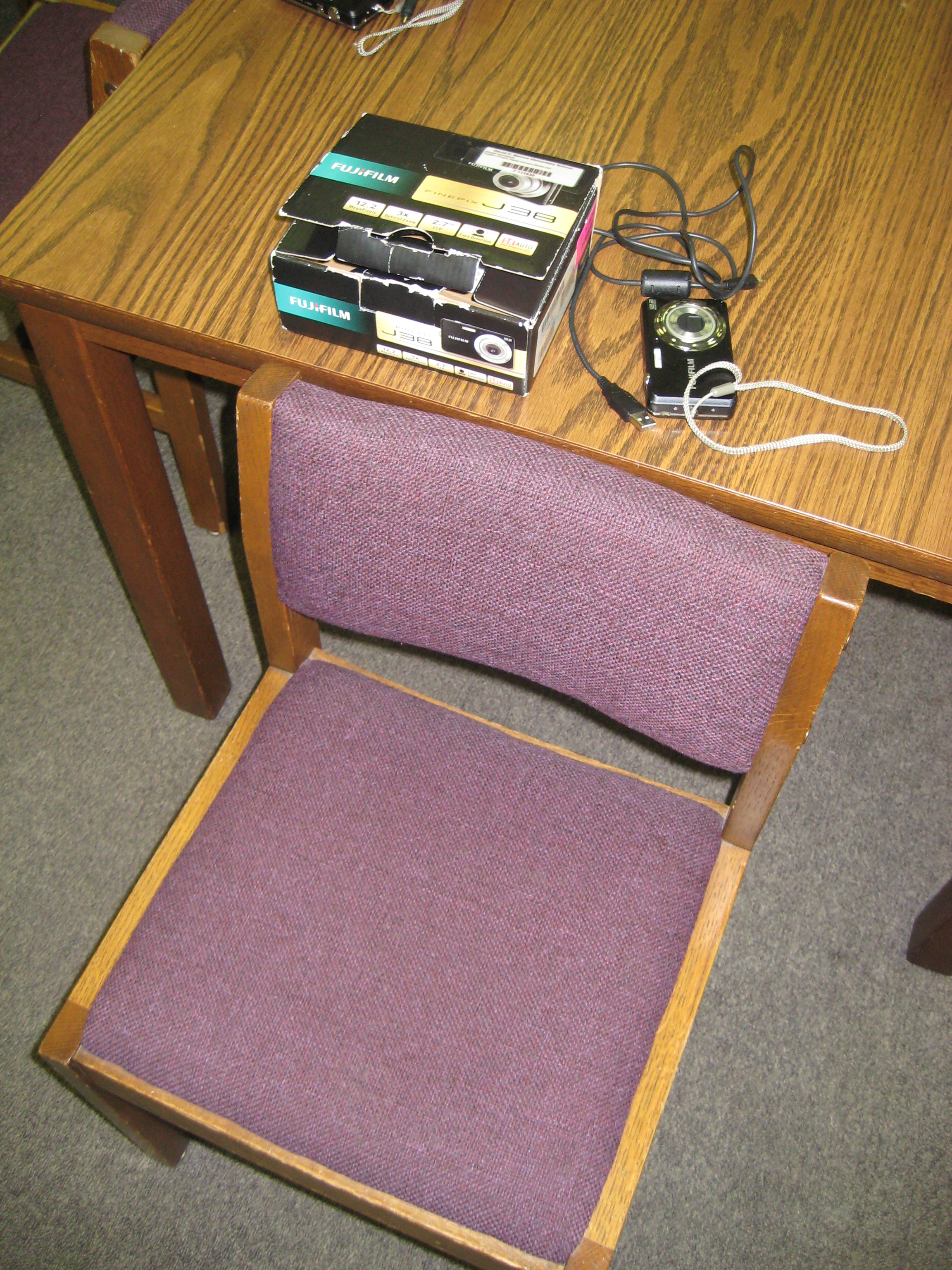
Each student had a chair to put pictures in, a camera, and a cord for downloading

Over the past few weeks, students in 1st grade have been working on a seasons unit around their weather standards in science.  This collaborative project involved the 1st grade teachers, the art teacher, and the media center.  In class, students learned about weather in the various seasons, dressed paper dolls in appropriate clothing based on the seasons, and wrote sentences about each season.  In art, students created background images on construction paper for each season.

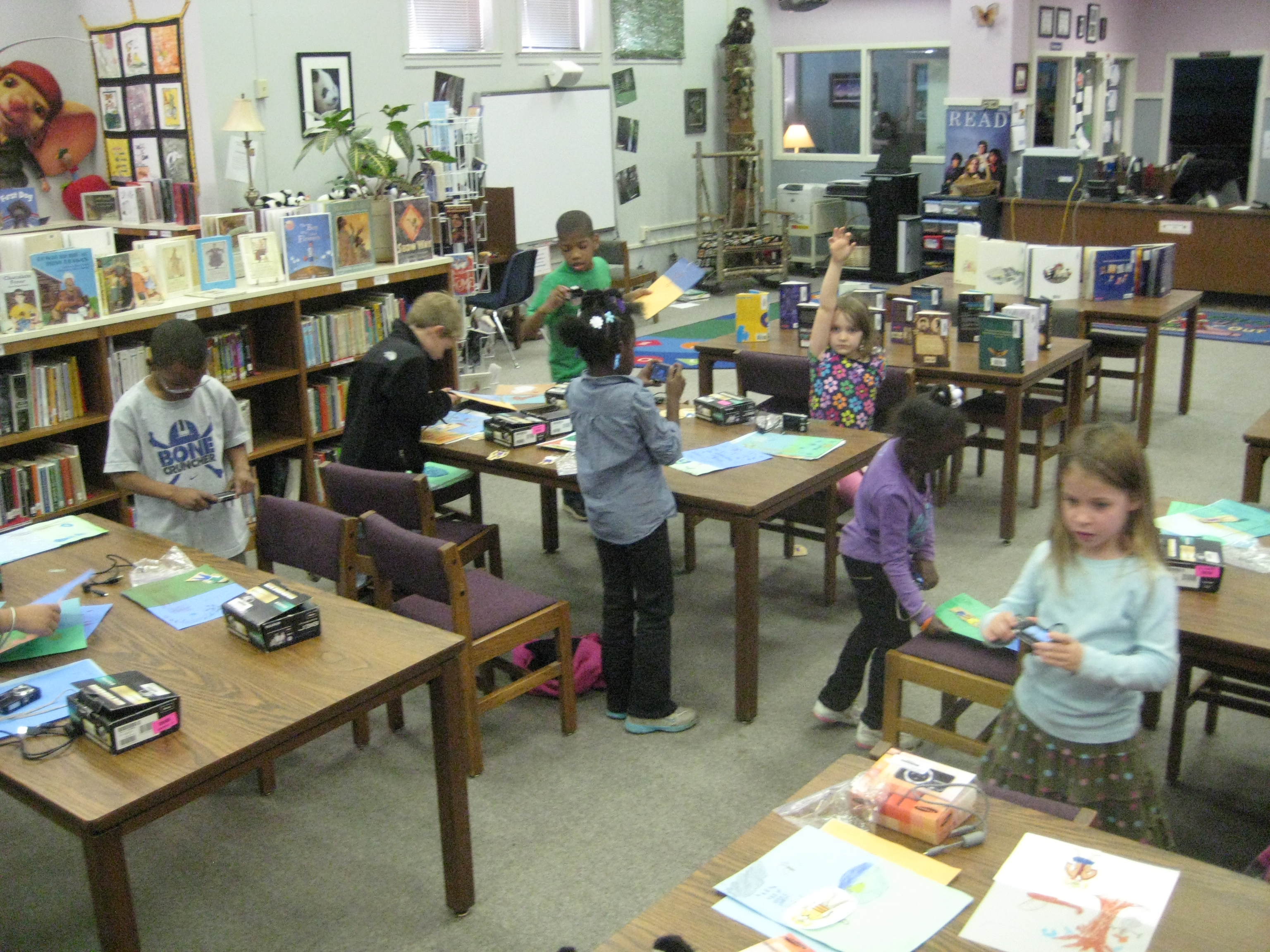
In the media center, students came for 2 sessions to create  photo story about their creations.  They took digital photographs of their paper dolls in each season, imported their photographs onto the computer under their own accounts, and used photostory to record their scripts for each season.

The amount of technology that students used in the media center was  a bit overwhelming, but they accomplished so much.  To do this project, students had to figure out:

  • how to turn on a digital camera and take a photograph that included all of the subject in the shot
  • how to login to a computer with their own username and password, which included understanding how to use the mouse and keyboard
  • open multiple programs on the computer and go through program wizards to complete the various tasks
  • save pictures into their picture folder and delete photographs from a camera
  • import pictures into photostory
  • arrange pictures in the correct sequence to go along with the script
  • use a usb microphone to record scripts for each photo in the photostory
  • save and view their final piece
Once I actually listed out all of those skills (and I’m sure there are some that I missed), it really is amazing what we accomplished in 2 days.  I won’t pretend that it was smooth and quiet, because it was very chaotic, messy, and loud.  It took multiple adults supporting the students, but the students were eager, excited, and productive.  I also won’t pretend that every student got their pictures in the right order or that they recorded the right script on the right picture.  I CAN say that every student went through the process and learned something about using technology to create a digital product.  They had permission to explore without endless instruction on what to click on and what to push on.  Instead, they had some freedom to try things and had a lot of adult support individually.
I think that as a result of this project, we’ll see many more uses of technology in our early grades, and we will continue to collaborate across multiple subject areas.
 

This slideshow requires JavaScript.

September 11th: A Transliterate Experience

As I’m preparing to present at the School Library Journal  Leadership Summit 2011, I’m thinking a lot about transliteracy and how I can create experiences and opportunities for students to “read, write, and interact across a range of platforms.”

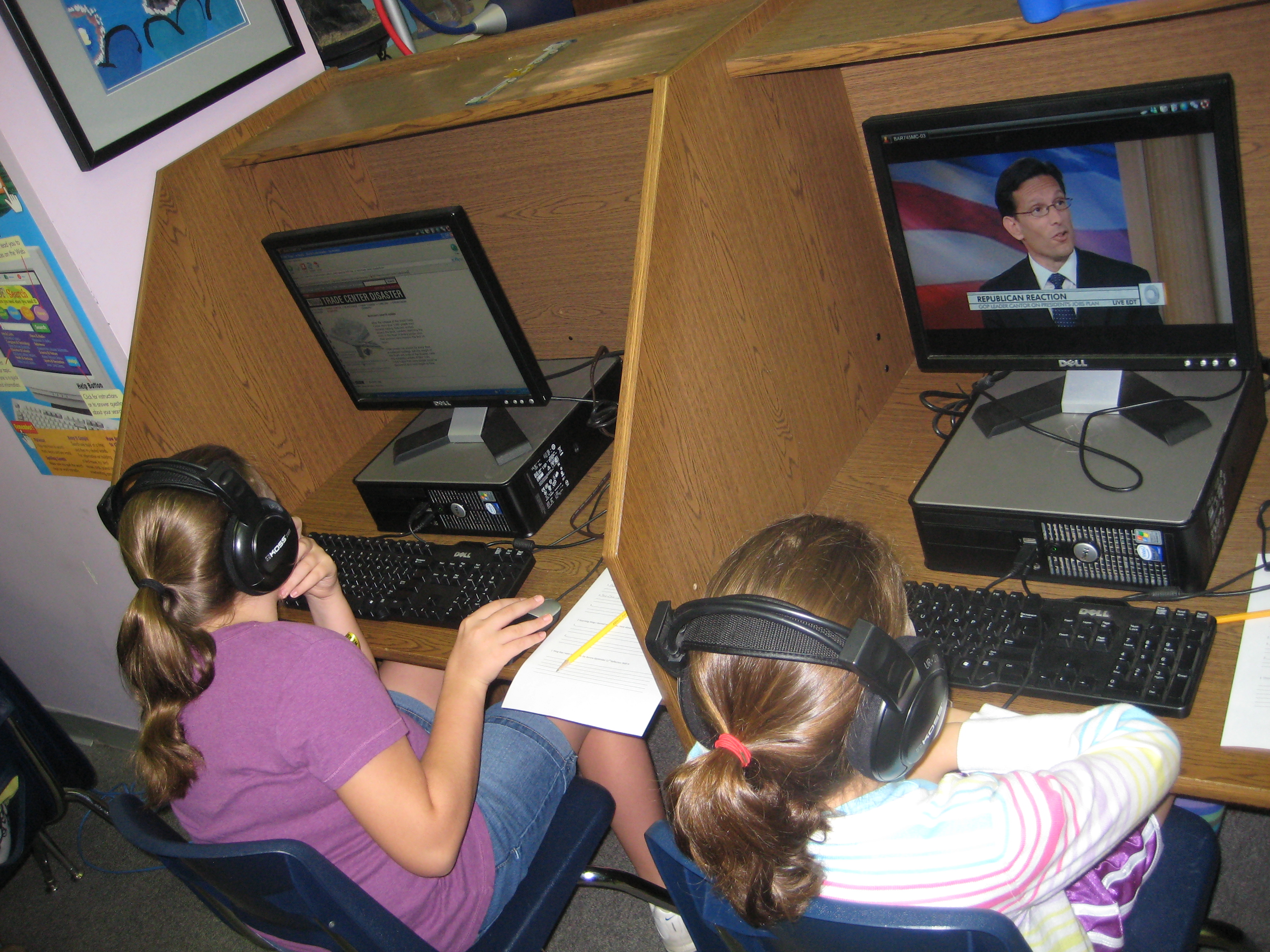
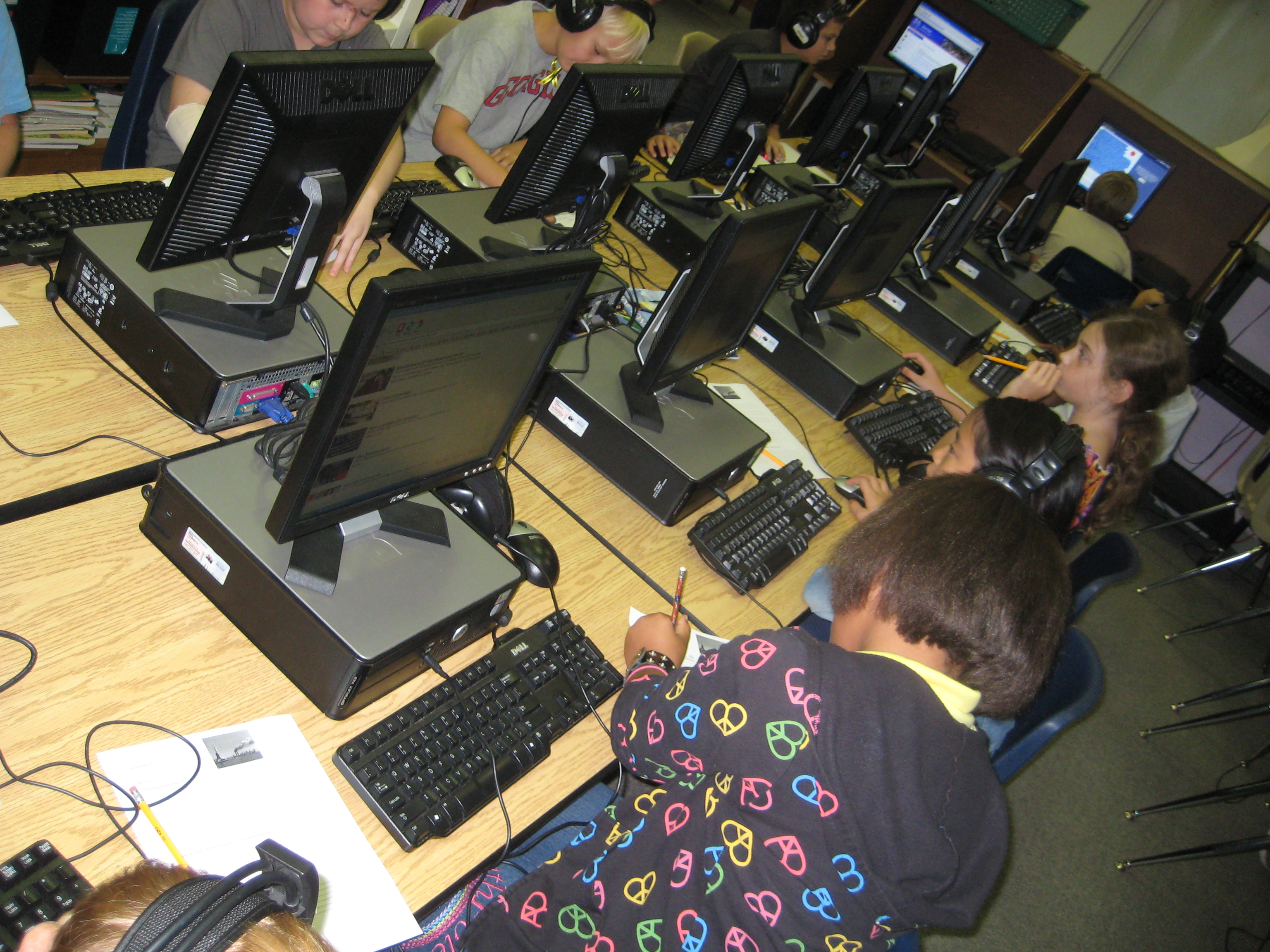
Students watching videos and eyewitness accounts of September 11

Fifth grade approached me a few weeks ago about collaborating on a day of September 11th activities.  Because they are departmentalized this year, they wanted to bring connections to September 11th in each of their classes:  reading, social studies, and math.  The more we planned the more the day came together as a day to experience the events and stories of September 11th in multiple ways in order to create a complete story about the day’s events.

The day started with each student getting a September 11th ribbon to wear throughout the day.  In homerooms, students wrote and illustrated what a hero was to them.

When students rotated to their reading class, they read the book Fireboat by Maira Kalman.  They watched videos of the actual fireboat and had a class discussion about how heroes were found in unexpected places during the events of September 11th.

Students exploring interactive websites on September 11

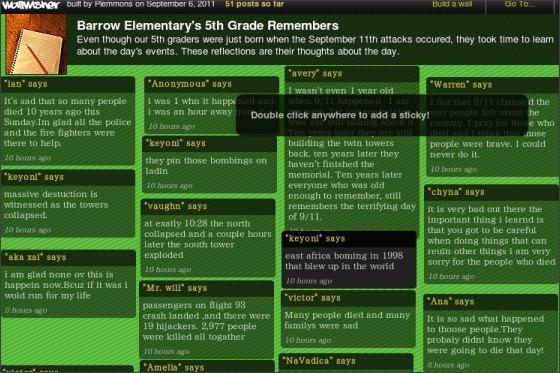
In the media center, we started our time by watching a 2-minute video that overviewed the day’s events.  We read a 3rd grade student reflection from the book Messages to Ground Zero: Children Respond to September 11, 2001 collected by Shelley Harwayne.  Then, students went to the computer lab and used a pathfinder of websites to experience September 11th through videos, interactive timelines, personal accounts, news reports, and more.  Along the way, student wrote down information that they learned about the day.  To close our media center time, students used Wallwisher  to create their own memory wall for September 11th.  Students wrote thank –you’s, prayers, emotions, and other thoughts on our collaborative wall.

At the end of the day, students returned to their writing and illustrations of heroes to see if their thinking had changed in any way after experiencing the day’s lessons.  They also revisited the 5th grade wall to see how it had developed throughout the day.  Reading each 5th grader’s thoughts is a powerful experience and to see all of their thoughts published in one location was a dynamic closing of today’s lessons.

These students were less than one-year-old when September 11th happened.  Their lives are very disconnected with the events of that day.  We wanted today’s experiences to immerse the students in the stories and tragedies of this historic event through multiple kinds of media.  By the end of the day, students had:

  • Viewed recaps of the events of the day
  • Listened to accounts of the day through multiple viewpoints
  • Interacted with timelines and maps
  • Read and viewed news reports
  • Viewed personal videos & eyewitness accounts
  • Read and listened to stories & children’s books inspired by the tragedy
  • Wrote personal thoughts, views, and facts
  • Collaboratively documented their thoughts as a grade level with web 2.0 tools

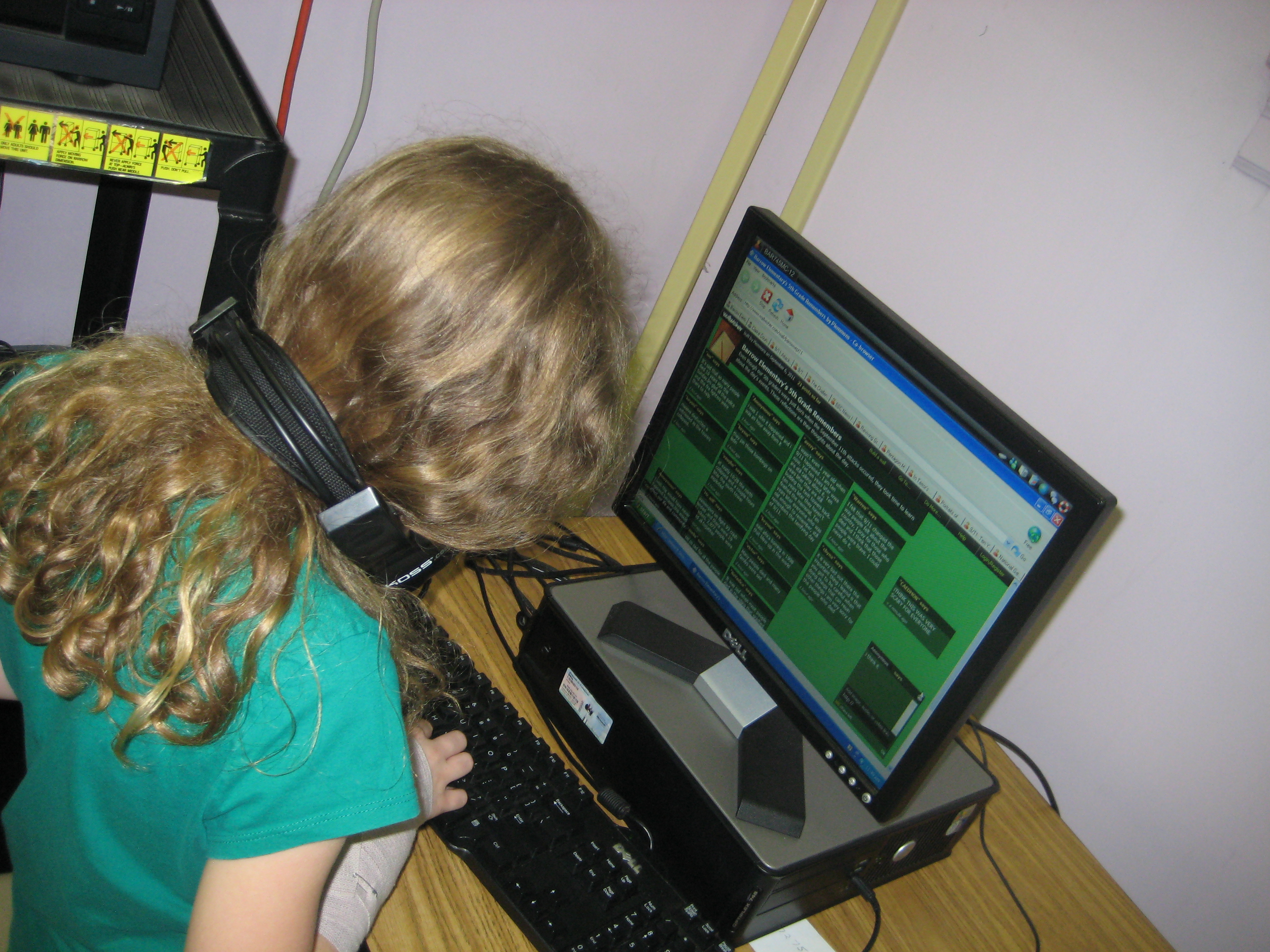
A student types her memory on Wallwisher

As usual, I was amazed at the level of engagement and collaboration as students worked with technology.  At the beginning of the day, we had a big issue with Wallwisher not allowing students to post their messages.  I was frantically trying to figure out the problem, but at the same time students were trying out different things to fix the problem.  It was a student who figured out that the page had to be refreshed before typing a new note because we were all logged in under our school’s generic account.  Because of their willingness to try things out, the rest of the day went very smoothly to capture all students’ reflections on the wall.

Collaborative memory wall written by Barrow 5th Graders using Wallwisher

The sheer amout of resources for September 11th can be overwhelming, but I can only imagine how the number of resources might grow if this tragedy happened today.  Today, we would have tweets, facebook posts, huge amounts of personal videos, blogs, and more.  We would be able to live this story in a much more diverse way through multiple platforms.  I was impressed at the close of the day by how many platforms students had used to experience this tragic story, and I feel like our students leave us today and head into the weekend with a better understanding of September 11th as they see the memorials and television specials on Sunday.  I invite you to take a moment to visit our 5th grade wall and read students thoughts from today.