Flipgrid Book Reviews with 2nd Grade

Flipgrid. Relax and discuss. 2I have a new favorite tool:  Flipgrid.  This tools allows you to setup a grid with multiple questions and students can use webcams on computers or a free iPad app to record up to 90 second responses to the questions.

Our 2nd grade is currently working on response to literature writing.  They want to create book reviews to post onto their KidBlogs.  To kickoff the writing of book reviews, we looked at a book review written a few years ago by Kindergarten teacher, Kelly Hocking.  We decided after reading the review that it was made up of 4 parts:  A hook, a short & sweet summary, connections & opinions, and recommendations.
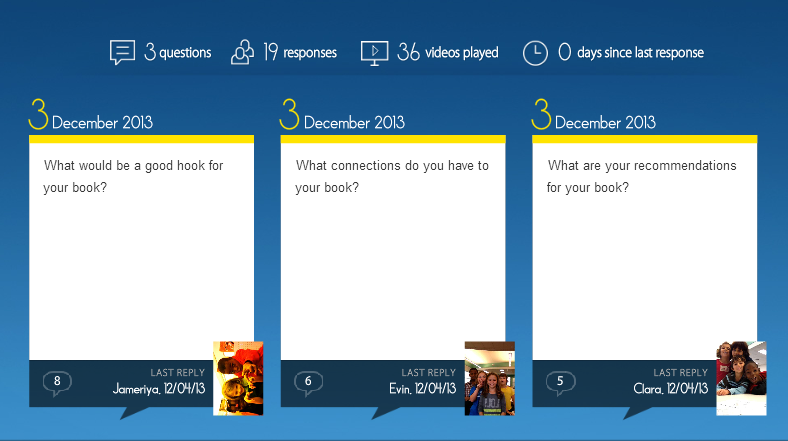
Flipgrid. Relax and discuss.Next, I read the book Carnivores by Aaron Reynolds and illustrated by Dan Santat.  I wanted students to have a chance to practice writing the parts of a book review, but rather than do it whole group, we used FlipGrid.  I created a grid with 3 questions:

  1. What would be a good hook for your book?
  2. What connections do you have for your book?
  3. What are your recommendations for your book?

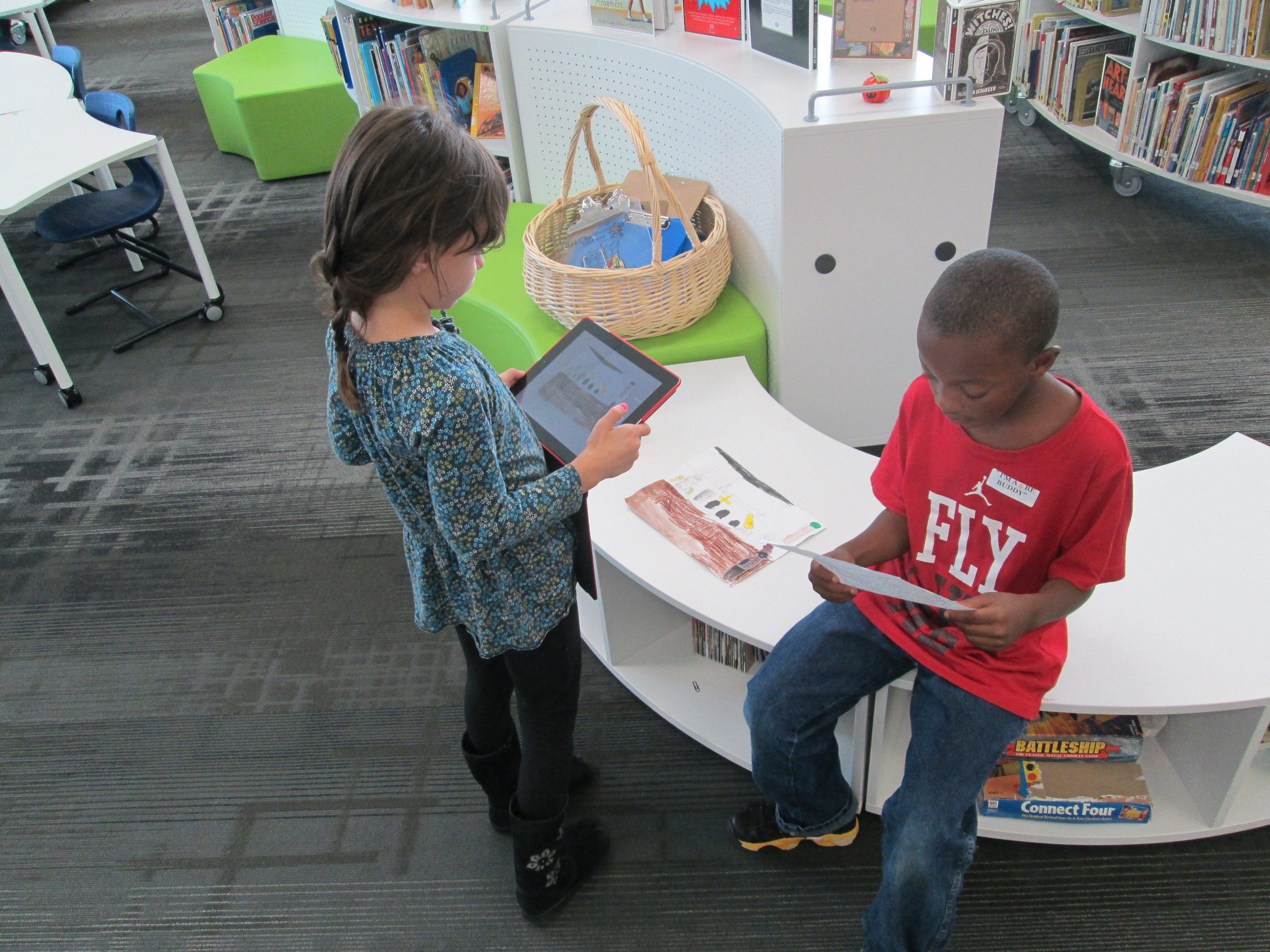
Each question has a code for flipgrid.  I downloaded the app onto all of our iPads.  For the app, students just have to type in the code to access the question.  I printed each question with its corresponding code on paper to give to groups.  Students divided into groups of 4 and were assigned one of the 3 questions.  After doing this lesson with 2 different groups, I learned that for 2nd grade it was really important to write down what they were going to say, so students first wrote out their response to their question on an index card.  Then, they practiced reading the card and deciding who would say each part on the recording.  To record, students:

  • opened the app
  • typed in their code.
  • touched the plus sign
  • accepted terms
  • took a photo
  • recorded their response
  • uploaded their video by typing a name and email

The videos were all sent to our grid.  We gathered back on the floor to listen to some examples of hooks, connections, and recommendations.  I also sent the link to the teachers so that they can refer back to the hooks, connections, and recommendations that were made as they begin to write their own book reviews.  I imagine that these videos could become parts of mini-lessons about what makes a strong hook or how to write a stronger recommendation.

You can listen to their responses by visiting the grid.

I’m proud of these 2nd graders and their teachers for diving into an unknown tool.  They learned about writing book reviews, but they also learned from their failures in using a new tool and passed on their learning to the groups that come after them.  We had some great discussions about what we will remember the next time we use Flipgrid, and I know that the process will get smoother each time.   I think Flipgrid will be a tool I will come back to again and again.  In fact, I’m using it tomorrow with 4th graders to create a grid of book talks about civil rights leaders.

2nd Grade Monster Stories

Brink Every year our 2nd graders write monster stories leading up to the end of October and a PACT time called Monster Mash where families come into the classrooms to engage in what students are learning.

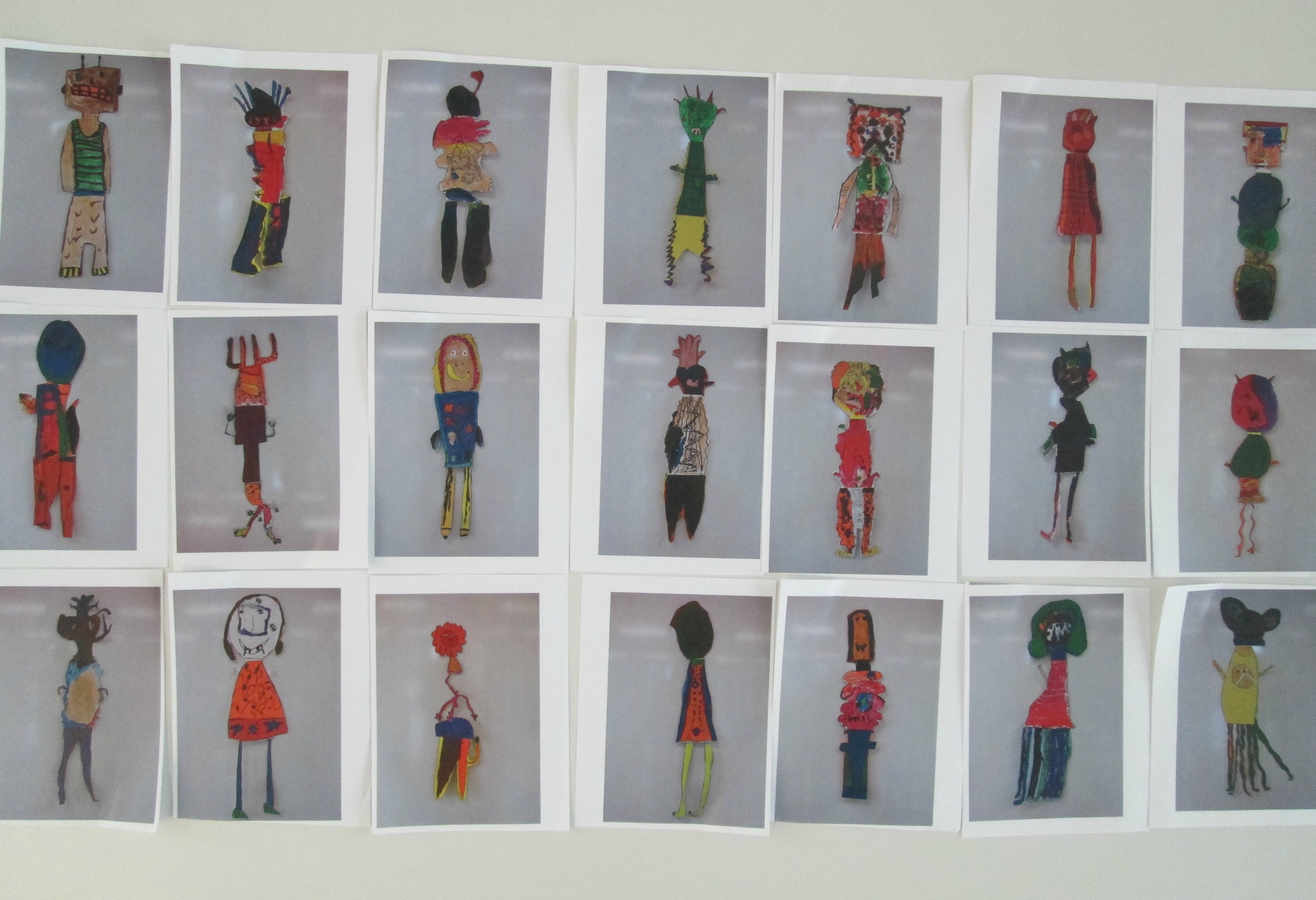
The project has many hands involved.  In art, Ms. Foretich works with the students to create their own monsters.  She then takes digital photographs or scans of those monsters and prints out mini versions of each student’s monster.

In class, students create scenes where their monster might live, where they might terrorize, or where they might go on an adventure.  They use their monster and scene to write a story.  Through several writing workshops, students develop their pieces, revise/edit, and publish.

IMG_1251In the media center, students come to me to film their monster story with our iPads.  Some students come with one scene and one monster, while others come with multiple scenes, multiple monsters, and pages and pages of story.  This year, we created a huge recording schedule that was quite ambitious.  Over almost 2 weeks, I would have 3 students every 15 minutes during a 90 minute time frame.  During this 15 minute window, we had to film the movie, upload it to an iMac, check the volume, add a title slide, and export the movie to a flash drive for Youtube uploading at a later time.  It took quite a while to get a flow going, but by the final few days, we were getting really efficient in our 15 minute window.  With a few students at the beginning, we made an opening slide with footsteps and a creaking door.  This same slide was used for every student, so we just had to change the title and author each time.  I set this up on 2 iMacs so that we could double up on uploads.  Some students filmed by themselves by using the iPad on a tripod.  Other students were filmed by Ms. Maher, a gifted teacher, or Mrs. McGee, a grad assistant.  If enough students were available and ready, students filmed for each other.  My role was to walk students through the steps of creating the video.  With every student, I talked through what we were doing on the screen.  Students approved the volume on their videos, added their title, and stayed with me through the export process.  I uploaded the video to Youtube after they left.

http://www.youtube.com/watch?v=UncYXD1tW0I

Teachers showed the videos during the Monster Mash PACT time.  To make sharing and viewing the videos easy, the teachers took all of the links to student videos and put them on a Thinglink.  To make these, we put all of the student monsters on a table, took a picture of them, uploaded the picture to thinglink, and attached each student video to his/her monster.  Now, when parents ask how to get to the videos, it is very easy to just share the thinglink with them.

RamseyerNext year, I want to think about how to give students even more ownership in the process.  Because of the tight time frame, it was hard to let students do all of the work of filming and uploading, but I know there has to be another way.  I’m going to reflect on that and suggest some improvement for next year.  For now, we can enjoy the amazing creations of these students in art, the classroom, and the media center.

Brink

Ramseyer

Wright

Yawn 

Dot Day Fun with colAR Mix App

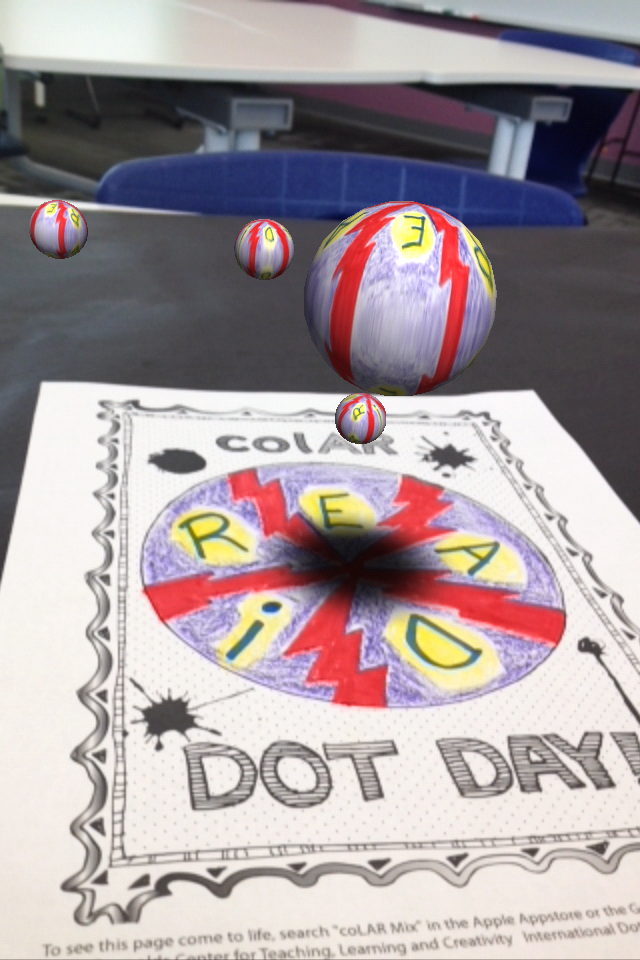
Every year, I enjoy celebrating International Dot Day, and it seems that every year we discover new ways to celebrate.  This year, I was excited to discover colAR Mix 3D coloring book.  I discovered the app while reading Fablevision’s posts about Dot Day.  colAR Mix is an augmented reality app that takes 2D coloring pages and brings them to life.  You can see the amazing video here:

For Dot Day, they made a special free page that allows students to design their own dots and turn them into rotating discs, falling balls, rotating solar systems, and revolving globes.  The app has a built in camera so you can take pictures of your creation, pretend that you are holding your creation in your hand, or even work with a partner to take your picture with your creation.

The students have been blown away by the coolness of this app.  Every adult that has seen it has immediately downloaded it on their phones and iPads to try it out for themselves.  Other than the coolness, I could really see this being used for multiple purposes.  When you study maps, you often have to think about something that is 3D in a flat format.  This app allows students to design something flat and see what it looks like in 3D.  Perhaps by working through this several times students would gain some understanding about how our flat maps of the world actually translate into the actual 3D world we live in.  It would be interesting to connect this with the upcoming explorers study that I am doing with 4th grade.  I would love to hear others’ ideas of how it might be used beyond dot day.


International Dot Day: First Steps

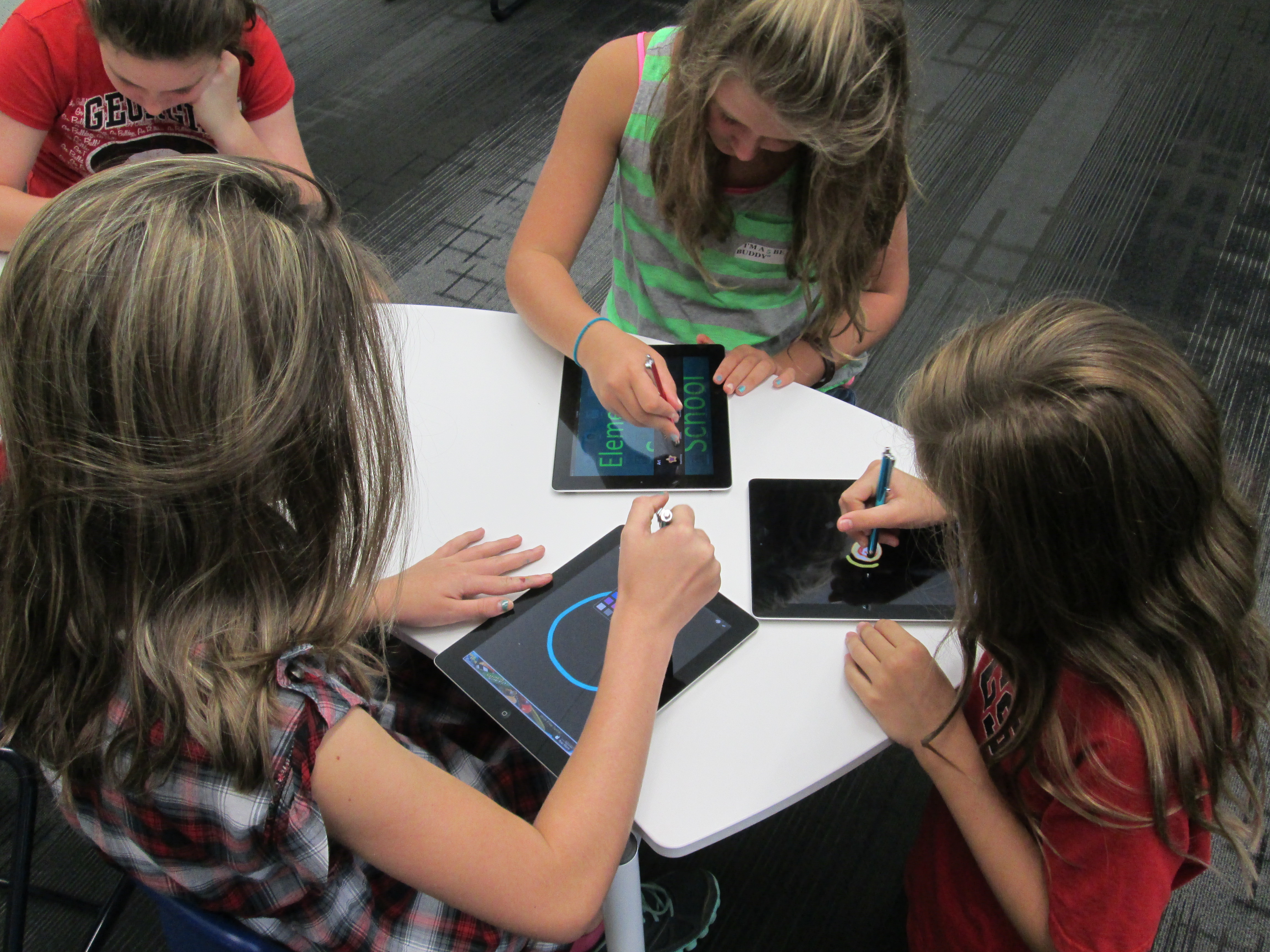
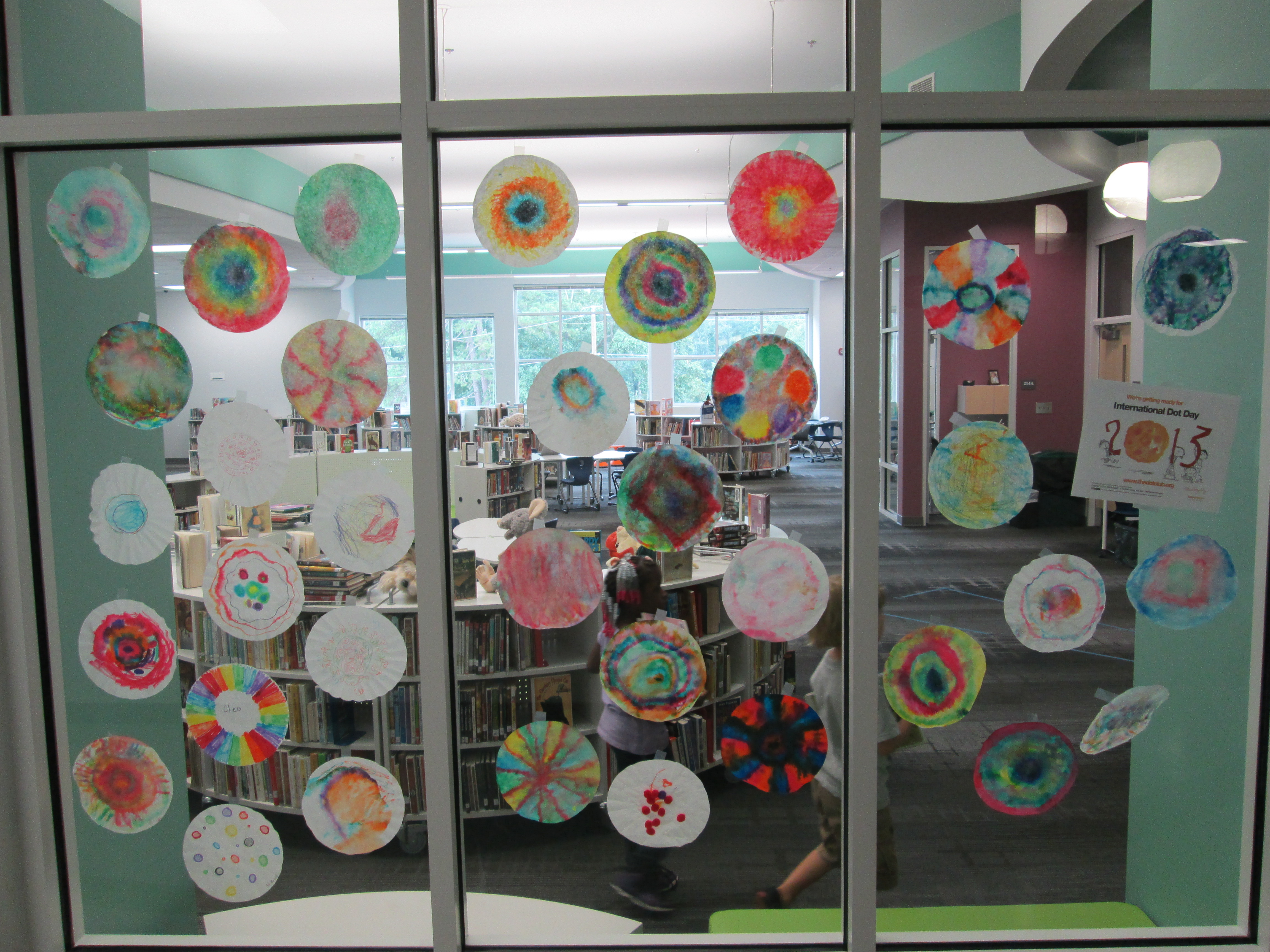
dot day (14)Today, the very first classes came to participate in International Dot Day lessons.  Ms. Olin’s 5th grade class read The Dot by Peter Reynolds.  We talked about what it means to make your mark on the world.  I loved hearing their ideas because they really had a sense of how they could make a difference.  I had 2 separate areas setup for them.  One area had coffee filters, a variety of coloring supplies, a water bottle, and tables covered in black butcher paper.  They could use the materials in any way they wanted to be creative making a dot.  The other area had iPads loaded with Glow Coloring and Drawcast.  Students who chose iPads used a stylus to draw a dot and save it to the camera roll on the device.

Students chose where they went.  I made no requirements about doing a dot at both locations.  Some students chose to make several coffee filters dots by trying different techniques of using markers, crayons, color pencils, and water.  Others chose to make multiple iPad dots.  A few chose to do both.  Once students’ dots dried, I started making our dot gallery on the windows of the library.dot day (15)

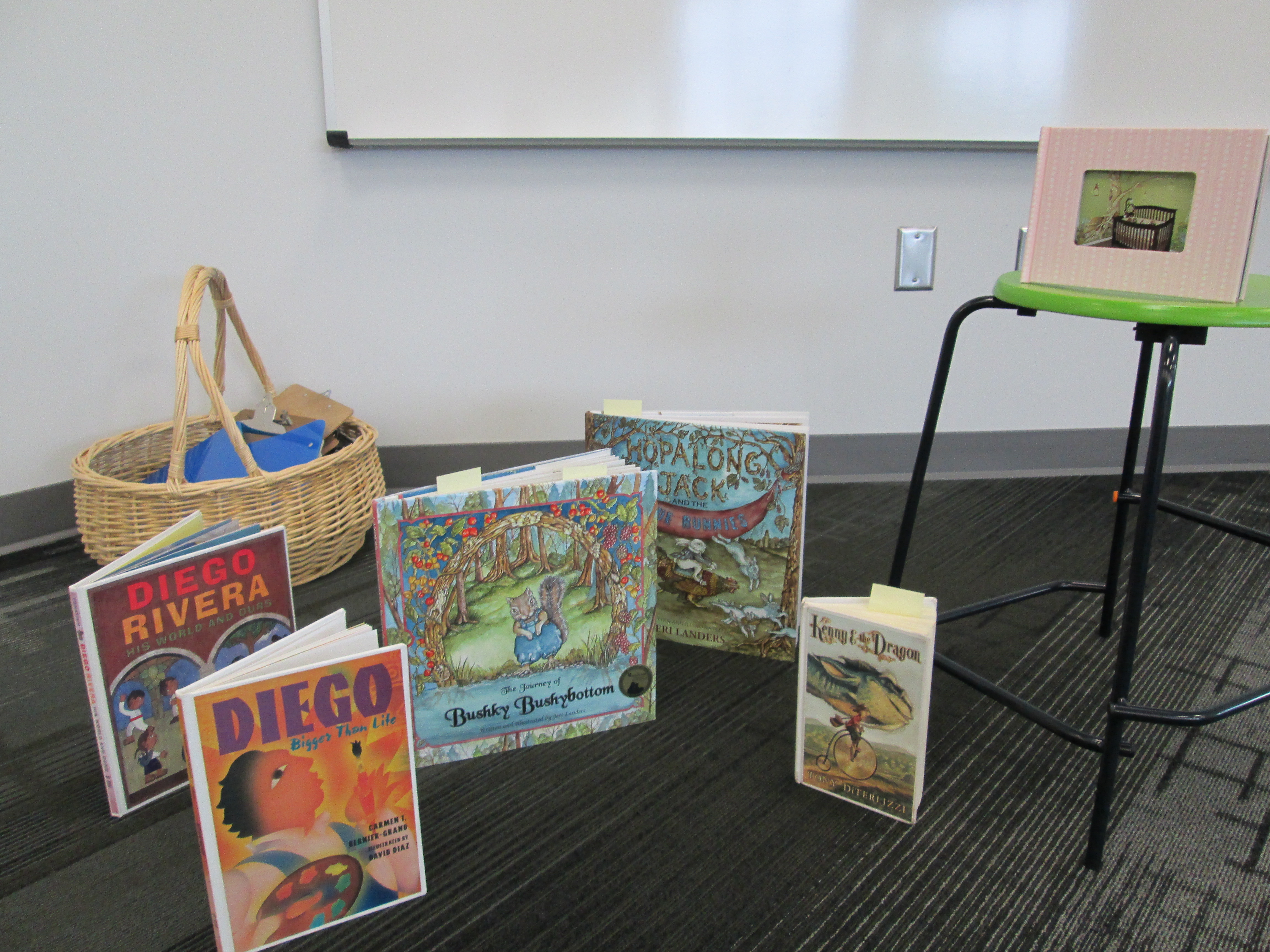
dot day (16)Later in the day, Mrs. Kelly Hocking’s Kindergarten class came to begin a dot project.  They are going to be studying several artists and learning how they can express themselves through art.  One of the artists they will learn about is Chuck Close.  This is a perfect tie-in to Dot Day since Chuck Close creates paintings that are made of numerous dots that come together to make a larger picture.  I had already read Sky Color to her class and they became very interested in painting murals.  Today, I showed them pictures of a mural in my daughter and son’s room and how the idea for the mural came from several children’s books.  Then, we read Diego Rivera His World and Ours.  The book details how Rivera traveled Mexico to get ideas for his murals.  It also raises the question about what Rivera would paint if he were alive today.  I love that the book ends by saying, “Today Diego is not around to make this happen.  So it is up to us to make our own murals and bring them to life.”  This was Mrs. Kelly’s lead-in to the mural that they will now create using dots in their classroom.  The mural will be displayed in the library, and we will probably have some more lessons before it is done.

dot day (17)I also discovered a great new iPad app after reading about it on Fablevision.  colAR Mix is an augmented reality app that brings coloring pages to life in 3D.  They have made a special coloring page just for dot day.  I made a practice dot, and it was so much fun seeing it pop off the page on the iPad.  You can take a picture of your 3D dot and save it to the camera roll.  I’m sure several classes will try this one out.dot day

And We’re Off! (with a new take on library orientation)

IMG_0856I’ve always wanted to try something different for library orientation rather than have the students sit on the carpet for 30-45 minutes while I talk on and on about how to use the library, check out books, and take care of books.  This year, especially, I knew that students would be eager to explore their new library space rather than sit and stare at it from a distance.  So….I made a plan for 2nd-5th grade and a plan for K-1.

For K-1, we stayed as a whole group and watched a few of the videos together.  I may try letting 1st grade scan one of the QR codes just for practice, but I felt like whole group with a story was still the way to go for the younger students.  We read the book Sky Color by Peter Reynolds to make connections to the library being a place to be creative and think outside the box.

For 2-5, I made a list of the major topics that I wanted students to think about when learning about the spaces in the library and the basic functions such as checking out a book.  From there, I made a video for each of those topics using an iPad and  uploaded it to Youtube.

http://www.youtube.com/watch?v=tXyCKIQwTo8

I took each link and generated a QR code.  I put each QR code on its own piece of paper with some brief instructions.  For example, the check out QR code said to scan the code and go to the circulation desk before watching.  On our iPad cart, I downloaded a QR reader and tested all of my codes to make sure they worked.IMG_0833

During orientation, I put out the QR codes that I felt like that grade level needed the most.  Lower grades had fewer QR codes to scan while the upper grades had them all.  For some classes I made a table of codes that were the “must scan” codes and then a table of codes for “if you have time”.  We started our time on the carpet in order to do a welcome, refresh using iPads safely, and to demo scanning a QR code.  Next students got an iPad and plugged in some headphones from the library (or their own) and began scanning codes.  I would love to say that it was perfectly smooth, but of course students had trouble adjusting sound, some headphones weren’t plugged in all the way, and some headphones weren’t working.  However, once the glitches smoothed out, it was amazing to see students productively wandering around the library with iPads doing a self-guided tour just as they would do in a museum.  In the process, they walked the entire library, tried out multiple places to sit, found out about technology they would use throughout the year, and saw books that they wanted to checkout.  I felt like even though they heard the same information each student gained something different out of the orientation.

At the close, we came back together to share some things that they learned about our library.  I wish that we had more time for this reflection because it gave me so many insights into what students valued in the library and what they were still wondering about.  At checkout, I saw students doing some of the exact same things that I did in the video.  I also saw students looking for books that they saw on shelves in the videos.  Overall, students got a lot of the same information, but this was much more engaging,  involved movement, and gave students the option to watch something again if they didn’t understand.  We’ll see how this translates into library use during the year, but I felt much better about how this new take on orientation went.

Today was exciting.  For the first time, I saw 2 years of planning a library space begin springing into action.  I saw how much the students are going to move this furniture around to meet their needs.  I saw how visible the books were on the shelves, which leads me to think we’ll have even more circulations this year.  This was only day one of classes.  I can’t wait to see how the space grows, evolves, and becomes useful to the students and the kinds of learning they will take on for years to come.

Found Poetry with the Word Mover App

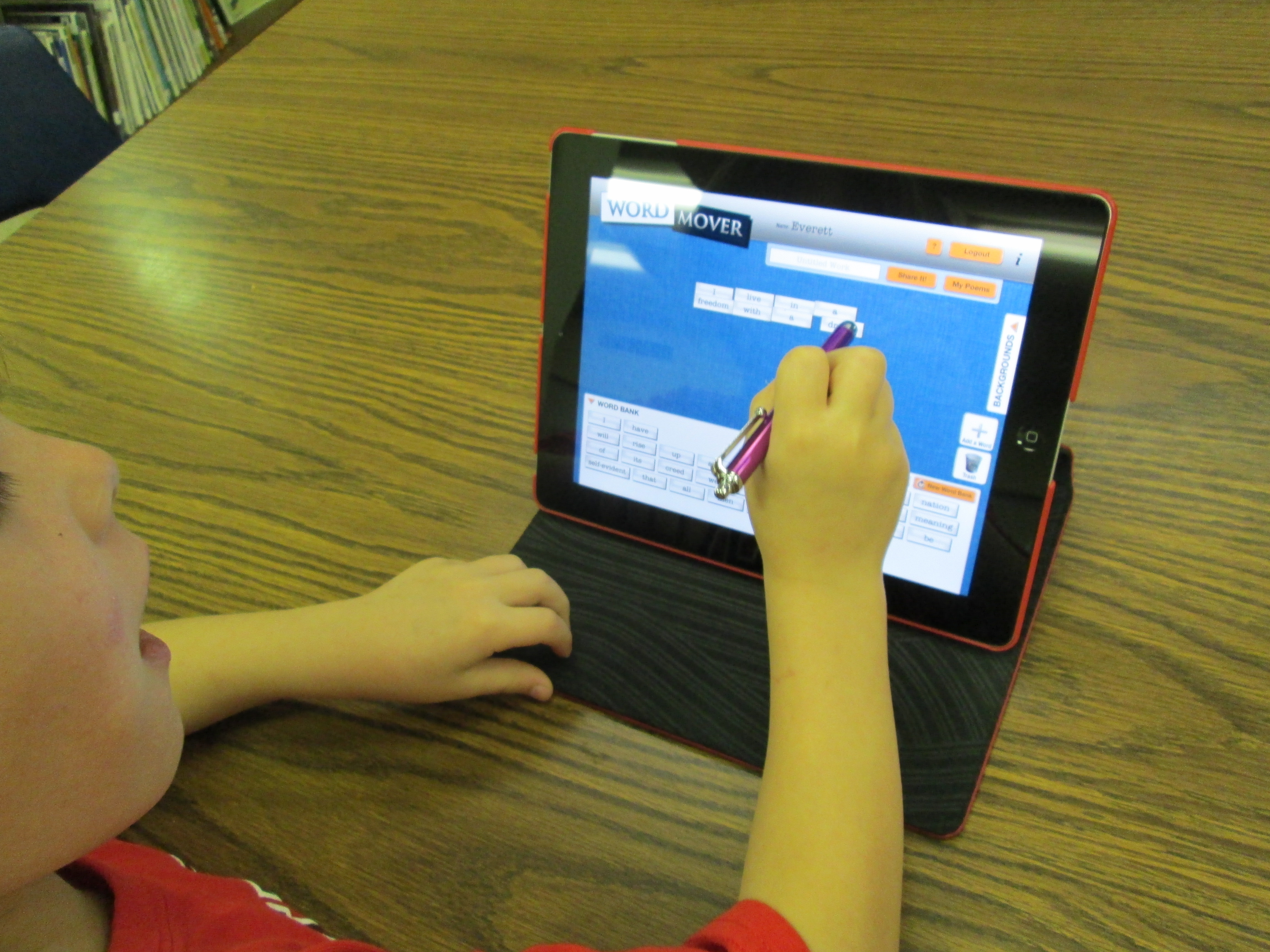
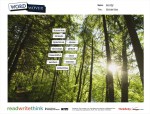
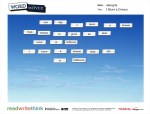
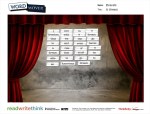
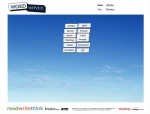
IMG_0392I always love collaborating with Ms. Hocking in Kindergarten.  A few weeks ago, she shared a great iPad app by Read Write Think called Word Mover.  It’s basically a magnetic poetry app.  You can choose from a word bank or from several famous works such as the I have a Dream speech and America the Beautiful.  In each word bank, you can also add your own words, change the font, and the color.  You can also choose from several backgrounds to put behind your poem.  Students drag the words in any order that they want to create their poem just like you would do with magnetic poetry on the fridge.  Students give their poem a title and save it to the camera roll.  From there, you can use the image however you want.  Ms. Hocking plans to display the poems on her smart board during April.  IMG_0393

This was a great tie-in to found poetry.  We also talked about how you could walk the halls f the school and borrow words from the student work that is hanging on the walls in order to write  a new poem.  The Kindergarten class used this tool without a lot of instruction.  Ms. Hocking and I walked around and helped students with questions.  The most common help needed was being able to read one of the words.  They really didn’t have problems using the technology.

Take a look at the poetry gallery below.


Paul Revere Transliteracy: A Third Grade Collaborative Project

Back in September, third grade took a transliteracy approach to exploring rocks and minerals.  After participating in this experience, Mrs. Shealey, 3rd grade teacher, had some ideas for how the transliteracy approach could inspire the Paul Revere standards that 3rd grade was about to work on.  She scoured the internet for resources and developed her own Sqworl pathfinder to share with students.  She also developed a menu of projects that students could choose from.  After introducing the idea to her team, we all met together to continue brainstorming and think about how technology could be incorporated with the menu ideas.

Ideas included:

  • Make a map of Paul Revere’s ride with important events, photos, and videos using Google Earth & Google maps
  • Create a newscast of Paul Revere’s ride with eyewitness accounts.  Use the iPad to film the newscast and iMovie to edit.
  • Use Museumbox to create various cubes about Paul Revere:  his ride, his character traits, events leading to American Revolution, etc.
  • Create a piece of art related to Paul Revere.  Use Photo Story, iPad, or Glogster to display the art and talk about it.
  • Write a poem or a song about Paul Revere.  Use the iPad to film a performance of the song/poem.

Ideas continue to be added to this menu.  We decided to narrow the technology focus to just a few tools:  Glogster, Museumbox, Photo Story, Animoto, iPad & iMovie, and Google Earth/Maps.  Many of these tools were new to students so we wanted students to have a chance to explore each tool before committing to a project or tech tool.  We decided to have a technology fair where each class could come and tour through the tech tools to gain some familiarity with each tool to inform their decisions.  I saw this as the perfect opportunity to bring in student expertise, so Ms.  Hicks, a spectrum teacher, helped identify students who could teach other students about each of the tools.  Google Maps and Museumbox were new to all students, so I led the station on Museumbox and Todd Hollett, technology integration specialist, led the station on Google Maps.  

The students and adults setup their stations, and each class came through the library for about 30-40 minutes to see mini-presentations and play around with each tech tool.  Students freely moved from table to table and at times needed encouragement to move on.  Many students wanted to stay at one table to become an expert in a tool, but that was not the point of the tech fair.  Expertise will develop later.  We just needed them to be familiar enough with each tool to know what it was capable of doing.  Even though all students did not make it to all stations, each class had a good representation of students who visited enough of the stations to be able to share back in class.

Our next step is for students to decide on their project and tech tool.  The teachers will then group these students into groups based on their tech tool.  Then, during a block of time each day, students using the same tech tool will meet in the same room so that they can support one another as needed.  I’ve seen amazing things happen when a large group of students using the same tool are in the same room.  They discover things that I would have never had time to figure out or teach to everyone and they willingly share their learning with other students.  I think we will be pleasantly surprised by the knowledge that students gain about these tools during this process.

The teachers and I will also support students with the technology, but we also want our focus to be on supporting students in locating quality information for their projects.  We will rely on the pathfinder as well as books from our library for this endeavor.  I can’t wait to see what students come up with!

This slideshow requires JavaScript.

iPad Photography Part 2

Last week half of Mrs. Hunter’s ELT class came to the library to work on iPad photography.  Read about it here.  Over the past 2 days, the other half of her class came for the same exploration.  Once again, students chose their favorite photo to email to me for our blog gallery.  Enjoy many of their Halloween inspired photos below and feel free to leave comments about their work.

This slideshow requires JavaScript.

Storybook Celebration 2012

Today was our annual Storybook Parade now renamed as “Storybook Celebration”.  The name change comes because we have expanded what this day means for our school.  Rather than just have an assembly and a parade dressed as storybook characters, we used the entire day to celebrate the joy of reading.

Students began the day with guest readers arriving in their room to read  story.  We’ve never done guest readers as a part of storybook celebration, and it was a challenge to find people.  Many of my regular guest readers were unavailable, and I found myself struggling for readers.  The power of digital communication and social networking came through for me though.  Many thanks to Jen McDowell, David Ragsdale, Ellen Sabatini, and several other unnamed parents who willingly recruited readers for our classrooms.  We ended up having 2 readers in almost every room.  Here are a few of the reactions & reflections from some of our high school readers this morning:

My experience with reading to the Kindergarten students at Barrow Elementary today was very fulfilling. The kids interacted and seem to respond to me asking them question that related to the book. And it made me day to be asked out by a kindergarten student today. Seeing their faces light up while reading to one my personal favorite child hood stories was absolutely amazing.
– Jackie Gordon
 
The reading was fun. I think the kids were excited. A lot of them already knew the story and wanted to help me read it. The teachers were very nice, too. 
-Jada Haynes
Reading to younger kids has always been an uplifting experience for me.  Reading to the kindergartners at Barrow Elementary was no exception.  The kids engaged in the story, were respectful, and were very cute.  I had a great time and really enjoyed sharing books with elementary school students.
-Henry Siebentritt
 
I had such a great time reading with the kindergardeners! I went to Barrow for seven years and it brought back so many good memories. The class I read to was the cutest ever and it seemed like they were interested in what we were reading to them. I want to go back next time there is an opportunity like this! 
-Chloe Alexander
 
I really enjoyed reading at Barrow this morning. I was in a 2nd grade class and I read A Pirate’s Guide to First Grade. It was a fun and cute story and the students seemed to enjoy it. One girl was especially enthusiastic about the pirates. A parent read a story about a square pumpkin before me and I enjoyed listening to him. This was a great experience overall. I loved getting to share such a fun book with kids and getting to be back in an elementary school again. 
– Katie Googe
 
My experience at Barrow Elementary was fantastic and very nostalgic. I had a lot of fun reading to the second graders and seeing my old teachers. I hope my other classmates enjoyed this experience as much as I did.
-Michelle Legette
 
There is a kind of magic that pervades the classrooms, offices, and halls of an elementary school, Barrow in particular. Upon entering the school, it is impossible not to be enveloped in a kind of warmth. When we went to read, I was immediately drawn to the bright decorations adorning the school, crafted by students, and the enthusiastic, costume-clad staff ready for the wonderful Storybook Parade. Although in a different building, this day, this atmosphere, this school is exactly the way I remember– it is as joyful as it ever was. Seeing children at this age is so special, because there is so much excitement for everything–to read a book, to dress up, to walk in the halls. The love for learning in this school is nearly tangible. I loved getting to come back and enjoy stories together, focusing on appreciating each next sentence and page. Thanks for setting this up! 
–Dory MacMillan
 
I had a fantastic time reading to the children.They were good listeners and I was happy to be there. It brought back good memories of my time at Barrow Elementary. 
-Patrick Humphrey
 
It was nice to go back to elementary school and read to kids. I enjoyed their costumes and appreciated their interest in the book I read. 
-Nida Javaid
Today, volunteers were given the opportunity to read at Barrow Elementary. I read a book by Lemony Snicket, 13 Words, That taught the kids words like “despondent.” Reading to the costumed kids was an enjoyable –experience, and more people should do it.
– Alanna Pierce

Following the readers, we enjoyed our huge outdoor space at our temporary school by going out to the fitness loop (track).  Grade levels sat together along the inside perimeter of the loop.  Parents and guests sat on the outside of the loop.  Each grade level stood and paraded around the fitness loop while the whole school cheered them on.  I served as the announcer and read blurbs from each grade level and some individual classes.

After the parade, 5th graders enjoyed some hot chocolate while the rest of the school went back inside to begin reading activities for the rest of the day.  Grade levels individually planned how they would spend the day.  All of the specials teachers and the library offered literature-related activities for classes to sign up in the place of their specials.  For a 30-minute block, teachers had common planning time while their class was at a “special”.

In the library, I read election-related books such as Grace for President, Duck for President, My Teacher for President, Babymouse for President, and Otto for President.  After reading some of these (and looking at a few others), students used our 10 iPads and a Google form to vote for which storybook character should be president.  Once voting was complete, we analyzed the results on the smart board and saw who was taking the lead throughout the day.  The students and I used my phone to tweet the live election results via our media center twitter account and facebook page.

It was a busy day with many kinds of reading taking place across the day.  Now, we’re ready for a 3-day weekend!

This slideshow requires JavaScript.

GPEE Bus Tour Across Georgia


Winning t-shirt design from Smiley Face Graphics

Remember this post about 4th graders traveling to the state department of education to model 21st century learning?  A part of this lesson was students designing a new t-shirt for our school.  This year, the designs were voted on and every student and teacher in the school received their very own shirt.  Today, we all wore them for a special event, the Georgia Partnership for Excellence in Education Bus Tour Across Georgia.  This trip brings together influential people from around the state and tours them through multiple Georgia schools across Georgia.  This year the theme was “Georgia’s Public Schools: Using Technology, Creating Pathways for Student Success.”  Our school was selected as a stop on the tour based on the innovative work that occurs in our library and classrooms.

Over 100 guests arrived at our school and were split into 14 groups.  These groups were escorted by student tour guides to 5 different stops in our school.  Bus riders saw incredible instruction and technology use in multiple classrooms.  They also stopped by our library where select students from K-5 were showcasing projects that had already been completed.

For example:

  • Kindergarten students showed their digital alphabet books and photo stories
  • 1st graders showed how to use PebbleGo.
  • 2nd graders showed their Regions of Georgia commercials on Youtube.
  • 3rd graders showed digital inquiry projects about rocks as well as a rock pathfinder
  • 4th graders showed how we used a gadget in a Google form to collect data about locations of various Native American locations
  • 5th graders showed digital inquiry projects using Animoto, Glogster, Prezi, Simplebooklet, and Power Point.

It was truly amazing to step back and watch students from every grade talk about what they had learned from their technology projects.  They taught many of our guests about tools that they had never heard of, and many of the educators within the group plan to go back to their school to begin using some of the Web 2.0 tools featured today.

I was once again reminded of the expertise that hides within our buildings and how we need to give students the space to play, explore, create, and share their knowledge both about content and technology.

This slideshow requires JavaScript.