More Kindergarten Storybirds

These cards were used prior to moving into Storybird.

These cards were used prior to moving into Storybird.

You may remember from earlier in the year that Ms. Hocking’s Kindergarten class worked on a sequence of lessons in the library and in their classroom to eventually produce their own story inspired by art using Storybird.  Now, even more of the Kindergarten classes are working on a similar sequence of lessons.  We have spent time on the common core standard:

ELACCKRL7:  With prompting and support, describe the relationship between illustrations and the story in which they appear (e.g., what moment in a story an illustration depicts).

This has been done through wordless picture books, picture books where part of the story is told in text and part in pictures, and picture books where the pictures support the text.  Students read these books in class lessons as well as in the library.

To prepare for Storybird, we started by using storytelling cards from a set of cards called “Tell Me a Story“.  I chose a sequence of cards and then had the kids begin telling the story and linking the story from one card to another.  As we transitioned to Storybird, I told them that it was like pulling illustrations from a big deck of cards and figuring out how the story connected together across cards.  We wrote a Storybird together as a class to model the thinking it takes to select a sequence of pictures as well as create text that ties together the pictures.

Finally, in small groups with an adult, students wrote their own storybird. The role of the adult was to lower the barriers to artistic expression by helping students with things like typing, taking turns, etc.   Today, Ms. Seeling’s class (Mrs. Boyle’s Class), created their stories in small groups.  We had 5 groups led by me, Ms. Seeling, the parapro, a student teacher, and a parent volunteer.  Here are their final stories:

They Are Friends

The Rabbit and His Friends

A Porcupine Babysitter

The Mean Gorilla

The Porcupine Dream

Ms. Seeling also hopes to have some students make individual stories and then use Screencast-o-matic to record the students reading their stories.  I love how each teacher and class is learning from what previous classes did and building onto what was accomplished.
 

Storybird with Kindergarten

Mrs. Kelly Hocking’s Kindergarten class has been hard at work collaborating with me in the media center on writing stories from art.  This idea was initiated in their classroom, and Mrs. Hocking asked me how I might support their class in doing this exploration using some kind of technology.

To start, I showed the class Storybird very briefly.  Storybird offers collections of artwork that inspire stories.  You select images from a collection and add your story.  Then, you publish your digital book to the web.

We spent the remainder of the first session looking at a wordless picture book under the document camera.  We used Andy Runton’s Owly and Wormy: Friends All Aflutter.  On each page, we asked ourselves who is in the picture?, where are they?, and what are they doing?  We split into 4 groups to look at even more wordless books in a smaller setting.  The classroom teacher, paraprofessional, special education teacher, and EIP teacher all supported a group.  I rotated between all 4 groups and took over groups if the teacher needed to give a particular student more support.

A couple of weeks went by where the students continued to use wordless books in their classroom to practice telling stories from art.  When they returned to the media center, I did a whole group modeling of how to use Storybird.  We looked at features like how to add a page, how to drag and drop a picture, and where to type the words.  We also talked about putting together a story and how you have to think carefully about which picture makes the most sense to come next in the story.  Finally, we talked about how to go back and re-read your story and make changes if needed.

The final lesson was back in small groups in the media center.  Each group had the same adult leaders and a laptop logged into storybird.  Each group had a different account.  The adult facilitated each group in creating their own storybird, but the students were expected to interact with the technology and construct the story.  The adult did most of the typing while the students selected pictures, typed limited text, and added pages.  Even in small groups, it was a challenge to maintain focus, but each group completed their story in our 45 minute time block.

These students are the only students in the school to have used Storybird, so they are now available to show other students and teachers in the school how it works.  I look forward to trying this again with many more classes.

This slideshow requires JavaScript.


Read their Storybirds here:

Dragon Bat Girl Attacks Creepy Girl

Super Lightening Boy Saves the Day

The Party

The Happy Fairy and the Five Birds

Ms. Li’s Class Alphabet Book

I recently posted about a project I have been doing with Kindergarten where students created a class alphabet book using Photo Story.  Today, Ms. Li’s Class finished their book.  Enjoy!


http://youtu.be/SipA4Tie_xY

Digital Alphabet Books


Two Kindergarten classes have been collaborating with me in the library to support their study of the alphabet.  First students came to the library for a lesson on alphabet books.  We explored numerous alphabet books, upper/lowercase letters, and the sounds letters make.  I used LMNO Peas by Keith Baker to look specifically at upper/lowercase letters.  Next, we used Gone Wild: An Endangered Animal Alphabet by David McLimans to continue looking at upper and lowercase letters, but in an animal format.  We put each illustration under the document camera, guessed what letter the animal was making, looked at the standard upper/lowercase letter, and talked about how the animal’s name started with the letter.  We ended with Alphabet Explosion: Search and Count from Alien to Zebra by John Nickle.  We put a few illustrations under the document camera and had students identify as many things as they could find that started with the letter of the alphabet represented on the page.  At the close, students checked out an alphabet book from our wide selection.

In class, students were each assigned a letter of the alphabet.  They decorated an uppercase & lowercase letter, added an illustration that represented that letter, and wrote the word for the illustration.  They also began practicing saying the letter, the sound it makes, and the word for their illustration.  In small groups, they brought their finished illustrations to the library to use the scanner to scan their images.  While students waited to scan, they continued practicing their scripts.  After 2 days of scanning, I imported all of their pictures into Photo Story.  Then, in small groups they came back to record their scripts for their assigned letter(s).  Once again, while students waited, they practiced.  After all students recorded their voices, I finalized the Photo Story and uploaded it to Youtube.  The students will come back to the library the next time they check out books for a premiere of their video, but you can get a sneak peek of one class below.

http://www.youtube.com/watch?v=1JbjFZX_6w8

Community Connection: An Author Visit with Donna Jo Napoli

I was recently reminded of how many opportunities for our students are probably hiding in our communities.  A parent reached out to our Kindergarten teachers and asked if they would be interested in an author visit with Donna Jo Napoli.  The teachers asked me about it, and I immediately jumped on board because author visits don’t just pop up everyday, epsecially with outstanding authors such as this one.  Donna Jo Napoli just happened to be in Athens to speak at UGA, and a parent at our school used to live down the street from her.  This parent said that she was willing to come in and speak to a class or the whole grade level.

I occasionally ask parents to share their talents and connections with us in the media center so that we can connect them to opportunities, but this made me think that maybe I should ask more often or that I should highlight ways people are supporting our students with exciting opportunities.

Donna Jo Napoli read her book Rocky the Cat who Barks.  She shared the process that it takes to get a book printed in physical form.  Students were also able to ask questions.  Many shared stories of their own pets or how they also wrote a book.  Along the way, we also learned about how much research and reading go into books such as Mama Miti.  Donna Jo spoke with passion about how she learned how much an ordinary person can make big changes in the world.  She encouraged the students to think about what they could do to change the world.  She also shared her thoughts about revision.  Her thought is that instead of writing one story over and over, you should write many stories.  Each time you write, share that story with a friend and have them tell you what they like and what they don’t like.  Learn from that, and use what you learned to write something new.  After you get several stories, pick one that speaks to you and spend more time making it better.

We also learned that she is doing a collaboration with author David Wiesner on a graphic novel.  We can’t wait to see how that develops!

What an amazing day for our Kindergartens.  Thank you parents and community members who reach out to schools and libraries to provide opportunities, and thank you Donna Jo Napoli for your amazing gift of story to our students today!

Kindergarten Research…so many firsts!

While the rest of the school is working on persuasive writing, our Kindergarten is working on informational writing.  The teachers and I met back in December to plan some goals that we had for student research of informational topics.  It was important to each of them that students have experience locating information in a variety of places, but to specifically look at content that matched their developmental and reading levels.  Our print collection in the media center already has a variety of texts on a variety of levels, so I felt like they would find enough resources in the nonfiction section that would meet the needs of several topics.

The challenge came with finding a digital resource that would meet their needs.  We have access to great databases such as Encyclopedia Britannica in our state Galileo database, but even Britannica didn’t seem to get at what we wanted.  Fortunately, we were able to get a one-month trial of PebbleGo from Capstone.  PebbleGo has three main databases: animals, earth and space, and biographies.  The content targets a K-2 audience, but I’ve found that the topics are appropriate for all of our grades and really match the reading needs of many of our readers.  The content is broken down into headings and students have the option of reading the content themselves or having a professional narration read to them.  There are also videos, charts, maps, timelines, and more within each heading.

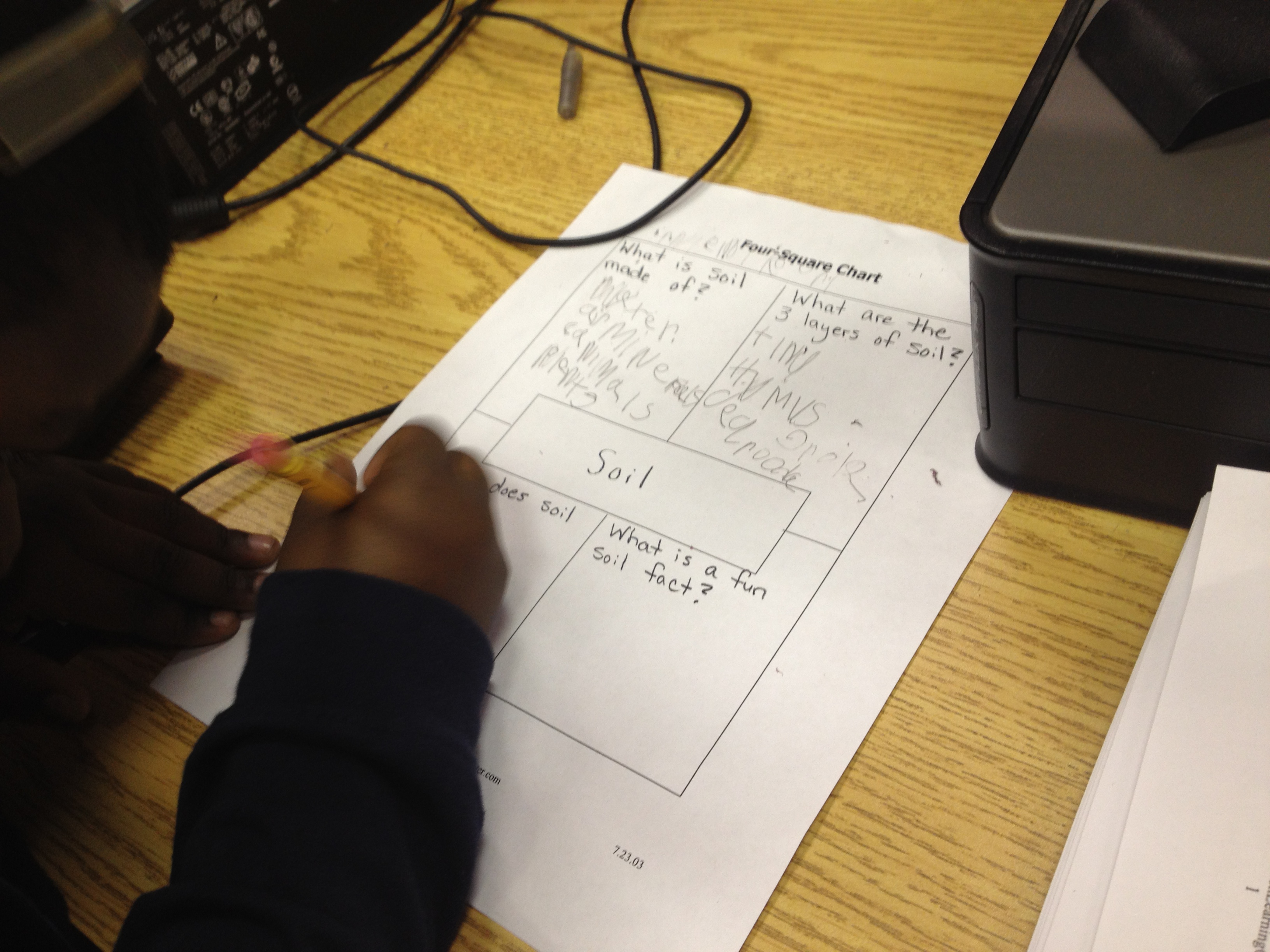
Kindergarten chose to do a beginning stage of research by assigning all students similar topics within their science standards.  Some students learned about rocks while others learned about soil.  In our collaboration, we decided that they needed a very basic graphic organizer.  We chose a four square organizer with the topic in the middle surrounded by 4 questions that students would answer.  They could answer the questions with text or even draw pictures in the spaces.  Each teacher booked a one hour lesson.  I introduced PebbleGo and how research is all about asking questions.  Students generated some sample questions about rocks before I showed them the 4 questions they would explore.  I briefly clicked through the pieces of the site and showed the feature that would read the content to students.  We also looked at the 4 questions and thought about which tab would answer which question.

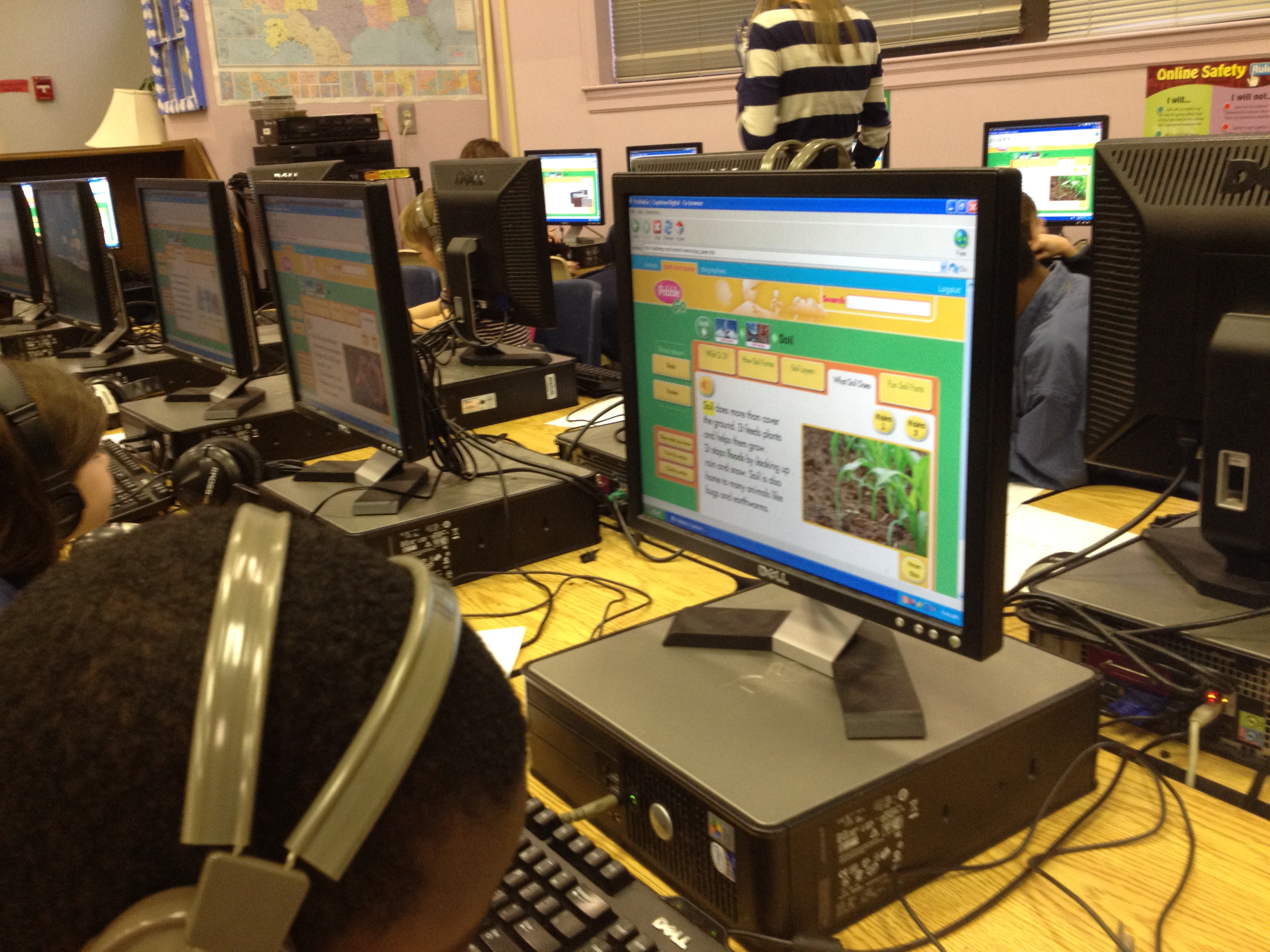
When students seemed too saturated with information, we moved to the computer lab where PebbleGo was already loaded on their screens.  I was immediately amazed at the level of engagement but also the number of firsts.  For so many students, it was the first time using a mouse, a keyboard, the internet, a graphic organizer with set questions, and more.  It was easy to get overwhelmed by the number of questions that students were asking, but when I stepped back and took a deep breath, I was amazed at how excited the students were.  I was amazed by what they were remembering from what they heard regardless of whether or not it made it onto the graphic organizer.  There were 4 adults helping students:  the teacher, student teacher, my paraprofessional, and me.  We knelt down beside students and had conversations about listening to information more than once, writing down keywords rather than complete sentences, using a graphic organizer, and more.  In the end, students left with several facts written down about rocks and soil, but they also left with excitement about coming back again to use the computer for research.  When we checked in with them at the end, every student said they wanted to come back for more.

The teacher commented to me that this lesson just made her want to use the computer lab even more and how this was all a process.  In order for students to get better at researching and using the computer, they have to do it more.  It can’t just be a single lesson in the lab.  Wow!  Even though the lesson exhausted me at the very beginning of the day, it energized me with possibilities.

Our four square graphic organizer

Stitching Stars Storytellers

As part of enrichment clusters this semester, I am working with a group of 9 kindergarten and first grade students to learn how to become storytellers.  This group has been fun, but it has come with many challenges as well.  Since most of these students are learning to read, they are unable to independently read most picture books or folktales.  They also began as a very shy group that was soft-spoken and quiet.

Here are some things that we have tried:

  • Watching videos of rambler storytellers from the Wren’s Nest and commenting on what we noticed that the storyteller did.
  • Listening to stories read aloud and discussing the kinds of expression that was used.
  • “Reading” a wordless picture book together very slowly and with great detail, and then working with partners to read other wordless books.
  • Modeling partner reading using Mo Willems’s Elephant and Piggie books and then practicing with a partner
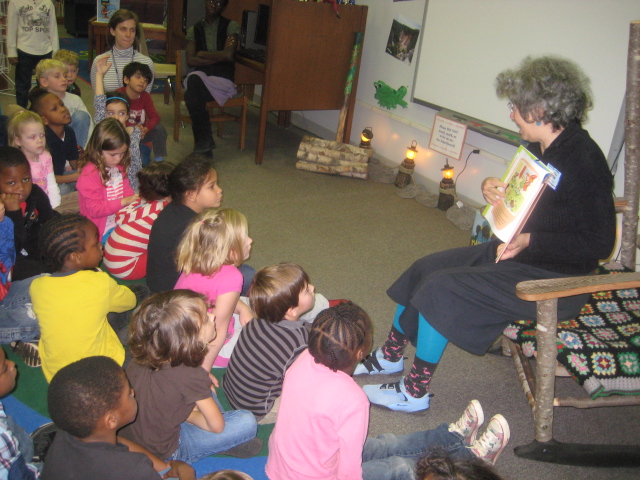
  • Kim James from the Athens Public Library did a lap puppet show and an oral story with the students and then offered feedback as students practiced their own wordless picture book stories.

With all of these pieces, students are gaining confidence, and I’m noticing that they are developing their imagination, expression, and volume.  In the coming weeks, we will practice listening to stories and drawing pictures that will be cues to help us tell the stories.  In the end, the students have a goal of each telling a story at our enrichment fair in May.  Wish us luck!


This slideshow requires JavaScript.