Paul Revere Transliteracy: A Third Grade Collaborative Project

Back in September, third grade took a transliteracy approach to exploring rocks and minerals.  After participating in this experience, Mrs. Shealey, 3rd grade teacher, had some ideas for how the transliteracy approach could inspire the Paul Revere standards that 3rd grade was about to work on.  She scoured the internet for resources and developed her own Sqworl pathfinder to share with students.  She also developed a menu of projects that students could choose from.  After introducing the idea to her team, we all met together to continue brainstorming and think about how technology could be incorporated with the menu ideas.

Ideas included:

  • Make a map of Paul Revere’s ride with important events, photos, and videos using Google Earth & Google maps
  • Create a newscast of Paul Revere’s ride with eyewitness accounts.  Use the iPad to film the newscast and iMovie to edit.
  • Use Museumbox to create various cubes about Paul Revere:  his ride, his character traits, events leading to American Revolution, etc.
  • Create a piece of art related to Paul Revere.  Use Photo Story, iPad, or Glogster to display the art and talk about it.
  • Write a poem or a song about Paul Revere.  Use the iPad to film a performance of the song/poem.

Ideas continue to be added to this menu.  We decided to narrow the technology focus to just a few tools:  Glogster, Museumbox, Photo Story, Animoto, iPad & iMovie, and Google Earth/Maps.  Many of these tools were new to students so we wanted students to have a chance to explore each tool before committing to a project or tech tool.  We decided to have a technology fair where each class could come and tour through the tech tools to gain some familiarity with each tool to inform their decisions.  I saw this as the perfect opportunity to bring in student expertise, so Ms.  Hicks, a spectrum teacher, helped identify students who could teach other students about each of the tools.  Google Maps and Museumbox were new to all students, so I led the station on Museumbox and Todd Hollett, technology integration specialist, led the station on Google Maps.  

The students and adults setup their stations, and each class came through the library for about 30-40 minutes to see mini-presentations and play around with each tech tool.  Students freely moved from table to table and at times needed encouragement to move on.  Many students wanted to stay at one table to become an expert in a tool, but that was not the point of the tech fair.  Expertise will develop later.  We just needed them to be familiar enough with each tool to know what it was capable of doing.  Even though all students did not make it to all stations, each class had a good representation of students who visited enough of the stations to be able to share back in class.

Our next step is for students to decide on their project and tech tool.  The teachers will then group these students into groups based on their tech tool.  Then, during a block of time each day, students using the same tech tool will meet in the same room so that they can support one another as needed.  I’ve seen amazing things happen when a large group of students using the same tool are in the same room.  They discover things that I would have never had time to figure out or teach to everyone and they willingly share their learning with other students.  I think we will be pleasantly surprised by the knowledge that students gain about these tools during this process.

The teachers and I will also support students with the technology, but we also want our focus to be on supporting students in locating quality information for their projects.  We will rely on the pathfinder as well as books from our library for this endeavor.  I can’t wait to see what students come up with!
This slideshow requires JavaScript.

4th Grade Native American Research

I am so thankful for time to get together with other librarians to learn.  We recently had a professional learning day in our district where many of our school librarians/media specialists shared how they are using Google apps with students.  The amazing Tanya Hudson, librarian at Chase Street Elementary, shared how gadgets could be embedded in Google forms.  She had used this tool with a 1st grade Common Core lesson using the book How to Make an Apple Pie and See the World.  Her sharing made my brain wheels start turning about how this gadget might be used with other projects.

Our 4th grade is currently studying Native Americans.  Their standards have them look at how location and environment affect the food, shelter, and clothing of groups of Native Americans in each region of the United States.  Once again, I used a transliteracy model to think about all of the ways that students could experience these 6 groups of Native Americans.  I pulled informational books, folk tales, and stories from each group and put them at tables.  In the computer lab, students used a pathfinder which included Youtube videos, databases, and informational sites on clusters of Native Americans but also group-specific information as well.  Students used a graphic organizer to gather their information.

Filling out the Google form

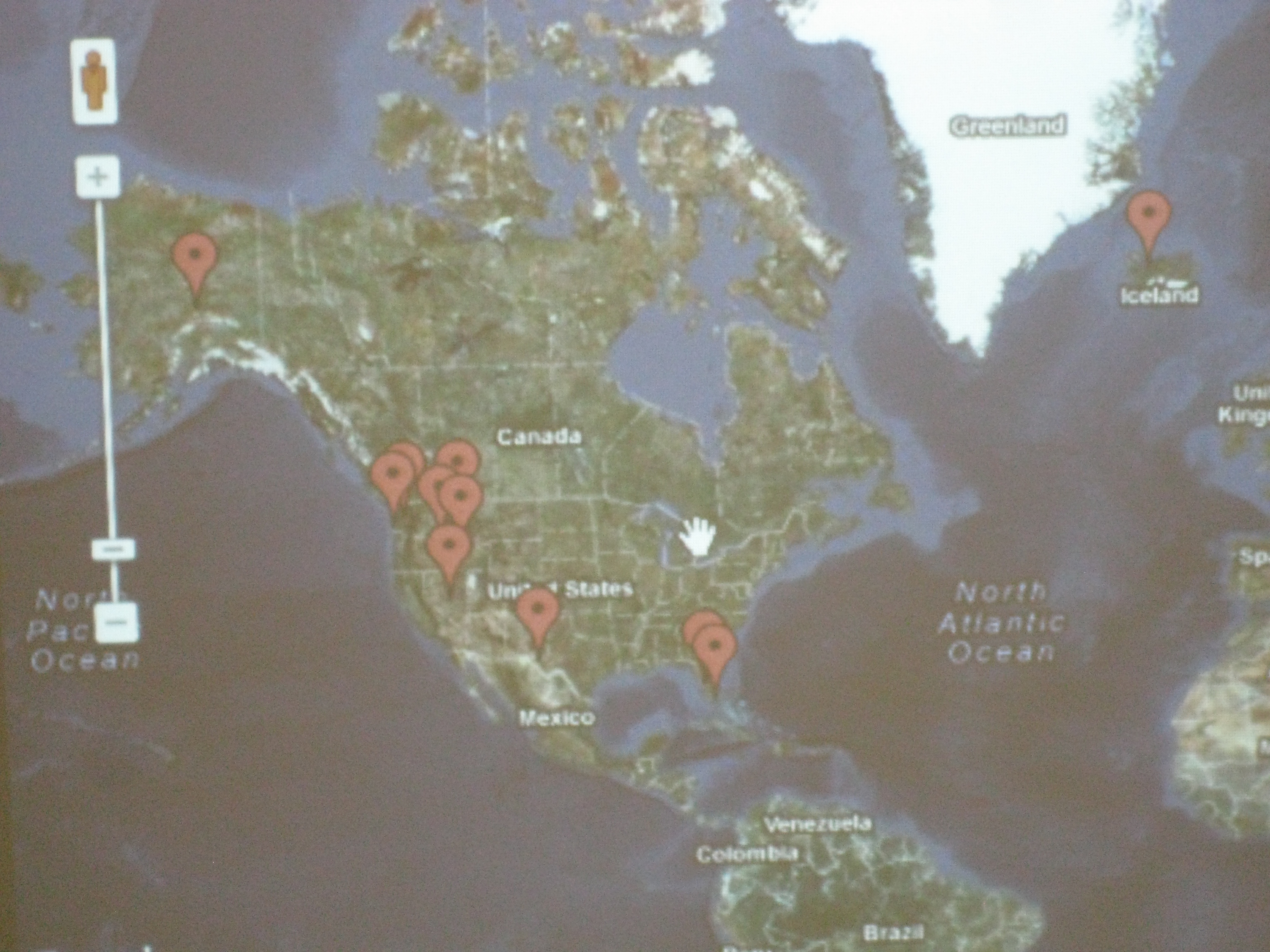
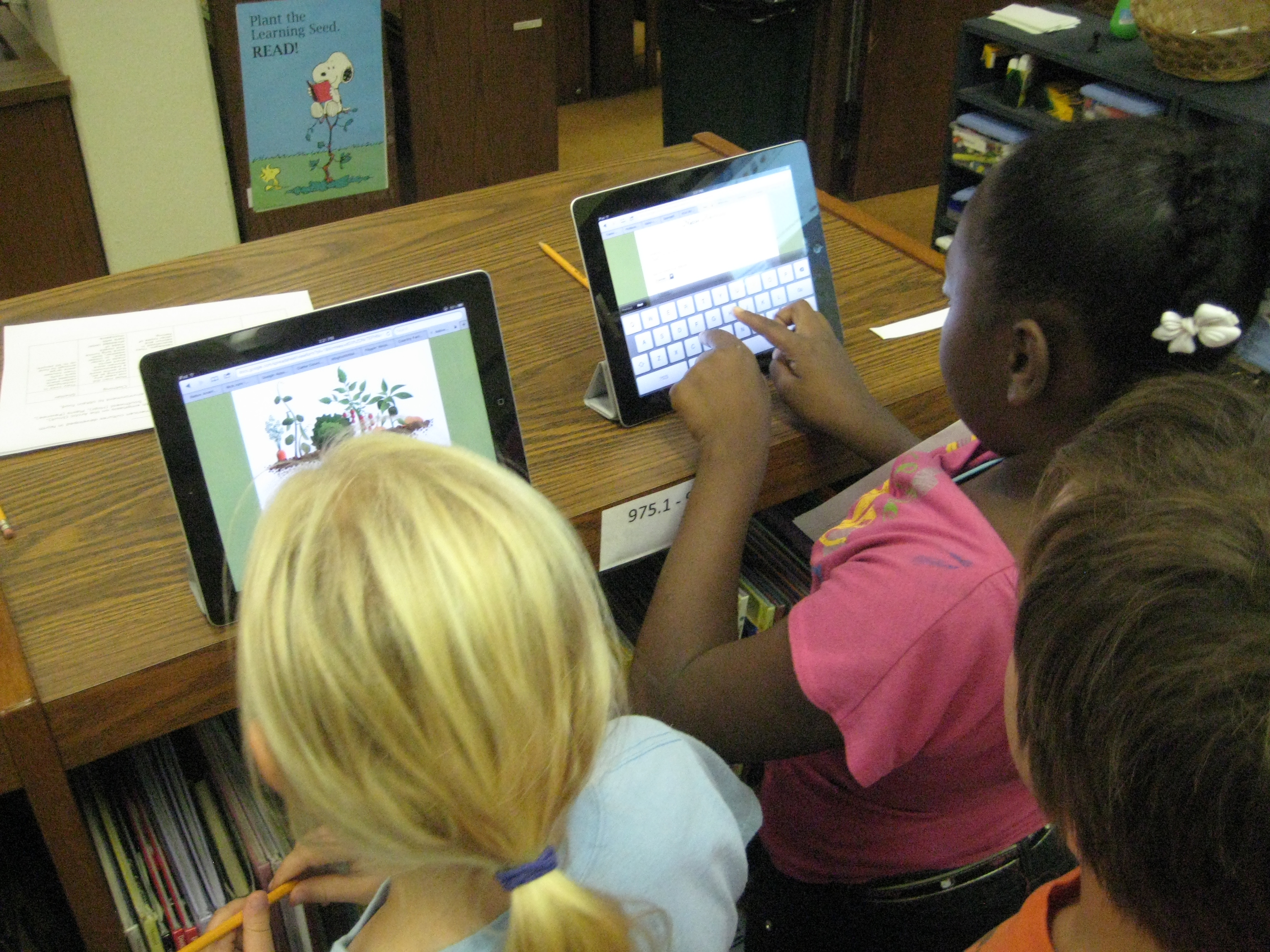
For the portion inspired by Tanya Hudson’s work, I created a Google form and asked 2 questions:  What is the Native American group you discovered? and What is their location?  I used 2 iPads as a station in the library where students could go and input thisinformation as they discovered locations in their research.  I also embedded a map gadget in the form so that each time a student filled out the form, it pinned a location on a Google map.  This map was displayed on the smart board.  As the map started to populate, students began exploring what other students had posted onto the map, and an interesting thing happened.  Students quickly discovered that students were entering incorrect information.  The coolness of the iPad was causing some students to skip their research or type what they “thought they knew” into the form.  The great thing was that other students started to call them out on this error.  Other students discovered that you had to be specific on the location.  Simply typing “southwest” did not necessarily put a pin in the right place of the map.  Students began looking for specific states or, even better, specific cities.  Our time simply wasn’t long enough, but a logical next step would be to have students begin to weed through the information in the form and decide what is valid and what is not.  The data can be easily erased and disappears from the Google map.  I already have one student who is interested in doing this by himself, but I think a whole class exploration would also be great because it lends itself to authentic conversation about why we do research in the first place.

Google map with pins

Once again in this experience I allowed students to freely move from place to place.  Most migrated and remained at computers, while others stayed at the books for the majority of their time.  Students who went to the books commented on how much information was in one place rather than having to look at multiple places on the computer.  It was interesting to hear this come from them rather than me telling them myself.  So many interesting conversations and teachable moments occurred  and I wished that our time could be extended.  This will be helpful in future planning to schedule multiple sessions or longer sessions with classes.  In all, I think students gathered enough information collectively that they can share their information back in the regular classroom.

Third Grade Rockhounds

Our third grade is just beginning a study of rocks and minerals in their standards.  We are taking an inquiry approach to this study and using the lens of transliteracy as we plan.

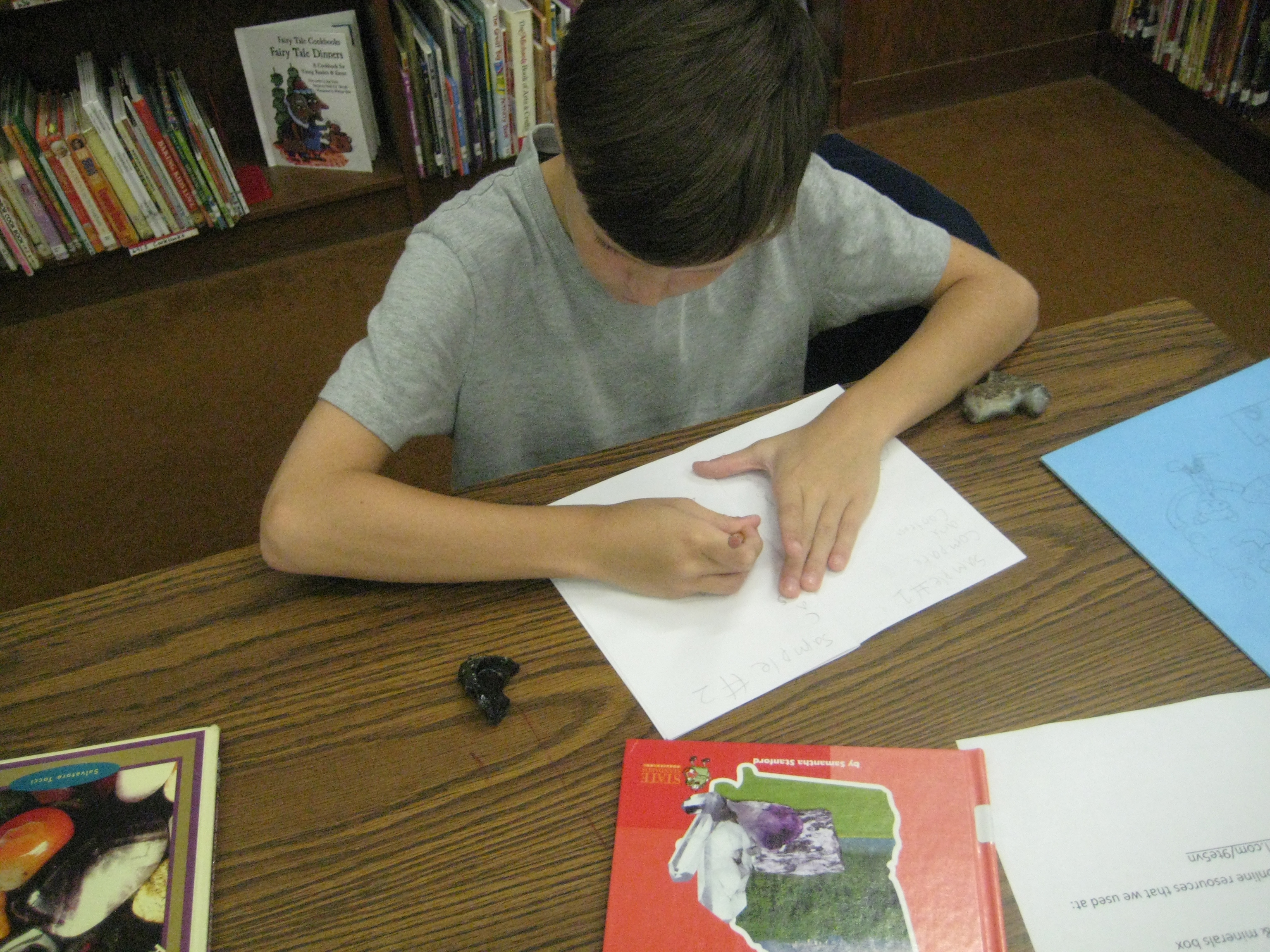
In class, students began a KWL in their science journals.  They wrote what they know about rocks and what they wonder about before coming to the library.  I planned groupings of experiences to give them multiple platforms for looking at rocks.  One stations was a big box of rocks and minerals that I collected in my childhood during yearly visits to Santa’s Land in Cherokee, NC where we always stopped at the “ruby mine”.  Students could explore the rocks and minerals using hand lenses and write observations or sketches in their journals.  Another station had multiple informational books about rocks and minerals as well as poetry using photographs of rocks.  The final station was at the computer where I created a pathfinder of games, videos, interactive sites, ebooks, and informational sites about rocks and minerals.

Students started in the floor where I talked about transliteracy and the natural flow in and out of different platforms of information.  We talked about how more questions will develop the more that you research and how to document those new questions in the science journals.  Rather than ask students to switch every 20 minutes or so to a different center, I gave them the freedom to move in and out of centers as they chose.

I gave them a little structure by providing a sheet that asked them to visit 4 books, 7 websites, and the box of rocks and minerals.  Students were welcome to move back and forth between the stations as many times as they needed.  For example, a student might make an observation of a rock in the box, look in books to identify the rock, go back to the box to clarify observations, and visit websites to confirm the identification.  The classroom teacher, spectrum teacher, and I floated among the groups and conferenced with students to encourage them to be curious and to document their learning.  As always, some students had a natural curiosity and freely documented their learning, while others needed more guidance and support.

Now the classes will return to their rooms to use the information they gathered to support their study of rocks and minerals.  They will revisit the resources I’ve gathered throughout the study.

This is a model I am starting to replicate in more and more lessons.  I love the freedom that it offers students and the support it offers for individualized instruction.

This slideshow requires JavaScript.

Connecting Students to Primary Sources

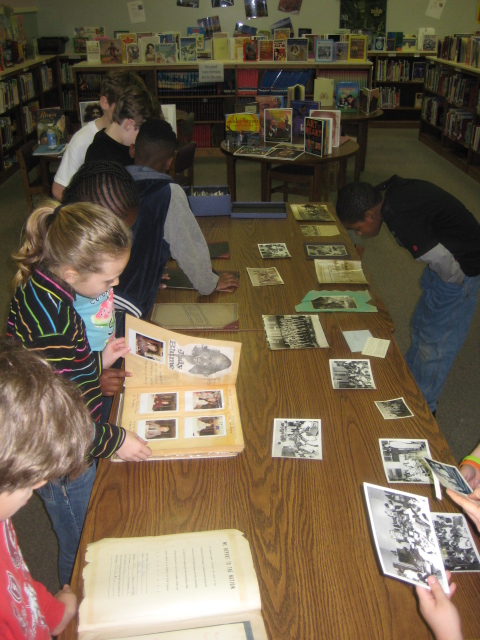
Back in December, fourth grade asked me to teach their students about primary resources in the context of their social studies standards.  Primary sources can be tough if students don’t really have a connection to what they are.  I wanted to build some connection for them before we jumped into the Bill of Rights and Declaration of Independence, so I pulled out some artifacts from the cabinets in the BTV studio that are filled with scrapbooks, boxes of photographs, journals, newspaper clippings, class projects, and more from Barrow’s history.  I spread the objects out on the table and had the students start there.  They were immediately connected.  They buzzed with energy and conversation making “noticings” about what had changed with the physical building, how people dressed, how long into the summer we went to school, the “color” of the people in the classrooms, and more.  They could have easily spent the entire class period looking at these artifacts.

Next, we shared some of our noticings and made a guess at what primary sources might be.  Many of the students said that primary sources were “old information”.  I read an excerpt from Primary Sources by Leia Tait, and we talked about the kinds of primary sources that the students are creating today.  On p. 7 of the book, there are 2 paragraphs about Thanksgiving (one primary and one secondary source).  Students were able to verbally say what a primary source was, but they still had trouble distinguishing how to tell if something was a primary source or a secondary source.  We surfaced and discussed this confusion and tried to think of ways to help us remember.  We talked about writing reports or informational writing versus writing to document an event.  This distinction seemed to help the most.

Finally, we moved to the computer lab and students used a pathfinder to explore primary sources at the Library of Congress related to the fourth grade social studies standards.  Students really took their time with this.  Most of them stayed on the first task of examining the pictures of presidents for similarities and differences.  The teacher recognized the level of engagement and said that the students would continue their exploration of primary sources as a reading center in the classroom.

This lesson really pushed my own thinking of how we are documenting the present so that future individuals can learn about the past.  So much of our work now is digital, that I wonder how these digital pieces are preserved and published so that future generations can find them.  What an interesting thought to explore with the students.  I will teach this lesson two more times and hope to ponder that with them.

This slideshow requires JavaScript.


How to teach 3 social studies units covering over half a century in 4 weeks: A 5th Grade Glogster Project

Last year, I began a journey with 5th grade that integrated multiple social studies standards into one big project.  The teachers put students in cross-classroom groups and assigned them social studies topics for a unit on the turn of the century.  Each group made a glog about their topic after using print and digital resources to gather information.  We were amazed by the leadership, collaboration, and innovation that took place in that project, but we made a lot of mistakes along the way too.  You can read more about last year here and here.

This year, we almost didn’t do this project.  The teachers were feeling even more overwhelmed by the content this year because they had to teach 3 social studies units and 2 science units in 9 weeks.  You would probably feel overwhelmed too if you knew you had to teach these units in that amount of time:

Even the district planner recommends a total of 12 weeks for the units, but requires that it be done in the 3rd quarter (9 weeks).

After multiple combinations of meetings between me, the 5th grade social studies teacher, the gifted collaboration teacher, and the instructional coach, we developed a plan for how this year’s content might look.  Each of the 3 social studies classes were assigned a unit.  Within each class, topics were assigned to individuals as well as groups of students.  These students made plans of how to divide the content among their group.  On Mondays and Fridays, the social studies teacher and gifted teacher did direct teaching of some of the content from all 3 units.  On Tuesday-Thursday, students came to the media center to research their topics in online databases, websites, and books.  Last year, students just took notes as they read, but this year we wanted students to have a better structure that was based in questions that came from the standards.  The gifted teacher combed through the standards and created 2 different graphic organizers with questions for students to consider.  The organizer also had space to document resources used.  Some students chose to use digital copies of this organizer while others chose to print it out and write their notes.

Once again, I pulled together a pathfinder divided up by topics.  This pathfinder gave each student a handful of websites about their topic.  I also showed them how to search the databases found in Georgia’s Galileo collection.  My paraprofessional took the topics and searched through our print collection.  If a book matched one group’s topic, she put a post-it with their names on the book.  If a book spanned multiple topics, she put it in a shared stack.

To begin our journey, I briefly introduced the pathfinder, graphic organizers, and how to take notes (not copying and pasting entire paragraphs of information from websites).  I also showed a glog from last year’s students to give them an idea of what they would ultimately be doing.  We chose not to introduce how Glogster works at the beginning.  We also chose to not give students logins and passwords to Glogster.  Students then began a week of research.  The social studies teacher, gifted teacher, student teacher, my paraprofessional, some college students, and me began working with students as much as possible to support them in their search.

After a week, I introduced how Glogster works by showing a very basic run-through of the kinds things it can do.  Students continued to research, but as they finished, they checked in with one of the adults.  Most of the time we offered additional guiding questions and support so that they had the most complete information possible.  Once students reached a point where they had enough information, they received their username and password to Glogster.

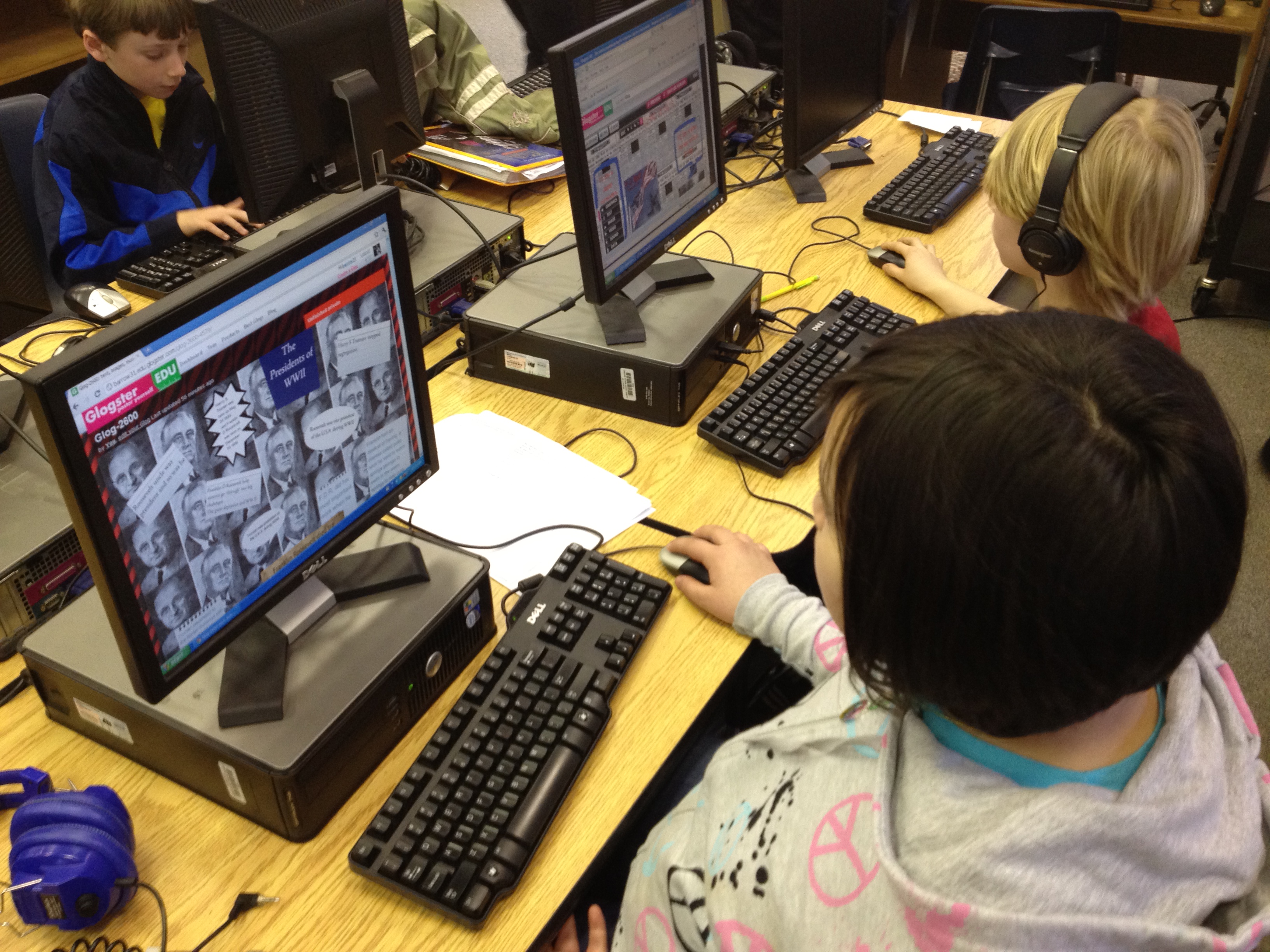
Most students began Glogster with deciding on their wall background.  Then, they moved to adding text from their organizer.  Eventually, students branched out to include photographs from public domain searches and linked their pictures to the sources they came from.  Some students also did audio introductions to their glog or recorded audio for various parts of their glogs.  Some students used Screencast-o-matic to do screencasts of timelines from PebbleGo or tours in Google Earth.  A few students used webcams to record themselves talking.  One group even did a webcam video of their resource list rather than just creating a text box for it.

You can view some of the finished or in progress glogs here:

Recovering from the Great Depression

Black Cowboys

Wright Brothers

George Washington Carver

Alexander Graham Bell

Thomas Edison

Spanish American War

McKinley & Roosevelt

Panama Canal

Immigration

Voting Rights

US Contributions and Treaty of Versailles

Lusitania and Other Ships

Duke Ellington

Louis Armstrong

Harlem Renaissance

Babe Ruth

Charles Lindbergh

Henry Ford

The Great Depression

Jesse Owens

Stalin, Mussolini, Roosevelt, & Churchill

Holocaust

Presidents of WWII

Bombing of Japan

Changing Role of Women

Tuskegee Airmen

Cold War

Khrushchev & McCarthy

D-Day, VJ, & VE Days

Pearl Harbor, Iwo Jima, & Hirohito

Panama Canal 2

Once students finalize their glogs, they will present them to the rest of the 5th grade to share the responsibility of teaching and learning this massive amount of content.

This slideshow requires JavaScript.

Kindergarten Research…so many firsts!

While the rest of the school is working on persuasive writing, our Kindergarten is working on informational writing.  The teachers and I met back in December to plan some goals that we had for student research of informational topics.  It was important to each of them that students have experience locating information in a variety of places, but to specifically look at content that matched their developmental and reading levels.  Our print collection in the media center already has a variety of texts on a variety of levels, so I felt like they would find enough resources in the nonfiction section that would meet the needs of several topics.

The challenge came with finding a digital resource that would meet their needs.  We have access to great databases such as Encyclopedia Britannica in our state Galileo database, but even Britannica didn’t seem to get at what we wanted.  Fortunately, we were able to get a one-month trial of PebbleGo from Capstone.  PebbleGo has three main databases: animals, earth and space, and biographies.  The content targets a K-2 audience, but I’ve found that the topics are appropriate for all of our grades and really match the reading needs of many of our readers.  The content is broken down into headings and students have the option of reading the content themselves or having a professional narration read to them.  There are also videos, charts, maps, timelines, and more within each heading.

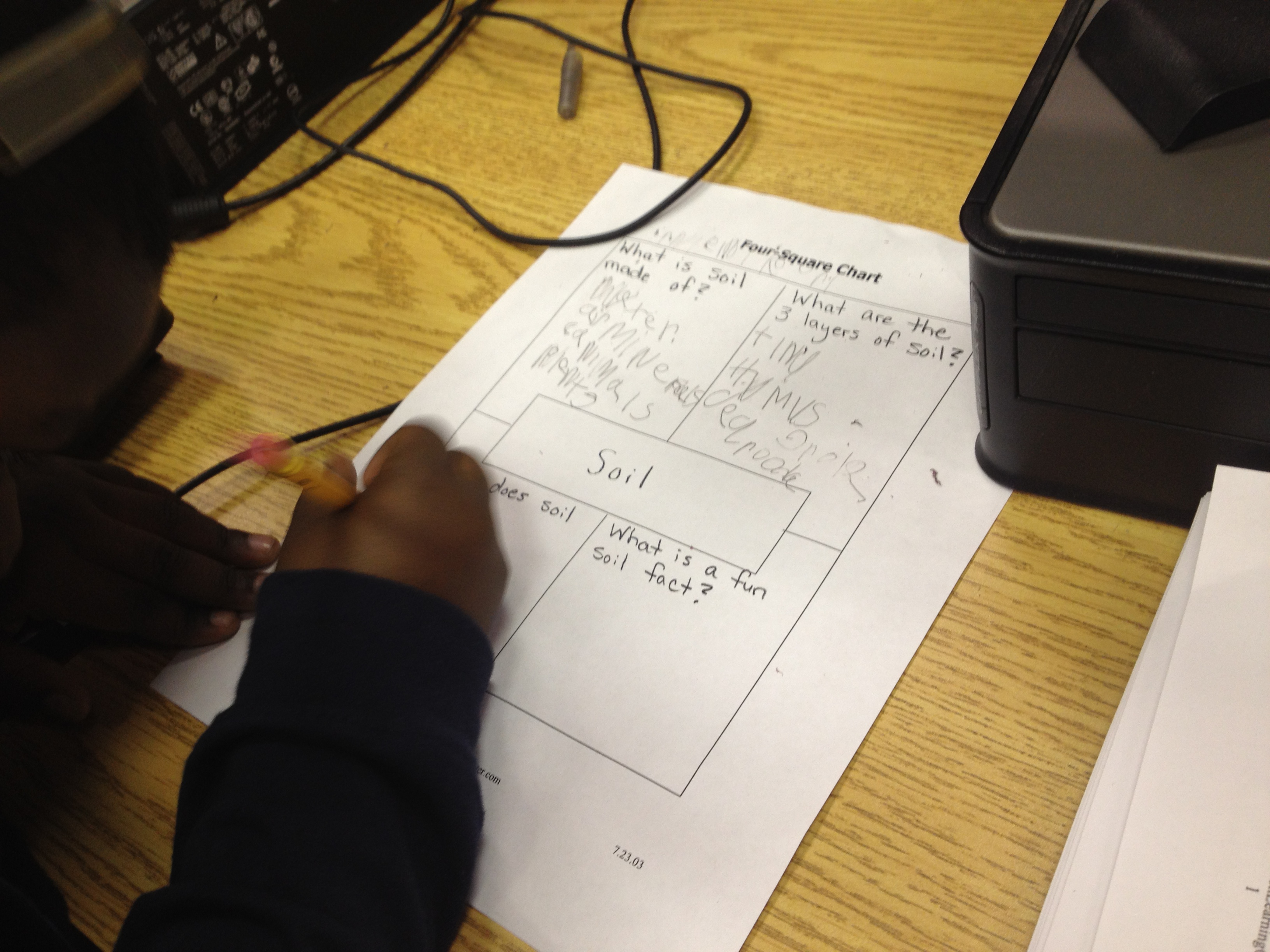
Kindergarten chose to do a beginning stage of research by assigning all students similar topics within their science standards.  Some students learned about rocks while others learned about soil.  In our collaboration, we decided that they needed a very basic graphic organizer.  We chose a four square organizer with the topic in the middle surrounded by 4 questions that students would answer.  They could answer the questions with text or even draw pictures in the spaces.  Each teacher booked a one hour lesson.  I introduced PebbleGo and how research is all about asking questions.  Students generated some sample questions about rocks before I showed them the 4 questions they would explore.  I briefly clicked through the pieces of the site and showed the feature that would read the content to students.  We also looked at the 4 questions and thought about which tab would answer which question.

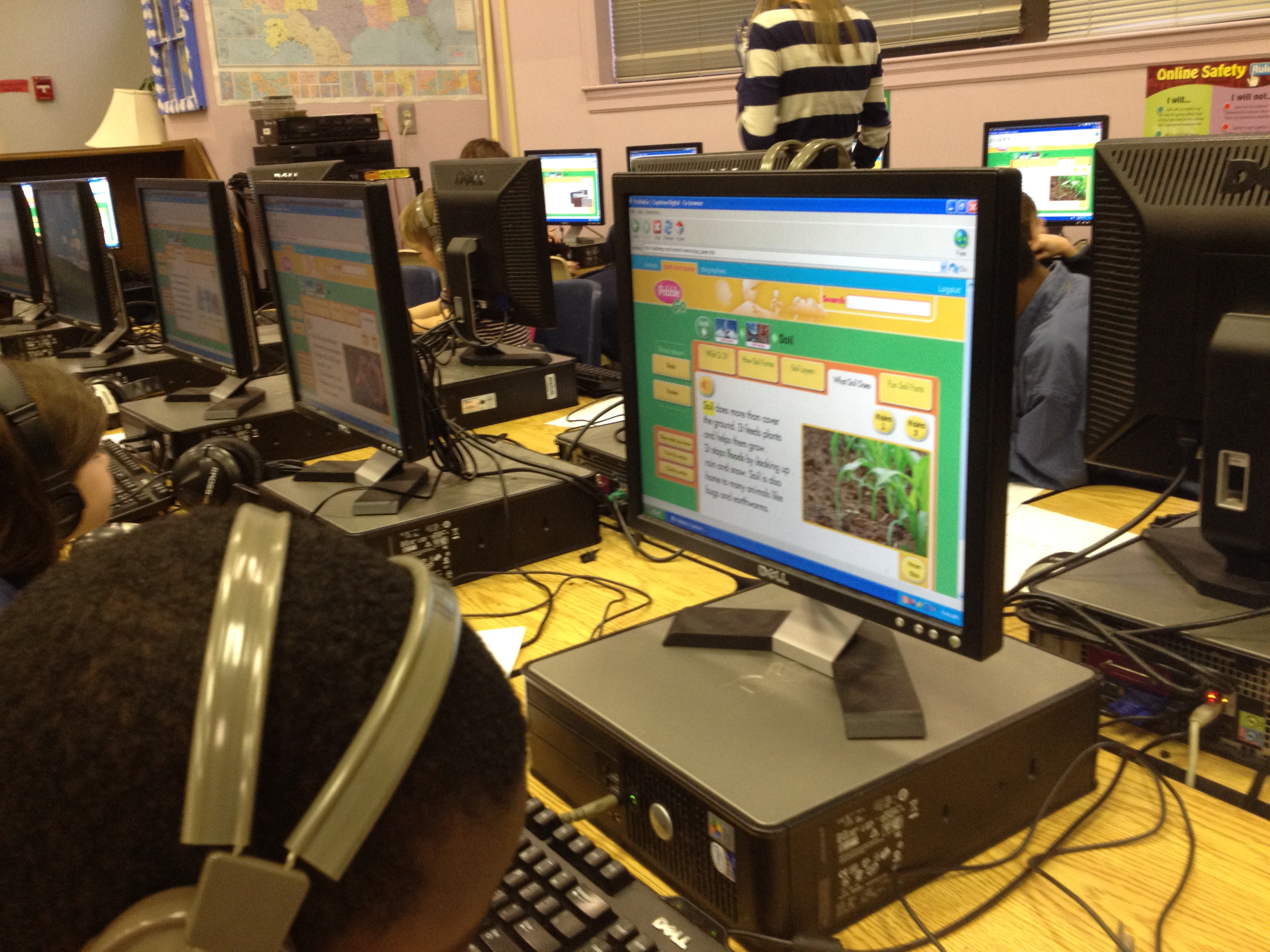
When students seemed too saturated with information, we moved to the computer lab where PebbleGo was already loaded on their screens.  I was immediately amazed at the level of engagement but also the number of firsts.  For so many students, it was the first time using a mouse, a keyboard, the internet, a graphic organizer with set questions, and more.  It was easy to get overwhelmed by the number of questions that students were asking, but when I stepped back and took a deep breath, I was amazed at how excited the students were.  I was amazed by what they were remembering from what they heard regardless of whether or not it made it onto the graphic organizer.  There were 4 adults helping students:  the teacher, student teacher, my paraprofessional, and me.  We knelt down beside students and had conversations about listening to information more than once, writing down keywords rather than complete sentences, using a graphic organizer, and more.  In the end, students left with several facts written down about rocks and soil, but they also left with excitement about coming back again to use the computer for research.  When we checked in with them at the end, every student said they wanted to come back for more.

The teacher commented to me that this lesson just made her want to use the computer lab even more and how this was all a process.  In order for students to get better at researching and using the computer, they have to do it more.  It can’t just be a single lesson in the lab.  Wow!  Even though the lesson exhausted me at the very beginning of the day, it energized me with possibilities.

Our four square graphic organizer

Bigger, Better, Faster: Our Changing Nation

This week me and three fifth grade teachers are working with about 60 5th graders in the media center as they create final products for the Bigger, Better, Faster unit.  Students have spent several weeks researching their topics using a variety of print materials and online resources, including multiple websites and Galileo.  Students have also created their own united streaming accounts and watched videos about their topics.  Now students are working to create their final products using a variety of digital resources.  Most students have chosen to do Glogsters or Power Points, and a few have opted to make Animotos that they will link in their other products.  We explored Creative Commons as a resource for finding images to include in products, and students got to work creating.

This was my first venture into Glogster, and while it hasn’t been a perfect experience, I’ve been amazed at what the students have figured out how to do by just going in and exploring.  I showed them Glogster as one option for their final products, but I did not go into great detail about how to use it.  Students quickly figured out the features of the tool and began sharing it with one another.  The most frustrating thing for them so far has been that the free basic educator account does not allow them to upload files.  I’ve temporarily fixed that by subscribing to a one-month trial of the premium account so that we can see how well we actually like using Glogster.  

All in all, using tools like Glogster to create a final product has been a motivating experience for most students.  Instead of creating tri-boards and paper brochures and posters, they are creating digital content that can be easily shared with a winder audience.  They have worked collaboratively in groups of 3, and we’ve seen that each student is bringing his or her strengths to the groups.  I’ve stood in awe as I’ve watched one student pull up a double entry journal from the research phase of the project, which contains both quotes directly from the source and information in student words, while the other students had the final product pulled up to input the information.  I’ve watched students split themselves between 3 computers to do individual work, email their work to one another, and then find ways of putting it all together.  It has just reaffirmed the power of doing initial instruction and then giving students a space to create, at which point the teachers and media specialist become facilitators and supporters of learners as students need guidance or run into barriers.

I’ll spend the next 3 days working with these students to finish their products, but in the meantime, you can enjoy some of the early versions of their work and see how they progress.

Glogster 1

Glogster 2

Glogster 3

4th Grade Colonial Wax Museum

Each year, the entire 4th grade works on a huge project called the Colonial Wax Museum.  This project incorporates all of the social studies standards related to Colonial America.  Students spend many sessions in the media center and in their classroom researching one historic figure from the Colonial period.  Some of these people are well-known, but some are very obscure, so it makes for a very interesting search online for information that is reliable.  Students used many search engines found on our research tools pathfinder that was created by the great Joyce Valenza.

The culminating project is to host  a wax museum.  Students dress up in costume and pose around the media center and in classrooms.  They place a construction paper “push” button in front of them.  Teachers, students, and community members come and step on the push buttons and the characters come to life and recite a short speech about themselves that comes from their extensive research.  This is always a fun project to be a part of in the media center.  The 4th grade teachers and students did an outstanding job in this year’s museum.

Check out a glimpse of what the museum looked like here.