The 5th Annual Picture Book Smackdown

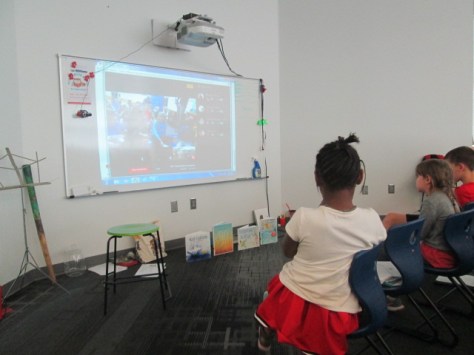
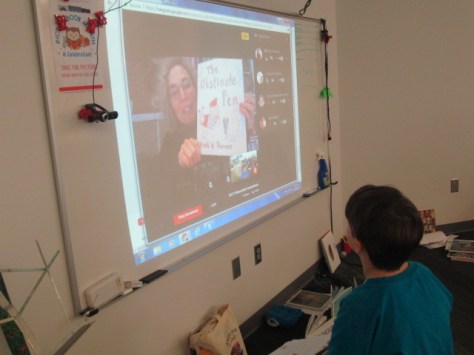
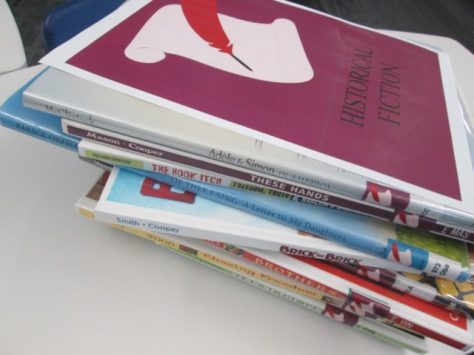
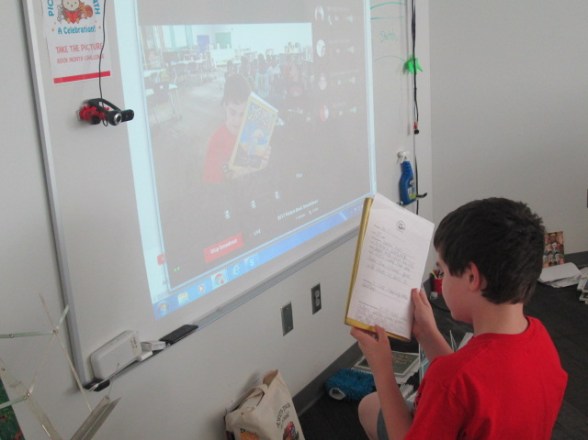
Our 5th annual Picture Book Smackdown was held on November 30th.  This year’s smackdown featured students in 3 states along with author & illustrator Deborah Freedman.

Every year we love to close out Picture Book Month with an hour-long Google Hangout where we book talk as many picture books as possible across one hour.

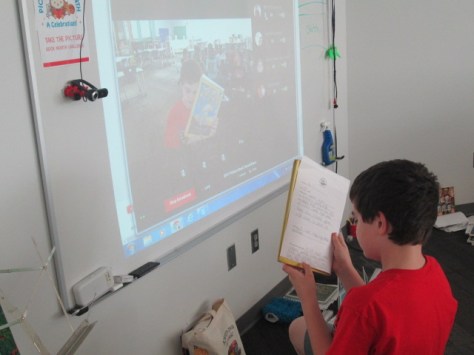
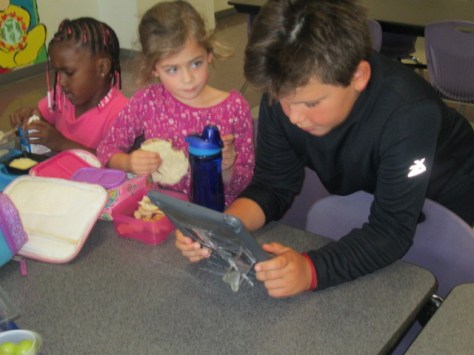
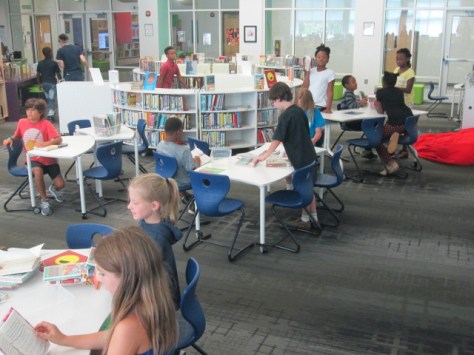
In Georgia, I had students in 1st, 2nd, 3rd, and 5th grades who shared their favorite picture books and why picture books matter. In Vermont, Donna MacDonald had 1st graders and 4th graders who were reading buddies.  Each pair of students shared a favorite picture book.  In Texas, Julee Murphy had 6th graders who shared favorite picture books and some 3rd graders who came in to watch.

We kicked off our Google Hangout by dedicating our time to the late Dianne de las Casas, founder of Picture Book Month.  Her enthusiastic spirit was definitely with us and we missed having her with us in person this year.

Deborah Freedman shared a whole range of books in all shapes, sizes, and emotions before book talking Many Moons by James Thurber & Louis Slobodkin.  She then turned the smackdown over to students and several students in each state took turns sharing.

We were able to come back to author Deborah Freedman two more times for some more book talks and closing thoughts.

One of the things I always love about the smackdown is how many new books we see that we haven’t read yet. We also love seeing students and authors pick books that are also our own favorites.  It gives us a connection to one another.

I also love hearing students take a stand for picture books.  Their reasons range from picture books being for all readers to the necessity of picture books for people who are learning to read.

As we shared our books, I did my best to write down as many of the titles and put them into a Google doc for our reference.  We’ll be cleaning up this document in the coming days and trying to make sure all books are represented.

I loved seeing pictures from different perspectives.  Many thanks to Donna MacDonald for capturing some great moments at each school.

Since we broadcast our hangout through  Youtube, it was fun to know that other people were watching with classes.

Even if you didn’t watch live, you can still experience our smackdown via Youtube and consider hosting your own smackdown whether it’s with picture books, novels, poetry, or something else.

We already look forward to next year.  I thank Donna MacDonald, Julee Murphy, and their students for sharing their time with us. I also thank Deborah Freedman for time and enthusiasm as well.


2018 Student Book Budget: First Steps

It’s time for one of my favorite projects of the year: Student Book Budget. Every year, I reserve a part of the library budget that is under complete control by students. This budget comes from many places.  Sometimes it’s a grant and other times it is part of our regular budget.  This year their budget comes from the profit we made from book fair.  The book budget is their chance to make sure that books are added to our library that represent their interests.  They go through a long process to make sure that many voices are represented in their purchases.  Over the next few weeks, I’ll be sharing their process.  Here are some of the steps that are already happening.

First, I created a Google form application for students to apply to be in the group.  The form was available for one week for students in grade 3-5.  Every student who applied and had a genuine reason for being in the group was accepted.  Our group this year is 40 students strong and has a great mix of boys and girls.

Next, we held our 1st meetings. I met with each grade level group separately and answered all of their questions about the group. Then, in small groups or pairs, they brainstormed things that they thought we should ask on a reading interest survey for the whole school.

Then, I took their ideas and put them into a Google form survey.

I sent the survey to all of the students on the book budget team so that they could review it and decide if it matched their comments.  We made some minor adjustments and were ready for the school to be surveyed.

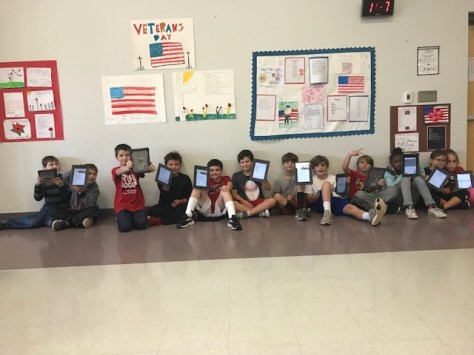
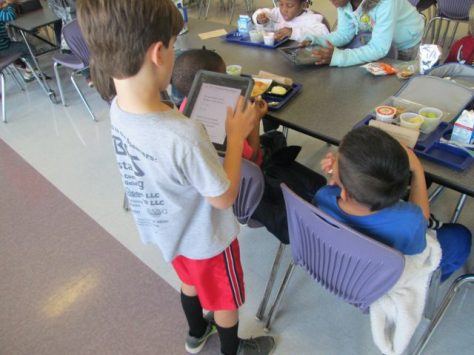
I sent the survey via email to our 3rd-5th grade students who each have their on device. The Student Book Budget Team was responsible for surveying Prek-2nd grade. On our 2nd meeting, we scanned QR codes to get to the survey on an iPad and went to recess and lunch to survey as many people as possible.

https://twitter.com/plemmonsa/status/931192938805252096

The students were so professional and I loved standing back and watching them work.  It truly was their project and they were taking it very seriously.

In just one day, we have already surveyed 216 students.  We will continue this process and then take the next step of looking at the results.  I love how we can check along the way to see which grades need to be surveyed more so that we have a somewhat even distribution of voices.

Be on the lookout for our next steps.  We are off to a great start.

I Read Because: A Book Tasting Library Orientation

I’m always trying to maximize what happens during library orientation each year. This year, I asked myself what I really hoped students experienced on their very first visit. Yes, there are many expectations and rules I could go over, but what message do I send if that’s how I spend our time on day 1. Instead, I wanted to focus on the power of reading and give students time to explore the genres of the library.

As students entered, I played a video from Scholastic’s “Open a World of Possible” site. The video had students sharing reasons that they read.  Then, I asked students to think about why they read.

I shared a couple of reasons I read. One of those reasons was to be able to walk in someone else’s shoes. I shared books like Wonder and How to Steal a Dog, which gave me a chance to wrestle with something that is different from my own life.  I also talked about escaping to another land when I need a break from our world.

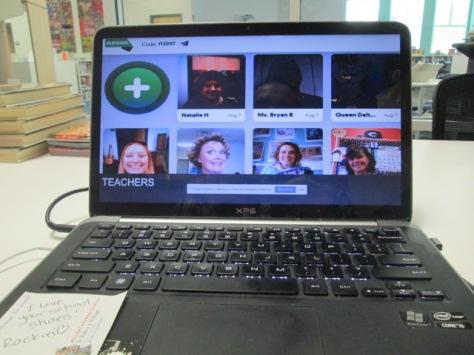
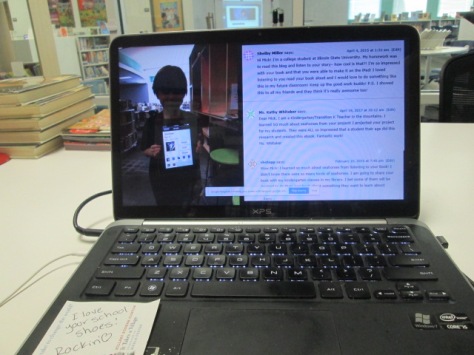
I also loved that I had teacher voices to share. At the beginning of the year, teachers recorded Flipgrid videos to introduce themselves. They shared their hopes for the year as well as books that inspire them. I pulled these books and showed them to students with the teacher names posted on the front of the book.  I wanted to establish at the very beginning that we are a community of readers and we read for many reasons.

Last year was our first year with a genrefied library. It went really well, but there were some things that I knew I needed to do to help students better understand how the library is now organized. I wanted students to realize that they could spend more time at the library shelves exploring actual books and less time on the computer searching in Destiny.

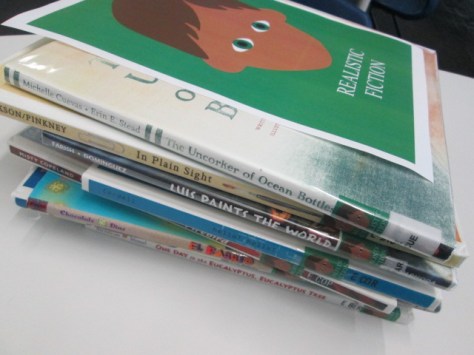
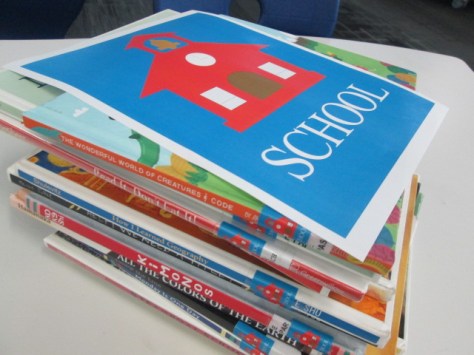
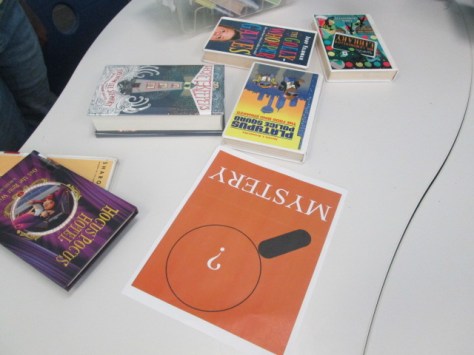
I pulled a few books from some of our genre sections and put them in baskets or piles on tables. Students split into small groups and rotated from table to table every couple of minutes. The purpose was to sample the books in the basket to get a feel for that genre. It was also to show students that when they spent time with the books, they found things they weren’t even expecting to find.  Students could keep any books that they found in the baskets and I replenished them throughout the classes.

We ended our time by thinking about how the experience felt as well as taking a look at times when the computer is actually useful for finding a book.

Students then checked out the books they needed. My new rule about checking out books is to check out what you need and what you can keep up with. Some students checked out 2 books and others checked out 6. I never want readers to feel like they are limited by a number that I set.

I can’t wait to see how our year goes as we grow our community of readers.  On a side note, I set up a station in the library where students can listen to the teacher Flipgrids and respond to any teachers. I love seeing students interact with Flipgrid and share responses with our community.


Share Your #Eclipse2017 Stories on This Flipgrid

The Great Eclipse 2017 is coming on Monday August 21, 2017.  It’s going to be epic.  It’s an event we are sharing all across North America.  I made a space that we can all use to share our observations, learning, projects, stories, or really anything eclipse-related.

Before, during, and after eclipse, this Flipgrid is a space we can connect student, teacher, and family voices to share this event. Even if you aren’t in school yet, this Flipgrid can be a place you can find out what your students did while they weren’t in school.

Simply share this link with anyone and everyone.  https://flipgrid.com/f8fc0d 

If you have the most updated version of Flipgrid on your mobile device or tablet, you can also just scan this QR code to instantly go to the topic.

Scan here with Flipgrid to share your eclipse story.

I also made a Google doc that you can print and give to classrooms to scan if they have devices available.

Click to access an easy Google doc

Once you are on the topic, simply touch the + and follow the prompts to record your voice and take a selfie.  Don’t forget to tell us where you are recording from.  I hope we can all learn from one another as we experience this unique event together.  See you on the grid.


Students as Digital Leaders: A Digital Citizenship Lesson

Our 3rd-5th graders all get their own computer at the beginning of the year.  It’s a powerful thing. A computer can connect them with a wealth of information and opportunities to create content that gets their voice out to the teacher, the class, the community, and the world. A computer also brings great responsibility.

This year, I wanted to spend some time as we passed out new computers to lead students in a reflection on digital leadership. We started with the question: “What is a digital leader?”  Many of the students knew some things about what leaders do, but they were a bit stuck trying to decide what that looked like online.

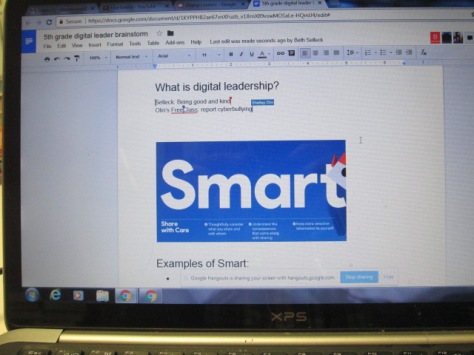
I did some storytelling for them. I searched back through my pictures and pulled out several examples of Barrow students exemplifying digital leadership. I ended each story with the phrase “that’s digital leadership”. I shared a story about Ajacea becoming an honorary marketing intern for Capstone Press, Mick writing an ebook that was assigned as college homework, Carlos & Carlena teaching a class in Indiana, Taylor designing the 1st Barrow Peace Prize, and Adaline using email to get custom signs made for our library. When I finished the stories, I once again asked about digital leadership. I heard things like: use your technology for good, try to create change in the world, be kind, show others what they can do with their computers, and more.

Next, we took a look at Google’s “Be Internet Awesome” words. I used the images from the Be Internet Awesome poster PDF 

I divided students into groups and gave each group one of the words: Smart, Brave, Strong, Alert, and Kind. Their job was to read the descriptors of the word and come up with a specific example of what that looked like.  The teacher and I moved between groups to join discussions.

Finally, each group shared their example, and we talked about how digital leadership is something you must do the whole time you own a piece of technology. It isn’t just a one-session conversation that we forget about. I want to revisit these words throughout the year and find ways that these current students are being digital leaders in our school.

Our 5th grade classes all did this lesson at the same time in their classrooms. I facilitated this through Google Hangouts in the library. You can view what we did here:

You can also see the brainstorms they had here:

Meet the All New Flipgrid! #flipgridfever

The all-new Flipgrid is here! We’ve been teased for months with what improvements were on the way to this already phenomenal tool, and at a live stream announcement, the details were released.  If you are new to Flipgrid, there’s no better time to get started than now. At it’s core, Flipgrid is a tool that allows you to post a topic and have students respond with video that is instantly uploaded to one location. It gives every student in class an equal voice and makes it easy for the teacher to share those voices beyond the walls of the school. 

Today Flipgrid announced that more than 100,000 educators and more than 5,000,000 students use Flipgrid across 141 countries.  In addition, a new Flipgrid video was shared every .48 seconds of every minute of every day since Jan 1 of 2017.  Today more than 1.2 billion seconds of video have been shared by students and educators on Flipgrid, representing more than 38 years of student voice.

Here’s a look at many of the latest features.

Multiple Platforms in a Topic

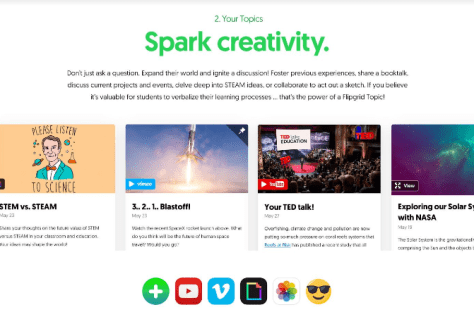
As you construct a topic for your students, you can now embed Youtube or Vimeo videos or upload a high resolution image, link to a website or document, or include an emoji or GIPHY.  These new features make topics more engaging for students, hook students into your topic, and personalize the experience.
Personalization of Responses

There are several ways students can enhance their response videos. One is by adding drawings or stickers to their profile picture. Each of these features can be turned on or off in the admin panel, but allowing them gives students a chance to show off their personality without affecting the quality of their videos.

Another is the ability to pause the video during a response and flip the camera to show different perspectives or props for a response.

Students can also add a title or linked file to their response which can give a bit of clarification, background story, or a hook into their response.  Searchable hashtags make finding connecting responses a breeze.

Reactions

Students have always had the ability to “like” or “heart” a video.  Now Flipgrid offers additional forms of reactions.  A light bulb signifies a bright idea. A thinking emoji is for a response that made you think. A rocket means your response was out of this world and went to another level. Finally, (and sure to be a popular reaction) the mic drop is for a response that is just mindblowing.  I can’t wait to see how students and other viewers use these reactions. I can imagine this becoming a way to build community to encourage peer and self evaluation of responses. Reactions are in your control as the administrator and can be turned on or off.

Sticky Note

Have your students ever had to toggle between multiple tabs to record a video and read from a script. Now, Flipgrid has a sticky note that allows students to type their script or notes and see them while recording.
Integrations

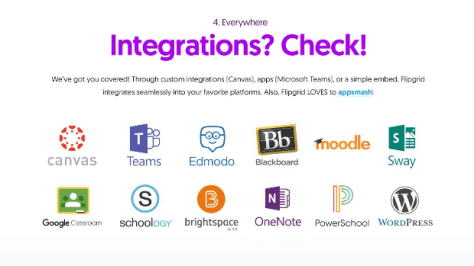
In education we use many platforms. Flipgrid now integrates with multiple platforms including Google Classroom, Canva, Edmodo, Blackboard, Moodle, Sway, WordPress, Powerschool, Schoology, Brightspace, OneNote, and Teams.

Feedback

Flipgrid recently updated to include a rubric for giving students feedback on performance and ideas. This option still exists, but now in Flipgrid Classroom you can customize the kind of feedback that you can offer to students. You decide the criteria and the minimum and maximum points available.
Topic Customization

A relatively new feature in Flipgrid is the ability to freeze a topic so that it is still visible but students can’t add responses.  Now, you can establish a date for a topic to automatically freeze without having to go in and freeze it manually. Flipgrid One users can now offer students a 15-second response option and Flipgrid Classroom users can now extend responses up to 5 minutes. Teachers can consider what time students need to fully answer a topic without compromising the quality of their responses or they can challenge students to be more concise with their words.

Response Community

As students receive responses to their videos, profile pictures of each response appear at the bottom of the original student’s profile picture. This allows the student to easily see that he/she has a response, but it is also a visual representation that their is a community of conversation around a response.

Better Access for All Learners

Now Flipgrid has a built-in QR reader in the mobile apps, so getting to the latest topic is just one scan away. Our youngest learners won’t be slowed down in sharing their voice with the community.

Dashboard

The administrator dashboard keeps getting useful updates for educators. Now, you can easily see which videos you still need to view. You can also see badges you’ve earned such as Flipgrid Certified Educator. There’s a helpful summary of all of your grids and activity with a graph showing dates of peak engagement.  Flipgrid even has built-in tweets to share your achievements or fun facts about your engagement.

Flipgrid is always evolving because they are a company who listens to their users. Each new release brings enhancements that make Flipgrid more personal for users and continue to empower the voices of every person who takes time to leave a response. Enjoy these new features, keep suggesting new ones, and expect that in the coming months there will be even more features to enjoy from Flipgrid.   Continue to engage with the Flipgrid community on Twitter using the hashtag #FlipgridFever and checking out the news on the Flipgrid blog.

 

Our Lego Wall: A New Way to Interact in the Library

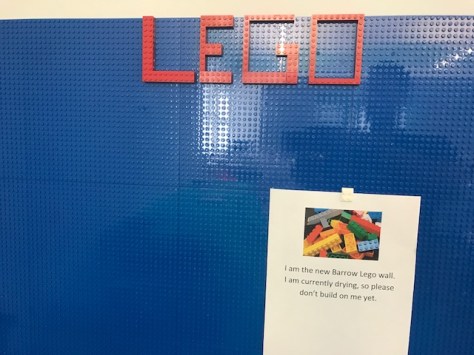
Each year we add a little something new in our library. I’ve watched several libraries add a Lego wall to their libraries and wanted to do it for a long time. We have students who use Lego in our library and makerspace for stop motion videos and storytelling, so I’ve been curious about the possibilities of this collaborative building space and what projects or ideas it might spark for students.

Several librarians have posted helpful tips on how to create your own Lego wall. I looked very closely at Diana Rendina’s plans and considered building my own.

Then, I saw a post from Shannon Miller about a company called Brik. This company has Lego-compatible plates that have a reusable adhesive on the back so that you can move it from one location to another if needed. You could order packs of 6 plates which came with an assortment of briks as well. This was appealing to me because of how much time it would save me in constructing a wall. I wouldn’t need to mount plywood to the wall or worry with liquid nails.

Sherry Gick shared her own experience with Brik and said the adhesive seemed to be pretty reliable. I decided to give it a go.  Before ordering, I posted a Twitter poll and also sent a Google form to my students to ask what color wall they preferred: white, black, or blue.  The response was overwhelmingly blue.

Shipping was super fast, and within about an hour I had everything unboxed and on the wall.  I used Lego pieces to make sure the plates lined up and stayed together. I also made sure to firmly press each plate so that it secured to the wall.  I don’t really plan on moving the plates very much, so I would rather know they are staying on the wall.

After posting some pictures on social media, I started getting messages from families whose children were already excited about the wall. During open house, several students stopped by to check out the wall.

I’m sure we’ll learn a lot about how to best use the space and what rules need to be in place, but we are so excited to have this new space in our library for imagination, creativity, collaboration, and sharing.
Catch the #FlipgridFever


It’s no secret if you follow my posts that I’m a huge fan of Flipgrid. It is a tool that has amplified our student voices all around the globe.  It most recently was named a  2017 AASL Best App and AASL Best Website.  The Flipgrid team is constantly listening to the rapidly growing community of users and improving the tool to meet the needs of all users.  As a company, they celebrate the passion of educators, the wisdom of students, and the curiosity of families.  Flipgrid is continuously celebrating the innovative uses of their tool by further amplifying student and educator voices on social media and presentations. They are simply an amazing group of people.
If you’ve never tried Flipgrid or you are already using it, now is the perfect time to get more active with this award-winning tool and supportive community.  Here are some things you should do right now.

  1. Setup a free account.  Create a grid. Post your first topic.
  2. Share your topic link on Twitter with the hashtag #FlipgridFever  You might also add some other hashtags like #studentvoice #k12 #futureready or #edtech  Why hashtags? They are what connect you to communities of conversation and amplify the voices of the people on your topic.  
  3. Continue to work toward being a Flipgrid Certified Educator.  If you did step 1 & 2, you are almost there.  You’ll earn a cool badge, new bragging rights on your resume, and you’ll be a part of an active community of Flipgrid users.
  4. Follow the #FlipgridFever hashtag and participate in the conversations.  This hashtag is on fire.  The last Twitter chat was so active that you could barely keep up.  This hashtag will connect you with a global community of Flipgrid users at all levels of education and beyond. You’ll get countless ideas for how to use Flipgrid in your own work, and you’ll be supported with questions you have.
  5. Look for people who are posting their Flipgrid links and respond to their topics.  You’ll become a better Flipgrid user, hear from many perspectives, and become a support in the Flipgrid community. If you respond to at least 10 topics and keep a spreadsheet of your response links, you’ll get a Flipgrid Community Builder badge.                     
  6. Finally, sign up to view the big Flipgrid announcement coming on August 10 at 7PM CT.  As an ambassador, I’ve seen a teaser of some of the upcoming features, and you don’t want to miss this opportunity to hear about them in detail.  Flipgrid rolls out updates quite often and it’s important to stay in the loop on what is new. Just when you think Flipgrid couldn’t be better, the team comes up with new ways to engage users and amplify voice.  I’m so excited to be heading to Flipgrid HQ to be at the announcement in person, but there are also some viewing parties happening around the country. You could even host one yourself.

During the upcoming school year, I plan to support all of my teachers in using Flipgrid in their classrooms. It’s one of those tools that can apply to so many projects and experiences in education.  Users are continuously coming up with innovative ways to amplify voice with this tool and combine it with other tech tools we are already using. I look forward to connecting with so many inspiring educators through the #FlipgridFever community and probably creating some globally connected projects along the way.


What Do You Do with Those Advance Reading Copies?: A Summer Reading Project

It never fails that I overload on Advance Reading Copies of books at conferences I attend, and then I just can’t manage to get to all of them to read.  I do in fact read many of them, but then I’m left with a stack of books sitting in my office. As we approach summer, I’m always wondering how to get more books in kids’ hands for summer reading. We promote our incredible public library summer reading programs, but I know that even with talking it up, some kids just won’t make it over there.

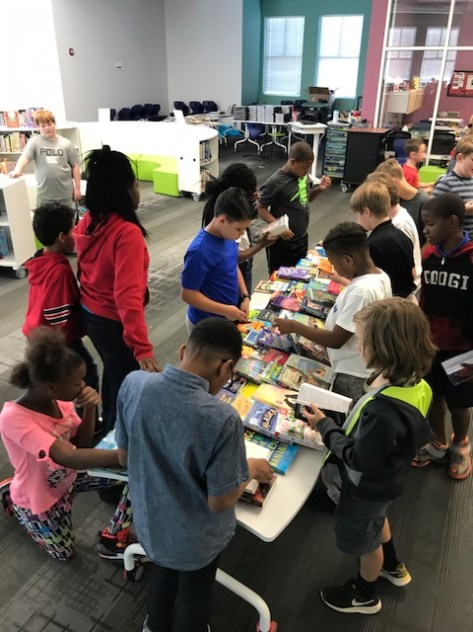
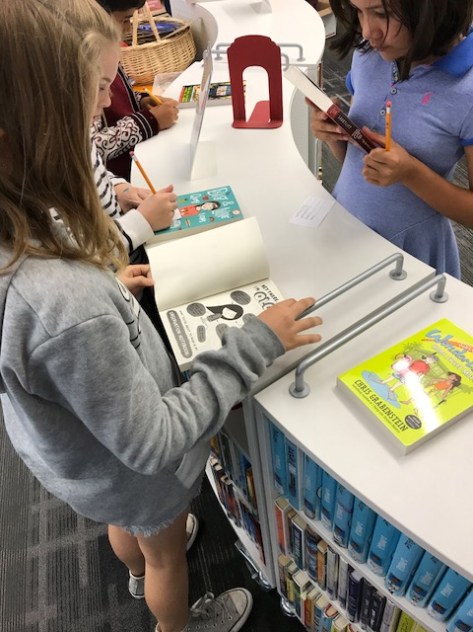
I decided to give our 4th graders (rising 5th graders) an opportunity for the summer.  I took all of those ARCs I had read as well as some that I hadn’t read and spread them out on tables.  Each class came to the library and I gave a quick spiel to them about how I really needed to hear their voices about some books that we might purchase for the library.  I encouraged students that even if they didn’t find a book that jumped out at them they should try something new and stretch themselves as readers.  This is something I’m wanting to do more of next year because I think it’s so important for students to help build the collection in the library.  By allowing them to read the ARCs and give their opinions, they are owning the collection and will also be more likely to recommend books to their friends if they have chosen them.

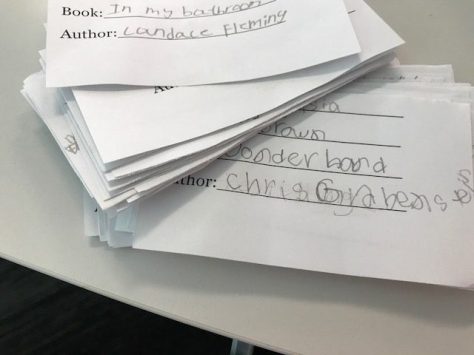
Each student had a chance to go to the tables and select a book. I book talked ones that I had read and listened in as students made their decisions. I loved that every student took a book. Then, they filled out a paper with their name, book title, and author so that I could keep up with who got which book.  Finally, students moved to another area where they put a label inside their book with a place for their name as well as a link to a Flipgrid where they can record their thoughts over the summer.

I’ve never tried this as a summer opportunity, so it’s a bit of an experiment. I’m curious to see how many students follow through with recording their Flipgrids. Even if they don’t, I have a record of their books so that I can at least check in with them in the fall to see if they read their book.

If they liked the experience, then perhaps these students will want to take this on as a project next year when I get ARCs in the mail or at conferences.

Happy Summer Reading!

Letters for Justice: Empowering Young Voices on Topics that Matter

There’s a lot going on in the world right now and it’s easy to get overwhelmed by the many current issues being debated and decided on in our country and around the world.  As a teacher librarian, it’s challenging because I want to support all students and families knowing that I might not personally agree with their perspectives.  I make sure that I step back and listen to the students, support their research and perspectives, and check my own beliefs.

Recently, Ms. Olin, 5th grade social studies teacher, came to me with an idea. She wanted to get students thinking about current US & World issues and considering what their own perspectives were based on the facts of the issues. She also wanted them to know that their voices mattered in the world and that they could get their thoughts out to local, state, and national representatives as well as the general public to have an influence on decisions being made.

Ms. Olin started this project in her classroom by sharing the book I Have  a Right to Be a Child by Alain Serres. This sparked discussion about basic human rights and current issues in the world. She also shared news sites with them so that they could start reading current articles about various trending topics, especially if they weren’t familiar with the current topics being debated. Through these sites, students began to choose a topic that they were interested in, curious about, or passionate for. Sites included Newsela, CNN Student News, PBS News Hour, and Time for Kids.

After two days of exploring, students selected their topic.

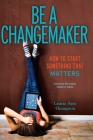
In the library, we focused on the importance of raising our voices when we have concerns. I read excerpts from Be A Changemaker by Laurie Ann Thompson.

“Don’t wait. Don’t wait to be powerful, to change the lives and communities around you significantly.”

I also read excerpts from It’s Your World by Chelsea Clinton.

“We can–and should–respectfully disagree with others who have reached different answers from ours” and “Even if we disagree with one another, it’s important to recognize what the facts are”.

Ms. Olin and I both encouraged students to look at issues from all sides and to gather as many facts as possible. With those facts, they could form their own opinions on the issues and brainstorm some possible actions they hope are taken.

We took some time to look at the Letters to the Next President project to see letters that were written by students from many location about a variety of topics. Students could sort the letters by their own topic and see what other students were saying.

As students looked at example opinions and continued to gather facts, they started filling out organizers to get their own thoughts together.  In class, they began writing letters, protest signs, and editorial cartoons to express the facts and their own views.

Finally, students came to the library to begin sharing their voice.  We spent some time talking about how we can make our voice visible. We could of course mail the letters and artwork to their intended recipients, but how else could we share our voice? I was able to talk to the students about my recent recognition as an AASL Social Media Superstar for Sensational Student Voice and how social media and collaborative tools like Flipgrid allow us to spread our voices to an even larger audience.

We hope our voices are heard by our local, state, and national representatives, but even if they aren’t, we can share our voices with others and offer perspectives and actions that might encourage them to support our cause or make the world a better place.  As students finished their work, they recorded their voices in a Flipgrid so that others can consider their perspectives and possibly join their collective voice.

We hope you will take time to listen to each student. If one of the voices speaks to you, give them a response.  Better yet, if they inspire you, consider writing your own letter and adding your voice to our grid.  We invite your students to join our voices as well.

As we were closing our time in the library, some of the students spoke up and said, “I bet Mr. Trump won’t even read our letters.” This was a great opportunity for Ms Olin and I to repeatedly say to the students, “Your voice matters”. We talked about collective voice, and how sometimes a single voice isn’t heard by someone like the president. However, that single voice can inspire other voices who come together collectively around a common cause. This was a great closing because even as an adult I sometimes wonder why I should even take time to call or write my representatives. However, I was reminded that our individual voices do matter and collectively they make impact.