Back in October, our 3rd graders spent time studying the illustrations of Jerry Pinkney. They paid close attention to how Pinkney told the story through his illustrations in preparation for a field trip to the High Museum of Art in Atlanta to see the exhibit Witness: The Art of Jerry Pinkney. You can read more about that here and here.
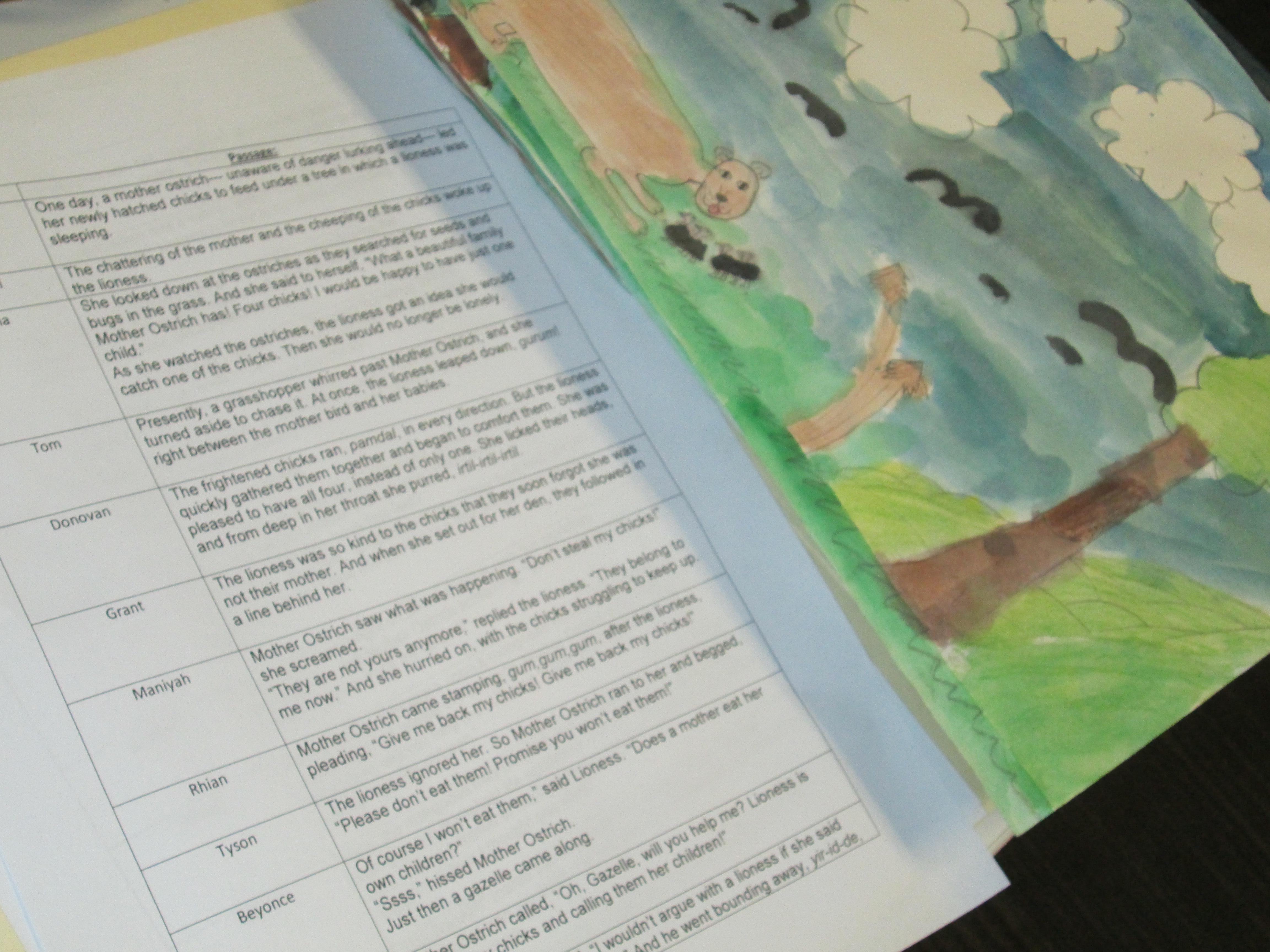
Over the past few weeks in art, students have been working with the text of a folktale to create their own visual interpretations of the text. Mrs. Foretich, the art teacher, spent a lot of time exploring and researching the vocabulary within the stories with the students so that they would be able to paint an accurate interpretation. Each class chose and different folktale and each student in the class was assigned a piece of text from the story.
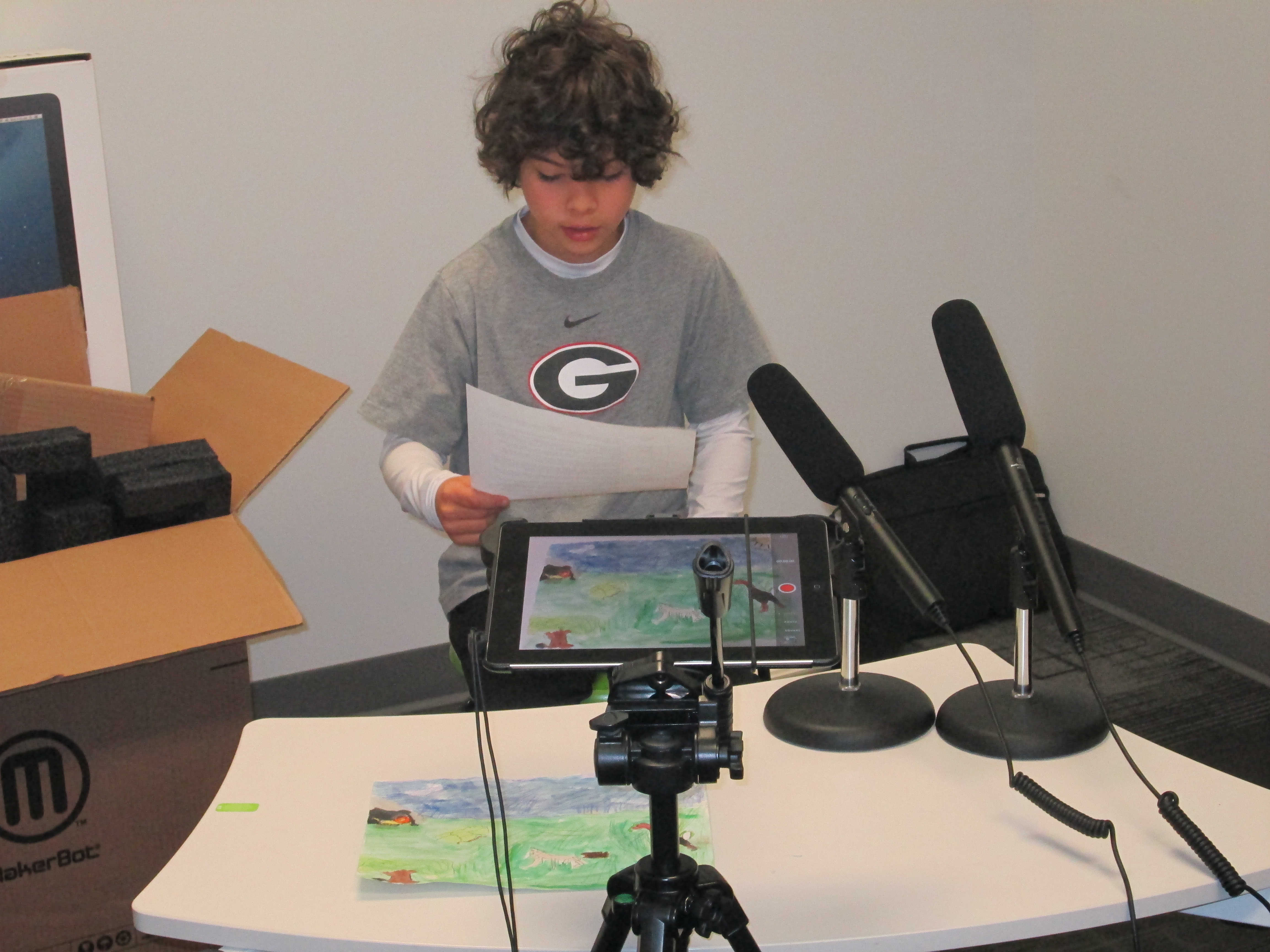
Once the paintings were ready, Mrs. Foretich organized them in the order of the story and gave them to me. Students came in small groups to record the text for each illustration on the iPad. We used iMovie to put all of the clips together.
This past week, third grade held a parent breakfast where families were able to come to a viewing of the final products. They were also uploaded to Youtube for families who were unable to attend.
You can enjoy their visual interpretations below. It was fun to watch the students take on an artists eye and think like a published illustrator thinks. Often, illustrators receive the text to a story with no other feedback. It is up to them to take these words and translate them into illustration. This project gave students a better understanding of the fun and the challenges of this process.
A few weeks ago, Okle Miller, a librarian near Tampa FL, shared a great iPad app with me that she had discovered on Richard Byrne’s site iPad Apps for School. Chatterpix allows you to take a photograph with your iPad, draw a mouth on that photo, and record up to 30 seconds of dialogue for the photo. The mouth moves in sync with your voice. This app could have many implications for short classroom projects from historical figures to summarizing strategies to book talks and more.
I recently sent out an email to teachers with some ideas for technology projects that we might do together. Each of the ideas was based in the subjects and standards that classrooms are working on with some suggestions of technology tools that might support those standards. Many of the classrooms are currently working on opinion writing about books along with persuasive techniques. I suggested Chatterpix as an option for students to quickly tell about a book, give an opinion, and try to persuade a reader in less that 30 seconds.
Second grade had already worked with me on writing book reviews for their blogs, so Caitlin Ramseyer, 2nd grade teacher, decided to incorporate Chatterpix into this mix. Her students each chose a book, read the book, and used an index card to write a script that they could finish reading in less than 30 seconds.
Today, they came to the library so that Caitlin and I could work with them on using the iPads. Students brought their index cards and books with them. First, we watched this video.
Then, we looked at my Chatterpix example.
Next, students dispersed throughout the library to use the iPads. Caitlin and I walked around and helped as needed, but the students were very capable of figuring things out and helping one another.
One student didn’t have her book, so she pulled up the book in Destiny on the computer and took a picture of the screen. Other students had very tiny people on their covers, so they put the iPad close to the cover in order to take a closeup picture of the character. There was a lot of problem solving going on as students tried to figure out how to create the best video. Many of them quickly figured out the different filters that they could use on their picture, but most chose not to explore the stickers (this time!).
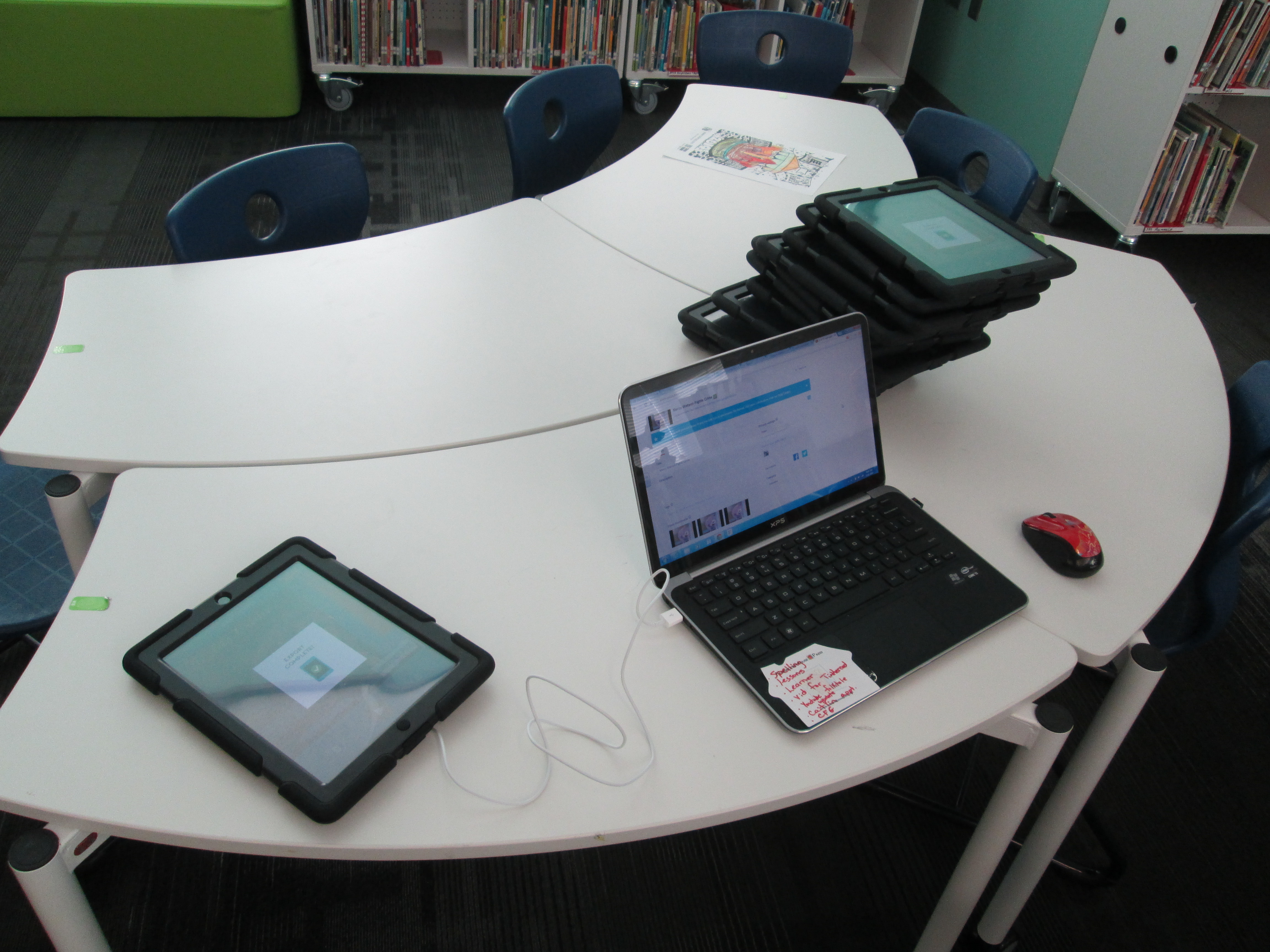
Once they were finished, they saved the video to the camera roll on the iPad and brought it to me. At first, I was trying to login to each iPad and upload to Youtube, but it was taking too long. Instead, I plugged a cord into my laptop and imported the video straight into Youtube. Caitlin helped them make sure their video was exported to the camera roll and I uploaded to Youtube.
Finally, we gathered on the carpet to view our videos. During this time, we paused a lot and students gave tips for future use of Chatterpix. They suggested things like:
Since Chatterpix reverses words, try to take a picture of a character on the cover and avoid the text
Have your script written down
If you finish before 30 seconds, don’t forget to press stop
Rustling your paper makes the character’s mouth move, so be still
If you have trouble drawing the mouth with your finger, use a stylus
Hold the iPad in portrait view rather than landscape
We reminded them that they had developed some expertise with this app and that we might call on them sometime to help others. Even this list of tips is a way for them to pass on their expertise. Now that we worked out some logistics with how this type of lesson can flow, I think Chatterpix will be an app we will revisit many times.
Today Mrs. Rogers and her 4th grade ELT group came to the library to explore book trailers. They are currently reading a novel together and had the idea to create book trailers for each chapter of the book. I guess we should really call these chapter trailers. For our lesson, we looked at three trailers:
Our purpose in watching these three trailers was to think about how different each trailer could be. Students talked about what they noticed about each trailer after watching it.
For Carnivores, students noticed that:
1 actor was used 🙂
music was used throughout
text was used at the beginning to set the scene
there were lots of clips put together
the funny tone of the book came through in the trailer
the trailer didn’t give away all the details of the book
For Boy + Bot, students noticed that:
questions were posed for the reader to consider
images from the book were used in between the questions
music was used throughout
the trailer was very short
For Wonder, students noticed that:
there were multiple actors
there were multiple shots that needed a lot of direction
there was text, live action, and music
the character’s face was never shown
Students even spent time thinking about the difficulty level of these 3 trailers and what they were each willing to commit to for their own project. They also thought about why each type of trailer might have been picked for each book. We talked a lot about purpose.
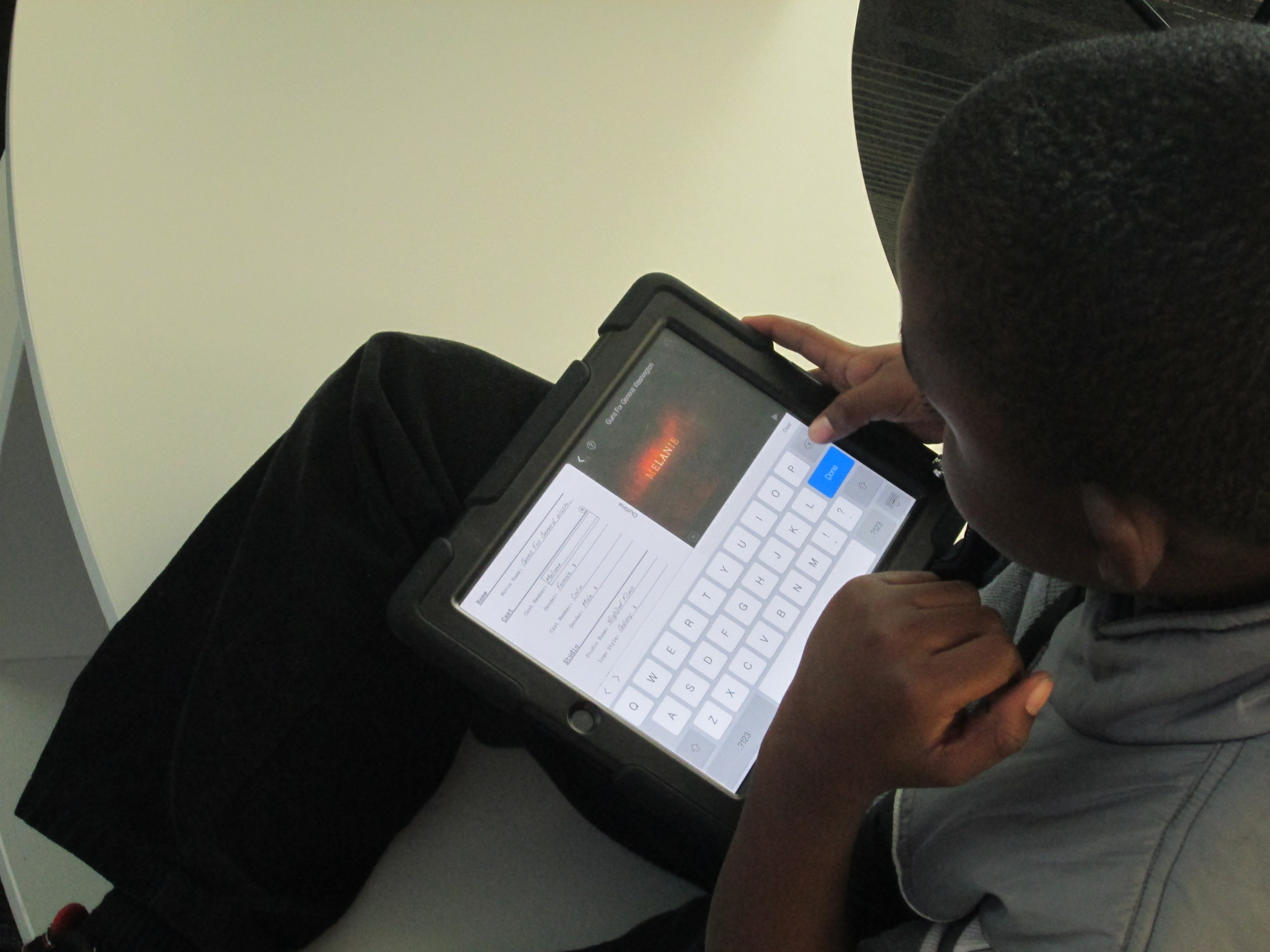
After this great discussion, students spent time exploring iMovie on the iPads. This is the tool they will most likely use for their trailers. Most had no experience with iMovie, so I invited them to spend about 20-25 minutes messing around and figuring out some of the features. I encouraged them to share what they learned with each other, and it didn’t take long for collaboration to begin. As soon as students figured something out, they were eager to show and help others.
Ludwig, a 4th grader, really jumped into the trailer part of imovie. He began planning out a quick trailer and sprang into action filming it. He didn’t make it all the way through, but you can see what he figured out here:
Reid, another 4th grader, explored the movie part of iMovie. He put together a little idea and started filming clips to put a quick sequence together.
We closed our time together by showing these videos and setting the stage for students to begin planning their own trailers. Once again, I was amazed by what kids could figure out and share when given the space to explore. I reminded them to continue to share their expertise with one another as they progress through the project. They will continue work in their classroom, but I will also collaborate with them at various stages of the project.
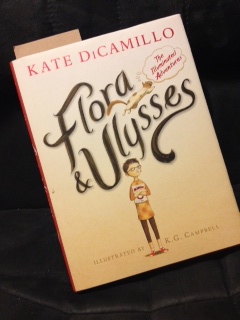
Over the summer of 2013, I was fortunate enough to receive an advance reader copy of Flora & Ulysses: The Illuminated Adventures by Kate DiCamillo. She is by far one of favorite authors because her words always seem to speak to me in some way beyond just the story. On p. 130, I came across a quote that I have honestly carried with me in my heart and mind since reading it. In fact, it has become a motto that I embrace in our school library because it exemplifies the brand that our library represents.
“All things are possible,” said Dr. Meescham. “When I was a girl in Blundermeecen, the miraculous happened every day. Or every third day. Actually, sometimes it did not happen at all, even on the third day. But still, we expected it. You see what I’m saying? Even when it didn’t happen, we were expecting it. We knew the miraculous would come.” ~Kate DiCamillo
Expect the miraculous. It’s the phrase that I cheezily say to myself as I enter school each day. It’s what I remind myself of when I sit down to plan with teachers. It’s what I whisper to myself in the midst of a technology fail. It’s what came out of my mouth in a recent interview with School Library Journal:
For wary school librarians, Plemmons adds, “My philosophy is, if we don’t expect miraculous things to happen in our libraries, then we’re just limiting ourselves. Why totally shut a door when we don’t know where it leads to?”
I don’t want to put limits on what kids are allowed to do just because I might not be an expert in a particular tool or concept. I’m willing to try anything new with any age of students and expect that something great will happen even if it’s not what I imagined happening in my head. In Invent to Learn, Sylvia Martinez and Gary Stager say,
“It is unacceptable and unnecessary to deny children the opportunity to work on something they are passionate about because the teacher is not an expert in that particular field.”
Looking back through my posts of 2013, I see so many incredible things that happened in our library because we (myself, students, teachers, families, connected educators, and special guests) expected the miraculous. Here are just a few:
5th graders working together to design, plan, persuade, collect, paint, and dedicate during the Little Free Library project. We now have 2 Little Free Libraries thanks to their hard work. We went into the project with so many unknowns, but we always expected that the libraries would exist in our community. Check out the posts!
2nd graders developing their writing skills through blogging and connecting with students in Van Meter, Iowa. This project included a miraculous connection with author/illustrator Jenny Sue Kostecki-Shaw. Check out the posts! Post 1Post 2Post 3
3rd graders engaging in action research to solve a real-world problem at our school. Their investigations included webcam observations, indoor and outdoor observation, skyping with Cornell University and a former Barrow Buddy via Skype, and email communication with other experts. Their work resulted in many attempts at saving birds from crashing into our school windows. Post 1Post 2
1st graders using Twitter to write persuasive messages about our environment. Check out the post!
Students purchasing books for our library with their very own student book budgets. Check out the post!
Students from throughout the school crowd-sourcing a poem using Google Forms for Poem In Your Pocket Day. Check out the post!
Our annual Poem In Your Pocket Days live on Adobe Connect with viewers in multiple states and countries. Post 1Post 2
Kindergarten students becoming experts inTux Paint and making an informational video to teach others to use the program. They even connected with students in Van Meter, Iowa to share their expertise. Post 1Post 2
Moving into a brand new library and working together to learn how to use it. Check out the post!
The entire 4th grade working together in the library over several days to research explorers and Native Americans as well as challenge their thinking about heroes and villains. Check out the post!
A Picture Book Month Smackdown with 2 authors and schools in 5 different states. Check out the post!
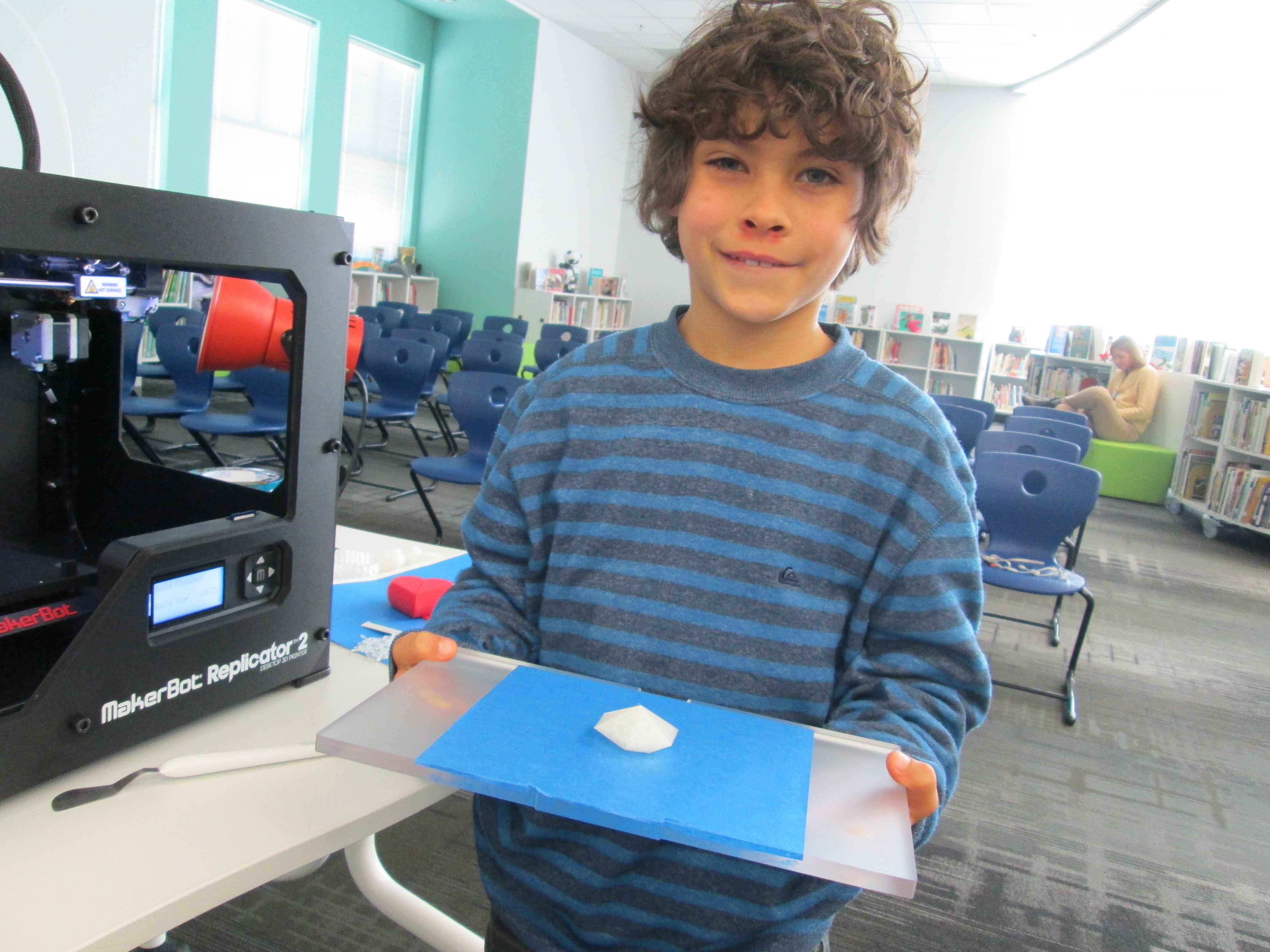
After our district decided not to buy a 3D printer, we continued expecting the miraculous. Miraculously, Donors Choose and Makerbot created a partnership and overnight a 3D printer was funded for our library! Check out the post!
Classes in every grade level committed to exploring computer programming during the Hour of Code. I’m expecting more miraculous things to come out of this one hour experience. Post 1Post 2
Our very first student-made design was printed on our 3D printer. Grant and I expected the miraculous (even though we were prepared for failure). Check out the post!
When we give kids the space to explore, the tools to create, the connections to expertise and collaboration, and a global audience to share with, miraculous things will happen. I know that not everyone believes this. Recently, an article was published in the Athens Banner Herald highlighting out Hour of Code activities. In the article, I was quoted saying:
“I encourage them to think about how coders aren’t afraid to make mistakes,” Plemmons said. And when they do make a mistake, they work with their peers to fix it.
Even though I try to avoid reading online comments (and I wish I had used the word failure instead of mistake), I was disturbed by one commenter’s post. She said:
Such a lax attitude is not acceptable in my book. I am afraid to make mistakes in my work so I make sure all possibilities are considered and all details are addressed and included. I also make great effort to anticipate any questions my clients may have and am ready with an answer before I sit down at a meeting. I don’t need to ask others to help me fix any problems; I’ve already fixed them.
It’s good to tell kids to relax and not worry about making a mistake as they learn, but that real work for hire must be near perfect without wasting a lot of people’s time or your own.
The most disturbing part of this comment to me was the notion that giving kids space to fail, step back, re-evaluate, and try again is having a lax attitude. Many major companies encourage their employees to fail early and fail often. This allows their employees the freedom to be innovative and take risks knowing that those risks are what unveil the latest great ideas. By failing early, learning from failure, and fine tuning their products, companies are able to release the best quality product that they can. In the digital world, companies continue to listen to the consumer and push out updates to improve any mistakes or ideas that they missed. This is the same kind of situation with students. They aren’t publishing final products online that are full of mistakes. Rather, they are attempting to make the computer do what they want it to do, trying some code, seeing what works and what doesn’t, and fine tuning their work. No one sits down and makes a perfect product without first failing. Expecting the miraculous certainly doesn’t mean that you are expecting things to be perfect on the first try.
I was reminded of the importance of failure when I was recently reading Presentation Zen by Garr Reynolds. Reynolds says:
“The fear of making a mistake, risking an error, or being told you are wrong is constantly with us. And that’s a shame. Making mistakes is not the same thing as being creative, but if you are not willing to make mistakes, then it is impossible to be truly creative. If your state of mind is coming from a place of fear and risk avoidance, then you will always settle for the safe solutions–the solutions already applied many times before.”
“Children are naturally creative, playful, and experimental. If you ask me, we were the most human when we were young kids. We worked on our art, sometimes for hours without a break, because it was in us, although we didn’t intellectualize it. As we got older, fears crept in along with doubts, self censoring, and overthinking.”
In 2014, I am going to continue expecting the miraculous with my students, my collaborators, my families, and my peers. We will embrace our failures, learn from them, and continue to create innovative work together.
I am going to start 2014 by asking my students, “What miraculous things do you expect in 2014?” They will record their responses on a Flipgrid. I invite you to add your own expectations to the same Flipgrid. Go ahead. Give it a try. Expect the miraculous.
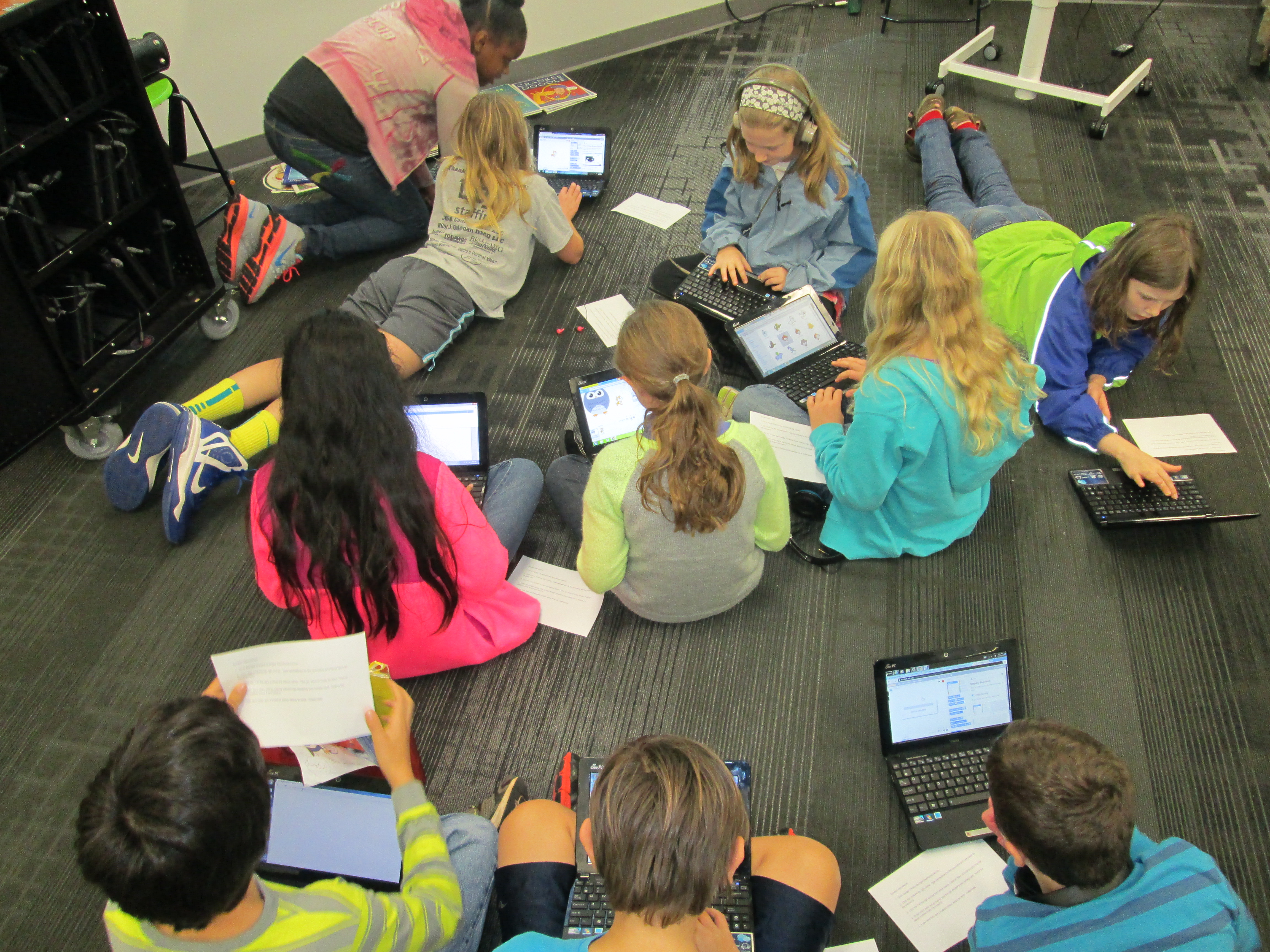
The entire 5th grade came together to code using Scratch.
I am so energized by the excitement I saw from Kindergarten, 1st grade, 2nd grade, and 5th grade students yesterday and today during our Hour of Code. Here’s what each session looked like:
1. I asked them how many of them liked to play video games, iPad apps, computer programs, or knew someone who used Facebook. Pretty much every hand shot up. Then, I asked them how many of them knew how those programs were made and their hands shot down. However, when I asked how many of them would like to explore how computers and games are programmed, pretty much every hand went up again.
2. We watched 1 or 2 videos like these:
3. I briefly introduced the tool that students would use and gave them the short link.
4. I gave some ground rules:
Coders don’t give up. They try, make mistakes, and learn from those mistakes.
Coders collaborate. Ask 3 other students for ideas or help before asking me.
Have fun!
Kindergarten and 1st grade students worked with Kodable to program a rolling fuzz ball to move through a maze collecting coins. Our 2nd graders used Tynker to program a puppy dog to perform various commands. Our 5th graders used Scratch to design an interactive holiday card.
At tables, I watched students leap into coding. They hit speed bumps right away. Many began asking one another, but there was still a tendency to ask me. I helped at times but facilitated students talking to one another most of the time. Since I had seen all of the tables, I knew which students had figured out some of the coding tricks. I used this knowledge to nudge students toward one another. Many of them really stepped up to help their peers and students who weren’t always looked to as an expert suddenly found themselves being the go-to person. It was empowering!
Another amazing thing was having the entire 5th grade working together in the library. They were eager to jump in and use Scratch, which most of them had never seen or heard of. For the most part, they quickly settled in around the library in groups or by themselves and got to work. As they figured out things, they shared. Some of them left having a complete card made. Others left with a start. All of them left with a better understanding of how to use Scratch and an excitement for coding. There is great potential in this energy that has been generated.
Our days were not without problems. Our school internet seemed particularly slow. The Hour of Code sites were also swamped with visitors, so these two combinations made some of the tools impossible to load. We had to completely change our 2nd grade Tynker lesson on day 1 because it wouldn’t load. Instead, students used blockly and Kodable. Kodable was our reliable app of the day. When students all tried to login to Scratch, they kept getting bumped out. Also, they had trouble signing in, so several left without a chance to save their work. All of these glitches didn’t dampen the excitement for coding.
Throughout the days, students added some reflections about what they learned to a Flipgrid. This grid was also shared on Twitter so that students in other schools could add as well. We have several more lessons planned across Wednesday-Friday and next week students will participate in a coding smackdown in Google Hangouts. They will have a chance to share their learning and creations with others around the country.
We are very excited about the opportunities planned for our students in the library this week. It’s Computer Science Education Week and to celebrate several classes in grades K-5 will participate in Hour of Code, which gives kids hour-long experiences in a variety of kid-friendly coding tools. The hour of code site has multiple step by step tutorials to help kids learn some basics of each coding tool, while allowing them the freedom to be creative. Theres’s something for every age from 5-106 🙂
Computer Science Education Week (CSEdWeek) is an annual program dedicated to showing K-12 students the importance of computer science education.
Organized by the Computing in the Core coalition and Code.org, CSEdWeek is held in recognition of the birthday of computing pioneer Admiral Grace Murray Hopper (December 9, 1906).
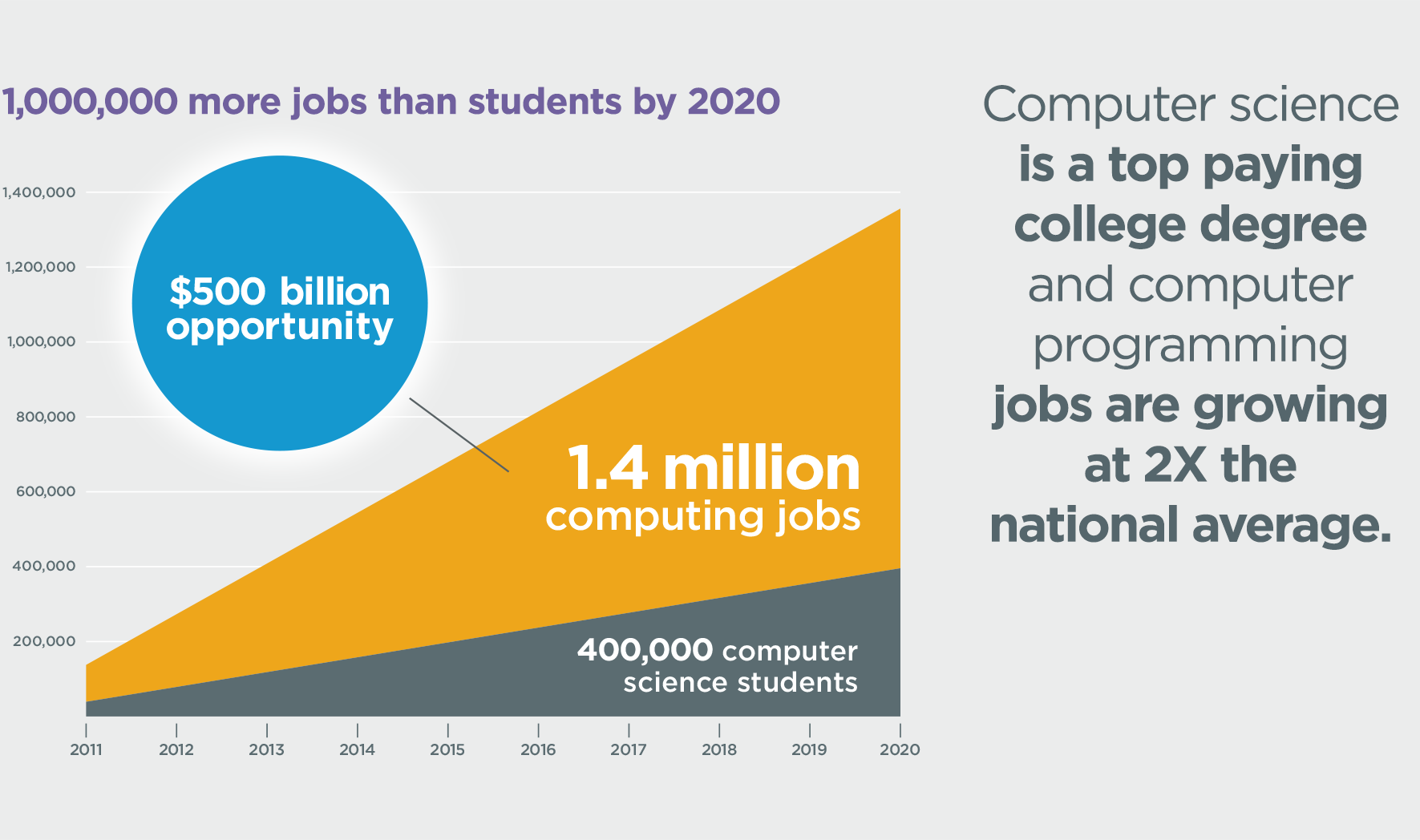
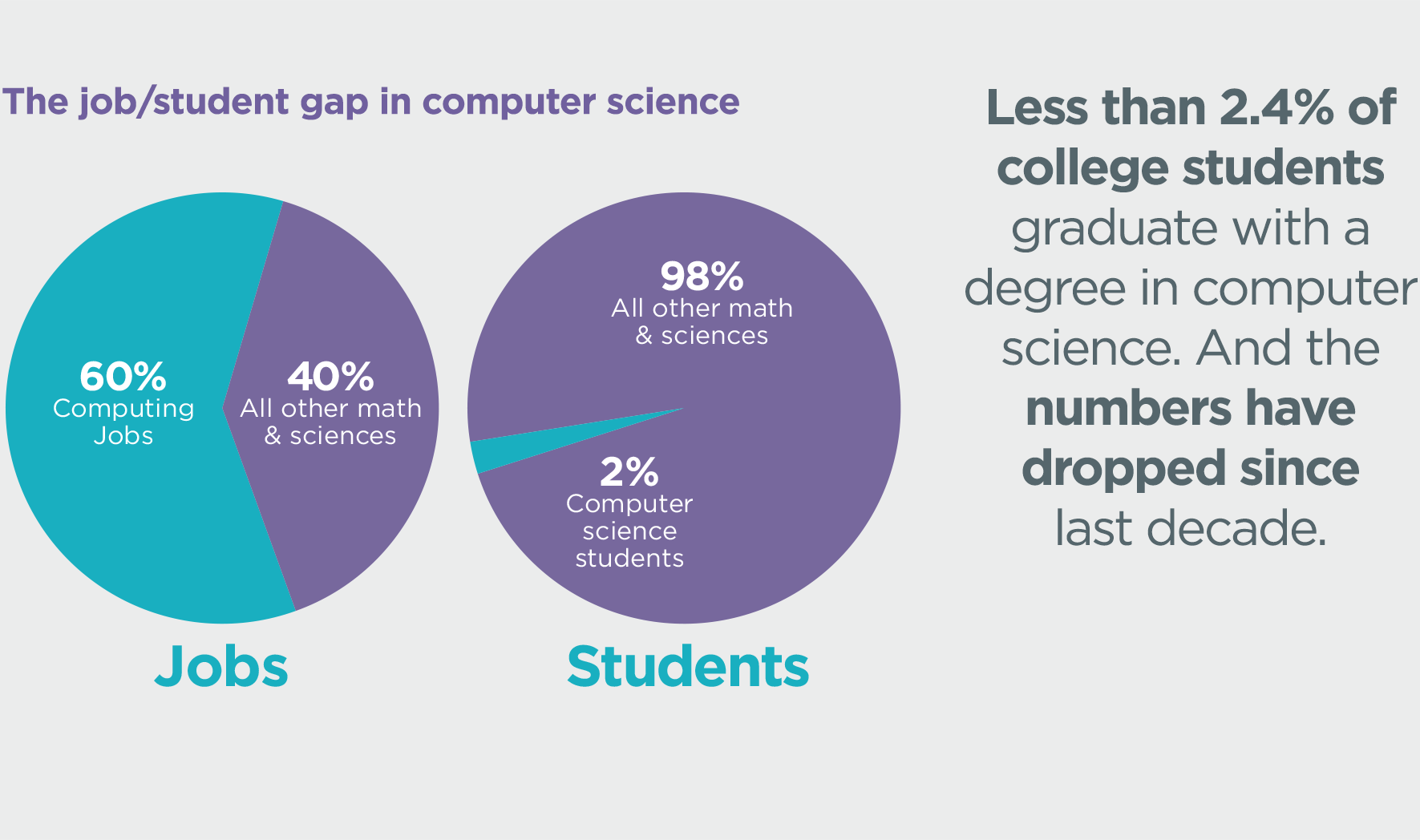
Why would we want our students to learn computer coding? Take a look at some of these statistics.
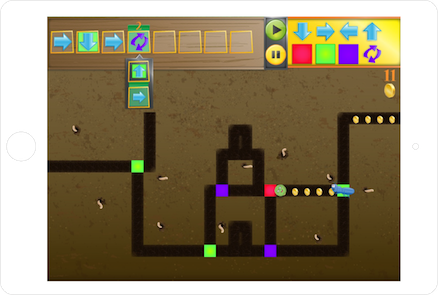
Some of our Kindergarten and first grade students will use an iPad app called Kodable.
Second and Third grades will be exploring both Blockly and Tynker. Some first graders will also try Tynker.
Tynker Intro
Fourth and Fifth graders (and perhaps a few other students too) will make holiday cards with Scratch.
During the week, we plan to make connections with other schools around the country who are also participating in Hour of Code in order to allow our students to share, brainstorm, and problem solve across the miles through Skype and Google Hangouts. On December 17, we will participate in a live Google Hangout On Air where students will share their coding creations and learning with students in multiple states simultaneously.
The intention of Hour of Code is to give as many students as possible experience with coding, which will hopefully lead to both individual exploration or class projects in the future. I’m prepared to be amazed this week by what students discover. Look for posts throughout this week to share our progress.
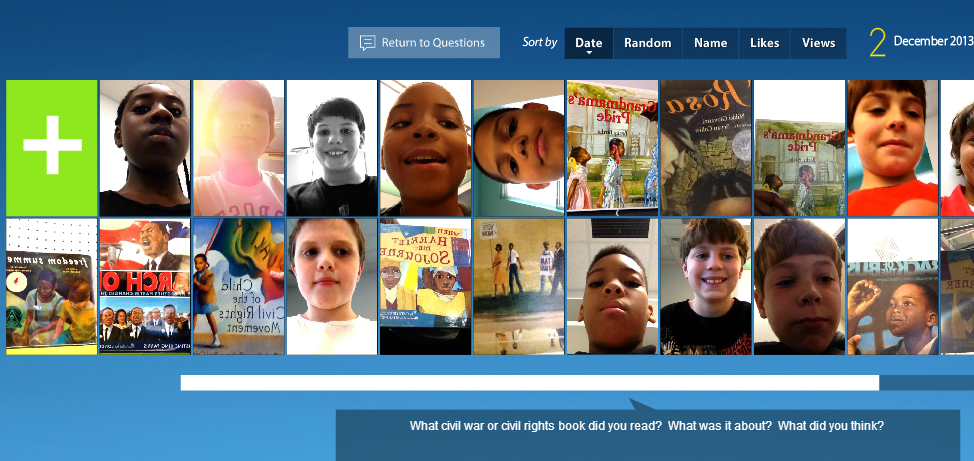
A few weeks ago 5th grade reading teacher, Melissa Freeman, asked if her students could have some time in the library reading picture books and informational books related to the Civil War and Civil Rights Movement. I quickly began pulling a big stack of books for them to read. We wanted some way of capturing this experience to refer back to during Social Studies time, so I’m so glad that I discovered Flipgrid!
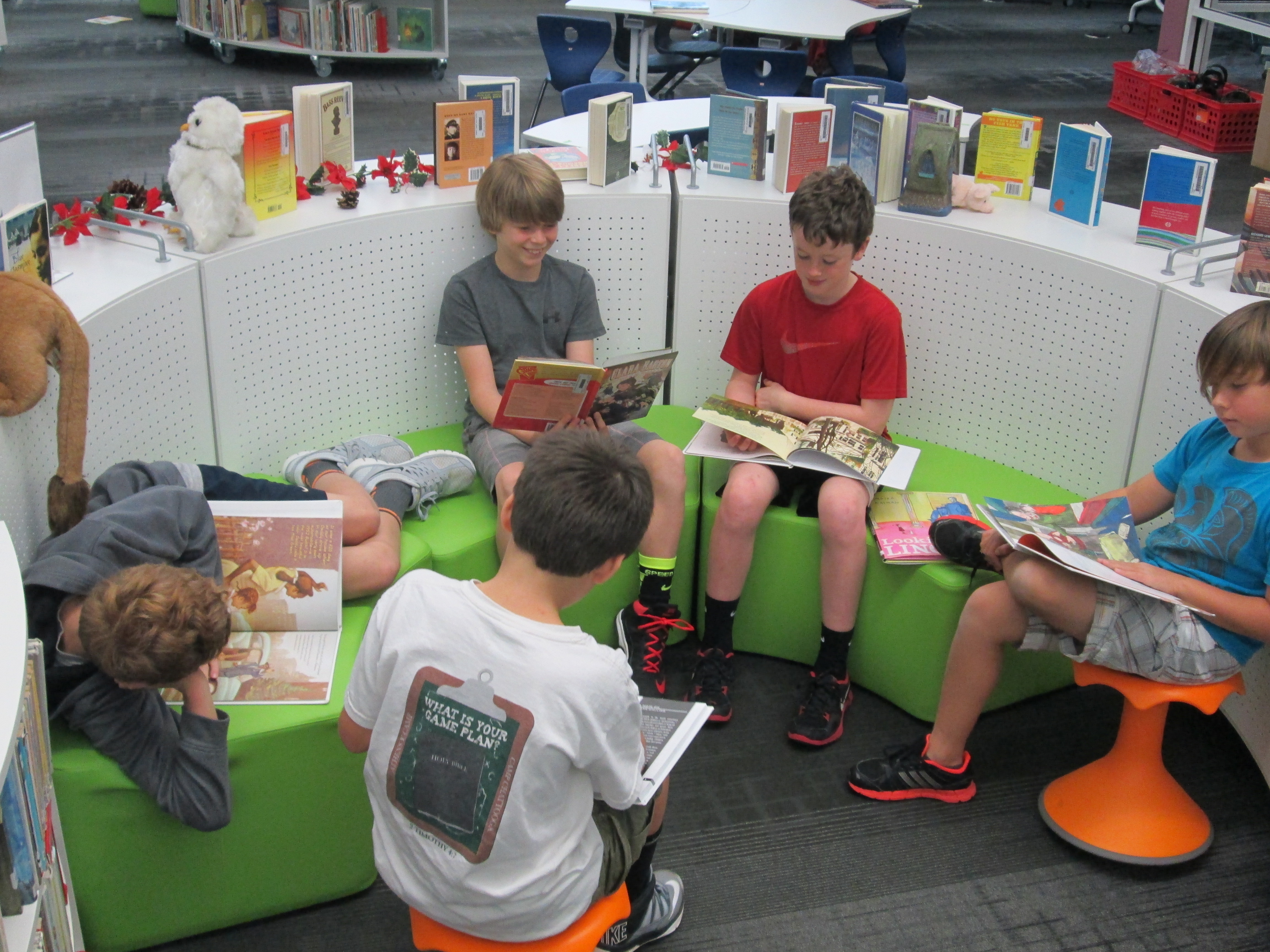
Each 5th grade class came to the library today. I had the books spread out on tables. We started in the floor for an overview. I shared our purpose of reading books connected with our social studies content. The teacher and I both stressed that our main goal was to spend quality time reading the books and preparing to do a book talk. Flipgrid was going to be our tool to capture these book talks, but Flipgrid was not our focus. We also talked about why Flipgrid was the chosen tool. We brainstormed ideas such as the ability to go back to these book talks during social studies to find books that matched standards. Students also thought that others in the school could visit the grid to learn about some books that they might not check out on their on.
With our purpose established, I showed students an example of what a book talk video might look like. I also quickly walked through the Flipgrid screens to show what each one looked like in order to record a video. This overview took us about 15-20 minutes.
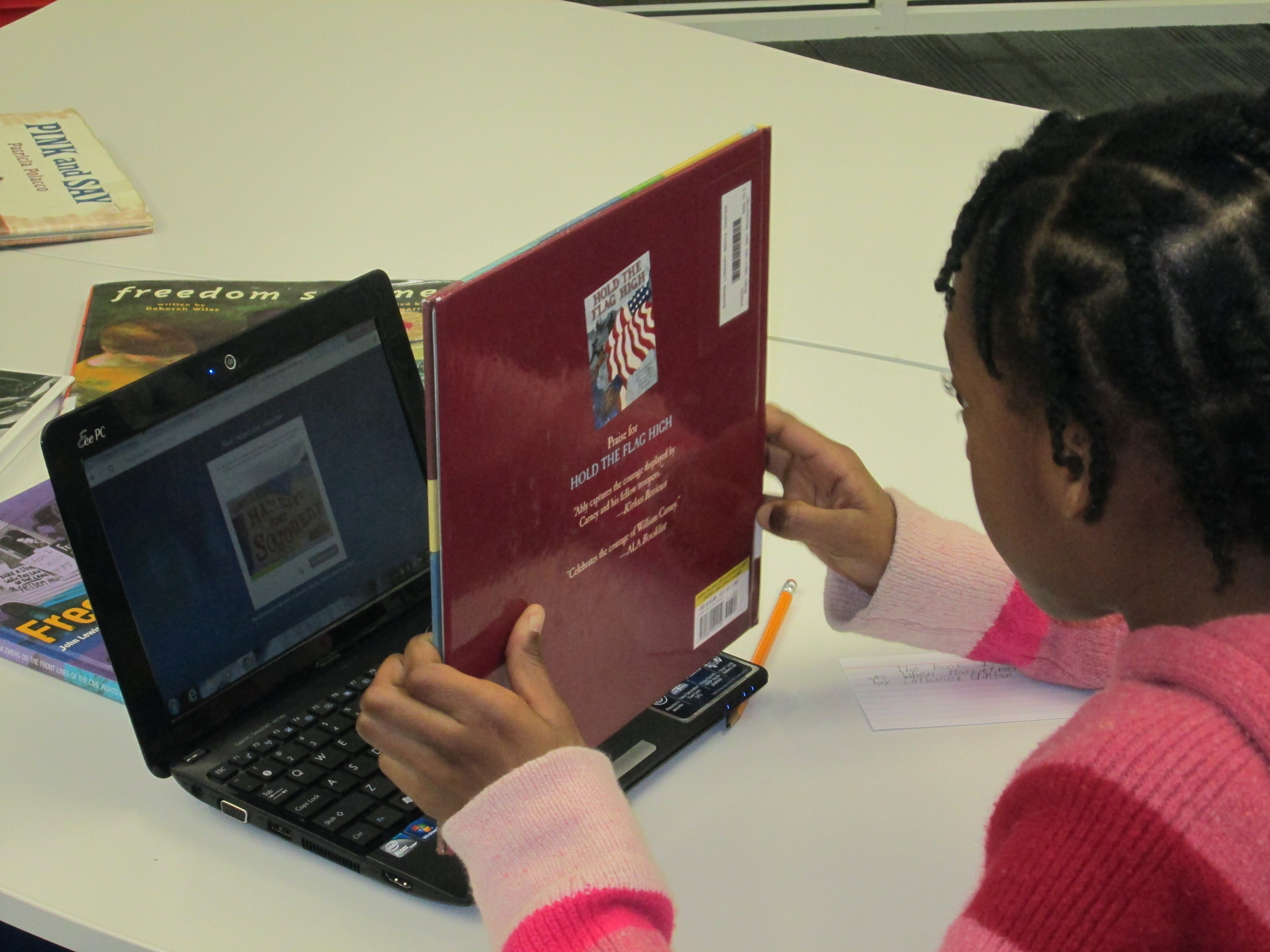
Students each went to the tables, chose their book, and found a cozy spot to read. As students finished their reading, they got index cards and pencils to write down a few notes to help them with their book talks. Finally, they got an iPad, typed in the flipgrid code, and found a quiet spot to record.
The student response to this tool in 5th grade was very positive, but they did have some suggestions for improvement:
When they held the books up to show them on the video, the words on the books were flipped backward. We did not figure out how to fix this in the recording screens.
When students submitted their video, sometimes it put the video up to 8 times on the grid. I had to manually go in and delete the extras. We are not sure why this happened to some students and not others.
Some students received a timeout error message when uploading their videos. They had to repeatedly submit the video until they got the successful upload message.
I typed all of these comments in an email and sent it to Flipgrid support. We hope that we hear some answers to these issues or see Flipgrid continue to improve. Even with the technical problems, the students all hope that their teacher and I will continue to use this tool.
I have a new favorite tool: Flipgrid. This tools allows you to setup a grid with multiple questions and students can use webcams on computers or a free iPad app to record up to 90 second responses to the questions.
Our 2nd grade is currently working on response to literature writing. They want to create book reviews to post onto their KidBlogs. To kickoff the writing of book reviews, we looked at a book review written a few years ago by Kindergarten teacher, Kelly Hocking. We decided after reading the review that it was made up of 4 parts: A hook, a short & sweet summary, connections & opinions, and recommendations.
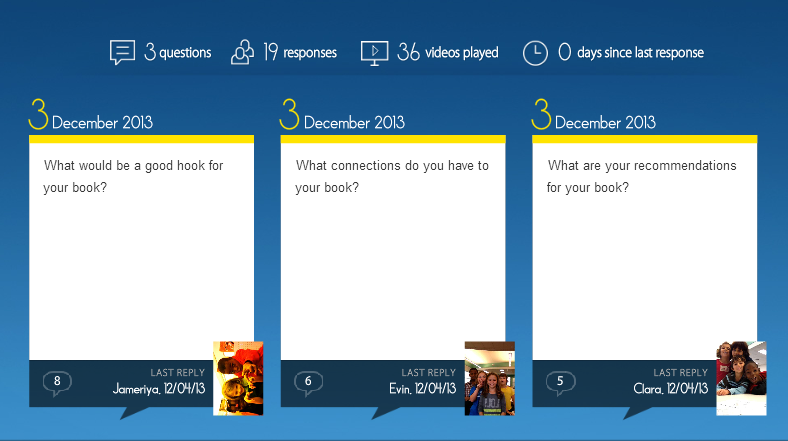
Next, I read the book Carnivores by Aaron Reynolds and illustrated by Dan Santat. I wanted students to have a chance to practice writing the parts of a book review, but rather than do it whole group, we used FlipGrid. I created a grid with 3 questions:
What would be a good hook for your book?
What connections do you have for your book?
What are your recommendations for your book?
Each question has a code for flipgrid. I downloaded the app onto all of our iPads. For the app, students just have to type in the code to access the question. I printed each question with its corresponding code on paper to give to groups. Students divided into groups of 4 and were assigned one of the 3 questions. After doing this lesson with 2 different groups, I learned that for 2nd grade it was really important to write down what they were going to say, so students first wrote out their response to their question on an index card. Then, they practiced reading the card and deciding who would say each part on the recording. To record, students:
opened the app
typed in their code.
touched the plus sign
accepted terms
took a photo
recorded their response
uploaded their video by typing a name and email
The videos were all sent to our grid. We gathered back on the floor to listen to some examples of hooks, connections, and recommendations. I also sent the link to the teachers so that they can refer back to the hooks, connections, and recommendations that were made as they begin to write their own book reviews. I imagine that these videos could become parts of mini-lessons about what makes a strong hook or how to write a stronger recommendation.
I’m proud of these 2nd graders and their teachers for diving into an unknown tool. They learned about writing book reviews, but they also learned from their failures in using a new tool and passed on their learning to the groups that come after them. We had some great discussions about what we will remember the next time we use Flipgrid, and I know that the process will get smoother each time. I think Flipgrid will be a tool I will come back to again and again. In fact, I’m using it tomorrow with 4th graders to create a grid of book talks about civil rights leaders.
Kindergarten is working on observing the day and night sky in science, and they want to use technology to document their observations. They are working on the following standards:
ELACCKW6 digital tools help writers write and share their stories.
ELACCKW7 writers work in groups.
SKE1 Students describe time pattterns (such as day to night and night to day) and objects in the day and night sky.
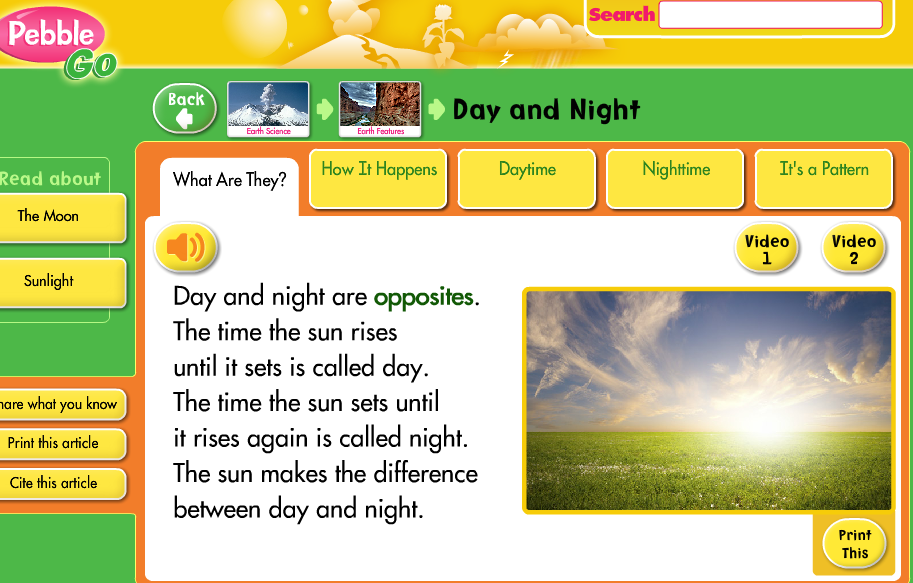
Classes came for 2 separate lessons. During our 1st session, we used Capstone’s Pebble Go to read about day and night.
Then, we read the book Sun Up, Sun Down: The Story of Day and Night by Jacqui Bailey. During our reading of both Pebble Go and the book, students discussed the scientific reasons we have day and night. We setup the idea of starting to “notice” things about the sky and how it changes during the day and night.
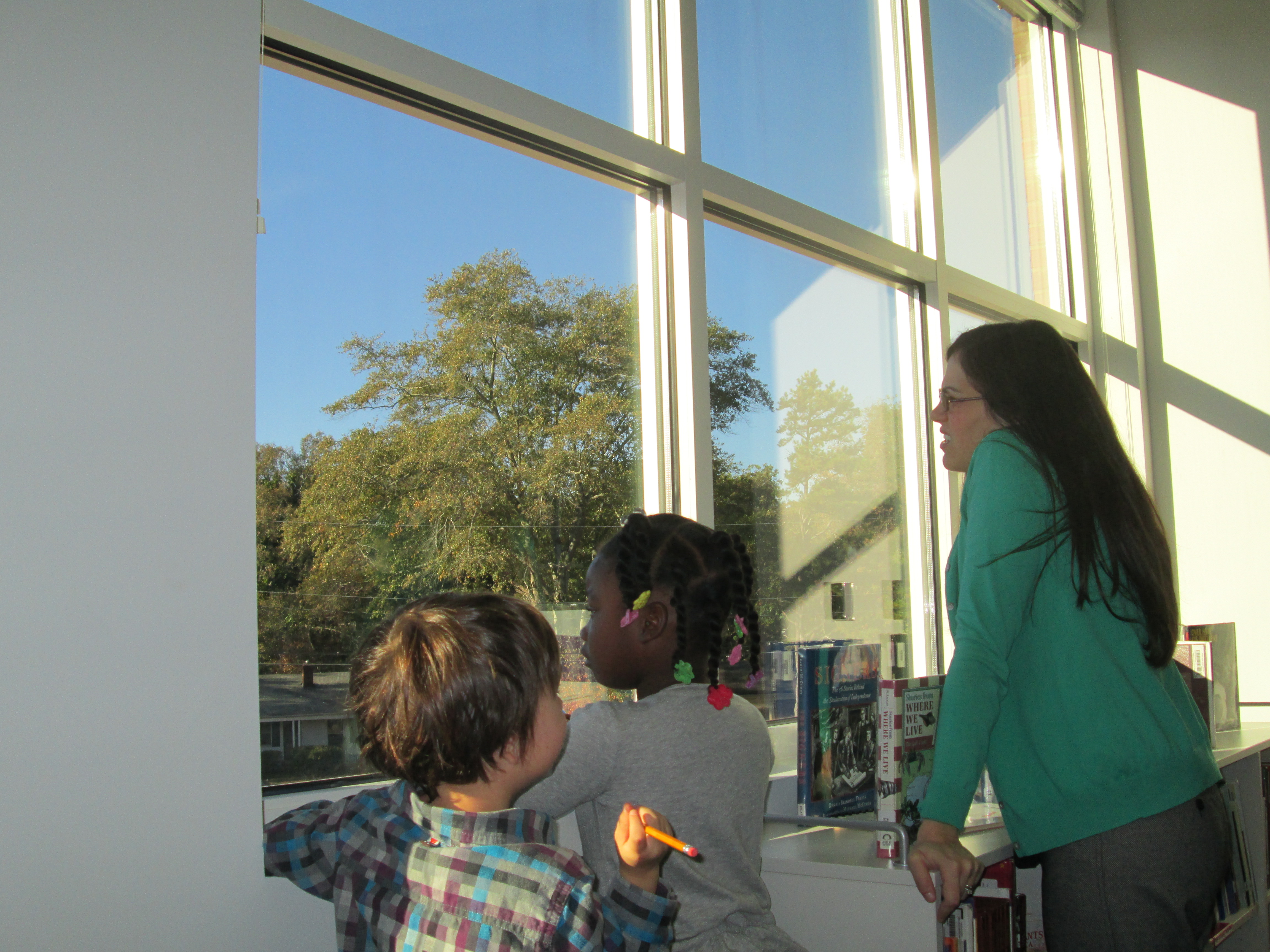
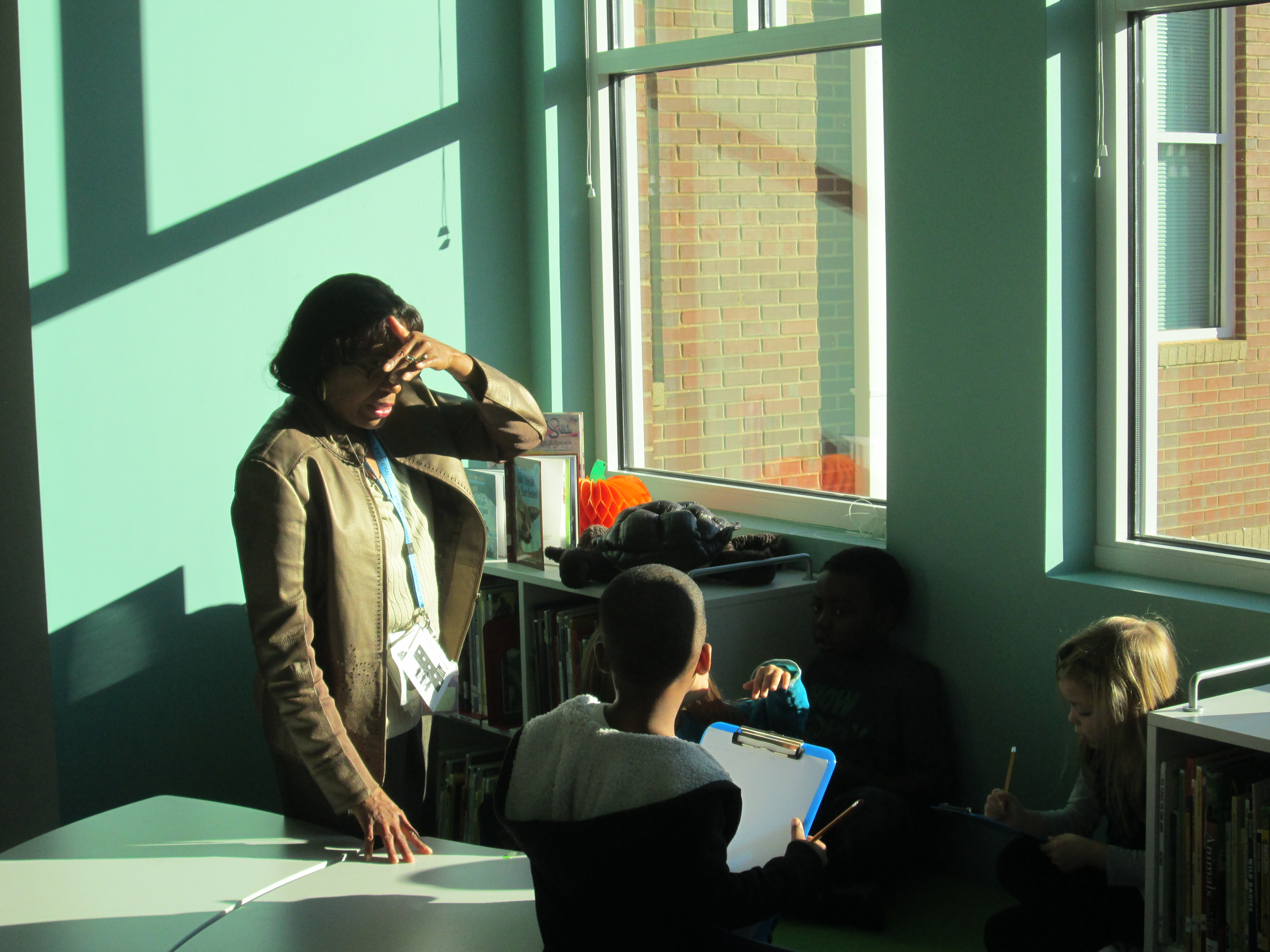
For our 2nd session, I opened up the blinds on our massive library windows and setup observation areas for students. We started our time together on the floor and shared some observations we had already made at recess or at home. We practiced saying aloud what we would write on our clipboards at the windows. Next, the teacher paired the students together, gave them a clipboard with paper and pencil, and I placed groups in front our our windows. The teacher, parapro, and I walked around and talked with kids about what they saw. We encouraged them to write and sketch. We also helped them make connections to the information that we had learned from Pebble Go and our book. For example, the sun was blinding us in the windows on he left side of the media center but on the right side of the media center it was shady. We remembered that the sun is at different positions in the sky throughout the day due to the Earth rotating.
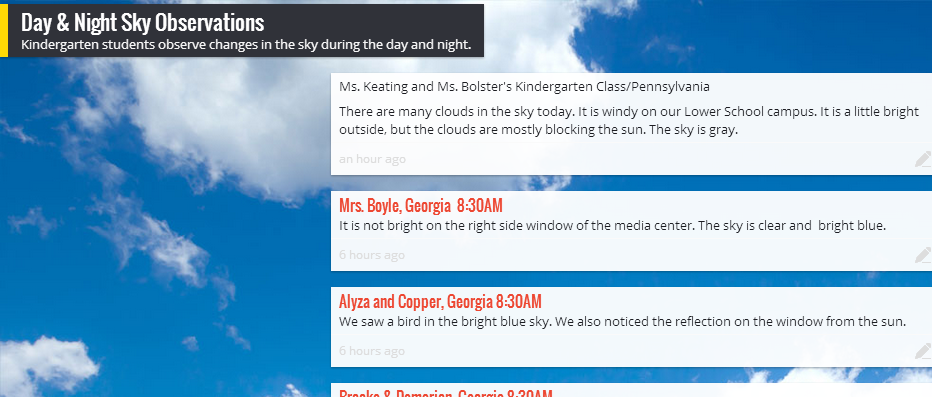
At the end, we split the class in half at our 2 projection areas. Student groups shared what they observed and we used Padlet to capture the observations. I tweeted the link to our padlet and later in the day Margaret Powers, Mrs. Keating, and Mrs. Bolster and their students added to the wall from Pennsylvania. It was interesting to hear about the cloud-filled sky there compared to our cloudless sky in Georgia.
Last year our 2nd grade teachers collaborated with me on a blogging project using KidBlog. Our blog was a way to connect our students with students in Van Meter, Iowa while at the same time showcasing different kinds of writing. This year, the teachers wanted to start blogging much earlier in the year.
Each teacher setup her students on KidBlog by uploading a simple excel spreadsheet with names and passwords. In class, students wrote out their first “post”. This post was very simple. Students have been studying important people from Georgia’s history so each student wrote one sentence about one of these Georgians on an index card. They brought these cards with them to the library to learn about blogging and do their first post.
During our mini lesson, I asked students how many had heard of a blog, and all hands went up. Then, I ask them who could define what a blog is, and almost all hands went down. Our first question of exploration was “What is a blog?” We watched a common craft video on blogging. I paused along the way and asked students what news they might report on as a 2nd graders. They mentioned things like:
what we do in our classroom
math problems that people could solve
what we did on vacation
books that we are reading
and more
Next, I showed them the media center blog. We looked at the map of readers, tags, how posts are from most recent to oldest, and talked about my audience.
Finally, I showed them Kidblog and how they would login to do their posts. I stressed the idea that once you click “publish”, your work is instantly connected with an audience. Students brainstormed what they might need to do before clicking publish. They said things like:
triple check your work
check spelling
revise and edit
read for understanding
ask an adult to check your work
make sure you said things the way you wanted to say them
check that it’s appropriate
Students dispersed to iPads and laptops and began logging in. Adults circulated and helped students as needed, but students also helped one another to find buttons, login, and any other technical questions they had. In about an hour, most students were able to learn about blogs & their purpose, make their first post, and go back to class very eager to write more. The report back from the teachers was that these students are already asking when they will be able to post again.
You can see the beginnings of their work at the following links:

 Back in October, our 3rd graders spent time studying the illustrations of Jerry Pinkney. They paid close attention to how Pinkney told the story through his illustrations in preparation for a field trip to the High Museum of Art in Atlanta to see the exhibit Witness: The Art of Jerry Pinkney. You can read more about that here and here.
 Once the paintings were ready, Mrs. Foretich organized them in the order of the story and gave them to me. Students came in small groups to record the text for each illustration on the iPad. We used iMovie to put all of the clips together.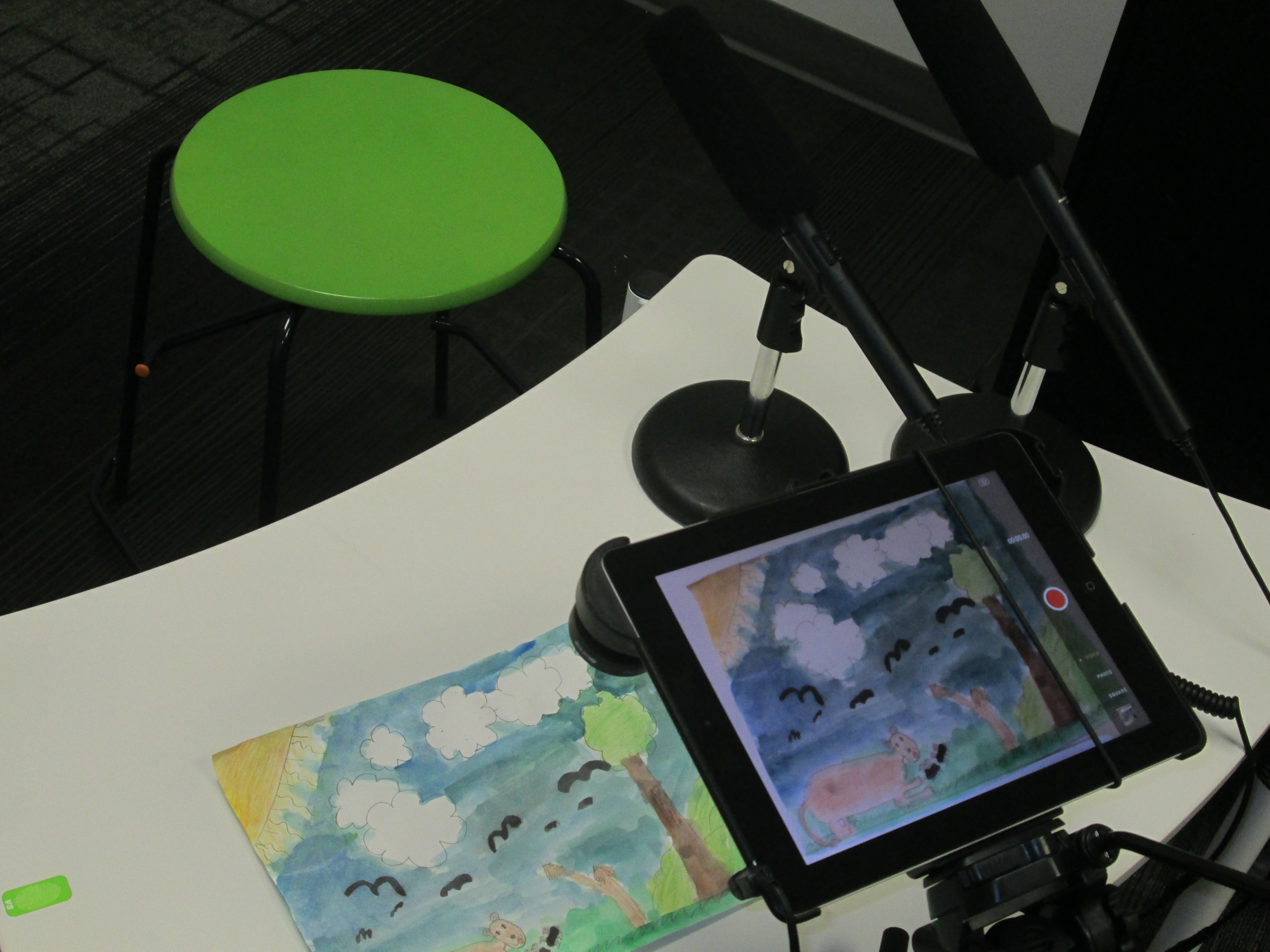














 Expect the Miraculous