Tinkering in Our Open Makerspace

artbot (2)

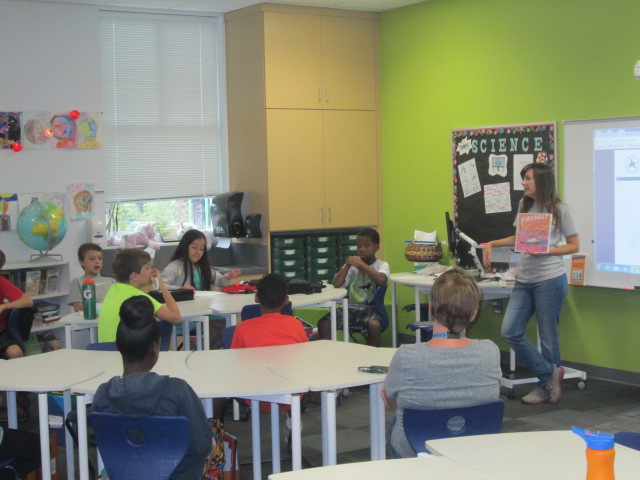
It’s been awhile since I’ve shared what has been going on in our open makerspace time, but there has definitely been a lot.  Through our collaboration with Gretchen Thomas at UGA, we have been able to offer an open time on Tuesdays and Thursdays for students to come and explore various parts of our makerspace.  Students sign up for a 30-minute segment to come and explore a pre-chosen topic.  Last year, we tried just letting students decide what they wanted to do, but we found that most of them were either unsure of what to try or all wanted to try something different and didn’t know how to start.  It was hard to manage and it was hard to accomplish anything in 30 minutes.  This year, we decided that for the first half of the year we would offer 2-3 opportunities at each makerspace session.  One of the experiences is technology-focused and the other is more craft-focused.  Sometimes these experiences compliment one another. For example, students might get to make a figure out of pipe cleaners, clay, or Playdoh as the craft and then use that figure to create a stop motion video with the iPad.
artbot (1)

At each session, 3-4 UGA students come to support students.  They often lead the work while I assist other students in the library or teach classes. However, I also participate in the makerspace and learn alongside the students.  This is a great time for me to see how students are using the tools in a smaller setting.  I can think about management pieces to make the process more accessible to students. I can also reflect on how various tools or activities fit into grade level curriculum.

In today’s makerspace, students created stop motion animation using clay figures. For some of them, it was the second time using stop motion animation, so they had a better understanding of how it worked. They were able to get to a point that they could actually upload a short video that they created in a 30-minute window.  Some of them even worked together to use pieces that they had each created in order to make a collaborative video.

It was a busy time and the UGA students worked so hard to get students creating figures and encouraging them to give the video a try.  I love hearing how the elementary students and college students talk to one another.  They both amaze one another with some of the things they come up with and share.

As usual, voices emerged with artistic talents or technology expertise. One of our students, Anarian, who we learned is an expert at making figures with pipe cleaners is also very talented at making figures out of clay.  There’s so much potential for his work to develop into a stop motion video for any of his content areas.

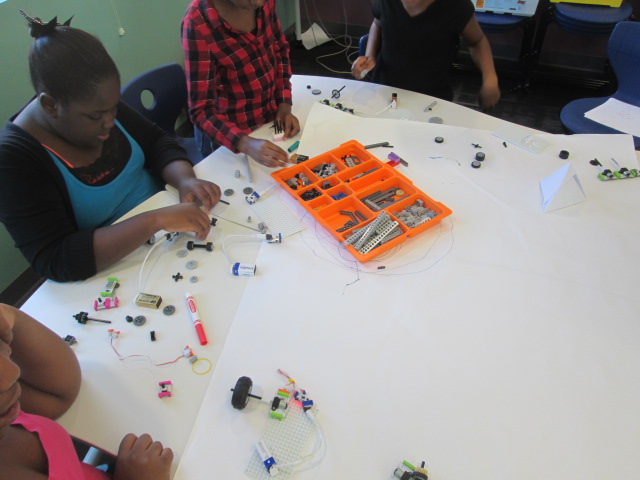
While the UGA students supported the stop motion, I pulled out our Finch robots, which are on loan to us this year from Birdbrain Technologies.  We opened the basic version of Snap, and student tinkered with programming these robots with simple block coding.  We are going to do a lot with these robots this year and open makerspace is a great time for me and the students to learn a few of the basics so that our content work can be more productive.

By the end of the first semester, we hope that many students have gotten a small taste of all of the tools in our makerspace, so that the second half of the year can be spent focusing on how these tools can work together to create something great.  We have no idea where the makerspace will take us, but we know that miraculous things will happen along the way.


Helping Students Own the Space Through Shelf Talkers

Avid Shelf Talker (2)

A few weeks ago Ms. Tesler, a fourth grade teacher, dropped by the library and started talking about a wish for her students to have ways to share the books that they are reading.  I love impromptu brainstorming sessions because I never know where they will lead.  So often, they lead to miraculous things.

Before she left, we had decided to assign her class an area of the library to be their recommendation space.  As a part of their leadership in the school, they would find ways to share with others about the books that they were reading.  We didn’t want to decide too much for them, so we just got some initial ideas to begin sharing with the class.

We held a book tasting where students started selecting books for independent reading and we planted the seed that students would have an area in the library to share their book recommendations.  During that session, the students and I talked about ideas such as a digital display using Flipgrid to share book talks.  We talked about space to create art projects to spark interest in a book.  We also briefly talked about shelf talkers.  At the time, we just talked about putting “signs” on the shelf to tell about the book, but I knew that students were really talking about shelf talkers.

Avid Shelf Talker (6)

I immediately thought of Avid Bookshop and the wonderful shelf talkers that their book sellers put on the shelves of the shop to connect readers with books, so I emailed Janet Geddis at Avid to see about the possibility of Skyping into the shop to see the shelf talkers, hear a few, and get some tips on writing them.

Avid Shelf Talker (7)

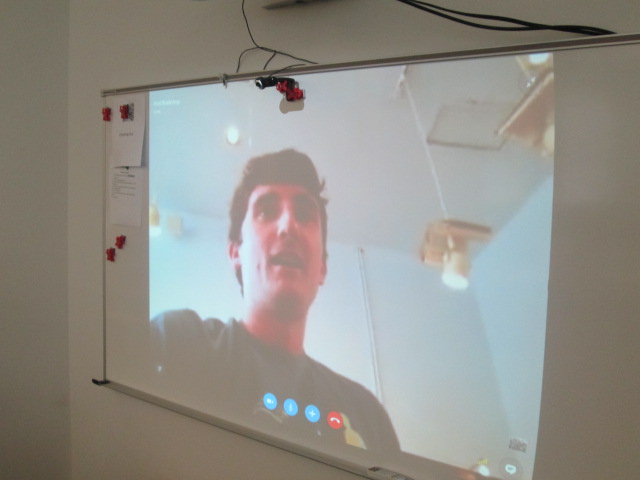
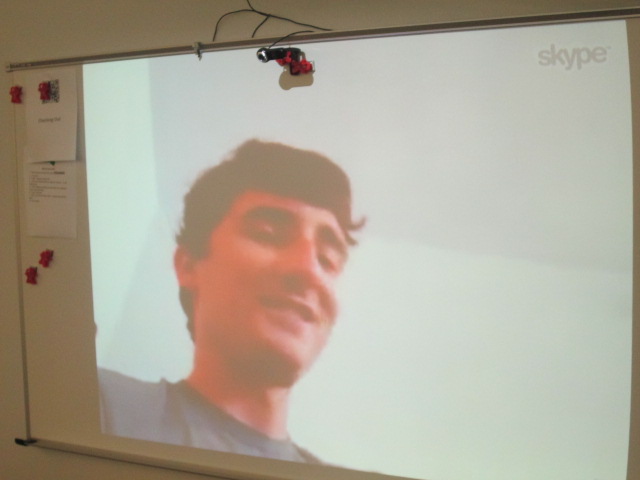
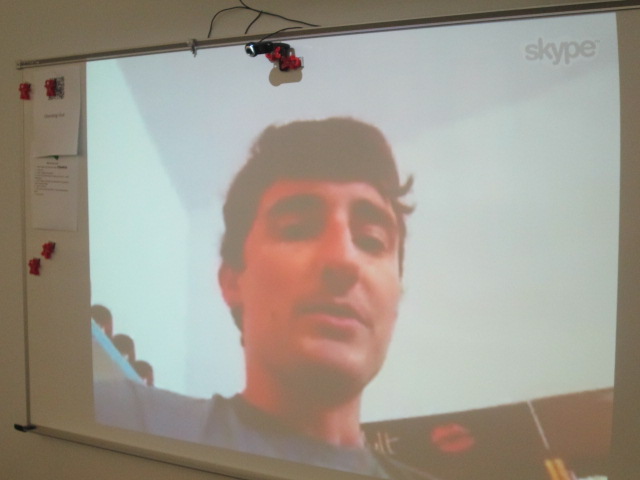
Will Walton, bookseller and author extraordinaire, agreed to Skype with us.  Students came to the library and we connected with Will.  He walked us around the shop to actually see the shelf talkers on the shelves.  The first one he showed us was for Anne of Green Gables.  He pointed out that the text was written in green to go along with the book. We saw that the handwriting was inviting and legible and the shelf talker gave a lot of description about the book.

Avid Shelf Talker (3)

Will pointed out to us that it’s important to include the title and author on the shelf talker because sometimes the books get moved down the shelf or even the shelf talker gets moved.  Having the title an author helps customers still learn about the book even if it gets moved.  We connected this to the idea that books in our library will most likely get checked out, but the shelf talker will remain to inform readers about a book they might consider in the future.

Avid Shelf Talker (1)

I also loved that Will pointed out the language that was used in the shelf talker.  He specifically said that they don’t say that a book would be good for boys or girls.  Instead, they connect the book to the kinds of things readers might enjoy reading about.  For example, this book would be a good choice for middle grade readers who like magic and horses.

Will was sure to show us many shelf talker and how each was in the handwriting of the person who created it.  They were fun, inviting, and even had personal touches like sketches.

I loved that Avid customers were just as interested in what was going on during our Skype with Will.

Students also got to meet Janet, bookshop owner, as well as hear the names of several other booksellers at the store.

Before students disconnected, they shared some things they were taking away from Will’s Skype.  After we disconnected, students continued to talk and even started talking about the book they wanted to write a shelf talker for.

We are already planning a time for them to return and create the shelf talkers and begin constructing their space in the library to be leaders in our school for recommending books for others.

I hope many of these students will visit Avid and see the shelf talkers in person and continue to ask Will and Janet questions about the shop. Some of them were asking how close it was to the school, so I know there is curiosity brewing. I’m so thankful to have a bookshop in our community that reaches out and supports our schools.

Remembering September 11th and Moving Forward

September 11 (56)

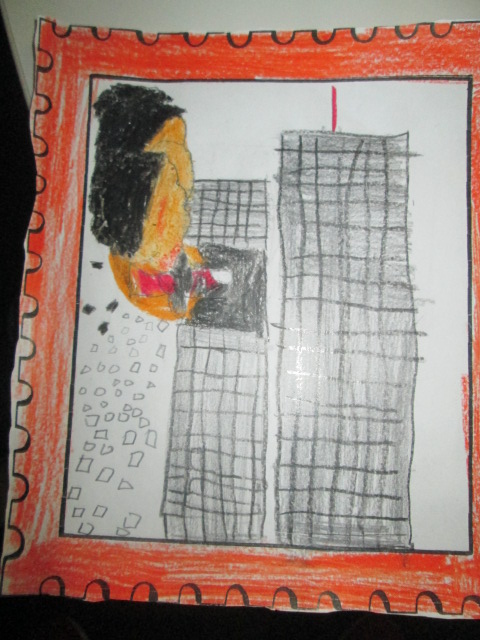
Each year, our 5th graders learn about September 11th as a part of their social studies standards.  They have to know about the events of the day as well as how that act of terrorism has impacted our lives today.  It’s a scary topic for an elementary student who has no memories of this event.  For them, it’s really just a part of history that doesn’t resonate in the same way as it does for adults.  That doesn’t mean that we can’t explore this tough subject.

We look at the day from multiple angles and see what we can discover about terrorism but also the heroism of the day.  We’ve used this tragedy to think about how we respond to sadness, how we memorialize those who mean so much to us, and how we create good in the world.

We spread our learning across an entire day.  Each teacher leads a different part of the day and students rotate through several experiences.

With me, students use a Symbaloo to explore online content.  I love Symbaloo because I can group the links together in a meaningful way.  I split the links into 4 areas: looking back & reflecting, the events of the day, rebuilding, and remembering.  When students came in, I used our Flipgrid responses from last year to talk about how we have to rely on people’s memories and what has been left behind in order to learn about and learn from history.

Last year’s Flipgrid

We also talked about how different the documentation of 9/11 would be if it happened today.  It happened at a time when smart phones, instagram, Twitter, and Facebook didn’t exist.  We also talked about our comfort level with tragedy.  I labeled several of the links “graphic” so that students could decide if they really wanted to click on that area.  Students could stop at any point and take a break in the hallway or with the counselor.

Our 9/11 pathfinder

At the close of my session, students had a chance to talk about what they heard and saw.

With Ms. Mullins, students looked at the first responders of 9/11, including the rescue dogs.  They used the information they learned to write haikus in response to the heroism.

With Ms. Selleck, students read 14 Cows for America and talked about how other countries responded to our tragedy.  We saw September 11 as a time when other countries felt our pain and reached out to help us.  Students responded by creating artwork to symbolize a response to tragedy.

With Ms. Olin, students read Fireboat and talked about how everyone pulled together on September 11 to help one another regardless of jobs or beliefs.  We were all Americans.

September 11 (4)

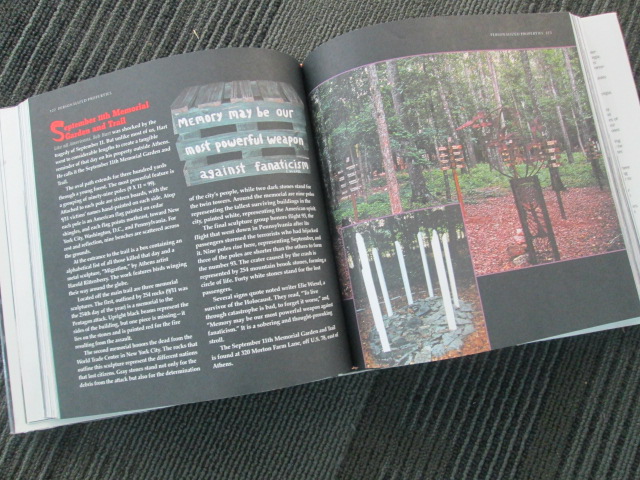
After lunch, we had a guest speaker.  Bob Hart has created a 9/11 memorial trail right here in Athens, and he came to tell the students about how he got the idea, what each part of the trail represents, and answer questions from the students

Bob Hart’s 9/11 Memorial Trail in Athens, GA

This was a new piece to our 9/11 remembrance day and it was powerful.  Bob had so many touching tributes to the victims, and each part of  his memorial was thoughtful and created with love and respect.  His trail is open to the public, so I’m sure many students will want to visit.

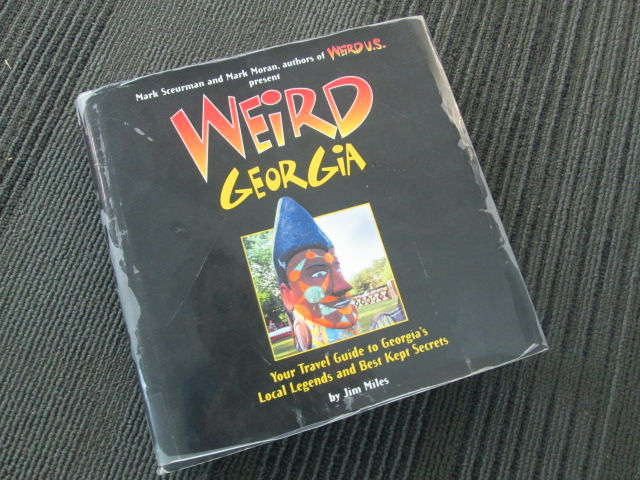
We even found out that his trail is featured in a Weird Georgia book which we have in the library!

September 11 (61) September 11 (60)

At the close of our day, students used Flipgrid to record their haikus, artwork, and reflections.  Three volunteers came in to help me facilitate the recording so that students had a quiet space.  You simply have to listen to their voices!

Students shared art, poetry, and reflections about 9/11 on a Flipgrid

While this day is tragic, it is a day that I cherish each year because our kids take so much away from the day about heroism, response to tragedy, and the pride of being an American.

Let’s Make Our Mark and See Where It Goes for Dot Day 2015

How do you and your students want to make your mark on the world this school year?  International Dot Day, which is September 15ish, is the perfect time to make connections with other schools, spark creativity and collaboration, and see where it takes you for the rest of the year.  Whether you’ve celebrated Dot Day from its beginnings or you are just getting started, we invite you to get creative with your students and share that creativity with the world.

hocking mural (3)

From the official page:
International Dot Day, a global celebration of creativity, courage and collaboration, began when teacher Terry Shay introduced his classroom to Peter H. Reynolds’ book The Dot on September 15, 2009.The Dot is the story of a caring teacher who dares a doubting student to trust in her own abilities by being brave enough to “make her mark”. What begins with a small dot on a piece of paper becomes a breakthrough in confidence and courage, igniting a journey of self-discovery and sharing, which has gone on to inspire countless children and adults around the globe.”

There’s no “right” way to celebrate Dot Day.  In fact, every year people around the globe come up with new and creative ways to make dots and connect with others.  That’s the magic of this special day.

colAR (3)

What happens during a Dot Day connection?
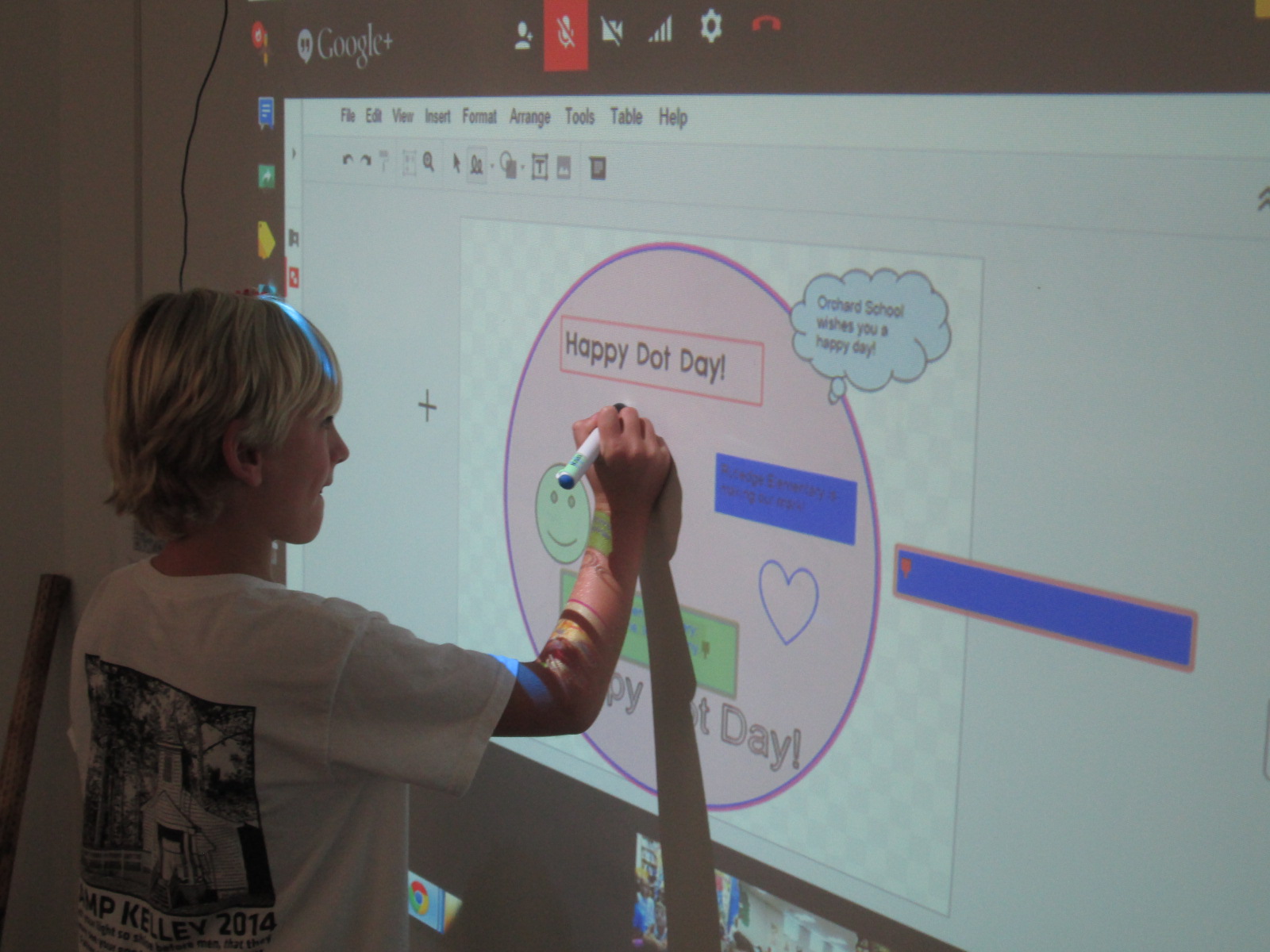
Often, we start by reading The Dot by Peter Reynolds or other dot-inspired books such as Press Here by Herve Tullet.  This is done via Skype or Google Hangouts with a connecting class. We begin to connect the dots with one another by learning a bit about one another.  Sometimes we create something together.  For example, last year students in Barrow Elementary made collaborative digital dots with connecting schools via Google Drawing.

Dot Day (37)

If you need some ideas to get started, consider taking a look at Matthew Winner’s past lessons or check out what others have posted in the Dot Day gallery.

Shannon Miller and John Schu’s Dot Day video is always an inspiration.

Also, check out the Celebridots page for dots created by some of your favorite authors and illustrators.

Many times connecting schools send some of their creations to one another through traditional mail.

How to get started

  1. Register your school on the official Dot Day page.  You’ll be added to the global map as well as gain access to the educator guide which is packed with information
  2.  Visit our shared Google Doc to start making connections with other schools.  We plan to make connections during the whole week of September 14-18.  Simply post your schedule, ideas, and contact information. Then, browse the doc for other schedules that match yours.  Skype in the Classroom is also a great place to make connections.
  3.  Start collaborating with your connecting schools and get ready to make your mark with your students.

Part of making your mark on the world is getting your students’ voices and creations out into the world.  As you connect, share your creations on Twitter using #DotDay and #Makeyourmark  Consider creating a blog post to show your students’ work to the world.

Now, make your mark and see where it takes you.

tinyurl.com/dotday15

Mo Willems Seriously Silly Exhibit at the High Museum of Art: Let the Planning Begin

Now through January 10, 2016 you can see an incredible exhibit of artwork by Mo Willems at the High Museum in Atlanta, GA.  As soon as I saw that the exhibit was coming last spring, I shared it with our art teacher, Rita Foretich.  We immediately began talking about a collaborative project and field trip.  She applied for a grant and both of us began thinking about which grade we might target and which standards we could weave in.

On July 11, the High offered an educators day which allowed educators and one guest to get into the museum for free.  This was a perfect time for me to see the exhibit without 100 elementary students and also to start thinking more about our project.  Thank goodness my wife went along so that I could take a moment to see the exhibit without chasing a 3 and 5 year old around.

As soon as we arrived in the parking deck at the High, we began seeing the Pigeon.  He was even in the elevator to the ground level.

And on the revolving doors at the entrance.

Before you even get to the main exhibit, there are some teasers along the way and some great photo opportunities.

You really have to keep your eyes open because there are characters and illustrations hiding everywhere.  Even this aspect could be woven into a field trip.  The museum provides its own scavenger hunt, but I think it would be fun for kids to write down all of the characters that they find along the way or count the number of pigeons they find and write down the locations that they found them in.  Of course, to recognize all of the characters, the kids would need to read all of Mo’s stand alone books and at least one of each of the series books.

The actual exhibit is grouped by series as well as stand alone books.

I loved the wall of ice ream where the Elephant and Piggie illustrations are found.  There’s even a pigeon hiding on this wall just like the end papers of the books.

One of the things that I immediately noticed was the pairs of illustrations that showed a sketch by Mo Willems followed by the final drawing before color was added.  This would be a great process to replicate with students in our project by having them create first, second, ….drafts of their art before drawing the final art.

I also noticed the illustrations from Knuffle Bunny.  The drawings were done without the digital photographs.  I could see this being incorporated into a project on mixed media and layering drawing and digital photographs together.  Having this image to show students can give them an idea of how to imagine the digital photograph in their illustration before adding it.

Of course, the thing that I love most about Mo Willems is how simple his artwork is without being oversimplified.  In Elephant and Piggie, for example, there is very little on the page other than speech bubbles and the characters.  However, each line drawn around the characters, each raised eyebrow, upward looking eye, outstretched arm, etc gives life to the character and reveals the thoughts, emotions, and actions of the characters.  To me, there is great potential in a project around this aspect of Mo Willems.  I could see us studying his artwork very carefully for all of the subtle details that allow us to know a character’s emotions and actions and implement those same ideas into our own characters, stories, or new versions of Mo’s stories.  The exhibit is filled with numerous illustrations to show these details up close.

The exhibit continues in the Greene Family Learning Gallery where you can learn the steps to draw the Pigeon as well as practice drawing him with different emotions.  I snapped a picture of the directions because I plan to incorporate this into either a center in the library or a lesson in our project.

In the learning gallery as well as the exhibit, you can pick up a scavenger hunt to do while you are in the exhibit, but this scavenger hunt could also be used as a way to look closely at the whole body of Mo’s work.

I loved that the gallery included a bus driven by the Pigeon so that you could take a fun picture like this one.

As soon as we get back to school, I’m going to debrief my experience with the art teacher.  We’ll start looking at our own standards as well as the standards of other grade levels and narrow down to which grades, what project, and which standards we will weave together.

Collaborating brings together the expertise of everyone involved.  I love that I can bring my knowledge and observations as a reader and pair it with the art teacher’s expertise in art terminology and technique.  When we put that together with the interests of the kids and the expertise of the grade level teachers, we have a crowdsourced project that is fun, enriching, authentic, supported, and driven.  I can’t wait to see where this project goes this year.

Think about who you could collaborate within your school.  If you’ve never done a project with the art teacher, I recommend it.  I love that a project can flow from the library to the art room to the classroom and back.  Even if you don’t have a big museum exhibit like this near your school, there are endless possibilities when educators work together with students.

Keeping Project Momentum When the Schedule Gets in the Way: One Use of Google Hangouts

Barrow Peace Prize Criteria   Google Docs

Our 2nd grade is deep into their project on six people from Black History.  Most classes are finishing up their research for our Barrow Peace Prize Flipgrid project.  Before students begin the writing process, we want them to understand what the Nobel Peace Prize is and consider the character traits that someone might have who receives this award.  Every class needs the exact same lesson, but they need the lesson before students can really move forward with their writing.  Sometimes the library schedule can get in the way of these kinds of projects.  I don’t want the library schedule to cause a project to be delayed simply because we can’t fit everyone into 30 minute slots across a day or two.  This is the perfect time to use technology to maximize our time.

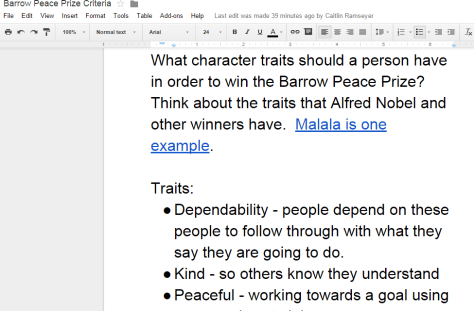
For the 2nd time, I did a Google hangout with an entire grade level in order to save time.  Before the hangout, I setup a Google Hangout on Air and sent the participation link to all of the teachers via email.  I also created a Google doc where we could do some brainstorming and invited all four of the 2nd grade teachers to be collaborators.  I made sure that the link to the doc was “view only” for anyone else with the link.

Before the hangout started, I opened the hangout, turned on my cam, and muted my microphone.  As the four classes joined, I could easily hear if their microphone and video was working or not.  Then, I could use the control room tool to mute each teacher’s microphone while we waited on all classes to join.  Periodically, I came back on the microphone to update the classes who were waiting and remind teachers to open our shared Google doc.

The purpose of the hangout was to help 2nd graders get familiar with Alfred Nobel and the Nobel Peace Prize as well as to develop a list of characteristics for our own Barrow Peace Prize.  After a quick intro, I read the book Alfred Nobel: The Man Behind the Peace Prize by Kathy-jo Wargin and illustrated by Zachary Pullen.  Then, I told the students just a bit about Malala Yousafzai, the youngest winner of the Nobel Peace Prize.  We watched just the beginning of a CNN video of her acceptance.

Then, I invited each class to look a the shared Google doc and brainstorm the qualities that we hoped would represent the Barrow Peace Prize.  I muted all microphones while classes discussed and added to the doc.  While that was happening, I shared the viewable link to the doc on Twitter so that an audience could watch the list be constructed.

We immediately had multiple viewers of our work in progress.

Each class had an opportunity to step the microphone and share just a bit of what they discussed.  I was in charge of calling on each classroom and muting and unmuting each teacher’s microphone.

Finally, I closed by reminding students to use their research as well as the character trait list when writing their piece about their person from Black History.

What would have taken 3-4 hours on the library calendar took only 30 minutes and now the 2nd grade can move forward with the writing process.  I want to check in with the 2nd grade teachers to see how things felt on the other side of the camera, but from my side, this seemed like a great model for whole grade lessons that lend themselves to a hangout.  I certainly wouldn’t want all lessons to be like this one, but this format felt right for this situation.