We love Dot Day at our school. We connect with classrooms around the country across the whole week. Our students love reading stories and creating dots in creative ways.
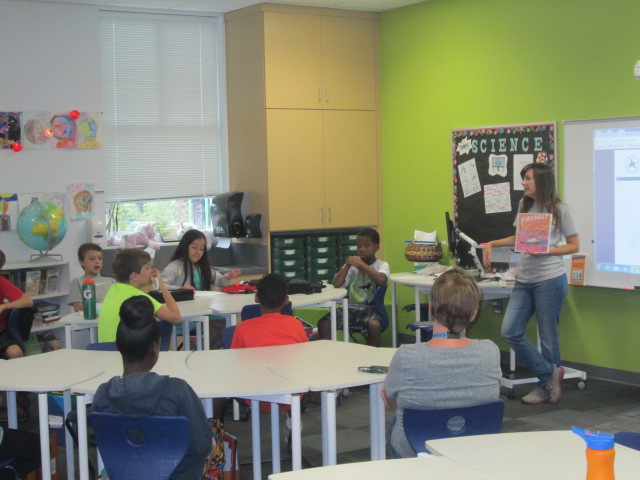
This year, our 5th graders are studying cells in science at about the same time as Dot Day, so we decided to connect the two. Each class came to the library and we spent some time talking about “making our mark” and what that really means. We gave examples of students who are already making their mark this school year. I tried to emphasize that a big part of this is trying new things and just seeing where it goes. We never know when we try something new if it is going to lead us to something awesome.
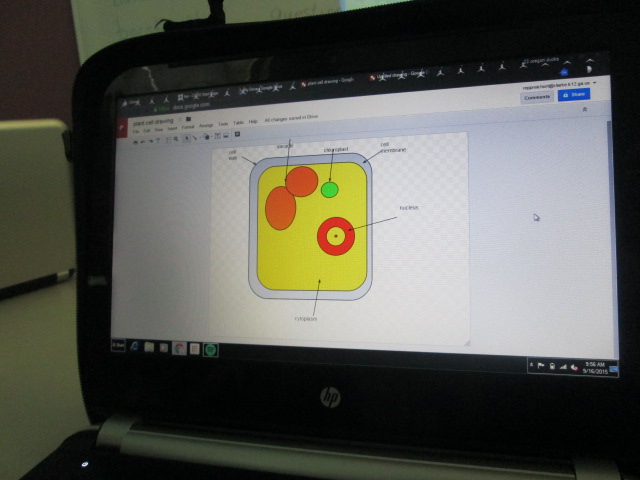
After this quick mini-lesson, students had a chance to tinker with Google Drawing. I showed them where it was within Google Drive, but really gave no instruction on how to use it. They had about 15-20 minutes just to click on everything they could find and see what it did. Some students found a groove and actually created something they were excited about while others gave themselves permission not to worry about what the page looked like and just get messy clicking buttons.
During the tinkering time, there was a group of students who suddenly started using Google Drawing to make their own emoji. When I started asking them about their work, they were a bit shy at first because they thought they were in trouble. However, I told them that new emoji are being created all the time, and they never know when their ideas and creations might lead to the next emoji on our phones. They were eager to carry on with their work. I saw other students designing their own jewelry and another creating a building design.
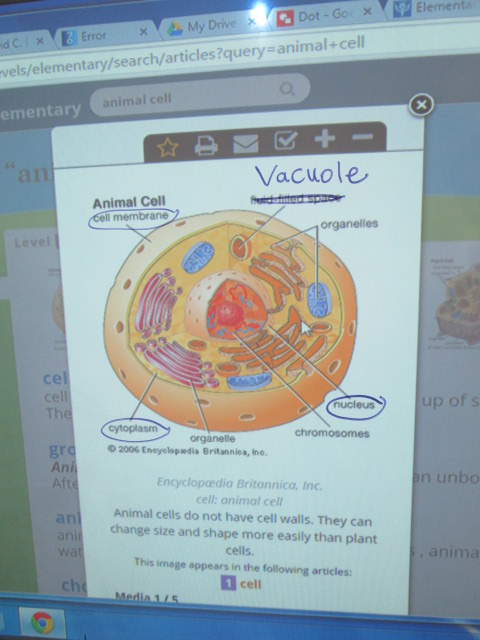
Mrs. Freeman, the reading teacher, and I transitioned students from tinkering into using Google Drawing to make a cell for Dot Day. We pulled up some examples of animal and plant cells and then students referenced those as they drew and labeled their cells.
One of the things I loved was walking around and seeing how unique each student made his/her cell. One student talked about how the organelles looked like bacon so he actually imported a picture of bacon into his cell drawing. Awesome!
As we neared the end of our time, we took a moment to highlight various student work. It was selected for many reasons, not just because it had all of the parts of a cell labeled.
We closed by once again revisiting the idea that by trying a new tool, we are opening up possibilities for future projects and creations that might lead us to making our mark on the world in some fantastic way.
Each year, our 5th graders learn about September 11th as a part of their social studies standards. They have to know about the events of the day as well as how that act of terrorism has impacted our lives today. It’s a scary topic for an elementary student who has no memories of this event. For them, it’s really just a part of history that doesn’t resonate in the same way as it does for adults. That doesn’t mean that we can’t explore this tough subject.
We look at the day from multiple angles and see what we can discover about terrorism but also the heroism of the day. We’ve used this tragedy to think about how we respond to sadness, how we memorialize those who mean so much to us, and how we create good in the world.
We spread our learning across an entire day. Each teacher leads a different part of the day and students rotate through several experiences.
With me, students use a Symbaloo to explore online content. I love Symbaloo because I can group the links together in a meaningful way. I split the links into 4 areas: looking back & reflecting, the events of the day, rebuilding, and remembering. When students came in, I used our Flipgrid responses from last year to talk about how we have to rely on people’s memories and what has been left behind in order to learn about and learn from history.
Last year’s Flipgrid
We also talked about how different the documentation of 9/11 would be if it happened today. It happened at a time when smart phones, instagram, Twitter, and Facebook didn’t exist. We also talked about our comfort level with tragedy. I labeled several of the links “graphic” so that students could decide if they really wanted to click on that area. Students could stop at any point and take a break in the hallway or with the counselor.
Our 9/11 pathfinder
At the close of my session, students had a chance to talk about what they heard and saw.
With Ms. Mullins, students looked at the first responders of 9/11, including the rescue dogs. They used the information they learned to write haikus in response to the heroism.
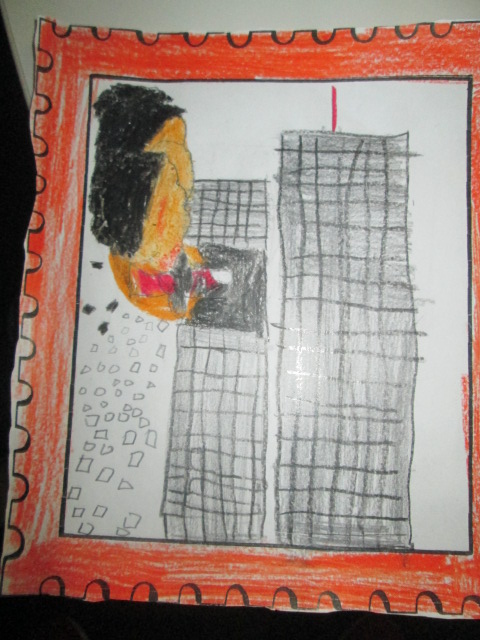
With Ms. Selleck, students read 14 Cows for America and talked about how other countries responded to our tragedy. We saw September 11 as a time when other countries felt our pain and reached out to help us. Students responded by creating artwork to symbolize a response to tragedy.
With Ms. Olin, students read Fireboat and talked about how everyone pulled together on September 11 to help one another regardless of jobs or beliefs. We were all Americans.
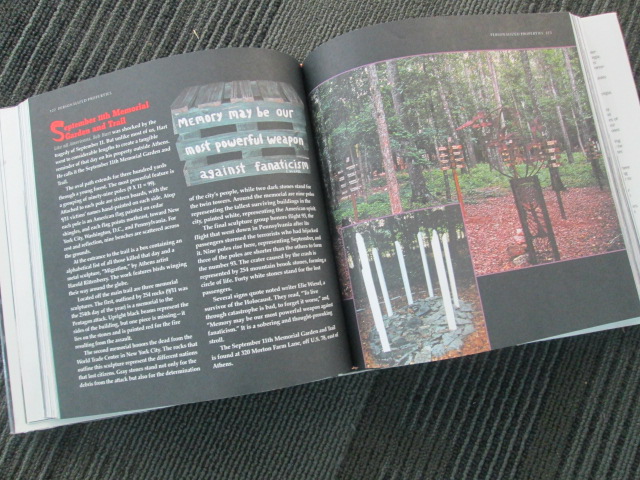
After lunch, we had a guest speaker. Bob Hart has created a 9/11 memorial trail right here in Athens, and he came to tell the students about how he got the idea, what each part of the trail represents, and answer questions from the students
Bob Hart’s 9/11 Memorial Trail in Athens, GA
This was a new piece to our 9/11 remembrance day and it was powerful. Bob had so many touching tributes to the victims, and each part of his memorial was thoughtful and created with love and respect. His trail is open to the public, so I’m sure many students will want to visit.
At the close of our day, students used Flipgrid to record their haikus, artwork, and reflections. Three volunteers came in to help me facilitate the recording so that students had a quiet space. You simply have to listen to their voices!
Students shared art, poetry, and reflections about 9/11 on a Flipgrid
While this day is tragic, it is a day that I cherish each year because our kids take so much away from the day about heroism, response to tragedy, and the pride of being an American.
I’ve been doing a lot of work with teachers and students over the past couple of weeks focused on the IPICK strategy. One of the big pieces of this strategy is “interest”. The idea is that if we read things we are interested in then we are more likely to enjoy the books we read. But…what if you don’t know your interests?
In each class I’ve taught, there has been a handful of students that no matter what you ask, what you suggest, or what stories you try to pull out they cannot name a single thing that they like. This is frustrating, but rather than throw my hands up, it has made me very curious. Why are these kids just shrugging their shoulders when you ask them what they like? What can I do (we do as a school) to support all students in exploring their interests?
Ms. Spurgeon, a 4th/5th grade teacher, came to me with this exact same noticing. She had asked students to do an “All About Me” assignment, but when it came to interests, several students came up empty handed. She wants us to do a project together this year using student interests, but we can’t start because we don’t know their interests. We decided to try another route.
We were trying to decide what kind of text would immerse students in a variety of topics while still being very accessible to a range of reading levels. I’m not really sure how we decided it, but we decided to try magazines. I don’t really subscribe to magazines any more in the library, but we have all of the Ranger Rick, Zoobooks, Sports Illustrated, etc that we’ve subscribed to through the years. I pulled out the boxes and put them all over the tables. We did a very quick overview of how we really want to think about our interests and one way we do that is by trying as many things as we can. Ms. Spurgeon talked about some foods she had tried like zebra and how she would never have known how much she liked the taste if she hadn’t tried it. We modeled what “trying” a magazine looked like. We were very specific to not read every page and were honest how we as adults often just flip through a magazine and pick out the pieces we want to read. I loved this because I saw students perk up. Knowing that they didn’t have to read the entire magazine was an invitation. They dove in and started exploring. They oohed and ahhed over so many pictures they saw, and Ms. Spurgeon and I had casual conversation with them about what they saw.
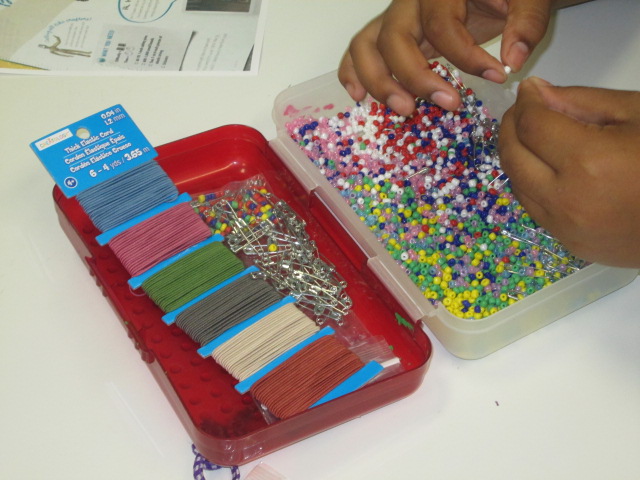
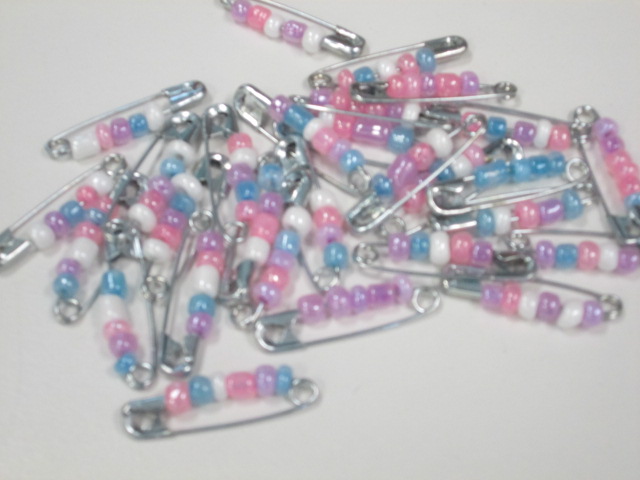
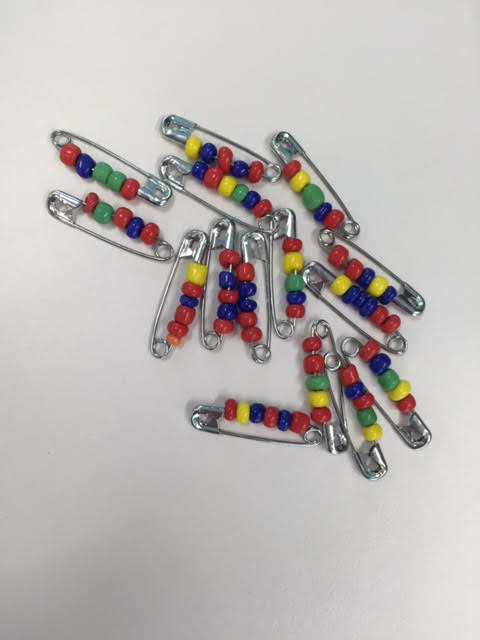
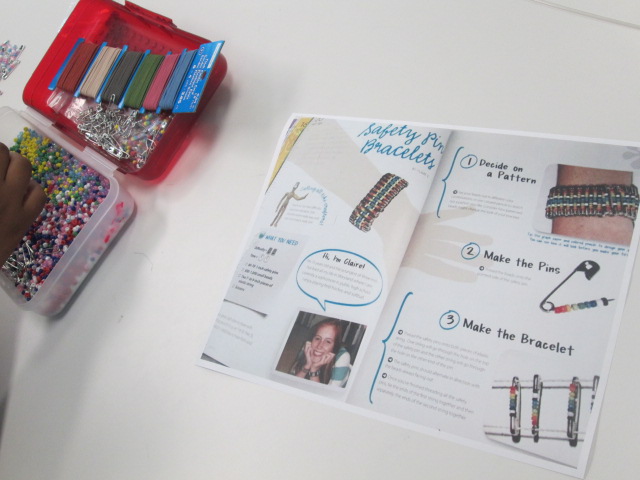
One moment stood out to me. Carlos and Carlena were looking at Kiki magazine together. This magazine features a lot of fashion and crafts. They discovered a page with a great 80’s style craft involving beads and safety pins. The safety pins were put together on elastic string to create a bracelet. They were glowing with excitement, so I told them I would take a picture of the page and send it to Gretchen Thomas at UGA to see if we could incorporate it into makerspace.
They looked a little shocked at first like, “You mean we could actually make this?” Then, right after school I got an email from Carlos asking if I could email him the picture of the instructions.
It was that moment that told me I couldn’t let this momentum go. This was a chance to empower individual students to explore a genuine interest. Who cares if it was “just a craft”? It was something they were suddenly passionate about when they had moments before been shrugging their shoulders. That weekend, I went out and bought supplies, and I emailed them both first thing Monday morning.
I wasn’t surprised at all when I saw both of them walk in during their recess to get started on their project.
They came in for 3 days in a row during recess and didn’t even want to stop for lunch.
As they’ve worked, I ‘ve shared their process via Twitter. They have watched me documenting the process along the way, and I’ve told them that they are trying something out that they might teach to others or inspire other makerspace projects.
One day while we were working, Gretchen Thomas at UGA tweeted a picture of pins that her students had made. When I showed it to Carlos and Carlena, they both smiled and said, “They’re doing that because of us?”
Another opportunity started to emerge because I saw how seeing the impact that they could have outside of our school walls was a motivator for them. Next week for Dot Day, we are connecting with Sherry Gick and her 2nd grade class. I asked Carlena and Carlos if they would share with this class how they are making their mark by being the first to try a craft in our makerspace and how they hope to pass on what they’ve learned along the way. Without even blinking, they said yes.
I have no idea where this is going to go, but I feel like I’ve tapped into something that I can’t let go. I have to keep asking myself, my students, and our teachers how we can continue to explore interests, seek out individual passions, and amplify student voices beyond the walls of our school. All of our students deserve to explore so many things to figure out what they are truly interested in.
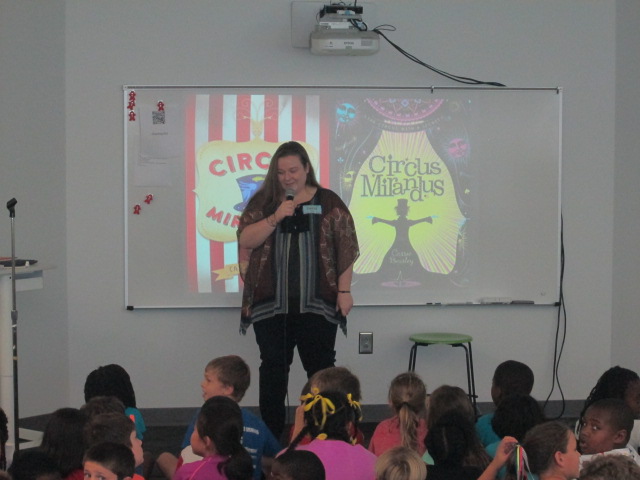
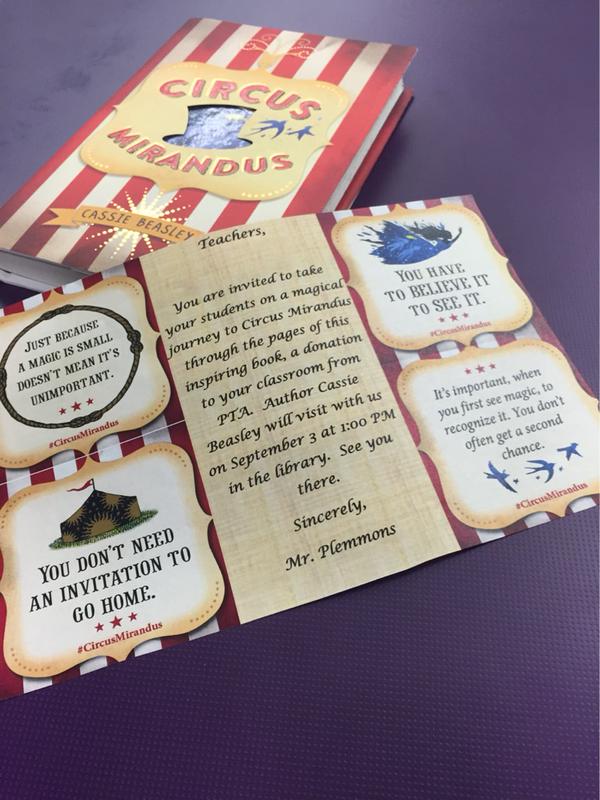
The magical day finally arrived. After 3 weeks of school, lots of circus photo booth pictures, invented tickets to Circus Mirandus, and many pages read, Cassie Beasley came to our school! The students have been buzzing with energy all week long. They’ve repeatedly asked, “Is today the day that she’s coming?”
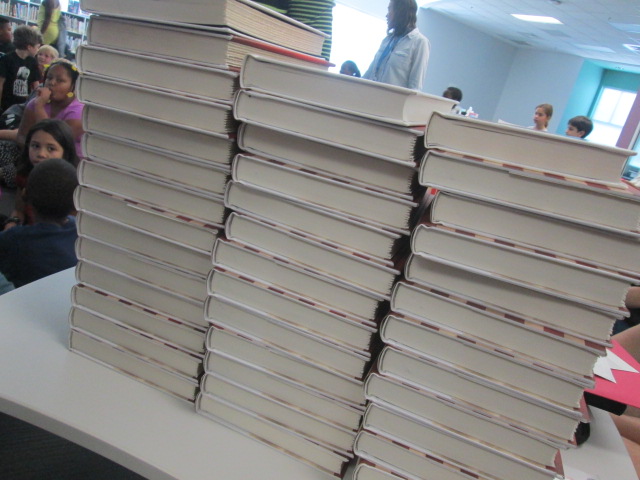
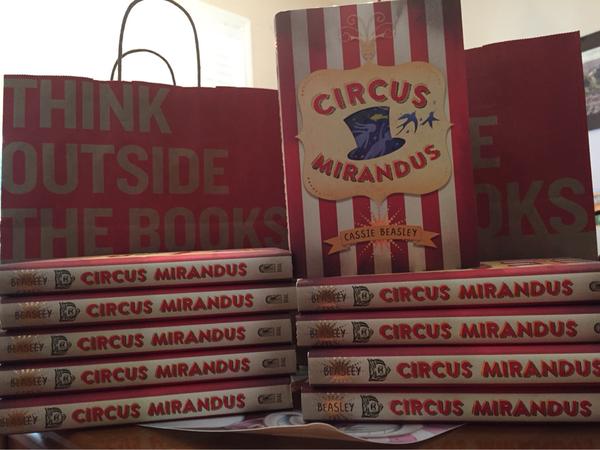
Thanks to our PTA every 3rd-5th grade classroom got a copy of Circus Mirandus and 20 additional copies were given away to students who added their name to our raffle by taking a picture or making a Circus Mirandus ticket. I announced all of the winners on our morning broadcast.
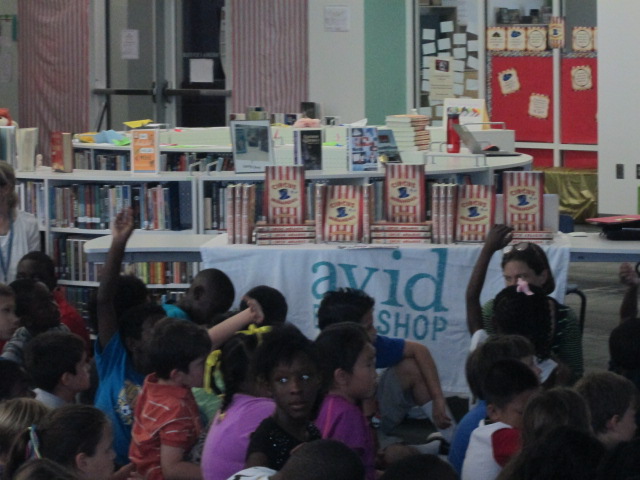
Hannah and Will from Avid Bookshop arrived early and helped setup all of the books for autographing. We worked together to place post its in all of the books to make the signing smooth.
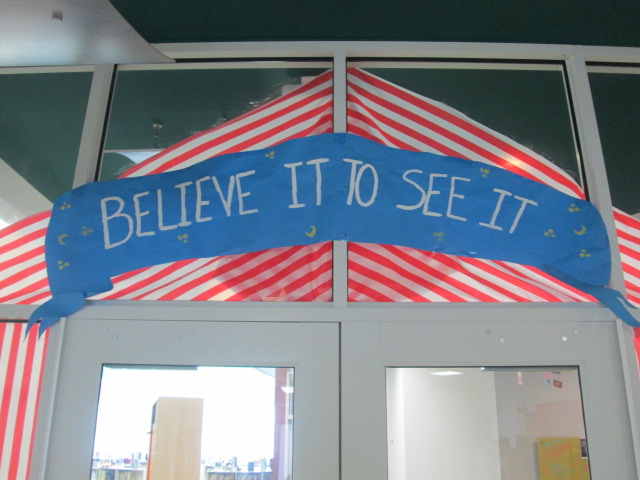
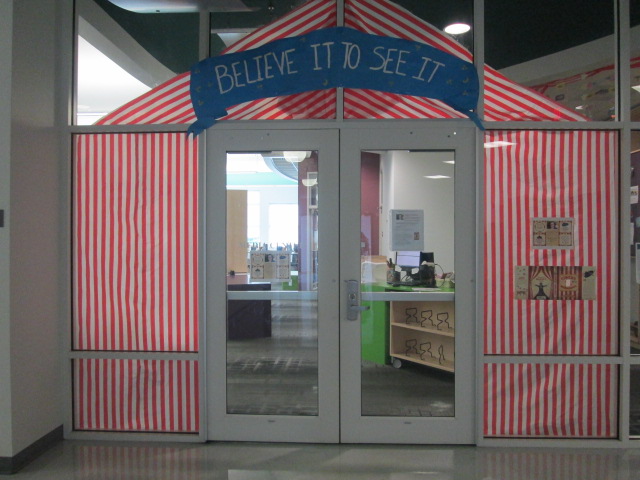
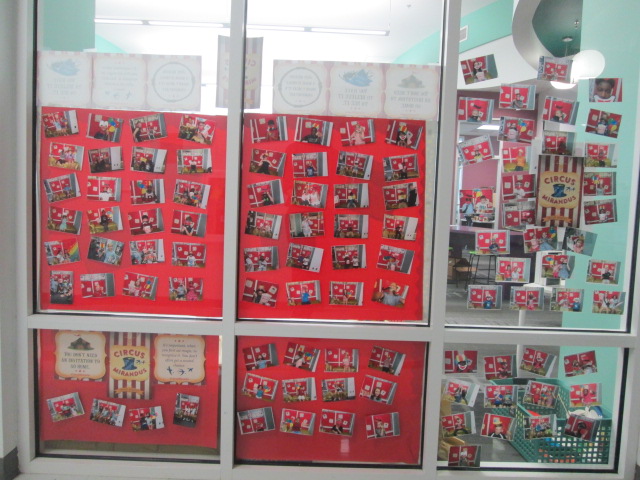
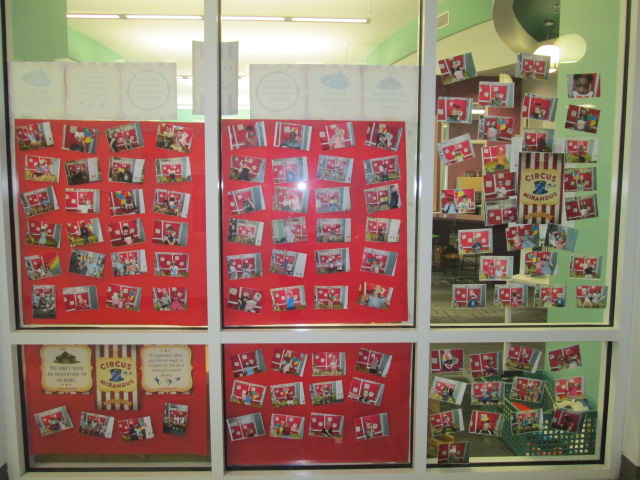
When Cassie arrived, it was so much fun walking her down the halls of our school through our Circus Mirandus tent and looking at our display of photo booth pictures.
We also took time to look at all of the tickets that students submitted and admired the student choices and how long each ticket was valid. We smiled at the crown of Artemis and how the student thought it should be good forever because it was a goddess crown.
Today was Cassie’s very first school visit, but you would not have known it without her saying it. She engaged the energetic students with a timeline of her life to show how she was a real person who first thought writers looked like people like Gandalf. Students connected with her as she told the story of how she was so engaged in reading while in school that she completely missed a fire drill.
She shared with students how it took 2 1/2 years to write Circus Mirandus, even though the first draft was written in a week. They saw pictures of her overflow bucket of revisions and heard about her filing cabinet which stored all of the drafts and notes. Cassie even showed notes from her sister that were being scribbled onto her manuscript up until the final stages of the book and how she continued to see things she had missed and added them in.
Students saw that even though Cassie has a book in print that is getting tons of buzz she is still working hard. She gave them some insight into the projects she is currently working on and how she covers her tables at home with notecards, ideas, and manuscripts. She wants to think about each character and spends time getting to know each one on a notecard.
Cassie showed students lots of evidence of how her life makes its way into her writing. We saw a picture of her black tea that is just the way Aunt Gertrudis likes it and her parrot which was the inspiration for Chintzy.
There were just so many nuggets of information that Cassie shared with the students to inspire both their reading and their writing lives. I can’t wait t see how this early author visit inspires student work throughout the year.
Cassie left plenty of time for questions, and wow…..students had some profound questions. One student asked about what Cassie does to make herself keep going with her writing. The student explained how she often starts writing but never finishes it. Cassie shared how it is sometimes hard to keep going, but you just have to make yourself sit down and write. She reminded about how she can change what goes onto the paper, but she makes herself get something down.
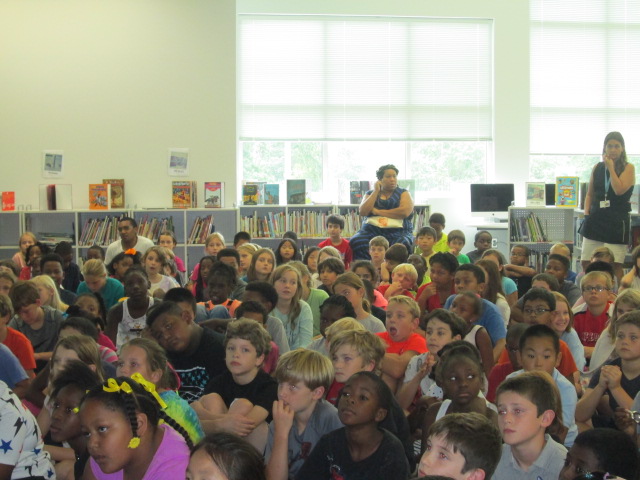
Our students gave her a thunderous applause, and students who won a book or purchased a book stayed behind to get books signed. These students continued to talk with Cassie. I just love how authors have a celebrity status in the eyes of readers. So many students just wanted her to sign something for them, and Cassie was wonderfully pleasant the whole time.
Before Cassie left, we had a bit of fun in our circus photo booth.
I have to send a huge thank you to Cassie for taking time to visit our school. Thank you Avid Bookshop for working diligently to make this connection happen and for helping the book selling and autographing process go so smoothly. Thank you Dial Books for Young Readers, a Division of Penguin Young Readers Group for supporting Cassie’s visit to our town. Thank you PTA for being such a supporter of our library programming and believing in our students and teachers. We believed in this author visit, and we certainly saw a bit of magic today.
I recently rolled out our 1 to 1 devices to grades 3-5. During this orientation, I talked with students about digital leadership. Since then, our oldest grades have started taking their computers home, but our 3rd graders are still waiting. It’s their first year with their own computer and we are trying to do a better job of helping them understand what kinds of things they can do with their computer when they take it home.
The third grade teachers chatted with me about digital leadership and digital citizenship and we thought about what would be the most important thing to explore next. We looked at Common Sense Media and their scope and sequence. We also talked about ideas that I planted during the orientation.
Based on our discussions, I decided to focus on our digital snapshots. What are we currently doing with technology? What do we want to strive to do with technology? What is ok to share? What do we keep private?
I created a short set of slides to guide our conversation, and I’m fascinated by some of the things that came up. I started with a small piece of my own digital snapshot.
It contained my blog as well as a screenshot of my home screen on my iPhone. I asked students to look at this one piece of my digital life and see what they could learn about how I use technology. They had conversations with partners and I eavesdropped. I heard things like:
He misses a lot of calls and doesn’t answer his text messages
He likes to share things
He takes a lot of pictures
He likes to travel
He is very organized with his apps
He uses his phone to look up books in the library
He has 2 kids
The list continued to grow with each class, and each class inferred something more than the last class. I was actually amazed about how much they could learn from me just by focusing on my phone. In fact, that’s all they focused on. Not a single student talked about the picture of my blog. There focus was completely on the apps on my phone, which was also interesting to me.
I used their noticings to connect to some of the decisions I make as a user of technology. I talked about how I know when I share a picture or a blog post that it is going to be seen around the world. I once again shared our blog map to remind students where people are looking at our work.
Next, I had students talk with partners about what their digital snapshots look like. How are they using technology in their everyday lives? We started adding some of these ideas to a doc. We didn’t capture everything, but I at least wanted a list we could refer to.
All of this was leading up to us spending more time talking about using our devices in school and at home for educational purposes. I loved having this list because most students thought it was bad for them to go onto Youtube. Many were surprised when I talked about all of the great things Youtube is for. In most classes, we spent a bit of time brainstorming why we might use Youtube. This list also gave me some insight into what students are doing at home that I haven’t even heard of.
After students reflected on their own digital snapshot, I showed students what other students have already done at our school with technology. I couldn’t show everything, but I gave them a quick look at pictures to show some of the awesome ways we’ve used technology to connect, collaborate, create, and share.
Finally, I asked students to spend time brainstorming how they might use their 1:1 technology. This was only a starting place. Many students focused on videos, games, or websites they might visit, so we have some work to do in regards to thinking about our devices as creation tools and tools that connect us to opportunities. Students added their ideas for how to use technology at home and keep it connected with learning and appropriate use for an elementary student to a padlet.
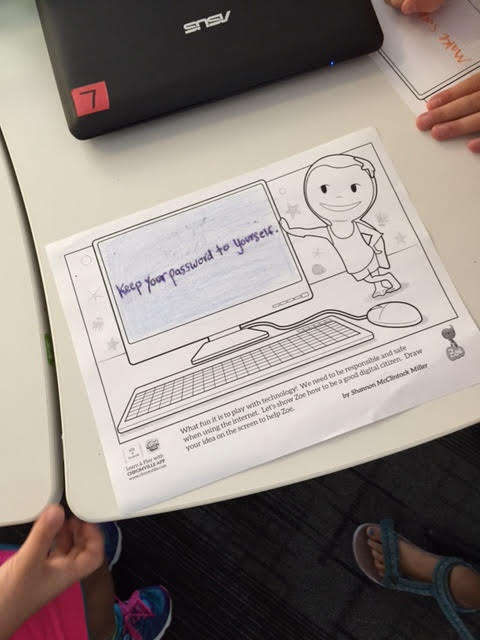
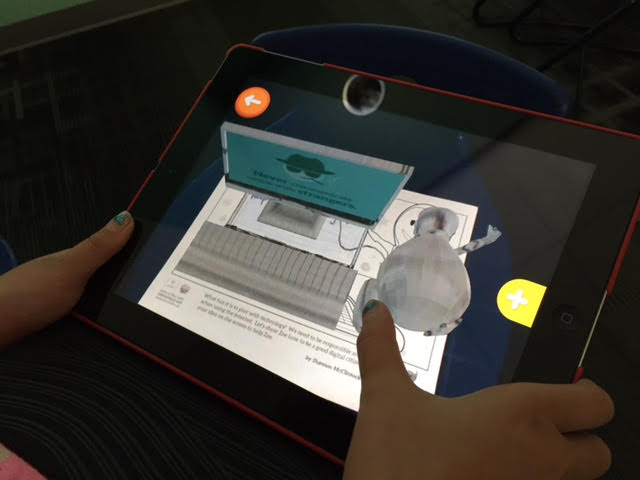
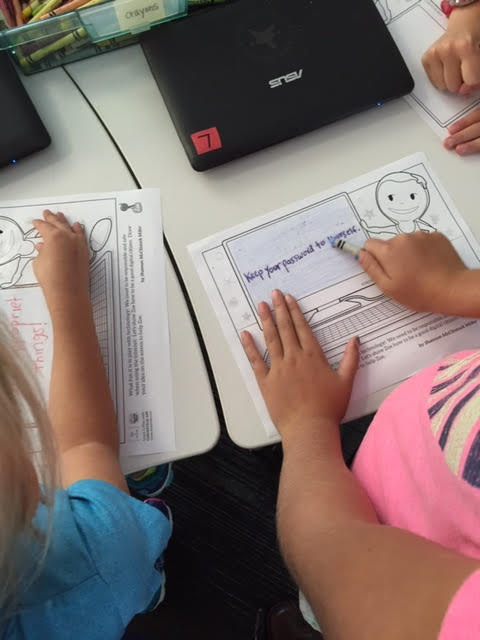
Some students were also able to move on to a wonderful coloring page from the augmented reality app, Chromville. This coloring page features Zoe and a computer screen.
Students can draw or write about a digital citizenship message on the screen.
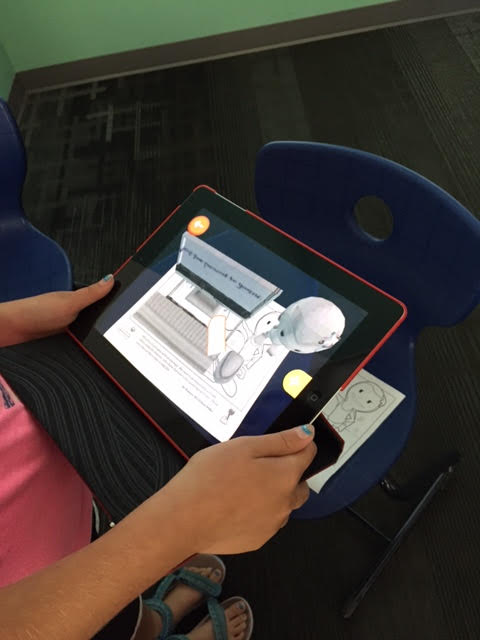
Using the Chromville app, Zoe comes to life on the screen displaying the students’ digital citizenship message and you can even click the mouse to display additional messages about staying safe online. I want to make sure all of the students get to try this out, but only a few made it this far during our hour together.
We will continue to revisit these topics in classrooms and during library projects and lessons throughout the year. If you have an innovative way to have these conversations with your students, I would love to hear them.
Our teachers LOVE the I-PICK strategy for finding good fit books. I must say that it is a strategy that just makes sense. It doesn’t focus on one aspect of locating a book that matches a reader and it adjusts to whatever the purpose is for finding a book whether it’s independent reading or reading with a partner.
The I-PICK strategy stands for:
I choose my book
Purpose: Why am a I choosing a book today?
Interest: What are the things that I like or want to learn about? What holds my attention?
Comprehend: Do I understand what’s going on by reading the words and pictures?
Know: Do I know enough of the words to understand what’s going on?
Students often learn this strategy in their classrooms, and I typically do a follow-up lesson in the library to build a connection that this is a strategy that goes beyond the classroom. This year, it seems I’m doing this lesson with almost every grade. I’m trying to build connection even beyond the school during our time together.
We start with a quick brainstorm of all of the places where we can find books. Students have named places such as school library, public library, bookstores (Barnes & Noble and Avid Bookshop), yard sales, thrift shops, and online. Then, I shared a story about my own visit to the bookstore this summer to choose a book. I wove in several things that I see students do, but honestly, that I also do. After each bullet point that I shared, we paused and asked: “Does that make this a good fit book for me?” The answer was usually “no, not completely” because each of these bullets is a piece of the puzzle of finding a good fit book and they all work together in order to make the puzzle complete.
I went to Avid Bookshop to choose a chapter book, so I focused on that section of the store
I pulled a book off of the shelf that had a red cover because that’s my favorite color. (The book happened to be Circus Mirandus)
I took the jacket off because there was a picture hiding underneath and I started to notice things like the flying girl, the mysterious man in a jacket and hat, the tent with a sun on it, etc.
I read the inside jacket flap about the book
I read the first three chapters of the book because they were short
All along the way, I stayed interested in the book. I felt connected to what it was about. I understood what was going on.
I bought the book and loved it!
I don’t want to pretend that the I-PICK strategy is a linear process because it’s not. I don’t go from beginning to end of this strategy every time I choose a book. I often bounce around in the process. However, most of these pieces are usually there when I pick a book. I don’t pick a book because it’s on my Lexile level. I don’t choose a book because of how many points I get for the book. I don’t choose a book because someone puts it on a list and tells me that I have to read it. I choose my book because I’m genuinely interested in it and it speaks to my personality as a reader. I think the I-PICK strategy surfaces some of the steps that readers often do and puts them into an easy to remember formula for readers to think about as they select books.
The purpose can always change. Sometimes a reader may be looking for a book to read with a family member, so the independent comprehension or “knowing the words” doesn’t matter as much. The interest step is always there no matter the purpose. I want student to always seek books that interest them or spark their curiosity.
After our quick brainstorm and bookshop story on the carpet. I moved students to tables. On the tables are stacks of books pulled from all areas of the library. The idea is for students to practice the IPICK strategy in a small setting first. I know that not every student is going to find a book that interests them on the tables and that is totally ok. I do let them move from table to table if they aren’t finding an interest. Most students do find something because I choose such a variety, but some just don’t connect to what they see. The teachers and I roam around and ask students about what is catching their eye and what they’ve done to see if it’s a good fit. We might listen to them read a bit, talk about their interests, or share something they’ve learned from the book.
The next part is my favorite. I ask students about what else interests them or what else they hope to take with them from the library today. This is where I really get to focus the library on their individual interests. Sometimes it’s very broad such as “a picture book” but sometimes it is extremely specific like “Pete the Cat”. No matter what they say I direct them to a part of the library with their shelf marker to start searching for that good fit book using the IPICK strategy.
In the end, many students do in fact find books that fit their “reading level”, but more importantly find a book that they are excited about as they leave the library. Some students still leave the library with a 300 page book even though they are reading on a lower level, but to me, it’s part of the process. I can continue to share strategies for choosing books, talk about purpose, and most importantly help readers make a connection to the books that truly interest them. It’s not perfect, but it’s a big step in how we each choose the books that we read.
We are over the moon with excitement that Cassie Beasley is coming to our school on September 3 thanks to her, her publisher Penguin Random House, and Avid Bookshop. Sometimes author visits happen at the last minute, but this one has been in the works since the summer. I read the book and fell in love with the story. Even before I was done, I was talking with Avid Bookshop about the possibility of Cassie coming to our school. We created a proposal together, and many emails and conversations later the visit was scheduled.
As a part of my proposal, I suggested that our PTA would buy a copy of the book for all 3rd-5th grade homerooms. The book would be available to students to read or the teacher could even read it aloud. I’m excited to say that our entire 3rd grade is reading the book aloud and many of the 5th grade classes are starting it. During our library orientation, I read aloud the beginning chapter of the book as well as the beginning of the chapter starting on p. 65 which details how Ephraim first made it into Circus Mirandus. We learn that you can’t pay to get into the circus but must instead offer something of your own to the ticket taker. For Ephraim, it’s a fish from his boot which results in a week-long pass to the circus.
Reading from the book is enough to create hype because it’s just that good. However, a circus theme as well as the contents of the book lend to some other fun opportunities for students to engage with the book ahead of the author visit. Our wonderful PTA also bought 20 additional copies of the book to be given out at our discretion. I’ve decided to give 10 of these away to students who participate in 2 opportunities in the library.
The first opportunity is to think about what your ticket into Circus Mirandus would be. I’m encouraging students to either make, bring in, or even take a picture of the object they would offer as their ticket. I made a short ticket template for them to fill out with their name, ticket description, and how long they think the ticket would be good for at the circus.
We are displaying these on the tops of the library shelves. When they turn in their “ticket”, I give them a ticket to put their name on and drop into our fish bowl.
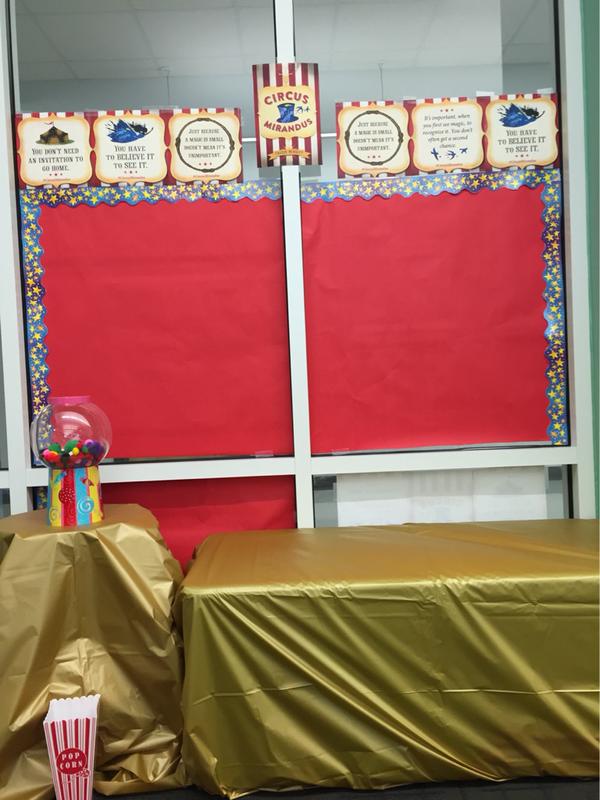
The second opportunity is a photo booth. I made a backdrop of red with quotes from the book. I covered a table and cushion with a gold tablecloth and filled an empty Mariah Carey perfume container with fuzzy pom poms to look like gum balls. Then, I ordered a set of circus photo booth props from Oriental Trading. I put all of this together and included the wearable books from Capstone which contain beards, hats, masks, and teeth. If students take their picture in the photo booth, then they earn another ticket into the drawing for a book. I plan to print out the photographs and display them on the library windows.
Just as I did for the early grades, I pondered what message I wanted our upper grades to take away from library orientation. I wanted to of course give them some reminders about routines and procedures, but I wanted them to leave with a sense that the library was a place for all readers to connect with books. I wanted them to know that if they had never found a book that they connected with that I wanted to help them find that book. If we didn’t have the book or topic in our library, then I wanted us to make sure that we did.
Over the summer, I saw John Schu post on his blog about a new site from Scholastic with the motto “Open a World of Possible”. On the site, there are several videos and resources about how reading opens possibilities for us all. One of the best videos is the one asking kids of all ages to talk about why they read.
I asked students to first think about what their answer to the question “Why do you read?” would be. I didn’t take any answers from them since I felt like it was a personal question at that moment in time and that some students may have never thought of the answer. Then, we watched the video to see if we connected to anything the students said or if their ideas sparked some of our own. At that point, instead of asking students to share aloud, I gave them an opportunity. I created a Flipgrid with that same question and told them it would be available for the next two weeks. I hoped they would think about their answer and share their voice with others in our school. I loved that some of them did this before they even left the library.
I shared with students that one of the reasons that I read is to walk in other people’s shoes, especially people who are different from me. I also love to experience things in a book that I know I would never do in real life. Books are my safe place to go into the spooky unknown, the thrill of the Hunger Games, or the magic of a schools for wizards.
Next, I shared a bit of a book that I connected with this summer called Circus Mirandus by Cassie Beasley. These grades will all have an author visit with Cassie in September, so this lesson was also a way for us to start diving into her text. I chose to read aloud starting on p. 65, which is the part where Ephraim first visits the circus as a young boy. He is a believer, so he is able to find the circus. However, he still needs a ticket to get in. It is on these pages that Ephraim discovers that every person’s ticket into Circus Mirandus is different. You can’t pay to get in but instead must offer something to the ticket taker that has a connection with who you are or simply what you have to offer. For one boy, it’s a spool of thread and for Ephraim it’s a fish.
I loved seeing so many students connect to this part of the story and want to read on. I knew they wouldn’t all connect because it’s so hard for us all to connect with the exact same book. However, this part of the story helped us talk about how we are each different. We each have interests that we bring into the library when we search for a book, and those interests are our tickets into the books on the shelves.
Beyond “why I read” and connecting through interests, students have an opportunity to explore the library and refresh their memory on checking out books, using Destiny, and finding the various sections. As in the past, I made some videos connected to QR codes. Students used iPads to watch these videos and then start checking out books when they were ready. I was able to talk to students about their interests rather than focusing on how to check out books.
I hope that students continue to think about why they read and that I can think of more ways to find out their interests and showcase their voices in the library.
Each year I ponder what to do for the first of the year library orientation. Once again, it’s a time where you want to talk about procedures, expectations, etc, but I think more and more about what message I really want students to take away.
This year we are fortunate to have author and illustrator Mike Curato coming to visit our school in October. His book Little Elliot, Big City has so many positive messages for students to start off their year. I decided to use this book as a conversation starter about problem solving, helping one another, being a good friend, and feeling welcome in such a big place.
As students entered the library, I played the book trailer.
Then, we opened with the story. Little Elliot, Big City has very few words on a page, but the discussions that can blossom from those simple words and powerful illustrations are priceless. Over the course of reading the book to students, there were certain pages that started to stand out as the pages I wanted to pause on in order to connect the book with the first visit to the library.
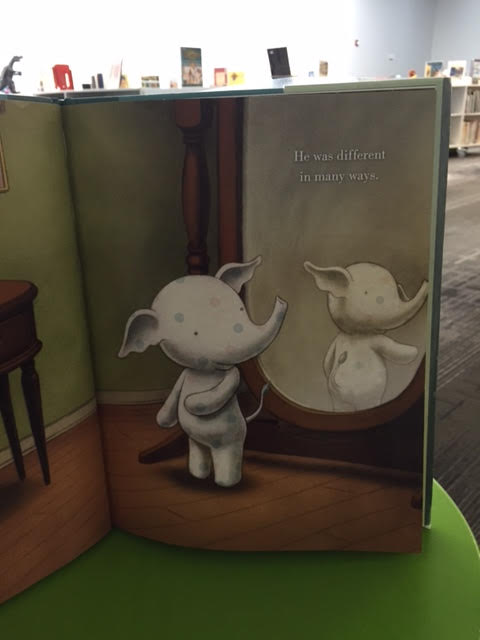
First, we paused here:
Students imagined an elephant in their mind based on what they had seen in a book, movie, or real life. Then, they talked with a partner about all of the differences. We could connect this to all kinds of library ideas such as how different we all are as readers: our interests, our stamina, our favorite authors, and more.
Next, we paused here:
I loved hearing students talk about this page and how Little Elliot was a problem solver. Even though things were challenging, he found ways to persevere. Again, there were so many was to connect to the library and school. We talked about the importance of not giving up, taking a deep breath, trying what seemed impossible, and the more classes I talked to the more ideas surfaced that I hadn’t even thought of.
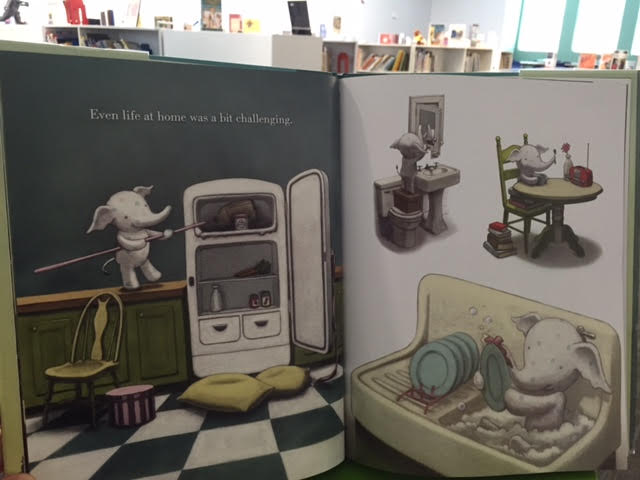
Probably the most powerful page to talk about was here:
We saw Elliot struggle to be noticed as he went into the city to buy a cupcake. Students came up with all kinds of ways that Elliot could get his cupcake, but then he leaves with nothing. We pondered the question, “Why was Elliot able to be a problem solver at home, but not in the bakery?” Students amazed me with what they said. At home, Elliot was alone and could be brave. In the city, he was shy and scared. Students also talked about how he knew how to use all the tools at his house like his chair, his books, and his broom. However, in the city, he didn’t know how to use things, so he felt helpless. Wow! The conversations just kept coming and each class had a statement that stood out. I wish I had captured the brilliance. It really made me think about all the tools students really need in order to use the library and how that can be a little scary even though I have no intention for it to feel that way. It reminded me of the importance of smiling and patience as students ask over and over how to do things like check out their own books.
Our library really is a massive place, especially for a Kindergarten through second grade student. I don’t want them to ever feel like Elliot did in the cupcake store, so we had some honest conversation about what we could all do to make sure that happened. I was honest with them about how I work alone in the library so there are times that I can’t leave a class to come over and help them. I truly want to, but sometimes it’s just hard for me to do.
Suddenly, those rules and procedures for using a shelf marker had a purpose. I wasn’t just giving students a rule for the library during orientation. I was giving them a tool just like Elliot had his broom. The shelf marker was a strategy for those times that students were unsure. We talked about going to a section of the library and really examining the books on the shelf with a shelf marker rather than searching on the computer.
We also talked about how Elliot was a helper to mouse in the story and that we really all have to be like Elliot at some point. We have to help one another. We can’t wait on one person to be the person to help us. Whether it’s another adult roaming the library, a student from another class, or a volunteer, we can ask anyone in the library to help us access what we want.
I really didn’t plan for Elliot to have so many connections to library orientation, but he did. It just evolved. Students left with a positive story, a strategy for finding books, and I hope a sense that the library is a welcoming place where we all take responsibility to help one another.
Our 3rd-5th graders all have their own personal learning device assigned to them at the beginning of the year. This device gets checked out to them just like a textbook and remains with them throughout the school year. Students also take this device home. Currently, our 3rd graders each receive an ASUS netbook and our 4th & 5th graders receive an HP laptop.
There are so many rules that you want to talk to students about when it comes to their computers in order to keep the computer and the students safe. However, I want students to get their device with more than just a set of rules. I want students to realize the power of the device they hold in their hands. I want them to realize that their device connects them to the information that answers just about any question they could dream up. It connects them to people and cultures they may never experience on their own. It connects them with authors, developers, and experts on any topic of interest. It allows them to collaborate with students and classrooms around the world.
I really wrestled with exactly what I wanted to do as students come to get their device from the library. Should I just check it out and do digital citizenship lessons later? Should I go over the list of rules from the student handbook? Should I focus on the kinds of projects we would do with the devices during the year?
I want students to leave our library with their personal learning device feeling like they are digital leaders and changemakers. #tlchat
As I was pondering, I turned to a few resources to spark my thoughts. One resource was Be a Changemaker by Laurie Ann Thompson. This text features students who have all done something to create change in their schools or communities. Each chapter takes a different aspect of being a changemaker and profiles a student who did something amazing. They don’t all necessarily feature something digital, but the idea of using our technology to foster change was intriguing to me.
“Don’t wait. Don’t wait to be powerful, to change the lives and communities around you significantly. There is nothing like it. Once you discover that you can visualize the next step society should take, and then you discover that you can lead others to turn your vision into reality, you can do anything.”
I also turned to the blog of George Couros. I often find inspiration from this transformational principal’s blog. He has written several times about digital leadership. He defines digital leadership as “using the vast reach of technology (especially the use of social media) to improve the lives, well-being, and circumstances of others. His post about digital leadership vs. cyberbullying really made me think about what I wanted to emphasize with the students. Rather than focus on every bad thing that could happen with devices, I wanted the main focus to be on the good that we could do.
So…what did I do? First, I’ll say that I finally just had to try something and see where it went. I don’t think that what I did was special, but it was a start to a conversation and something I will keep revisiting.
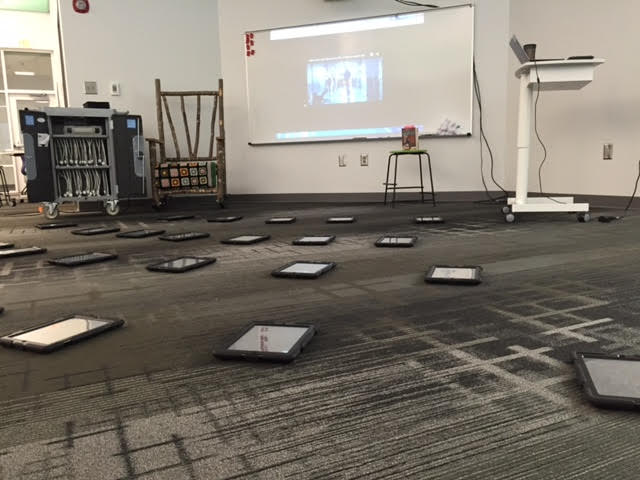
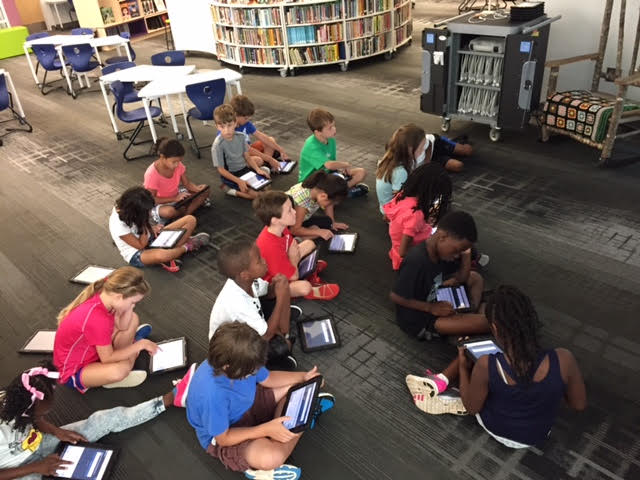
As students entered, they each came to an iPad on the carpet and I had this video playing.
We used this video to talk about how doing good deeds can spread. We also used the video to talk about how technology isn’t always visible. The awesome projects that we create using technology hide on our computers unless we share them. On the same note, the bad things that happen like cyberbullying may go unnoticed unless students take leadership and speak up to people who can support them. This is a conversation that evolved as the classes continued to come and something I didn’t really plan initially for this video.
Next, I introduced the idea of digital leadership and being a changemaker using Laurie Ann Thompson’s book foreward and student profile on page. 137. I also used this video.
I also shared myself by showing how I use this blog to highlight the incredible work of our students. I showed our map of visitors since April. Students saw every place in the world where people were reading about the work going on in our library.
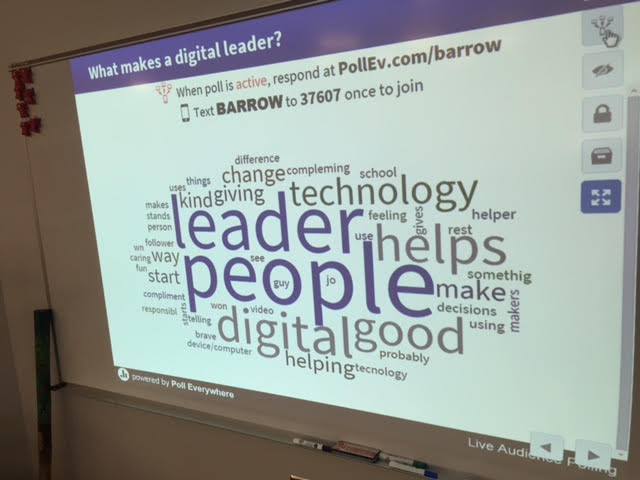
With all of these pieces, I asked students to think about what it means to be a digital leader. A digital leader is a person who _____________. Then, using Poll Everywher, students submitted their thoughts using the iPads. I setup the poll to populate as a word cloud. As students submitted answers the words grew in size as they were repeated. I deactivated the poll and we used the word cloud to talk about how the words connected with “digital leader”.
Most of the time, something about being responsible came up in the digital leadership word clouds, so the next thing we did was create a second word cloud about the things we needed to do this year to be responsible with our devices. Again, students submitted via the iPads. This cloud mostly focused on being careful with devices, keeping them charged, not losing them, etc.
Really with both of these questions, students hit most of the topics that I would have covered on my own. I had a set of slides that was shared between the other librarians in the district that included lots of rules for the devices, so I used those slides to fill in the holes from the word clouds. We covered a few missing pieces such as keeping your password secure and having a plan for where to keep your computer outside of school.
I hope that in going over a few “rules” that I didn’t lose the concept of being a digital leader. I’m not sure. However, I felt like kids were leaving excited about getting their device and being in general agreement about the potential of the device they held in their hands.
I look forward to this year and seeing what we create with these devices, what change we foster in our school and community, and how our students use technology for good.




















 Expect the Miraculous