Announcing the 2017 Barrow Peace Prize with Flipgrid

flipgrid-peace-prize-5

Our 2nd graders have been working on an interdisciplinary project since the beginning of January. The Barrow Peace Prize has become one of our favorite projects each year in 2nd grade.  Students select 1 of 6 people from history to research through online & print resources such as Capstone’s Pebble Go, write a persuasive piece about why that person represents various character traits, create art to accompany their writing, and record their work using Flipgrid. For the past two weeks, we have been inviting people to view the students’ work and vote on a winner.

Part of our tradition in announcing the winner of the Barrow Peace Prize is to connect with our friends at Flipgrid via Skype. Last year, we even had the great fortune of having Charlie Miller and Brad Hosack join us at our school for a red carpet event.
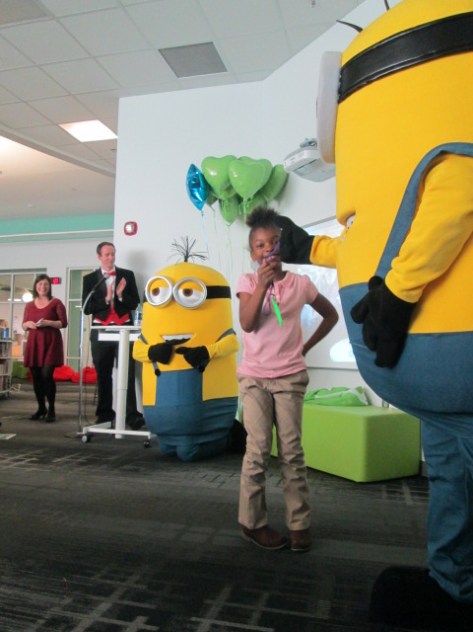
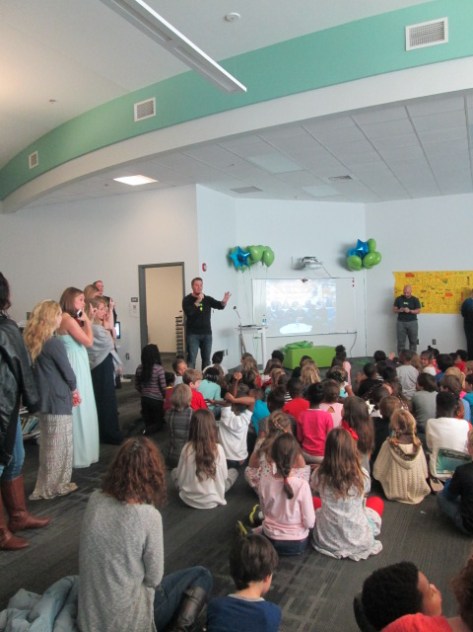
flipgrid-peace-prize-celebration-61 flipgrid-peace-prize-celebration-66

Each year, Flipgrid enhances their product and it makes our Barrow Peace Prize videos even more powerful.  Ahead of the connection, the teachers and I select some student award winners.
flipgrid-peace-prize-11

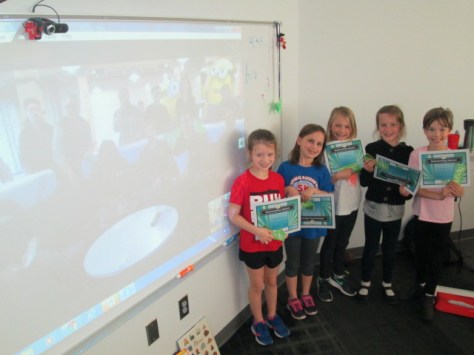
Dynamic Designers are students who create powerful art work to accompany their persuasive essays.  Outstanding Openers are students who created opening lines in their persuasive essay to hook their audience.  Prolific Persuaders are students who create the complete package of persuading their audience to vote for their person from history.  I print certificates for these students and send the list of names to the Flipgrid team to announce during our Skype.
flipgrid-peace-prize-10

Also in advance of the Skype, I 3d print enough student-designed medals so that every student who researched the winner of the peace prize gets a medal.  Each classroom also gets a medal to display and the teachers create plans for how each student will have a chance to wear the medal.

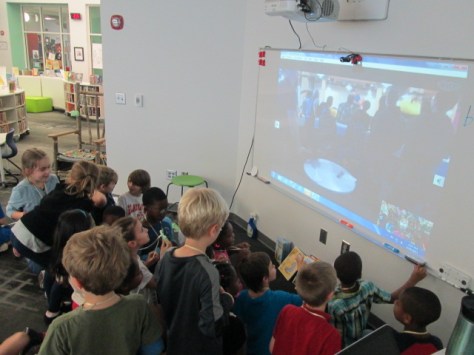
When the Skype begins, the Flipgrid team gives the students a greeting and our students take time to explain the project to them.  We also take some time to look at some statistics.  I share the analytics map from Smore so that students can see on a map where people have viewed their work.

The Flipgrid team also share some statistics like how many seconds of engagement students have and how many views.  Then, we launch into awards.

flipgrid-peace-prize-6

With 100 students, it is hard to individually recognize each student during the Skype, but we encourage students to consider the Skype and winner announcement to be a celebration of our collective work.  Even if  you don’t hear your name called, you should be proud to know that your voice was heard by people around the world and made an impact on individual viewers of the project.  Your voice came together with all of the other 2nd graders to create a  project that inspires.
flipgrid-peace-prize-7

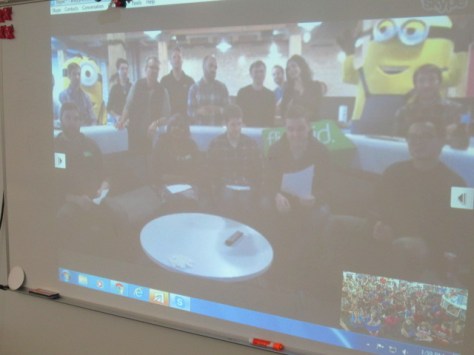
Joey Taralson at Flipgrid organized different members of the team to announce student winners.  Each person told a bit about what they do at Flipgrid and slowly announced each winner.  We had to take our time because of the roaring cheers and applause for each student. This was a powerful moment for us all because students really were cheering for and supporting their classmates even when they didn’t win themselves.

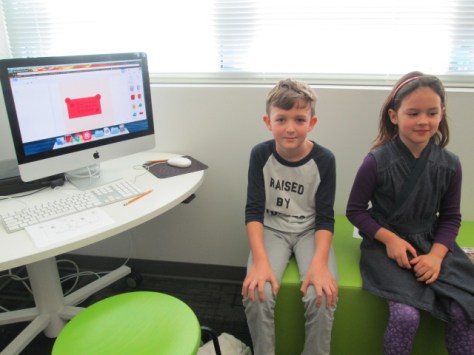
After individual students were announced, I introduced our student designers of the 2017 Barrow Peace Prize.
peace-prize-design-4

Then, it was the moment of anticipation.  For the 2nd year in a row, the winner of the 2017 Barrow Peace Prize is…

Ruby Bridges!

We passed out 3d-printed medals to all Ruby Bridges researchers and then attempted to get a photograph of the winners from our perspective and Flipgrid’s perspective.

After the connection ended, the excitement continued as congratulations and pictures poured in from Flipgrid and Capstone, creator of PebbleGo.

https://twitter.com/capstonepress/status/835217366481002496

These are the kinds of projects that I hope to continue to inspire in our school.  There are so many parts of this experience that I love.  Every student is involved.  Every student has a voice in the collective project. Every student gets to showcase an area of talent whether it’s writing, research, art, stage presence, design, and more. Every student’s voice reaches beyond our school walls to inspire projects in other schools around the world. Multiple teachers are involved in the success of the project from the classroom teachers to the librarian to the art teacher to the many support teachers in our school.  Finally, the company that gives us the tool that propels our voices into the world takes time to learn about, celebrate, and amplify our project.  Thank you, Flipgrid, for always supporting our work and for constantly thinking about how to empower the voices of students in bigger ways.  We look forward to next year’s project and the many projects that will develop in the future.

flipgrid-peace-prize-4

When Vendors Listen to Students

capstone-student-signs-1

Student voice is important to me. I love to find opportunities where students’ voices are listened to, and even more than that, acted upon.  Recently, during a student book budget meeting, we met with Jim Boon from Capstone.  Jim always listens to students and makes sure they have what they need in order to purchase books for the library.  He lets them guide the conversation and answers any questions they have rather than pushing certain titles that they aren’t interested in.

capstone-4

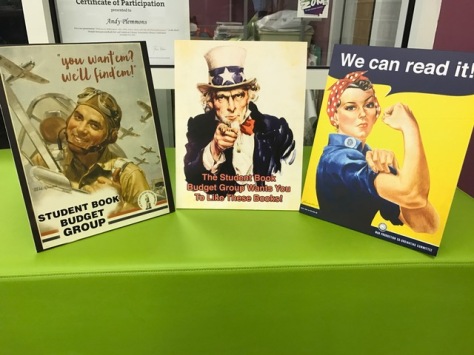
During his recent visit, he gave students posters at the end as a thank you, and Adaline, a 5th grade student book budget member, asked if there were ever any World War I posters.  Rather than just saying “no”, Jim listened to her reasoning that war and military books are popular in our school and that she had a personal interest in them herself. He suggested that she send an email to Amy Cox, Capstone Library Marketing Manager.

capstone-2

Adaline immediately crafted an email to Amy, and the conversation began.  Not only did Amy respond to Adaline, she also asked her follow-up questions and genuinely wanted to know the answers.  In the busy world of businesses, this kind of personal interaction says a lot to me about the vision and mission of a company.  Capstone isn’t just about selling books. They are community and customer focused and want to listen to the very people who they are trying to support.

capstone-7

Here’s how the conversation started:

Dear Amy Cox,
When Jim Boone came to my schools “Book Budget” we got posters with hedgehogs on them. While I was looking at the poster I had an idea! Since I like to read about World War 2 maybe you could make a World War 2 poster! If you take this into consideration please email Mr.Plemmons  so he can tell me! Thank You!
From,
    Adaline
Then Amy responded:

Dear Adaline,

We would be very happy to consider a poster with a World War II theme. When we make a poster, we try to have it do one of two things:

1)      They feature a specific series of books that we think students would like to know about so that they can read them, or

2)      Like the hedgehog posters, they don’t talk about a specific book but rather try to show how much fun it is to find something you like to read

Do you have any thoughts about which direction we should take for a World War II poster? I’m always happy to hear ideas from other people. When everyone shares ideas, the final project always turns out so much better.

I was so proud of Adaline continuing the conversation in addition to all of her other school responsibilities.

Dear Amy Cox,
I  think the books that the poster could be about could be the series Heroes of World War 2 !  I think that the poster should have something related to the Nazis or maybe even Anne Frank! And yes I have seen the new graphic novels! They look amazing!
                        Adaline
Amy moved the conversation to the Capstone team.

Dear Adaline,

Thank you for your response. I’m so happy that you like the Heroes of World War II books. I think those stories are fascinating.

The idea of World War II heroes got us thinking here at  Capstone—perhaps in a different direction than you would expect, but that is the fun of brainstorming, right? Give us several days and we’ll see if we can come up with something interesting. Can you search your library catalog and see if you already have this book? It has a tiny clue about our idea!

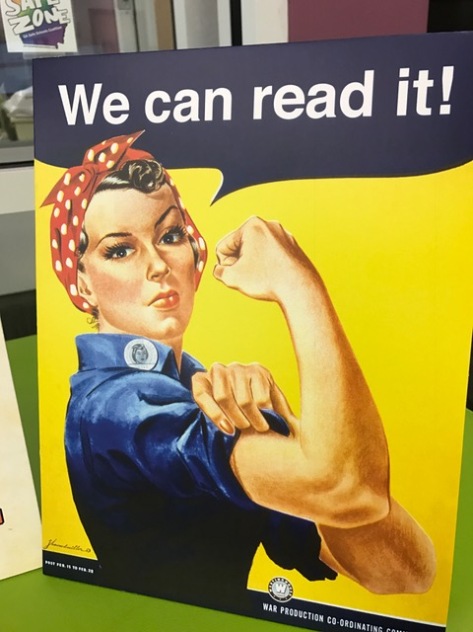
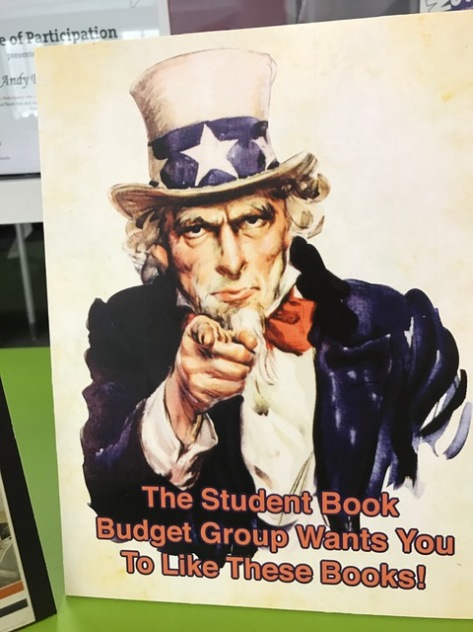
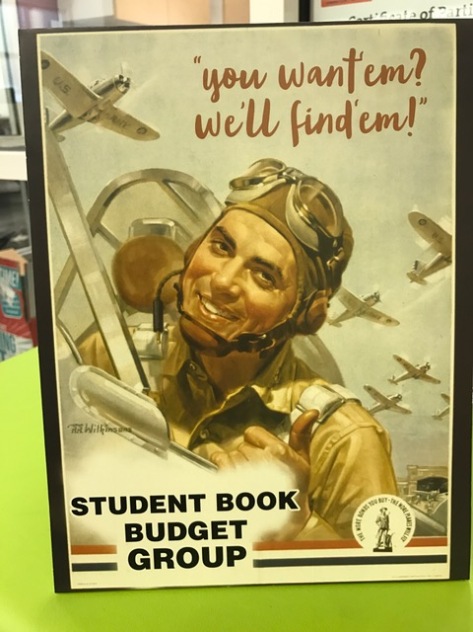
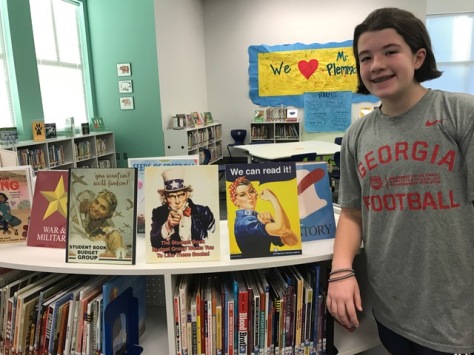
Finally, Amy let us know to expect something in the mail.  When the box arrived, I couldn’t wait to see what was inside.  To my surprise, Amy had sent 3 custom signs that incorporated history as well as the mission of the student book budget group to get the right books in student hands.

capstone-student-signs-4

capstone-student-signs-3

capstone-student-signs-2

I immediately sent a note down to Adaline so that she could come up and see how Capstone had listened to her ideas and given us something completely based upon her request.  She was all smiles.  I also loved that her grandmother was here to celebrate the moment with her.  Even though she might not want the attention, I think it’s important to celebrate this moment.  Now her efforts will be on display as our student book budget books arrive.  These signs will be a part of our student book budget display.

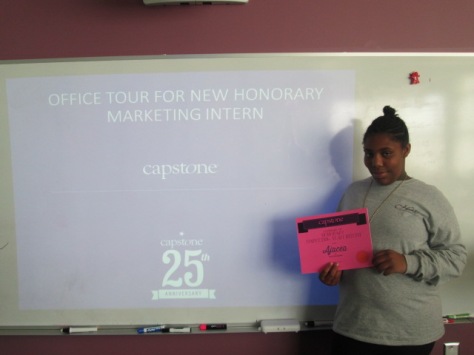
This is not the first time that Capstone has reached out and supported a specific student.  Last year, Amy supported Ajacea in her marketing interests.

I hope other students will see this as an opportunity to speak up and make their voices heard when they have an idea, and I hope educators and companies will see this as an opportunity to amplify student voice and make a difference in our world no matter how small.

img_7722

Thank you Amy Cox and Capstone for always supporting the student book budget project and always listening to (and acting upon) the voices of students.

Student Book Budgets: A Walk to Avid Bookshop

avid-bookshop-2

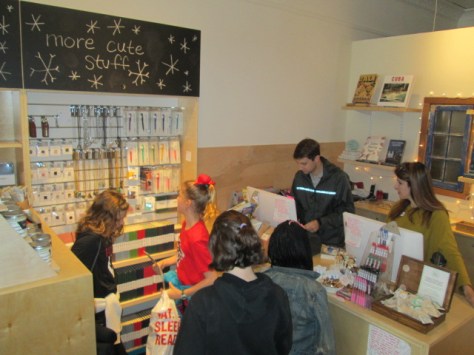
We are so excited to have the second location of Avid Bookshop just a few blocks from our school.  Avid was recently named one of the top 5 finalists for the 2017 bookstore of the year by Publisher’s Weekly.  Since our students have walking field trip forms on file, it was easy for this year’s student book budget group to plan a walking field trip to the new Avid.  This group of students has a library budget that they have complete control over.  Through surveys, they have set purchasing goals to buy new books for the library that kids want to read.

avid-bookshop-18

Ahead of our visit, I sent Hannah DeCamp, school specialist, a list of the major genres the book budget group is looking to purchase books for.  She pulled together some books to show us, found some “Best Books for Young Readers” magazines, and dug out some advance reader copies of books for students to review.

On the day of our walk, I met with 11 of our book budget team and reminded them about the purchasing goals we had set.  We also reminded ourselves that Avid would be open for business so we needed to stay out of the way of customers as well as keeping the store organized during our browsing.

It was a great morning for a walk and it only took us about 15 minutes to arrive.  Hannah greeted us and showed us how the store was organized.  She showcased a few books in each section and then allowed students to browse the store.

Since the store sells books for all kinds of readers, students really had to ask themselves if they were looking at a book that would best fit an elementary library.  Some books were of interest, but they were really more for adults.  As students found books that they liked, they came to me and we wrote the titles down in a notebook.  I originally wanted to type them as we worked, but I didn’t want to lug around a computer.

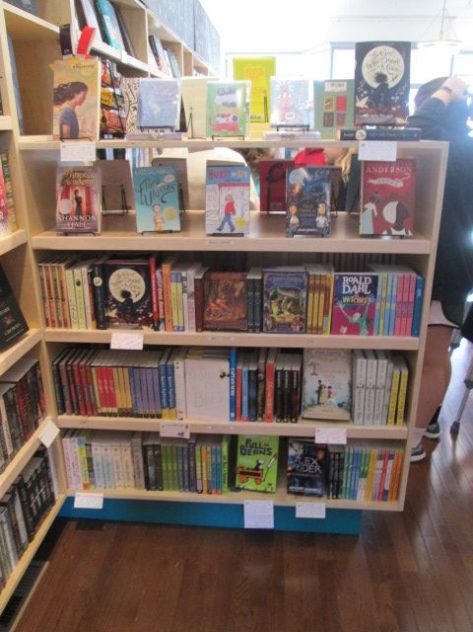
What I noticed right away was that when books were presented in smaller sections like the shelves in Avid, students noticed the books better.  There were several books our students got excited about that we actually have in our library, but they haven’t seen them. It made me start to wonder how to make books more visible to students.

When Hannah let students look through a stack of advance reader copies, they again got excited about many of the books. It reminded me that I need to get more students involved in perusing the ARCs that I get in the mail or pick up at conferences.  I can’t read them all, but students can help read and make decisions.

I kept sending students back to the shelves of Avid and making them take books off the shelves to read a few pages or at least read the back.  I feel like they spent a good amount of time digging through what was in stock.  In all, we spent about an hour browsing.

Several students brought money with them, so they made some purchases.  We gathered outside the shop for a bit and took time to look through the catalog that Hannah had given us.  Again, we added to our list before walking back to school.

avid-bookshop-14

Avid Bookshop is going to be such a great resource for us being so close to our school.  There were so many life skills and standards that we explored on this trip.  We learned about the publishing industry, independent bookshops, community helpers, budgets, adding money, and taxes.

avid-bookshop-6

Now, I am typing up the books that we loved, and students will make a final decision to send back to Hannah at Avid for a quote.  I know this is just the beginning of how we will utilize having Avid right here in our school community.

Flipgrid Global Connections & the Epic 30-second Book Talk

book-talk-10

Flipgrid continues to be one of my favorite tools for getting student voice out into the world.  They are constantly listening to users and working to improve the functionality of this tool.  Now, in the paid version of Flipgrid Classroom, there is a section called “Global Grid Connections”.  You can establish any of your grids to be accessible to other members of the Flipgrid Classroom community. As an administrator, I can browse the available grids and look for opportunities for my students to connect and collaborate with other students around the world as well as offer my grids for students around the world to contribute to.


Prior to this release, I would use social media and online communities to seek out collaborating classrooms.  I’ll of course still do this, but I love that Flipgrid is taking one of the big barriers to global collaboration and trying out a solution. They are helping me push my grid out to more users so that my students have a chance to have a larger audience as well as hear from other perspectives around the world.  They’ve made it so simple to reach out and communicate with classrooms around the world.

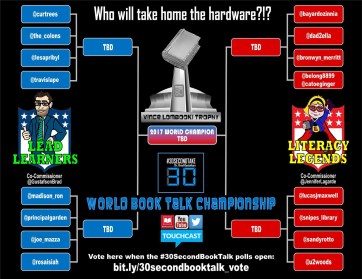
Right as all of this update was being announced, Jennifer LaGarde and Brad Gustafson launched the 30-second book talk challenge.  Lead Learners and Literacy Legends submitted their 30-second book talks and a competition brackets was setup for voting.

At the bottom of the post, they offered resources for creating your own 30-second book talk challenge.  I thought this would make a perfect global connection question on my grid.  I started collaborating with Melissa Freeman in 5th grade, and all of her language arts classes came to the library to select books, read, and create 30-second epic book talks.

We started by listening to some book talks, including some vintage Reading Rainbow!

We looked at Jennifer & Brad’s tips for book talks.

Then students identified some important pieces of an epic book talk.  We constructed this sheet as a framework for our talks.

Next students chose a book that they recently finished or selected a book from the library to read.  I pulled a diverse collection of picture books, especially ones that our 5th graders might overlook because so many feel the pull to read only chapter books.  They spent the first day reading and writing their script.  Ms. Freeman, Ms. Mullins, and I all walked around and read with students as well as conferenced with them on book talks.

On day 2, students continued working on their scripts, practiced, and recorded.  We reminded them that Flipgrid has a feature to pause the recording along the way so that they could pick up a prop, turn to a page in the book, etc.  We didn’t want them to waste any of their 30 seconds with transitions.  As they submitted their videos, they began watching other people’s videos.

Now, it’s your turn!  We hope you will join us on our 30-second book talk grid.

You are welcome to add your own student voices alongside our students sharing favorite books in 30 seconds or less.  Let’s unite our student voices through Flipgrid and inspire a global community of readers.

2017 Student Book Budgets: Surveys and Vendors

capstone-7

Our 2017 student book budget group is hard at work making purchasing decisions for the 2016-17 school year.  This year’s group is made up of 4th & 5th graders who applied to be in the group, and they meet during lunch and/or recess time a few times per week to spend a budget on books requested by students.  This money sometimes comes from grants, but this year’s budget is from profits at our fall book fair.

capstone-16

The money is completely under the control of students, but they must base their decisions on what the rest of the school wants to read.  To determine this, the students work together to create a Google form survey.  This year, they added pictures of all of the new genre sections in our library.  We emailed the form to upper grades, but for lower grades, each book budget student chose a class to go and survey with an iPad.

Once we surveyed almost half the school, students analyzed their results to see what the top categories were.

They also looked at text responses from students to look for commonly requested specific books or series.

After some analysis, they decided to focus on the following categories in their purchases:

Genres

  • Humor
  • Animals
  • Scary
  • Sports
  • Graphic novels
  • Adventure/fantasy
  • Historical fiction (high interest)

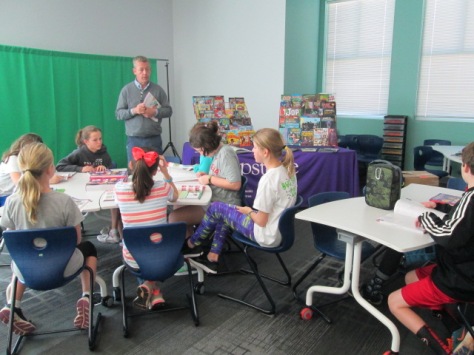
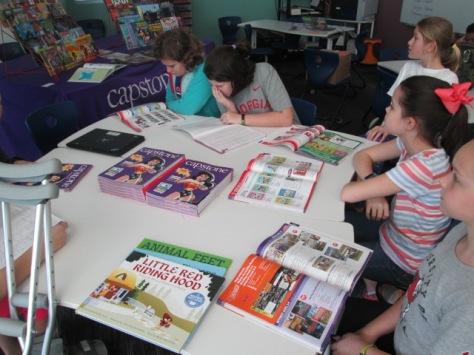
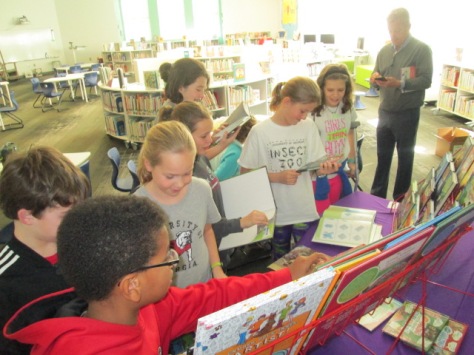
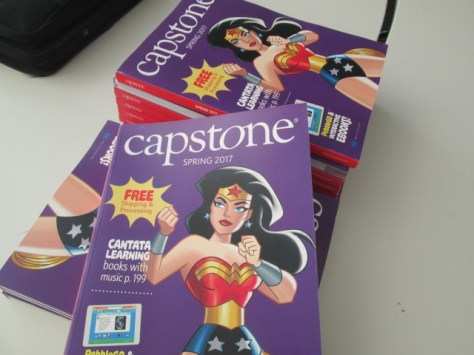
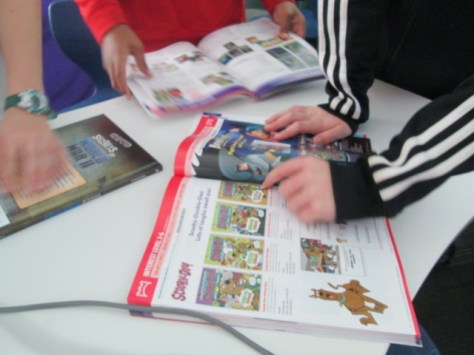
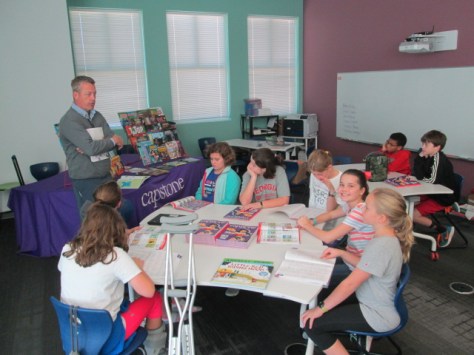
I sent these categories to a couple of vendors: Avid Bookshop and Capstone Press.  We’ve worked with both of these vendors for years, and it’s great to continue this project with them.  Jim Boon from Capstone brought in a selection of books and catalogs for students to look at.  He broke the book samples into fiction and nonfiction to help students sort through a variety of books.  If they found a book of interest, he helped them find the book in the catalog by using the index.

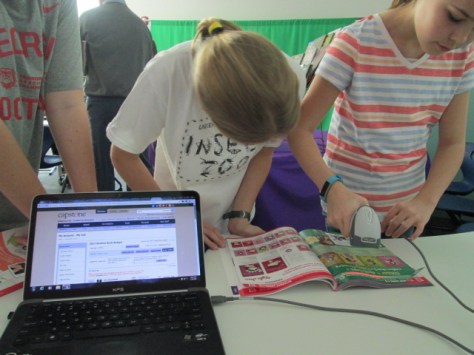
We setup a scanning station for students to scan the barcode in the catalog and add the specific titles they wanted into a consideration list.  For this first step, we don’t worry about price.  We simply add every book that looks good to our consideration list.  Later, we’ll look at our budget and start to narrow our decisions.

capstone-8 capstone-9

Jim also talked to the kids about incentives from Capstone such as Capstone rewards.  These incentives help students stretch their budget even more, so we have some great life-skill discussions about saving money and stretching budgets.

capstone-15

Before he left, Jim gave every student a Capstone pen and a poster.  There are always special moments in these sessions and one of those was when one of  our students asked if Capstone has a World War II poster.  Jim told her that if she composed an email, we could send it to Amy Cox at Capstone for consideration.

capstone-1

This student wasted no time and went straight to her room to compose a professional email.

Amy wasted no time in responding, and I can’t wait to see where this conversation takes us.

I love that Capstone truly does listen to their customers.  Even if it doesn’t happen, just taking time to respond to a request in a genuine way means so much to our students.

Our next steps will be to continue looking at Capstone catalogs and take a walking field trip to Avid Bookshop before narrowing our lists for ordering.

Hour of Code in the Library

hour-of-code-22

For the past 3 years, our library has participated in Hour of Code during Computer Science in Education Week.  This movement of setting aside an hour to tinker with coding was started by Hadi Partovi.  When we started back in 2014, there was only a handful of options of coding resources for students to try on code.org and many of them crashed due to the number of students using the site around the world. Fast forward to 2016 and students now have 172 reliable options in the Hour of Code portion of code.org and numerous other lessons that take them beyond the hour of code.

hour-of-code-5

When we first started participating, classes came to the library to try out an hour of code. This year, many classes still came, but some classrooms also tried out the hour in their own rooms.  It was fun to see something that started in the library spread into general classrooms.

hour-of-code-15

This year we had classes from every grade participate in Hour of Code in the library (including PreK next week).  We started each session by exploring the word “code” and connecting it to our own experiences. Many students talked about passcodes on phones or tablets.    We then related this to the language that a computer speaks.

I had students think about their favorite video game or app and explained that every tap or press of a button was coded with instructions for the computer to know what to do. I also had students imagine if their favorite game or app never existed.  What if the coders gave up while developing the game?  This question brought the most gasps.  We talked about the importance of mindset and not giving up. I loved that code.org had this great video that setup the idea of a growth mindset.

This year, I let students have a lot of choice in grades 3-5 because many of them had experienced hour of code or a coding project before.  Some needed to try something more advanced while others needed to start with the basics.  My big rule was that once they chose a coding activity, they were supposed to stick with it.  With 172 options, it would be really easy to jump from one thing to another without really pushing yourself through the hard parts. I loved that code.org had a filter to filter by grade level or coding experience.

For grades K-2, we used an app on the iPad called Box Island, but we also had the flexibility to move to code.org if students were ready to move on to something else.  I thought it was easier to stick with one tool for these grade levels since coding was so new to most of the students.

Students worked on coding all over the library. Some grouped themselves on cushions or tables. Others worked alone.  Collaboration between students started to happen whether they were using the same app or something different.  It’s something I see in makerspace as well.  There’s something about this kind of experience that facilitates natural collaboration. Students want to help one another. It isn’t forced or required. It just happens.

Students persevere. They celebrate their success enthusiastically, and sometimes yell when something doesn’t work right.

It isn’t always perfect, though. Sometimes students give up.  They say it’s too hard.  Those moments are frustrating for me, but I like to talk with students about why they gave up.  I can’t pretend that I don’t ever give up either…because I do.  However, I think it’s important for us to acknowledge the importance of persevering even when things are hard because it’s a goal we should strive for.

hour-of-code-20

At the end of each session, I brought students back together to talk about the experience. They started to crowdsource a list of tips to pass on to the class that came after them. Looking at their list you will see so many tips that could be applied to multiple situations, not just coding.

We also looked at subject areas like reading, writing, math, science, and social studies.  I asked students to consider whether or not they used any of these subjects or skills while coding. They of course gave brilliant responses.

  • Reading code is like reading another language
  • We read instructions to know what to do
  • I revised my code just like I revise my writing
  • I had to use strategy just like solving a math problem

I invited them to think about how we might continue to explore coding as we create projects in class.  Many of the students went home excited about coding and shared with families. I got messages from family members about their child’s eagerness to code.  I even got a few pictures of coders in action while at home.

I love doing hour of code in the library because it’s a source of professional learning for teachers and a chance for students to try something they enjoy.  We can take a risk together trying something new and then explore how to connect this with what we are already doing. Teachers see how engaged the students are and ponder how to continue that engagement.  It’s also a very public space, so anyone who walks into our library during hour of code also starts to consider the power of coding in school. I’m still figuring out how we can weave this into more of our year. The students love it. They are engaged. How can we use this excitement to connect to what we are learning together each day?


Closing Out Fall with a Makerspace Recess

makerspace-recess-1

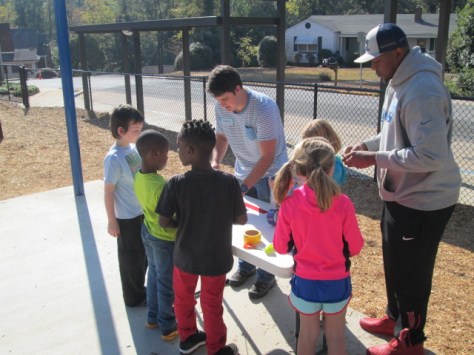
The fall semester is coming to a close at UGA, which means our open makerspace times on Tuesdays and Thursdays is about to take a small break until January.  To close out the semester, the entire Maker Dawgs class returned to Barrow to host a makerspace recess.

makerspace-recess-14

Setting this time up take a little more work than having makerspace in the library, but each time we take our makerspace beyond the library, I’m reminded about how it makes the opportunity visible to students.

makerspace-recess-4

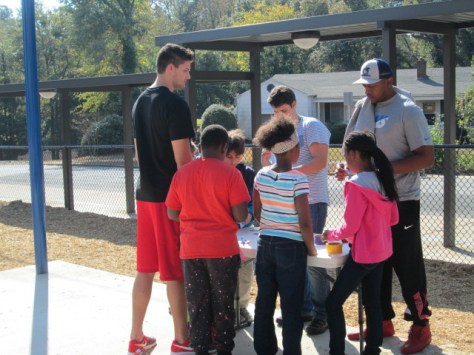
Gretchen Thomas arrived early and started setting up tables under our pavilion on the playground. Each table featured something we’ve done in makerspace across the semester.

  1.  Duct tape bows and bow ties
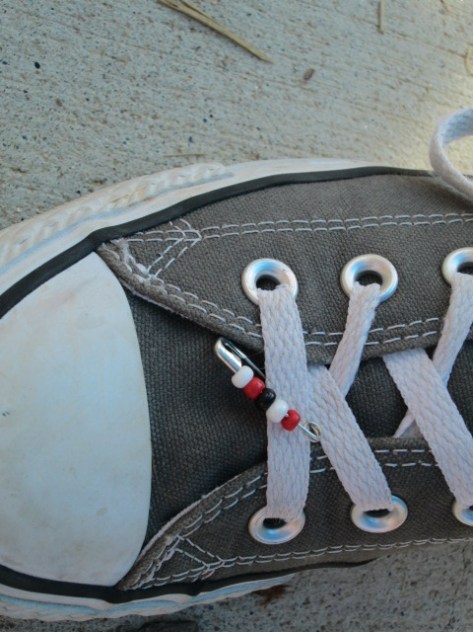
  2. Kindness pins and necklaces
  3. Buttons
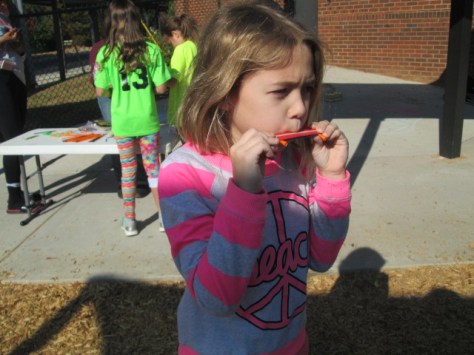
  4. Popsicle kazoos
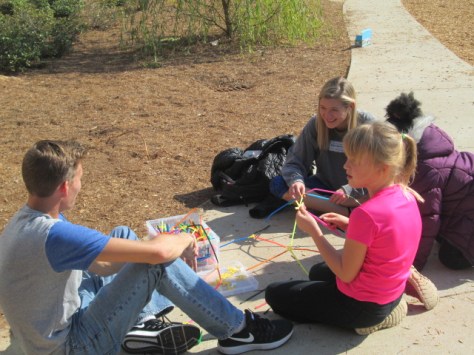
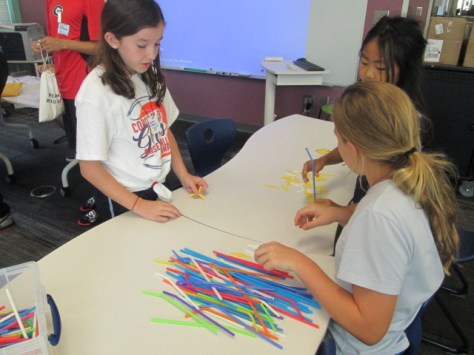
  5. Strawbee architecture
  6. Cubelets

makerspace-recess-7


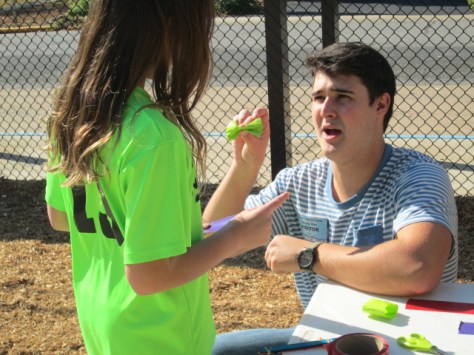
Since we were outside, we could also have stations that are more difficult to do inside like sidewalk chalk art.  As UGA students arrived, they each took a station to facilitate any students who wanted to try that activity.  When students arrived at recess, they immediately gravitated toward the makerspace to see what was going on. One of the most common things I heard was: “I didn’t sign up”.  It was so fun to say that the makerspace was open to all.  Since we had numerous helpers and could spread out, it didn’t matter how many students wanted to participate or how loud they were.  Because of this, we saw students who had never been to makerspace suddenly get to experience what we do.

I know that I can’t do the scale of makerspace that we did today by myself, but I do want to think about how I can offer small opportunities to tinker with our makerspace tools in spaces where students are already gathered.  The tricky piece comes with managing the library while I’m in another space. Without a helper, I have to think about the best times I can do this while I have a volunteer or our computer technician in the library.

As typically happens in makerspace, we saw big groups of students who might not play together on the playground suddenly crowded around the same table sharing materials, collaborating, chatting, and sharing their creations. There’s something magical about the atmosphere of a makerspace and the community it builds among makers.

makerspace-recess-30 makerspace-recess-31

I need to keep this thought at the front of my mind as I move into the 2nd half of the year. How can I maintain the makerspace opportunities we have as well as expand the opportunities to students who haven’t had a chance to participate?

As always, thank you to Gretchen Thomas, her Maker Dawgs students, and UGA for exploring this complex topic with me each semester. We’re doing great work together.

The Makerspace Is Open with a New Badging System

img_8887UGA is back in session which means our makerspace is cranking up again.  We already have some curriculum connections planned for special projects, but our students look forward to the weekly open makerspace times on Tuesdays and Thursdays from 11-12:30.
Gretchen Thomas and her UGA class collaborate with us to provide a weekly time where students can signup to explore various tools and projects in our makerspace.  Four UGA students come each time and lead up to 15 students every 30 minutes in the makerspace so that I can also teach classes at the same time.

img_8875

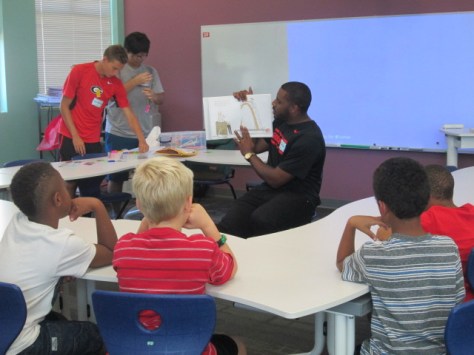
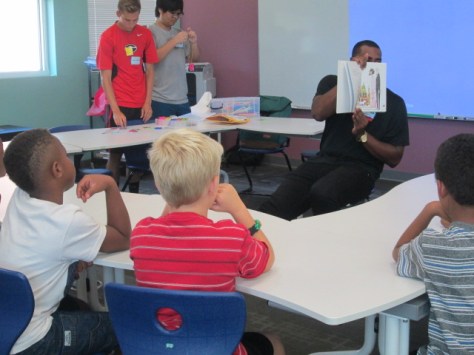
Gretchen and I are have learned a lot during our collaboration together, and I love that she’s always pushing her class to try something new.  For our first few sessions this year, the UGA students are presenting a maker-related book to the students and an activity to accompany that book.  There’s not really enough time to read the entire book and still make something, but they at least are able to show the book, talk a bit about it, and then make something with the students.

img_8874

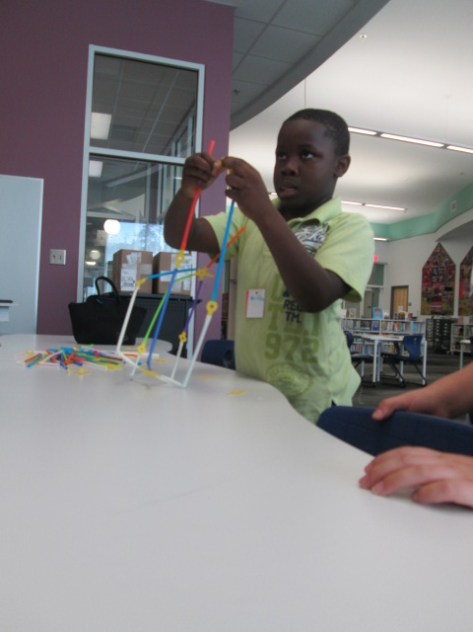
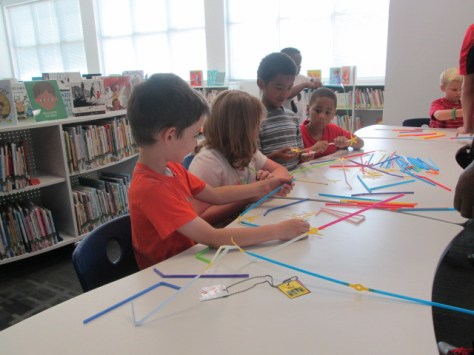
For our first session, the UGA students read or showed Iggy Peck Architect.  At the end of the book, they invited our students in 1st, 3rd, 4th, and 5th grades to become an architect and use Strawbees to build the tallest free standing tower.

img_8873

I loved watching the UGA students decide how much information to give the students versus when to let them discover things on their own.  In one group, they just gave them the Strawbees and straws and said “build”.

Then, in another group they gave some examples of how the straws and Strawbees could connect to one another.  The amount of guidance definitely impacted the type of structures made.

img_8881

I don’t know that we have a firm answer on how much structure to offer to the students, but I’m glad that we are always thinking about how much is too much.  I think we certainly stayed conservative on how much we told the students.  Every structure was different and students found things that worked really well and things that failed miserably.  In the end, the important thing is that we really didn’t have students who gave up or who even got extremely upset because they didn’t “win”.  That’s the true spirit of making.

img_8895

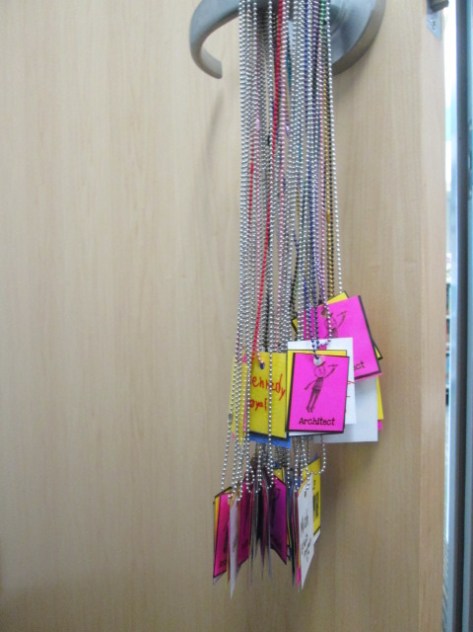
One new addition this year is something we’ve talked about for a long time.  So many students come to the makerspace, that it’s hard to track who has learned what tool or skill.  I really wanted a badging system but didn’t think I had time to make it.  Gretchen and I have talked through this many times and discussed the idea of badges for specific tools like Sphero, Duct Tape, LittleBits, etc and badges for skills such as problem-solver, thinking outside the box, teamwork, etc.

Gretchen took it upon herself to make this happen for us.  She started making badges that students would attach to chain necklaces.  Students would earn a badge for the tool they explored and the group they worked with as well as have an opportunity to earn rare badges for skills or qualities.  Gretchen and her students will continue to design badges and add them to the collection.  They will be stored in plastic drawers in the makerspace.  Students will hang their necklaces on a hook in the space and grab them when they come to makerspace.

img_8896

We’ll easily be able to look at badges and see which students have learned which tools and which students have demonstrated the skills of a maker.

I can’t wait to see where this goes, and I’m so thankful for Gretchen and her class making this happen!

Genrefication Reactions and FAQs

Library Orientation (2)

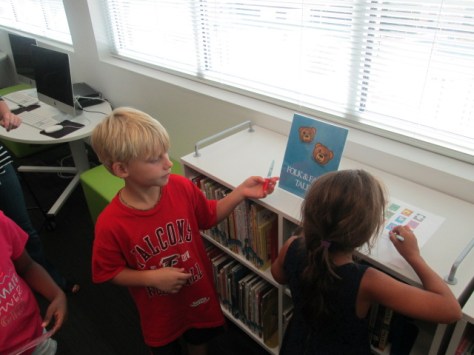
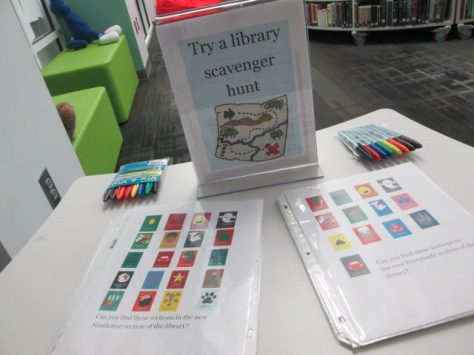
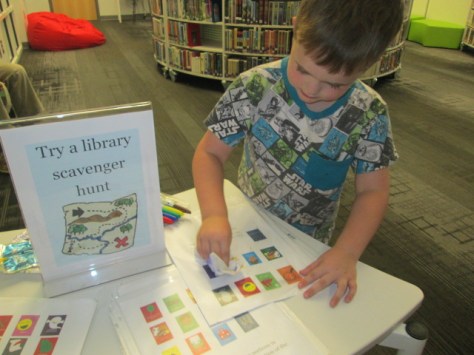
We are almost one week into our newly organized library. Each class has been coming for a library orientation. In the past, I’ve done a high-tech orientation with QR codes and videos, but this year, we went low-tech with a picture scavenger hunt of the library signs and sections in order to give students a chance to explore their new library and its organization by genre.

Our new genres are still sorted out into a picture book area, a chapter book area, and a nonfiction area, so I made 3 separate scavenger hunts and slid them into clear protectors so that students could us a Vis-a-vis pen to mark sections as they found them.  The trickiest part was trying to keep students focused on one section at a time because they wanted to explore it all.

What I have noticed:

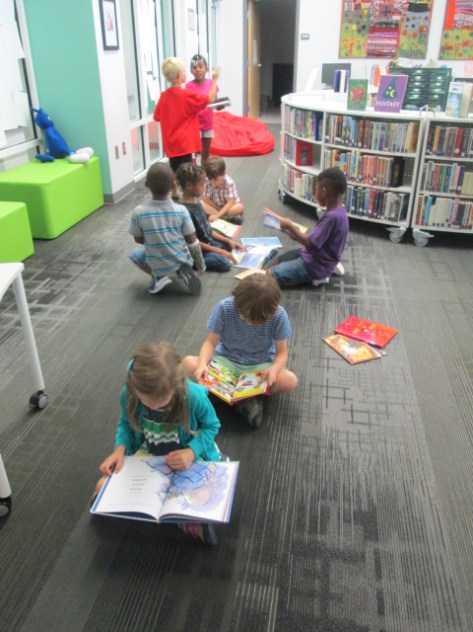
  • Students were buzzing with excitement as I talked about the new genre sections and as they wandered around searching for them
  • I spent much less time walking students around to search for all the princess, scary, football, etc.  The conversations about books that I got to have with students were more about recommendations within sections or learning where favorite series of books had been moved to.
  • Since I don’t have a full-time assistant in the library, check out time can be a bit frantic with kids asking about books, asking for help on the computer, and asking for help checking out or in.  With every class regardless of grade level, I didn’t feel the frantic feelings of the past. Students were very independent within the sections they were excited about, which allowed me to focus on students who really needed to have conversation.
  • Almost no students went to the computer to look up books. In the past, many students would sit at the computer during the entire library time and then have no time to actually select a book.  They would just grab something on the way out. I talked with the few students who did go to the computer to ask what they were searching for. In many cases, I directed them to one of the genre sections because they were looking up football or ghosts or something like that. For students that truly needed to look up a title, I showed them how they could see which genre section it was located in.

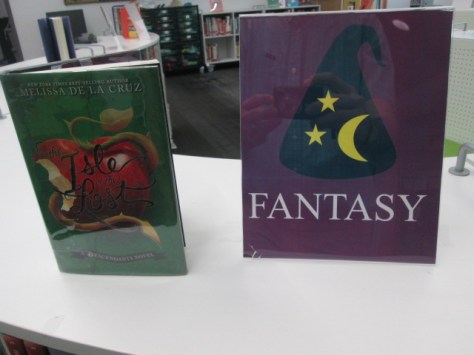
  • Students who discovered that their favorite book was already checked out tended to choose something else from that genre section. For example, a student was so excited to learn we had Isle of the Lost: A Descendants Novel. It was checked out, but I told her it was in the fantasy section. She went to fantasy and found 2 series that she had never explored before and was genuinely excited about her find. This is what I hope to see more and more, especially from students who have their one or two comfort books in the library. I hope the genre sections continue to support their comforts but also nudge them to try new things.

Reactions

Students, teachers, and families have been extremely positive with the new organization of the library.

I encouraged people to record their thoughts on the new organization using Flipgrid.  Here are a few of the reactions.


Frequently Asked Questions:

Library Orientation (5)

  • Did you put all books into genres or just the fiction section?  Every book is in a new section.  I started with fiction and then moved to picture books followed by nonfiction.  Picture books was the hardest section for me to sort, but so far the categories are supporting our readers.


  • What are your categories?  Here’s a link to my Google doc of categories.  This doc will change if I decide to modify any sections.


  • How did you decide which section to put books in?  I read the summaries, used my own knowledge, looked at the Library of Congress subjects on the copyright page, and used Novelist K-8.  I used the great advice of Tiffany Whitehead to really think about the reader during the process and consider what kind of reader would most enjoy each book. I tried not to get stuck on a book for too long, but I did make a pile of books I was unsure of and came back to them later.


  • What did you do in your catalog to indicate genres?  I created subcategories in Destiny. Once I sorted books into genre sections, I updated each copy by scanning it into its new subcategory. Now, if someone searches for a book, the call number of the book remains unchanged, but the location indicates which genre section the book is located in.  The library can always be put back into Dewey order if needed.


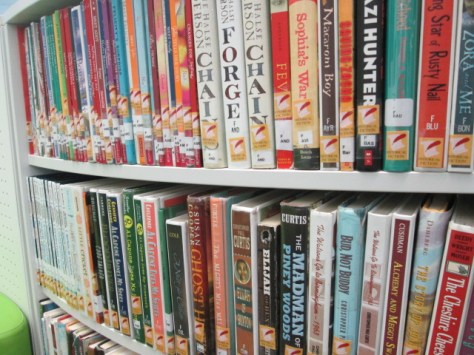
  • How are books arranged on the shelf?  For now, the books are still arranged in order by call number on the shelf within each genre section. In fiction and everybody, that means that books are sorted by author’s last name within each genre.  In nonfiction, that means that the Dewey call number is still used to put books within order in the section.  This may change as we go because the sections are being heavily browsed. It makes it hard to keep things in perfect order.  The graphic novels and sports are already not in any kind of order because of the heavy use of those sections.


  • What labels did you add to each book? Every book still has its same call number and barcode.  My wife designed genre labels using Publisher and these were printed on spine label sheets from Demco. We added the genre label either above or below the call number on the spine in an attempt to not cover up the title.  I also plan to add numbers to the series so that students know which books is 1st, 2nd, 3rd, but we haven’t done that yet.  Fiction Labels      Picture Book Labels      Nonfiction labels


  • How long did it take?  It’s really hard to add up the time. I can say that I’ve thought about it for a long time. This summer I spent some time reading about other libraries and also listening to webinars. I wanted to hit the ground running at the beginning of this year, so many volunteers helped out with the project. The actual work of sorting, labeling, and shelving was done in about 15 days working from 8:00-3:00.

Library Orientation (10)

If you have additional questions, add them in the comment section and I’ll try to update the post with new answers.  I’m very happy with the impact of this project so far, and I know that I will continue to see things that I love as well as things that need to be adjusted. It’s all about the readers.

Library Orientation (4)

A Sneak Peek of Our Finished Genrefication Project


Genrefication (4)

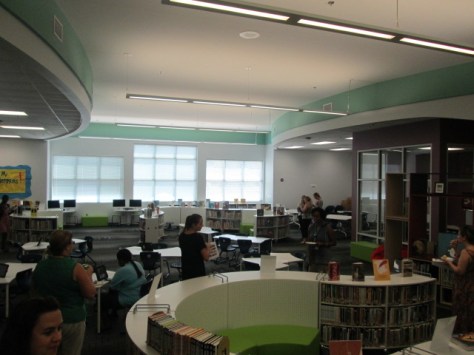
Around the Barrow Media Center we “expect the miraculous”. After 15 intense days, dozens of volunteers, ten thousand genre labels and protectors, and lots of weight lifting, our collection of 10,000 books is sorted by genre. When we started this project, I tried to set a realistic goal of being done by Labor Day. However, in my heart, I wanted to be done much sooner for the sake of our readers. Thanks to all of the volunteers from families, the community, and UGA, we took what seemed impossible in this amount of time and made it happen.

When I really thought about it, we are opening just one week later than we usually do in the school year.  Week 1 is usually computers and week 2 is library orientations. We’ll be start orientations at the end of week 2 and all of week 3. Pretty miraculous!

The final steps happened this week:

  • The genre labels were turned into signs and printed to put into picture frames

Genrefication (3)

  • Books continued to be shuffled around on the shelves until they fit in a mostly logical arrangement
  • Each genre had to be put into order. Up until this point, we were just sticking the books in their sections in any random order
  • The rest of the library had to be put back together from all of our moving around
  • Videos had to be made to support volunteers and readers
  • Plus lots of other minor housekeeping items

Today, to thank the teachers for their patience, we held a sneak peek of the genrefied library. After school, we had refreshments and a chance to check out the newly organized collection.

teacher preview (1)

Teachers had a chance to get familiar with where things are, check out books, and ask questions. Some even started thinking about their own classroom libraries and how they might mirror the organization of the school library in their classrooms.

Genrefication (2)

I put together a picture scavenger hunt to use with kids, so I put those out for teachers to try as well. My son was in charge of inviting guests to try out the scavenger hunt.

teacher preview (2)

I also asked teachers to post a short Flipgrid video of their reactions to the new organization.  It was so much fun to listen to people’s reactions. I had so many compliments in conversations with teachers who visited, but it was great to be able to go back and hear reactions that I missed during the preview.

For their efforts, I had a stack of free books to choose from. My daughter was in charge of inviting people to record and reminding them to pick up their book.

teacher preview (4)

Thank you to every person who helped with this project.  It’s so hard to list them all, but I want to give a special thanks to my wife Denise Plemmons for designing some amazing genre stickers and signs. I also want to thank Janice Flory for rounding up a great team of volunteers to hit the ground running on the first day of pre-planning. Some of them stayed for 3-4 hours at a time.  Thank you to Gretchen Thomas for bringing in an entire class of UGA students to knock out some of the final pieces of the project.  Finally, thank you to my administrators Ellen Sabatini and Jennifer Leahy for believing in our library program and trying something new in the interest of kids and literacy.

teacher preview (3)

Now, it’s time to see what the students think and get our regular volunteers ready to support our readers through keeping the library organized and directing readers to books.  The big part of the project is done, but a project like this doesn’t really end. Books will move from section to section if needed and each new order of books will need to be labeled. However, we won’t have to do the project at this magnitude again. Here we go!