Journeying Into Genrefication: Process, Roadblocks, and Community

IMG_8761

Toward the end of last year, I made up my mind that the 2016-17 school year was going to have a big focus on literacy. I of course do a lot with literacy already, but I want to do more. At the close of the year, I talked with my principal about genrefication and the possibility of delaying the opening of our library at the start of the year so that we could get everything organized. To my relief, she was completely on board and even offered ways to support the project.
IMG_8766

I’ve wanted to sort the library by genre for a very long time but just wasn’t sure how to make it happen. I started the process at the end of last year by sorting the fiction section.  Over the summer, I looked at many other libraries who have done this process as well as attended a webinar with Tiffany Whitehead.  During the summer I started listing out my possible genres in nonfiction and everybody.

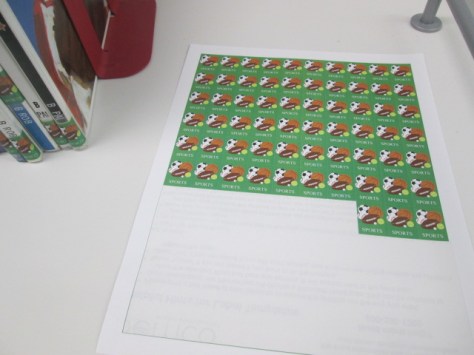
I also started making a list of materials I would need to get going with the project as soon as we got back to school.  This included blank spine label sheets and ultra aggressive label protectors.  I debated about ordering genre stickers, but there were categories I wanted to make that weren’t available as stickers. I’m terrible at graphic design, but my wife is super talented at it. She agreed to make all of my stickers.  She used Publisher, Open Clip Art, and her own imagination to draw out new labels.

Also during the summer, I met with Courtney Tobin, last year’s library volunteer coordinator, and Janice Flory, this year’s volunteer coordinator, to talk about the genrefication project and the help I would need during preplanning and the first weeks of school.
IMG_8765

Volunteer jobs would be to:

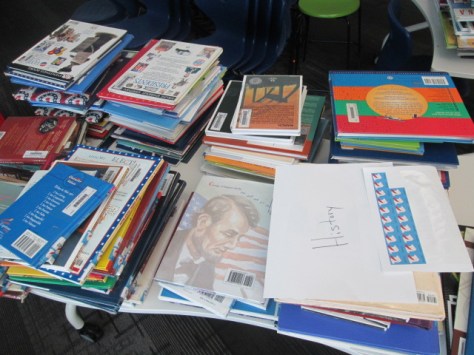
  • Scan books into subcategories in Destiny after I sorted them into stacks
  • Label each book with a new genre sticker above or below the call number depending on space
  • Put the books back into stacks for moving into their new areas

Janice made a Signup Genius for volunteers, and I had between 2-5 volunteers each day during pre-planning and the first week of school.

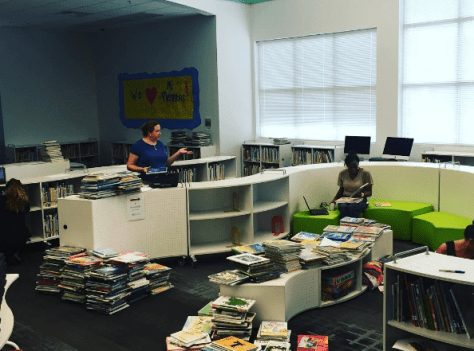
Since Fiction was already sorted, volunteers started there with scanning and labeling while I continued to sort the Everybody section during pre-planning. Most people know how busy pre-planning is, so the meetings, questions from teachers, and to-do list kept me from keeping ahead of the volunteers. A few of the volunteers felt comfortable assisting me with sorting books, so I released a bit of control to keep moving forward.
IMG_8763

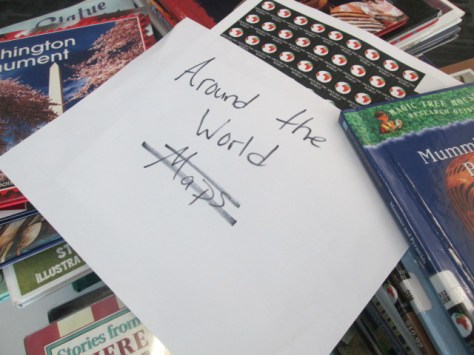
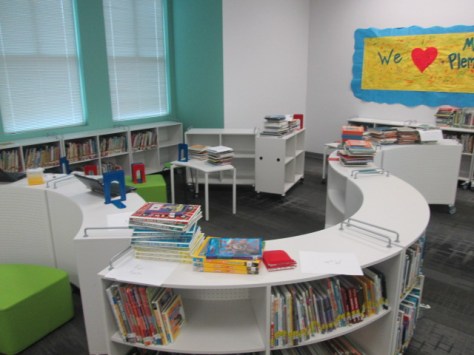
Categories changed throughout the process as we saw needs in the collection. The final categories for Fiction included: humor, scary, sports, realistic, historical, fantasy, science fiction, mystery, and adventure. Picture books included: humor, sports, scary, celebrations & seasons, superhero, princess, animals, favorite authors & characters, school, once upon a time, historical, realistic, and transportation. Nonfiction included: animals, makerspace, biography, careers, cooking & food, all about me, language, native americans, dinosaurs, georgia, math, music, folk & fairy tales, transportation, jokes, space, around the world, poetry, religion, sports, ghosts & mysteries, graphic novel, war & military, fun facts, nature, science, mindset, and history.

The process was pretty much the same every day: sort, scan, label, move.  Miraculous things happened along the way like 4 district support staff showed up and asked how they could help.  While I attended meetings, they scanned most of the Everybody section into categories.
Unnamed image (14)


Families dropped by to see how they could help. Parents and kids worked side by side making decisions and taking ownership of their library.

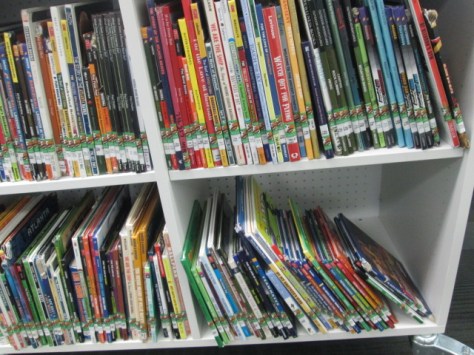
I learned a lot about the collection and just how disorganized the nonfiction section really was. Each time books of similar topics came together it felt good.

I also suddenly felt free of a sequential order of the books and could really think more about where it made sense to place books in the library. For example, our books related to makerspace were able to move right outside the makerspace door.

We faced some road blocks along the way too.  Some books were scanned into the wrong sublocations. I caught the mistake when a teacher asked for a book and I couldn’t find it in the section it said it was in. Some sections of the Everybody section had to be rescanned. Some volunteers tried to save the library some resources by cutting the label protectors to smaller sizes on the spines. The label immediately started falling off and getting stuck to the books next to them, so we had to go back through, find them, and add an additional label protector on top.

About every 5 minutes, I went back and forth from thinking this was the best idea ever to asking myself what have I done.

My current road block is where to put all of the books.  When every book is here, they don’t fit on the shelves. I know it won’t take long to free up some space, but for now, I’m at least trying to estimate how much shelf space to dedicate to newly established sections with new numbers of books.  Thankfully, the mobile shelves allow me to move things around pretty easily to new spaces, but I still have to move books from one shelf to another trying to figure out the best configuration.  The library looks pretty disorganized because of this.
IMG_8764

Students are getting really excited as they look into the library and see the work going on. Classes are asking how they can come and help. The ultimate question is: “When will the library open?”  I’m hopeful to be done within the next week and we’ll host a grand re-opening orientation for each class.
IMG_8760

I love our community and how they have come together to support this project. Returning volunteers have stepped up, but we’ve seen new families and new volunteers get involved in the project too. A project of this size takes a village. What I thought would take until almost Labor Day has been done is about 3 weeks.  That’s miraculous!
 

Make Your Mark for Dot Day 2016…Let the Planning Begin

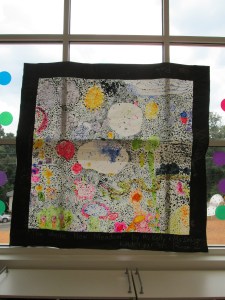
One of our favorite times of the year is Dot Day and September 15 will be here before we know it!  It’s a day to celebrate connecting, collaborating, and creating and seeing where our creativity takes us. Can you believe that it’s less than 2 months away?

Now is the time to start brainstorming ideas for celebrating creativity and supporting your students in making their mark in the world. You can read all about this special day and sign up here.  There is a wonderful educator’s handbook that you will receive as part of the registration.

Then head over to the Get Involved…Making a Mark page to be inspired to Read, Create, Learn and Visit on Dot Day too.

There are tons of ideas on Shannon McClintock Miller’s International Dot Day Pinterest Board

In our own library, we’ve enjoyed reading lots of stories related to dots and creativity as well as connecting Dot Day to core subject areas.

Check out these examples:

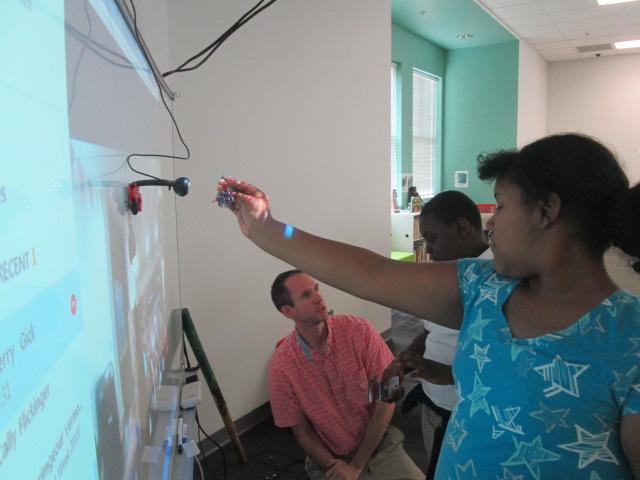
  • After reading the book, Going Places, with Sherry Gick’s students in Indiana, two of our students made their mark by teaching Sherry’s students how to create a beading craft from our makerspace

Dot Day 2015 (4)

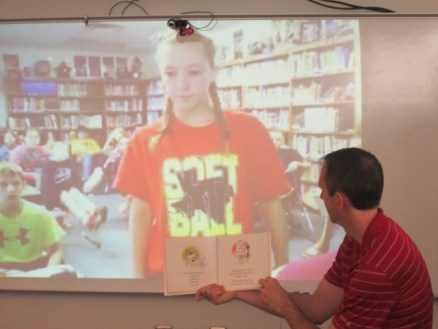
  • We’ve enjoyed countless storytimes with classes around the globe reading dot-related stories and stories of creativity including Ish, The Dot, Press Here, Mix It Up, Let’s Play, Rose’s Garden, Little Elliot Big City, and more.

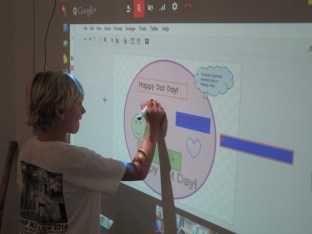
For the last several years, hundreds of us have used our Google Doc as a place to make and plan lots of special connections on September 15 and throughout the week of Dot Day. When we put our minds together, we come up with amazing new ways to celebrate the day with our students.

You can add your schedule, connect with others, and start making your mark with others around the world. Check out the doc here: http://bit.ly/dotday2016 

Please include your information including name, location, grade level and subject, Twitter handle and whatever else you’d like to share.  As you start planning, add your schedule and ideas.  Others can then look at your profile and connect if they’d like to on the Google Document with you. If you have any questions, feel free to reach out and ask.

Let’s Make Our Mark on the World! Happy Connecting!

Many thanks to Shannon McClintock Miller for co-writing this post.


Making Something New: A Makerspace Activity

coconut makerspace (13)

Recently, the Children’s Theatre Troup directed by Kelsey Brown presented “Another Kid’s Treasure Island” at the State Botanical Garden of Georgia. This play also featured a makerspace activity for attendees to use a variety of objects to make something new.

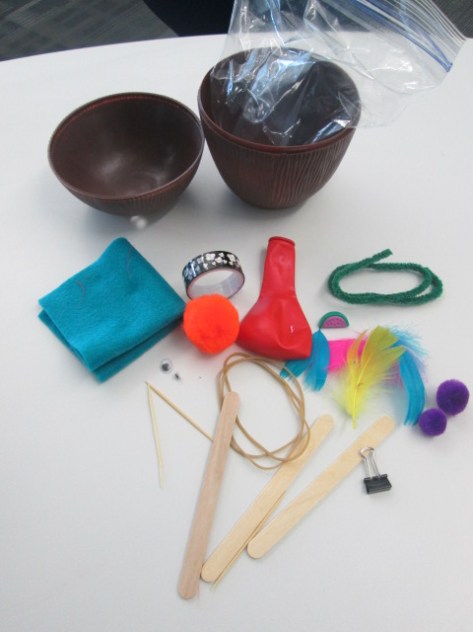
Gretchen Thomas and her UGA students helped pack hundreds of plastic coconuts with craft supplies to support the play, but several coconuts were left over. Our makerspace was fortunate enough to acquire these leftover coconuts for students to explore.

coconut makerspace (14)

This week, we’ve been reading The Most Magnificent Thing by Ashley Spires. I love the message that this book shares about perseverance and creativity. The character in the book tries multiple ways to make the thing she has in her head, but she just can’t get it quite right. At first, she easily starts over, but as time goes on, she gets pretty frustrated. However, even then, she goes on a walk to clear her mind. While reading the story, we paused along the way to setup some steps for “making”.

  • Have an initial plan after you gather your supplies
  • Try to make something
  • Take a look at what you’ve made and try again if needed
  • If something isn’t working, try to do it in a different way
  • If you start to feel frustrated, take a break or a walk, and come back
  • Don’t quit

We could keep adding to this list, but those were the basic principles we followed.

coconut makerspace (12)


I showed students one of the plastic coconuts filled with supplies and told them that their goal was to take the materials and make something new. We talked about how the girl in the story made something she could actually use, so they certainly could try to make something like a piece of jewelry, a hat, a container for rocks, or whatever else they wanted.

coconut makerspace (6) coconut makerspace (1)

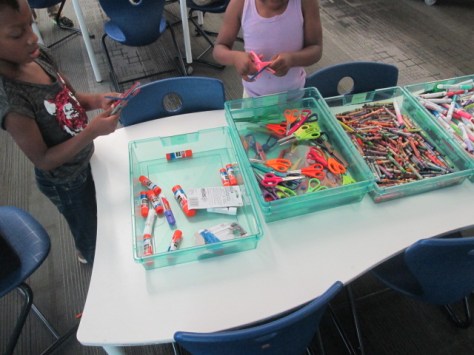
I also put out some scissors, glue, crayons, and markers. Then, students got to work. Each student had a different strategy for how to work. Some got very frustrated and did indeed take a walk around the library. Some students collaborated with people at their table or traded supplies with a friend.  It was loud and messy, but I heard things from students like:

  • Is makerspace always this fun?
  • Do we really get to keep the things that we made?
  • When can I come back?
  • From a teacher: My students talked about what they did with you the whole next day.

coconut makerspace (2) coconut makerspace (4)

You could look at this and say….sure….this is just making a craft, but there’s really so much more there.

Perseverance, problem solving, creativity, inventing, collaboration, and more were all there. Thank you to Gretchen Thomas for giving us an opportunity to bring makerspace to some of our grades who haven’t had a chance to use our makerspace quite as much. We have a lot of new students excited about finding more opportunities to use the tools in our makerspace because of this opportunity.

How about a Popup Makerspace at Recess?

popup makerspace (5)

The University of Georgia is winding down its spring semester, so that means our support for weekly makerspace is also winding down.  We only have 3 more weeks of school ourselves. Last year, Gretchen Thomas and I took our makerspace on the road to UGA to introduce random UGA students and visitors to the fun of making and tinkering. We really want to try that idea again, but this year we wondered, “How about a popup makerspace at recess?”.

popup makerspace (3)

Many of our students come to makerspace during recess anyway, but some struggle with leaving their friends on the playground. We wondered if having the makerspace on the playground would bring in more students since they could easily run back and play if they wanted to. We also wonder if some students don’t come to makerspace because they are unsure of what happens at it. We thought putting it on the playground would make it much more visible and inviting.

Gretchen and her students planned several stations for students to explore. I also had some students prepare stations. Ahead of the recess makerspace, I advertised to teachers that we would be having the makerspace on the playground from 11AM-12PM. We also mentioned it on our morning broadcast on the day of the event.

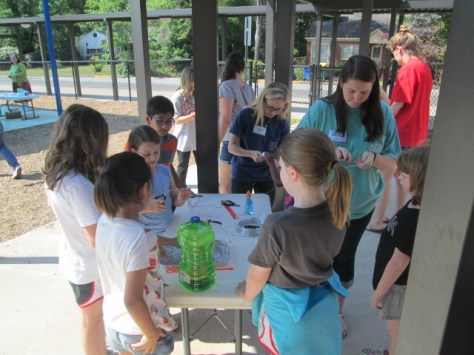
Before 11:00 rolled around, we setup tables under the awning and sunshade on the playground and got the stations ready. My students and Gretchen’s students helped make this happen. Before we could even get setup, we already had students coming up from the playground asking if they could try something.

It was wildly popular! There were moments when 2-3 entire classes were descending on the makerspace, but being outside allowed us to spread out and really not worry about the noise. It also helped that Gretchen’s entire UGA class was here o

Here’s a look at what we offered:

Station 1:

Students constructed their own bubble wands and then tested them out. Some students chose to make a basic wand with a circle and stem, but as the station went on, we saw students really get creative in trying out different designs from very large shapes to tiny circles. This was also a great station to have outside because we didn’t have to worry about bubble spills. Next time, we will add beading to this center to allow students to personalize their wands. However, I loved that the focus this time was on trying different shapes to see what made the best bubbles.

Station 2:

We marked off an area and put a bucket of sidewalk chalk for students to create their own chalk art on the sidewalk.

popup makerspace (4)

Station 3:

Students used marbles, orange cones, duct tape, and pipe insulation to create a marble roller coaster. This station really evolved as time moved on. Students began working in teams to try to make small changes to the pipe insulation to make the marble travel a longer distance. They even started gathering materials from other stations to add to their design, which is just what we want to see makers doing. I was amazed by the teamwork from students in different classes and grades. There’s something about the maker environment that cultivates teamwork.

Station 4:

Students used aluminum foil to build boats and test their floating capability in pans of water. Some students chose very simple designs just because they knew they would float, but other students really pushed their designs to the limit to see how much detail they could add to their boat or how big they could make it before it would sink.

Station 5:

Outside was the perfect place to test paper airplanes. This station allowed students to share their paper airplane building skills and test out to see who could make a plane that could really travel in the wind. We didn’t have any specific instructions or books at this center, so it really did take tinkering or sharing expertise to build the planes.


https://twitter.com/actinginthelib/status/725000807775612928

Station 6:

A group of 5th grade girls setup an art station filled with coloring sheets with dogs and cats. They are leading a changemaker project to encourage people to donate food to a local shelter, and the coloring sheets will eventually be used to help bring awareness to their campaign. Along with this center, students could learn how to draw a dog or cat using a series of circles or go on an observation walk with a 5th grade girl to sketch objects in nature. I think we forget the importance of coloring. Many of us know that adult coloring books are all the rage right now, so it only makes sense that kids are still into coloring too! there’s something soothing about sitting around with friends, pulling out the crayons and color pencils, and focusing on filling in the lines. This proved to be one of the most popular stations at makerspace, so it really made me curious about where we could go with this. My mind was racing about student-designed coloring pages, coloring tablecloths, and more.

Station 7:

A 4th grader and a 2nd grader assisted students in exploring Finch robots. They setup 5 computers, connected the Finch, and introduced students to the Snap program to code the robots. Then, they let students explore coding on their own. The 2 students only jumped in if someone was stuck or had a question about how to start. I loved seeing how 2 students who had spent 10 weeks learning about the Finch could allow people to start from the very beginning without telling them every step to make. They really understood the importance of tinkering and figuring things out for yourself.


popup makerspace (18)

As the hour came to a close, we still had a circle of students coloring, and we sadly had to dismantle the roller coaster. The UGA students didn’t want to leave and students were asking if they could miss lunch. Moments like those make it a great day. Now, Gretchen and I have some thinking to do about next year. We have lots of ideas in the works, but I think one of the big things we will think about is how we can take the makerspace on the road around our school. I love having the space and opportunities in the library, but changes in venue bring in new voices. Changes in location also allow us to try things that maybe we wouldn’t try if we were inside. I think we will see a few more popup makerspaces next year. Who knows where we will popup next!


3D Jewelry Artists in 1st Grade Using Blokify

art jewelry

In my latest collaboration with our superstar art teacher, Rita Foretich, we are crafting with 1st graders.  One of her art standards has to do with students creating a craft, which is defined as an art creation that serves a purpose.  Rita is always pushing herself as a teacher to try new things and stretch the boundaries of what kids have experiences with. Along with this standard she wanted students to work with technology and to design in 3D.  What resulted was an art project where 1st graders are designing pendants in a 3D design tool called Blokify, 3D printing those pendants, and then using them in art to create a functional necklace.

When Rita first told me about her ideas for this project, my first reaction was whether or not Blokify was the right tool.  I had made pendants and charms in other tools like Tinkercad, but I knew that Tinkercad would be very tricky to do with a 1st grade class in the time frame we had.  Blokify is very user-friendly for very early learners, but I had trouble envisioning a pendant.  I even tweeted out to ask other people what they thought.

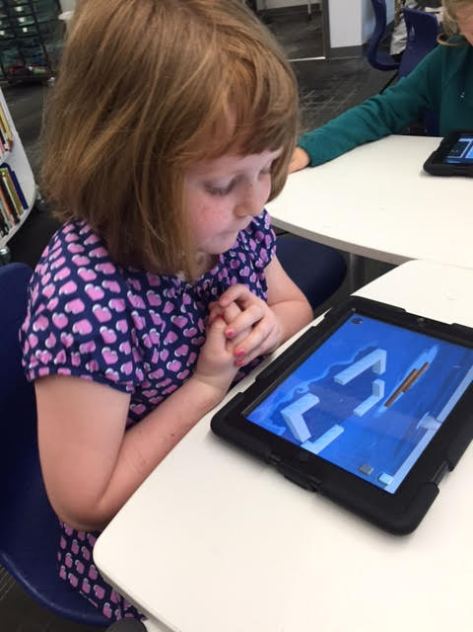
What helped me in the end?  Tinkering.  During our book fair, I pulled out an iPad and just tinkered at making a charm.  I can’t say that I came up with anything brilliant, but I did come up with some examples to help students see. The most helpful thing was for them to be able to visualize what the hole for the string might look like.

Each 1st grade class came to the library during their art time.  Ms. Foretich started the lesson with a quick video of a Makerbot in action.

It was fun to hear students talk about what was happening in the video because at this point many of them knew that it was a 3D printer, which would not have been the case a few years ago. Then, we showed the students the Blokify program. I really didn’t go into a lot of detail, but I showed them how to zoom in and out, how to add a block, and how to change blocks.  Then, students had time to tinker at tables and get familiar with the Blokify program.

Ms. Foretich and I walked around to assist students who were getting frustrated as well as encourage students to try various parts of Blokify such as adding a row, deleting blocks, switching worlds, and switching blocks.  Tinkering looked very different this year than it has in previous years, and my hunch is that students have more experience with Minecraft now, so they make the connection to this very similar program. I saw students being much more intentional about block placement even in tinkering instead of just tapping all over the screen.

We invited students back to the carpet after their tinkering sessions and gave them the specific task of the day: to design a one-layer pendant. We showed the examples that I had made as well as samples from other classes that had already printed.

Then, students went back to iPads and started a fresh design.  They only had a short amount of work time to create their designs, and I was so impressed with what some of them came up with.  They were so much more creative than my own designs!  As each student finished we had to email the files to a central email.  I had the email account pulled up on the board so that we could see if the emails came through.  Many of them didn’t, so we were slowed down by errors.  We had to go into the outbox of the email on the iPad and resend most of the emails.  For students that we couldn’t email in time, we put post-its on the iPads so that we could email the files after they left.

On the library calendar, I blocked off time slots for me to specifically work on prepping all of the files for 3d printing.  When you are working with over 100 .stl files to print, it’s time consuming.  I was able to put about 8 pendants on each print plate.  Each plate takes anywhere from 2-4 hours depending on how large I make the pendants.  I name each file “Pendant 1”, “Pendant 2”, etc.  Then, on a sheet of paper I write out the name and teacher of each individual pendant on the plate.  These names are also written onto Ziploc bags so that finished prints can go into the bags ready for the art teacher.

I can’t wait to see how the final necklaces turn out once they return to art class.  This has been an adventurous collaboration full of challenges, but there have been many rewards along the way too.  It was especially rewarding to see some students shine at using Blokify even when they might struggle in other subject areas.

Flipgrid Rolled Out the Red Carpet for the Barrow Peace Prize

flipgrid peace prize celebration (1)

For the past 2 weeks, people from around the world have been viewing and voting on our 2nd graders’ Barrow Peace Prize project. Across the course of the project, students have:

  • researched one of 6 people from history using PebbleGo, Encyclopedia Britannica, books, and other resources
  • developed criteria for a peace prize
  • written a persuasive piece about why someone should vote for their person from history
  • created a piece of art to accompany their writing
  • recorded their writing using Flipgrid
  • skyped with the creators of PebbleGo to learn about how this important research tool was made

flipgrid peace prize celebration (4)

All of the student work was pulled together onto a Smore so that it could easily be shared with the world, and people voted for the Barrow Peace Prize via a Google form.  Across 2 weeks, the student videos had 3,413 views, 1,161 likes, and visits from over 165 different locations around the world.

A very special ceremony was held at our school to announce the 2016 Barrow Peace Prize winner. We typically Skype with the Flipgrid team to announce he winners, but this year when I called to plan our Skype, I was surprised to learn that the Flipgrid team had much bigger plans for this year’s ceremony.  Charlie Miller and Brad Hosack, the creators of Flipgrid, flew down from Minnesota to join the celebration. They wanted the celebration to be like a mini Academy Awards. They rented a red carpet to roll out at the entrance to the library. They also bought enough pizza and drinks for all the kids, teachers, and families. In addition to the Barrow Peace Prize, we handed out special certificates to students which were chosen by teachers. The Flipgrid team also designed their own 3D printed award and gave it to 5 students chose by the entire Flipgrid team.

flipgrid peace prize celebration (2) flipgrid peace prize celebration (7)

Ahead of the event, the teachers sent out an RSVP invite to families so that we could get an estimate for chairs and pizza. We didn’t tell the kids very much about the ceremony except that they might want to dress up. The teachers all decided that they would dress for the Academy Awards, so I of course had to pull out my tux and red vest for the event.  I printed out all of the certificates to hand to students and shared the doc with the Flipgrid team so that they could announce the winners. The day before the event, Charlie and Brad flew down. They took care of the red carpet, balloons, pizza, and drinks.  Mr. Jordan, our student support technician, and I prepped the library.  When Charlie and Brad arrived, we setup the red carpet with some spotlights and put out the balloons.

The ceremony was the most special ceremony I’ve ever been a part of. The teachers, students, and families entered the library with movie theme music playing and took time to strike a pose on the red carpet for pictures. We also had many other special guests including Carol Williams for the CCSD Board of Education and Gretchen Thomas from UGA.

We connected with the Flipgrid team in Minnesota via Skype so that they could be a part of the entire ceremony. I gave a quick overview of the project for families to hear, and then we launched into awards.  Our awards were presented by two very special Minion guests, since Charlie and Brad weren’t quite ready 🙂

The Flipgrid team gave students all of the statistics of their videos so that they heard the impact that their work was having around the world. Team members took turns announcing student winners in 5 categories, and students came up to receive their awards from the Minions with the help of my wife, Denise Plemmons.

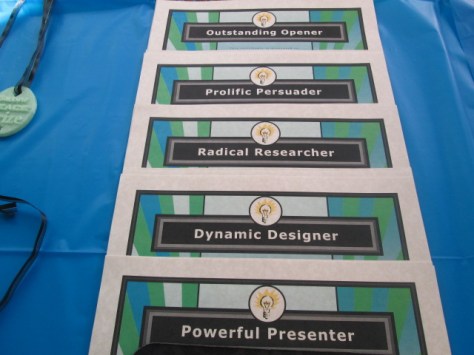
  • Outstanding Opener: For creating an opening statement that hooks your audience into your writing. Congratulations to Daly, Makenzie, Penn, Martavius, and Morgan
  • Prolific Persuader: For using multiple strategies to persuade your audience to vote for your person from history. Congratulations to Joshua, Ben, Kate, Copeland, and Cara.
  • Radical Researcher: For combing through multiple resources to find the most accurate facts to include in your writing. Congratulations to Isobel, KP, Kenderrious, Josie, and Terry
  • Dynamic  Designer: For creating a dynamic image to represent your person from history and engage your audience. Congratulations to Janae, Julian, Tad, Katherine, and Jeffrey
  • Powerful Presenter: For speaking confidently and powerfully as you shared your person from history with the world. Congratulations to Oriana, Ava, JD, Huda, and Blake

The Flipgrid Team handed out their unique 3D printed awards to Eli, Maggie, Iayah, and Zykurea.

The thing that I loved the most is how excited kids were for one another as they received an award. Each winning name brought on a round of cheers and applause almost to the point that we couldn’t hear the next name being read. I love that this project brings students from multiple classrooms together through the common goal of celebrating a person from history. That teamwork that was a part of the entire project, we still evident as we celebrated one another at the ceremony.

Students had a chance to ask the Flipgrid team questions. I always cherish this chance for students to step up to the camera and speak directly to the people who created the tools that they use. Students had such awesome questions such as “How do the videos we record get onto Flipgrid?” and “What are all of the jobs at Flipgrid?” The team took time to fully answer each question in the most personal and age-appropriate way.

Jim Leslie, co-founder of Vidku, talked to the kids about how they were all as much a part of Flipgrid as the people who created it. He stressed the importance of student voice and how much of an impact these students have had on the people who work at Vidku and Flipgrid.

Charlie Miller and Brad Hosack were able to arrive after the Minions left the building. Charlie talked to the kids about how tools like Flipgrid give every person an equal voice. He emphasized to students how many thousands of people had viewed their videos and they are only 7 or 8 years old. He stressed that if you can have that kind of impact at such an early age, then imagine the impact you can have as you grow. The messages shared by Charlie, Brad, Jim, and the whole team are something that I stress to our kids every single day, but it was so powerful for students, teachers, families, board members, and other special guests to be in the same room together hearing this message from a company who truly cares about its users.

flipgrid peace prize celebration (24) flipgrid peace prize celebration (29)

At the very end of our ceremony, we announced the 2016 Barrow Peace Prize. We would like to give a big congratulations to Ruby Bridges for winning the 2016 Barrow Peace Prize. The 18 students who researched her received a copy of a 3D printed medal that was designed by 3 second grade students. Each classroom also received a copy of the medal along with Charlie and Brad of Flipgrid.

Afterward, I had several families come up to me and say that they had no idea what to expect at this ceremony, but they were blown away by the generosity of Flipgrid and the work of the students. So many students were celebrated, and families and students couldn’t help but smile and get excited. We enjoyed celebrating the winning videos by eating pizza. Students returned to their classrooms to watch more of the winning videos, which Brad pulled onto one grid for us.

We can’t thank Charlie, Brad, and all of the Flipgrid and Vidku team for making our 2016 Barrow Peace Prize project the most memorable one so far. You are a company who listens to your users, celebrates their stories, and amplifies the impact students have on the world. Thank you.


Paper Circuits Popup Project with 4th Grade


paper circuits art (16)

I’ve been wanting to explore paper circuits for quite awhile, but I haven’ taken the plunge to do it. We got many supplies for paper circuitry through a Donors Choose project. We’ve tinkered with the LEDs, conductive tape, and coin cell batteries some in our makerspace, but a class has not used it for a project….until now.

\paper circuits art (5)

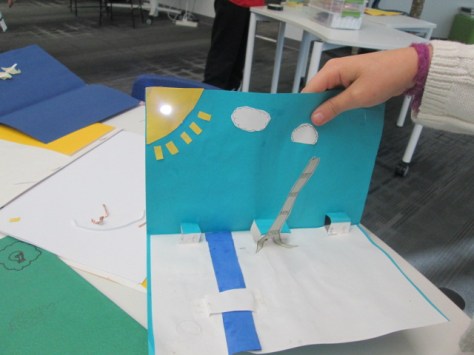
4th grade is studying light as a part of their science standards, so the art teacher and I started talking together with the 4th grade team about a possible collaboration between all of us where students could create a piece of popup art and light it up using an LED. We jumped into the planning and the project without fully knowing how to make a paper circuit, but we had faith that we could figure it out together with our students.

paper circuits art (2)

We knew some basics. Students would design a piece of popup art and plan for one part of the popup to light up. This was enough for the art teacher to start working with students on their pieces in art class. There were some basic requirements from her such as the piece had to include movement and a 3D element. The content of the popup was completely student choice. Some chose animals such as sea turtles following the moon while others chose to create a popup basketball goal. Each popup brought out the unique interests of each student.

While this series of work sessions was going on in art, the art teacher and I met after school to do a bit of tinkering. I had already done just a bit of tinkering on my own before she arrived, so I was able to show her a few things I knew. For example, I knew the positive post of the LED had to connect to the positive side of the battery.  This could be done by touching the battery directly or creating a circuit with conductive tape.  The part we were uncertain about was how students would open and close their circuit so that the light didn’t stay on all the time. We wanted to have some possibilities for students but we also wanted them to create some ways to open and close the circuit. As we tinkered, she took pictures of our steps to incorporate into some slides to share with the students.

paper circuits art (4)

When students were ready for their LED component, the art classes were held in the library. We introduced the lesson with a series of slides to show the basic of an open and closed circuit. We also showed them some options for how to open and close the circuit.

paper circuits art (3)

Students moved to tables where they found their art folder, their popup art, an LED, a coin cell battery, and some masking tape waiting for them.

paper circuits art (6) paper circuits art (7)

Before any students got conductive tape, we wanted them to plan out how their led and battery would connect. Students identified the positive and negative side of the battery and the LED and drew a path where the tape would eventually go. When they had a plan, students received conductive tape. They placed the tape along their path and tested to see if the LED lit up.  Sometimes it did and sometimes it didn’t. Actually, more often it didn’t.

paper circuits art (10)

This was frustrating for many students, but we went back to our many conversations about failure and how you have to back up, take a look at what you’ve done, make a change, and try again. Some students discovered that there were parts of the positive or negative path touching one another. Some students realized they had labeled their paths incorrectly. Some students couldn’t figure out what was happening. All of that was ok, but what we saw in the end was that students were problem solving. They were trying something they had never done before, were having some success, and were sharing the process with others.

It was a crunched amount of time to get everyone finished, so the art teacher plans to continue the work back in her classroom by having students revisit their work and see what adjustments can be made. The biggest thing we saw was that many students had a circuit created, but they had no way to open or close it. I took several students back to the board to see the slides with options of how to fold the paper so that it opened or closed the circuit and then invited them to go back and see what they could figure out.

We had a lot of hands helping with this project. There was me, the art teacher, the art student teacher, and sometimes a resource teacher or even the classroom teacher.  It was messy. We had paper all over the place by the time we were done, but there was a buzz of excitement and problem solving in the air.

Now that we have one shaky project under our belt, I hope we will take some additional risks with paper circuits and see where we can go next. I love seeing a teacher leap into a project with me without really knowing what’s really going to happen. We learn so much along the way as educators, but our students are also given an opportunity to trust themselves too.

Connecting Voices through Robotics: An EdCamp Global Event

This year, our library is fortunate to have a robotics loan from Birdbrain Technologies. We have 12 Finch robots that we are using throughout the year for coding experiences for our students. Currently, a group of 2nd-5th graders are meeting every Friday for one hour to learn to code these robots and create projects with them.

Donna MacDonald (Vermont) and Jenny Lussier (Connecticut) are two wonderful friends who inspire me through my professional learning network, and they also have these robots on loan.  Jenny and Donna wrote their robotics loan application with plans to collaborate with one another, and they have invited my students to jump in to their learning. We recently started talking on Twitter about how our kids could collaborate both synchronously and asynchronously, and we were looped in to a conversation about EdCamp Global.

I wish I had clued in to EdCamp Global sooner because it was an amazing opportunity.  Across 24 hours over 51 countries and more than 800 classrooms empowered students’ and teachers’ voices in multiple online formats. Not only did voices from around the globe come together but there was also a true global audience to watch the work happen. I definitely want to do more with this the next time around.

Thanks to Donna and Jenny’s enthusiastic energy, we pulled together a session on the EdCamp Global schedule to allow our students to share.  Jenny got the application in, setup the Google Hangout, and got everything up and running for us. Donna created a Google doc of resources for the session and started advertising our session on social media.

On the morning of the hangout, I was able to pull a couple of my Friday students from their classrooms to join the hangout and Jenny & Donna both had classes of students rotate through their libraries.  Across the 1-hour session, we talked about the Finch loan program and how we got started. We also talked about other robotics tools that we are using in our schools such as Sphero, BB-8, Dash and Dot, and Ollie.

My favorite part was when students took turns sharing their experience with robotics.  My two students showed programs that they were working on within Level 1 of Snap!  Donna and Jenny’s students also told stories of challenges they had faced with the robots, things they had figured out, and plans for what they hoped to do over the next few weeks.


Tweets during:

Toward the end of our time, Jenny had her students start experimenting with Scratch and Finch. They had just enough time to come over and demonstrate what they figured out during the hangout.  I can’t wait to share what we learned with the rest of our 2nd-5th graders so we can continue to explore programming the Finch.

Donna created a Padlet where we can post challenges to one another.

Jenny created a Flipgrid where students can share video challenges or tips about the Finch robots.

I think it is just incredible how students in multiple locations can come together to collaborate in real time when our schedule allows, and that we can continue to collaborate even when we aren’t meeting together at the same time.  My group is just getting started, so I can’t wait to see what we learn from Jenny and Donna’s students and what we are able to contribute along the way too!

Add Your Voice to the Kindness Week Flipgrid

IMG_9097

Each week leading up to World Read Aloud Day (February 24th) we want to join our voices around the world to celebrate one of the strengths of reading aloud.  During the week of January 24-31, we celebrate how reading shows us examples of kindness in the world.

LitWorld 7 Strengths

We have created a Flipgrid for you to share your responses to the following question:

What kindness role models have you met through reading?

We hope you will share this Flipgrid with other educators, students, and families around the world and record your responses which can last up to 90 seconds.  Wouldn’t this be a great way to practice some informational writing in classrooms?  Wouldn’t you love to hear stories from the families that you serve?  Aren’t you curious about the perspectives on this question from around the world?  Let’s join our voices and contribute responses all week long.  Can we show our own kindness by contributing our voice?

http://flipgrid.com/#527147e0

In addition, you might also consider coming up with your own posts in response to this week’s theme on your own blog or site.  You might write a post about a fictional character who has been a model of kindness and post on your blog or other social media. Better yet, have your students write these reflections and share them with you.  You and your students might perform random acts of kindness during the week and take photographs to post to Instagram or other social media. You might create a special display of kindness related books in your classroom or library.. Whatever additional ways you choose to celebrate “Kindness Week”, please tag your posts with #wrad16 and #kindnessweek as well as mention @litworldsays (Twitter) and @litworld (Instagram, Facebook).

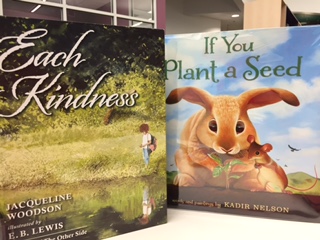
I know two of the stories we will read during Friendship Week are If You Plant a Seed by Kadir Nelson and Each Kindness by Jacqueline Woodson, but we will read many other kindness stories during the week as well.

It’s not too late to share your schedule for World Read Aloud Week on our shared Google Doc and find someone to connect with around the world.

Let’s share how we show kindness as well as find kindness in our global community.

WRAD16

Add Your Voice to the Friendship Week Flipgrid for World Read Aloud

LitWorld 7 Strengths

Each week leading up to World Read Aloud Day (February 24th) we want to join our voices around the world to celebrate one of the strengths of reading aloud.  During the week of January 17-24, we celebrate how reading connects us and makes the world a friendlier place

WRAD16

We have created a Flipgrid for you to share your responses to the following question:

How does reading help us connect and make the world friendlier?

We hope you will share this Flipgrid with other educators, students, and families around the world and record your responses which can last up to 90 seconds.  Wouldn’t this be a great way to practice some informational writing in classrooms?  Wouldn’t you love to hear stories from the families that you serve?  Aren’t you curious about the perspectives on this question from around the world?  Let’s join our voices and contribute responses all week long.  Can we find a new friend by contributing our voice?

http://flipgrid.com/#25c255a6

In addition, you might also consider coming up with your own posts in response to this week’s theme on your own blog or site.  You might read aloud a book with a friend and post about it on your blog or other social media. You might post a book of your best book friends which might be actual people or covers of books. Whatever additional ways you choose to celebrate “Friendship Week”, please tag your posts with #wrad16 and #friendshipweek as well as mention @litworldsays (Twitter) and @litworld (Instagram, Facebook).

I know one of the stories we will read during Friendship Week is Leo: A Ghost Story by Mac Barnett, but we will read many other friendship stories during the week as well.

It’s not too late to share your schedule for World Read Aloud Week on our shared Google Doc and find someone to connect with around the world.

Let’s share how we are all friends who are part of a global community.