Paper Circuits Popup Project with 4th Grade


paper circuits art (16)

I’ve been wanting to explore paper circuits for quite awhile, but I haven’ taken the plunge to do it. We got many supplies for paper circuitry through a Donors Choose project. We’ve tinkered with the LEDs, conductive tape, and coin cell batteries some in our makerspace, but a class has not used it for a project….until now.

\paper circuits art (5)

4th grade is studying light as a part of their science standards, so the art teacher and I started talking together with the 4th grade team about a possible collaboration between all of us where students could create a piece of popup art and light it up using an LED. We jumped into the planning and the project without fully knowing how to make a paper circuit, but we had faith that we could figure it out together with our students.
paper circuits art (2)

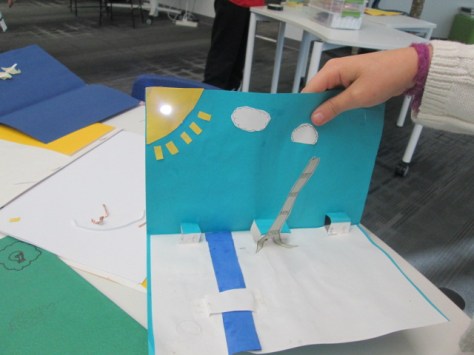
We knew some basics. Students would design a piece of popup art and plan for one part of the popup to light up. This was enough for the art teacher to start working with students on their pieces in art class. There were some basic requirements from her such as the piece had to include movement and a 3D element. The content of the popup was completely student choice. Some chose animals such as sea turtles following the moon while others chose to create a popup basketball goal. Each popup brought out the unique interests of each student.

While this series of work sessions was going on in art, the art teacher and I met after school to do a bit of tinkering. I had already done just a bit of tinkering on my own before she arrived, so I was able to show her a few things I knew. For example, I knew the positive post of the LED had to connect to the positive side of the battery.  This could be done by touching the battery directly or creating a circuit with conductive tape.  The part we were uncertain about was how students would open and close their circuit so that the light didn’t stay on all the time. We wanted to have some possibilities for students but we also wanted them to create some ways to open and close the circuit. As we tinkered, she took pictures of our steps to incorporate into some slides to share with the students.
paper circuits art (4)

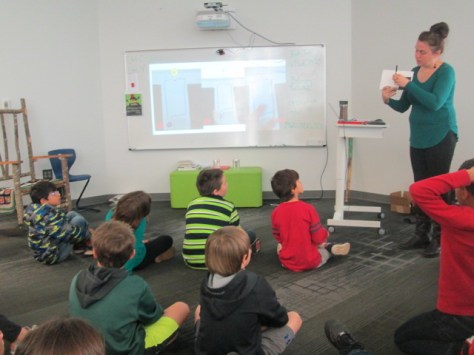
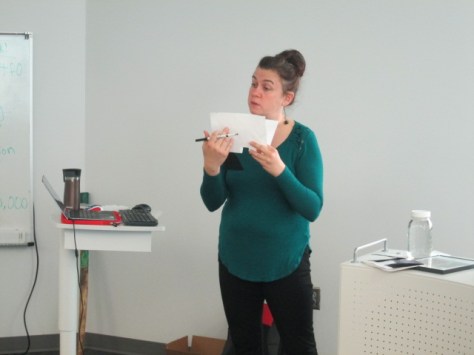
When students were ready for their LED component, the art classes were held in the library. We introduced the lesson with a series of slides to show the basic of an open and closed circuit. We also showed them some options for how to open and close the circuit.

paper circuits art (3)

Students moved to tables where they found their art folder, their popup art, an LED, a coin cell battery, and some masking tape waiting for them.

paper circuits art (6) paper circuits art (7)

Before any students got conductive tape, we wanted them to plan out how their led and battery would connect. Students identified the positive and negative side of the battery and the LED and drew a path where the tape would eventually go. When they had a plan, students received conductive tape. They placed the tape along their path and tested to see if the LED lit up.  Sometimes it did and sometimes it didn’t. Actually, more often it didn’t.

paper circuits art (10)

This was frustrating for many students, but we went back to our many conversations about failure and how you have to back up, take a look at what you’ve done, make a change, and try again. Some students discovered that there were parts of the positive or negative path touching one another. Some students realized they had labeled their paths incorrectly. Some students couldn’t figure out what was happening. All of that was ok, but what we saw in the end was that students were problem solving. They were trying something they had never done before, were having some success, and were sharing the process with others.

It was a crunched amount of time to get everyone finished, so the art teacher plans to continue the work back in her classroom by having students revisit their work and see what adjustments can be made. The biggest thing we saw was that many students had a circuit created, but they had no way to open or close it. I took several students back to the board to see the slides with options of how to fold the paper so that it opened or closed the circuit and then invited them to go back and see what they could figure out.

We had a lot of hands helping with this project. There was me, the art teacher, the art student teacher, and sometimes a resource teacher or even the classroom teacher.  It was messy. We had paper all over the place by the time we were done, but there was a buzz of excitement and problem solving in the air.

Now that we have one shaky project under our belt, I hope we will take some additional risks with paper circuits and see where we can go next. I love seeing a teacher leap into a project with me without really knowing what’s really going to happen. We learn so much along the way as educators, but our students are also given an opportunity to trust themselves too.

Celebrating Reading and Learning Styles with Bookapalooza

bookapalooza (1)

This year, the school library media specialists in our district decided to start a new reading competition called Bookapalooza. In the past, we have participated in Battle of the Books, where students read a set list of books and compete on teams to answer questions about specific details from the books. We had lots of discussion about trying a reading competition that offered students more choice in the books that they read as well as gave students a chance to show off their creativity and interests in a variety of categories rather than just answering factual questions about books.

A subcommittee of our group met to work out some logistics of how a new reading competition might work, and a new Bookapalooza website was created.

Students in 3rd-5th grade could compete in the competition. They could choose any book, author, or genre to read and create a project around. Five categories were created to give students a variety of choices to celebrate their own learning preferences: Art, Performance, Trifold, Writing, and Technology.

In the past, teams of students have worked together in Battle of the Books. Bookapalooza did allow for some collaboration but most projects were meant to be done by individuals. I had to think about organizing our school competition in a whole new way. I’m not sure that I really did the best job, but it definitely was a great first try. In November, I started sharing with students about what Bookapalooza was all about. Some teachers brought their whole class to the library while others just showed a short intro video.

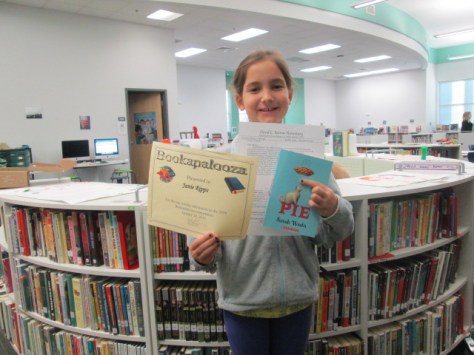
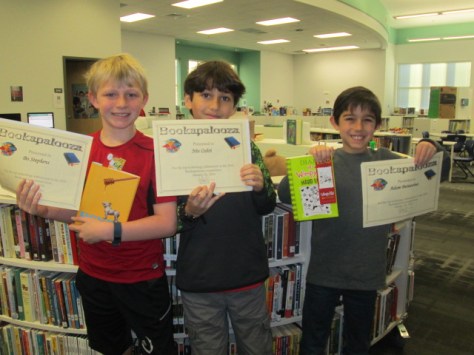
winners (5) winners (8) winners (10) winners (15) winners (12) winners (11)

I created a Google form where students could sign up for Bookapalooza and indicate the category they were most likely going to enter along with the title of the book. This could of course change, but the form allowed me to get a good ideas of how many students were going to enter the contest and to make sure we had projects in all of the 5 categories. I was also able to make an email list from this form so that I could email the participants with updates on the competition.

In the past, I’ve held practices for Battle of the Books during lunch on Tuesdays and Thursdays, but this type of competition really didn’t lend itself to that structure. Instead, I blocked off various times on the library calendar for Bookapalooza help sessions. Teachers could sign students up to come during these times or they were welcome to just drop by to ask questions or work. Some teachers chose to the do the competition with their whole class so they scheduled time on the library calendar specifically for their class.

I also contacted our collaborating teachers to ask if they would help each grade level with projects. Natalie Hicks, Jan Mullins, and Heather Carlson were instrumental in making sure that each grade level had representation in the competition.

As the deadline approached, I checked in via email with students and teachers and the projects started to come in. I cleared off the library shelves for projects to be displayed. As they came in, I numbered the projects for judging.  For digital projects, I created another Google form for students to submit links to projects. I put all of these links on a Google doc that could be displayed on each of our projection boards for viewing. The day after the deadline, we held our school competition, which meant that classes were welcome to come through and look at all of the projects and a team of 5 judges used rubrics to judge and rank the projects. We had to select one project from each category to move on to the district competition at the Athens Clarke County Library.

Some of our technology projects included:

Some of our performance projects included:

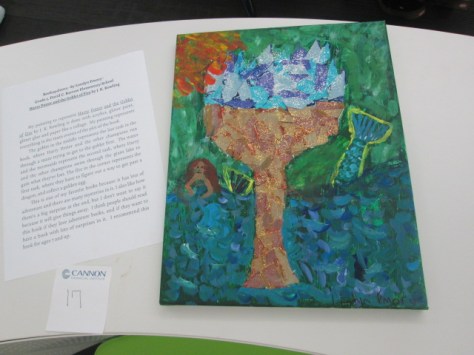
Some of our art projects included:

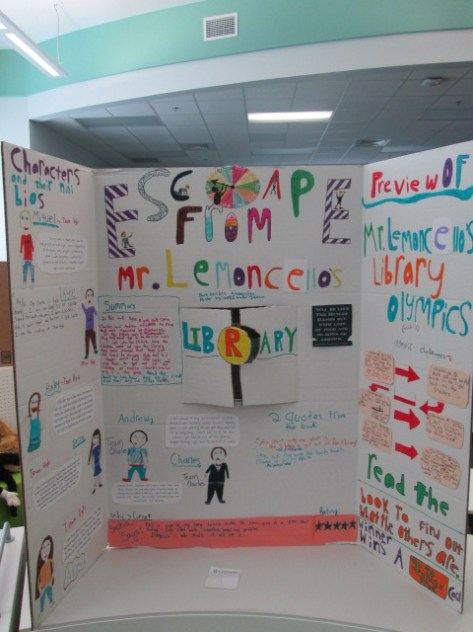
Some of our trifolds included:

Since we had so many outstanding projects, I asked judges to write notes about things that stood out about various projects and we awarded many special certificates and bookmarks to students who didn’t necessarily place “first” in their category.

Congratulations to the following projects for moving forward:

bookapalooza (7)

bookapalooza (13)


Our school level winners moved on to the district competition at the Athens Clarke County library where we were able to enjoy projects from most of the elementary schools in our district. Our school technology project placed 3rd n the district and our school art project placed 1st in the district.  Congratulations to all of the students in Clarke County who took time to share their love of books, their personal talents, and their creativity through numerous Bookapalooza projects.  We look forward to growing this celebration next year.


Seriously Silly: A Visit to the High Museum to See the Mo Willems Exhibit

High Museum (52)

Third grade has been hard at work on a Mo Willems art and writing project.  Since there is a Mo Willems exhibit at the High Museum of Art, we decided to use Mo Willems as an author/illustrator study to take a close look at how illustrators show emotion through their characters as well as how authors many times have a moral or lesson that we learn from their stories.

In the library in collaboration with Rita Foretich (art teacher), we took a close look at the whole Mo Willems collection of books.  We wanted students to spend time looking at the illustration and noticing similarities and differences across series as well as how he creates simple illustrations that show a range of emotions.  I pulled all of our library books for this as well as brought my whole collection from home.

In art, students have been working on characters and settings for their own stories which will include a moral of some kind.  In writing workshop, students are working on the text of their stories.  They will eventually come back to the library to use all of these pieces with the Puppet Pals app on the iPad to tell their stories.

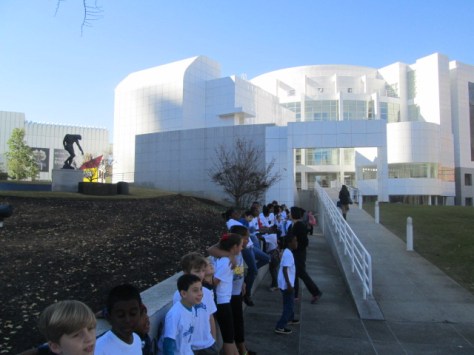
Our art teacher wrote a grant to fund a field trip for the entire 3rd grade to visit the High Museum in Atlanta.  Across 2 days, every student had a chance to visit the museum, tour the Mo Willems exhibit, see some additional pieces of art, and participate in an art workshop.  The grant funded tickets for all students as well as transportation.  We are so fortunate to have an art teacher who works tirelessly to increase access to art for our students.  For several students, it was their first time visiting Atlanta and seeing the massive skyscrapers.

High Museum (3)

At the museum, we split up into two groups.  One group went to an art workshop and the other group split in half for a tour with a docent.  Our docent tour took us into the main exhibits to stop at key art pieces and consider materials the artist used, the story the piece was trying to tell, and to learn more about how to examine a piece of art in a safe and meaningful way.

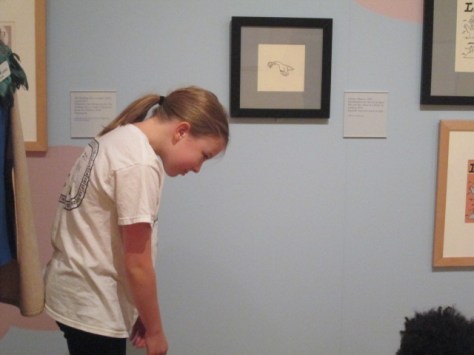
We eventually made our way into the Mo Willems exhibit, and the docent took us to each collection of art and had students sit on the floor.  At the pigeon illustrations, we looked at the many expressions of the pigeon and how Mo Willems shows emotion through eye position, movement, and facial expressions.

Students took turns standing and acting out the emotions of the pigeon to see if they agreed with the choices that Mo Willems made.  She also pointed out how Mo Willems draws an illustration multiple times before doing the final illustration.  Some of the pieces on exhibit showed blue, red, and black lines to show he changes Mo Willems had made along the way.  Students loved looking at the final piece and seeing what changed from the original sketch.

High Museum (8)

We continued to each collection of art doing similar activities to consider emotion and movement.  Students had a chance to share their favorite Mo Willems book or tell about the book that various pieces of art came from.  Along the way, we learned a bit more about Mo Willems and his work with Sesame Street.  Students also loved looking for the pigeons hidden throughout the museum.

In the workshop, students listened to the story Leonardo the Terrible Monster.  As they listened, the museum reader pointed out the expressions of the various monsters in the story and continued the theme of having students think about movement and emotion in illustration.

Following the story, students made their own monster out of construct paper, textured rubbings, and various craft supplies.  They were once again asked to think about emotion and how they were showing that through their monster.  I liked walking around and seeing students and teachers positioning their eyes, mouths, and other body parts to see how it changed the look and feel of the monster.  Students continued to add to their monsters right up until we packed up to leave.

It was a fabulous day at the museum and I can’t wait to see how this experience translates into the stories, characters, and settings that they are continuing to work on.

Happy International Ninja Day!

Did you know there was a day dedicated to ninjas?  Well, I didn’t either until my friend, Matthew Winner, pointed it out.  International Ninja Day is December 5th, and even though it’s a Saturday this year, it doesn’t mean you have to pass by the opportunity to read some ninja stories in December! Over at All the Wonders, you’ll find a whole toolkit to celebrate the day at home, in your classroom, or in your library.

International Ninja Day is December 5th! Celebrate at All the Wonders.

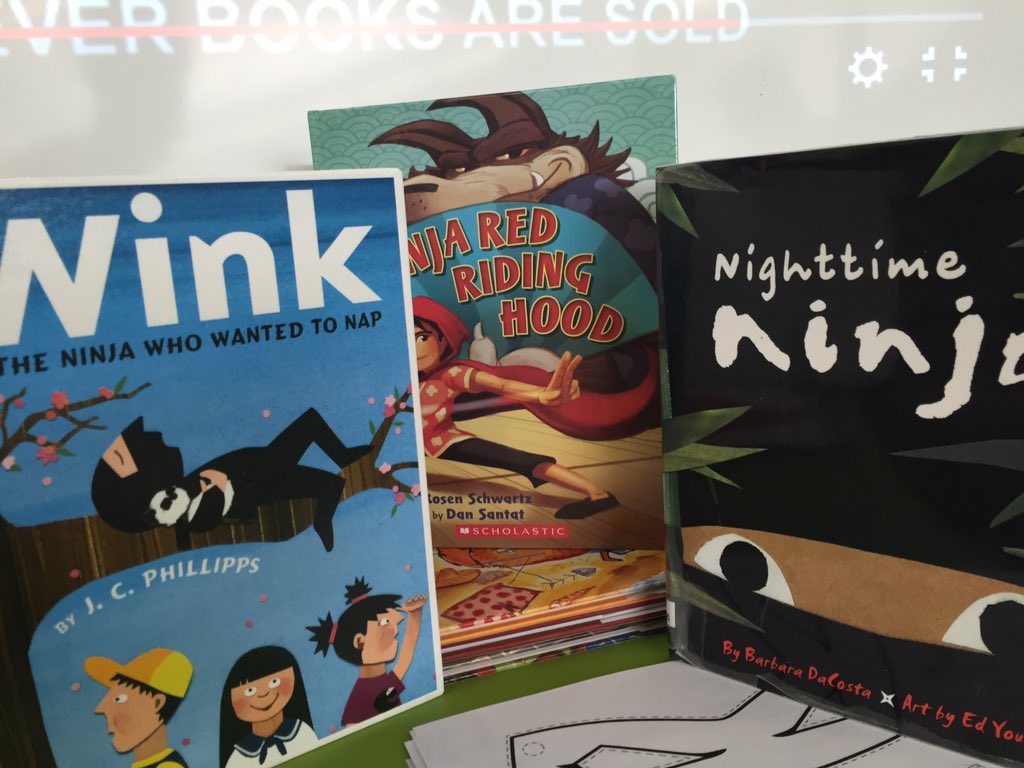
Yesterday, I had 4 Kindergarten classes in the library who wanted to have a storytime and checkout, so it was the perfect opportunity to talk about ninjas.  We started by sharing all the things we know about ninjas.  Words like sneaky, training, ninja moves, and fighting were of course brought up.  Then, we thought about characters we knew who were ninjas.  The overwhelming favorites were Ninja Turtles and Lego Ninjago.

This connected us to our read aloud of choice for the day which was Ninja Red Riding Hood by Corey Rosen Scwartz and illustrated by Dan Santat.  Since we were already talking about characters, we took some time to talk about Red Riding Hood and what we knew about most Red Riding Hood stories.  We held onto these ninja and Red Riding Hood ideas to see how they unfolded in the book.  Once the book was complete, students picked out some of their noticings.  They were so observant, and there were many memorable moments.  I think my favorite was when a student talked about how Ninja Red Riding Hood didn’t need a woodsman to help her.  She saved the day with her ninja grandma.

After our quick but rich conversation, we hurried to tables to make our own ninja masks.  I printed off an online template and students used crayons to decorate their masks in any way they wanted.  Some chose the Ninja Turtle route and colored with their favorite character colors.  Others chose to create patterns on their mask like a rainbow ninja.

This was a whirlwind time in the library because all of this along with a checkout happened in 30 minutes, but I guess that goes with the ninja theme.  We didn’t have time to finish our masks, so the teachers were gracious to take the masks back to class to finish.  As I was in the halls during dismissal, I spotted a student who was proudly carrying her finished mask to take home for the weekend.  She stopped me and said, “Mr. Plemmons…I forgot my backpack at home, but I’m carrying my mask home.”

I’m often asked if I do “traditional storytime” because I do so much with technology.  The answer is a huge YES!  It’s not about print vs digital.  It’s about how all of the tools we have available to us come together to help us experience the world.  Sometimes it’s an iPad, and sometimes it’s a box of crayons, a paper mask, the power of our imagination, and our curiosities about becoming a ninja.  Happy International Ninja Day!

Winter Around the World and in Athens, GA: Original Songs and Personal Narratives

song recording (3)

For the past few weeks, 2 classes have been involved in exploring winter right here in Athens, Georgia.  Even though we might associate cold and snow with winter, it isn’t always like that where we live.  Ms. Kelly’s Kindergarten class and Ms. Ramseyer’s 2nd grade class both participated.  You can read about the beginnings of their projects here.  Our work is all coming together with classrooms from around the world on a collaborative Google slide presentation.

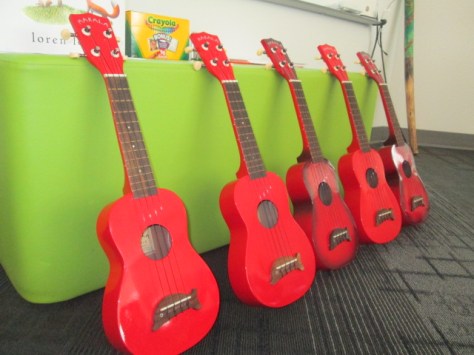
Ms. Kelly’s class has been busy in their classroom dividing into groups and building a song about winter.  As a class, they worked on the base beat using beatlab.  Then different groups worked on parts of the song.  Singers created the words and sang them. Clappers used their hands to add rhythm.  Ukuleles strummed chords for another layer.  Instruments such as coffee can drums added even another layer of rhythm.

song recording (4)

Ms. Kelly wrote the words up onto a big chart paper with plenty of visuals for students to follow.  She saved their class beat in beatlab and pulled it up on the library projector.  I used Screencastomatic to record the beat along with our webcam recording the student performers.  Ms. Kelly used dry erase markers to make notes on the beatlab beat for specific groups of students.  She also used a cowbell and her voice to help students know when to come in.

We gave ourselves plenty of time to record multiple times, but we just loved our first take!

Even though we were in love with that version, we decided to try one more time with just an iPad so that we could get some closeup shots of students performing.  We love this version too, but we are including the 1st one in our global winter project with classrooms around the world.

We had some fun shout outs while we were working on our song, including some retweets from Kishi Bashi who was one of our inspirations for our song.

https://twitter.com/CantataLearning/status/667369239230070785

https://twitter.com/MrsPstorytime/status/667393385318105088

Ms. Ramseyer’s 2nd grade class split into groups of 4.  Two students were author and two were illustrators.  After starting their work in the library, they continued to write and draw in class to tell about personal experience with winter in Athens.  They featured things like food, clothing, school, and events in winter.

Each group came to the library with their finished work.  We spread their pages out on tables and took digital pictures of each page.  We then took these and added them to the collaborative Google presentation.

In Youtube, we pulled up the feature where you can record straight into Youtube with your webcam.  We placed each page in front of the webcam and students read their winter personal narratives and facts.  These videos were also embedded on the Google slides.

We look forward to seeing how the rest of the slides turn out as we learn about winter around the world!


Discovering Interests, Igniting Passions, and Amplifying Student Voice

IMG_6482

I’ve been doing a lot of work with teachers and students over the past couple of weeks focused on the IPICK strategy.  One of the big pieces of this strategy is “interest”.  The idea is that if we read things we are interested in then we are more likely to enjoy the books we read.  But…what if you don’t know your interests?

In each class I’ve taught, there has been a handful of students that no matter what you ask, what you suggest, or what stories you try to pull out they cannot name a single thing that they like.  This is frustrating, but rather than throw my hands up, it has made me very curious.  Why are these kids just shrugging their shoulders when you ask them what they like?  What can I do (we do as a school) to support all students in exploring their interests?

Ms. Spurgeon, a 4th/5th grade teacher, came to me with this exact same noticing. She had asked students to do an “All About Me” assignment, but when it came to interests, several students came up empty handed.  She wants us to do a project together this year using student interests, but we can’t start because we don’t know their interests.  We decided to try another route.

We were trying to decide what kind of text would immerse students in a variety of topics while still being very accessible to a range of reading levels.  I’m not really sure how we decided it, but we decided to try magazines.  I don’t really subscribe to magazines any more in the library, but we have all of the Ranger Rick, Zoobooks, Sports Illustrated, etc that we’ve subscribed to through the years.  I pulled out the boxes and put them all over the tables.  We did a very quick overview of how we really want to think about our interests and one way we do that is by trying as many things as we can.  Ms. Spurgeon talked about some foods she had tried like zebra and how she would never have known how much she liked the taste if she hadn’t tried it.  We modeled what “trying” a magazine looked like.  We were very specific to not read every page and were honest how we as adults often just flip through a magazine and pick out the pieces we want to read.  I loved this because I saw students perk up.  Knowing that they didn’t have to read the entire magazine was an invitation.  They dove in and started exploring.  They oohed and ahhed over so many pictures they saw, and Ms. Spurgeon and I had casual conversation with them about what they saw.

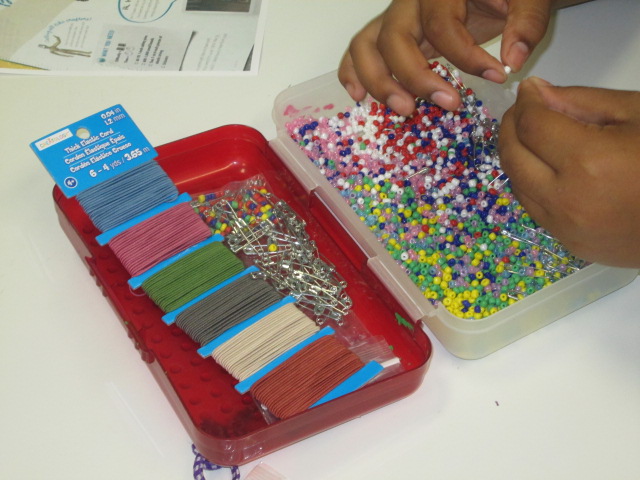
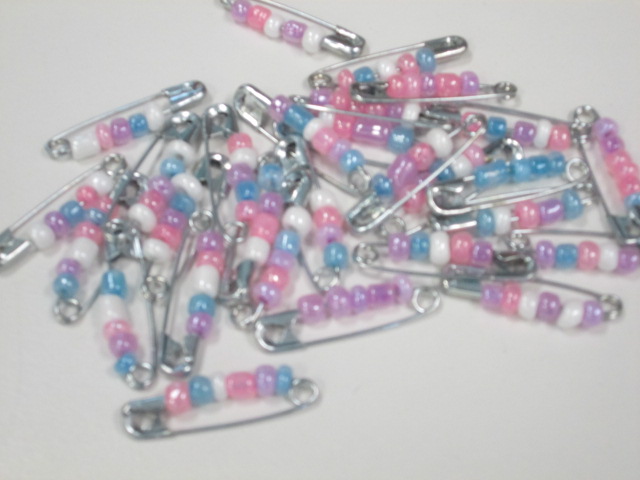
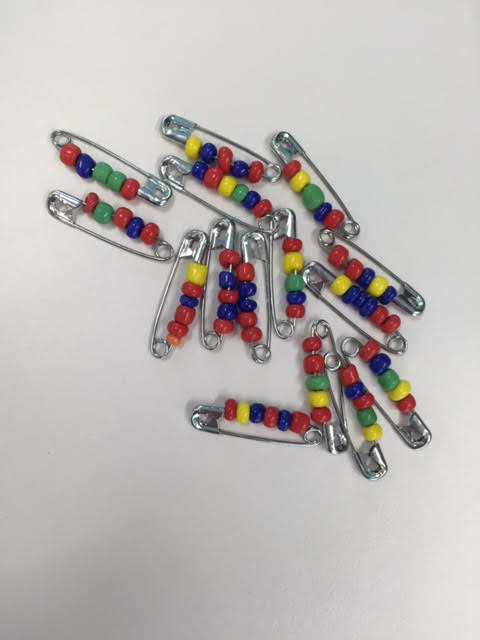
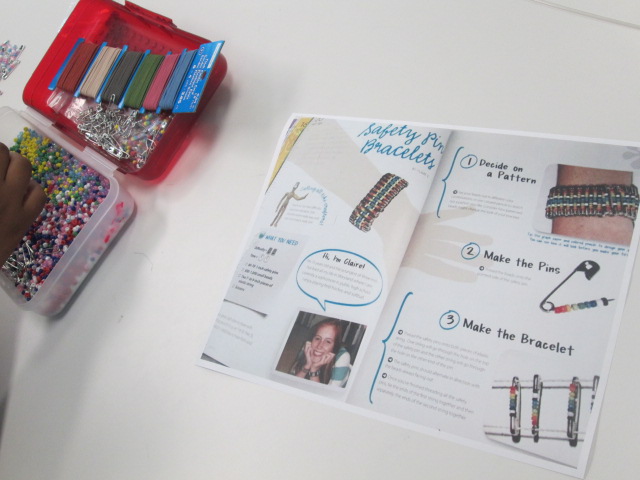
One moment stood out to me. Carlos and Carlena were looking at Kiki magazine together.  This magazine features a lot of fashion and crafts.  They discovered a page with a great 80’s style craft involving beads and safety pins.  The safety pins were put together on elastic string to create a bracelet.  They were glowing with excitement, so I told them I would take a picture of the page and send it to Gretchen Thomas at UGA to see if we could incorporate it into makerspace.

They looked a little shocked at first like, “You mean we could actually make this?”  Then, right after school I got an email from Carlos asking if I could email him the picture of the instructions.

It was that moment that told me I couldn’t let this momentum go.  This was a chance to empower individual students to explore a genuine interest.  Who cares if it was “just a craft”?  It was something they were suddenly passionate about when they had moments before been shrugging their shoulders.  That weekend, I went out and bought supplies, and I emailed them both first thing Monday morning.

I wasn’t surprised at all when I saw both of them walk in during their recess to get started on their project.

They came in for 3 days in a row during recess and didn’t even want to stop for lunch.

IMG_6481 carlos

As they’ve worked, I ‘ve shared their process via Twitter.  They have watched me documenting the process along the way, and I’ve told them that they are trying something out that they might teach to others or inspire other makerspace projects.

One day while we were working, Gretchen Thomas at UGA tweeted a picture of pins that her students had made.  When I showed it to Carlos and Carlena, they both smiled and said, “They’re doing that because of us?”

Another opportunity started to emerge because I saw how seeing the impact that they could have outside of our school walls was a motivator for them.  Next week for Dot Day, we are connecting with Sherry Gick and her 2nd grade class.  I asked Carlena and Carlos if they would share with this class how they are making their mark by being the first to try a craft in our makerspace and how they hope to pass on what they’ve learned along the way.  Without even blinking, they said yes.

IMG_6483

I have no idea where this is going to go, but I feel like I’ve tapped into something that I can’t let go.  I have to keep asking myself, my students, and our teachers how we can continue to explore interests, seek out individual passions, and amplify student voices beyond the walls of our school.  All of our students deserve to explore so many things to figure out what they are truly interested in.


Let’s Make Our Mark and See Where It Goes for Dot Day 2015

How do you and your students want to make your mark on the world this school year?  International Dot Day, which is September 15ish, is the perfect time to make connections with other schools, spark creativity and collaboration, and see where it takes you for the rest of the year.  Whether you’ve celebrated Dot Day from its beginnings or you are just getting started, we invite you to get creative with your students and share that creativity with the world.

hocking mural (3)

From the official page:
International Dot Day, a global celebration of creativity, courage and collaboration, began when teacher Terry Shay introduced his classroom to Peter H. Reynolds’ book The Dot on September 15, 2009.The Dot is the story of a caring teacher who dares a doubting student to trust in her own abilities by being brave enough to “make her mark”. What begins with a small dot on a piece of paper becomes a breakthrough in confidence and courage, igniting a journey of self-discovery and sharing, which has gone on to inspire countless children and adults around the globe.”

There’s no “right” way to celebrate Dot Day.  In fact, every year people around the globe come up with new and creative ways to make dots and connect with others.  That’s the magic of this special day.

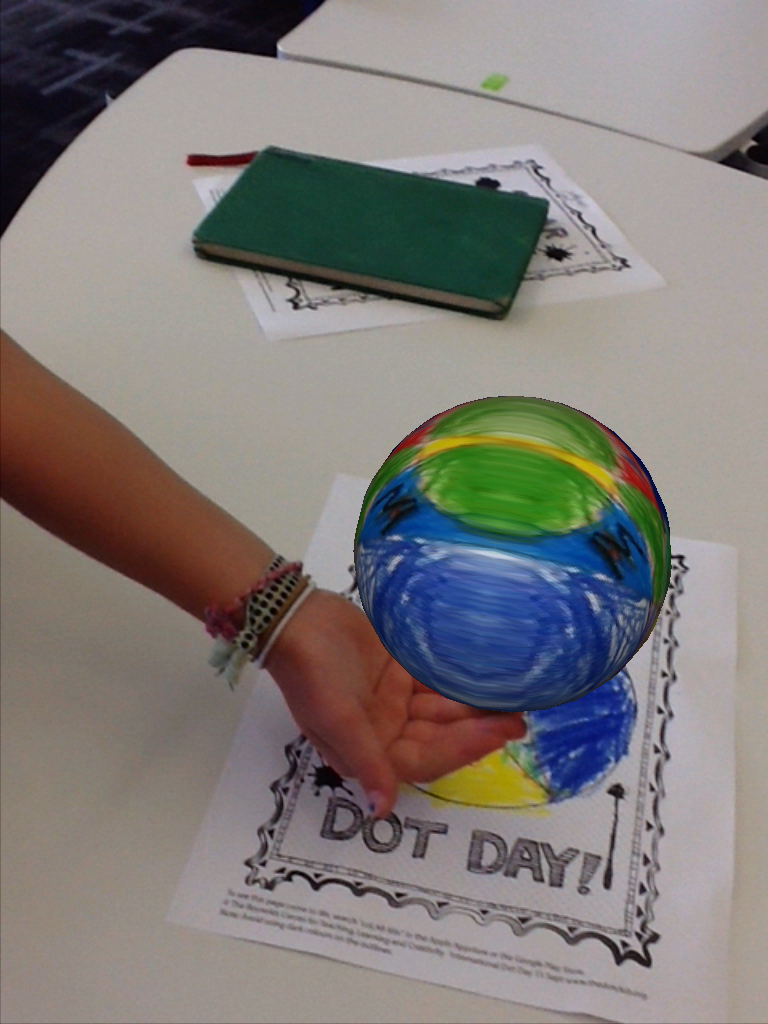
colAR (3)

What happens during a Dot Day connection?
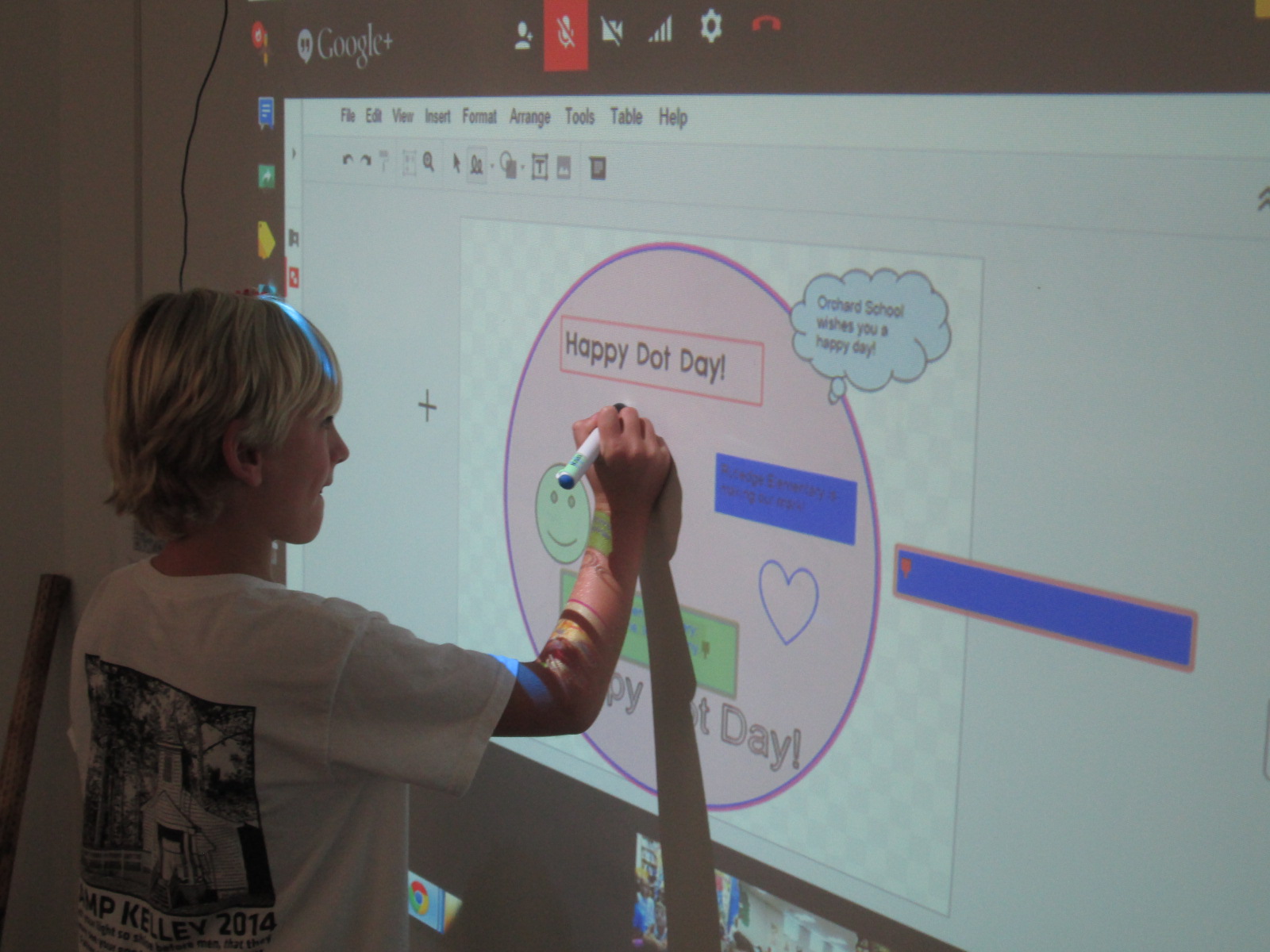
Often, we start by reading The Dot by Peter Reynolds or other dot-inspired books such as Press Here by Herve Tullet.  This is done via Skype or Google Hangouts with a connecting class. We begin to connect the dots with one another by learning a bit about one another.  Sometimes we create something together.  For example, last year students in Barrow Elementary made collaborative digital dots with connecting schools via Google Drawing.

Dot Day (37)

If you need some ideas to get started, consider taking a look at Matthew Winner’s past lessons or check out what others have posted in the Dot Day gallery.

Shannon Miller and John Schu’s Dot Day video is always an inspiration.

Also, check out the Celebridots page for dots created by some of your favorite authors and illustrators.

Many times connecting schools send some of their creations to one another through traditional mail.

How to get started

  1. Register your school on the official Dot Day page.  You’ll be added to the global map as well as gain access to the educator guide which is packed with information
  2.  Visit our shared Google Doc to start making connections with other schools.  We plan to make connections during the whole week of September 14-18.  Simply post your schedule, ideas, and contact information. Then, browse the doc for other schedules that match yours.  Skype in the Classroom is also a great place to make connections.
  3.  Start collaborating with your connecting schools and get ready to make your mark with your students.

Part of making your mark on the world is getting your students’ voices and creations out into the world.  As you connect, share your creations on Twitter using #DotDay and #Makeyourmark  Consider creating a blog post to show your students’ work to the world.

Now, make your mark and see where it takes you.

tinyurl.com/dotday15

Mo Willems Seriously Silly Exhibit at the High Museum of Art: Let the Planning Begin

Now through January 10, 2016 you can see an incredible exhibit of artwork by Mo Willems at the High Museum in Atlanta, GA.  As soon as I saw that the exhibit was coming last spring, I shared it with our art teacher, Rita Foretich.  We immediately began talking about a collaborative project and field trip.  She applied for a grant and both of us began thinking about which grade we might target and which standards we could weave in.

On July 11, the High offered an educators day which allowed educators and one guest to get into the museum for free.  This was a perfect time for me to see the exhibit without 100 elementary students and also to start thinking more about our project.  Thank goodness my wife went along so that I could take a moment to see the exhibit without chasing a 3 and 5 year old around.

As soon as we arrived in the parking deck at the High, we began seeing the Pigeon.  He was even in the elevator to the ground level.

And on the revolving doors at the entrance.

Before you even get to the main exhibit, there are some teasers along the way and some great photo opportunities.

You really have to keep your eyes open because there are characters and illustrations hiding everywhere.  Even this aspect could be woven into a field trip.  The museum provides its own scavenger hunt, but I think it would be fun for kids to write down all of the characters that they find along the way or count the number of pigeons they find and write down the locations that they found them in.  Of course, to recognize all of the characters, the kids would need to read all of Mo’s stand alone books and at least one of each of the series books.

The actual exhibit is grouped by series as well as stand alone books.

I loved the wall of ice ream where the Elephant and Piggie illustrations are found.  There’s even a pigeon hiding on this wall just like the end papers of the books.

One of the things that I immediately noticed was the pairs of illustrations that showed a sketch by Mo Willems followed by the final drawing before color was added.  This would be a great process to replicate with students in our project by having them create first, second, ….drafts of their art before drawing the final art.

I also noticed the illustrations from Knuffle Bunny.  The drawings were done without the digital photographs.  I could see this being incorporated into a project on mixed media and layering drawing and digital photographs together.  Having this image to show students can give them an idea of how to imagine the digital photograph in their illustration before adding it.

Of course, the thing that I love most about Mo Willems is how simple his artwork is without being oversimplified.  In Elephant and Piggie, for example, there is very little on the page other than speech bubbles and the characters.  However, each line drawn around the characters, each raised eyebrow, upward looking eye, outstretched arm, etc gives life to the character and reveals the thoughts, emotions, and actions of the characters.  To me, there is great potential in a project around this aspect of Mo Willems.  I could see us studying his artwork very carefully for all of the subtle details that allow us to know a character’s emotions and actions and implement those same ideas into our own characters, stories, or new versions of Mo’s stories.  The exhibit is filled with numerous illustrations to show these details up close.

The exhibit continues in the Greene Family Learning Gallery where you can learn the steps to draw the Pigeon as well as practice drawing him with different emotions.  I snapped a picture of the directions because I plan to incorporate this into either a center in the library or a lesson in our project.

In the learning gallery as well as the exhibit, you can pick up a scavenger hunt to do while you are in the exhibit, but this scavenger hunt could also be used as a way to look closely at the whole body of Mo’s work.

I loved that the gallery included a bus driven by the Pigeon so that you could take a fun picture like this one.

As soon as we get back to school, I’m going to debrief my experience with the art teacher.  We’ll start looking at our own standards as well as the standards of other grade levels and narrow down to which grades, what project, and which standards we will weave together.

Collaborating brings together the expertise of everyone involved.  I love that I can bring my knowledge and observations as a reader and pair it with the art teacher’s expertise in art terminology and technique.  When we put that together with the interests of the kids and the expertise of the grade level teachers, we have a crowdsourced project that is fun, enriching, authentic, supported, and driven.  I can’t wait to see where this project goes this year.

Think about who you could collaborate within your school.  If you’ve never done a project with the art teacher, I recommend it.  I love that a project can flow from the library to the art room to the classroom and back.  Even if you don’t have a big museum exhibit like this near your school, there are endless possibilities when educators work together with students.

Dr. Seuss Day: Our Read Across America Celebration

Barrow Seuss 2015 crop

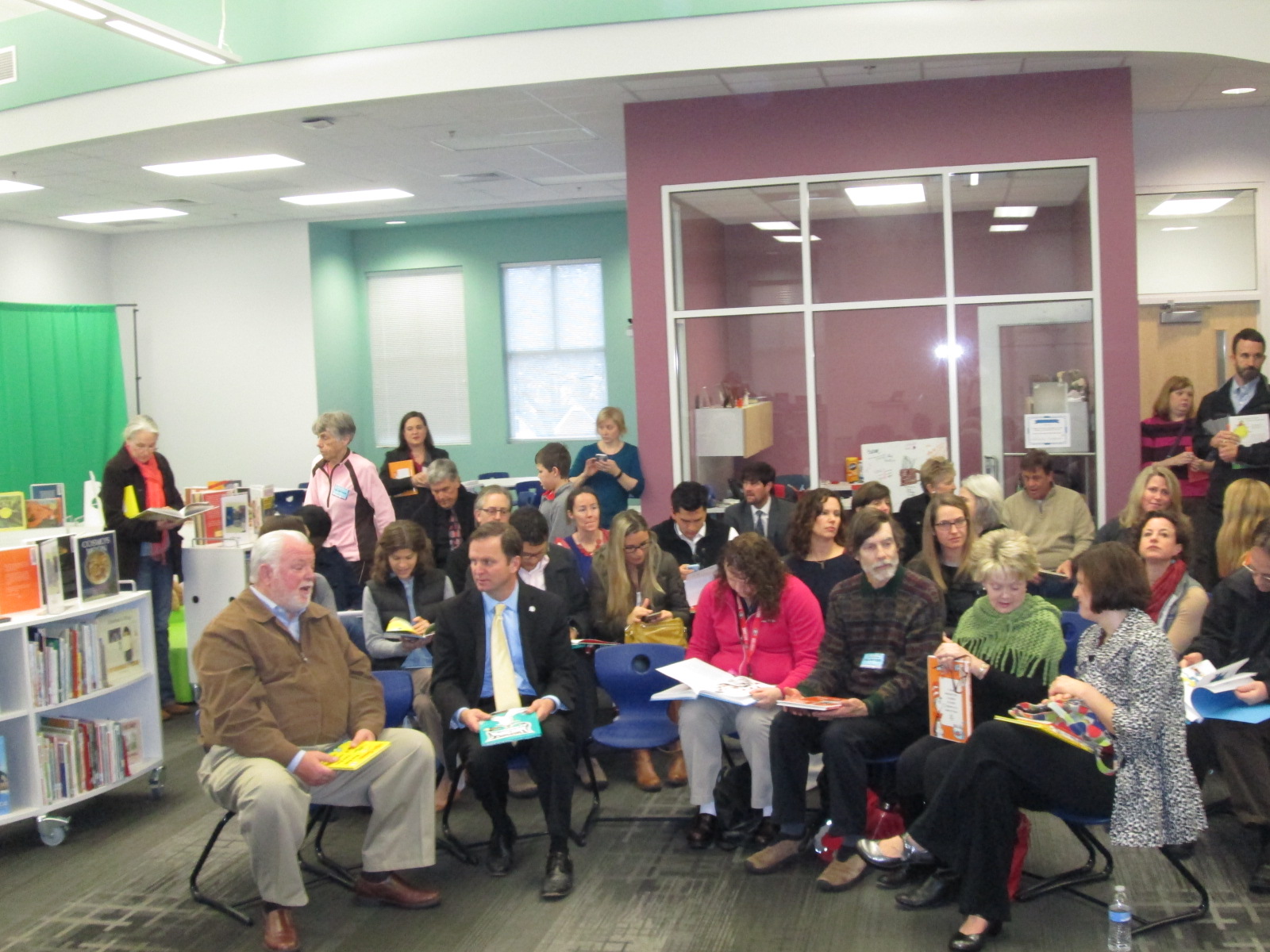
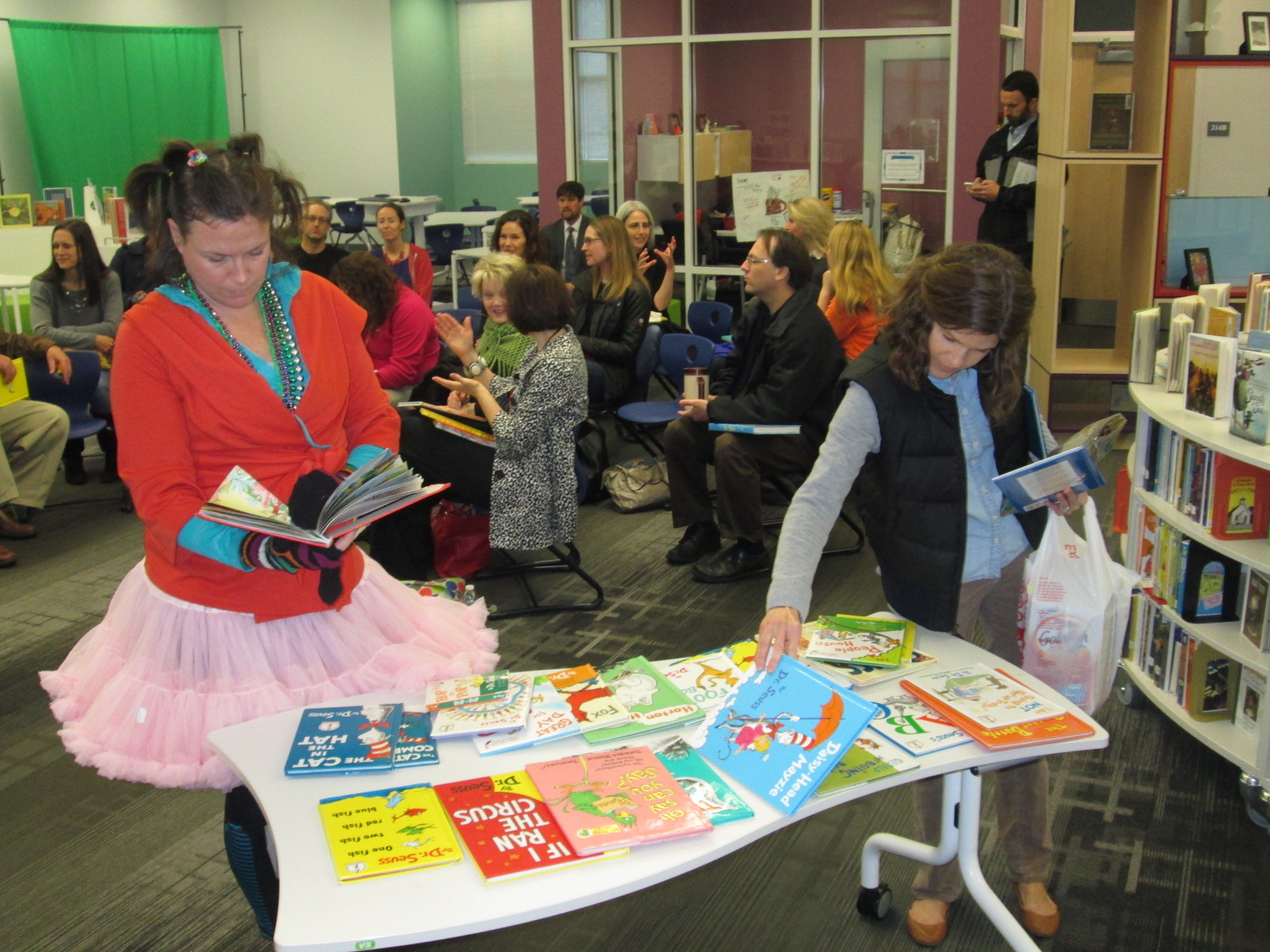
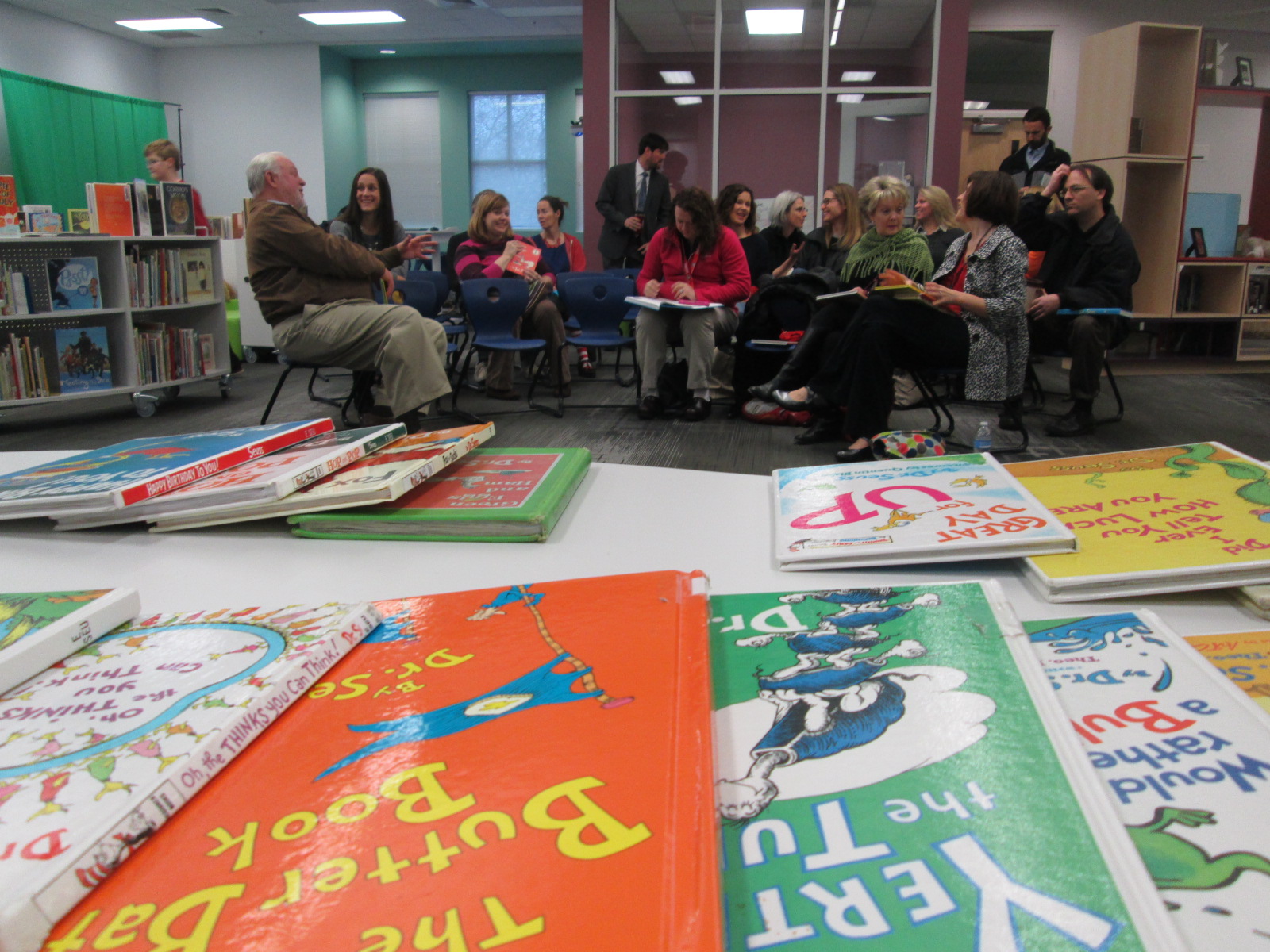
Today was the beginning of a very exciting week in the Barrow Media Center.  Each year on March 2nd, we schedule guest readers for every classroom in the school.  These readers select favorite Dr. Seuss books to share with our students.  It is amazing to see our community come together for this event.  Each time we celebrate, there are new faces that join our readers.

Barrow Seuss 2015 (4)

Courtney Tobin helped me this year to organize readers.  She created a Signup Genius and parent leaders in each grade level began sharing the signup.  It was also shared with our regular library volunteers and on our library and PTA Facebook pages.  By this morning, we had almost 2 readers for every classroom.

Barrow Seuss 2015 (3) Barrow Seuss 2015 (2) Barrow Seuss 2015 (1)

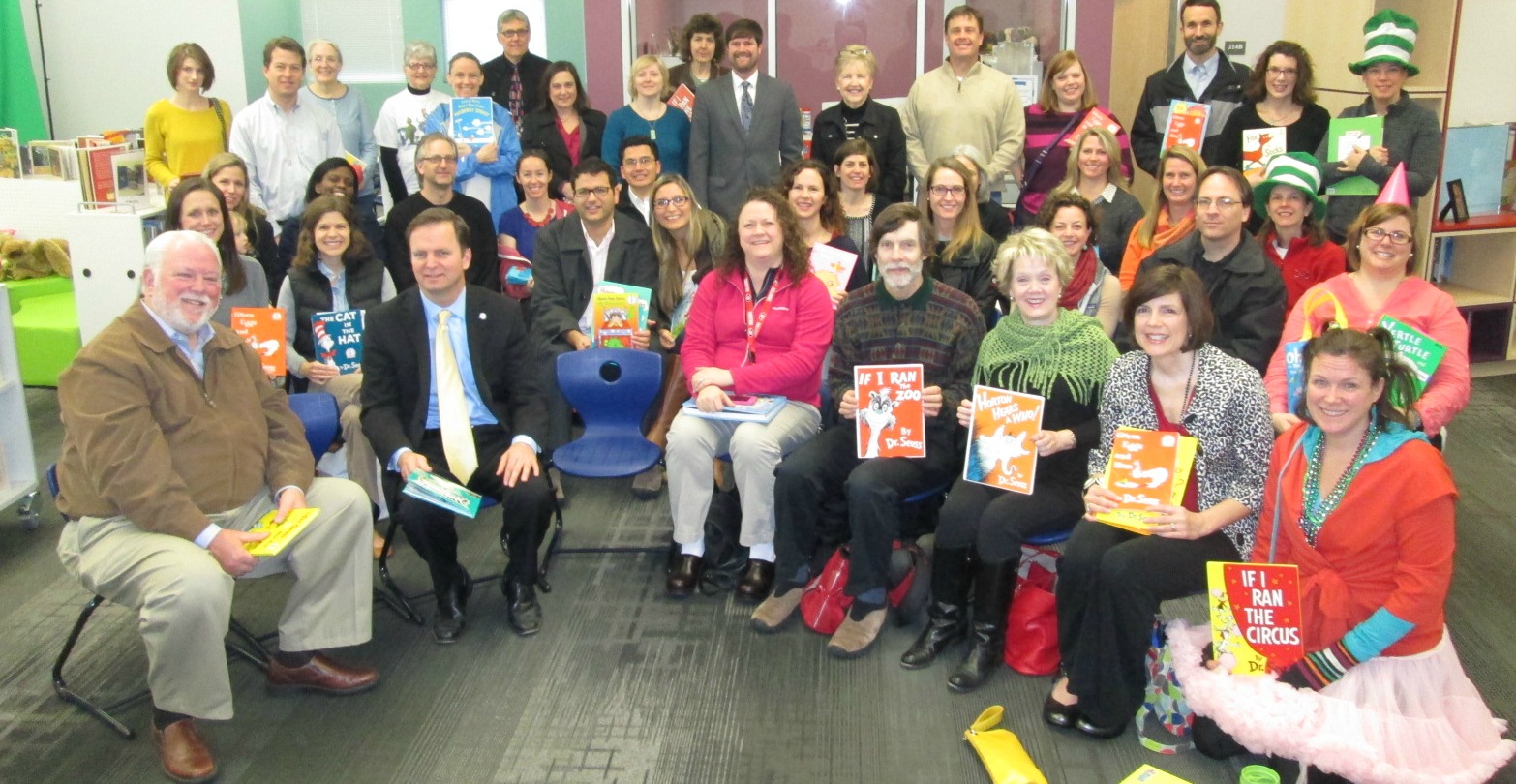
Readers gathered in the library, chose their books, and socialized before we took a group picture.

Barrow Seuss 2015 (7) Barrow Seuss 2015 (6) Barrow Seuss 2015 (5)

Then, students escorted them to their classrooms to read.  I quickly ran around to as many classrooms as I could snapping pictures.  It was so special to see students circled up on the floor listening to the words of Seuss spoken into the air.  There were also special memories shared as readers brought in their own copies of books that they had read to their children or had even owned as a child.  My wife, Denise Plemmons, shared a copy of Green Eggs and Ham with my daughter’s PreK class and she was able to show them where she had written her name in the book when she was a child.

These are the kinds of things that can’t be replaced by technology.  While I’m a huge advocate of using technology to share our voice, it doesn’t replace the shared experience of sitting around a book, hearing the pages turn, and losing yourself in the illustrations.  Thank you to all of the readers who took time to share stories with our Barrow readers.

Barrow Seuss 2015 (32)

This was just a warm-up to the 38 skype and Google hangout sessions that we have schedule this week for Read Across America and World Read Aloud week!

Coding and Beyond with PreK Using Sphero, Osmo, iPads, Computers, and Books

PreK Coding (27)

I love it when a small seed of an idea turns into something much more.  A few weeks ago, I approached PreK about using our Sphero to practice writing letters.  I knew that PreK was working on forming the letters of the alphabet and I thought that the Sphero Draw and Drive app would be a perfect way to merge letter practice with some programming.  I originally thought that small groups might come to the library and use the Sphero with me, but further brainstorming with Ms. Heather resulted in us deciding to do 5 centers that students would rotate through in order to experience many technology, math, and literacy experiences.

Ms. Heather’s class has been bubbling with excitement about coming to the library to try out all of these centers.  Ms. Heather split the class up into 5 groups which was 4-5 students per group.  Ms. Heather, Ms. Melissa (parapro), Ms. Callahan (parent), and I all led a center and one center was independent.  Each center lasted about 10 minutes and took up about an hour with transitions. Here’s what they did.

Center 1:  Hour of Code programming with Sphero

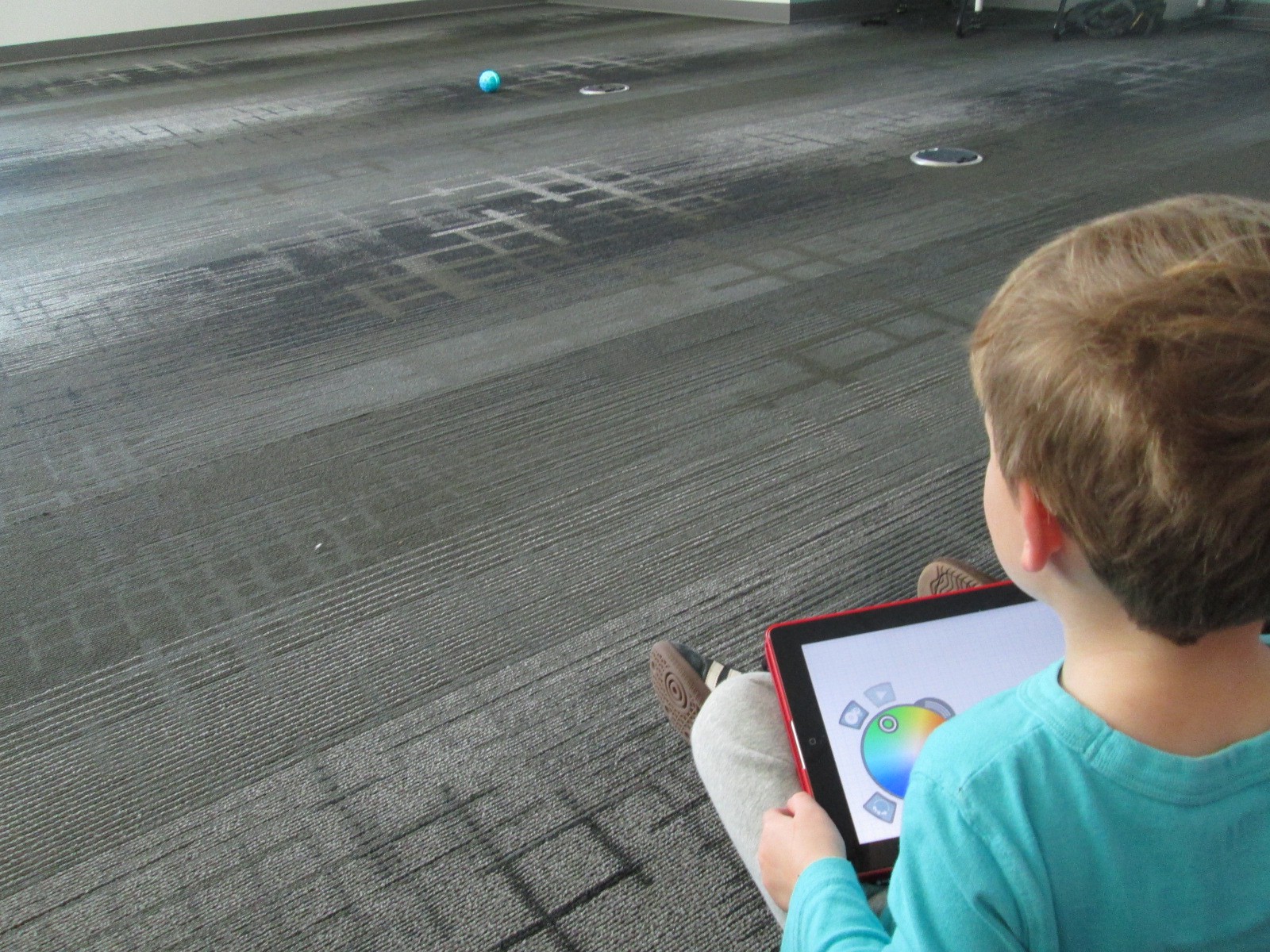
Since this week is our hour of code, I was so glad that PreK got to experience an aspect of coding.  While coding didn’t fill up our hour, it certainly sparked their interest in how to make a computer or robot do what you want it to.  Students sat in a row and each took a turn to think of a letter to practice drawing.  Using the Draw and Drive app on iPad, students drew a letter and pressed play.  The Sphero drove around the carpet in the shape of that letter.  With a shake of the iPad, the letter was erased and the next student had a turn.

We repeated this process over and over until we were out of time.  Each time the robot rolled around the floor there was a burst of excitement.  As the facilitator, I asked students about the letters that they were drawing to make sure that they understood what they were trying to draw.

Center 2:  Osmo Tangrams and Words

Our Osmo devices are one of our favorite tools in the library.  The Osmo is came out this summer.  It includes a base to put the iPad in and a red attachment to place over the camera.  Osmo comes with 2 sets of tools to use with the apps: a set of letter tiles and a set of tangrams.  The three apps are free to download but you must have the base and attachment for them to work.  For this center, students used the Junior version of the Words app.  This app gives students a picture with a matching word.  The beginning sound of the word is missing and students have to lay the correct letter tile in front of the iPad.  If it is correct, the red attachment “sees” the letter tile and magically adds it to the word on the screen.  If it is incorrect, students have to try again.

Students also used the Introduction to Tangrams in the tangrams app.  This app shows students 2-3 tangram pieces pushed together.  For this beginning phase, the colors of the tangrams on the screen match the colors of the actual tangrams.  As students correctly place the tangrams on the table in front of the iPad, the red attachment “sees” them and fills in with black on the screen.  When they are all correct, a new combination is shown.

This center was one that needed adjustment as we went along depending on student needs and strengths. Some needed to focus more on the shapes while others were ready to think about letter sounds in words.  All students had a blast watching the magic of the Osmo happen on the screen and table.

Center 3: Starfall on Computers

Ms. Heather facilitated the computer center.  I put out a computer, mouse, and headphones for each student in the group.  One part of this center was simply using fine motor skills to practice using a mouse.  The other part was to use Starfall to continue practicing letters and sounds.

Center 4: Reading

A parent volunteer read aloud stories that I pulled.  The selections were Peanut Butter and Jellyfish, Job Site, and Stars.  She had students engaged in discussion about the story and the pictures all along the way.

Center 5: iPads

PreK has 5 iPads in each classroom.  Students have a variety of word apps that they can use at their own center time in class, so they are used to using these apps independently.  This made the perfect independent center since we didn’t have 5 adults.  Students sat on the bean bags by the windows and used the iPads by themselves for the 10 minutes of this center.

I think many times people think that our younger students can’t use technology or they are unsure of what to do with younger students.  I love giving things a go and seeing what happens.  We were amazed by students’ engagement and excitement today.  Some asked, “Can we do this every day?”  That was a sure sign of success.  When working with younger students, you have to think about what your barriers might be.  For us, we wanted smaller groups in order to have more adult support if needed.  We also wanted smaller groups so that students wouldn’t be waiting around since we only have 1 Sphero and 3 Osmos.  Using the teacher, parapro, parent volunteer, and me helped to make this possible.  You might have a different barrier, but I hope that you will consider what you might leap into with your youngest learners in your building.