Winter Design Challenge Using Blokify and 3D Printing

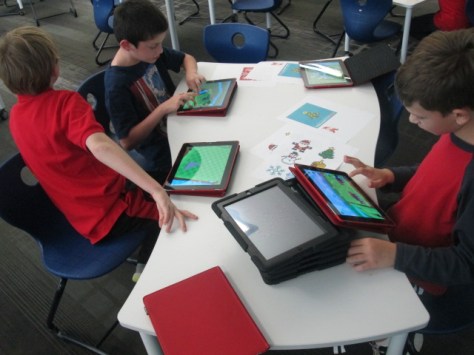
Blokify Design Challenge (5)Our open makerspace on Tuesdays and Thursdays is taking a break while UGA is having finals and winter break.  However, the demand to use the makerspace doesn’t disappear just because UGA is on break.  I decided to have a design challenge makerspace on two days and feature the Blokify app and our 3D printers. Since 3D printing takes a long time to complete, I decided to create some rules to help us out with the number of pieces we would need to print in a short amount of time.
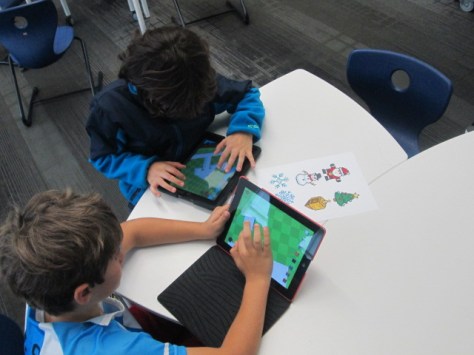
Blokify Design Challenge (12) Blokify Design Challenge (11) Blokify Design Challenge (8)

Rules:

  1. Design a winter symbol.  Any winter holidays or winter objects could serve as inspiration
  2. Design in 1 layer.  The more layers we have, the longer it takes, so we want our designs to be 1 layer only.
  3. Use Blokify to design and don’t worry about the colors of the blocks since your print will be whatever filament color we use.
  4. All blocks need to be connected so that your design prints in 1 piece.

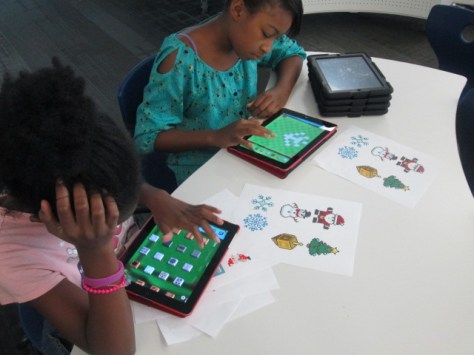
Since Blokify uses blocks to design in 3D, I found some 8-bit winter designs to serve as inspiration for student winter designs.  I blocked off six 30-minute time slots on the library calendar and made a Google doc for teachers to sign students up.  I shared it with all teachers and encourage them to let any interested students come.  There were 8 slots in each time block.  It didn’t take long for the slots to fill with Kindergarten, 1st, 3rd, 4th, and 5th graders.

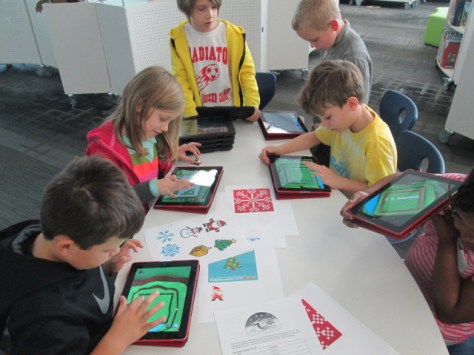
During each session, I gave a very quick intro to Blokify and shared the 8-bit winter designs to consider.  I went over the rules as well, and students jumped onto the iPads to work.  It was a short amount of time to design something, so I told students not to panic if they didn’t finish a design.  As usual, students began looking at one another’s work for inspiration and helped one another with Blokify tips such as how to zoom in, delete blocks, or change the view.

It was fun to see what some of the students came up with and which students naturally gravitated toward this type of design because of their previous experience with block tools such as Minecraft.  We had Santas, a menorah, Christmas trees, snowflakes, reindeer, presents, crosses, and a few randomly shaped symbols too.

A few students did get frustrated, but most of them persevered through their frustration to complete a design.

Once designs were done, we had a process for getting them to me for 3D printing.  I created a separate email account just for 3D files.  Students went to “3D print” on Blokify and selected “Email to me”.  They emailed the .stl file to the 3D printing email account.  In the subject of the email, they changed the “untitled” file to their first name and teacher’s name.  This would help me in getting the printed file back to students.

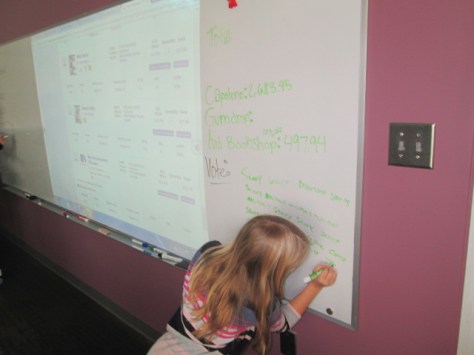
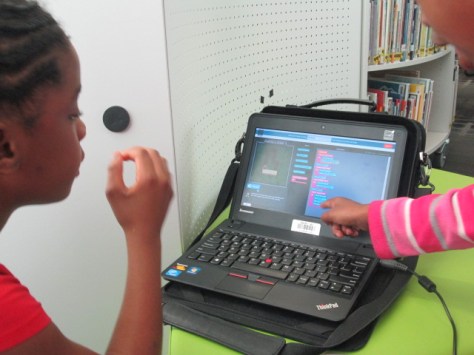
At the end of the day, I sat down, logged into the email account, and started putting the .stl files into Makerware and Cubify.  Makerware works with our Makerbot and Cubify works with our Cube 3D printer.  For Makerware, I put up to 3 student files in a row on the build plate.  On a separate piece of paper, I wrote down the main file name and then wrote the student/teacher name in the correct sequence that the files would print on the plate.  For Cubify, I could only put on design on the build plate at a time, so I named each of those files with the student/teacher name.
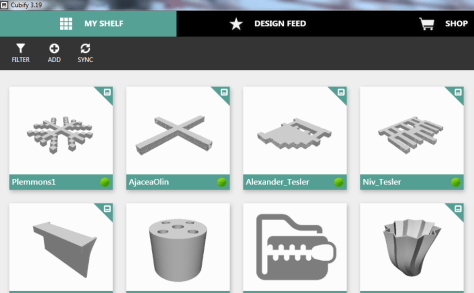
cubify

Once all of the files were complete, I loaded them on a USB stick for the Cube and an SD card for the Makerbot.  Each day, I come in and crank up both printers right away and start printing the files.

I write the student/teacher name on a Ziploc bag and lay them out in the right order of the floor to await the finished print.  When a print finishes, I remove and bag them.  Then, I immediately start a new print.  I’m making good progress and hope to have all of the designs printed by Friday.  It takes a lot of organization to get this moving efficiently, but I finally have a process that is working faster than how I originally started.

Even with the speed I’m working at, the kids are still dropping by to ask if their design is done.

I loved the experience of having a design challenge and hope that the students did too.  I think if I offer these types of experiences more often, the students will start to develop their own ideas for 3D designs.  They will also get more comfortable with the 3D design tools.  We will try others in future design challenges along with Blokify.

Student Book Budgets 2015-16: The Final Lists


narrowing (7)

Since early November, a group of 30 students has been hard at work spending a student book budget.  This year’s budget was funded through a generous grant from James Patterson.  Students created a survey in Google forms, surveyed the school, analyzed the results, set goals, met with vendors, and created consideration lists.

narrowing (8)

You can read more about their work in these posts:

Getting started

Meeting with Capstone

Meeting with Gumdrop

Meeting with Avid

narrowing (5)

Over the past week, students have worked to narrow those consideration lists down until they had books that met our goals and were within our budget.  There were many tough decisions as usual.  Students had to consider how many of each kind of book to order.  Should we order more superhero books than anything else?  Should we order copies of books that we already have in the collection?  Should we include books that we knew students would like but didn’t actually meet one of the goals we set in the beginning?  Should we spend more money with a certain vendor in order to earn additional free books?  As usual, I saw students go to bat for a book because of something they heard other students ask for.  For example, there was a Frozen drawing book with Gumdrop Books.  One of the 5th grade boys said, “I don’t personally like Frozen, but I know a lot of students who do.  I think we should order another copy of this book so that more students can enjoy it.”  I’m always amazed by the conversations that surface during this project.

narrowing (2)

After cutting books from the list, I sent the student choices to Avid Bookshop, Capstone, and Gumdrop books to give us final quotes.  They each emailed me a final list for students to see.  Students met for one final time before the holidays to give a stamp of approval to the final lists.  There were a few minor changes to the lists in the end.  We added an additional Wimpy Kid book and some additional books in series.

Now, all of the lists have been sent to the vendors.  We met our goal of finishing before the holidays and students spent the entire $5,000 James Patterson Grant and managed to stretch that budget to an additional $750 thanks to Capstone Rewards.  Now we wait.  The books should arrive in January.  At that time, we’ll meet again to unpack the books, market them to the school, and enjoy a first look and checkout before the rest of the school.
Capstone List

Gumdrop List

Avid List

Great work student book budget team!

Coding Partners for Hour of Code

Hour of Code Day 2 (17)

Each year our 2nd-5th graders in all Clarke County Schools attend a UGA basketball game.  The game is within walking distance to our school so it doesn’t take us long to venture that way.  I’m usually a chaperone on this trip. This year, the game fell during the week of Hour of Code. Our departure time kept moving up on the calendar and it started to interfere with some classes who signed up to code. With each conflict comes an opportunity.  One of the classes affected was a fourth grade class and another was a first grade class, so we just decided to combine them together.  This allowed both classes to have a full hour of coding, and it allowed the 1st graders to try some coding that they might not be able to attempt on their own.  Many thanks to these 2 teachers who worked together along with me to come up with a solution that worked for everyone!
Hour of Code Day 2 (19) Hour of Code Day 2 (18)

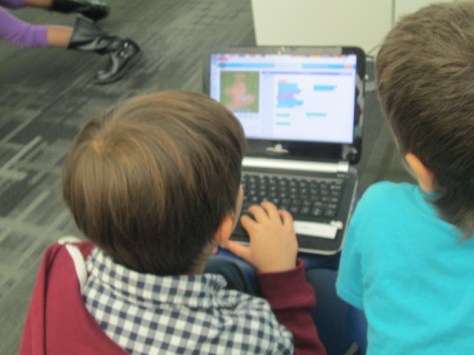
We started on the carpet to lay the foundation for coding and Hour of Code.  We also talked about working with a partner.  Many of the 1st grade students don’t quite have the fine motor skills to navigate the mouse and keyboard, so the 4th graders were ready to help with this barrier.  We also talked about how we are all in this together.  One person shouldn’t just sit and watch.  Instead, both partners should talk out loud about what each coding puzzle offered and share ideas for what to do.  We took a look at Made with Code as well as Code.org as possibilities for what to work on, and each buddy group had to decide which coding puzzle interested them the most.

I sent the 4th graders off into the library to find a spot, and then the 1st graders walked to find a buddy.  The teachers and I helped students who couldn’t find a buddy on their own.  Students immediately got to work, and I was pleasantly surprised by how well they worked together.  I saw numerous 4th graders encouraging 1st graders to take a turn in dragging over blocks of code.  I heard them ask the 1st graders what they thought they should do in the puzzle.  I also saw 1st graders taking the lead and telling the 4th graders exactly what they thought should be in the coding sequence.

Many of the students chose Star Wars, Minecraft, or Frozen, but a few ventured out to parts of Code.org that I didn’t show such as Flappy Bird.  I was surprised by how complex some of the coding puzzle were this year, and students loved that when they reached the final level of a puzzle, they could create their own game.

As I walked around, I listed to a lot of conversation.  I was very proud to see students not giving up and really working to find solutions to their problems.  I heard things like:  “where is our problem?” and “I think we have something wrong in the bottom part of this code” and “Let’s put this in and see what happens.”  I wanted to bottle up all of these quotes to remind students that this type of language and perseverance should spill over into all other areas of our lives.  I pondered why students were so comfortable with starting over and looking for solutions to problems in coding, even though they might get extremely frustrated with other things.  I’m not sure I have an answer, but it’s something I’ll continue to think about.

I really like the potential of partnering different grades together for projects.  I really think it could be done more often if we take a close look at the curriculum and how topics overlap or support one another.  When students work with different age groups, their leadership skills naturally start to come out and their confidence in themselves grows as well.  I’ll continue to think on this.  It’s yet another great thing that the Hour of Code surfaces in education.


Students and Vendors: Meeting with Avid Bookshop

avid book budget (5)

Our book budget students have continued to meet with vendors to spend our $5,000 James Patterson Partnership grant.  They have gone through a long process to create a survey, survey students, analyze data, set goals, and meet with vendors to create consideration lists.  They met with Jim Boon of Capstone Press and Gret Hechenbleikner of Gumdrop books.  Students have just finished meeting with their final vendor, Avid Bookshop.

avid book budget (9)

We love working with our local independent bookshop.  They are always willing to come into the school or Skype in to share books with us for projects.  Will Walton, author and bookseller, came in to do book talks with our 3 small groups of book budget students.  Each grade comes in separately for 30 minutes, and each group picks up where the previous group left off.

avid book budget (12)

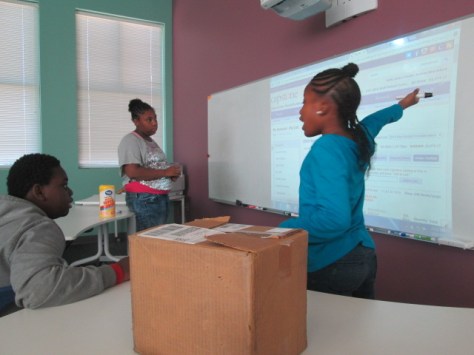
We pulled up our goals on the screen so that Will could use them as a talking point with students.  He brought some Advance Reader Copies of books that might meet our goals but also offered his own knowledge of books that matched many of our goals such as graphic novels, scary, and humorous stories.  As Will talked, I was in charge of creating a Google doc of the books so that students could look back at them later.

One of the things that I absolutely loved as Will was talking was how our students were getting hooked on the books he was talking about.  There was an immediate trust of Will, and several students found a book that they personally wanted to read.  He graciously handed out some the ARCs and told students to read them and pass them on to someone else.  He also encouraged students to come in and visit Avid Bookshop.  Several requested that he write down the address of the shop since they had never actually been inside.

avid book budget (8)

Will also started thinking of certain authors and series and going onto the shelves of our library to find them.  He handed out several of our own books and students checked them out to read.  He really reminded me of the importance of book talks and how I really need to be doing this more than I am!

After Will left, we continued to work on our Avid list.  I email it to Janet Geddis and the Avid team.  They will now check the list to make sure all of the titles are available, and they will send us a quote to help us narrow down our list to what we will actually purchase.  Students have two more meetings before the holidays, so we  hope we can fine tune all 3 of our lists to match our $5,000 budget.

Happy International Ninja Day!

Did you know there was a day dedicated to ninjas?  Well, I didn’t either until my friend, Matthew Winner, pointed it out.  International Ninja Day is December 5th, and even though it’s a Saturday this year, it doesn’t mean you have to pass by the opportunity to read some ninja stories in December! Over at All the Wonders, you’ll find a whole toolkit to celebrate the day at home, in your classroom, or in your library.

International Ninja Day is December 5th! Celebrate at All the Wonders.

Yesterday, I had 4 Kindergarten classes in the library who wanted to have a storytime and checkout, so it was the perfect opportunity to talk about ninjas.  We started by sharing all the things we know about ninjas.  Words like sneaky, training, ninja moves, and fighting were of course brought up.  Then, we thought about characters we knew who were ninjas.  The overwhelming favorites were Ninja Turtles and Lego Ninjago.

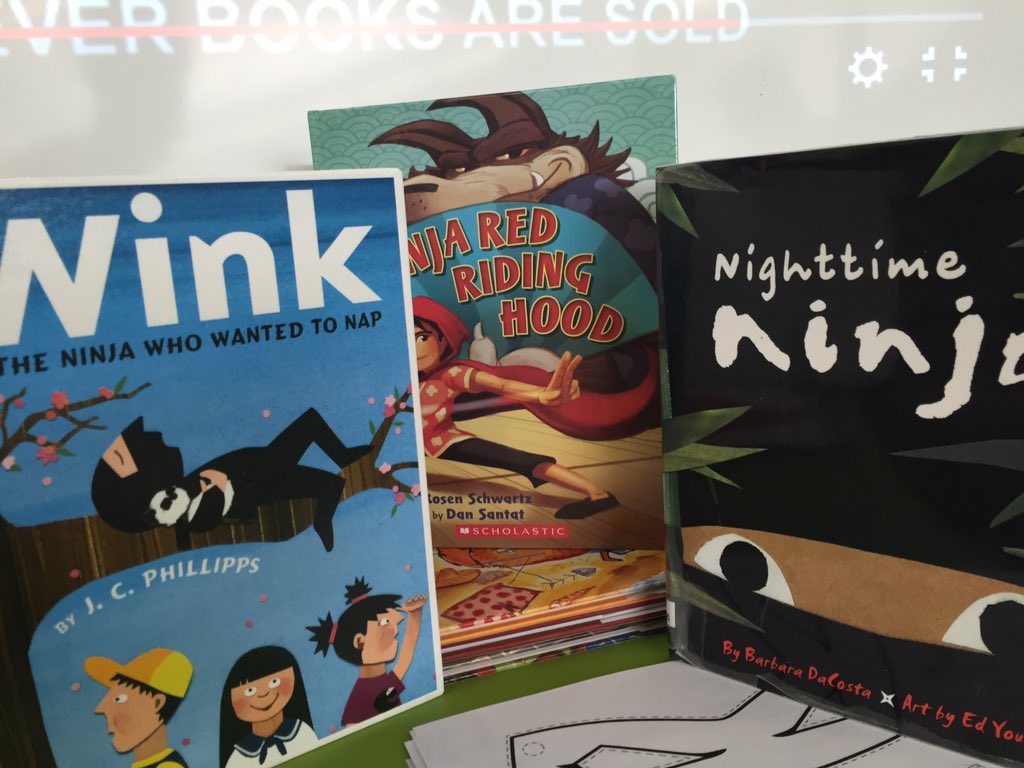
This connected us to our read aloud of choice for the day which was Ninja Red Riding Hood by Corey Rosen Scwartz and illustrated by Dan Santat.  Since we were already talking about characters, we took some time to talk about Red Riding Hood and what we knew about most Red Riding Hood stories.  We held onto these ninja and Red Riding Hood ideas to see how they unfolded in the book.  Once the book was complete, students picked out some of their noticings.  They were so observant, and there were many memorable moments.  I think my favorite was when a student talked about how Ninja Red Riding Hood didn’t need a woodsman to help her.  She saved the day with her ninja grandma.

After our quick but rich conversation, we hurried to tables to make our own ninja masks.  I printed off an online template and students used crayons to decorate their masks in any way they wanted.  Some chose the Ninja Turtle route and colored with their favorite character colors.  Others chose to create patterns on their mask like a rainbow ninja.

This was a whirlwind time in the library because all of this along with a checkout happened in 30 minutes, but I guess that goes with the ninja theme.  We didn’t have time to finish our masks, so the teachers were gracious to take the masks back to class to finish.  As I was in the halls during dismissal, I spotted a student who was proudly carrying her finished mask to take home for the weekend.  She stopped me and said, “Mr. Plemmons…I forgot my backpack at home, but I’m carrying my mask home.”

I’m often asked if I do “traditional storytime” because I do so much with technology.  The answer is a huge YES!  It’s not about print vs digital.  It’s about how all of the tools we have available to us come together to help us experience the world.  Sometimes it’s an iPad, and sometimes it’s a box of crayons, a paper mask, the power of our imagination, and our curiosities about becoming a ninja.  Happy International Ninja Day!

Stop Motion Colonial Perspectives

colonial stop motion (11)

I just love it when a teacher steps out and tries something totally new just to see where it goes.  Some of the most exciting projects happen when a teacher gives himself or herself permission to say, “Hey, I have this crazy idea”.  Mr. Coleman, 4th grade teacher, does this often.  He isn’t afraid to step out and try something that no one else has done and look for the miraculous things happening all along the way.

Fourth grade is currently studying colonial life in social studies.  He wanted to weave in something from our makerspace or some new type of technology that would allow students to engage with the content in different ways.  During a quick brainstorm, we tossed around several ideas and he reflected on them overnight.  The next day, he came back with the idea to create stop motion videos that showed the perspectives of various roles in colonial America.

To start, students watched many stop motion videos in class just to see what they looked like. In the library, they came for a tinkering session using Stop Motion Studio.  As we usually do during tinkering, I encouraged them to press every button to see what it did.  I also told them to not focus on creating a polished product but to try out many different strategies to see what worked best for stop motion.  Most of these students had never made a stop motion video before. They grabbed Legos, stuffed animals, and pipe cleaners to use in their videos and got to work.

colonial stop motion (1)

Mr. Coleman and I walked around and tried to give students tips that we were observing from other groups.  The main thing we noticed is that students were constantly moving the iPads which ruined the effect of stop motion.  They also weren’t taking enough pictures to show movement.  A few students started getting the hang of both of these, so we relied on them some to help other groups.  We also found it helpful to regroup and have kids share tips to the whole group as well as share out own tips.

Back in class, students selected a perspective to showcase in a stop motion video.  Many students were drawn to either slaves or women.  They formed groups and started developing a plan.  Across 3 one-hour work sessions they came back to the library to create their videos.  They pulled things from makerspace, used objects around the library, brought things from home, and made things to use in their videos.  Some groups jumped right into their projects with a lot of success while others had to learn to work together or how to back up and try again.  Mr. Coleman also gave them some time to work in class.

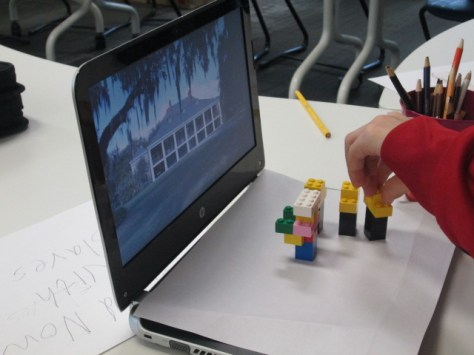
I loved how different strategies developed during the work time.  Students began using their computers as a setting and stage or used library bookends to help characters stand up.

Mr. Coleman and I constantly walked around to conference with groups.  We had them back up and look at their work to see where they might need to add pictures.  We also had them talk through their story to see if they had enough to tell a perspective.

As students finished up in their final work session in the library, we exported the videos onto the iPad camera roll and uploaded them to a shared folder in Google Drive.

Mr. Coleman plans to take these videos and continue using them in class.  Students might write out scripts and do voice over or maybe they will add music and simply attach an accompanying script.  However this goes from here, it was a big leap in using technology and tools we have tinkered with in our makerspace.  Many pieces wove together to support a social studies curriclum standard in a creative way.  Student interests, creativity, and expertise came into play in many groups.  I invite you to take a look at their work in progress.  This Youtube playlist is the raw footage that still needs to be finalized, but I always like to show that our work is never really finished.  There’s always something more we can do.


Student Book Budgets 2015-16: Getting Started

surveying (1)

For several years, I have dedicated a portion of our library budget to be completely controlled by students.  This project has come to be one of my favorite ways of empowering the voices of the students in our school.  It’s so much more than just asking students what they think I should buy for the library.  It gives students a voice in every aspect of the decision making and purchasing process.  Each year is a bit different, so here’s a look at how we started the project this year.

Where did we get the money?

Some years our budget comes straight from my state budget.  Some years it’s part of book fair profits.  Some years it’s a grant. This past spring, I applied for the James Patterson Partnership grant where he gave $1.75 million dollars to school libraries.  I was one of the lucky libraries to receive this grant in the amount of $5,000.  This will be our budget this year along with rewards dollars that I have collected through Capstone Rewards.

How did I choose students?

This year I created a Google form and emailed it to students.  I primarily pull students from 3rd-5th grade for this project and these students regularly check their email.  I kept the form open for 5 days for students to apply.  The beginning of the form included some details about book budgets followed by a video intro.

For students who marked that they might be willing to give up some recess time to participate, I followed up with individual emails and conversations.  I accepted every student into the group unless they decided they didn’t want to do it.  I created a group of all of the students in my email contacts so that I could easily send messages to them all.  On my initial emails to the group, I included the teachers so that they were in the loop with what they were doing and why they were coming to the library instead of recess.

First Week

On Monday, students came to the library at 11, 11:30, and 12:00 depending on their grade level.  I did a quick overview of the purpose of the book budget group and the steps that we would most likely go through across the course of the project.  They also had a chance to ask questions.  Then, we jumped into the work.

Our first goal was to gather reading interests from every grade level in the school.  We made a copy of last year’s Google form.

Then, students talked about each question and whether or not they wanted to make changes to the wording from last year.  Each grade level added to and revised the form until it was ready.

They made several changes, including asking students about their preferences in types of books such as picture book, chapter book, and informational books.  They added some new categories of books and revised the language to be more clear.

During the 5th grade group, we went ahead and emailed the form out to students to begin collecting responses.  We also created a QR code so that students who were surveying younger grades with iPads could easily pull up the form.

I emailed an update to the entire group to let them know that surveying needed to begin, and they started coming in before school, during lunch, during recess, and during any extra moments of the day to start surveying.  All along the way, we could check our progress.


Throughout the week, I emailed updates to the group as well as sent reminders to teachers to let students fill out the survey.  We will meet one more time this week to examine our results so far and decide if we have enough data to set goals or if we need to survey more people.

I’m very proud of this year’s group already and I know they are going to do miraculous things this year!

Beginning Our Winter Around the World Projects

Winter 002

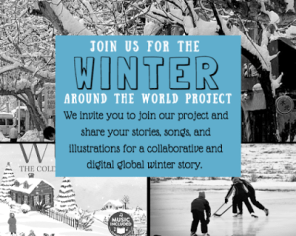
I’m so excited about a current opportunity we have with classes around the world to think about winter where we live.  Shannon Miller and Cantata Learning recently invited schools to research winter in their areas and for students to work together around the globe to create a collaborative e-book filled with information, personal narratives, poems, illustrations, and songs.

All classes participating in the project started by reading and listening to the Cantata Learning book Winter the Coldest Season of All.

From there, different classes branched off to do different types of projects.  In Ms. Ramseyer’s 2nd grade class, we focused on winter in Athens, GA using notes from her husband Craig, who is studying to be a meteorologist.

Winter 001

He gave us facts about the average temperatures and snowfall in Athens each winter.  I think we all think of snow for winter, but in reality, we really don’t get much snow or even cold here in Georgia.  We were trying to get students to think about that.

After gathering our facts, we had students reflect on their own experience since that is a big part of the research process, especially about your own community.  I had students turn and talk to a partner about a variety of winter topics: clothes, events, food, school, sounds.   Each time they talked, I ran around with the keyboard and typed the ideas into a shared doc that could be used for our project.

Ms. Ramseyer let students group themselves into groups of 4.  Each group needed 2 authors and 2 illustrators. They could decide what kind of text they wanted to write such as personal narrative, poetry, or informational.  They had to make a plan before they could start working.  I spread out materials for them to use such as white paper, pencils, and crayons.  It was a lot of fun to walk around to tables and talk with them about their decisions while they worked.  I often found myself asking the illustrators to check the text that the authors were creating so that their illustrations were matching or extending the text.  There were a few arguments along the way, but each quarrel was an opportunity for a connection back to how books are created.  As usual, there were unexpected moments that were priceless, such as when a student noticed that the illustrators were only drawing boys into the illustrations.  She called him out and said he needed to add some girls. We talked about diversity in illustration and what that might mean and why that might be important.  It was fascinating.  The priceless moment came when the second grader said:

Students will continue working on this project in writing workshop in the classroom before they come back to me to digitize the work and add it to the collaborative Google slide ebook.

Kelly Hocking’s Kindergarten class is planning to write a song about winter in Athens. She often uses ukuleles in her class and incorporates song writing.  After listening to the book, students explored a tool called Beatlab to tinker with creating a beat. They will use this tool to establish a beat for their song about winter.

In the library, we also explored the book Hip Hop Speaks to Children collected by Nikki Giovanni.  I selected a few poems from this book that had an established beat such as Things by Eloise Greenfield as well as poems that had actual music with them on the accompanying CD such as Ham N Eggs by A Tribe Called Quest.  For poems without music, we clapped or snapped along with the rhythm of the poem to see that there was in fact a beat there.  For the poems with music, we listened once and then closed our eyes and tried to focus on the various instruments we could hear layered over one another in the background and how they repeated.

beatlab (1)

We even looked at a video by the famous Kishi Bashi, who is also a parent at our school.  He accompanies himself by recording a layer of beats live onstage and looping them with pedals.  He performed at our school last year, and the Clarke Central Odyssey crew filmed this song that we used for inspiration.

After the library visit, Ms. Kelly’s class used a Capstone Library book called Winter: Signs of the Season Around North America.  They gathered various winter words that might inspire their song.  Once the song is written, we will record in the library as well as perform at a school assembly.

I love how student voices from around the world are coming together around a common topic, and I can’t wait to learn about winter through the eyes of students.


First Grade Wizard of Oz Meteorologists

weather (2) - Copy

Our amazing 1st grade team and students have been working on their Wizard of Oz unit.  I love this unit because they weave in so many content standards with Wizard of Oz as their guiding text. A part of this unit is the weather standards from science.  Students have to know various kinds of weather as well as how to dress in that weather.  Since this is a part of what meteorologists do, we decided to try something new this year by looking closely at the role of meteorologists.  The goal was for students to write a weather report for the Wizard of Oz regarding the cyclone and to record the forecast in front of our green screen.

weather (4) - Copy

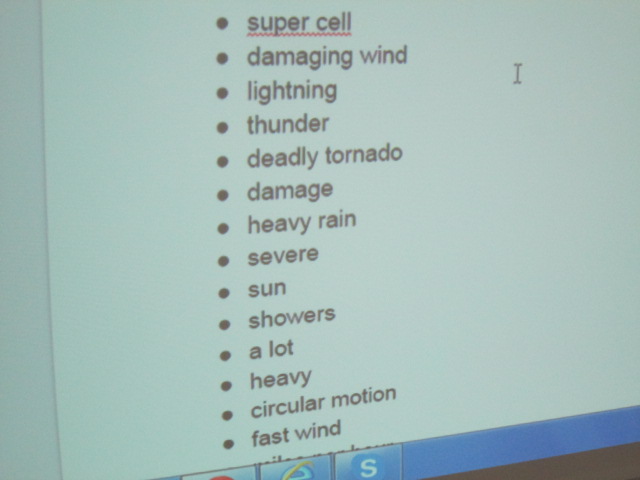
Students came to the library and we looked at a few videos of meteorologists reporting on severe weather. As we watched, students noticed things about the posture and speech of the meteorologist.  They also pointed out many of the weather words he/she used.

As weather words were noticed, we added them to a shared Google doc.

weather (3) - Copy

This doc was shared with all classroom teachers to continue to add to and use in class.  We also looked at another student-made video and noticed how the student introduced himself in his weather forecast and pretended to be outside in the story.

weather (5) - Copy

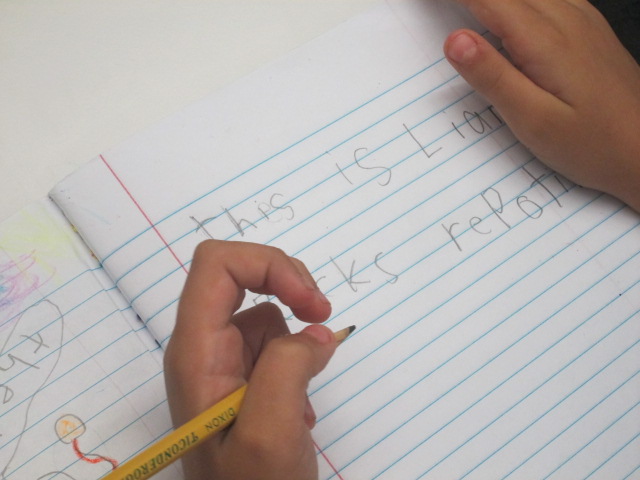
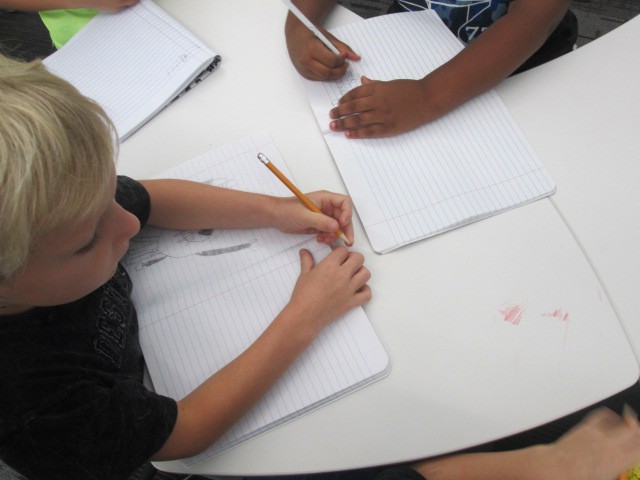
In the library, we also spent some time beginning the writing process of creating a weather report.  Students continued working on this in class during writer’s workshop.  The list of weather words continued to be used and added to. They also did a bit of rehearsing.

Finally, students returned to he library and one by one recorded themselves in front of the green screen with a tornado or other weather behind them.  As students were recording, the rest of the class practiced, looked at weather books, and searched for the current weather in our area using apps on the iPad.

They loved seeing the weather magically appear on our iPad using the DoInk app on the iPad.  We took all of the videos from the iPad and uploaded them to class playlists to share back with the class.

You can enjoy the variety of videos in each of these lists.

One of my favorite parts of this short project was how it tied to a real career and gave students experience with a real-world job related to the standards they were studying in science.  They were each able to be a bit creative in their forecasting, and each student had a chance to use a cool technology to make their voice heard at such an early age.

Helping Students Own the Space Through Shelf Talkers

Avid Shelf Talker (2)

A few weeks ago Ms. Tesler, a fourth grade teacher, dropped by the library and started talking about a wish for her students to have ways to share the books that they are reading.  I love impromptu brainstorming sessions because I never know where they will lead.  So often, they lead to miraculous things.

Before she left, we had decided to assign her class an area of the library to be their recommendation space.  As a part of their leadership in the school, they would find ways to share with others about the books that they were reading.  We didn’t want to decide too much for them, so we just got some initial ideas to begin sharing with the class.

We held a book tasting where students started selecting books for independent reading and we planted the seed that students would have an area in the library to share their book recommendations.  During that session, the students and I talked about ideas such as a digital display using Flipgrid to share book talks.  We talked about space to create art projects to spark interest in a book.  We also briefly talked about shelf talkers.  At the time, we just talked about putting “signs” on the shelf to tell about the book, but I knew that students were really talking about shelf talkers.

Avid Shelf Talker (6)

I immediately thought of Avid Bookshop and the wonderful shelf talkers that their book sellers put on the shelves of the shop to connect readers with books, so I emailed Janet Geddis at Avid to see about the possibility of Skyping into the shop to see the shelf talkers, hear a few, and get some tips on writing them.

Avid Shelf Talker (7)

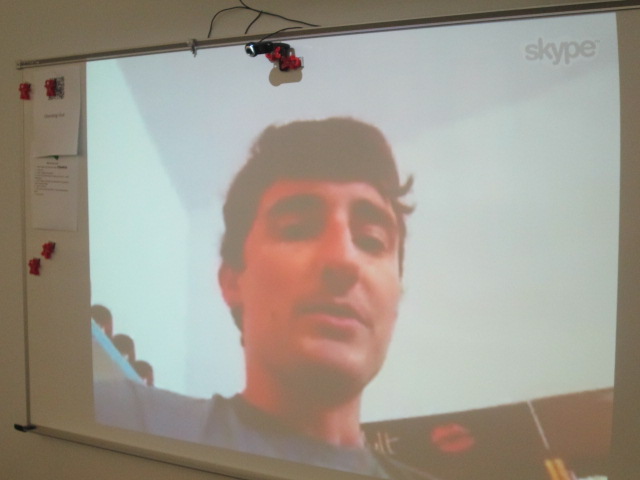
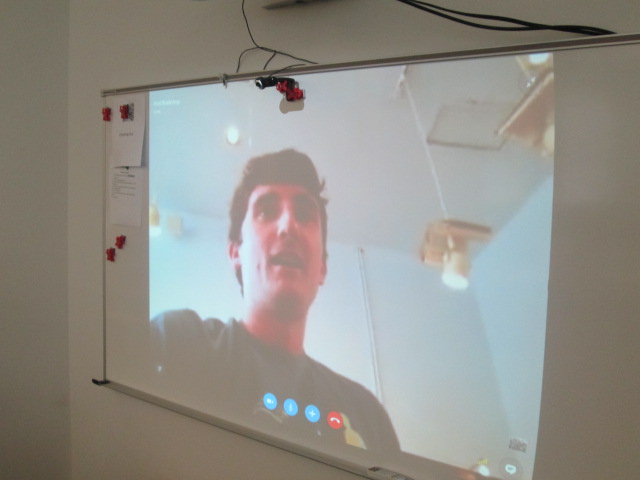
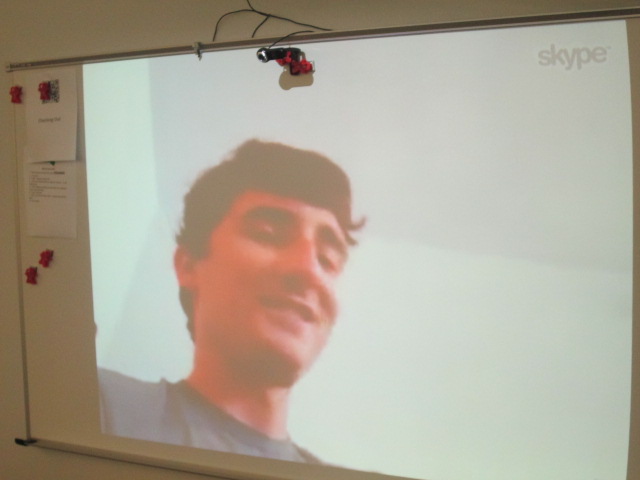
Will Walton, bookseller and author extraordinaire, agreed to Skype with us.  Students came to the library and we connected with Will.  He walked us around the shop to actually see the shelf talkers on the shelves.  The first one he showed us was for Anne of Green Gables.  He pointed out that the text was written in green to go along with the book. We saw that the handwriting was inviting and legible and the shelf talker gave a lot of description about the book.

Avid Shelf Talker (3)

Will pointed out to us that it’s important to include the title and author on the shelf talker because sometimes the books get moved down the shelf or even the shelf talker gets moved.  Having the title an author helps customers still learn about the book even if it gets moved.  We connected this to the idea that books in our library will most likely get checked out, but the shelf talker will remain to inform readers about a book they might consider in the future.

Avid Shelf Talker (1)

I also loved that Will pointed out the language that was used in the shelf talker.  He specifically said that they don’t say that a book would be good for boys or girls.  Instead, they connect the book to the kinds of things readers might enjoy reading about.  For example, this book would be a good choice for middle grade readers who like magic and horses.

Will was sure to show us many shelf talker and how each was in the handwriting of the person who created it.  They were fun, inviting, and even had personal touches like sketches.

I loved that Avid customers were just as interested in what was going on during our Skype with Will.

Students also got to meet Janet, bookshop owner, as well as hear the names of several other booksellers at the store.

Before students disconnected, they shared some things they were taking away from Will’s Skype.  After we disconnected, students continued to talk and even started talking about the book they wanted to write a shelf talker for.

We are already planning a time for them to return and create the shelf talkers and begin constructing their space in the library to be leaders in our school for recommending books for others.

I hope many of these students will visit Avid and see the shelf talkers in person and continue to ask Will and Janet questions about the shop. Some of them were asking how close it was to the school, so I know there is curiosity brewing. I’m so thankful to have a bookshop in our community that reaches out and supports our schools.