Kids Can Code with Osmo Coding

IMG_1715 (1)

We love using Osmo in our library for makerspace opportunities, centers, and lessons with multiple grades. We’ve had Osmo since it first came out. If you aren’t familiar, Osmo is an attachment for iPad that comes with a base and a mirror that attaches over the camera. There are 5 apps that are used with Osmo. Tangrams allows users to build figures with real tangrams that are recognized on the iPad app through the mirror attachment. Numbers allows users to use both numerals and dots to create different combinations that equal a set number. Masterpiece allows users to draw on paper outside the screen by following tracing lines on the screen. Words allows users to look at a picture and spell a word with letter tiles based on the image. Finally, Newton allows users to create angles to make falling balls bounce and hit a target.
IMG_1718

Recently, they released their coding set.

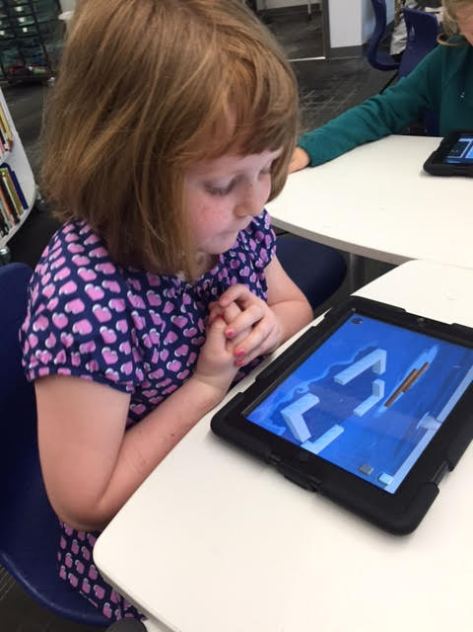
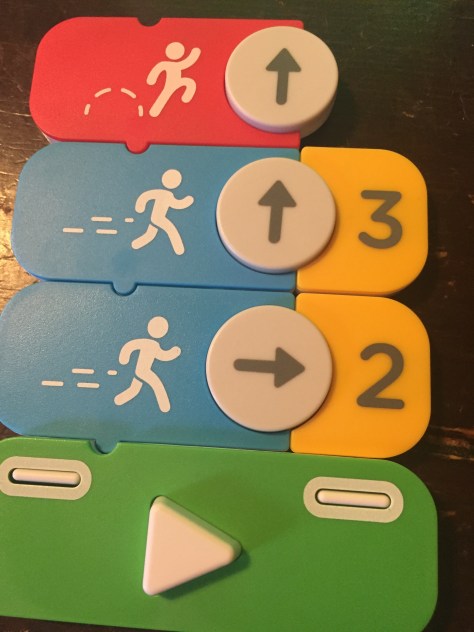
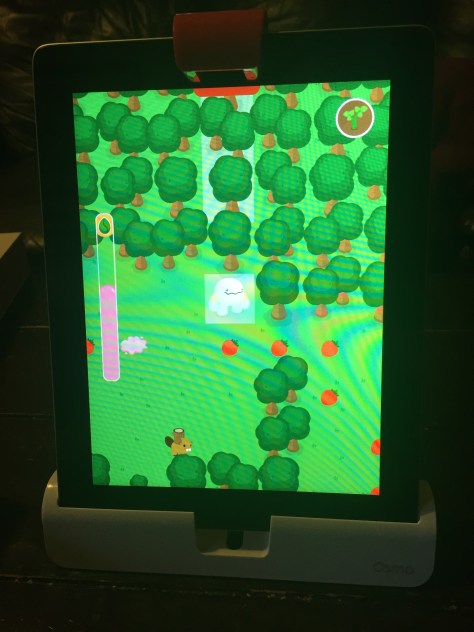
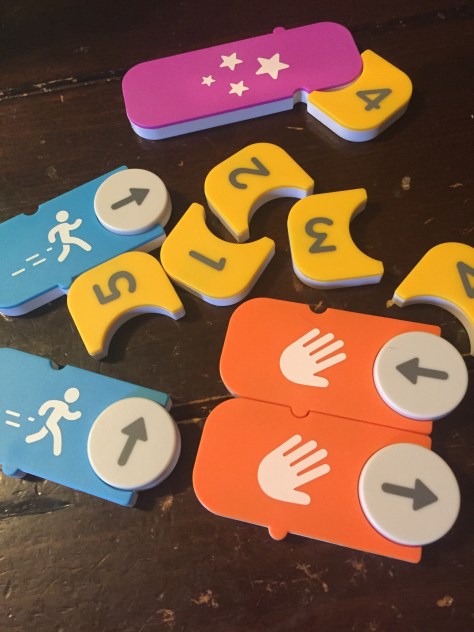
It’s summer for us, so I haven’t had a chance to use the set with a class of students. However, I was able to hand the set to my 6 year old daughter to see how well she could use it straight out of the box. It didn’t take her long at all to figure out how to snap the various coding pieces together in order to get Awbie, the strawberry-eating monster, to find his strawberries and earn seeds to plant.  Osmo coding has several built in tutorials in the beginning to show users which pieces to put together and as the game progresses, there are signs in the game that show how to add together more complex code. One thing I love is that there isn’t just one right answer. Kids can snap together small or large amounts of code to see what happens without being penalized. They can safely advance the character one space at a time or experiment with making Awbie move multiple spaces by snapping on a number.
IMG_1717

After a few sessions of using Osmo coding, Alora decided to make a quick video to show off the pieces and how they work.

I will say that Osmo Coding has some glitches to work out. Sometimes when you press the run button, Awbie does not do what you have in front of him. Sometimes he’ll only move one space even though you have multiple commands lined up. Other times, you press the run button multiple times and he doesn’t respond at all. However, even with these glitches that I’m sure will be worked out in future updates, the game is engaging and easy to use. It’s a tangible way to introduce block coding to our youngest learners, as well as older learners too, and build up to online coding in other block coding programs.
IMG_1716

I can’t wait to get more sets of coding and explore block coding with our earliest grades in the fall.

Osmo can be purchase at https://www.playosmo.com/en/ with prices ranging from $75-$145 per set.

West Georgia RESA Summer Camp for Library Media Specialists

west ga resa camp

It’s summer. Educators have the summer off, right? While on paper it may seem that educators have two months off, most of us continue to develop our professional lives and dream and plan for the upcoming school year. I’m excited to join media specialists from around Georgia and neighboring states at West Georgia RESA on June 20 from 8:30-3:30 for a summer camp for media specialists.  I’m so thankful to West Georgia RESA for providing this opportunity to librarians around the state who often don’t have professional learning targeted directly at them. Registration is still open and costs $65 for RESA members and $85 for non-members.

What will we do together? Here’s a look at our approximate schedule for the day.

8:30-9:30 Opening presentation/Q&A Empowering Student Voice.  We will set the stage for what it means to empower the voices of our students as well as think beyond the walls of our own schools.

9:30-9:45Break

9:45-11:00 Tools for collaborating, crowdsourcing and sharing. Disruptus game. sharing tools crowdsourced by us all and thinking about how to disrupt their uses.  There are so many amazing tools out there, but we will use this time to think about tools that will allow us to crowdsource information and collaborate both synchronously and asynchronously to create classrooms that are part of a global community.

11:00-11:30 Harness social media and develop your own PLN.  We’ll answer any questions about social media and look at how social media allows us to show our work, connect to opportunities, and empower all the voices in our library community.

11:30-12:30 Lunch

12:30-2:00 Makerspace Exploration. Hands-on exploration and a look at my own makerspace, how it’s funded, and how it functions

2:00-2:15 Break

2:15-3:15 Goals that Matter. Time to talk about goals and set some short and long-term goals

3:15 Final Q&A

We will of course be flexible and take into consideration the needs and requests of the group as we spend time together. Join us in Grantville, GA and bring your wisdom to share with the room. See you there!

Starting the Genrefication Process: Ditching Dewey

IMG_1393

I have a confession to make. I’ve wanted to organize our library by genre for a really long time, but I honestly had no idea how I would find the time to do it. I don’t have an assistant in the library and I have about 1-2 volunteers for an hour each day. I teach tons of classes, collaborate with teachers, lead professional learning….the list goes on and on. However, because I’m doing all of these things, I watch students come into the library, find a book on the computer, and then have no idea where to get it because they don’t know how to use the Dewey system.  Sure, I could spend hours teaching them how the secret code of the Dewey decimal system works, but when I’m trying to also teach the standards of every grade level, it’s hard to figure out how learning the Dewey Decimal system fits in. I’ve watched numerous of my inspiring professional learning network genrefy their collections: Tiffany Whitehead, Shannon Thompson, Sherry Gick, Donna MacDonald, Nikki Robertson,…  I’ve sat in Jennifer LaGarde’s Zombie Librarian keynote numerous times and slouched down in my seat when she got to the part about how kids shouldn’t have to have a secret code to use the library. Every time I heard her, I knew reorganizing was what was best for students but I just didn’t know how to pull it off.

IMG_1391

At the end of this school year, I decided that next year, I’m going to put a bigger emphasis on reading than I have the past few years. A big part of this is to get kids reading the kinds of books they want to read and helping them find those books quickly in the library. Most students come to the library and ask for sports books, scary books, princess books, superhero books, graphic novels,…..all genres. I’m at the point where I’ve attended enough sessions, read enough blogs, and listened to enough podcasts that I just have to jump in and start.

IMG_1397

During my end of year evaluation, I told my principal what I was thinking about reorganizing the library, and I was so relieved to hear her say that it was exciting and she was all for it. She even told me she would support me in figuring out how to make it happen whether it’s delaying the opening of checkout at the beginning of the year or even having some workers help me in the evenings, weekends, or summer. I originally thought I would wait until the new school year, but every moment I had some time during post-planning, I couldn’t help myself. I jumped in.

IMG_1396

First, I decided to begin in the fiction section, which I’ve heard is the easiest section to start in. Based on my own observations and what I’ve read on other blogs, I decided on the categories of:

  • mystery
  • fantasy
  • historical fiction
  • sports
  • humor
  • realistic fiction
  • scary
  • adventure
  • science fiction

IMG_1392

I put a sign on the top of each bookshelf for these genres and started pulling off a book at a time. I used multiple sources to help me decide on which genre to put them in:

  • The book summary
  • My own knowledge of the book
  • The Library of Congress subjects in the front of the book
  • Novelist K-8 in our Galileo database

Of course, there were books that fit into more than one category, so for those, I just picked a category. I believe it was Tiffany Whitehead who said that you should just think about what kind of reader would most likely choose that kind of book and let that guide the final category.

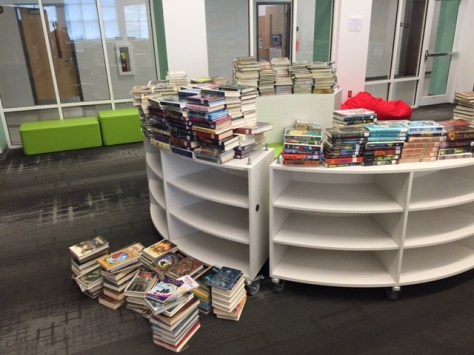
When I was stuck on a book and had no idea where to put it, I put it aside in a separate stack to come back to later.  Those books might become another genre or they might vaguely fit into one of the genres I already had.

I worked on the fiction section just a little bit on day 1 and 2 of post planning, but day 3 was completely devoted to this project.  I worked for about 5 hours on the final day to sort the books and push myself to get to the end.

IMG_1395

There were moments where I thought that I had made a big mistake, but the more I pushed on, the more I felt like I was doing the right thing.

Once all the books were sorted, I put them back onto the shelves by genre and labeled the carts because there are a few more steps to go. This will include scanning books into sublocations and adding a genre sticker to the spines.

I did weed the collection before I started, but touching every single book made me realize a few more needed to be weeded. Once books were sorted, I also could easily see which genres we had lots of books in and which we needed more. One of the obvious ones was sports. We have so many students who ask for sports books. We have a lot of nonfiction, but this made me realize how few sports fiction books we have.

If you are thinking about doing a project like this, definitely do your homework, but at some point, you just have to dive in. I’m thankful to all of the librarians who have done this before and left behind such careful instructions of what they did!

3D Jewelry Artists in 1st Grade Using Blokify

art jewelry

In my latest collaboration with our superstar art teacher, Rita Foretich, we are crafting with 1st graders.  One of her art standards has to do with students creating a craft, which is defined as an art creation that serves a purpose.  Rita is always pushing herself as a teacher to try new things and stretch the boundaries of what kids have experiences with. Along with this standard she wanted students to work with technology and to design in 3D.  What resulted was an art project where 1st graders are designing pendants in a 3D design tool called Blokify, 3D printing those pendants, and then using them in art to create a functional necklace.

When Rita first told me about her ideas for this project, my first reaction was whether or not Blokify was the right tool.  I had made pendants and charms in other tools like Tinkercad, but I knew that Tinkercad would be very tricky to do with a 1st grade class in the time frame we had.  Blokify is very user-friendly for very early learners, but I had trouble envisioning a pendant.  I even tweeted out to ask other people what they thought.

What helped me in the end?  Tinkering.  During our book fair, I pulled out an iPad and just tinkered at making a charm.  I can’t say that I came up with anything brilliant, but I did come up with some examples to help students see. The most helpful thing was for them to be able to visualize what the hole for the string might look like.

Each 1st grade class came to the library during their art time.  Ms. Foretich started the lesson with a quick video of a Makerbot in action.

It was fun to hear students talk about what was happening in the video because at this point many of them knew that it was a 3D printer, which would not have been the case a few years ago. Then, we showed the students the Blokify program. I really didn’t go into a lot of detail, but I showed them how to zoom in and out, how to add a block, and how to change blocks.  Then, students had time to tinker at tables and get familiar with the Blokify program.

Ms. Foretich and I walked around to assist students who were getting frustrated as well as encourage students to try various parts of Blokify such as adding a row, deleting blocks, switching worlds, and switching blocks.  Tinkering looked very different this year than it has in previous years, and my hunch is that students have more experience with Minecraft now, so they make the connection to this very similar program. I saw students being much more intentional about block placement even in tinkering instead of just tapping all over the screen.

We invited students back to the carpet after their tinkering sessions and gave them the specific task of the day: to design a one-layer pendant. We showed the examples that I had made as well as samples from other classes that had already printed.

Then, students went back to iPads and started a fresh design.  They only had a short amount of work time to create their designs, and I was so impressed with what some of them came up with.  They were so much more creative than my own designs!  As each student finished we had to email the files to a central email.  I had the email account pulled up on the board so that we could see if the emails came through.  Many of them didn’t, so we were slowed down by errors.  We had to go into the outbox of the email on the iPad and resend most of the emails.  For students that we couldn’t email in time, we put post-its on the iPads so that we could email the files after they left.

On the library calendar, I blocked off time slots for me to specifically work on prepping all of the files for 3d printing.  When you are working with over 100 .stl files to print, it’s time consuming.  I was able to put about 8 pendants on each print plate.  Each plate takes anywhere from 2-4 hours depending on how large I make the pendants.  I name each file “Pendant 1”, “Pendant 2”, etc.  Then, on a sheet of paper I write out the name and teacher of each individual pendant on the plate.  These names are also written onto Ziploc bags so that finished prints can go into the bags ready for the art teacher.

I can’t wait to see how the final necklaces turn out once they return to art class.  This has been an adventurous collaboration full of challenges, but there have been many rewards along the way too.  It was especially rewarding to see some students shine at using Blokify even when they might struggle in other subject areas.

The 2016 Barrow Peace Prize is Ready for Your Votes!

flipgrid peace prize recording (29)

Our Barrow 2nd graders have been hard at work researching 6 people from history to nominate for the Barrow Peace Prize. As part of this process, the students developed a list of criteria for what character traits should be represented by the winner of the peace prize. They wrote persuasive essays and created pieces of art work with Ms. Foretich, our art teacher.  You can read more about what the students have done in the post, Beginning the Barrow Peace Prize.

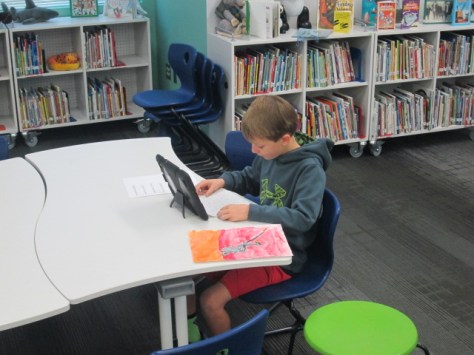
flipgrid peace prize recording (15) flipgrid peace prize recording (8) flipgrid peace prize recording (2)

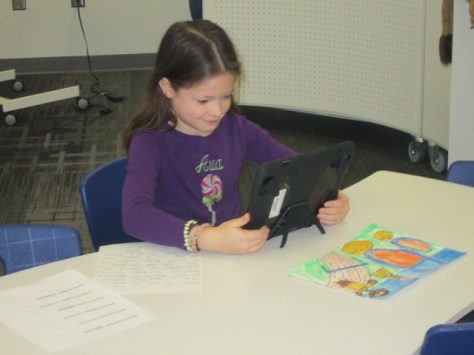
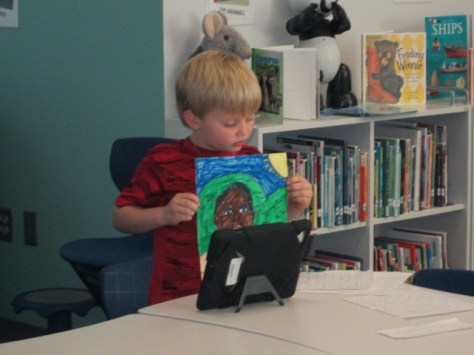
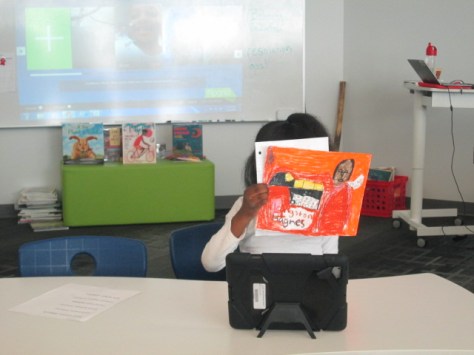
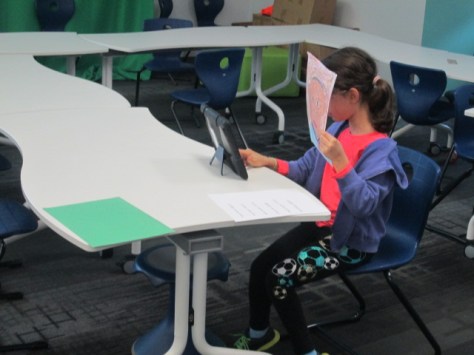
This week, students have been coming in to the library in groups of 4 for 15 minutes to record their persuasive essays. When they come, I give them a quick overview of Flipgrid and remind them that there work will be seen by lots of people. Then, they split up around the library and we make sure that the space is relatively quiet for recording. I setup a question for each person from history so that all of the Ruby Bridges videos are together, all the Langston Hughes videos, etc. During the process, students take a picture of their artwork for the Flipgrid and then record themselves reading. Some chose to show their artwork while recording, and other chose to have their face on the video.

flipgrid peace prize recording (16) flipgrid peace prize recording (7) flipgrid peace prize recording (4)

One of the things I love the most about Flipgrid is that the videos are instantly uploaded in one central place. I don’t have to spend hours uploading and naming 100 videos after students have recorded.

Now that the videos are recorded, we need you and everyone you know to watch the videos and help us decide which person from history should be the 2016 Barrow Peace Prize winner.  I’ve created a Smore page to pull everything together.

Here’s what you need to do:

  • Visit https://www.smore.com/dfmsd-2016-barrow-peace-prize 
  • Click on the link to each grid an watch as many videos as you can.
  • Click the heart icon on any video that you “like”.
  • At the bottom of the Smore, you will find a link to the Google form to vote on the person you think should win.  Or…you can click here.
  • Finally, please share our project with your students and networks so that we can have a record-breaking number of votes this year!

On February 18th, we have big plans for how we will announce the winner.  We can’t reveal exactly what is going to happen just yet, but we promise it’s big!  Happy voting!


Celebrating Reading and Learning Styles with Bookapalooza

bookapalooza (1)

This year, the school library media specialists in our district decided to start a new reading competition called Bookapalooza. In the past, we have participated in Battle of the Books, where students read a set list of books and compete on teams to answer questions about specific details from the books. We had lots of discussion about trying a reading competition that offered students more choice in the books that they read as well as gave students a chance to show off their creativity and interests in a variety of categories rather than just answering factual questions about books.

A subcommittee of our group met to work out some logistics of how a new reading competition might work, and a new Bookapalooza website was created.

Students in 3rd-5th grade could compete in the competition. They could choose any book, author, or genre to read and create a project around. Five categories were created to give students a variety of choices to celebrate their own learning preferences: Art, Performance, Trifold, Writing, and Technology.

In the past, teams of students have worked together in Battle of the Books. Bookapalooza did allow for some collaboration but most projects were meant to be done by individuals. I had to think about organizing our school competition in a whole new way. I’m not sure that I really did the best job, but it definitely was a great first try. In November, I started sharing with students about what Bookapalooza was all about. Some teachers brought their whole class to the library while others just showed a short intro video.

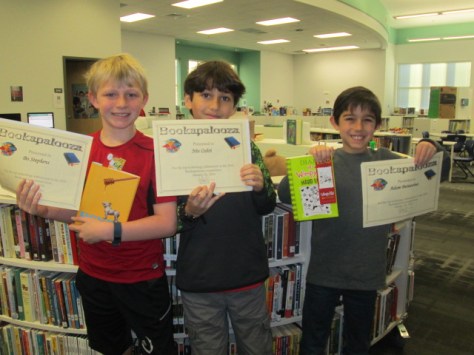
winners (5) winners (8) winners (10) winners (15) winners (12) winners (11)

I created a Google form where students could sign up for Bookapalooza and indicate the category they were most likely going to enter along with the title of the book. This could of course change, but the form allowed me to get a good ideas of how many students were going to enter the contest and to make sure we had projects in all of the 5 categories. I was also able to make an email list from this form so that I could email the participants with updates on the competition.

In the past, I’ve held practices for Battle of the Books during lunch on Tuesdays and Thursdays, but this type of competition really didn’t lend itself to that structure. Instead, I blocked off various times on the library calendar for Bookapalooza help sessions. Teachers could sign students up to come during these times or they were welcome to just drop by to ask questions or work. Some teachers chose to the do the competition with their whole class so they scheduled time on the library calendar specifically for their class.

I also contacted our collaborating teachers to ask if they would help each grade level with projects. Natalie Hicks, Jan Mullins, and Heather Carlson were instrumental in making sure that each grade level had representation in the competition.

As the deadline approached, I checked in via email with students and teachers and the projects started to come in. I cleared off the library shelves for projects to be displayed. As they came in, I numbered the projects for judging.  For digital projects, I created another Google form for students to submit links to projects. I put all of these links on a Google doc that could be displayed on each of our projection boards for viewing. The day after the deadline, we held our school competition, which meant that classes were welcome to come through and look at all of the projects and a team of 5 judges used rubrics to judge and rank the projects. We had to select one project from each category to move on to the district competition at the Athens Clarke County Library.

Some of our technology projects included:

Some of our performance projects included:

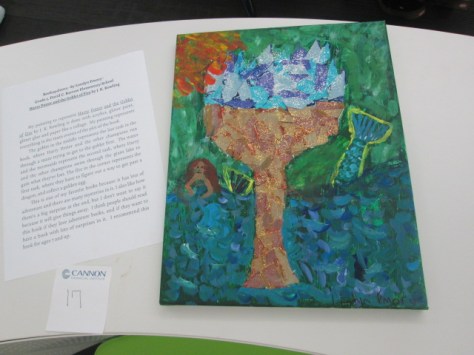
Some of our art projects included:

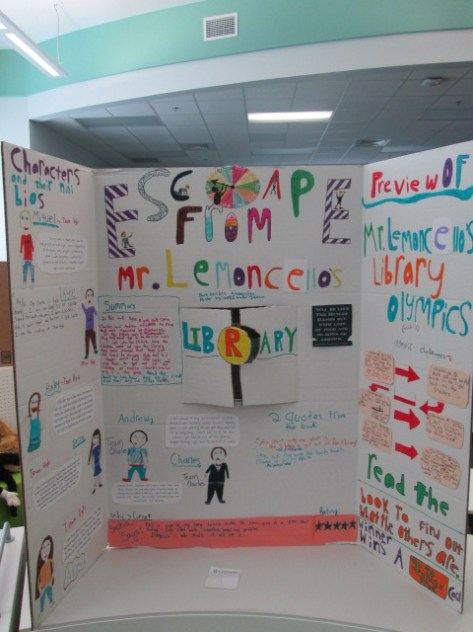
Some of our trifolds included:

Since we had so many outstanding projects, I asked judges to write notes about things that stood out about various projects and we awarded many special certificates and bookmarks to students who didn’t necessarily place “first” in their category.

Congratulations to the following projects for moving forward:

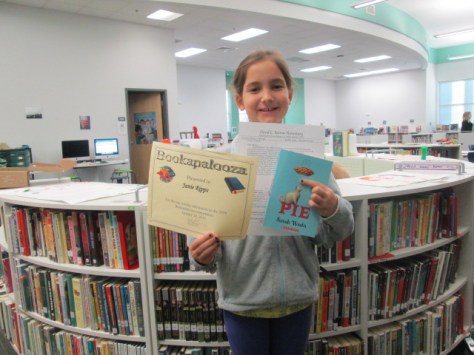
bookapalooza (7)

bookapalooza (13)


Our school level winners moved on to the district competition at the Athens Clarke County library where we were able to enjoy projects from most of the elementary schools in our district. Our school technology project placed 3rd n the district and our school art project placed 1st in the district.  Congratulations to all of the students in Clarke County who took time to share their love of books, their personal talents, and their creativity through numerous Bookapalooza projects.  We look forward to growing this celebration next year.


Preparing and Reflecting on Our Immigration Simulation Via Flipgrid

immigration simulation (1)

Each year, our 5th grade studies immigration and Ellis Island as a part of their social studies standards. For these standards, the teachers work together to prepare students for an Ellis Island simulation experience that takes place across the first half of a school day. A lot of preparation goes into this event, and I’m excited that the library was able to be a part of the project.

immigration simulation (5) immigration simulation (4)

Before the actual simulation, each student was assigned an immigrant to become for the day. They received a folder with a short description of where their person was coming from, what he/she was bringing, and possibly a bit about why this person was traveling to America. This was all prepared by the Social Studies teacher, Ms. Olin.

immigration simulation (10) immigration simulation (8)

The teachers and I shared a Google Doc where we started putting links to sites that we thought would be helpful for students as they researched the immigrant experience for immigrants coming to America from their assigned country. I took these links and made a research Symbaloo for students to use.

In the library, I introduced students to this Symbaloo and they each received their folder from Ms. Olin. The Symbaloo link was shared with all students in Google Classroom so that they could easily find it again. In addition to a few details about the immigrant, the folder contained a graphic organizer with some details that students needed to gather in order to construct a letter of introduction for Ellis Island. Students used the organizer and Symbaloo for an hour in the library and then continued their research in social studies and language arts.

immigration simulation (15) immigration simulation (4)

In writing, students constructed their letters of introduction and Ms. Olin printed a copy of each letter to put in student folders. Students returned to the library a couple of days before the simulation. They had time to finish letters, and when they were ready, they  used Flipgrid to practice reading their letters. In the past, we’ve found that some students were a bit nervous on the day of the simulation or took some time to get into their character. Our hope was that the Flipgrid would give students a chance to get comfortable with their character and practice speaking from that perspective before being thrown into the simulation. The Flipgrid also gave them a chance to listen to one another’s stories and research since they don’t have a lot of time to do that on the simulation day.

Here’s a look at how their practice turned out:

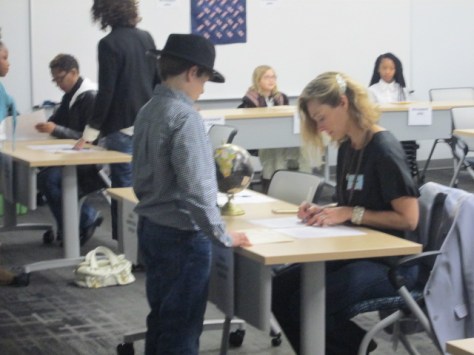
On the day of the simulation students rotated through many experiences to take on the role of an immigrant coming to America. Many dressed in costume, carried props, and practiced talking in an accent. They carried their folders that we had worked on throughout the project. Parent and community volunteers came in to help lead the stations so that students were able to go through health inspections, written tests, and legal inspections. Many were questioned multiple times about their health or documents. Many students were sent away to search for missing pieces of their documentation or were held in quarantine for various reasons.

When students finally passed through all of the experiences, they took an oath and had a meager celebration of bread and cheese. During this time of eating, students once again used Flipgrid. We brought them back into this century and asked them to think about their experience. They didn’t have a script for this. We just wanted their initial reaction after completing the simulation. There are some interesting stories of how it felt to be questioned so much or be detained.  You can see their reactions here.

The addition of Flipgrid this  year really helped to prepare students for the simulation, to learn from one another’s stories, and also for us to hear a student perspective of going through the simulation that we might not normally here. Each student had a chance to share his/her voice and many spoke up when they might not have spoken up in front of the whole class.  I keep thinking of new ways to use Flipgrid in my teaching. I love how versatile it is and want to continue to push the limits of how the tool is used.

Add Your Voice to the Kindness Week Flipgrid

IMG_9097

Each week leading up to World Read Aloud Day (February 24th) we want to join our voices around the world to celebrate one of the strengths of reading aloud.  During the week of January 24-31, we celebrate how reading shows us examples of kindness in the world.

LitWorld 7 Strengths

We have created a Flipgrid for you to share your responses to the following question:

What kindness role models have you met through reading?

We hope you will share this Flipgrid with other educators, students, and families around the world and record your responses which can last up to 90 seconds.  Wouldn’t this be a great way to practice some informational writing in classrooms?  Wouldn’t you love to hear stories from the families that you serve?  Aren’t you curious about the perspectives on this question from around the world?  Let’s join our voices and contribute responses all week long.  Can we show our own kindness by contributing our voice?

http://flipgrid.com/#527147e0

In addition, you might also consider coming up with your own posts in response to this week’s theme on your own blog or site.  You might write a post about a fictional character who has been a model of kindness and post on your blog or other social media. Better yet, have your students write these reflections and share them with you.  You and your students might perform random acts of kindness during the week and take photographs to post to Instagram or other social media. You might create a special display of kindness related books in your classroom or library.. Whatever additional ways you choose to celebrate “Kindness Week”, please tag your posts with #wrad16 and #kindnessweek as well as mention @litworldsays (Twitter) and @litworld (Instagram, Facebook).

I know two of the stories we will read during Friendship Week are If You Plant a Seed by Kadir Nelson and Each Kindness by Jacqueline Woodson, but we will read many other kindness stories during the week as well.

It’s not too late to share your schedule for World Read Aloud Week on our shared Google Doc and find someone to connect with around the world.

Let’s share how we show kindness as well as find kindness in our global community.

WRAD16

Student Book Budgets and Real World Connections: Empowering Student Voice

Day 2 Unpacking (5)

We have continued to unpack our student book budget purchases this weeks thanks to generous funding from James Patterson. Each year, there are stories that rise to the surface about students who take a stand for other student requests, students who find a certain talent within the many pieces of book budgets, and students who suddenly find a real world connection through our project.

Day 2 Unpacking (1)

This year as we unpacked, I was taking pictures and videos as I always do. I just happened to be near Ajacea, 5th grader, when she was setting up displays of books for people to see. She would set up some books and then take them down because she didn’t like the way they looked. Then, she suddenly decided to start putting the books on the little ledge in the wall of windows that faces the hallway. She talked out loud about how the books should face out so that people would see them as they walked down the hallway. I snapped a few pictures of her inside the library and also through the windows and shared those on social media.

Immediately, I got a tweet back from Amy Cox at Capstone Press, one of the main companies we order from for our book budget project. Her comment started a chain of events.

https://twitter.com/capstonepress/status/686960767296393216

I loved that Amy used the word “marketing” when she tweeted back to us because it was a real-world connection to an actual career. Whether Ajacea knew what she was doing was called marketing or not, it was intuitive for her, and we were able to connect an interest she had to an actual career path that she might not have ever considered.

By the end of the day, I observed multiple students passing by Ajacea’s windows and stopping to look at the books. They were pointing, talking, and asking their teacher if they could come to the library. Most of the books were checked out from the windows in just about an hour. When I shared this, once again Amy from Capstone responded.

https://twitter.com/capstonepress/status/686996050956029952

Ajacea stopped by at the end of the day and I told her that Capstone was impressed with her work and wanted her to be a marketing intern.  She was beaming and said they should call her. I added this conversation exchange to my post about unpacking our books, and once again Amy Cox connected with us.

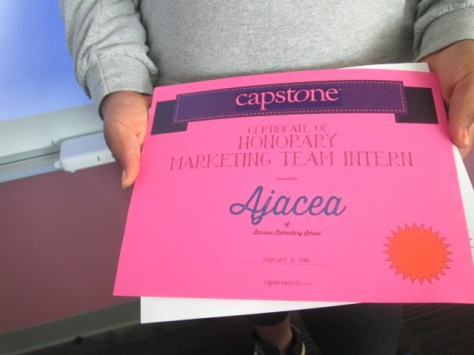
I had no idea what the email would contain, but I knew it would be something special and that Ajacea would love it. Right before Ajacea arrived to unpack and display more books, the email arrived. It contained an official “honorary marketing intern” certificate as well as a personalized tour of Capstone to see just what a marketing intern would do and where she would go.

Before I presented Ajacea with the award, I was showing her places in the library where students had been displaying books while she was gone. Some of the books had been placed on tables in the center of the library. She immediately started analyzing the situation and decided that the tables were just not going to work.  “People need to use those tables,” she said. I explained that the rest of the day’s classes were working in different parts of the library. Her response, “Well what about tomorrow?” She was right of course. The next day I needed all of the tables, so she started moving some of the books to new places.

Day 2 Unpacking (15) Day 2 Unpacking (14)

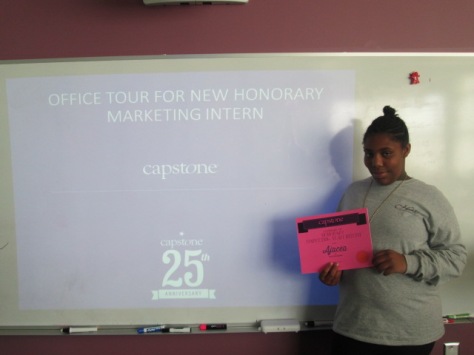
Before our time ran out, I asked Ajacea to come over to the tables to see something awesome. I told her about all of the response from Capstone and that they sent her some things to see.  I presented her with her award and let her know that the Capstone team put together an official tour of the Capstone offices in the event that she became an intern with them. “They seriously did that for me?” was her response. We put the tour up on the big screen and sat together and chatted about what we saw.

Ajacea saw what it would look like if she walked in the front door of Capstone. She also got to see her desk, which she was very happy with. It was so big a spacious.

The presentation continued on with explanations of the types of jobs she would do as a marketing intern such as work on the Capstone catalog and analyze the data of PebbleGo users. She saw meeting rooms and offices of the CEO and other employees. When she saw the CEO office, she said, “I would not want to go in there. It’s scary.” We had a great conversation about what it’s like to go into the office of your boss and the nervous feelings you get even when it’s usually for something that you did that’s awesome.

Day 2 Unpacking (12) Day 2 Unpacking (13)

As we ended our time, we talked about what she was thinking about doing when she grew up. She told me how she wants to be a designer, any kind of designer. She loved the bookshelves on the wall at Capstone and said maybe she wanted to design spaces like that. She talked about clothes and the possibility of designing fashion. Her wheels were turning and it was so much fun to see and learn a student story that I had not heard before. It reminded of me of how much I was I had more time where I got to hear individual students stories and what I need to do to make sure I have more time to do that.

Capstone is filled with amazing individuals, and I can’t thank them enough for taking time out of their day to put this together for one student. You can tell that they are a company that is constantly reminding themselves about why they do the work that they are doing.


The Student Book Budget Books Have Arrived!

book budget unpacking (41)

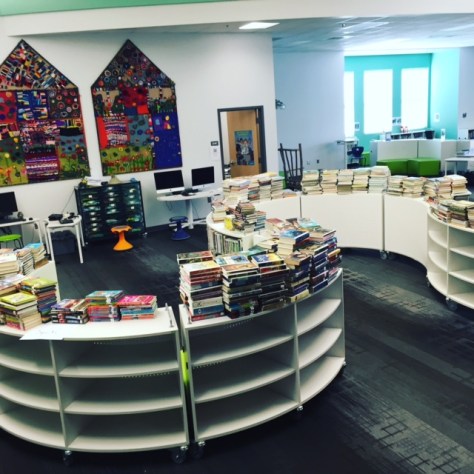
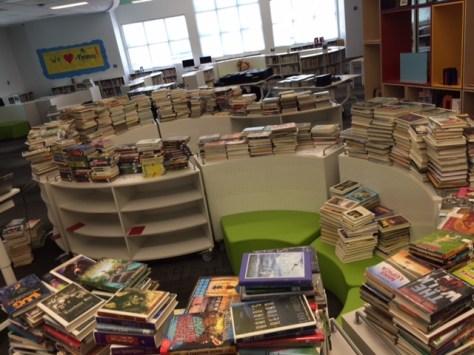
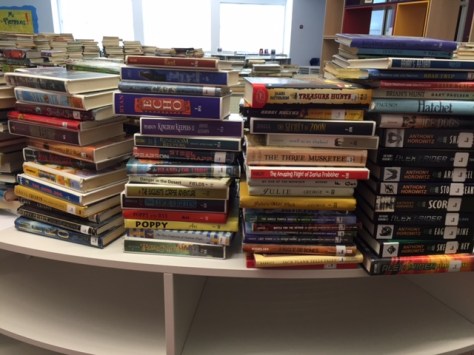
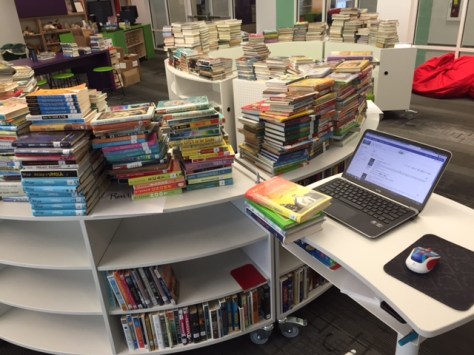
After almost two months of working on the 2015-2016 student book budget project, the books are rolling in to the library, and the excitement is brewing. This year’s budget was made possible thanks to a grant from James Patterson. Students had $5,000 to spend on books. They created a survey, surveyed the school, analyzed the results, set goals, met with vendors, compiled wish lists, cut lists to match our budget, and helped order the books.

Now the books are arriving, so students are meeting once again to go through the process of unpacking, inspecting, and marketing the books.

We have many more books than usual, so it is taking a bit longer to unpack the books. So far, we have books from Capstone and Gumdrop. Students came in by grade level for 30-minute shifts. Each company required a different process. This was mainly because we opted to not have full processing on Gumdrop books so that they would ship faster. I’m sort of regretting that decision, but it’s giving students an additional experience.

For Gumdrop, students had to apply the barcode, spine labels, and label protectors. This was tedious work for them to locate the correct labels for the correct books, and they passed this job off as often as they could since it was so time consuming. This process is still not complete, so no Gumdrop books have gone out to readers yet. We need to finish labels and check books off of the packing slip.

For Capstone, our books were already processed and ready to go. All students needed to do was unpack them, check them off the packing slip, and stamp them with the library stamp.

Additionally, Capstone let each book budget member choose one book that was their personal pick. They also sent us labels that could be put into the front of these books so that students could write their names to remind readers who selected those books.

The crew loved locating their books and applying the labels. As an added treat, they were the first to check out these books.

One student took it upon herself to start displaying the books while everyone else worked on all of the other tasks. Ajacea cleared out spaces in  the front of the library and started standing up books. If she didn’t like the way it looked, she took it all down and started over. I saw her do this more than once.

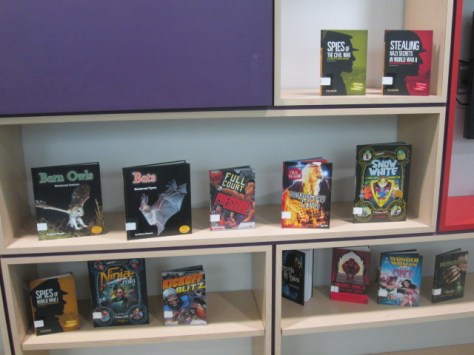
Finally, she had the idea of maximizing display space by putting books in the windows of the library facing out to the hall. There was room to put a top level and bottom level of books. She also used some of our library cushions, tables, and counter space.

It was a prime time for setting up a display because many classes were leaving lunch and walking right by the library. I saw many conversations happening in the hall about the books, and it wasn’t long before those same students were rushing back to the library to checkout what they saw.

There were moments of frantic grabbing when a whole class ended up coming to check out. The books were only on display for a little more than an hour and I would say at least half of the displayed books were checked out.

Students will come once again tomorrow to finish the books we have, and then they will reconvene when our order from Avid Bookshop arrives. I’m always inspired by how proud students are when they see their hard work pay off on unpacking day. They realize that the time they sacrificed was worth it to add more books to the library. They love getting the first look at the books, and they are amazed when the books fly off the shelves.
Ajacea stopped by at the end of the day to see what happened to her display. She had told me earlier in the day that her job would be ongoing because she would need to refill the empty spots. Her mouth dropped when she saw just how empty the windows were at the end of the day.

Our friend Amy Cox with Capstone Press followed along with our day on Twitter, and Ajacea was so proud when Amy said that she would be a great marketing intern.

https://twitter.com/capstonepress/status/686960767296393216

Ajacea’s response? “Tell her to call me.” I love the real world implications of this project and how many times it has given an opportunity to students to explore their interests and realize that their voice is heard and matters. Bravo student book budget team!