Winter Design Challenge Using Blokify and 3D Printing

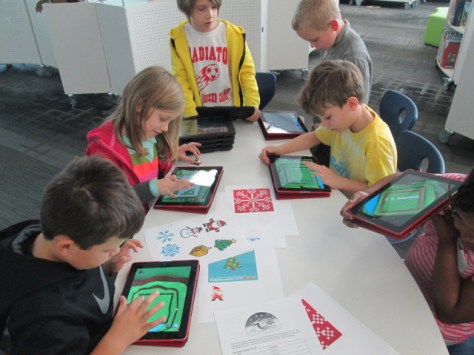
Blokify Design Challenge (5)Our open makerspace on Tuesdays and Thursdays is taking a break while UGA is having finals and winter break.  However, the demand to use the makerspace doesn’t disappear just because UGA is on break.  I decided to have a design challenge makerspace on two days and feature the Blokify app and our 3D printers. Since 3D printing takes a long time to complete, I decided to create some rules to help us out with the number of pieces we would need to print in a short amount of time.
Blokify Design Challenge (12) Blokify Design Challenge (11) Blokify Design Challenge (8)

Rules:

  1. Design a winter symbol.  Any winter holidays or winter objects could serve as inspiration
  2. Design in 1 layer.  The more layers we have, the longer it takes, so we want our designs to be 1 layer only.
  3. Use Blokify to design and don’t worry about the colors of the blocks since your print will be whatever filament color we use.
  4. All blocks need to be connected so that your design prints in 1 piece.

Since Blokify uses blocks to design in 3D, I found some 8-bit winter designs to serve as inspiration for student winter designs.  I blocked off six 30-minute time slots on the library calendar and made a Google doc for teachers to sign students up.  I shared it with all teachers and encourage them to let any interested students come.  There were 8 slots in each time block.  It didn’t take long for the slots to fill with Kindergarten, 1st, 3rd, 4th, and 5th graders.

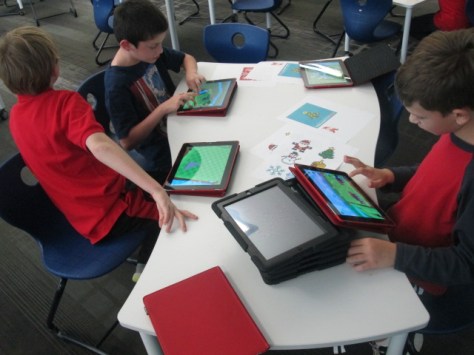
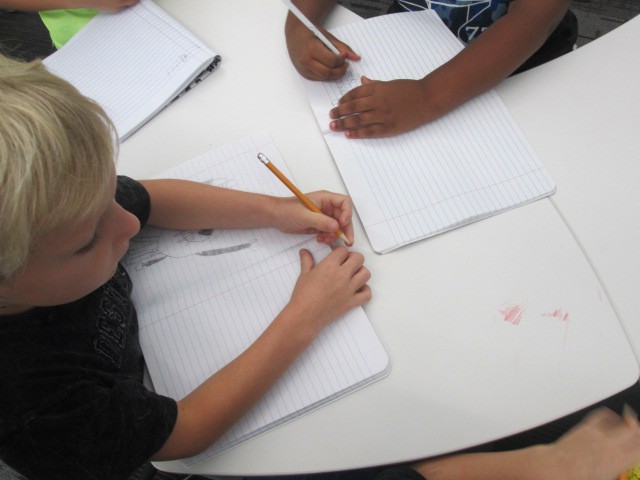
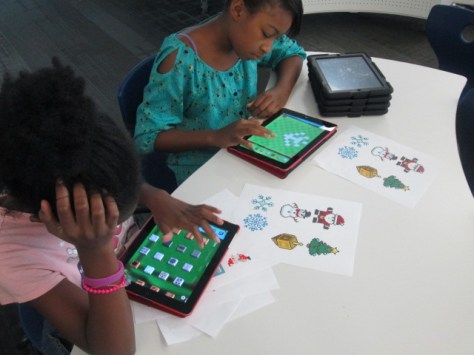
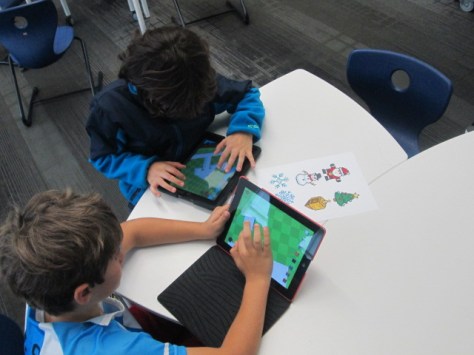
During each session, I gave a very quick intro to Blokify and shared the 8-bit winter designs to consider.  I went over the rules as well, and students jumped onto the iPads to work.  It was a short amount of time to design something, so I told students not to panic if they didn’t finish a design.  As usual, students began looking at one another’s work for inspiration and helped one another with Blokify tips such as how to zoom in, delete blocks, or change the view.

It was fun to see what some of the students came up with and which students naturally gravitated toward this type of design because of their previous experience with block tools such as Minecraft.  We had Santas, a menorah, Christmas trees, snowflakes, reindeer, presents, crosses, and a few randomly shaped symbols too.

A few students did get frustrated, but most of them persevered through their frustration to complete a design.

Once designs were done, we had a process for getting them to me for 3D printing.  I created a separate email account just for 3D files.  Students went to “3D print” on Blokify and selected “Email to me”.  They emailed the .stl file to the 3D printing email account.  In the subject of the email, they changed the “untitled” file to their first name and teacher’s name.  This would help me in getting the printed file back to students.

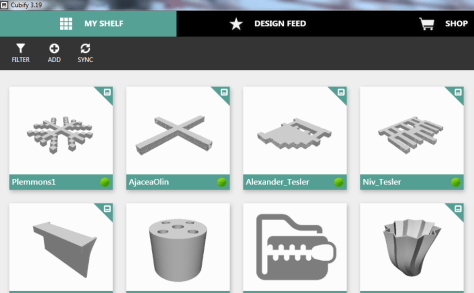
At the end of the day, I sat down, logged into the email account, and started putting the .stl files into Makerware and Cubify.  Makerware works with our Makerbot and Cubify works with our Cube 3D printer.  For Makerware, I put up to 3 student files in a row on the build plate.  On a separate piece of paper, I wrote down the main file name and then wrote the student/teacher name in the correct sequence that the files would print on the plate.  For Cubify, I could only put on design on the build plate at a time, so I named each of those files with the student/teacher name.
cubify

Once all of the files were complete, I loaded them on a USB stick for the Cube and an SD card for the Makerbot.  Each day, I come in and crank up both printers right away and start printing the files.

I write the student/teacher name on a Ziploc bag and lay them out in the right order of the floor to await the finished print.  When a print finishes, I remove and bag them.  Then, I immediately start a new print.  I’m making good progress and hope to have all of the designs printed by Friday.  It takes a lot of organization to get this moving efficiently, but I finally have a process that is working faster than how I originally started.

Even with the speed I’m working at, the kids are still dropping by to ask if their design is done.

I loved the experience of having a design challenge and hope that the students did too.  I think if I offer these types of experiences more often, the students will start to develop their own ideas for 3D designs.  They will also get more comfortable with the 3D design tools.  We will try others in future design challenges along with Blokify.

Student Book Budgets 2015-16: The Final Lists


narrowing (7)

Since early November, a group of 30 students has been hard at work spending a student book budget.  This year’s budget was funded through a generous grant from James Patterson.  Students created a survey in Google forms, surveyed the school, analyzed the results, set goals, met with vendors, and created consideration lists.

narrowing (8)

You can read more about their work in these posts:

Getting started

Meeting with Capstone

Meeting with Gumdrop

Meeting with Avid

narrowing (5)

Over the past week, students have worked to narrow those consideration lists down until they had books that met our goals and were within our budget.  There were many tough decisions as usual.  Students had to consider how many of each kind of book to order.  Should we order more superhero books than anything else?  Should we order copies of books that we already have in the collection?  Should we include books that we knew students would like but didn’t actually meet one of the goals we set in the beginning?  Should we spend more money with a certain vendor in order to earn additional free books?  As usual, I saw students go to bat for a book because of something they heard other students ask for.  For example, there was a Frozen drawing book with Gumdrop Books.  One of the 5th grade boys said, “I don’t personally like Frozen, but I know a lot of students who do.  I think we should order another copy of this book so that more students can enjoy it.”  I’m always amazed by the conversations that surface during this project.

narrowing (2)

After cutting books from the list, I sent the student choices to Avid Bookshop, Capstone, and Gumdrop books to give us final quotes.  They each emailed me a final list for students to see.  Students met for one final time before the holidays to give a stamp of approval to the final lists.  There were a few minor changes to the lists in the end.  We added an additional Wimpy Kid book and some additional books in series.

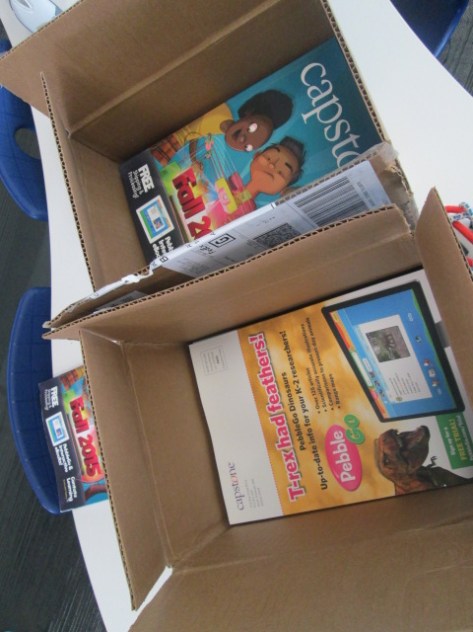
Now, all of the lists have been sent to the vendors.  We met our goal of finishing before the holidays and students spent the entire $5,000 James Patterson Grant and managed to stretch that budget to an additional $750 thanks to Capstone Rewards.  Now we wait.  The books should arrive in January.  At that time, we’ll meet again to unpack the books, market them to the school, and enjoy a first look and checkout before the rest of the school.

Capstone List

Gumdrop List

Avid List

Great work student book budget team!

Hour of Code 2015 is Here!

Hour of Code Day 1 (11)

We have been participating in Hour of Code since it started 3 years ago, and it is an event that inspires so many things within our school.  This week-long event coincides with Computer Science in Education week each December.  Code.org partner with numerous organizations to offer one-hour tutorials that are appropriate for multiple age groups.  When we first started Hour of Code, I tried to get students to all try specific tutorials, but many of our students have gained some confidence with coding and problem solving over the years.  I wanted to offer more choice this year and continue to focus on perseverance, problem solving, and collaboration in addition to learning some pieces of what it means to code.

On day 1 of Hour of Code, our 3rd grade came 2 classes at a time.  This meant 45-50 students in the library with their computers.  It’s a big group with lots of energy, but it amazes me how they settle in, don’t give up, and support one another.  I also had a 5th grade group and a second grade group during the day.

We started by sharing some things we know about coding.  We also talked about how many of us love video games or apps.  Pretty much all hands went up, and we pondered the questions: “What if the people who invented Minecraft (or insert any app or game here) gave up before they finished the game?”  We also pondered how many games are currently being invented out there that we don’t even know about and how many of the developers will persevere or give up.  It was an interesting way to set the stage for our work for the day.

We watched the official Hour of Code video.

Then, I showed students the Hour of Code website and the 4 main tutorials that were featured: Star Wars, Minecraft, Frozen, and Angry Birds.

I offered these as a starting place, but students were allowed to go to any tutorial they wanted to attempt.  My main rule was that I wanted them to really stick with whatever they picked and give their best try.

Students spread out around the library and got to work.  It took a few minutes to settle in, but all students stayed focused on the Code.org site.  I loved how they very naturally got up and helped one another when they got stuck.  A few students reached a point of frustration where they needed a break, so I pulled all of our coding books from the library as a place to go and take a break to just read about coding until they were ready to go back to work.  At some point, they all went back to their computer.

Hour of Code Day 1 (1)

I also loved that some students who speak other languages saw that they could switch the language on the Code.org tutorials.  Rather than flipping back and forth to Google Translate, they could read the site right on their screen, and these students were over the moon with excitement and were extremely successful in their coding.

The Code.org site was very reliable on our first day.  In the previous 2 years, we’ve had problems with the site crashing or being slow, but day one went really well.  I had some backup plans though.  One of the other activities that students were able to do in small groups was visit our Finch robots, which are on loan from Birdbrain Technologies.  Students worked alone to use Snap to program the robot to maneuver around the floor.  There wasn’t a specific task other than to explore what the robots could do and what each block of code meant.  Some students had the robots congregating together on the floor or even doing a dance together.  It was fun to see what they came up with in such a short amount of time.

As usual, teachers observed students who struggled in academic areas suddenly find a spark with coding.  I hope that seeing some of these students’ excitement will spark ideas for all of us in how we might use this momentum to connect to curriculum content.  We can’t dismiss the tools that get students excited about learning.  We need to embrace tools like Minecraft and the expertise that our students hold in these tools and consider how these might enrich the work we are doing together in school.

I can’t wait to see what else the Hour of Code week holds for us.

Students and Vendors: Meeting with Avid Bookshop

avid book budget (5)

Our book budget students have continued to meet with vendors to spend our $5,000 James Patterson Partnership grant.  They have gone through a long process to create a survey, survey students, analyze data, set goals, and meet with vendors to create consideration lists.  They met with Jim Boon of Capstone Press and Gret Hechenbleikner of Gumdrop books.  Students have just finished meeting with their final vendor, Avid Bookshop.

avid book budget (9)

We love working with our local independent bookshop.  They are always willing to come into the school or Skype in to share books with us for projects.  Will Walton, author and bookseller, came in to do book talks with our 3 small groups of book budget students.  Each grade comes in separately for 30 minutes, and each group picks up where the previous group left off.

avid book budget (12)

We pulled up our goals on the screen so that Will could use them as a talking point with students.  He brought some Advance Reader Copies of books that might meet our goals but also offered his own knowledge of books that matched many of our goals such as graphic novels, scary, and humorous stories.  As Will talked, I was in charge of creating a Google doc of the books so that students could look back at them later.

One of the things that I absolutely loved as Will was talking was how our students were getting hooked on the books he was talking about.  There was an immediate trust of Will, and several students found a book that they personally wanted to read.  He graciously handed out some the ARCs and told students to read them and pass them on to someone else.  He also encouraged students to come in and visit Avid Bookshop.  Several requested that he write down the address of the shop since they had never actually been inside.

avid book budget (8)

Will also started thinking of certain authors and series and going onto the shelves of our library to find them.  He handed out several of our own books and students checked them out to read.  He really reminded me of the importance of book talks and how I really need to be doing this more than I am!

After Will left, we continued to work on our Avid list.  I email it to Janet Geddis and the Avid team.  They will now check the list to make sure all of the titles are available, and they will send us a quote to help us narrow down our list to what we will actually purchase.  Students have two more meetings before the holidays, so we  hope we can fine tune all 3 of our lists to match our $5,000 budget.

Students and Vendors: Meeting with Gumdrop Books

gumdrop  (12)

Our student book budget team is still hard at work compiling consideration lists to match their goals.  Today, they met as grade levels with Gret Hechenbleikner from Gumdrop Books.  This year, we are using 3 vendors for our purchasing.  Students already met with Jim Boon from Capstone Press, and they will meet with Will Walton from Avid Bookshop later this week.

Our process with Gumdrop was slightly different than Capstone since Gumdrop doesn’t have a scan to cart feature or a catalog.  Instead, Gret brings a selection of books for students to look at.  Inside each book, she has list of the other books that are found in that same series.  Students can get a taste for what the book looks and feels like and consider whether they might like other books in that same series.  Gret brought multiple books that matched the goals that students had set based on our survey data.  I sent these goals to her a couple of weeks in advance.

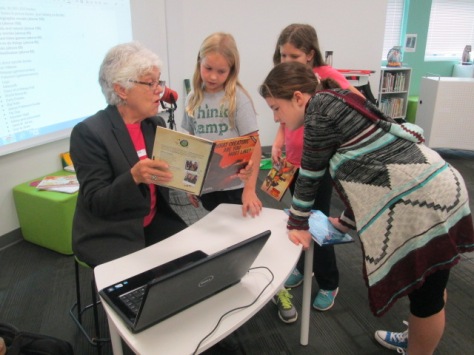
Gret did a quick intro of what she had brought and told students about the lists inside each book.  She setup her computer and printer at a table and students started looking at all of the books.  She and I both walked around and talked with students about what they were looking at and asked them to consider whether or not students at our school would enjoy the book they were looking at.  When students found a book or set of books they wanted to add to our consideration list, they took it to Gret at her computer.  She was able to pull up the complete series on her computer, check to see if we already had the book in our collection, and add it or a set of books to our consideration list.  When books came up that we already had, Gret and I asked them to think about whether we might need an additional copy.  Most of the time students said no, but they did decide to add another Frozen drawing book to our list.

Every 30 minutes a new group of students came to meet with Gret.  We even had a few random students who dropped by the library to check out books who offered their own feedback.  When all students were done, Gret printed a master list for us to talk about when we meet our budget.  She will also email me a PDF of the list that I can manipulate.

I always love this process of meeting with vendors because I put all of my trust in the students.  Even when a vendor may ask me about things I want to add to the collection, I remind them that this is completely up to the students.  I’ll do my purchasing with other money and other lists.

Students have quite a job to do next week.  We currently have 2 different lists which total more than $3,000 each and we have one more vendor to meet with.  Our $5,000 budget, which is a grant through the James Patterson Partnership, will definitely not be enough to purchase all that they want, so some tough decisions will have to be made.  This is all an important part of the process.


Students and Vendors: A Student Book Budget Project with Capstone Press

Jim Boon Capstone (18)

We just finished week 2 of student book budgets.  During this week, students have analyzed the data from over 300 students who answered our reading interest survey.  They used the summary of results in Google forms and also printed out a list of specific books that students requested.  They used both of these tools to create a list of goals for purchasing as well as a list of things to consider while selecting books.

This year we will focus primarily on comics/graphic novels, sports, animals, scary stories, games, and how to do things. We will also focus some on music and humor/jokes.

Goal-setting based on our survey data

We haven’t specifically decided how to split up our $5,000 James Patterson grant, but the discussion has started.  It seems like more money is going to go to our top 3 goals and the remaining money will be split to the other goals.  However, that is still being decided.

Once our goals were established, I started sending out invites to vendors to come and meet with students.  We have 3 vendors we will be working with this year: Capstone Press, Gumdrop, and Avid Bookshop (our local independent bookstore).

Jim Boon Capstone (44) Jim Boon Capstone (36)

This week, students met with Jim Boon of Capstone Press.  Jim and Capstone have been longtime supporters of this project.  Jim ships in catalogs ahead of time so that each student gets a catalog.

Jim Boon Capstone (41)

He also brings in a selection of books and divides them into fiction and nonfiction.  Most of these books meet the needs of our goals, but there’s of course a few tossed in just for fun for students to look at.  Jim usually brings in some fun posters and things for the students as well, which makes them feel very special.  This year, students are adding books to our Capstone consideration list that match our goals, but students are also able to pick one book of their personal choice to add to the library.  These books will get a special sticker with each student’s name designating who chose the book for the library.

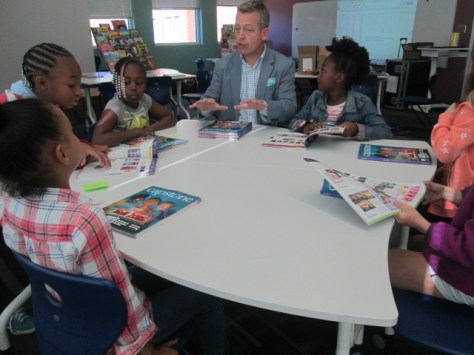
Each grade level group came in for 30 minutes.  Jim met with them at a table first to go over things like Capstone rewards, how to use the catalog, and how to scan books from the catalog straight into a consideration list.

I love how Jim talks directly to the students instead of me.  They are the customers for this project, and he is meeting their needs and expectations.

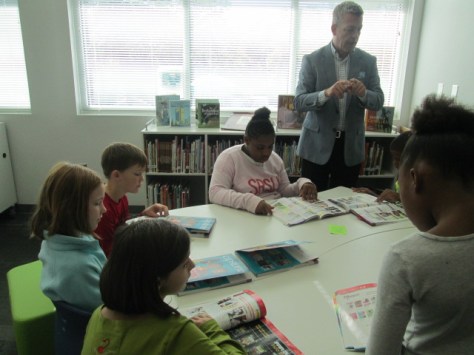
After orienting at the tables, students start looking at all of the books that Jim brought in as well as using their catalogs to locate the books.

When students find books in the catalog that are for consideration, they fold down the corners of the pages until they can come to the computer to scan the books into our list.

Once we scan the barcode in the Capstone catalog, that entire series is added to our list.  We then take a look to see which of the books on the list we already own.  Students decide if they think we need an extra copy or if we should uncheck books we already own.  Then, we save the cart.

After one pass through the books and catalogs, our students have added 116 titles to our Capstone consideration list for a total of $2,267 .

This number will of course grow and will be added to our other 2 vendors.  Then, we’ll work to narrow our lists to meet our goals and our budget.

As always, thanks to Capstone, Jim Boon, Amy Cox, and Eric Fitzgerald for their support with this project each year. I can’t wait for the many conversations we will have about these books in the coming weeks.

Student Book Budgets 2015-16: Getting Started

surveying (1)

For several years, I have dedicated a portion of our library budget to be completely controlled by students.  This project has come to be one of my favorite ways of empowering the voices of the students in our school.  It’s so much more than just asking students what they think I should buy for the library.  It gives students a voice in every aspect of the decision making and purchasing process.  Each year is a bit different, so here’s a look at how we started the project this year.

Where did we get the money?

Some years our budget comes straight from my state budget.  Some years it’s part of book fair profits.  Some years it’s a grant. This past spring, I applied for the James Patterson Partnership grant where he gave $1.75 million dollars to school libraries.  I was one of the lucky libraries to receive this grant in the amount of $5,000.  This will be our budget this year along with rewards dollars that I have collected through Capstone Rewards.

How did I choose students?

This year I created a Google form and emailed it to students.  I primarily pull students from 3rd-5th grade for this project and these students regularly check their email.  I kept the form open for 5 days for students to apply.  The beginning of the form included some details about book budgets followed by a video intro.

For students who marked that they might be willing to give up some recess time to participate, I followed up with individual emails and conversations.  I accepted every student into the group unless they decided they didn’t want to do it.  I created a group of all of the students in my email contacts so that I could easily send messages to them all.  On my initial emails to the group, I included the teachers so that they were in the loop with what they were doing and why they were coming to the library instead of recess.

First Week

On Monday, students came to the library at 11, 11:30, and 12:00 depending on their grade level.  I did a quick overview of the purpose of the book budget group and the steps that we would most likely go through across the course of the project.  They also had a chance to ask questions.  Then, we jumped into the work.

Our first goal was to gather reading interests from every grade level in the school.  We made a copy of last year’s Google form.

Then, students talked about each question and whether or not they wanted to make changes to the wording from last year.  Each grade level added to and revised the form until it was ready.

They made several changes, including asking students about their preferences in types of books such as picture book, chapter book, and informational books.  They added some new categories of books and revised the language to be more clear.

During the 5th grade group, we went ahead and emailed the form out to students to begin collecting responses.  We also created a QR code so that students who were surveying younger grades with iPads could easily pull up the form.

I emailed an update to the entire group to let them know that surveying needed to begin, and they started coming in before school, during lunch, during recess, and during any extra moments of the day to start surveying.  All along the way, we could check our progress.


Throughout the week, I emailed updates to the group as well as sent reminders to teachers to let students fill out the survey.  We will meet one more time this week to examine our results so far and decide if we have enough data to set goals or if we need to survey more people.

I’m very proud of this year’s group already and I know they are going to do miraculous things this year!

First Grade Wizard of Oz Meteorologists

weather (2) - Copy

Our amazing 1st grade team and students have been working on their Wizard of Oz unit.  I love this unit because they weave in so many content standards with Wizard of Oz as their guiding text. A part of this unit is the weather standards from science.  Students have to know various kinds of weather as well as how to dress in that weather.  Since this is a part of what meteorologists do, we decided to try something new this year by looking closely at the role of meteorologists.  The goal was for students to write a weather report for the Wizard of Oz regarding the cyclone and to record the forecast in front of our green screen.

weather (4) - Copy

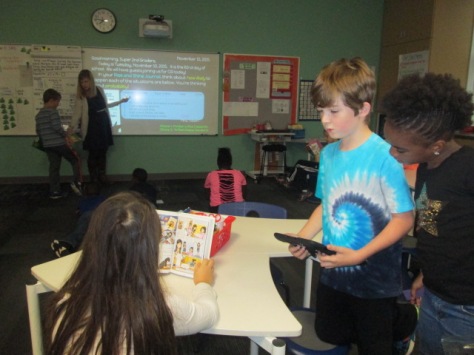
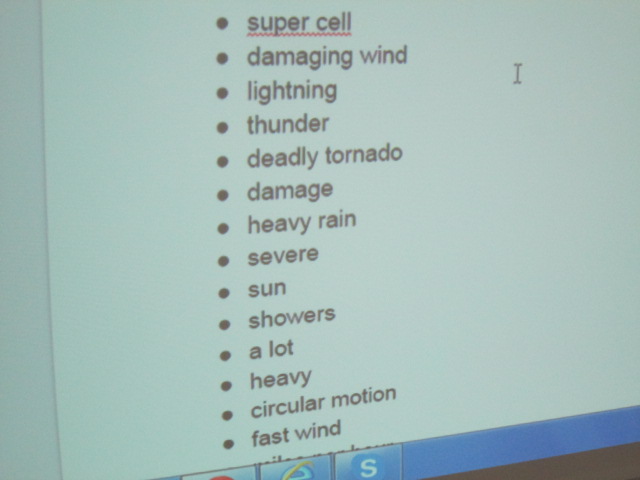
Students came to the library and we looked at a few videos of meteorologists reporting on severe weather. As we watched, students noticed things about the posture and speech of the meteorologist.  They also pointed out many of the weather words he/she used.

As weather words were noticed, we added them to a shared Google doc.

weather (3) - Copy

This doc was shared with all classroom teachers to continue to add to and use in class.  We also looked at another student-made video and noticed how the student introduced himself in his weather forecast and pretended to be outside in the story.

weather (5) - Copy

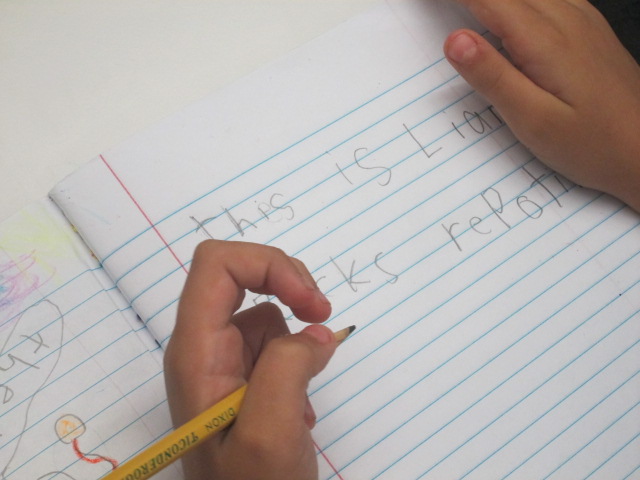
In the library, we also spent some time beginning the writing process of creating a weather report.  Students continued working on this in class during writer’s workshop.  The list of weather words continued to be used and added to. They also did a bit of rehearsing.

Finally, students returned to he library and one by one recorded themselves in front of the green screen with a tornado or other weather behind them.  As students were recording, the rest of the class practiced, looked at weather books, and searched for the current weather in our area using apps on the iPad.

They loved seeing the weather magically appear on our iPad using the DoInk app on the iPad.  We took all of the videos from the iPad and uploaded them to class playlists to share back with the class.

You can enjoy the variety of videos in each of these lists.

One of my favorite parts of this short project was how it tied to a real career and gave students experience with a real-world job related to the standards they were studying in science.  They were each able to be a bit creative in their forecasting, and each student had a chance to use a cool technology to make their voice heard at such an early age.

Cranking Up the Makerspace with Student Voice and Failure

IMG_6701

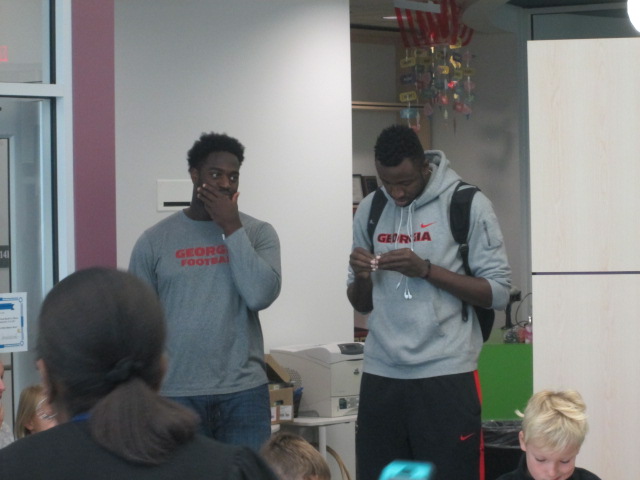
Since the first day of school, students have been asking me when our makerspace will start up.  Last year, we developed a great collaboration with Gretchen Thomas and her students at UGA to hold an open makerspace that students could visit on a weekly basis.  UGA is now in full swing, so we are finally ready to start our collaboration again.

IMG_6700

IMG_6702

This year, Gretchen has an eager class of students who will be coming in groups of about 4 every Tuesday and Thursday.  Rather than have every piece of the makerspace available right away, we’ve decided to focus on different aspects so that students develop some knowledge about the parts and gradually move to making choices about what they are really passionate about.  Students signup on an open signup sheet hanging outside the library.  There are 10-12 slots in three 30-minute sessions.  Each day has two choices.


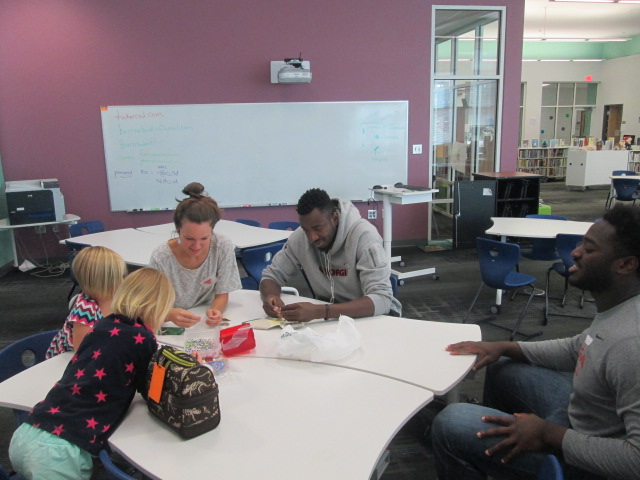
Eventually the UGA students will plan activities to bring, but for now, they are introducing things we already have in the space.  For our first session, I was excited to have Carlos and Carlena offer their craft.  Their story has grown so much since my first post about a craft they discovered in a magazine.  Just this week, Carlos and Carlena shared their craft during our Dot Day celebrations by telling Sherry Gick and her 2nd graders how they are making their mark by teaching others how to make this craft that they discovered.  I loved seeing them grow from an uncertainty of their interests to finding something they are excited to read about, make, and share with others.

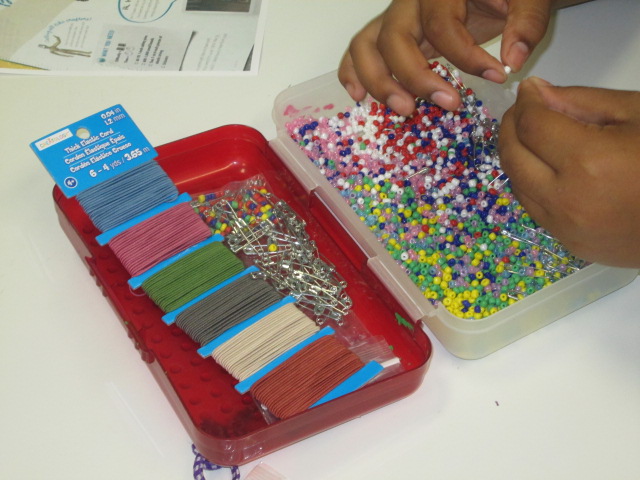
The UGA students in our makerspace this week brought supplies to do this beading craft with students as one option.  Carlos brought even more beads to use and shared his expertise with students in the makerspace as well as people just visiting the library with their mentors.

This aspect of our makerspace was very successful and calming.

IMG_6710

The other choice was to use the iPads with our Sphero robots.  Students were so excited to try out Sphero this year, but we ran into lots of problems.  First, the Spheros didn’t charge like they were supposed to.  Then, they were all connecting to random iPads instead of the one they were supposed to be connecting to.  Luckily, we had Sterling Bailey with us who had helped in our space last year.  He stay cool and collected through the whole epic failure and continuously thought of things he could try.  He helped the students to push through the frustration and keep trying different things to get their Spheros to connect and work.  While it wasn’t successful on the programming side of things, I think students learned a valuable lesson in maintaining patience in frustration and persevering.

We are ready to try again every Tuesday and Thursday through December!

Discovering Interests, Igniting Passions, and Amplifying Student Voice

IMG_6482

I’ve been doing a lot of work with teachers and students over the past couple of weeks focused on the IPICK strategy.  One of the big pieces of this strategy is “interest”.  The idea is that if we read things we are interested in then we are more likely to enjoy the books we read.  But…what if you don’t know your interests?

In each class I’ve taught, there has been a handful of students that no matter what you ask, what you suggest, or what stories you try to pull out they cannot name a single thing that they like.  This is frustrating, but rather than throw my hands up, it has made me very curious.  Why are these kids just shrugging their shoulders when you ask them what they like?  What can I do (we do as a school) to support all students in exploring their interests?

Ms. Spurgeon, a 4th/5th grade teacher, came to me with this exact same noticing. She had asked students to do an “All About Me” assignment, but when it came to interests, several students came up empty handed.  She wants us to do a project together this year using student interests, but we can’t start because we don’t know their interests.  We decided to try another route.

We were trying to decide what kind of text would immerse students in a variety of topics while still being very accessible to a range of reading levels.  I’m not really sure how we decided it, but we decided to try magazines.  I don’t really subscribe to magazines any more in the library, but we have all of the Ranger Rick, Zoobooks, Sports Illustrated, etc that we’ve subscribed to through the years.  I pulled out the boxes and put them all over the tables.  We did a very quick overview of how we really want to think about our interests and one way we do that is by trying as many things as we can.  Ms. Spurgeon talked about some foods she had tried like zebra and how she would never have known how much she liked the taste if she hadn’t tried it.  We modeled what “trying” a magazine looked like.  We were very specific to not read every page and were honest how we as adults often just flip through a magazine and pick out the pieces we want to read.  I loved this because I saw students perk up.  Knowing that they didn’t have to read the entire magazine was an invitation.  They dove in and started exploring.  They oohed and ahhed over so many pictures they saw, and Ms. Spurgeon and I had casual conversation with them about what they saw.

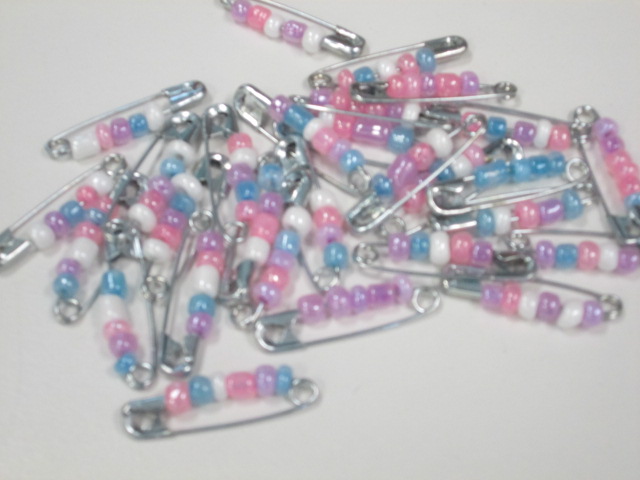
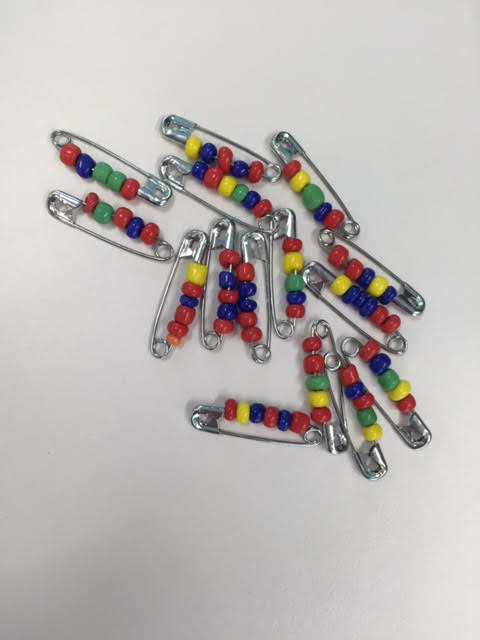
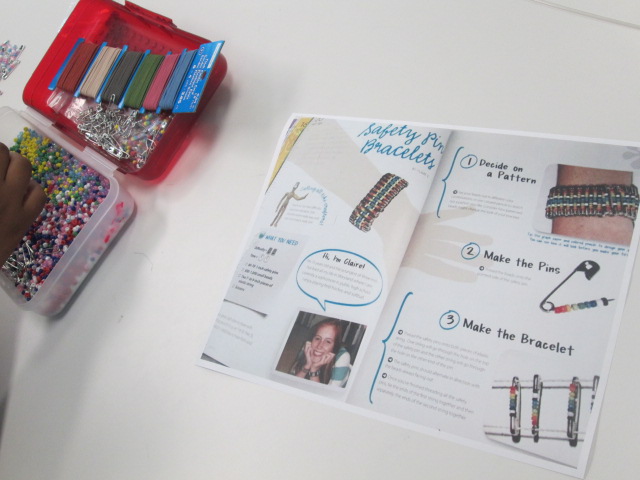
One moment stood out to me. Carlos and Carlena were looking at Kiki magazine together.  This magazine features a lot of fashion and crafts.  They discovered a page with a great 80’s style craft involving beads and safety pins.  The safety pins were put together on elastic string to create a bracelet.  They were glowing with excitement, so I told them I would take a picture of the page and send it to Gretchen Thomas at UGA to see if we could incorporate it into makerspace.

They looked a little shocked at first like, “You mean we could actually make this?”  Then, right after school I got an email from Carlos asking if I could email him the picture of the instructions.

It was that moment that told me I couldn’t let this momentum go.  This was a chance to empower individual students to explore a genuine interest.  Who cares if it was “just a craft”?  It was something they were suddenly passionate about when they had moments before been shrugging their shoulders.  That weekend, I went out and bought supplies, and I emailed them both first thing Monday morning.

I wasn’t surprised at all when I saw both of them walk in during their recess to get started on their project.

They came in for 3 days in a row during recess and didn’t even want to stop for lunch.

IMG_6481 carlos

As they’ve worked, I ‘ve shared their process via Twitter.  They have watched me documenting the process along the way, and I’ve told them that they are trying something out that they might teach to others or inspire other makerspace projects.

One day while we were working, Gretchen Thomas at UGA tweeted a picture of pins that her students had made.  When I showed it to Carlos and Carlena, they both smiled and said, “They’re doing that because of us?”

Another opportunity started to emerge because I saw how seeing the impact that they could have outside of our school walls was a motivator for them.  Next week for Dot Day, we are connecting with Sherry Gick and her 2nd grade class.  I asked Carlena and Carlos if they would share with this class how they are making their mark by being the first to try a craft in our makerspace and how they hope to pass on what they’ve learned along the way.  Without even blinking, they said yes.

IMG_6483

I have no idea where this is going to go, but I feel like I’ve tapped into something that I can’t let go.  I have to keep asking myself, my students, and our teachers how we can continue to explore interests, seek out individual passions, and amplify student voices beyond the walls of our school.  All of our students deserve to explore so many things to figure out what they are truly interested in.