Community Collaboration: Book Making in the Makerspace

book-making-27

I love opportunities to connect with community and bring expertise, talents, and interests to our students.  Recently, a parent contacted me to tell me that her child’s grandmother was traveling to Athens to visit and would love to do book making with some students at our school.  I immediately responded back that we would love to have this opportunity in our makerspace, and the planning began.

Grandmother Kathleen sent me a list of supplies we would need, so I ordered those from Amazon in advance.  She packed everything else on her flight from Texas.

I also communicated with Gretchen Thomas at UGA to let her know that her students could help Kathleen during this makerspace time.  I let teachers know the topic of the makerspace in advance and students signed up to participate across two days (Tuesday and Thursday).

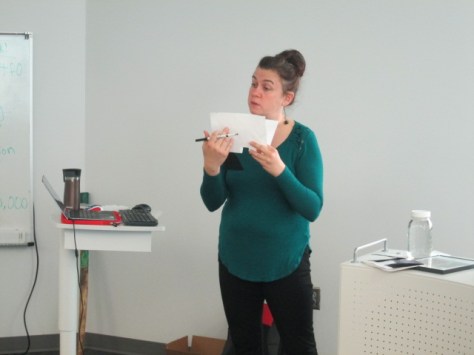
When Kathleen arrived, her enthusiasm for art was contagious.  You could tell that she was an amazing art teacher in Texas.  She had multiple examples of books she had made from instruction found in Making Books that Fly, Fold, Wrap, Hide, Pop Up, Twist, and Turn.


She had a different kinds of book planned for each group who visited the makerspace: 1st & 3rd grade, 5th grade, and 4th grade.

Before each group arrived, she put materials at each chair with the  help of Gretchen’s UGA students.  She gave very clear, step-by-step instructions for each group and me and the UGA students went around assisting students as needed.

Because each project took more than 30-minutes, we reached a stopping point and then stored the projects for Thursday.

Each book had its own purpose and made me and the students think about so many possibilities. One book allowed you to record things from different perspectives. Another book allowed you to write your own Choose Your Own Adventure story with pull out cards.  Another book fanned out like a flower and allowed you to put poems, photographs, and more within the folds.

Each time Kathleen showed us a book, my mind was swirling with connections to each grade level’s curriculum.  Students were focused, productive, and buzzing with excitement about today’s makerspace.  I bet that when students are involved in the process of creating their own published books, they are more likely to fill those books with productive writing.  I know that when I personally made my own book during the final 30-minute session, I really wanted to go home and fill it with writing and photographs.

I was reminded once again about how many interests and talents are hiding within our students, families, extended families, and community.  Alone, I would not have thought much about book making or how to attempt it with groups of students.  However, now that the expertise of a grandparent was shared with me and our students, I’m considering new possibilities with projects.

How many more talents and interests are just waiting for us within our communities?  How do we tap into these resources? This was an opportunity that was given to me, but I know that if I had a way of unearthing and organizing the wealth of talents and interests in our community that more opportunities like this would make its way to our students and teachers.


Storybook Celebration 2016

storybook-parade-48

Traditions. We have many. The annual storybook parade is one that has been around for a long time. Each year we try a few new things, but the hear of the storybook parade is celebrating books by dressing as our favorite characters, carrying the book, and showing off our costume and book to the community.

Trying to document the day. (Photo Credit: Paul Lee)

Trying to document the day. (Photo Credit: Paul Lee)

The day begins with guest readers in every classroom. Janice Flory, our volunteer coordinator, sets up a Signup Genius to recruit 2 readers for each classroom. They gather in the library, select a book, take a group picture, and then get escorted to a classroom by a 5th grade BTV crew member.

I was really excited about the selection of books they had to choose from this year.

Next, the whole school gathered in the lunchroom for an assembly.  Since October 27 was Jumpstart’s Read for the Record, I read aloud The Bear Ate Your Sandwich and recorded approximately 675 listeners to the story.

read-for-the-record

When we were a smaller school, we took time to walk across the stage and show off our costumes, but it is a challenge as we have grown. Now, we simply stand by row, do a little twirl, and then sit down facing the back of the cafeteria.  The costumes this year were amazing. I really pushed for students to think about characters they connected with and dress as that character.

At this point, we head out on our parade. Our route this year was the entire block of our school.

Students chant “read more books” as they walk down the sidewalk and parents and community members watch and blow their horns as they pass by.

Our Prek-4th grade classes return to school and begin literacy activities in their classrooms. Our 5th grade walks to the nearby Georgia Center to have hot chocolate and spend some time together.

Upon returning to school, our specials teachers, resource teachers, and media center offer special 30-minute sessions that classrooms can sign up to attend.

In the library, I offered a couple of experiences. Lower grades designed their own Halloween pumpkins using the Quiver augmented reality app.

Upper grades used littlebits to make something spooky.  Both of these activities were connected to spooky stories we have in the library.


I loved seeing the designs that students came up with in both experiences.  It was a fast-paced session that pushed students to be creative, work together, problem solve, and innovate.  I hope that many will continue to explore littlebits beyond this fast session.


As always, this day was tons of fun but exhausting. It takes the whole community to make the event successful. Thank you to every student, teacher, family member, and community member who helped us make this day a success.

The Makerspace Is Open with a New Badging System

img_8887UGA is back in session which means our makerspace is cranking up again.  We already have some curriculum connections planned for special projects, but our students look forward to the weekly open makerspace times on Tuesdays and Thursdays from 11-12:30.

Gretchen Thomas and her UGA class collaborate with us to provide a weekly time where students can signup to explore various tools and projects in our makerspace.  Four UGA students come each time and lead up to 15 students every 30 minutes in the makerspace so that I can also teach classes at the same time.

img_8875

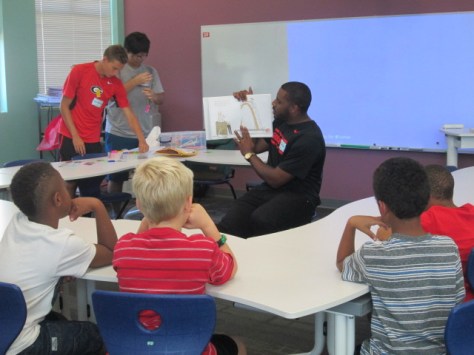
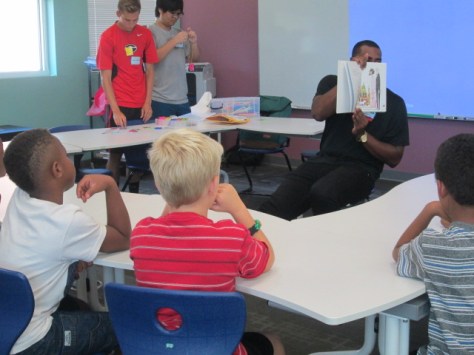
Gretchen and I are have learned a lot during our collaboration together, and I love that she’s always pushing her class to try something new.  For our first few sessions this year, the UGA students are presenting a maker-related book to the students and an activity to accompany that book.  There’s not really enough time to read the entire book and still make something, but they at least are able to show the book, talk a bit about it, and then make something with the students.

img_8874

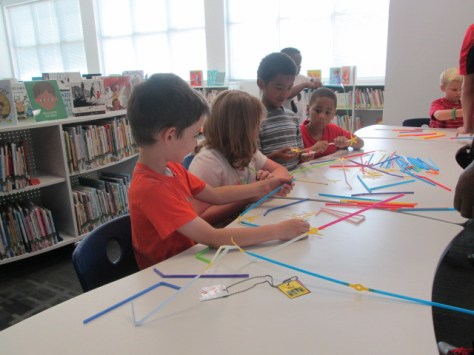
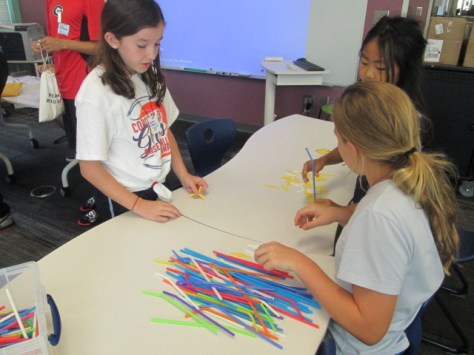
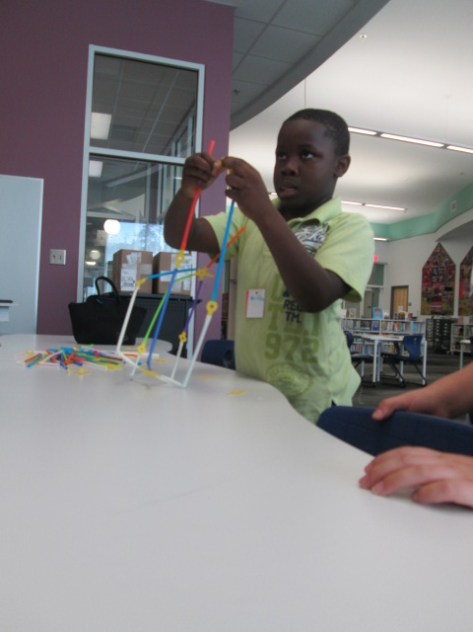
For our first session, the UGA students read or showed Iggy Peck Architect.  At the end of the book, they invited our students in 1st, 3rd, 4th, and 5th grades to become an architect and use Strawbees to build the tallest free standing tower.

img_8873

I loved watching the UGA students decide how much information to give the students versus when to let them discover things on their own.  In one group, they just gave them the Strawbees and straws and said “build”.

Then, in another group they gave some examples of how the straws and Strawbees could connect to one another.  The amount of guidance definitely impacted the type of structures made.

img_8881

I don’t know that we have a firm answer on how much structure to offer to the students, but I’m glad that we are always thinking about how much is too much.  I think we certainly stayed conservative on how much we told the students.  Every structure was different and students found things that worked really well and things that failed miserably.  In the end, the important thing is that we really didn’t have students who gave up or who even got extremely upset because they didn’t “win”.  That’s the true spirit of making.

img_8895

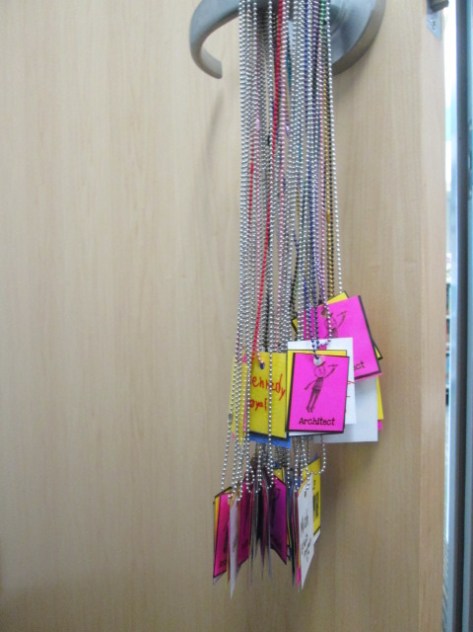
One new addition this year is something we’ve talked about for a long time.  So many students come to the makerspace, that it’s hard to track who has learned what tool or skill.  I really wanted a badging system but didn’t think I had time to make it.  Gretchen and I have talked through this many times and discussed the idea of badges for specific tools like Sphero, Duct Tape, LittleBits, etc and badges for skills such as problem-solver, thinking outside the box, teamwork, etc.

Gretchen took it upon herself to make this happen for us.  She started making badges that students would attach to chain necklaces.  Students would earn a badge for the tool they explored and the group they worked with as well as have an opportunity to earn rare badges for skills or qualities.  Gretchen and her students will continue to design badges and add them to the collection.  They will be stored in plastic drawers in the makerspace.  Students will hang their necklaces on a hook in the space and grab them when they come to makerspace.

img_8896

We’ll easily be able to look at badges and see which students have learned which tools and which students have demonstrated the skills of a maker.

I can’t wait to see where this goes, and I’m so thankful for Gretchen and her class making this happen!

Making Something New: A Makerspace Activity

coconut makerspace (13)

Recently, the Children’s Theatre Troup directed by Kelsey Brown presented “Another Kid’s Treasure Island” at the State Botanical Garden of Georgia. This play also featured a makerspace activity for attendees to use a variety of objects to make something new.

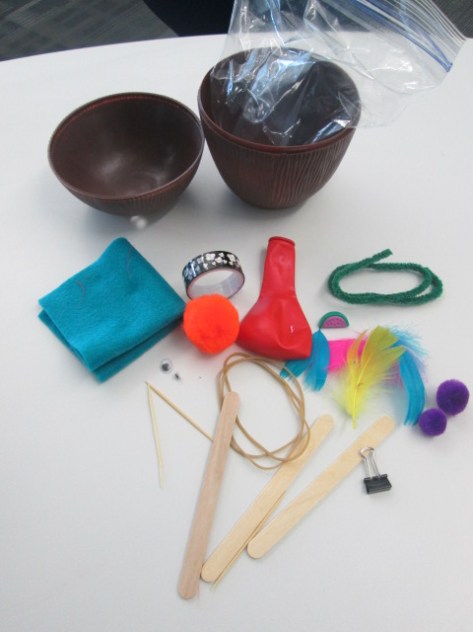
Gretchen Thomas and her UGA students helped pack hundreds of plastic coconuts with craft supplies to support the play, but several coconuts were left over. Our makerspace was fortunate enough to acquire these leftover coconuts for students to explore.

coconut makerspace (14)

This week, we’ve been reading The Most Magnificent Thing by Ashley Spires. I love the message that this book shares about perseverance and creativity. The character in the book tries multiple ways to make the thing she has in her head, but she just can’t get it quite right. At first, she easily starts over, but as time goes on, she gets pretty frustrated. However, even then, she goes on a walk to clear her mind. While reading the story, we paused along the way to setup some steps for “making”.

  • Have an initial plan after you gather your supplies
  • Try to make something
  • Take a look at what you’ve made and try again if needed
  • If something isn’t working, try to do it in a different way
  • If you start to feel frustrated, take a break or a walk, and come back
  • Don’t quit

We could keep adding to this list, but those were the basic principles we followed.

coconut makerspace (12)


I showed students one of the plastic coconuts filled with supplies and told them that their goal was to take the materials and make something new. We talked about how the girl in the story made something she could actually use, so they certainly could try to make something like a piece of jewelry, a hat, a container for rocks, or whatever else they wanted.

coconut makerspace (6) coconut makerspace (1)

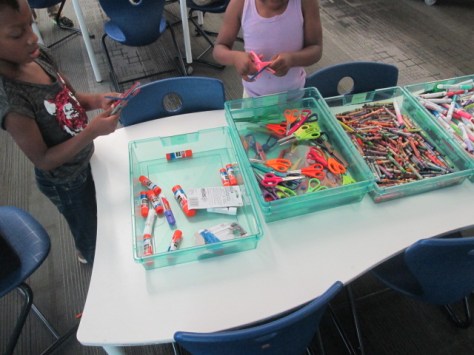
I also put out some scissors, glue, crayons, and markers. Then, students got to work. Each student had a different strategy for how to work. Some got very frustrated and did indeed take a walk around the library. Some students collaborated with people at their table or traded supplies with a friend.  It was loud and messy, but I heard things from students like:

  • Is makerspace always this fun?
  • Do we really get to keep the things that we made?
  • When can I come back?
  • From a teacher: My students talked about what they did with you the whole next day.

coconut makerspace (2) coconut makerspace (4)

You could look at this and say….sure….this is just making a craft, but there’s really so much more there.

Perseverance, problem solving, creativity, inventing, collaboration, and more were all there. Thank you to Gretchen Thomas for giving us an opportunity to bring makerspace to some of our grades who haven’t had a chance to use our makerspace quite as much. We have a lot of new students excited about finding more opportunities to use the tools in our makerspace because of this opportunity.

How about a Popup Makerspace at Recess?

popup makerspace (5)

The University of Georgia is winding down its spring semester, so that means our support for weekly makerspace is also winding down.  We only have 3 more weeks of school ourselves. Last year, Gretchen Thomas and I took our makerspace on the road to UGA to introduce random UGA students and visitors to the fun of making and tinkering. We really want to try that idea again, but this year we wondered, “How about a popup makerspace at recess?”.

popup makerspace (3)

Many of our students come to makerspace during recess anyway, but some struggle with leaving their friends on the playground. We wondered if having the makerspace on the playground would bring in more students since they could easily run back and play if they wanted to. We also wonder if some students don’t come to makerspace because they are unsure of what happens at it. We thought putting it on the playground would make it much more visible and inviting.

Gretchen and her students planned several stations for students to explore. I also had some students prepare stations. Ahead of the recess makerspace, I advertised to teachers that we would be having the makerspace on the playground from 11AM-12PM. We also mentioned it on our morning broadcast on the day of the event.

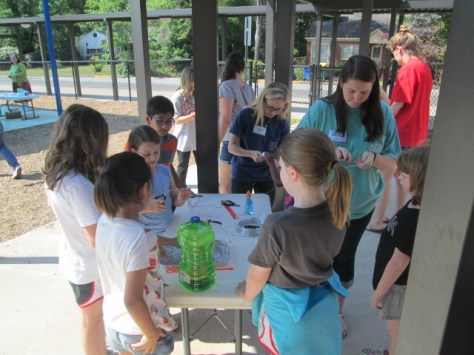
Before 11:00 rolled around, we setup tables under the awning and sunshade on the playground and got the stations ready. My students and Gretchen’s students helped make this happen. Before we could even get setup, we already had students coming up from the playground asking if they could try something.

It was wildly popular! There were moments when 2-3 entire classes were descending on the makerspace, but being outside allowed us to spread out and really not worry about the noise. It also helped that Gretchen’s entire UGA class was here o

Here’s a look at what we offered:

Station 1:

Students constructed their own bubble wands and then tested them out. Some students chose to make a basic wand with a circle and stem, but as the station went on, we saw students really get creative in trying out different designs from very large shapes to tiny circles. This was also a great station to have outside because we didn’t have to worry about bubble spills. Next time, we will add beading to this center to allow students to personalize their wands. However, I loved that the focus this time was on trying different shapes to see what made the best bubbles.

Station 2:

We marked off an area and put a bucket of sidewalk chalk for students to create their own chalk art on the sidewalk.

popup makerspace (4)

Station 3:

Students used marbles, orange cones, duct tape, and pipe insulation to create a marble roller coaster. This station really evolved as time moved on. Students began working in teams to try to make small changes to the pipe insulation to make the marble travel a longer distance. They even started gathering materials from other stations to add to their design, which is just what we want to see makers doing. I was amazed by the teamwork from students in different classes and grades. There’s something about the maker environment that cultivates teamwork.

Station 4:

Students used aluminum foil to build boats and test their floating capability in pans of water. Some students chose very simple designs just because they knew they would float, but other students really pushed their designs to the limit to see how much detail they could add to their boat or how big they could make it before it would sink.

Station 5:

Outside was the perfect place to test paper airplanes. This station allowed students to share their paper airplane building skills and test out to see who could make a plane that could really travel in the wind. We didn’t have any specific instructions or books at this center, so it really did take tinkering or sharing expertise to build the planes.


https://twitter.com/actinginthelib/status/725000807775612928

Station 6:

A group of 5th grade girls setup an art station filled with coloring sheets with dogs and cats. They are leading a changemaker project to encourage people to donate food to a local shelter, and the coloring sheets will eventually be used to help bring awareness to their campaign. Along with this center, students could learn how to draw a dog or cat using a series of circles or go on an observation walk with a 5th grade girl to sketch objects in nature. I think we forget the importance of coloring. Many of us know that adult coloring books are all the rage right now, so it only makes sense that kids are still into coloring too! there’s something soothing about sitting around with friends, pulling out the crayons and color pencils, and focusing on filling in the lines. This proved to be one of the most popular stations at makerspace, so it really made me curious about where we could go with this. My mind was racing about student-designed coloring pages, coloring tablecloths, and more.

Station 7:

A 4th grader and a 2nd grader assisted students in exploring Finch robots. They setup 5 computers, connected the Finch, and introduced students to the Snap program to code the robots. Then, they let students explore coding on their own. The 2 students only jumped in if someone was stuck or had a question about how to start. I loved seeing how 2 students who had spent 10 weeks learning about the Finch could allow people to start from the very beginning without telling them every step to make. They really understood the importance of tinkering and figuring things out for yourself.


popup makerspace (18)

As the hour came to a close, we still had a circle of students coloring, and we sadly had to dismantle the roller coaster. The UGA students didn’t want to leave and students were asking if they could miss lunch. Moments like those make it a great day. Now, Gretchen and I have some thinking to do about next year. We have lots of ideas in the works, but I think one of the big things we will think about is how we can take the makerspace on the road around our school. I love having the space and opportunities in the library, but changes in venue bring in new voices. Changes in location also allow us to try things that maybe we wouldn’t try if we were inside. I think we will see a few more popup makerspaces next year. Who knows where we will popup next!


Building Home Libraries: A Community Collaboration

4reading

One of the goals of the Barrow Elementary Media Center is to support the reading habits and curiosities of students, teachers, and families.  During the school year, our library is a huge source of reading, but I often wonder what I can do to continue to support reading during the summer months when students are at home.  What do their home libraries look like? What can we do as a school to support the idea of building a home library?

Many schools in Clarke County are supported by an incredible program called Books for Keeps where every student in the school receives 12 books for summer reading. Our school will eventually be served by this organization, but at the moment, we are not. Since we can’t really raise enough money to buy books for every child in the school, I decided to start with 2 communities of students in our school.

This year, I am working with our community, writing grants, and raising funds to support families in building home libraries in their communities. The Junior League of Athens is purchasing 6 books for each student from the Bethel Homes community who attends our school.   These books are for the students to keep and share with their family. There will be a family day of learning about home libraries, creating a plan for a home library, and adding these 6 books to the home library.  We hope by taking this step, we are supporting a culture in each home of having a dedicated place to keep books that are purchased, borrowed, or donated.

Through First Book UGA, we have a $750 grant to replicate the Junior League’s program in the Parkview community. This will provide approximately 3 books per student through First Book.  In order to replicate the same program we are offering at Bethel, we needed to raise some additional funds.  After getting approval from our superintendent, I created a GoFundMe campaign to raise an additional $1,000. I began sharing the campaign through many avenues of social media as well as personal emails. Camilla Bracewell, a Barrow grandparent and huge library supporter, also shared the project through her own networks. In just over 24 hours, we raised the funds needed.

I’m notorious for jumping into a project before I really know exactly what it’s going to look like, but I always leap in with the faith of expecting the miraculous and knowing that things will work out. Now that the funds are in place, some logistics must be worked out.

Logistic 1:  If students are going to create home libraries, what will I actually use for the home library container?

I didn’t want to assume that every student had a home library at home or that they knew that a home library could be any place you keep books, so I wanted them to have a container to take home with their books. I started pricing containers at Walmart and Target and seeing what Dollar Tree had. Along the way, I posted Instagram pictures of my journey and invited people to chime in with suggestions.

People chimed in with ideas:

Then, my wife suggested that I contact Suki Janssen with the Athens Clarke County Recycling Division, so I did.  She invited me to come and check out the warehouse where the Teacher Reuse Store items are kept. This CHARM facility houses items that are difficult to recycle.  I met with Chris Griffin and he let me browse the building and see what I could find.
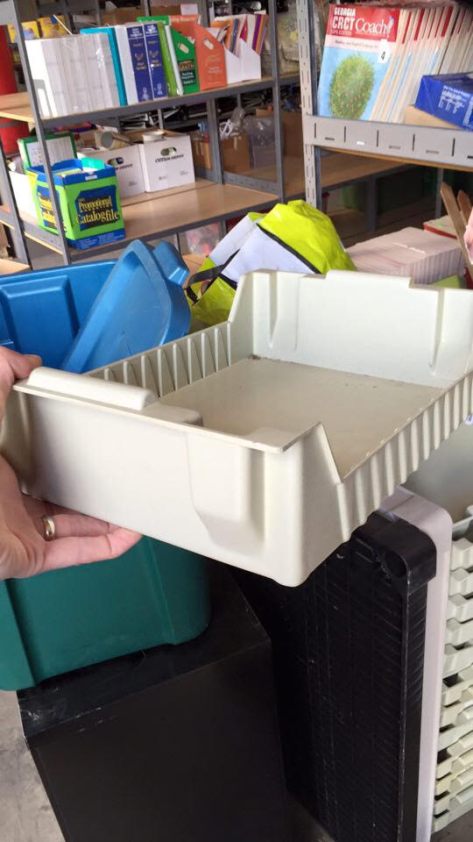
bins at recycling

Miraculously, I found  3 different stacks of trays in varying shapes, sizes, and conditions and was fortunate enough to take them all home with me.

Logistic #2: Getting all of these trays ready to become home libraries.

I took all of the trays home and started cleaning a few of them and brainstorming exactly what to do to the trays to decorate them.

Again, I reached out to the community for ideas. Gretchen Thomas, my collaborative partner from UGA, suggested lots and lots of spray paint.

I went out and bought some cans to do a paint test.

It was a time consuming process to clean and paint the trays and I quickly realized I couldn’t do it alone.

Logistic #3: Who can clean and paint all of these trays?

I brought all of the trays to school.

I called upon my wonderful volunteer coordinator Courtney Tobin as well as Gretchen Thomas to send out emails and ask for volunteers. Once again, the community didn’t disappoint. Camilla Bracewell came in along with Margaret Christ and her librarian mom came in to clean trays.

I also have volunteers scheduled to come in and start spray painting the trays outside.

Logistic #4: How will I order the right books for students?

Since we have a First Book account and grant, I can order books directly from First Book for a great price. I really wanted to go back to my student book budget model and give each student a certain amount of money to spend in the First Book marketplace.

However, I don’t think I have enough time to pull that off.  Instead, I created a short reading interest survey so that I can do interviews with each student and find out some of their interests in order to get the books they really want to read. Again, this isn’t something I can do alone since there’s 75 kids in this project, so volunteers are helping me interview students with printed copies of the survey.

Logistic #5: How will I get the order done?

As we interview students, I’m searching the First Book Marketplace for books that match what students are asking for. I’m adding these to a wish list that I can pull from when it’s time to order.  I’ve blocked off times on the library calendar next week to work on the actual order.  I plan to take each student survey sheet and personally search for books to meet the needs of the student request and age.  Then, I’ll use the donated funds and grant to pay the bill.

Logistic #6: How will students take ownership of the libraries?

Rather than just hand over the books and trays to students, I want them to have some investment in the project. In two weeks, we are going to hold some decorating sessions where students can come and decorate their libraries with personal touches. During that time, we’ll talk about what it means to have a home library as well as talk about sharing books between home libraries. Since these students are in the same community, there is an opportunity for students to be able to exchange books with one another if they want to.

I know that I have many more logistics to work out in this project, but it is amazing to look at where this seed of an idea has grown into a blossoming project.  I can’t wait to see where the project takes us, how it impacts students, and what we all learn about one another along the way. Having a community that pulls together around a common project makes such a difference.



3D Jewelry Artists in 1st Grade Using Blokify

art jewelry

In my latest collaboration with our superstar art teacher, Rita Foretich, we are crafting with 1st graders.  One of her art standards has to do with students creating a craft, which is defined as an art creation that serves a purpose.  Rita is always pushing herself as a teacher to try new things and stretch the boundaries of what kids have experiences with. Along with this standard she wanted students to work with technology and to design in 3D.  What resulted was an art project where 1st graders are designing pendants in a 3D design tool called Blokify, 3D printing those pendants, and then using them in art to create a functional necklace.

When Rita first told me about her ideas for this project, my first reaction was whether or not Blokify was the right tool.  I had made pendants and charms in other tools like Tinkercad, but I knew that Tinkercad would be very tricky to do with a 1st grade class in the time frame we had.  Blokify is very user-friendly for very early learners, but I had trouble envisioning a pendant.  I even tweeted out to ask other people what they thought.

What helped me in the end?  Tinkering.  During our book fair, I pulled out an iPad and just tinkered at making a charm.  I can’t say that I came up with anything brilliant, but I did come up with some examples to help students see. The most helpful thing was for them to be able to visualize what the hole for the string might look like.

Each 1st grade class came to the library during their art time.  Ms. Foretich started the lesson with a quick video of a Makerbot in action.

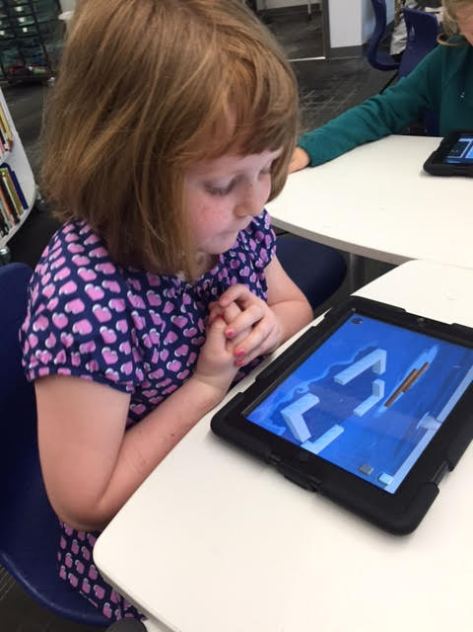
It was fun to hear students talk about what was happening in the video because at this point many of them knew that it was a 3D printer, which would not have been the case a few years ago. Then, we showed the students the Blokify program. I really didn’t go into a lot of detail, but I showed them how to zoom in and out, how to add a block, and how to change blocks.  Then, students had time to tinker at tables and get familiar with the Blokify program.

Ms. Foretich and I walked around to assist students who were getting frustrated as well as encourage students to try various parts of Blokify such as adding a row, deleting blocks, switching worlds, and switching blocks.  Tinkering looked very different this year than it has in previous years, and my hunch is that students have more experience with Minecraft now, so they make the connection to this very similar program. I saw students being much more intentional about block placement even in tinkering instead of just tapping all over the screen.

We invited students back to the carpet after their tinkering sessions and gave them the specific task of the day: to design a one-layer pendant. We showed the examples that I had made as well as samples from other classes that had already printed.

Then, students went back to iPads and started a fresh design.  They only had a short amount of work time to create their designs, and I was so impressed with what some of them came up with.  They were so much more creative than my own designs!  As each student finished we had to email the files to a central email.  I had the email account pulled up on the board so that we could see if the emails came through.  Many of them didn’t, so we were slowed down by errors.  We had to go into the outbox of the email on the iPad and resend most of the emails.  For students that we couldn’t email in time, we put post-its on the iPads so that we could email the files after they left.

On the library calendar, I blocked off time slots for me to specifically work on prepping all of the files for 3d printing.  When you are working with over 100 .stl files to print, it’s time consuming.  I was able to put about 8 pendants on each print plate.  Each plate takes anywhere from 2-4 hours depending on how large I make the pendants.  I name each file “Pendant 1”, “Pendant 2”, etc.  Then, on a sheet of paper I write out the name and teacher of each individual pendant on the plate.  These names are also written onto Ziploc bags so that finished prints can go into the bags ready for the art teacher.

I can’t wait to see how the final necklaces turn out once they return to art class.  This has been an adventurous collaboration full of challenges, but there have been many rewards along the way too.  It was especially rewarding to see some students shine at using Blokify even when they might struggle in other subject areas.

Paper Circuits Popup Project with 4th Grade


paper circuits art (16)

I’ve been wanting to explore paper circuits for quite awhile, but I haven’ taken the plunge to do it. We got many supplies for paper circuitry through a Donors Choose project. We’ve tinkered with the LEDs, conductive tape, and coin cell batteries some in our makerspace, but a class has not used it for a project….until now.

\paper circuits art (5)

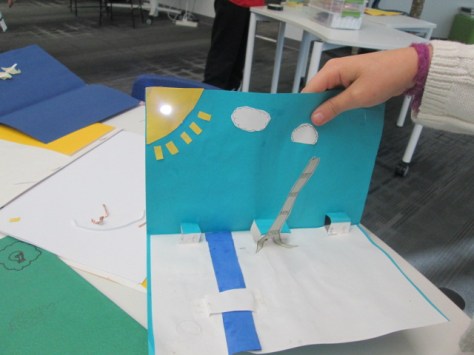
4th grade is studying light as a part of their science standards, so the art teacher and I started talking together with the 4th grade team about a possible collaboration between all of us where students could create a piece of popup art and light it up using an LED. We jumped into the planning and the project without fully knowing how to make a paper circuit, but we had faith that we could figure it out together with our students.

paper circuits art (2)

We knew some basics. Students would design a piece of popup art and plan for one part of the popup to light up. This was enough for the art teacher to start working with students on their pieces in art class. There were some basic requirements from her such as the piece had to include movement and a 3D element. The content of the popup was completely student choice. Some chose animals such as sea turtles following the moon while others chose to create a popup basketball goal. Each popup brought out the unique interests of each student.

While this series of work sessions was going on in art, the art teacher and I met after school to do a bit of tinkering. I had already done just a bit of tinkering on my own before she arrived, so I was able to show her a few things I knew. For example, I knew the positive post of the LED had to connect to the positive side of the battery.  This could be done by touching the battery directly or creating a circuit with conductive tape.  The part we were uncertain about was how students would open and close their circuit so that the light didn’t stay on all the time. We wanted to have some possibilities for students but we also wanted them to create some ways to open and close the circuit. As we tinkered, she took pictures of our steps to incorporate into some slides to share with the students.

paper circuits art (4)

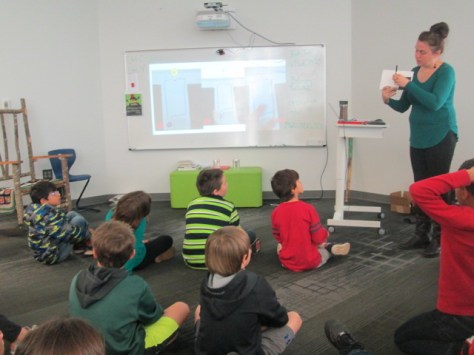
When students were ready for their LED component, the art classes were held in the library. We introduced the lesson with a series of slides to show the basic of an open and closed circuit. We also showed them some options for how to open and close the circuit.

paper circuits art (3)

Students moved to tables where they found their art folder, their popup art, an LED, a coin cell battery, and some masking tape waiting for them.

paper circuits art (6) paper circuits art (7)

Before any students got conductive tape, we wanted them to plan out how their led and battery would connect. Students identified the positive and negative side of the battery and the LED and drew a path where the tape would eventually go. When they had a plan, students received conductive tape. They placed the tape along their path and tested to see if the LED lit up.  Sometimes it did and sometimes it didn’t. Actually, more often it didn’t.

paper circuits art (10)

This was frustrating for many students, but we went back to our many conversations about failure and how you have to back up, take a look at what you’ve done, make a change, and try again. Some students discovered that there were parts of the positive or negative path touching one another. Some students realized they had labeled their paths incorrectly. Some students couldn’t figure out what was happening. All of that was ok, but what we saw in the end was that students were problem solving. They were trying something they had never done before, were having some success, and were sharing the process with others.

It was a crunched amount of time to get everyone finished, so the art teacher plans to continue the work back in her classroom by having students revisit their work and see what adjustments can be made. The biggest thing we saw was that many students had a circuit created, but they had no way to open or close it. I took several students back to the board to see the slides with options of how to fold the paper so that it opened or closed the circuit and then invited them to go back and see what they could figure out.

We had a lot of hands helping with this project. There was me, the art teacher, the art student teacher, and sometimes a resource teacher or even the classroom teacher.  It was messy. We had paper all over the place by the time we were done, but there was a buzz of excitement and problem solving in the air.

Now that we have one shaky project under our belt, I hope we will take some additional risks with paper circuits and see where we can go next. I love seeing a teacher leap into a project with me without really knowing what’s really going to happen. We learn so much along the way as educators, but our students are also given an opportunity to trust themselves too.

What kind of reading makes you feel curious and fills you with wonder? #WRAD16

LitWorld 7 Strengths

Each week leading up to World Read Aloud Day (February 24th) we want to join our voices around the world to celebrate one of the strengths of reading aloud.  During the week of January 10-17, we celebrate how reading makes us curious about our world.

We have created a Flipgrid for you to share your responses to the following question:

What kind of reading makes you feel curious and fills you with wonder?

We hope you will share this Flipgrid with other educators, students, and families around the world and record your responses which can last up to 90 seconds.  Wouldn’t this be a great way to practice some informational writing in classrooms?  Wouldn’t you love to hear stories from the families that you serve?  Aren’t you curious about the perspectives on this question from around the world?  Let’s join our voices and contribute responses all week long.

http://flipgrid.com/#47700909

One of the things we plan to do at Barrow Elementary is weave the theme of curiosity into the 4th grade PACT time (Parent And Child Together).  We will use a book such as Rosie Revere Engineer that embodies curiosity, have the families explore something together inspired by the book, and then have families reflect together on the Flipgrid question this week.

In addition, you might also consider coming up with your own posts in response to this week’s theme on your own blog or site.  You might write about 3 things you are currently curious about and invite your friends and followers to do the same in order to expand your list of wonderings.  You might share pictures of books that embody the theme of curiosity.  Whatever additional ways you choose to celebrate “Curiosity Week”, please tag your posts with #wrad16 and #curiosityweek as well as mention @litworldsays (Twitter) and @litworld (Instagram, Facebook).

It’s not too late to share your schedule for World Read Aloud Week on our shared Google Doc and find someone to connect with around the world.

Let’s share how we are all curious readers who are part of a global community.

Winter Design Challenge Using Blokify and 3D Printing

Blokify Design Challenge (5)Our open makerspace on Tuesdays and Thursdays is taking a break while UGA is having finals and winter break.  However, the demand to use the makerspace doesn’t disappear just because UGA is on break.  I decided to have a design challenge makerspace on two days and feature the Blokify app and our 3D printers. Since 3D printing takes a long time to complete, I decided to create some rules to help us out with the number of pieces we would need to print in a short amount of time.
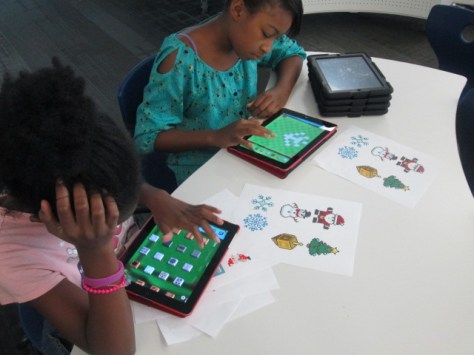
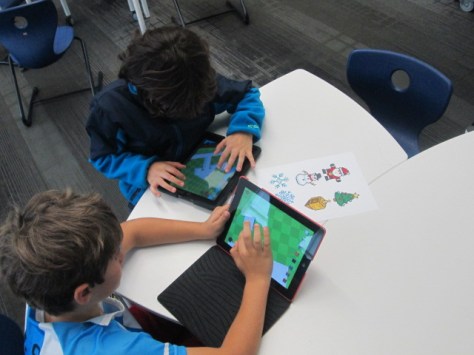
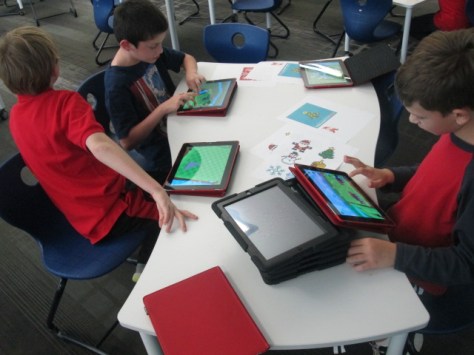
Blokify Design Challenge (12) Blokify Design Challenge (11) Blokify Design Challenge (8)

Rules:

  1. Design a winter symbol.  Any winter holidays or winter objects could serve as inspiration
  2. Design in 1 layer.  The more layers we have, the longer it takes, so we want our designs to be 1 layer only.
  3. Use Blokify to design and don’t worry about the colors of the blocks since your print will be whatever filament color we use.
  4. All blocks need to be connected so that your design prints in 1 piece.

Since Blokify uses blocks to design in 3D, I found some 8-bit winter designs to serve as inspiration for student winter designs.  I blocked off six 30-minute time slots on the library calendar and made a Google doc for teachers to sign students up.  I shared it with all teachers and encourage them to let any interested students come.  There were 8 slots in each time block.  It didn’t take long for the slots to fill with Kindergarten, 1st, 3rd, 4th, and 5th graders.

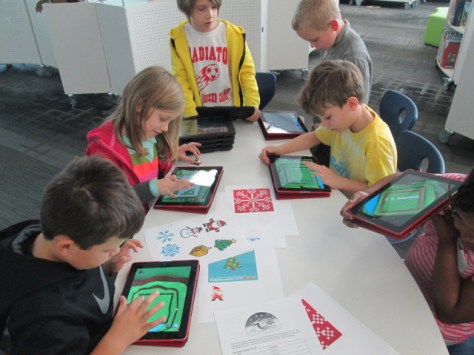
During each session, I gave a very quick intro to Blokify and shared the 8-bit winter designs to consider.  I went over the rules as well, and students jumped onto the iPads to work.  It was a short amount of time to design something, so I told students not to panic if they didn’t finish a design.  As usual, students began looking at one another’s work for inspiration and helped one another with Blokify tips such as how to zoom in, delete blocks, or change the view.

It was fun to see what some of the students came up with and which students naturally gravitated toward this type of design because of their previous experience with block tools such as Minecraft.  We had Santas, a menorah, Christmas trees, snowflakes, reindeer, presents, crosses, and a few randomly shaped symbols too.

A few students did get frustrated, but most of them persevered through their frustration to complete a design.

Once designs were done, we had a process for getting them to me for 3D printing.  I created a separate email account just for 3D files.  Students went to “3D print” on Blokify and selected “Email to me”.  They emailed the .stl file to the 3D printing email account.  In the subject of the email, they changed the “untitled” file to their first name and teacher’s name.  This would help me in getting the printed file back to students.

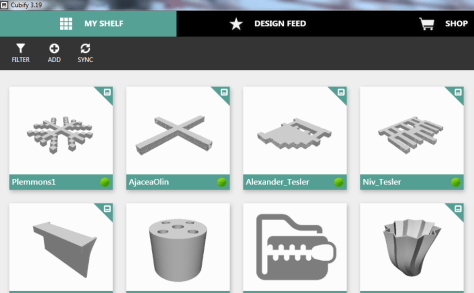
At the end of the day, I sat down, logged into the email account, and started putting the .stl files into Makerware and Cubify.  Makerware works with our Makerbot and Cubify works with our Cube 3D printer.  For Makerware, I put up to 3 student files in a row on the build plate.  On a separate piece of paper, I wrote down the main file name and then wrote the student/teacher name in the correct sequence that the files would print on the plate.  For Cubify, I could only put on design on the build plate at a time, so I named each of those files with the student/teacher name.

cubify

Once all of the files were complete, I loaded them on a USB stick for the Cube and an SD card for the Makerbot.  Each day, I come in and crank up both printers right away and start printing the files.

I write the student/teacher name on a Ziploc bag and lay them out in the right order of the floor to await the finished print.  When a print finishes, I remove and bag them.  Then, I immediately start a new print.  I’m making good progress and hope to have all of the designs printed by Friday.  It takes a lot of organization to get this moving efficiently, but I finally have a process that is working faster than how I originally started.

Even with the speed I’m working at, the kids are still dropping by to ask if their design is done.

I loved the experience of having a design challenge and hope that the students did too.  I think if I offer these types of experiences more often, the students will start to develop their own ideas for 3D designs.  They will also get more comfortable with the 3D design tools.  We will try others in future design challenges along with Blokify.