Fall Semester Makerspace Blowout!

project spark makerspace (28)

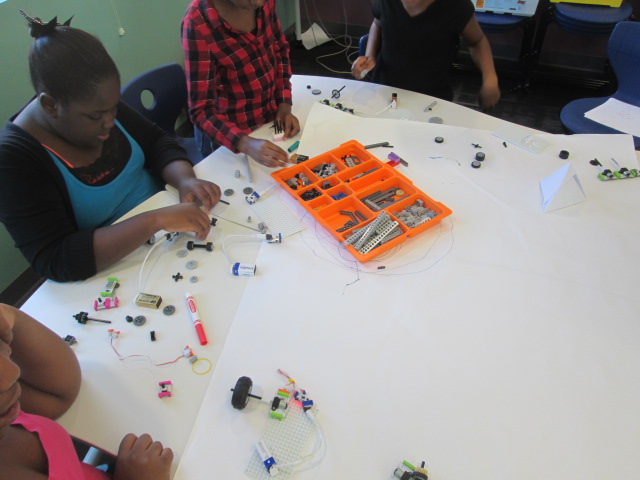
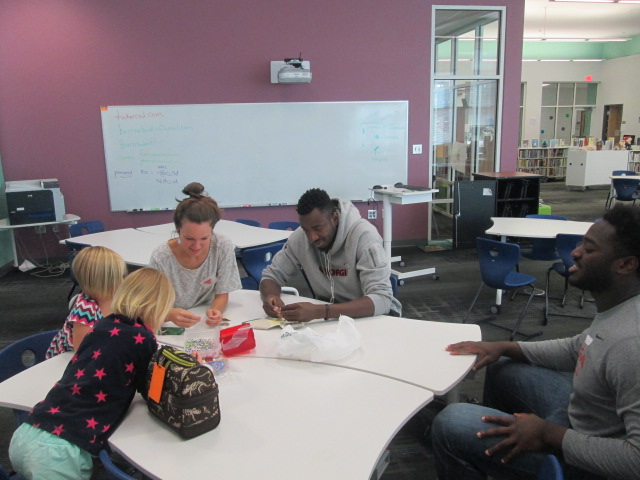
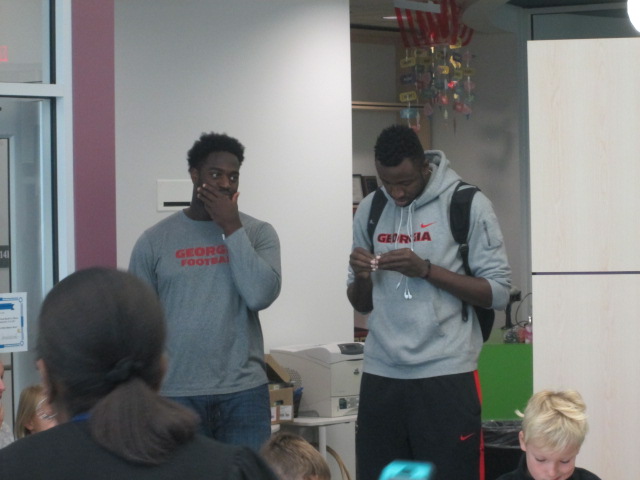
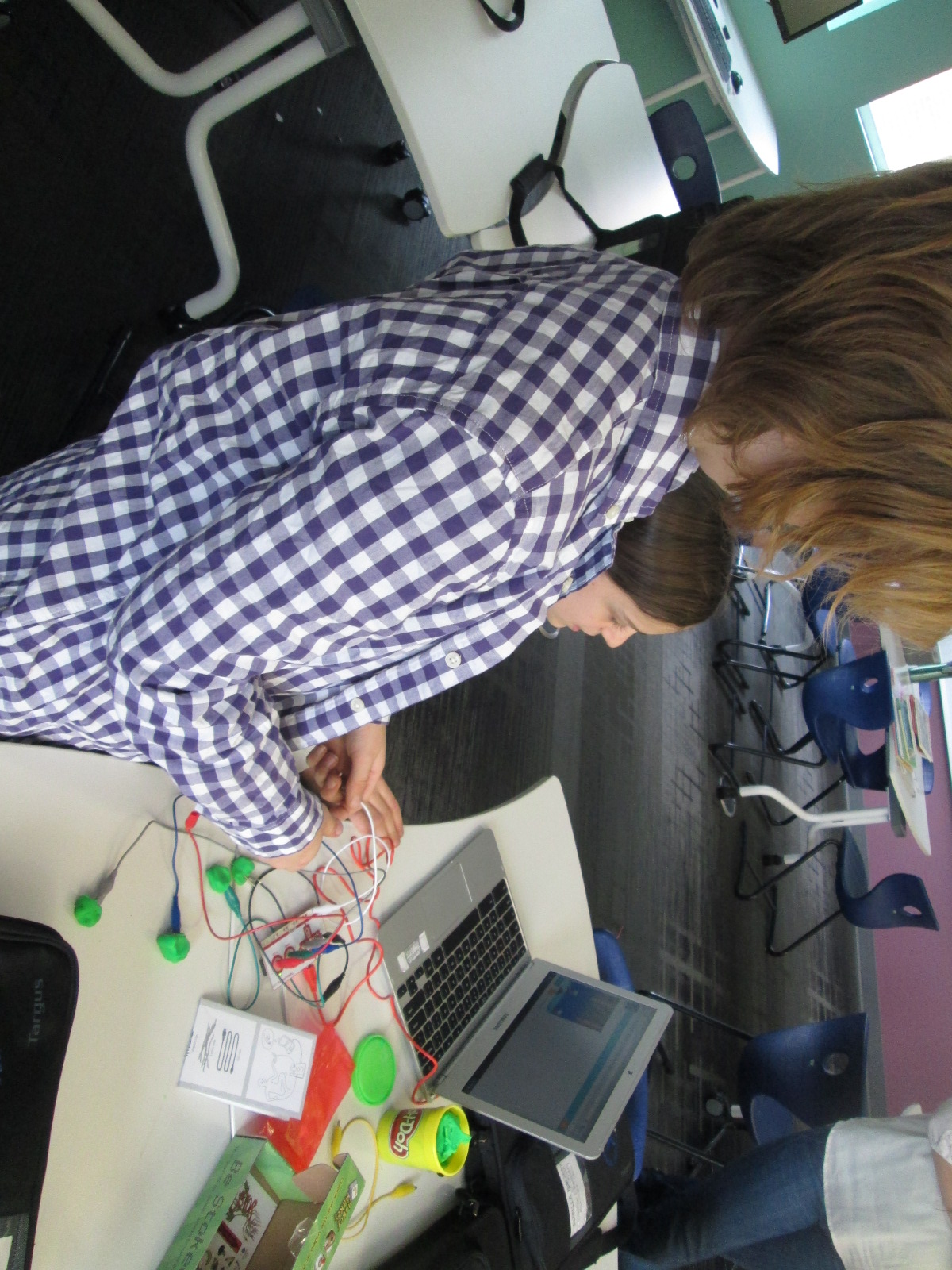
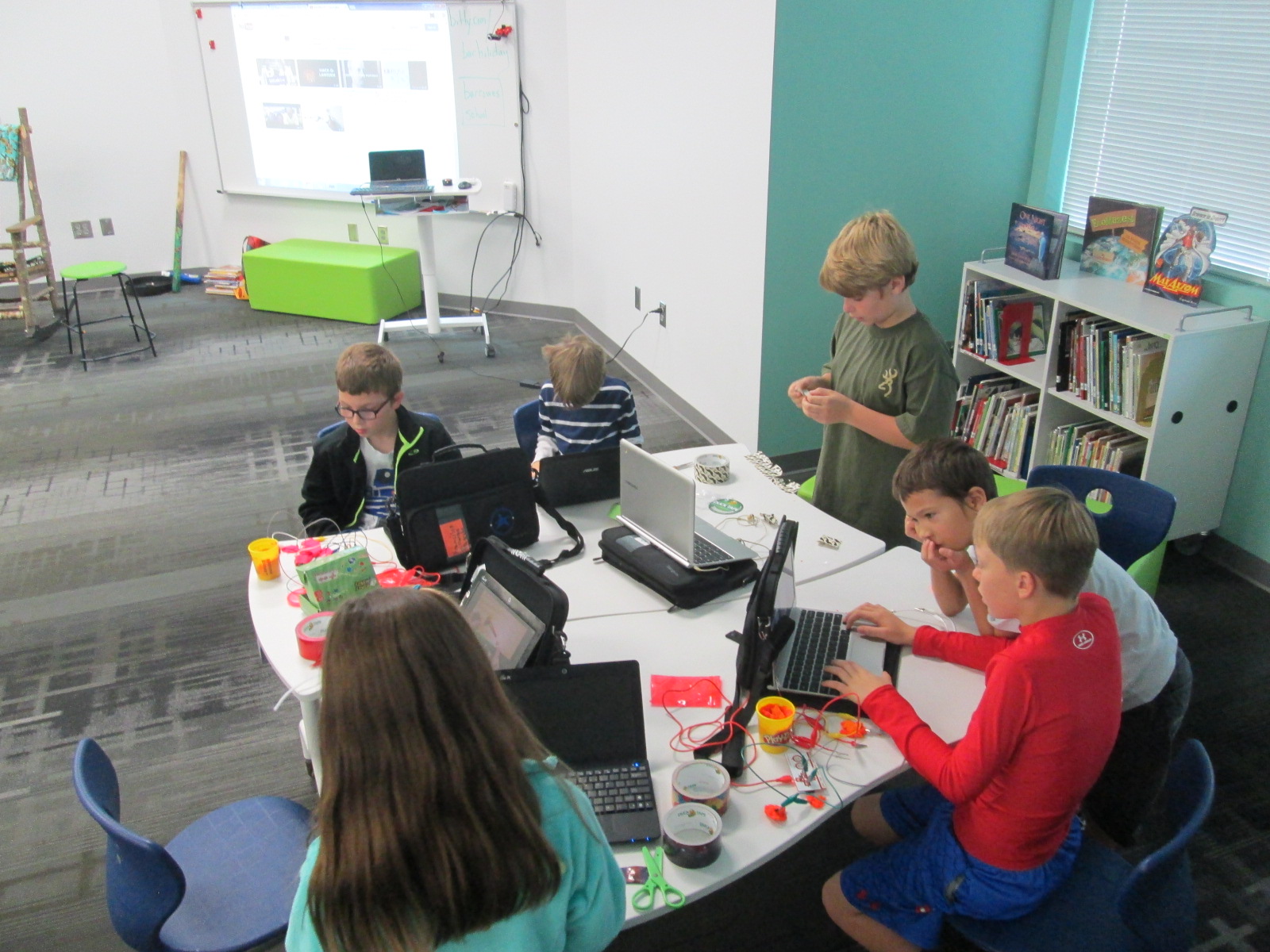
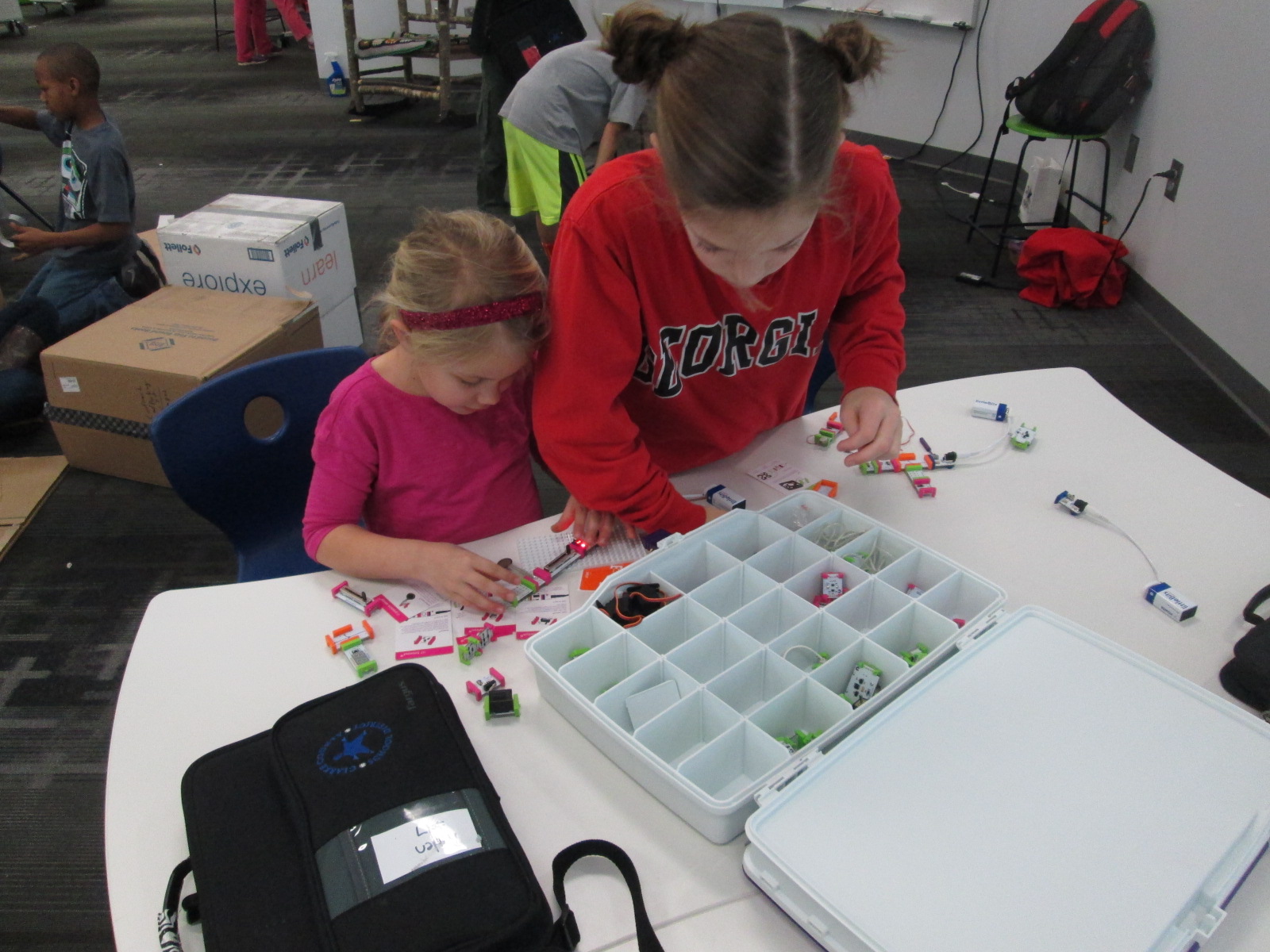
The fall semester at UGA is coming to a close, which means that our wonderful support in our makerspace is taking a break.  We will resume our open makerspace times in January when UGA cranks back up for spring semester.  Today, Gretchen Thomas’s entire class from UGA came out to support our young makers.  We pulled out many favorite activities from the semester: green screen, makey makey, littlebits, sphero, morse code bracelets, and safety pin bracelets.  It was noisy and fun.

Having this class come out has exposed our students to so many of the tools in our makerspace and also taught the UGA students what is happening in elementary schools today and just what elementary learners are capable of.  We are already brainstorming what next semester might look like.  I hope to see some more advanced projects come out of what the students know now that they have some familiarity with the tools.  Instead of just snapping littlebits together, I want to see them invent something.  Instead of driving Sphero all over the library, I want to see some programming or a use of Sphero that has a purpose.  Instead of playing a banana piano with makey makey, I want to see students designing their own programs that are controlled with all kinds of things that conduct.  The tinkering piece is important, and I love that so many students now have a level of comfort with the makerspace tools with a lot of room to grow.

We also want to look at how we can take the makerspace on the road by visiting classrooms and showing teachers and students what happens in makerspace, especially for those that are unsure or hesitant.  We started to notice the same kids always coming or teachers not sending kids for various reasons, so there’s  a need to get out into the classrooms.  We’ll also take a look at how to do another makerspace fieldtrip to the UGA campus sometime in the spring.


Stop Motion Colonial Perspectives

colonial stop motion (11)

I just love it when a teacher steps out and tries something totally new just to see where it goes.  Some of the most exciting projects happen when a teacher gives himself or herself permission to say, “Hey, I have this crazy idea”.  Mr. Coleman, 4th grade teacher, does this often.  He isn’t afraid to step out and try something that no one else has done and look for the miraculous things happening all along the way.

Fourth grade is currently studying colonial life in social studies.  He wanted to weave in something from our makerspace or some new type of technology that would allow students to engage with the content in different ways.  During a quick brainstorm, we tossed around several ideas and he reflected on them overnight.  The next day, he came back with the idea to create stop motion videos that showed the perspectives of various roles in colonial America.

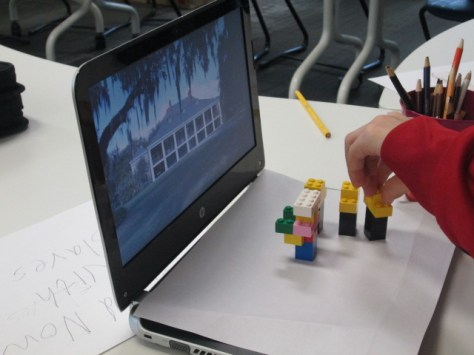
To start, students watched many stop motion videos in class just to see what they looked like. In the library, they came for a tinkering session using Stop Motion Studio.  As we usually do during tinkering, I encouraged them to press every button to see what it did.  I also told them to not focus on creating a polished product but to try out many different strategies to see what worked best for stop motion.  Most of these students had never made a stop motion video before. They grabbed Legos, stuffed animals, and pipe cleaners to use in their videos and got to work.

colonial stop motion (1)

Mr. Coleman and I walked around and tried to give students tips that we were observing from other groups.  The main thing we noticed is that students were constantly moving the iPads which ruined the effect of stop motion.  They also weren’t taking enough pictures to show movement.  A few students started getting the hang of both of these, so we relied on them some to help other groups.  We also found it helpful to regroup and have kids share tips to the whole group as well as share out own tips.

Back in class, students selected a perspective to showcase in a stop motion video.  Many students were drawn to either slaves or women.  They formed groups and started developing a plan.  Across 3 one-hour work sessions they came back to the library to create their videos.  They pulled things from makerspace, used objects around the library, brought things from home, and made things to use in their videos.  Some groups jumped right into their projects with a lot of success while others had to learn to work together or how to back up and try again.  Mr. Coleman also gave them some time to work in class.

I loved how different strategies developed during the work time.  Students began using their computers as a setting and stage or used library bookends to help characters stand up.

Mr. Coleman and I constantly walked around to conference with groups.  We had them back up and look at their work to see where they might need to add pictures.  We also had them talk through their story to see if they had enough to tell a perspective.

As students finished up in their final work session in the library, we exported the videos onto the iPad camera roll and uploaded them to a shared folder in Google Drive.

Mr. Coleman plans to take these videos and continue using them in class.  Students might write out scripts and do voice over or maybe they will add music and simply attach an accompanying script.  However this goes from here, it was a big leap in using technology and tools we have tinkered with in our makerspace.  Many pieces wove together to support a social studies curriclum standard in a creative way.  Student interests, creativity, and expertise came into play in many groups.  I invite you to take a look at their work in progress.  This Youtube playlist is the raw footage that still needs to be finalized, but I always like to show that our work is never really finished.  There’s always something more we can do.

https://www.youtube.com/playlist?list=PL9ZzZbAo7l1yk6uC9qA3JiXiUgUvJoxiZ


Tinkering in Our Open Makerspace

artbot (2)

It’s been awhile since I’ve shared what has been going on in our open makerspace time, but there has definitely been a lot.  Through our collaboration with Gretchen Thomas at UGA, we have been able to offer an open time on Tuesdays and Thursdays for students to come and explore various parts of our makerspace.  Students sign up for a 30-minute segment to come and explore a pre-chosen topic.  Last year, we tried just letting students decide what they wanted to do, but we found that most of them were either unsure of what to try or all wanted to try something different and didn’t know how to start.  It was hard to manage and it was hard to accomplish anything in 30 minutes.  This year, we decided that for the first half of the year we would offer 2-3 opportunities at each makerspace session.  One of the experiences is technology-focused and the other is more craft-focused.  Sometimes these experiences compliment one another. For example, students might get to make a figure out of pipe cleaners, clay, or Playdoh as the craft and then use that figure to create a stop motion video with the iPad.

artbot (1)

At each session, 3-4 UGA students come to support students.  They often lead the work while I assist other students in the library or teach classes. However, I also participate in the makerspace and learn alongside the students.  This is a great time for me to see how students are using the tools in a smaller setting.  I can think about management pieces to make the process more accessible to students. I can also reflect on how various tools or activities fit into grade level curriculum.

In today’s makerspace, students created stop motion animation using clay figures. For some of them, it was the second time using stop motion animation, so they had a better understanding of how it worked. They were able to get to a point that they could actually upload a short video that they created in a 30-minute window.  Some of them even worked together to use pieces that they had each created in order to make a collaborative video.

https://youtu.be/ZCvETF_AHf8

https://youtu.be/xDBGuobGCwM

It was a busy time and the UGA students worked so hard to get students creating figures and encouraging them to give the video a try.  I love hearing how the elementary students and college students talk to one another.  They both amaze one another with some of the things they come up with and share.

As usual, voices emerged with artistic talents or technology expertise. One of our students, Anarian, who we learned is an expert at making figures with pipe cleaners is also very talented at making figures out of clay.  There’s so much potential for his work to develop into a stop motion video for any of his content areas.

While the UGA students supported the stop motion, I pulled out our Finch robots, which are on loan to us this year from Birdbrain Technologies.  We opened the basic version of Snap, and student tinkered with programming these robots with simple block coding.  We are going to do a lot with these robots this year and open makerspace is a great time for me and the students to learn a few of the basics so that our content work can be more productive.

By the end of the first semester, we hope that many students have gotten a small taste of all of the tools in our makerspace, so that the second half of the year can be spent focusing on how these tools can work together to create something great.  We have no idea where the makerspace will take us, but we know that miraculous things will happen along the way.


Cranking Up the Makerspace with Student Voice and Failure

IMG_6701

Since the first day of school, students have been asking me when our makerspace will start up.  Last year, we developed a great collaboration with Gretchen Thomas and her students at UGA to hold an open makerspace that students could visit on a weekly basis.  UGA is now in full swing, so we are finally ready to start our collaboration again.

IMG_6700

IMG_6702

This year, Gretchen has an eager class of students who will be coming in groups of about 4 every Tuesday and Thursday.  Rather than have every piece of the makerspace available right away, we’ve decided to focus on different aspects so that students develop some knowledge about the parts and gradually move to making choices about what they are really passionate about.  Students signup on an open signup sheet hanging outside the library.  There are 10-12 slots in three 30-minute sessions.  Each day has two choices.


Eventually the UGA students will plan activities to bring, but for now, they are introducing things we already have in the space.  For our first session, I was excited to have Carlos and Carlena offer their craft.  Their story has grown so much since my first post about a craft they discovered in a magazine.  Just this week, Carlos and Carlena shared their craft during our Dot Day celebrations by telling Sherry Gick and her 2nd graders how they are making their mark by teaching others how to make this craft that they discovered.  I loved seeing them grow from an uncertainty of their interests to finding something they are excited to read about, make, and share with others.

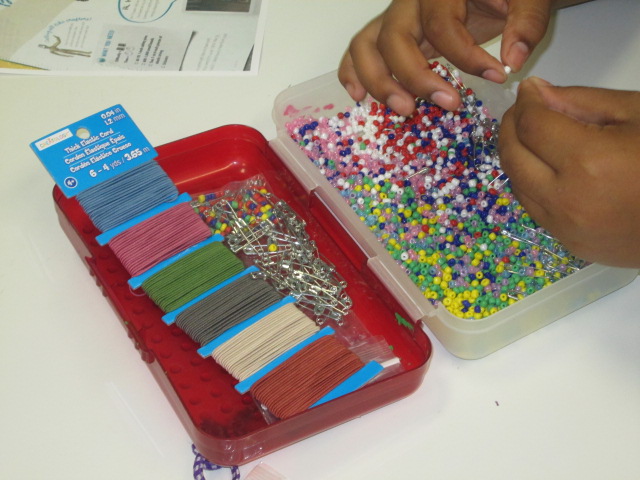
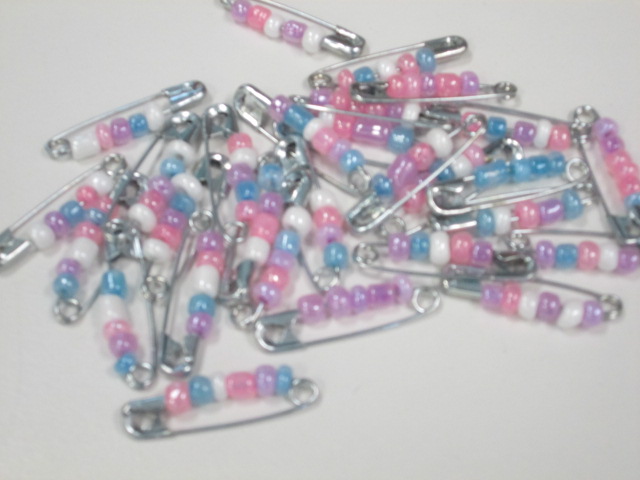
The UGA students in our makerspace this week brought supplies to do this beading craft with students as one option.  Carlos brought even more beads to use and shared his expertise with students in the makerspace as well as people just visiting the library with their mentors.

This aspect of our makerspace was very successful and calming.

IMG_6710

The other choice was to use the iPads with our Sphero robots.  Students were so excited to try out Sphero this year, but we ran into lots of problems.  First, the Spheros didn’t charge like they were supposed to.  Then, they were all connecting to random iPads instead of the one they were supposed to be connecting to.  Luckily, we had Sterling Bailey with us who had helped in our space last year.  He stay cool and collected through the whole epic failure and continuously thought of things he could try.  He helped the students to push through the frustration and keep trying different things to get their Spheros to connect and work.  While it wasn’t successful on the programming side of things, I think students learned a valuable lesson in maintaining patience in frustration and persevering.

We are ready to try again every Tuesday and Thursday through December!

Discovering Interests, Igniting Passions, and Amplifying Student Voice

IMG_6482

I’ve been doing a lot of work with teachers and students over the past couple of weeks focused on the IPICK strategy.  One of the big pieces of this strategy is “interest”.  The idea is that if we read things we are interested in then we are more likely to enjoy the books we read.  But…what if you don’t know your interests?

In each class I’ve taught, there has been a handful of students that no matter what you ask, what you suggest, or what stories you try to pull out they cannot name a single thing that they like.  This is frustrating, but rather than throw my hands up, it has made me very curious.  Why are these kids just shrugging their shoulders when you ask them what they like?  What can I do (we do as a school) to support all students in exploring their interests?

Ms. Spurgeon, a 4th/5th grade teacher, came to me with this exact same noticing. She had asked students to do an “All About Me” assignment, but when it came to interests, several students came up empty handed.  She wants us to do a project together this year using student interests, but we can’t start because we don’t know their interests.  We decided to try another route.

We were trying to decide what kind of text would immerse students in a variety of topics while still being very accessible to a range of reading levels.  I’m not really sure how we decided it, but we decided to try magazines.  I don’t really subscribe to magazines any more in the library, but we have all of the Ranger Rick, Zoobooks, Sports Illustrated, etc that we’ve subscribed to through the years.  I pulled out the boxes and put them all over the tables.  We did a very quick overview of how we really want to think about our interests and one way we do that is by trying as many things as we can.  Ms. Spurgeon talked about some foods she had tried like zebra and how she would never have known how much she liked the taste if she hadn’t tried it.  We modeled what “trying” a magazine looked like.  We were very specific to not read every page and were honest how we as adults often just flip through a magazine and pick out the pieces we want to read.  I loved this because I saw students perk up.  Knowing that they didn’t have to read the entire magazine was an invitation.  They dove in and started exploring.  They oohed and ahhed over so many pictures they saw, and Ms. Spurgeon and I had casual conversation with them about what they saw.

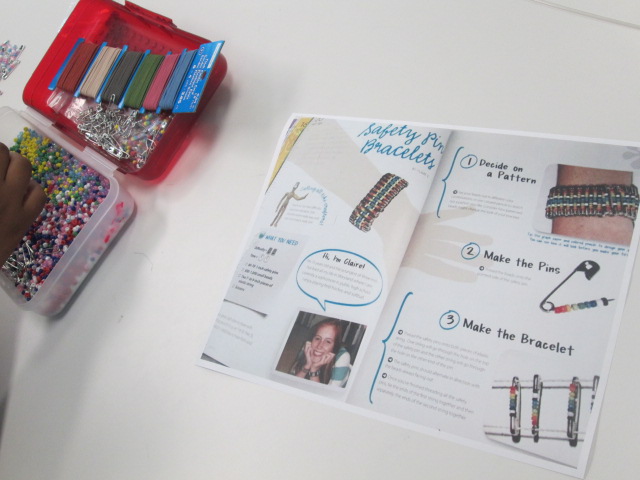
One moment stood out to me. Carlos and Carlena were looking at Kiki magazine together.  This magazine features a lot of fashion and crafts.  They discovered a page with a great 80’s style craft involving beads and safety pins.  The safety pins were put together on elastic string to create a bracelet.  They were glowing with excitement, so I told them I would take a picture of the page and send it to Gretchen Thomas at UGA to see if we could incorporate it into makerspace.

They looked a little shocked at first like, “You mean we could actually make this?”  Then, right after school I got an email from Carlos asking if I could email him the picture of the instructions.

It was that moment that told me I couldn’t let this momentum go.  This was a chance to empower individual students to explore a genuine interest.  Who cares if it was “just a craft”?  It was something they were suddenly passionate about when they had moments before been shrugging their shoulders.  That weekend, I went out and bought supplies, and I emailed them both first thing Monday morning.

I wasn’t surprised at all when I saw both of them walk in during their recess to get started on their project.

They came in for 3 days in a row during recess and didn’t even want to stop for lunch.

IMG_6481 carlos

As they’ve worked, I ‘ve shared their process via Twitter.  They have watched me documenting the process along the way, and I’ve told them that they are trying something out that they might teach to others or inspire other makerspace projects.

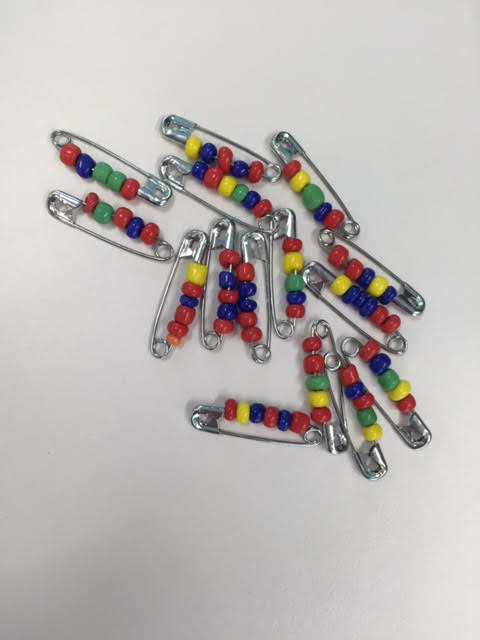
One day while we were working, Gretchen Thomas at UGA tweeted a picture of pins that her students had made.  When I showed it to Carlos and Carlena, they both smiled and said, “They’re doing that because of us?”

Another opportunity started to emerge because I saw how seeing the impact that they could have outside of our school walls was a motivator for them.  Next week for Dot Day, we are connecting with Sherry Gick and her 2nd grade class.  I asked Carlena and Carlos if they would share with this class how they are making their mark by being the first to try a craft in our makerspace and how they hope to pass on what they’ve learned along the way.  Without even blinking, they said yes.

IMG_6483

I have no idea where this is going to go, but I feel like I’ve tapped into something that I can’t let go.  I have to keep asking myself, my students, and our teachers how we can continue to explore interests, seek out individual passions, and amplify student voices beyond the walls of our school.  All of our students deserve to explore so many things to figure out what they are truly interested in.


What Fairy Gardens Taught Me About Makerspaces, Teaching, and Learning

Entertaining a 5 year old and 3 year old during the summer is a big job.  I love being a parent, and it has made me grow so much as an educator.  Summertime brings many days of opportunities for adventures.  We get out of the house every single day and go somewhere whether it’s the botanical gardens, the local UGA campus, the local zoo,a movie, or the pool.  In between all of the fighting that happens between a brother and sister, there is a lot of curiosity about the world, and I love watching this unfold during the summer.

Recently, Athens held its big summer music festival, Athfest.  A part of this festival is an artist market, and my kids loved seeing what was in each tent.  Their attention was most drawn to a booth of fairy gardens.  These artists had created living pieces of art inside picture frames and jars.  They had made every single item in the gardens.  Building on my kids’ curiosity of this art, I decided we would make fairy gardens one day.  The only instructions we had were the memories of what we had seen at Athfest.  I intentionally did not look up examples on the computer because this was not a copying activity.  I wanted this to be full of investigation, dreaming, tinkering, and creating.  In fact, I really love not planning out every single detail of what we do because I can just see where the curiosity takes us.

We started by looking around our house for fairy homes.  We looked at several pickle and jelly jars as well as empty flower pots.  Alora and Anderson each chose their favorite.

Then, we had an outing to the local hobby and craft store to find trinkets for the fairies.  I didn’t have a specific budget in mind, but I like a good bargain, so I didn’t plan to spend very much.  We got a basket and each child got to put things into the basket as possibilities.  There’s not really a “fairy garden” section in the store so you have to really wander around with a fairy eye and think about what a fairy might like in his or her house.  We spent a good amount of time in the dollhouse section of the store.  Finally we made our way to the clearance section which was a hodge podge of all kinds of stuff.  We really had to dig here.  After the basket had a good amount of stuff, I got out my phone calculator and started looking through the basket.  We sorted piles of “definitely want”, “kind of want”, and “don’t want”.  As Alora and Anderson were making those decisions, we talked about price and also how many items were in each pack.  They knew they would be sharing so they were more interested in packs that had multiple items in them that could be split up.  After agreeing on an amount, we visited the register, chatted with the cashier about fairy gardens, and paid our bill.

Back home, we took to the outdoors with a basket.  We did a nature walk and collected free items for our gardens.  On our walk, we talked about what to touch and what not to touch.  We collected sticks, rocks, pine cones, moss, and leaves.  Finally, we prepped our fairy gardens.  Again, we didn’t specifically look up what we should put, but we talked a bit about the layers in the Earth and decided to make some layers in our gardens.  We filled the bottom with rocks.  We didn’t have any sand, but we noticed that there were some rocks along the sides of the house that had been broken down a lot by the water gushing out of the gutters.  We talked about the rock cycle and erosion while we shoveled up some of this sand and bits of rocks to make another layer.  Finally, we put a layer of dirt.

Back inside, we added some water to pack everything together a bit and then topped our containers off with some moss.  We spread out all of the items from our nature walk as well as all of our trinkets from the store.  They both started placing items into the gardens and making decisions about what the fairies would like the most.

When their construction was complete, we topped off each garden with a metal candle shade from our junk closet and placed all of the remaining items in a ziploc bag so that they could trade out things in the gardens when they wanted to.  The gardens went to each child’s room.  At bedtime, I went in Alora’s room and she was busy once again.  On her own, she had gotten a roll of tape and a ziploc bag.  The ziploc was on top of the metal shade and was securely taped on.  When I asked about it, she told me that if a fairy went inside she didn’t want it to get out.  Nevermind the gaping hole on the front of her flowerpot.  I loved how she was already extending what we had started.

It really wasn’t until that moment that I started reflecting on the whole experience: where we had been, where we could go, and what implications it had for my own teaching.

A Few Topics We Explored:

  • perspective through the eyes of a fairy
  • financial literacy through budgeting and decision making
  • speaking and listening
  • layers of the Earth
  • habitats
  • erosion and rock cycle
  • plant identification
  • problem solving
  • reusing
  • safety
  • art
  • creativity

A Few Potential Extensions:

  • reading fairy stories to learn more about fairy behaviors and needs
  • building upon Alora’s idea of a fairy trap.  We could use littlebits to make an alarm to alert us when a fairy is inside.
  • adding electronics and circuitry to our garden.  To give the appearance of a fairy or even to add some light for an existing fairy, we could use littlebits or leds with coin cell batteries.  This could lead to a whole exploration of circuits and electricity.
  • spending more time learning about terrariums and the types of plants that could live inside a jar.
  • storytelling based on our fairies and fairy gardens.

Some Takeaways

  • Some of the best learning experiences can happen when you don’t have every detail planned out. We had a goal, which was to build a fairy garden, but we didn’t lock ourselves into a series of steps.  While I love to plan, I think we often miss out on some incredible learning opportunities with students when we aren’t observing, pausing, listening, and reflecting.
  • Our library makerspaces are a place where these types of experiences can launch, but the space alone does not create the learning.  I add a few layers to our makerspace each year.  More stuff brings more possibilities.  However, I learned last year that you can’t just turn kids loose in the makerspace and expect that they are going to come out with an amazing project.  There’s a big inquiry piece that is amplified through conversations with an educator like the librarian.  Kids can come into the makerspace to dream, tinker, and create, but it is up to us to be observing, listening, reflecting, and inquiring to take the student learning to the next level.
  • When students are engaged through something that is of their own interests, multiple required standards can be woven in.  They may not happen on the timeline that comes from the district or state, but they can be woven in.  My struggle, just like many educators, is how to replicate this type of individual experience with a class of 25-30 students.  It can be done.  I believe it can, but it is very tricky.
  • I thought back to my experiences with Kelly Hocking, a kindergarten teacher at our school.  She can take just about any topic that most of the class is interested in and create a magical year long project that weaves in multiple standards, experiences, and projects.  The fairy garden could easily be that kind of project, but I’m not telling everyone to go out and make fairy gardens.  I think we need to listen to our students’ voices, find their interests, and somehow find connecting threads that allow us to create projects and experiences that honor those while still upholding the standards we are required to teach.

I know there is more here, but my brain is in summer mode and I’m still trying to entertain a 3 and 5 year old as I write.  I’m going to continue thinking on this.  If you have your own thoughts, ideas, extensions, takeaways, etc, please leave them in the comments.

Finch Robots are Coming to Our Library Makerspace in Fall 2015

It is officially summer in the Barrow Media Center, so things will be a bit more quiet here on the blog for a few weeks.  Summer is a time for recharging, reflecting, and dreaming up ideas for the upcoming school year.  I’m excited to announce one of a few summer announcements that will be coming your way.  Our library makerspace will feature 12 Finch Robots by BirdBrain Technologies during the 2015-2016 school year.  The robots are on loan to us for the entire school year, and this loan comes with the possibility of these robots being a permanent donation to our space.

A few months ago BirdBrain Technologies announced an expansion of their Finch Robot loan program to include libraries.  I immediately contacted them to see if school libraries were included in this opportunity or only public libraries.  They encouraged me to apply, so it didn’t take me long to put together a proposal for these robots to become a part of our makerspace for use within the curriculum as well as our exploration time.  I’m also dreaming up some fun events for hour of code in December that will involve students, teachers, and families.  These robots will of course be a part of that as well.

We are excited to start exploring suggestions for using the Finch on their site.

What exactly is a Finch?  This video explains it best in three minutes.

I can’t wait to see what students are able to accomplish with this new addition to our makerspace.  For now, here’s the official press release from BirdBrain Technologies.  I’ll share what we do when the robots arrive in August.

Finches Land at David C. Barrow Elementary

David C. Barrow Elementary has been selected to participate in the 2015­2016 Finch robot loan program. The program will provide the school free access to 12 Finch robots for the 2015-­2016 school year, allowing over 600 students, teachers, and families exposure to an engrossing and interactive tool for learning computational thinking. BirdBrain Technologies, creator of the Finch, offers the loans to inspire young coders across the country, especially those who might not ordinarily have the opportunity to program a robot. The Finch robot is a product of Carnegie Mellon University’s CREATE lab. The Finch is designed to support an engaging approach to the art of computer science from preschool to college, with support for more than a dozen age­appropriate programming languages and environments. During 2014 Birdbrain Technologies loaned out hundreds of Finch robots to school districts across the country, and reached over 15,000 students.
1936 Fifth Ave, Pittsburgh, PA 15219

P: 888­371­6161 | F: 412­283­9134

info@birdbraintechnologies.com

Can a Foodini 3D Printer Go to Space?: Empowering Student Voice in the Makerspace

Ms. Kelly’s Kindergarten class is continuing to explore how humans might one day travel to Mars and live.  You may recall that they spent a day in our makerspace exploring several tools that might help them in their research and inventing.

Students are now in the design phase of their project.  They have each thought about a topic that they want to focus on in relation to surviving on Mars.  Some have chosen topics like water, oxygen, food, shelter, robot exploration, and clothing.  They are continuing to research online and in books, but they are also taking time to think about their own dreams of what might be possible in 20 years when we might live on Mars.

A small group of students came to me in the library.  After a quick check in on topics, each student started sketching some designs on blank paper.  I walked around and listened to students describe their designs and asked follow-up questions or shared resources that I knew about.

One girl was focusing on food.  She wanted to create a machine that would dispense food as needed.  Since I knew the kids were familiar with our makerspace, I asked her what she knew about 3D printing.  It turns out that her brother is the very student who designed our Barrow Peace Prize medal, so she knew a whole lot!

I followed this discussion by telling her that there are many kinds of 3D printers including ones that print food.  She looked at me in disbelief, so we went to the computer to look for some information.  We came across the Foodini.  We read some information and then we watched a video about how it worked.

After watching the video, the student went back to her design and started drawing her own version of the Foodini.  She thought it would be great if we could take the storage containers of food into space, put them into the printer, and then print food as we needed it.

She was also very curious about whether a Foodini would work in space, so I said “why don’t we ask them?”  I pulled out my phone, opened twitter, and composed a tweet to Natural Machines (@NaturalMachines).  The student helped me write what to ask.

Later that day, we heard back from Foodini.

I thanked them for answering us back.

It was nice to know that there was a company out there willing to answer a question from a Kindergarten student, and it makes me wonder how many other opportunities are out there for our students if we just step up as the connector between the student and the company.  A Kindergarten student shouldn’t have a Twitter account, but the teacher or teacher librarian can harness the power of Twitter to make that connection for her.

I can’t wait to see what this student comes up with in the end, and I look forward to connecting even more students with the resources they need through my access to social media.

Kindergarten Mission to Mars: A Makerspace Tinkering Lesson

hocking makerspace exploration (15)

Ms. Kelly’s Kindergarten class has turned a curiosity into a year-long project.  They became interested in space, and it has turned into a research project about planets, creating planet ebooks, writing original songs about the planets using ukuleles, and having a Fat Tuesday parade dressed as the planets.

Now, these students are on a mission to figure out how to support human travel to Mars.  They don’t actually want to go to Mars themselves, but they want to think about what might need to be invented in order to support human travel to Mars in the future.  Wow!  Some might look at a Kindergarten class and think this is silly.  How could students as young as Kindergarten come up with ideas for traveling to Mars?  I think Ms. Kelly’s class proves that even our youngest voices should not only be listened to but empowered as well.

Mars Makers

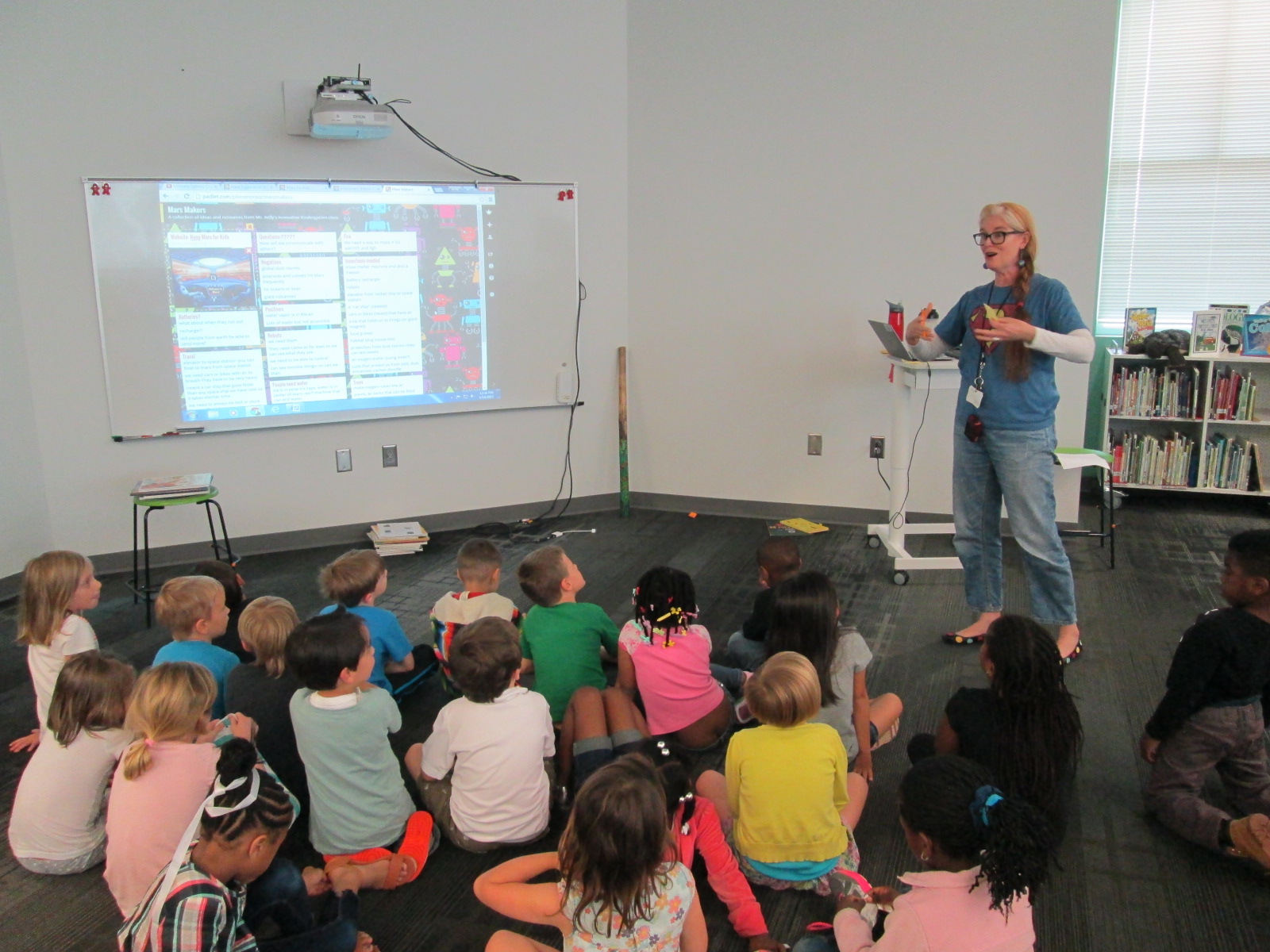
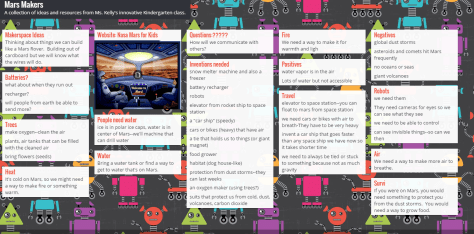
These students have spent extensive time researching Mars.  They know about the land, the weather, the atmosphere, and ways that Mars has already been explored.  They have brainstormed things that they might need to think about when traveling to Mars such as water, food, oxygen, and how to survive the dust storms.

They recently came to the library to read the book  You Are the First Kid on Mars by Patrick O’Brien.

She and I brainstorm a lot over email.  When working with her, nothing is impossible and our biggest limit is time.  She wanted a way to capture all of her students’ brainstorming, so I suggested a Padlet since they could post ideas, websites, pictures, and files.  I set one up for her and they got to work adding to it.

Within their brainstorming, they talked about creating robots that could help them explore Mars as well as several other technology-heavy ideas.  This brainstorm naturally brought us to our library makerspace.  We wanted students to have a time to explore some facts about robots, technology, electricity, circuitry, energy, and space exploration.  Ms. Kelly books an hour of time for student to explore, and I created some experiences for them to move through.

Experience 1:

I pulled as many books as I could find on all of our major maker concepts from 3d printing to robotics to circuitry.  I also pulled books about space.  This experience was a time for them to look at lots of pictures, read captions, and skim text with one another and an adult to get ideas that they hadn’t even thought of in their brainstorm.

Experience 2:

We have several robotics options in our makerspace.  Since robotics was part of their brainstorm, I wanted them to tinker with a robot that was manageable by a Kindergarten student.  I chose Sphero.  Since Sphero alone couldn’t do some of the things they were thinking of robots doing, I showed them a Youtube video of how Sphero can be combined with other things like a chariot to pull a camera or add an attachment.

Then, students used the Drive app to practice driving Sphero and brainstorming how this might help them explore Mars.

Experience 3:

Students have talked a lot about wiring and circuits during their brainstorming.  They really want to wire something that could actually work. I have 2 littleBits space kits which have instructions for creating things like Mars Rovers, Grapplers, and Data Collection Tools.  The age range is high for these kits, but age range never stops us from trying something.  We just look at what barriers are in place and then figure out how to build a bridge.  For this experience, I started students with the instruction booklets.  They got into 2 smaller groups and looked at the diagrams, instructions, and functions.  They started to think about their brainstorm and how these littleBits inventions might work with their ideas.  Then, they moved to a table of littleBits.  In pairs, they used a battery, power cord, and blue power switch to connect to one input (pink) and one output (green).  The idea was just to start tinkering a bit with littleBits to see how they work.  They weren’t necessarily making a space invention yet.
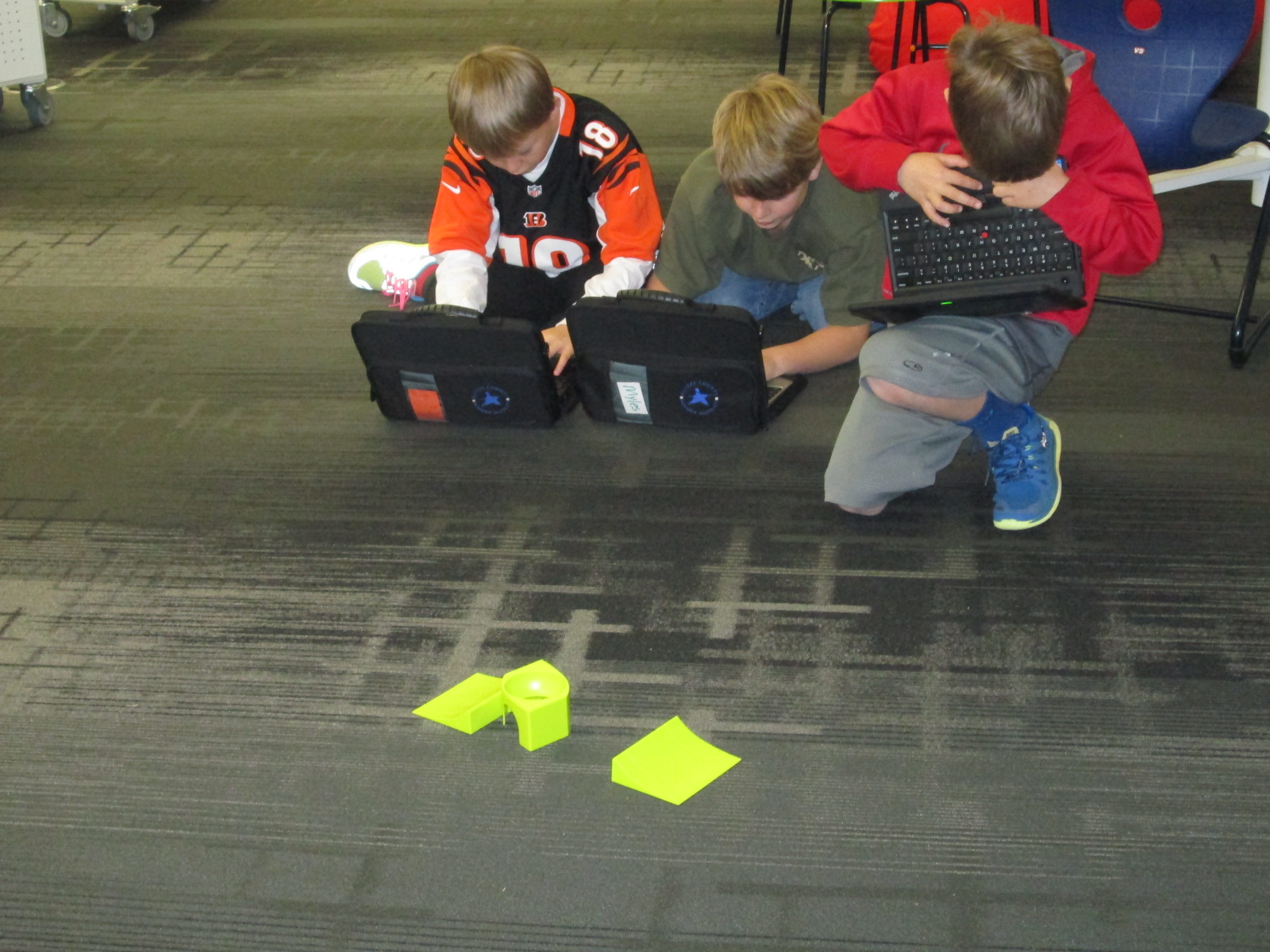
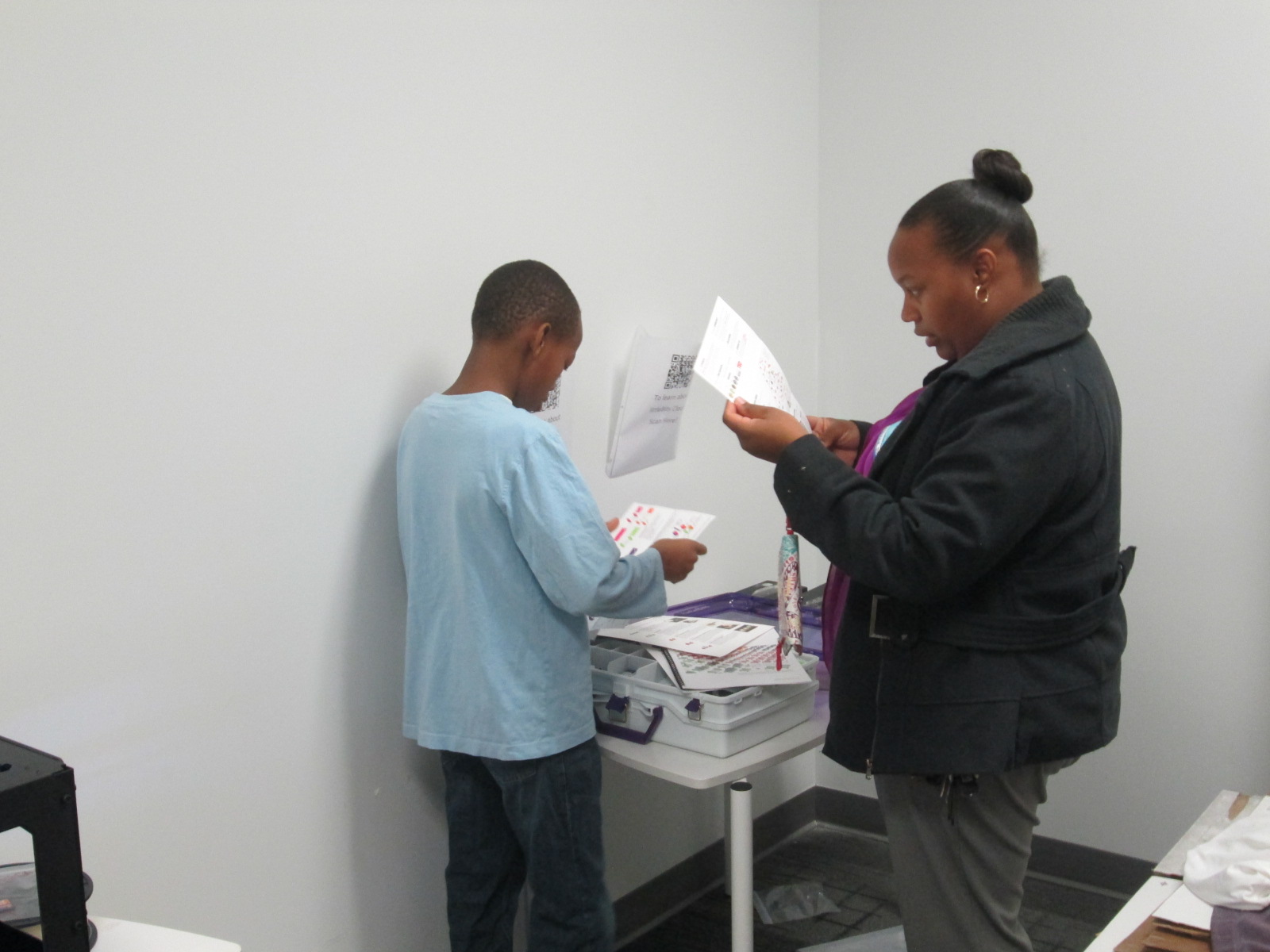
Here’s a quick look at what it all looked and sounded like:

Next, our students will go back into their classroom and continue working on their padlet using the ideas from the makerspace exploration and the books.  They also checked out some of the books to take back.  Then, students will begin constructing prototypes of tools that they might actually invent for space.


Wrapping Up Enrichment Clusters: The Maker Faire Fanatics and The Power of Code

IMG_4467

For 14 weeks, I’ve worked with a group of students in 2nd-5th grade to explore the world of making.  We met every Wednesday for one hour.  They used littleBits, MaKey MaKey, 3d printing, duct tape, cardboard, and robotics to dream up all sorts of things.  Ultimately, they were supposed to offer a service to an authentic audience or create a product to show.

IMG_4766 IMG_4459

A few weeks into our clusters, Ms. Freeman, 5th grade teacher, asked if she could combine with our cluster.  Her cluster was The Power of Code and focused on the many tutorials available on Code.org.  What we both found was that each of our clusters had something that the other needed in order to create something truly miraculous.  The coding students knew some things about programming and the maker kids knew some things about putting things together.

IMG_4897 IMG_4770

One example of a project that took off after our combination was a video game.  A few students banded together to design their own video game.  The plan was to create the program in Scratch, build an arcade game out of cardboard, and control the game using MaKey MaKey.  The kids made great progress on their work, but they didn’t quite get finished.  I hope that they sign up for open makerspace time to continue their work.

IMG_4458

Our cluster time ended with 2 big culminating activities. The biggest was our field trip to UGA to host a popup makerspace and pass on our knowledge to others.

The last was to create a short video of our clusters to share at our school assembly.

This was an bright group of students to work with and I look forward to continuing to make and code with them the rest of this year and beyond.  They have taught me many things.