Matching Readers to Books: A Reader’s Advisory Exploration

In the library, we see all kinds of readers: those who still haven’t found a book they have fallen in love with, those who read everything in sight, those who need a nudge to try something outside their comfort zone, those who wander around and just can’t choose, and more. Even though one of my favorite things to do is talk individually with students about their interests and connections with reading, the busy library program that we have sometimes gets in the way. My time is pulled between numerous classes I’m teaching and collaborating on projects with, collaborative planning with teachers, keeping our collection up to date and organized, exploring new tech with students, and the list goes on.
This quarter I’m working with 2 different groups of 3rd and 5th graders to explore our reading lives. Some of the students I’m working with have not found a book they connect with enough to finish. Others need a nudge to try something maybe a little more challenging or stretch the breadth of their genre choices.
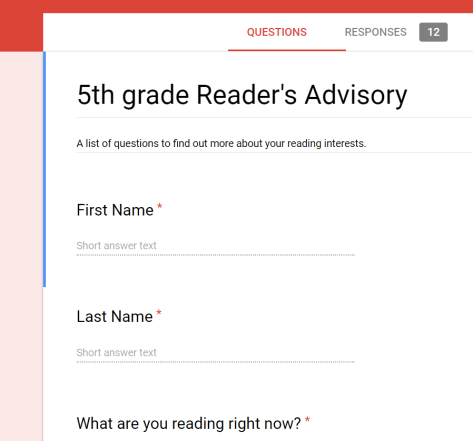
Prior to meeting with both groups, I tweaked a reading interest survey in Google forms. The questions included:

  • What are you reading now?
  • Would you rather……have fun with friends at recess or go on adventure in the jungle?
  • Who are some of your favorite celebrities (yes Youtubers count)?
  • Would you rather…..cast a spell on an evil creature or battle an army in a war?
  • Who is your favorite superhero?
  • Would you rather…..be scared by a ghost of a girl who drowned in a lake or play a prank on friends?
  • Do you like……just the facts, a far out story, or something in between?
  • What book did you NOT enjoy?
  • What are some of your hobbies?
  • What are some of your favorite movies, shows, or Youtube channels?
  • What are 3 books that you loved?
  • Why do you read? to escape, to be entertained, to learn something new, because you have to, something else
  • What is your preferred length of book? short and sweet, long and detailed, in between short and long, depends on the book
  • If you could visit any time or place, where would you go?
  • What is your favorite series or genre?
  • What else would help me match you with a book?
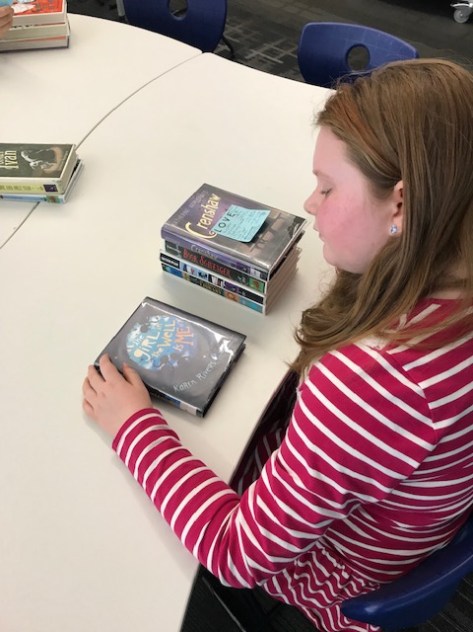
When students arrived, we had a quick conversation about how you make a decision on whether a book is right for you. Conversations were mixed. Some groups had lots to say. In other groups, I had to share some things that I do for myself to match to a book. We talked about looking at covers, reading the description, using Novelist for reviews, and reading a few pages. One interesting thing that came up was that several students did not like someone telling them what to read. Can you blame them? I want to pick my books too.

This part put me in a bit of a dilemma. I told them that I wanted them to give me some information through a survey so that I could pull a possible stack of books that matched their answers. However, I also let them know that I wasn’t forcing them to read any of the books. If none of the books matched, I would work with them to explore other books until we found something they were actually interested in reading in class.

Next, students answered the survey. Once students left, I went through their answers and pulled out key words from student responses and wrote them onto post-it notes. I used these notes to walk through our chapter book genres and pull stacks of books for each student.  I tried to match the book length that students suggested, but I also mixed in some varying lengths of books too.  Several students mentioned that they wanted at least some illustrations in their chapter books or even that they wanted an illustration on every page. This also gave me a challenge because most chapter books aren’t going to fit this description unless I’m pulling from graphic novels. Again, I tried to meet their requests but also throw in some surprises too.
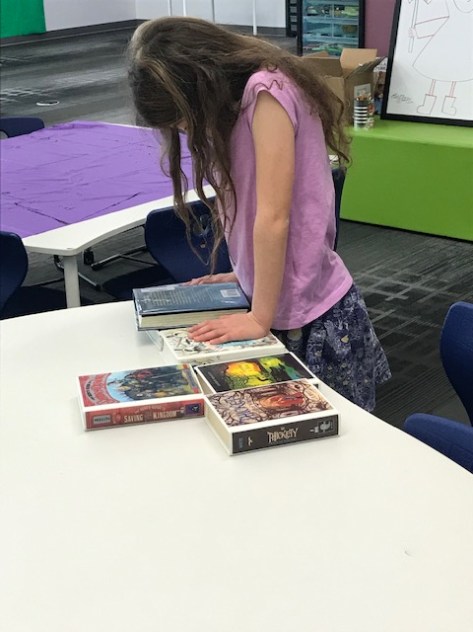
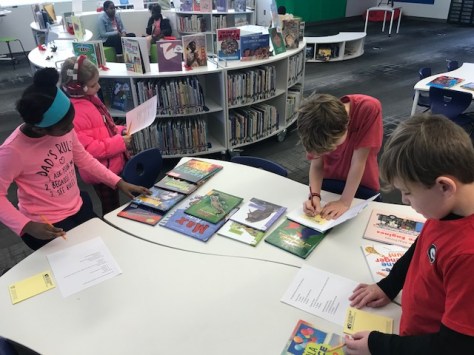
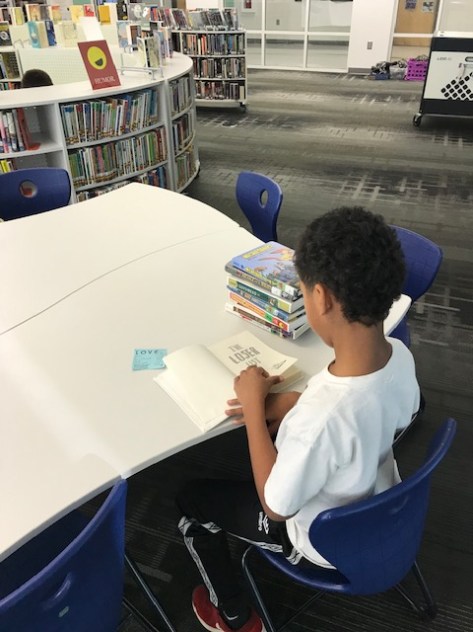
In general, each student had between 6-8 books to choose from. On day 2, students returned to the library and we reviewed what readers do when they are deciding on a book. Each student took the personalized stack of books and found a private spot in the library to go through the stack. Most started by looking at all of the covers. Most students then picked a few of the books to start reading a few of the first pages. In a few instances, students dismissed most of their stack based on the covers alone. For these students, I sat with them and actually walked through some extra steps with them so they could at least give some of the books a chance. Most of the time, having me read the description or the first page for them was enough to get them started back into their stack.

By the end of the 2nd session, every student found at least one book they were going to read in class during “read to self” time and also outside of school too. Most students had 2-3 books. For those students, I took their post-it and left it on the books they were interested in so they could check them out next time.

Ms. Hicks, 3rd grade teacher, shared with me that one of her students said “This is just like heaven” as she was referring to the opportunity to just sit with a stack of books curated just for her and spend time reading. It’s such a simple concept, but it’s so powerful for students to show them that their interests matter. Reading books they have selected matters. We can’t just put kids in guided reading groups all day long and never give them a chance to select books they want to read. Some students get to 5th grade and despise reading. I can’t blame them when their main experience with reading is sitting in a group reading a book they aren’t interested in that they had no hand in choosing.

Reading skills and strategy groups are important, but they can’t replace the power of hearing a great story read aloud and discussing it or finding a book that connects with your soul and having time just to read it.

This was very time consuming, but every time I do it, I’m reminded and how much interest and choice matter in reading.  My next steps are to check back in with these students in a week to see how the books are going.
Student Book Budget: Meeting with Vendors

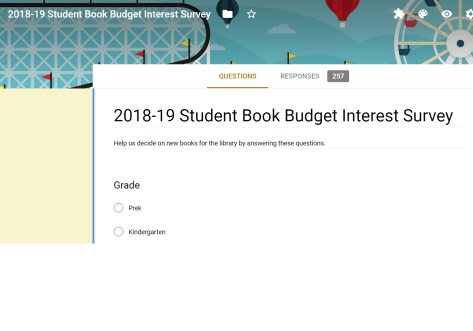
Our 2018-19 student book budget team is hard at work creating consideration lists of books for purchase. So far, they have created an interest survey, surveyed numerous students in our school, and set purchasing goals. I sent their goals to vendors and setup some appointments for vendors to meet with the team.

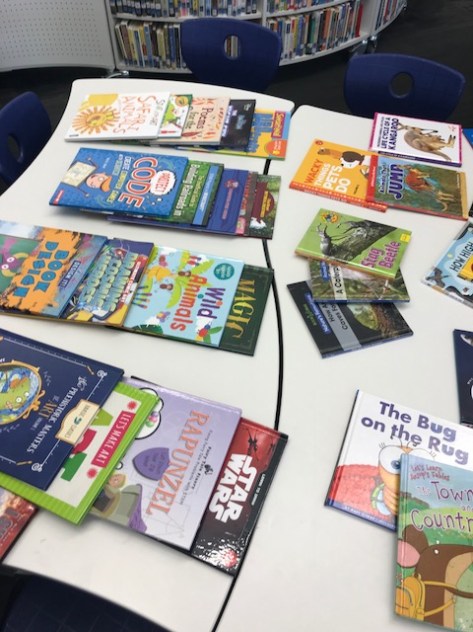
Our first vendor was Gret from Gumdrop Books. Gret brought in fiction and nonfiction and split them into separate groups on tables. She gave each student a pad of paper to write down item numbers for books or series they were interested in. They gave Gret each of their papers at the end of their time and then she put them into a consideration list in Excel. One of the things I love about what Gret does is that she has a printed list inside each book that shows other books in the series. Students can easily see if there are other books they are interested in.

Since Gret only had a sample of books to peruse, we had the Gumdrop website pulled up on the big screen so that Gret or students could search for books that weren’t represented on the tables. At the close of Gret’s time students in the 3 groups had made a list that totaled over $6,000! That’s not unusual for this group. It will become a good lesson later into how you get critical and purchase the very best of what you’ve found with the money you actually have.

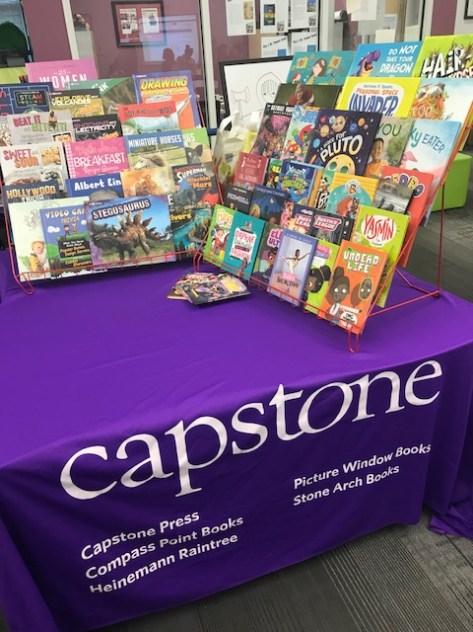
Our second vendor was Jim Boon from Capstone. Jim has worked with us since the very beginning of this project. He’s great at bringing in a variety of books in fiction and nonfiction and splitting them into 2 displays that students can easily access. He also has catalogs and pens shipped to the school prior to his visit so that students can look through catalogs for books that aren’t found in his displays. Jim does a quick overview of what he has brought, how to use the catalogs, and any promotions Capstone currently has. Then, he spends time assisting students in looking at books and finding specifics in the catalogs.

My favorite feature in the Capstone catalog is the barcode listed on each series. Students can scan the barcode and it pulls up the entire series on the screen. Then, students can check the books they want to add to the list.  It’s so much faster than having to write things down or bookmark pages in a catalog. Then, we can easily go into the list later to delete the books we don’t want.

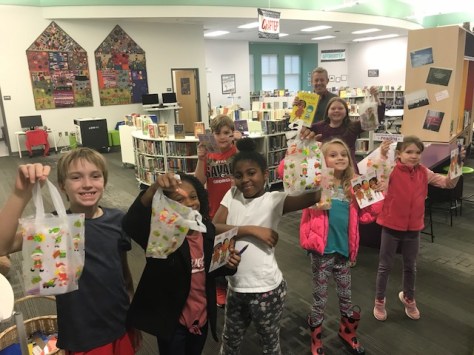
Jim gets right in with the students and helps them find whatever they are looking for. He’s so fun and keeps them laughing and shopping. He even brought them a special treat bag to go with their Capstone pen and bookmarks.

Now, students have a lot of work to do after the break looking through their Capstone catalogs and cutting books from their Gumdrop list. Then, we’ll meet with one more vendor before making final decisions.

I love watching this group work and seeing what stands out to them.


Magazine Ornament Makerspace

Our open makerspace is taking a short break while our student book budget team works on new books for the library. We wrapped up our final makerspace session by hosting an ornament makerspace. Students signed up for this time with their teachers via a Google doc.

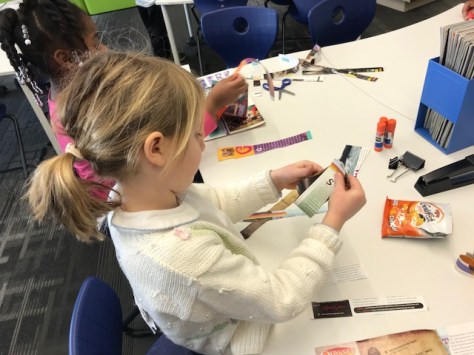
I have lots of old magazines that used to be in circulation but aren’t used anymore. I decided to pull them out and use them for our ornament materials as a way to promote reusing materials rather than throwing them out or putting them in recycling.

I wanted students to have a mixture of structure and freedom, so I selected 3 options for structured ornaments with a 4th option of designing your own.

Instructions for these 3 ornaments are found below.

Ornament 1 (top center):

  1. Cut 2 pages from a magazine and fan fold each page.
  2. Stack the 2 fan folds on top of one another and tie in the middle.
  3. If you want, trim the ends of the fan into a fancy design with craft scissors or regular scissors.
  4. Fan out each side and connect together to make a circle. Staple if low on time. Glue if you have time for drying.
  5. Use a hole punch to make a hole and tie a string.

Ornament 2 (bottom left):

  1. Cut multiple strips of the same length from a magazine page.
  2. Bring the ends of each strip together to form a loop.
  3. Repeat the process of bringing ends of strips together and begin adding the loops together.
  4. You might want to use a gem clip to hold the loops together if you have trouble holding them in your hand and folding paper at the same time.
  5. Staple the loops together at the top.
  6. Use a hole punch to create a hole and tie a string. (If you have added a lot of strips, it may be difficult to punch a hole)

Ornament 3 (bottom right):

  1. Cut 5 strips from a magazine page. 2 long, 2 medium, 1 short.
  2. Arrange the strips in this order: long, medium, short, medium, long.
  3. At one end of your stack, make sure the ends of the strips are even and staple them together.
  4. Starting in the center with the short strip, connect the two medium strips to the top of the short strip.
  5. Next, connect the two long strips to the short strip. Staple together.
  6. Use a hole punch to create a hole and tie a string.

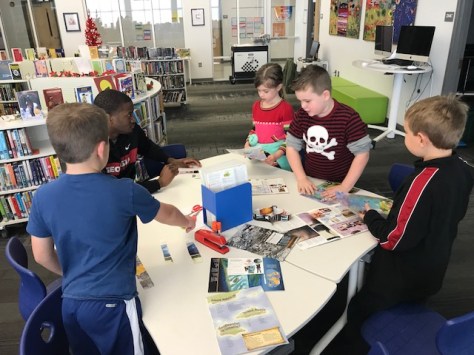
When students came to the makerspace session, I quickly showed them the 3 options which were all at their own table.  Then, I showed them a 4th table where they could design their own. Since a UGA class collaborates with us in makerspace, there was a UGA student at each table to assist students as needed with the directions. I also had a UGA student help with hole punching and string tying.

Students were welcome to make as many ornaments as they wanted. They could take them all with them, but they were also welcome to add them to our holiday area of the library. At the front of the library, I have pulled out all of our November/December holiday books and created displays to highlight those holidays such as Diwali, Thanksgiving, Hanukkah, Kwanzaa, Christmas, and New Year.

As with every makerspace time, I loved seeing how students took structured ideas and put their own creative spins on them. I also loved seeing what unique ideas students came up with on their own too. It’s always hard to decide how to balance structure with open-ended projects, but I think it’s important to offer both. We all learn in different ways. I’ve seen that some learners have high anxiety when given no structure and others have high anxiety when they have structure and think that their creation has to look exactly like the picture.

Several students did decide to add at least one of their creations to our tree in the library. It’s one more way that we can share ownership of our library.


2018-19 Student Book Budget First Steps

One of my favorite projects of the year has started. Our student book budget group is a group of 3rd-5th grade students who volunteer their time to decide on new books for the library.  This project has been a part of our library for several years. Each year, we make some adjustments to improve the process and make sure student voice is heard. Over the course of December and January, students in this group will survey the school on reading interests, develop goals, meet with vendors, develop consideration lists, place a book order that meets a budget, process new books, market new books, and enjoy reading the books they have selected.  It’s quite an undertaking, but something I cherish every year.

Step One

I created a Google form application that was emailed to all 3rd-5th grade students. In the application, I linked to a video that explained the project to students. Some teachers played this video for the whole class. Other teachers simply reminded students that applications were open. We made announcement reminders on our morning broadcast for students to apply.  Applications were only open for one week.

This year, I wanted students to make a commitment up front to stick with the project from beginning to end. I made this one of questions to help me decide who to accept into the group. I generally accept every student who applies, but if students weren’t willing to commit to the time the project takes, then I knew they might not be the best choice for the group. I knew I could at least talk in person with students who said no/maybe so that we could clear up expectations and requirements.

Step Two

Once students were chosen, I announced our team on the morning broadcast and communicated with them and their teachers via email. We have 25 students on this year’s team. Our routine schedule is to meet on Tuesdays and Thursdays at 11:00 for 3rd grade, 11:30 for 4th grade, and 12:00 for 5th grade. This time is taking the place of our open makerspace time during December and January.

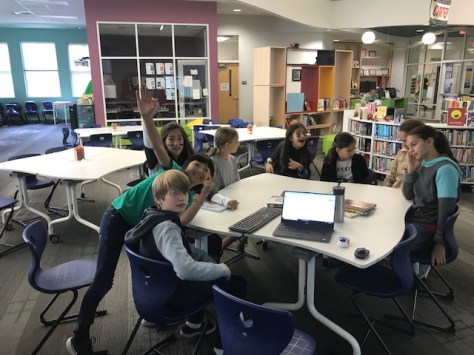
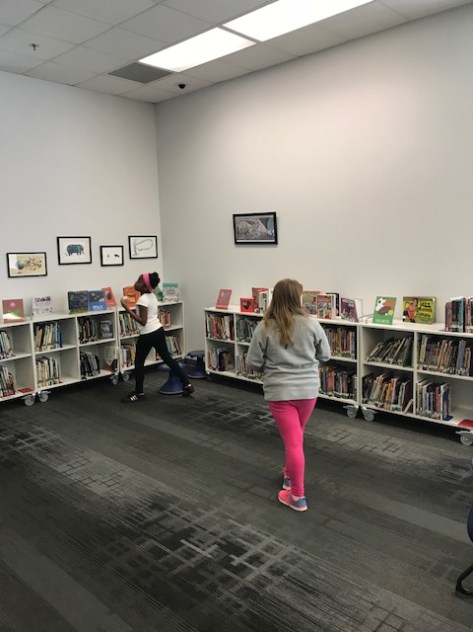
During our first meeting, students thought about what they might put on a survey about reading interests. They started by doing a walk around the library and seeing what they noticed about the shelves. For example, they saw how empty the dinosaur, fun facts, and ghost section was. They noticed that we have a lot more humor chapter books than they realized.  We used these noticings and last year’s survey to create a new survey.

In the end, they mostly kept the survey the same with a few small changes.

Step Three

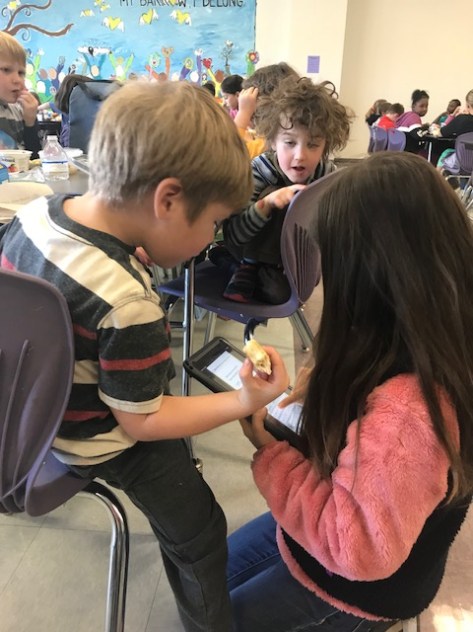
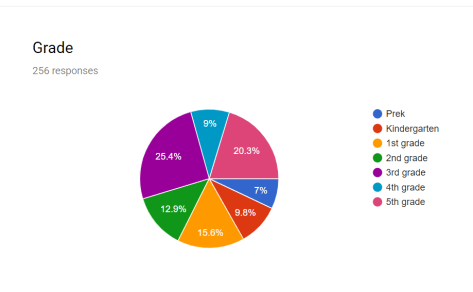
I emailed the survey to all 3rd-5th graders who have their own computer and let teachers know the survey was available. At our 2nd book budget meeting, each grade of students took iPads to the lunchroom and surveyed as many PreK-2nd grade students as possible.  Each time the survey was submitted, it sent the data to a spreadsheet and summary so that we could see which grade levels weren’t as heavily represented and we could begin to set goals for our purchasing.

Step Four

At our 3rd meeting, we checked in on our data to see what else we needed to do.  We noticed that we needed more 4th and 5th grader voices, so we surveyed some of them at recess and made a final plea to teachers to give them time to take the survey in class.

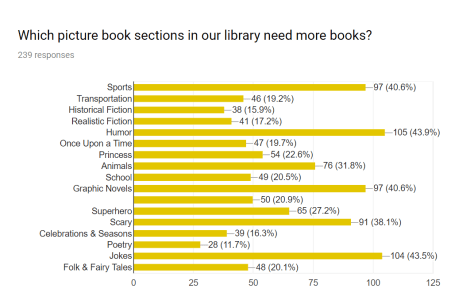
We also used the 3rd meeting to go ahead and notice what the data was telling us so far.  Each group noticed that in picture books the top requests were humor, jokes, graphic novels, and sports.  In chapter books, the top requests were humor, sports, and mystery. In informational, the top requests were fun facts, cooking, ghosts, and animals/dinosaurs.

Students compared these results with what they noticed in their walk around the library. They saw that things mostly matched, but the biggest difference was the humor chapter books.  People are asking for more, but we have so many that aren’t getting checked out. This is a point they are considering so that they really focus on what they think people will actually read.

Moving Forward

Now, we are wrapping up our survey and firming up our purchasing goals so that we can start meeting with booksellers.  We already have appointments with Jim Boon at Capstone and Gret Hechenbleikner at Gumdrop to look at their products. We’ll continue to update our progress along the way.


It’s Time to Plan for World Read Aloud Day 2019

It’s time for us all to start making plans and building excitement for World Read Aloud Day 2019 with Litworld.  This year, World Read Aloud Day takes place on February 1, 2019, but many of us will celebrate the entire week of January 28-February 1, 2019.

wrad15-day-3-15

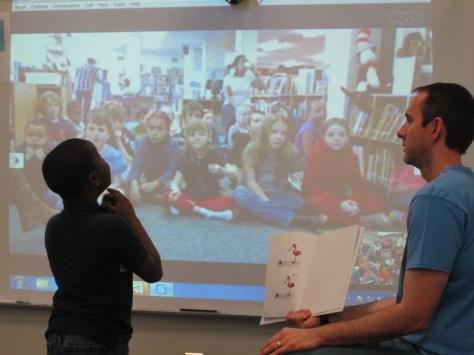
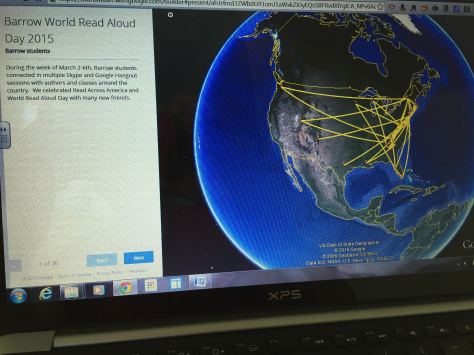
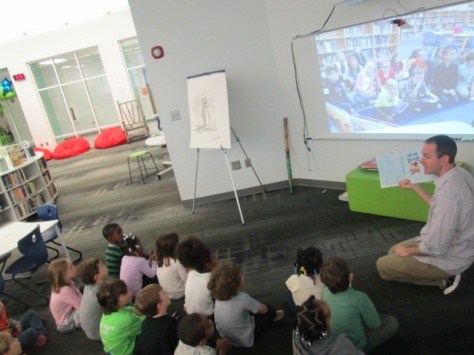
World Read Aloud Day “calls global attention to the importance of reading aloud and sharing stories.”  When we connect our students through Skype, Google Hangouts, or other web tools, they experience the power of the read aloud and realize that they are connected with a bigger world that is both the same and different from them.  By connecting our voices through reading aloud, we are reading on behalf of the 758 million people who cannot read.

Shannon McClintock Miller, Matthew Winner, and I invite you to start posting your schedules on our shared Google Doc.

World Read Aloud Day 2019 Planning Document

This year, we’ve tried to organize the document by time zones to make it easier to find connections that work for you.  If you don’t see your time zone listed, please add it as a heading.

When you share your schedule, be sure to include:

  • Your name
  • Your contact info such as social media, Skype, and/or email
  • Your role
  • Your school and grade levels
  • Your location
  • List your time zone when posting your available dates and times

wrad-map

After you post your own schedule, take a look at the other schedules and sign up on someone’s schedule to connect your students.  We’ve found that it doesn’t matter if same grade levels connect with one another. Often times, an older grade can read aloud to a younger grade or younger grades can find parts of a books that they can read aloud to an older grade.  There’s not just one way to connect.  Part of the fun is meeting new friends, planning your read alouds, and seeing what magical things happen during your connection that you weren’t even expecting.

We have many ideas from previous years on our blogs.  You can read more about previous World Read Aloud Day connections on Expect the Miraculous and The Library Voice.  Litworld also has several resources for you to use in your planning and connections including:

wrad16-5

Please let us know if you have any questions.  Happy connecting!

Shannon McClintock Miller @shannonmmiller Matthew Winner @matthewwinner & Andy Plemmons @plemmonsa

Barrow Oral History Project: An Update

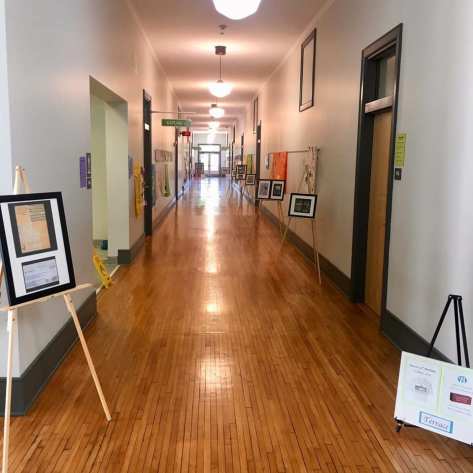
Back in 2009, the 5th grade classes, teachers, and I worked on an oral history project to try to capture some of the stories of Barrow’s history.  Our school was originally built in 1923, so there are many stories through the decades that could be told.

That year, the teachers and I participated in virtual professional learning with the Library of Congress. We engaged students in centers to explore primary documents from Barrow’s past, how to use laptops and microphones to record, interview etiquette, and how to craft the best interview questions to spark conversation.

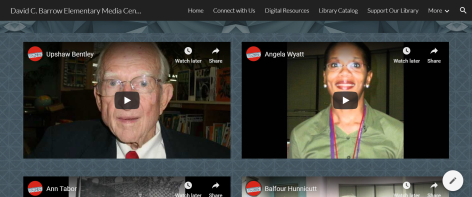
Each student worked with a partner to interview a guest from Barrow’s past.  Those histories were recorded in Audacity and uploaded to our school website.  Since then, I have transferred those files into Youtube.  They can all be heard at our Barrow Oral History page.

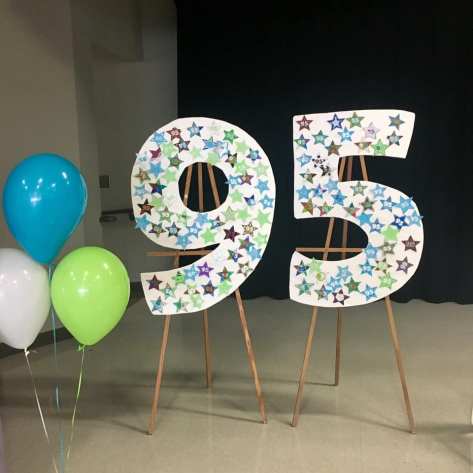
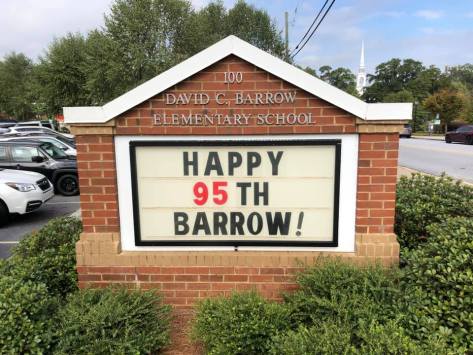
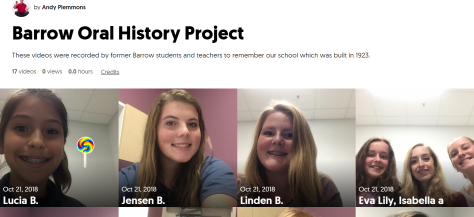
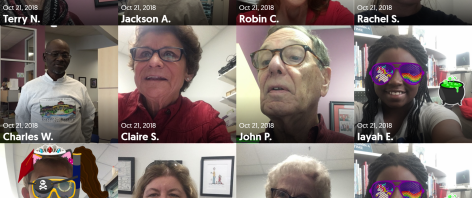
This year, our school celebrated its 95th anniversary and our PTA planned a big celebration.  Since hundreds of guests would be in our building, I thought it was the perfect time to capture a few more Barrow memories.  This time, I used Flipgrid to capture the memories since it automatically uploads the video.  Our past interviews lasted 20-30 minutes, but I knew people wouldn’t have that much time to give during the anniversary.  Flipgrid limited the responses to 5 minutes or less.  Rather than ask a series of questions, I simply asked people to share their name, when they attended Barrow, and a special Barrow memory.

Some of this year’s 5th graders served as hosts in the library.  Some stood in the hall to welcome people in to record. Others went with each storyteller into my office, the makerspace, or other quiet parts of the library to assist with recording.

Flipgrid has gone through several changes that have been frustrating to me when it comes to events like this one.  One of those changes is requiring people to login to their email in order to record.  To bypass this step, I had each storyteller “register” with me.  They simply filled out their first and last name.  I went into the administration side of Flipgrid and added their name to the Oral History grid. Then, I assigned them a unique password. When they went to the iPad, they simply typed in the password, and Flipgrid knew who they were. This allowed them to just focus on recording.  Since this event, Flipgrid has added a “guest mode” feature that allows you  to record without logging in.

The 95th anniversary was jam-packed with activities, so we didn’t record as many videos as I had hoped. However, I do want to try to continue this grid and add additional memories each time we have an opportunity to share some memories. It could even become something that 5th graders do before they leave our school so that we have an ongoing addition of current memories of our school.

In order to make the Flipgrid videos viewable, I added them to what Flipgrid now calls a “mixtape”. You can enjoy all of the 95th anniversary memories by viewing our mixtape of videos: https://flipgrid.com/+barroworalhistory 

If you are a former Barrow student or teacher who would like to record a memory, you can email me at plemmonsa@clarke.k12.ga.us and I can get you info for how to record on your own device.


King Alice: A Visit with Matthew Cordell

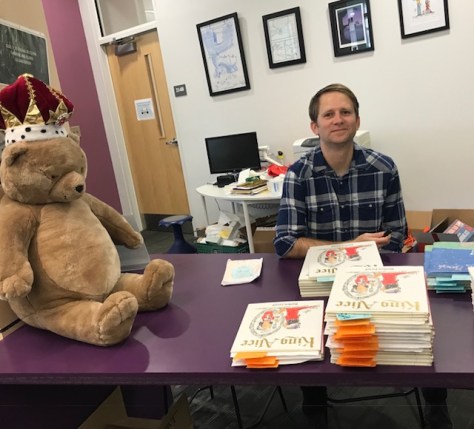
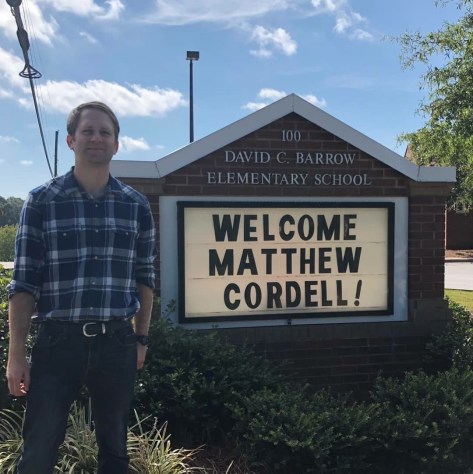
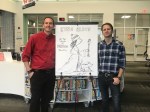
I love collaborating with our local indie bookstore, Avid Bookshop. Each year, we get amazing authors and illustrators who visit our schools and share their expertise with our kids. Our first visit of this year was Caldecott-medalist Matthew Cordell.  He won the Caldecott for his story of bravery and kindness called Wolf in the Snow.  Now, he is touring for his newest book King Alice.  His visit to our school was made possible by his publisher MacMillan Kids and Avid Bookshop.

I’ve followed Matthew’s work for several years. His book,  Hello Hello, is a favorite book that I love to use as we ponder how we balance our digital lives and real lives.  Even though it is a few years old, it continues to be relevant.

When I found out he was coming to our school, I began collaborating with Rita Foretich, our art teacher.  I scheduled read alouds with every class in K-2.  During every class, we read Wolf in the Snow. First grade also read Dream. Second grade also read Hello Hello.

In art, Ms. Foretich focused on 1 book per grade. Kindergarten made art inspired by Wolf in the Snow. They considered a time they were kind or brave and illustrated that moment. First grade made art inspired by Dream. They considered what they dreamed to be and illustrated that dream.  Second grade made art inspired by Hello Hello. They considered what they like to do in their free time and how they balance digital/real life and illustrated those thoughts.

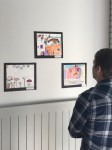
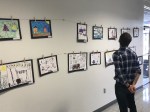
Each piece of art was mounted on black construction paper to create a gallery in the front halls of our school.

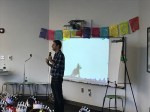
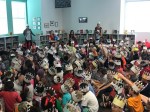
For the visit, we transformed the entrance to the library to look like a castle wall. My talented high school intern, Andrea Aramburo, created a hand-lettered banner that said “Welcome Kings”. Every class received paper crowns from the publisher to wear to the visit. All of this was in honor of King Alice.

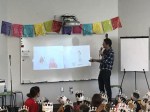
During Matthew’s visit, he shared a little of his childhood leading up to where he is now. Then, we got to see inside his messy studio. He talked about how he purposefully took a picture of the studio in action because he wanted students to see that art wasn’t a neat and clean process.  This became one of the favorite moments of the talk for some students.

Before Matthew read King Alice, he told some stories from his family. One example was how his daughter suggested things for them to do together like throw a pie in dad’s face or put on dad’s makeup. I loved hearing these real-life examples because it showed all of us that ideas are truly all around us.  King Alice is about a dad and daughter doing things together on a snow day. The dad doesn’t always want to do everything Alice suggests, but when she suggests making a book, the dad is all on board. We loved learning that Matthew’s daughter even got to collaborate on parts of the book.  King Alice has many laugh-out-loud moments that students were still talking about after the visit, and I heard more than one student shout out “Idea!” just like Alice did when she thought of additions to her story.

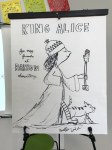
Students always love seeing an illustrator draw. Matthew drew King Alice and narrated every step of the drawing process. Seeing the blank page transform into the stoic King Alice was incredible and inspiring. I always see students go back to class after these moments and try to draw the characters themselves.

Before Matthew left, he chatted with several students including one student who presented him with a book that he wrote just for Matthew.

He also took time to tour the gallery of student art and get to know our many creators throughout K-2.


Thanks to our PTA, every classroom teacher received a copy of King Alice.  I’m sure it will be heavily used as a mentor text in writing workshop. It brings up some many important ideas of storytelling from ideas to revision to illustrating.

If you haven’t picked up a copy yet, I encourage you to go to your local independent bookshop and make a purchase. I’m sure there’s even a few signed copies still left at Avid Bookshop if you want to order one online.

Thank you, Matthew Cordell, for sharing your wisdom with our students, teachers, and families. Thank you MacMillan Publishers for making our city one of the stops on the tour. Thank you Avid Bookshop for collaborating with our school to make this visit possible and for supporting all of our book sales.


Making with a Cause: Cardboard Awards

One thing I’ve been very interested in with our makerspace is “making with a cause”. I see so many posts on social media where someone has done something amazing for someone else by using skills and materials often found in makerspaces. From 3D-printed shells for turtles to scarves for the homeless shelter, there are so many ways we can give back to our community through making.

I love that my friend, Gina Seymour, has created a whole book on “making with a cause” and I look forward to my copy arriving in the mail.  Her book, Makers with a Cause: Creative Service Projects For Library Youth, has a whole section on getting started and another section with examples of projects from animal welfare to health/wellness to community service.

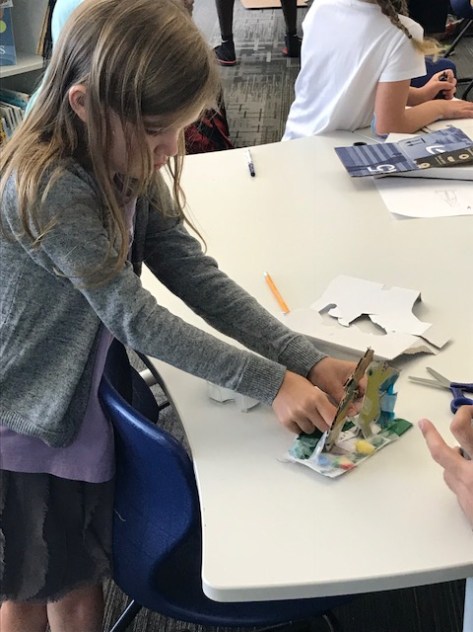
For this month’s theme of cardboard, we asked students to think about someone who deserved an award. What would the award be? What would it look like? Why would the person receive the award?  Students designed their awards out of cardboard.  Some made medals to hang around necks.  Others made trophies or even booklets. The only requirement was to use cardboard.

We asked students to start by brainstorming ideas on paper, and then they transferred those ideas onto cardboard. Using Makedo saws, scissors, and canary cardboard cutters, students worked with UGA mentors to cut out their award designs.  They embellished these with duct tape, string, washi tape, and other supplies from our makerspace supply cart.

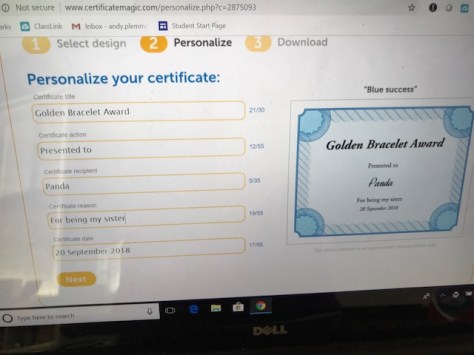
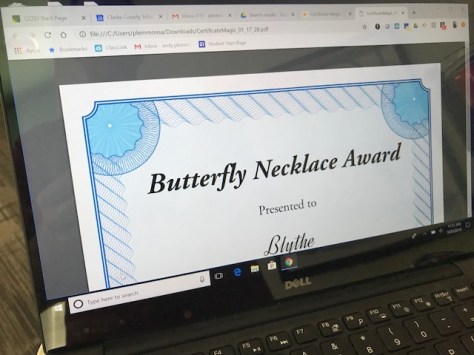
As students completed their cardboard awards, they came to me at the computer to print a certificate to accompany the award. I found an easy certificate generator called Certificate Magic.

It allows you to choose the type of award you want to print and then fill in the details in a very simple form.  Then, you can download your award as a PDF and print. Students named their award, identified who they were giving it to, and chose a reason for the award. I loved hearing who they were giving the awards to and why.

A few examples included:

  • A T-rex award given to someone’s sister for acting like a dinosaur
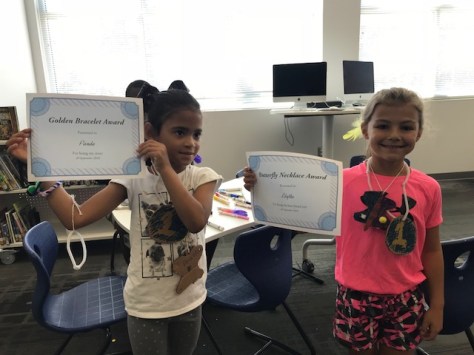
  • A Golden Bracelet award given to someone’s sister for being a good sister
  • A Golden Butterfly award given to someone’s whole family for supporting her
  • A Football Trophy given to a dad for being a supporter of the Georgia Bulldogs
  • A Butterfly Necklace award given to a friend for being a good friend

There was even a special surprise award for me.  Somehow this student kept his award details a secret until he gave me the award.  He even asked if he could have privacy while he filled in the Certificate Magic form.  My award was called “Read More Books” for being a great librarian.  He even made the cardboard award look like a book with the award details inside.

I’m loving this component of our makerspace so far this year and I look forward to seeing what people end up creating for others in the coming months.


Celebrating International Dot Day 2018

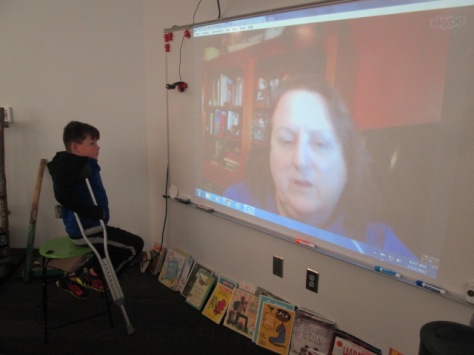
September 15(ish) is International Dot Day. This day celebrates The Dot by Peter Reynolds and the idea that we are all creative and unique and can all make our mark on the world. Every year, we use this week to make Skype connections with classes around the country, share dot-related stories, and realize that we are all connected to each other.

Some years I try to host many dot-making activities in the library.

This year, we are doing creativity challenges every week as a whole school, so I asked my principal if we could make this week’s challenge dot-related. At the beginning of the week on our morning broadcast, I explained the purpose of Dot Day and challenged all classes to see what they could make out of dots. They could create something as a class, create individual ideas on post-its or index cards, or anything else. Each class was encouraged to hang their work outside their door for all to see. They were also encouraged to bring their creations to Skype sessions to share with our connecting classes.

I really loved this new addition because I feel like more people jumped into celebrating Dot Day. On Friday, we invited everyone to wear dots, and I was surprised to see how many students created their own shirts at home with dots.  One student even hid a Mo Willems pigeon in his dots on his shirt.

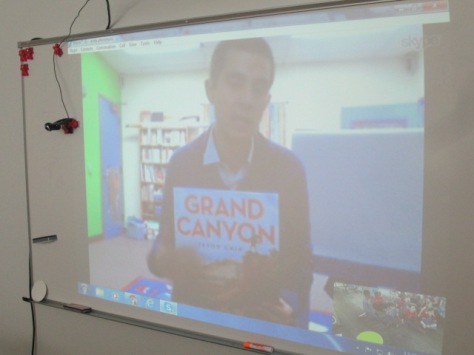
For our Skypes we connected with:

  • Donna MacDonald at Orchard School in South Burlington Vermont to read Little Elliot by Mike Curato.
  • Craig Seasholes in Seattle, Washington to read Yo! Yes! and The Dot
  • Shannon Miller at Van Meter Elementary in Van Meter, Iowa to read Ish
  • Mrs. Shekleton at Howard Winneshiek School District in Iowa to read Say Zoop by Herve Tullet
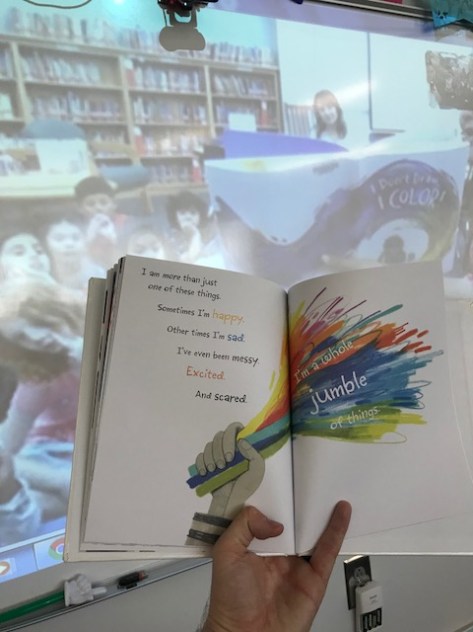
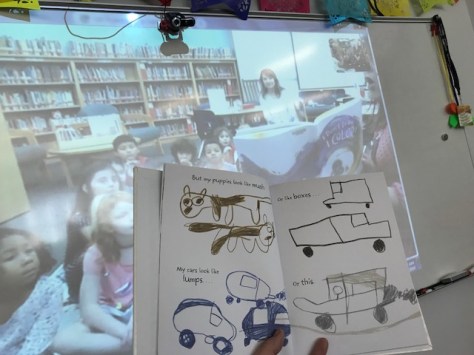
  • Mrs. Guardiola at Caldwell Elementary School in Round Rock, Texas to read I Don’t Draw I Color by Adam Lehrhaupt
  • Mrs. Snead at Central Elementary in Carrollton, Texas to read Say Zoop by Herve Tullet
  • Mrs. Schnurr in Dallas, Texas to read I Don’t Draw I Color by Adam Lehrhaupt

As usual, every connection was filled with special moments. One of my favorites was reading Say Zoop with so many students. It’s a book that puts you a bit out of your comfort zone, but the kids had a blast making all of the noises.

I also loved seeing all of the creativity of dots from place to place and hearing students ask questions and share with one another. These Skype connections always remind us how we are sometimes stuck in our routines and forget that there’s a whole world of people out there doing some of the same things we are. It just takes reaching out and having a conversation to connect yourself to one another.

Thank you to everyone who connected with us and to all educators and students who reached out, tried something new, and connected the dots around the world.

Makerspace Begins: Themes and Options

Our makerspace has once again cranked up for the 2018-19 school year. Once again, I’m collaborating with Gretchen Thomas and her class of over 30 undergraduates from the University of Georgia. Every year, Gretchen and I meet to think about what our open makerspace time might look like, ,and every time we make some changes and try something new.

Our idea for this year is offer specific themes around materials or tools rather than try to squeeze in so many different things in a short amount of time.

For September, we’ve chosen cardboard as our material.  Across 3 weeks, we hope to offer 3 short-term challenges using cardboard.  One of those challenges will be a “making with a cause” challenge.

  • Week 1: Design a hat. This can be interpreted however students want.
  • Week 2: Making with a Cause. Make an award. Students will choose someone who deserves an award. Make the award. Give the award to that person with an explanation of why they deserve the award.
  • Week 3: Make a puppet. Use cardboard tubes to create unique puppets and hopefully begin storytelling with them.

For the second open makerspace, we know that there will be students who aren’t interested in the short-term options and want to branch out to their own projects that take longer than 1 or 2 sessions. For these students, we will offer them a space to plan, design, and create their own inventions that have a purpose.  We wanted to keep this option open ended, but encourage students to develop something using cardboard that actually has some sort of function/purpose.

In each Tuesday/Thursday session, groups of UGA students come to work alongside students. They come in 30-minutes waves so that each round of students has me and UGA students to support them. I’ve put a bit more structure on the front end of makerspace this year. Students check-in with a UGA student and then sit on the carpet. I offer a quick intro to what we are making and connect it to a book. For cardboard, we used Cardboard Kingdom by Chad Sell. Then, students move to tables to do some planning before they start grabbing cardboard and cutting.

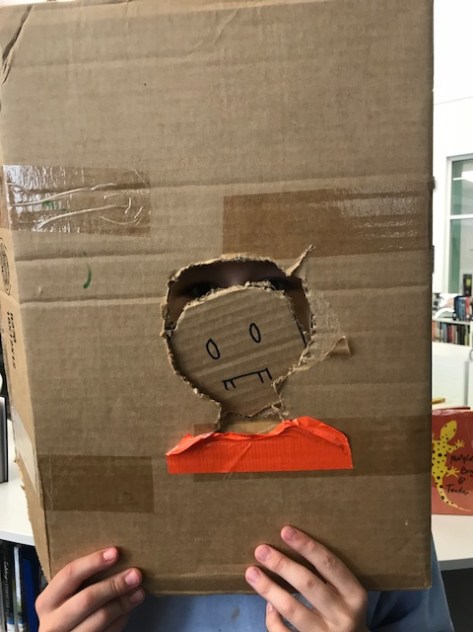
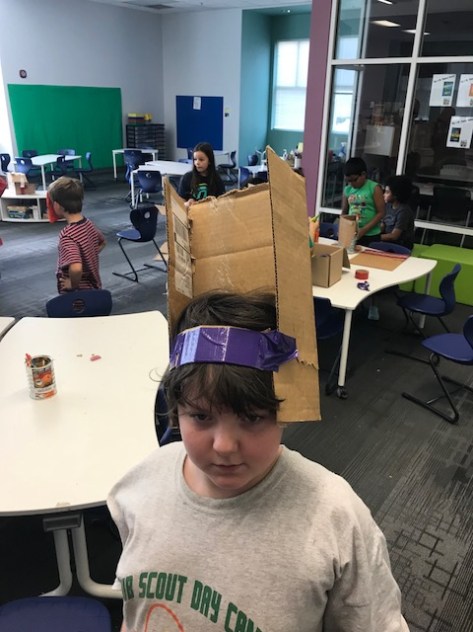
This week, we launched into the first challenge of making a hat. Students had access to cardboard, Makedo safe saws, scissors, duct tape, and coloring supplies. Students sketched hats onto cardboard and started sawing.  There was a learning curve on the best strategies for sawing. Some students were more patient than others with the cutting process. Be warned! It was very loud and very messy. All adults circulated around to support as many students as possible.

At the end of session 1, students labeled all of their pieces of cardboard and we stored them in the makerspace.

For session 2, we spread all of the pieces out so that students could locate their cardboard to start again.

I loved seeing the hats that students came up with in such a short amount of time. At dismissal, I could see the cardboard hats parading down the halls and lots of students were curious about where they came from. Many students needed more than 2 sessions to finish. Some chose to take the materials with them to finish at home. Others left their hats behind to continue working on next week.

I have a lot of questions about how this is all going to work. It’s fast-paced and a challenge to get one group finished and cleaned up before the next group comes in. It’s also a mess of cardboard dust and bits, and I hate leaving that for our custodians. However, we’re pressing forward, expecting the miraculous, and making changes as needed along the way.